
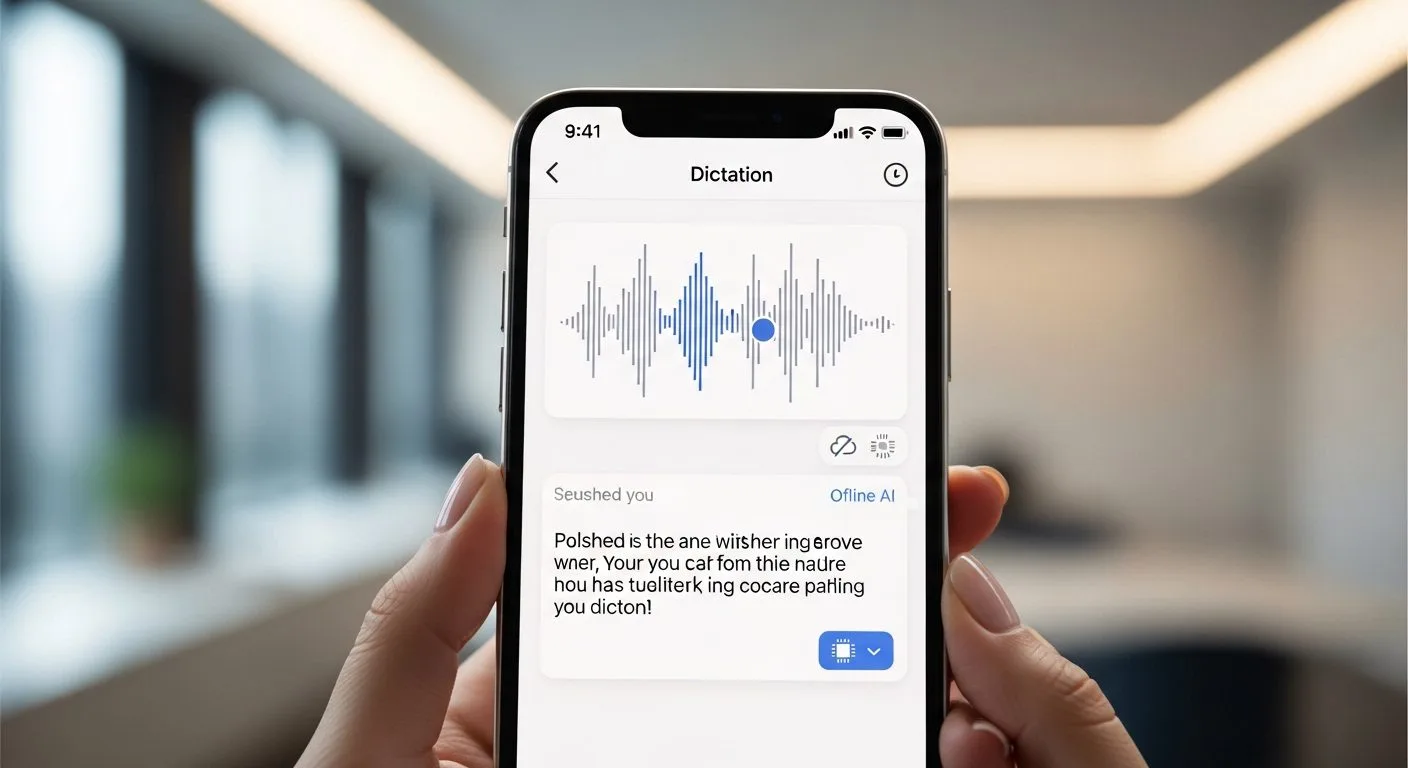
Google AI dictation app works offline, and that is what makes this release more interesting than a typical speech-to-text utility.
If you want the short version, Google has released a free iPhone app called Google AI Edge Eloquent. According to the official App Store listing from Google LLC, it uses Gemma-based on-device models, works even when you are offline, and is designed to turn natural speech into cleaner, ready-to-use text instead of dumping raw transcription into a text box.
The Google AI dictation app works offline story matters because this is not just another cloud-first AI assistant. Google is showing that a polished dictation experience can run locally on a phone, with optional cloud features layered on top rather than required from the start.
This guide uses the official Google AI Edge Eloquent App Store listing, Google’s broader AI Edge documentation, the official Google AI Edge Gallery GitHub repository, and TechCrunch’s report on the release as the main references. If you want broader product context on how speech features fit into mobile software, Progressive Robot’s article on voice recognition technology in mobile apps is a useful companion read.
In simple terms, the Google AI dictation app works offline because Google is pushing more speech and language processing onto the device itself instead of treating the phone like a thin client for remote AI services.
Google AI dictation app works offline at a glance

Google AI dictation app works offline at a glance in a few clear points.
- The product name is Google AI Edge Eloquent.
- The live official listing reviewed here is for iPhone and is sold by Google LLC.
- The app is free and listed in the Productivity category.
- Google says it uses Gemma-based on-device models for dictation.
- Google says it works even when you are offline.
- The app also offers text cleanup and rewrite-style options after dictation.
- Some advanced optional features can still use cloud processing.
- The App Store listing says keyboard support is coming soon.
Why Google AI dictation app works offline matters

Google AI dictation app works offline matters because local AI changes the tradeoffs around speed, privacy, and reliability.
Many dictation tools still depend heavily on cloud inference. That can work well, but it also means the product depends on network quality, server-side processing, and a higher level of trust around what happens to voice data once it leaves the device. A local-first approach changes that. It reduces dependence on connectivity and makes the product more useful in travel, field work, patchy-signal environments, and privacy-sensitive situations.
Google AI dictation app works offline also matters because dictation is a practical mobile workflow, not a novelty demo. People use dictation while walking, commuting, driving, brainstorming, replying to messages, and capturing ideas quickly. If an AI layer can clean up filler words, remove self-corrections, and output usable prose without needing a server every time, that has real everyday value.
If you look at the broader product angle, this fits a larger trend toward smarter voice recognition inside apps rather than voice AI being limited to assistants and smart speakers.
1. Google AI dictation app works offline under the name Google AI Edge Eloquent
The first fact to know is that Google AI dictation app works offline through a product called Google AI Edge Eloquent.
That name comes directly from the official App Store listing. The product is presented as a dictation app rather than as a Google Assistant update, a Gemini chat app, or a keyboard extension. That distinction matters because it frames the release as a focused productivity tool.
Google AI dictation app works offline here as a standalone experience built specifically for speaking, transcribing, and polishing text. It is not marketed as a broad conversational companion. It is built to capture speech and convert it into cleaner writing.
2. Google AI dictation app works offline on iPhone right now, not as a full cross-platform rollout
The next fact is that Google AI dictation app works offline on iPhone today based on the official listing reviewed here.
The App Store page says the app is only for iPhone and requires iOS 16.0 or later. That is important because it keeps the current release grounded in what is live now rather than what people assume Google might do next.
TechCrunch also noted that Google updated the listing after publication and removed earlier Android references while adding language that the iOS keyboard is coming soon. So the cleanest description at the moment is this: Google AI dictation app works offline on iPhone now, while broader keyboard-style integration appears to still be evolving.
3. Google AI dictation app works offline because Google is using on-device Gemma models
The most important technical point is that Google AI dictation app works offline because its core speech processing runs locally.
The App Store description says the app is powered by Google’s latest Gemma technology and uses highly efficient, open-weight, on-device models to deliver responsive speech-to-text without requiring a server connection. The listing also says the app uses efficient Google AI Edge runtimes and that all machine learning processing runs locally on the iPhone unless you choose some advanced optional features that require cloud.
That lines up with Google’s wider AI Edge push. Google’s AI Edge documentation is centered on running AI across mobile, web, and embedded devices, and the Google AI Edge Gallery repo explicitly promotes offline, on-device use cases, including audio transcription experiences. In other words, Google AI dictation app works offline because it sits inside a much broader Google effort to make edge AI practical on consumer hardware.
4. Google AI dictation app works offline and still tries to improve the writing, not just transcribe it
Another key reason Google AI dictation app works offline stands out is that it does more than raw speech recognition.
According to the App Store listing and TechCrunch’s hands-on summary, the app is built to capture the user’s intended meaning and produce cleaner prose. It can remove filler words such as um and uh, smooth out mid-sentence restarts, and present more polished text than a literal transcript. TechCrunch also reported that after dictation the app can offer transformations like Key points, Formal, Short, and Long.
That matters because the product is not just competing with older dictation tools. Google AI dictation app works offline as a hybrid of speech recognition and lightweight writing assistance. It is trying to bridge the gap between speaking naturally and ending up with text you can actually send, paste, or publish.
5. Google AI dictation app works offline, but cloud mode is still part of the product
The privacy story needs a precise explanation. Google AI dictation app works offline by default for core local use, but that does not mean the entire product is cloud-free in every mode.
TechCrunch reported that users can turn off cloud mode to use local-only processing, and that when cloud mode is on, the app uses cloud-based Gemini models for text cleanup. The App Store listing also says some advanced optional features require cloud.
That means the right way to describe the product is not “no cloud ever.” The better description is that Google AI dictation app works offline for its core local experience, while optional cloud enhancements exist for users who want them. That is still a meaningful design choice, because offline capability is the default value proposition rather than an afterthought.
6. Google AI dictation app works offline while still using personal context to improve accuracy
One of the more practical features is vocabulary handling. Google AI dictation app works offline while still trying to adapt to names, jargon, and specialised terms.
The official listing says the app can create an editable personal context dictionary to improve dictation accuracy. It also says users can optionally connect their Google account so the dictionary can be built from Google account data that is processed securely on device. TechCrunch similarly reported that the app can import selected keywords, names, and jargon from Gmail if the user wants that.
That feature matters because dictation quality often breaks down on proper nouns, product names, company shorthand, and field-specific vocabulary. Google AI dictation app works offline more convincingly when it can learn the terms that actually matter to the user.
7. Google AI dictation app works offline as an early product, not a finished replacement for every voice workflow
The last fact is balance. Google AI dictation app works offline, but it still looks like an early-stage product rather than a mature universal voice platform.
The App Store listing is currently English-only, iPhone-only, and focused on dictation. Keyboard support is still marked as coming soon. User reviews on the App Store are mixed enough to suggest real-world accuracy will vary by acoustic environment and speaking style. TechCrunch also framed the release as a quiet launch rather than a major flagship Google announcement.
So the realistic reading is that Google AI dictation app works offline in a promising and strategically important way, but it is still early. This is better understood as a product signal and an experimental push into a growing category than as the final form of Google’s mobile voice writing experience.
What the app does in simple terms

If you want the plain-English answer, Google AI dictation app works offline as a voice-to-text app that tries to make spoken language sound like cleaned-up written language.
You talk into your iPhone, the app transcribes locally using on-device models, then it can clean up filler words and reshape the output into a more usable format. For many people, that is a better fit than a traditional transcription tool that captures every hesitation and correction exactly as spoken.
Google AI dictation app works offline in that sense as a writing tool, not only as an accessibility or voice-command tool. It sits somewhere between dictation, note capture, and AI-assisted editing.
Frequently asked questions
Google AI dictation app works offline raises a few obvious questions.
What is the app actually called?
The official product name in the App Store listing is Google AI Edge Eloquent.
Does it really work without the internet?
Yes, based on the official listing, the app is designed to work when you are offline. Google says the main machine learning processing runs locally on the device, although some optional advanced features can use cloud processing.
Is it the same thing as Google Assistant or Gemini?
No. This is a separate dictation product. It may use Google’s broader AI and optional cloud models, but it is not presented as a Google Assistant replacement or a Gemini chat client.
Is it available on Android right now?
The official live listing reviewed here is for iPhone. TechCrunch reported that earlier Android references were removed from the listing, so the safest current description is that the public app is iPhone-only for now.
Why does Google AI dictation app works offline matter so much?
Google AI dictation app works offline matters because it shows Google treating on-device speech AI as a real consumer product category rather than just a developer demo. That has implications for privacy, usability, and future mobile text input.
Final thoughts
Google AI dictation app works offline, and that alone makes Google AI Edge Eloquent worth paying attention to.
The release suggests Google sees a real opportunity in local-first writing tools powered by efficient speech and language models. Instead of waiting for a connection and returning a verbatim transcript, the app tries to turn speech into cleaner text directly on the phone, with cloud features left optional.
Google AI dictation app works offline today as a focused iPhone productivity app, but the bigger story is strategic. It shows where mobile AI is heading: less dependence on remote inference for every step, more practical on-device assistance, and a tighter link between speech recognition and useful writing output.
If you want the simplest takeaway, Google AI dictation app works offline because Google is moving real AI productivity features onto the device itself, and that is likely to matter far beyond this one app.
More AI coverage: explore Progressive Robot's AI Models, Tools & Releases hub — hands-on reviews, setup guides and benchmarks in one place.










