
A personalized workspace is no longer a perk or a decorating exercise. It is becoming a practical requirement for organizations that want people to concentrate, collaborate, and stay long enough to become good at their jobs. The environment a person works in — physical and digital — shapes how much attention they can hold, how quickly they recover from interruption, and how much friction sits between them and useful output.
Most workplace programs still treat the environment as a fixed asset. A desk is a desk, a laptop image is a laptop image, and the standard is defended because it is easy to procure and easy to support. That logic made sense when work was uniform. It makes far less sense when a single team contains a developer who needs six hours of silence, a support lead who lives in conversation, and a designer who needs color accuracy and screen space.
The business argument is not sentimental. Gallup’s research across more than 183,000 business units links engaged teams to roughly 14 percent higher productivity and 23 percent higher profitability, and one of the twelve conditions Gallup measures is whether employees have the materials and equipment they need to do their work right. That item is, quite literally, a question about workspace fit.
This guide explains what a truly personalized workspace means in practice, which layers actually matter, where personalization creates risk, how to roll it out without abandoning standards, and how to measure whether it worked. It is written for the people who have to fund, secure, and support the result, not just admire it.
Personalized Workspace: The Quick Answer
A personalized workspace is an environment configured around how a specific person does their specific work, within guardrails the organization sets. It spans the physical setup, the digital environment, the tooling, the schedule, and the sensory conditions. Personalization is not the absence of standards. It is a standard baseline plus a bounded, funded, supported range of choice on top.
The shift is from uniformity to fit. A standardized workspace optimizes for procurement simplicity and support cost. A personalized workspace optimizes for output quality, retention, and inclusion, and accepts slightly higher operational complexity as the price.
| Area | Standardized workspace | Personalized workspace |
|---|---|---|
| Design goal | Consistency and low procurement cost | Fit between environment and the actual work |
| Hardware | One approved model per role band | A baseline plus a bounded allowance for choice |
| Software | Locked image, identical for all | Governed catalog with self-service within policy |
| Physical setup | Fixed desk, fixed chair, fixed lighting | Adjustable surfaces, seating, light, and acoustics |
| Schedule | Fixed core hours for everyone | Agreed collaboration windows around individual rhythms |
| Accessibility | Handled as an exception via HR request | Designed into the baseline for everyone |
| Support model | One image, one runbook | Documented variants with a supported-configuration list |
| Success measure | Cost per seat and occupancy | Output quality, focus time, retention, and inclusion |
Why a Personalized Workspace Matters More Than Ever
Work has fragmented. The same job title now spans an office desk, a kitchen table, a client site, and a train. Microsoft’s Work Trend Index has repeatedly described the hybrid paradox: people want flexibility about where they work while still wanting time together, and the two demands do not resolve into a single seating plan.
At the same time engagement has fallen. Gallup’s global figures put engaged employees at roughly a fifth of the workforce, with the United States at an eleven-year low. Environment is not the whole explanation, but it is one of the few levers an employer can pull directly, quickly, and without reorganizing anything.
There is also a talent argument. People who have experienced a workspace that fits them do not go back quietly. A personalized workspace has become a visible signal of whether an employer treats people as interchangeable units or as individuals doing distinguishable work. It belongs in the same conversation as redesigning work rather than reducing headcount, because both start from what the work actually requires.
The cost of getting it wrong is quiet rather than dramatic. Nobody resigns because of a monitor. They resign after two years of small, daily friction that made competent work harder than it needed to be.
What a Truly Personalized Workspace Actually Means
The word personalized is doing a lot of work, and most programs interpret it too narrowly. Letting someone choose a desk photo or a chat theme is customization, not personalization. It changes appearance without changing capability.
A truly personalized workspace changes what a person can actually do. It removes a specific constraint that was limiting a specific kind of work. Extra screen real estate for someone who compares documents all day is personalization. A wallpaper is decoration.
The distinction matters for budgeting. Decoration is cheap and produces goodwill. Personalization costs more, produces measurable output change, and requires someone to understand the work well enough to know which constraint to remove.
There is a third category that gets confused with both: accommodation. Accommodation is a legal and ethical obligation to make work possible for someone with a disability. A personalized workspace program should absorb much of that need into the default offering, so fewer people have to disclose anything to get what they need.
Personalization Versus Chaos
The most common objection is that personalization means everyone does whatever they want and support becomes impossible. That is a failure of design, not an inherent property. Bounded choice — a defined catalog, a defined budget, a defined support commitment — gives people meaningful control while keeping the estate knowable.
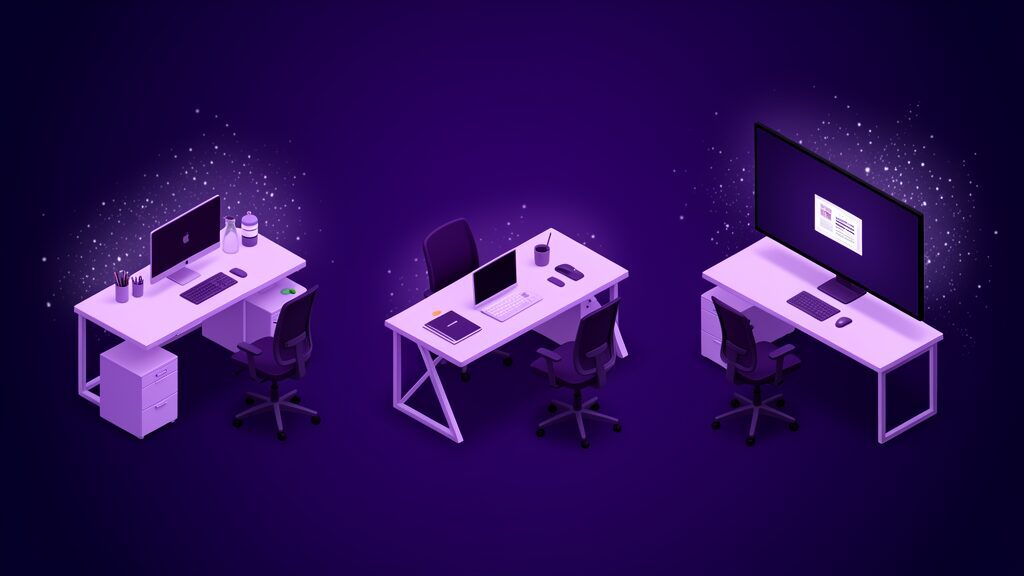
The Physical Layer of a Personalized Workspace
The physical layer is the most visible and the most frequently mishandled. Organizations buy expensive furniture, install it identically, and consider the problem solved. Fit is what matters, and fit varies by body, task, and duration.
Height-adjustable surfaces matter more than the specific desk model, because they let one asset serve many bodies. Seating that adjusts in more than one dimension matters more than seating that is merely expensive. The goal is range, not luxury.
Lighting is chronically ignored. Overhead fluorescent grids produce glare on screens and headaches in a meaningful minority of people. Giving individuals control over local light levels is one of the cheapest personalized workspace interventions available and one of the most consistently appreciated.
Acoustics are the other half of the sensory story. Open-plan noise is not uniformly distributed in its effect; some people filter it effortlessly and others lose their thread every time. A personalized workspace treats acoustic control — quiet zones, bookable rooms, a genuine allowance for noise-canceling equipment — as infrastructure rather than indulgence.
Temperature, Air, and the Things Nobody Budgets For
Thermal comfort is the single most complained-about building attribute in most facilities surveys, and it cannot be solved centrally because comfort ranges differ. Local control, or at least zoning, converts a permanent low-grade irritation into a solved problem.
The Digital Layer of a Personalized Workspace
For most knowledge workers, the digital environment is the workspace. The physical desk is where the digital workspace happens to be used. Yet digital personalization is usually the more locked-down of the two.
A personalized workspace in software terms means a person can shape their toolchain within policy: choose an editor, install approved extensions, set up shortcuts and automations, arrange their own notification rules. These are not cosmetic. They compound across thousands of daily interactions.
Notification design deserves specific attention. Default settings on most collaboration tools are tuned for responsiveness, not for concentration, and they treat every message as equally urgent. Letting individuals define their own interruption thresholds, and having managers respect them, is a personalization decision disguised as a settings menu.
The counterweight is governance. Every installed tool is a potential data path, and a personalized workspace that ignores that fact becomes a security incident. The answer is a curated catalog with self-service inside it, not a blanket ban and not a free-for-all.
Device Choice Within a Supported List
Allowing a genuine choice between two or three well-supported machines covers the large majority of preference variation at modest incremental cost. It also removes the most common complaint about standard issue hardware, which is not that it is bad but that it was never matched to the job.
Personalized Workspace Design for Focus and Deep Work
Concentration is the resource most workplace design quietly destroys. Interruption costs are not limited to the seconds of the interruption itself; the expensive part is the reconstruction of context afterward, which is why a personalized workspace tuned for focus pays back disproportionately.
Focus needs three things: control over interruption, control over sensory input, and enough uninterrupted duration to reach depth. All three are personal variables. Some people reach depth in ten minutes and some need forty.
This is where personalization and scheduling intersect. A personalized workspace that provides a silent room but schedules meetings across the whole day has solved nothing. Protecting blocks of time is as much a part of the environment as the furniture.
The practical move is to let individuals declare their focus pattern and then design team rituals around the overlap. Not everyone needs the same protected hours. They need their own protected hours to be legible to colleagues.
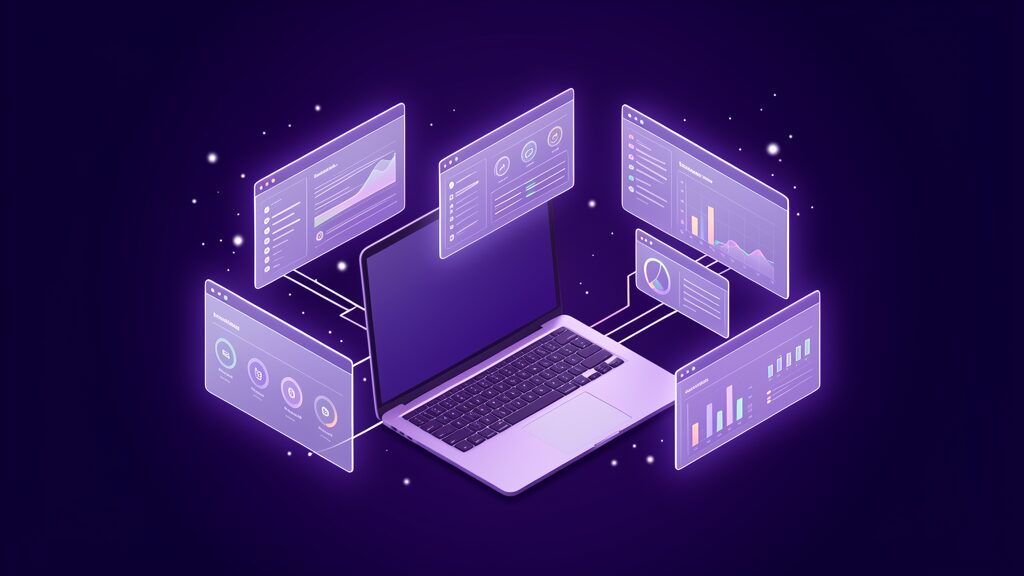
How a Personalized Workspace Supports Different Working Styles
People differ in how they process information, how they recover energy, and how they prefer to communicate. A workspace built around one profile will systematically underserve the others while appearing perfectly reasonable to whoever designed it.
Someone who thinks by talking needs frequent, low-friction access to other people, and an environment that makes conversation awkward will make them slower. Someone who thinks by writing needs the opposite. The same open-plan floor is an accelerator for one and a tax on the other.
A personalized workspace acknowledges this rather than legislating a winner. Providing a genuine range of settings — collaborative areas, quiet areas, private areas — and letting people move between them during the day covers most of the variation without needing to profile anyone.
Time-of-day rhythms are the least accommodated difference. Output quality for the same person can vary substantially between their peak and trough hours, and rigid core hours guarantee that some proportion of the workforce spends its best hours commuting.
Introversion, Extroversion, and the Open Plan
The open-plan debate is usually framed as a cost argument dressed up as a collaboration argument. The honest position is that open plan helps some kinds of work and harms others, and a personalized workspace strategy simply stops pretending one layout serves everyone.
Accessibility and Inclusion in a Personalized Workspace
Accessibility is where personalization stops being optional. Screen readers, magnification, captioning, alternative input devices, adjustable contrast, and predictable layouts are the difference between employment and exclusion for a substantial group of people.
The strategic insight is that accessibility features benefit far more people than the ones who formally require them. Captions help anyone in a noisy environment. High-contrast modes help anyone with tired eyes. Keyboard navigation helps power users. Building these into the personalized workspace baseline serves everyone and reduces the number of individual requests.
This is the strongest argument for treating a personalized workspace as infrastructure rather than as a benefit. Infrastructure is designed once, for the full range of people who will use it, and it does not require anyone to identify themselves as an exception in order to work comfortably.
There is a dignity argument too. When adjustment requires a formal request, disclosure, and approval, a proportion of people simply will not ask. A default environment with wide adjustment ranges lets them configure what they need without a conversation they did not want to have.
Neurodivergent needs deserve the same treatment. Control over noise, light, interruption, and predictability of layout are not niche requests. They are the same variables everyone else adjusts, with a wider required range.
The Hybrid Problem: Personalized Workspace Across Locations
Hybrid work broke the assumption that a workspace is one place. A person may now have a home setup, a shared desk in an office, and a laptop-only mode in transit, and personalization has to survive movement between all three.
Gallup’s recent figures suggest hybrid arrangements produce the highest engagement of any working pattern, which makes the configuration problem worth solving rather than avoiding. Microsoft’s research has found a large share of business decision makers planning to redesign physical space for hybrid work, and redesign is the moment when personalization is cheapest to build in.
The hardest part is consistency. If the office desk cannot reproduce the home setup, the office becomes the worse place to work and attendance policies turn into a fight. Hot-desking with profile-driven equipment — monitor arms, docking, saved height presets — is the pragmatic answer.
The second hardest part is equity. Home setups vary with income and housing, so a personalized workspace program that only funds the office quietly advantages people with spare rooms. A stipend that covers home equipment is the standard fix.
Making the Office Worth the Commute
If the office offers nothing the home cannot, mandates will do the persuading and resentment will follow. Offices that win on personalized workspace quality — better screens, better acoustics, better rooms, better chairs — do not need to argue as hard.
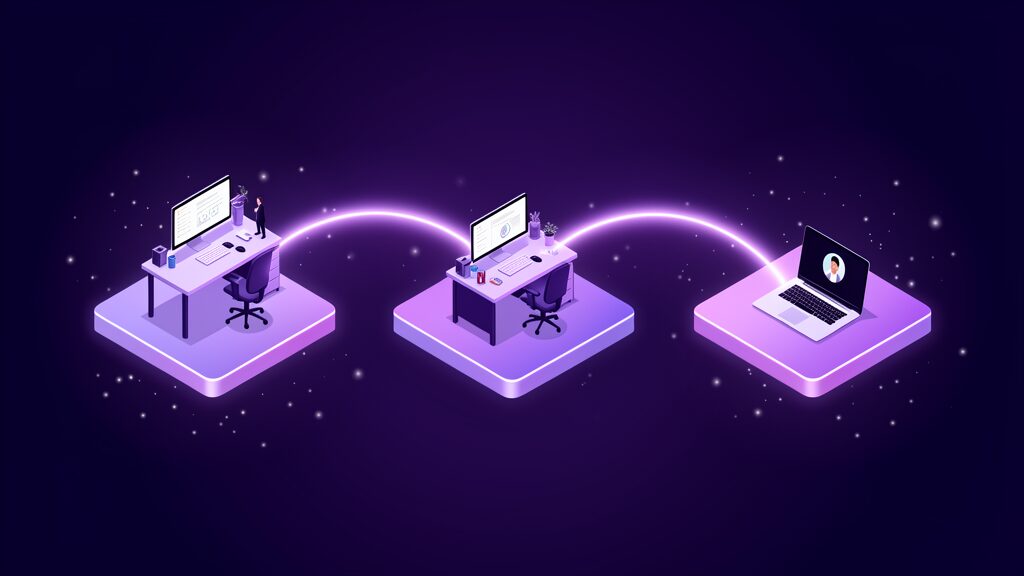
AI and Automation in the Personalized Workspace
AI has changed what personalization can mean. A workspace can now adapt continuously rather than being configured once, and the adaptation can be based on observed patterns rather than a form filled in during onboarding.
Practical examples are already ordinary: transcription and summarization for people who process better by reading than by listening, drafting assistance that reduces the cost of written communication, scheduling assistants that protect focus blocks, and search that understands intent rather than keywords. Each removes a specific constraint for a specific person, and none of them displaces the technical skills AI is not replacing.
The more interesting direction is adaptive environments — systems that learn when someone concentrates best and defend that time automatically, or that adjust notification aggressiveness based on current task. This is a genuinely new capability rather than a faster version of an old one.
The risk is that adaptive personalization slides into surveillance. A system that learns your rhythms is also a system that records them, and the difference between a personalized workspace and a monitored one is governance, transparency, and who can see the output.
Keeping the Human in Control
The design principle worth holding is that the person, not the system, owns the configuration. AI should propose and the individual should dispose. Automatic adaptation that cannot be inspected or overridden produces a workspace that feels haunted rather than personal.
How a Personalized Workspace Affects Team Collaboration
The standard objection to personalization is that it fragments teams. If everyone works differently, in different places, at different hours, coordination costs rise and the shared rhythm that makes a team feel like a team disappears.
The objection is real but the cause is usually misdiagnosed. Teams do not fracture because individuals have different equipment. They fracture when individual arrangements are invisible to colleagues, so nobody knows when anyone is reachable or how to hand work over.
The fix is legibility rather than uniformity. When each person’s working pattern, focus blocks, and preferred communication channel are published somewhere the team can see, personalization stops being unpredictability. A colleague who knows you do not read chat before eleven will email instead of resenting you.
Shared anchors do the rest. A small number of genuinely fixed points — one overlapping window per day, one weekly synchronous session, agreed response-time expectations by channel — provide enough structure to coordinate around while leaving the rest of the personalized workspace free to vary.
Documenting the Handover
Personalization raises the value of written handovers, because you can no longer assume the next person is sitting nearby at the same hour. Teams that write things down absorb variation easily; teams that rely on ambient awareness do not. The same discipline is what makes AI-enabled staff augmentation work when specialists join and leave a delivery team.
Onboarding Into a Personalized Workspace
The first month is when workspace decisions are cheapest to make and most likely to be made badly. New joiners receive whatever the default is, have no standing to ask for changes, and quickly stop noticing friction they have normalized.
A better pattern is to treat configuration as an explicit onboarding task with a deadline. Give the standard baseline on day one so nothing blocks a start, then schedule a deliberate review at thirty days once the person understands what their work actually involves.
Thirty days is the right interval because preferences stated during week one are guesses. After a month someone can say that they compare documents constantly and need the screen space, or that the room they were given is too loud for the calls they turned out to be doing.
The organizational benefit is data. Reviewing configuration at a fixed point across every new joiner produces a steady stream of evidence about which parts of the personalized workspace baseline are inadequate, which is far more reliable than waiting for complaints.
Making It Safe to Ask
New employees are the least likely group to request anything, because they are still establishing themselves. Framing the review as a standard checkpoint that everyone completes removes the sense that asking is a favor.
Sustainability and the Personalized Workspace
Personalization and sustainability appear to conflict. More variety sounds like more purchasing, shorter refresh cycles, and more equipment sitting unused when someone changes role or leaves.
Handled carelessly, that is exactly what happens. Handled properly, a personalized workspace can reduce waste, because fit is what determines whether equipment gets used or abandoned. A standard-issue chair that does not suit its occupant is replaced early; an adjustable one serves several people over its life.
The practical levers are reuse and range. Buying adjustable equipment rather than sized equipment means assets can be reassigned instead of replaced. Maintaining an internal pool of returned items lets a change of preference cost nothing new. Refurbished devices in the catalog give people real choice at a lower footprint.
Longevity matters more than any single purchase decision. Repairable furniture, upgradeable machines, and a genuine end-of-life path do more for both cost and carbon than restricting the catalog, and they make the personalized workspace easier to defend when procurement asks what the variety is for.

Data, Privacy, and Trust in a Personalized Workspace
Personalization runs on data about how people work, which makes it a privacy question whether or not anyone framed it that way. Preference data is comparatively benign. Behavioral telemetry — keystrokes, presence, application time — is not.
Microsoft’s own research found hybrid managers markedly more likely to report difficulty trusting employees and reduced visibility into their work, and that anxiety is exactly what drives organizations toward monitoring tools. Monitoring installed to relieve managerial anxiety tends to destroy the trust that made personalization work.
The workable boundary is purpose limitation. Data collected to improve someone’s own personalized workspace should serve that person, be visible to them, and not feed performance evaluation. Once telemetry crosses into appraisal, people optimize for the metric and the signal dies. This is the same governance gap visible wherever enterprise AI oversight has not caught up with deployment.
Transparency is cheap and disproportionately effective. Publishing what is collected, why, who can see it, and how long it is kept converts a suspicion problem into a policy document.
The Business Case for a Personalized Workspace
Finance will ask what the return is, and the honest answer is that the largest components are real but indirect. Retention is the clearest: replacing a skilled knowledge worker typically costs a substantial fraction of annual salary once recruitment, ramp time, and lost delivery are counted, which dwarfs the cost of a second monitor.
Productivity is the second component. Gallup’s engagement research provides the general link, and a personalized workspace acts on several of the underlying conditions at once — equipment adequacy, autonomy, and the sense that the employer takes the work seriously.
Absence and health costs form the third. Poor ergonomics generate musculoskeletal complaints that are expensive and slow to resolve, and adjustable equipment is a cheaper intervention than treatment.
The fourth is recruitment. A credible personalized workspace policy is a differentiator in hiring markets where compensation has converged, and it is easier to describe honestly than most culture claims.
What It Actually Costs
Most programs land at a modest per-person annual figure once a baseline refresh cycle is in place, because the expensive items are durable and the consumable part is small. The costs that surprise people are support and administration, not hardware.
Personalized Workspace Standards Versus Free-for-All
The governance question is where most programs succeed or fail. Too rigid and personalization never happens; too loose and the estate becomes unsupportable and insecure.
The pattern that works is a tiered model. A baseline that everyone receives without asking, a catalog of pre-approved options that require no justification, and an exceptions process for genuine outliers. Most needs are met by the first two tiers, and the third stays small enough to administer.
Support has to be scoped explicitly. Declaring which configurations are fully supported, which are best-effort, and which are unsupported lets people make informed choices and protects the service desk from open-ended obligation.
Security constraints should be stated as outcomes rather than product bans wherever possible. A rule that says data must not leave managed storage is more durable than a list of forbidden applications that is out of date within a quarter.

Implementation Roadmap for a Personalized Workspace
Start With the Work, Not the Furniture
Begin by describing what people actually do hour by hour: how much is focused, collaborative, client-facing, or physical. Personalization decisions follow from work patterns, and buying equipment before understanding the work produces expensive uniformity.
Ask People What Constrains Them
Survey for constraints rather than wishes. The question is not what would you like but what slows you down, and the answers are usually specific, cheap, and previously unreported.
Define the Baseline Everyone Gets
Set a genuinely good default that requires no request: adjustable desk and chair, adequate screens, decent audio, and an accessible software configuration. A strong baseline removes most of the demand for exceptions.
Build a Bounded Allowance
Attach a defined budget and a defined catalog to the baseline. Bounded choice is the mechanism that makes a personalized workspace administratively survivable.
Fix the Digital Environment First
Digital changes are faster and cheaper than physical ones and usually produce a larger effect for knowledge workers. Notification policy, tool choice, and permission to automate cost almost nothing and land within days.
Pilot With One Team
Run the full model with a single team for a quarter, including the support and procurement paths. Pilots surface the administrative failure modes that a policy document cannot.
Set Guardrails for Security and Compliance
Write the security, privacy, and support boundaries before scaling, not after the first incident. Guardrails defined early are accepted as design; guardrails imposed later are experienced as withdrawal.
Measure Outcomes, Not Occupancy
Decide the success measures in advance and make them about work quality, focus, retention, and inclusion rather than desk utilization. Occupancy measures what is easy to count, not what the program was for.
Review and Re-Personalize
Treat configuration as perishable. Roles change, bodies change, and tools change, so a personalized workspace needs a scheduled review rather than a one-time setup at onboarding.
Metrics That Matter
Measurement is where personalization programs are usually weakest, because the easy metrics are the wrong ones. Desk utilization and ticket volume are proxies for cost, not for whether the environment fits the work.
| Metric | What it tells you | How to read it |
|---|---|---|
| Uninterrupted focus hours per week | Whether the environment protects deep work | Rising is good; compare by role, not headcount |
| Voluntary regretted attrition | Whether good people are leaving avoidably | Segment by team before attributing to workspace |
| Equipment adequacy score | Whether people have what the work requires | Ask the Gallup-style question directly and track it |
| Time from request to fulfilment | Whether the program is administratively real | Long lead times quietly kill adoption |
| Accessibility requests unmet | Whether the baseline is genuinely inclusive | A rising count means the default is too narrow |
| Ergonomic incident reports | Whether physical fit is working | Lagging indicator; expect slow movement |
| Office attendance by choice | Whether the office earns the commute | Only meaningful without a mandate |
| Support cost per configuration | Whether variety is sustainable | Watch the trend, not the absolute number |
Common Mistakes
The most frequent failure is confusing personalization with perks. A better coffee machine is not a personalized workspace, and treating the two as equivalent guarantees disappointment when engagement does not move.
The second is personalizing the visible layer and ignoring the digital one. Organizations spend heavily on furniture while leaving notification defaults, tool restrictions, and permission processes untouched, which is where most daily friction actually lives.
The third is making personalization conditional on seniority. When adjustable equipment is a status marker rather than a fit decision, the program becomes a grievance generator and the people doing the most screen-intensive work often have the worst setups.
The fourth is running personalization as a one-time onboarding event. Needs change, and a configuration set on day one is stale within a year.
The fifth is collecting behavioral data without a stated purpose. Once people suspect that personalization telemetry feeds performance review, honest preference data disappears and the program loses its input.
The sixth is skipping the support model. Variety without a documented supported-configuration list transfers the entire cost to the service desk, which will eventually solve the problem by refusing.
Frequently Asked Questions
What is a personalized workspace?
It is a work environment — physical, digital, and temporal — configured around how a specific person does their specific work, inside guardrails the organization defines. It combines a strong common baseline with a bounded range of individual choice.
Is a personalized workspace just an expensive perk?
No, if it is designed around constraints rather than preferences. The spend targets things that measurably limit output, such as screen space, seating fit, acoustic control, and tool choice, and the largest returns show up in retention and reduced friction rather than in a direct productivity line.
How is personalization different from accommodation?
Accommodation is a specific obligation to make work possible for someone with a disability. A personalized workspace program should make the baseline wide enough that many accommodation needs are met by default, which reduces how often people have to disclose anything.
Does personalization make IT support unmanageable?
Only if choice is unbounded. A published catalog, a defined budget, and an explicit supported-configuration list keep the estate knowable while still giving people real control.
How do you personalize a hot desk?
Through profile-driven equipment rather than assigned furniture: adjustable monitor arms, saved desk height presets, standard docking, and a login that restores the digital environment. The aim is that any desk becomes the person’s desk within a minute.
What about employees who do not want to choose?
Make the baseline good enough to be a complete answer. Choice should be available, not compulsory, and a well-designed default is what most people will take.
Can AI personalize a workspace automatically?
It can propose adjustments based on observed patterns, protect focus time, and adapt notifications. The configuration should remain inspectable and overridable by the person, and the underlying data should not feed performance evaluation.
How do you measure whether it worked?
Set the measures before you start and favor focus time, equipment adequacy, regretted attrition, fulfilment speed, and unmet accessibility requests over desk utilization.
Where should a small organization start?
With the digital layer and the baseline. Notification policy, tool permissions, and one round of decent screens and seating cost little and address the majority of daily friction.
Final Verdict
A personalized workspace is an operational decision, not a cultural gesture. It works when it removes specific constraints from specific work, and it fails when it is treated as decoration, as a status reward, or as a one-time onboarding task.
The organizations that get value from it do four things consistently. They set a baseline good enough that most people need nothing else. They bound choice with a catalog, a budget, and a clear support commitment. They fix the digital environment, not only the furniture. And they measure fit rather than occupancy.
The constraint is rarely money. A meaningful personalized workspace costs less per person per year than the recruitment fee for one avoidable departure. The real constraint is the willingness to accept some operational variety in exchange for a workforce that can actually do the work it was hired to do.
References
The engagement and productivity figures cited above come from Gallup’s research on employee engagement and workplace productivity, which covers more than 183,000 business units and includes the equipment-adequacy item used here as a proxy for personalized workspace fit.
The hybrid findings draw on Microsoft’s Work Trend Index, in particular its work on whether hybrid work is being done well, on supporting flexibility in work styles, and on expectations around redesigning physical space.










