
What is OpenClaw?
AI Agent Framework
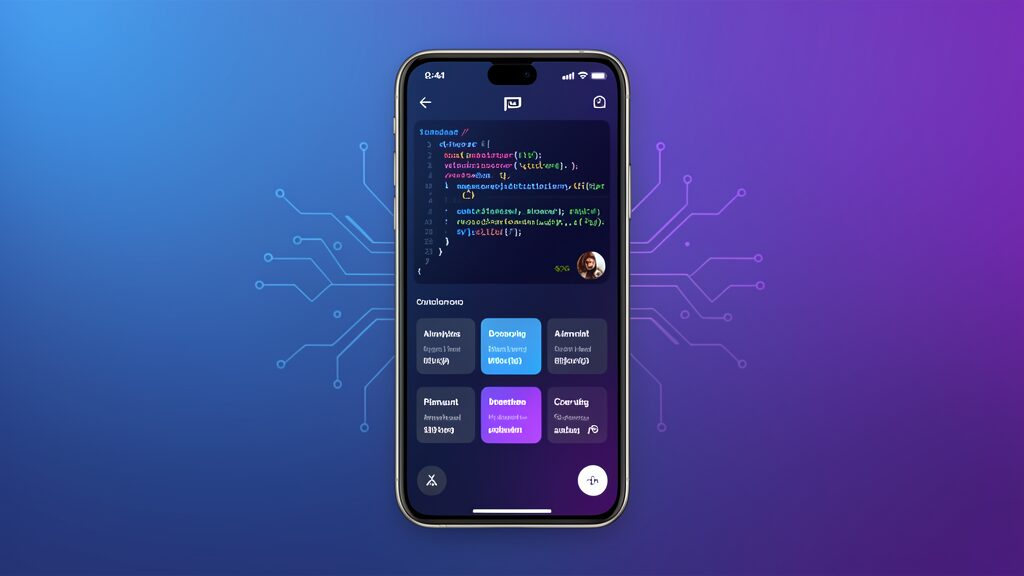
OpenClaw is an innovative AI agent framework that enables developers and users to build, deploy, and manage autonomous AI agents. The platform provides a comprehensive suite of tools for creating intelligent systems that can perform complex tasks, write code, analyze data, and interact with various services and APIs. With the release of OpenClaw mobile applications, users can now access these powerful capabilities directly from their smartphones and tablets, revolutionizing how developers and businesses interact with AI technology on the go.
Open Source Innovation
The framework has gained significant traction in the developer community due to its flexibility, open-source nature, and powerful capabilities. With the new mobile apps, users can now access these capabilities on-the-go, making it easier to manage AI agents, monitor performance, and make adjustments from anywhere. The OpenClaw mobile applications represent a major milestone in making AI agent technology accessible to a broader audience beyond desktop users.
Key Features of OpenClaw Mobile Applications
AI Agent Management on Mobile
The OpenClaw mobile applications provide full-featured AI agent management capabilities. Users can create new agents, configure their behaviors, set up workflows, and monitor their performance directly from their mobile devices. The intuitive mobile interface makes it easy to manage multiple agents simultaneously, with real-time notifications and status updates. This capability is particularly valuable for developers who need to monitor their AI agents while traveling or working remotely.
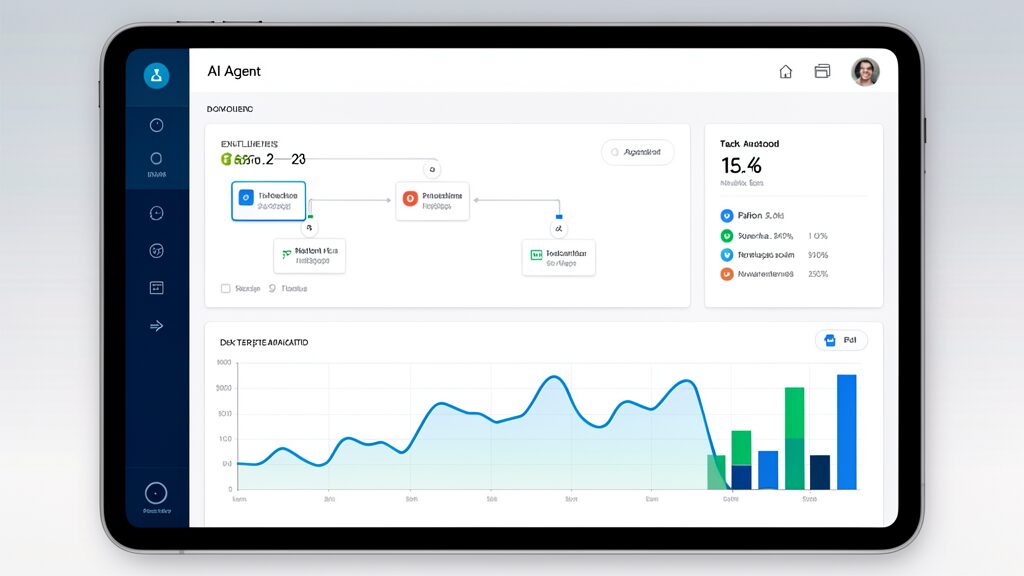
The mobile app includes a comprehensive dashboard that displays agent health metrics, task completion rates, and resource utilization. Users can pause, resume, or stop agents with a single tap, and receive instant notifications when agents encounter errors or complete important tasks. The OpenClaw mobile applications have been designed with usability in mind, ensuring that even users with limited technical expertise can effectively manage their AI agents.
Code Generation and Editing
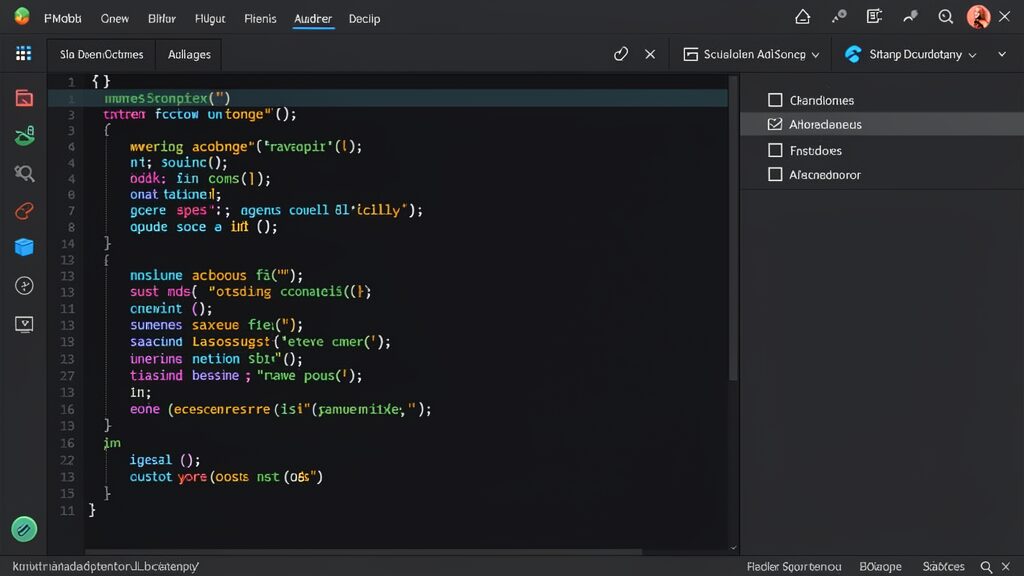
One of the standout features of OpenClaw is its advanced code generation capabilities, now fully accessible on mobile devices. The mobile applications include a powerful code editor with syntax highlighting, intelligent autocomplete, and real-time error detection. Users can generate code snippets, debug existing code, and refactor applications directly from their phones or tablets. This feature makes OpenClaw mobile applications an essential tool for developers who need to make quick code changes while away from their desktop.
Platform Support and Requirements
iOS Application Details
The OpenClaw iOS application requires iOS 15.0 or later and is compatible with iPhone, iPad, and iPod Touch devices. The app is optimized for the latest iOS features, including widgets, Live Activities, and background app refresh. Users can set up iOS widgets to display agent status and key metrics directly on their home screen. The OpenClaw mobile applications for iOS take full advantage of Apple’s ecosystem, including integration with Siri for voice commands, Apple Watch support for quick notifications, and iCloud sync for seamless data sharing across Apple devices.
The iOS version also supports Face ID and Touch ID for secure authentication, ensuring that sensitive AI agent configurations remain protected. The app has been thoroughly tested on all current iPhone and iPad models to ensure optimal performance and user experience across the entire Apple device ecosystem.
Android Application Details
The OpenClaw Android application requires Android 10.0 or later and supports a wide range of devices from major manufacturers. The app is optimized for Material Design 3, providing a modern and consistent user experience across different Android devices and screen sizes. The OpenClaw mobile applications for Android include integration with Google services, including Google Assistant for voice commands, Google Drive for file storage, and Google Cloud integration for enhanced AI capabilities.
The Android version also supports Android widgets, notification dots, and adaptive icons for a native look and feel. Both iOS and Android versions of the OpenClaw mobile applications share the same core functionality and sync seamlessly with the OpenClaw cloud platform, ensuring a consistent experience regardless of your preferred mobile platform.
Getting Started with OpenClaw Mobile
Installation and Setup
Installing the OpenClaw mobile applications is straightforward. iOS users can download the app from the App Store, while Android users can find it in the Google Play Store. After installation, users can sign in with their existing OpenClaw account or create a new one using their email address or social media accounts. The setup process is designed to be quick and intuitive, allowing users to start using the OpenClaw mobile applications within minutes of installation.
The setup process guides users through initial configuration, including selecting preferred languages, setting up two-factor authentication, and connecting to existing AI agents. The onboarding experience is designed to be quick and intuitive, allowing users to start using the app within minutes. For new users, the OpenClaw mobile applications include a comprehensive tutorial that walks through all the key features and capabilities available on mobile devices.
Initial Configuration
After signing in, users can configure their mobile preferences, including notification settings, data usage limits, and synchronization options. The app provides detailed documentation and tutorials to help users understand the full range of features and capabilities available on mobile devices. Users can customize the interface to match their workflow preferences, choosing which metrics and controls are most prominent on their mobile screens.
Users can also set up custom profiles for different use cases, such as development, testing, or production environments. Each profile can have its own set of preferences, integrations, and agent configurations, making it easy to switch between different contexts. This flexibility is one of the key reasons why the OpenClaw mobile applications have become popular among development teams and businesses of all sizes.
Use Cases and Real-World Applications
Mobile Development Workflow
OpenClaw mobile applications are particularly valuable for mobile developers who need to manage AI agents while on-the-go. Developers can monitor app performance, debug issues, and deploy updates without being tied to a desktop computer. The mobile app includes specialized tools for mobile development, including device emulation, performance profiling, and crash analysis. These tools enable developers to maintain their productivity regardless of their location or the device they are using.
The ability to manage AI agents from mobile devices is especially useful for development teams working across different time zones or locations. Team members can collaborate on agent configurations, review code changes, and coordinate deployments from their mobile devices, improving overall team productivity. Many development teams have reported significant time savings after adopting the OpenClaw mobile applications as part of their workflow.
Business Automation on the Go
Business users can leverage OpenClaw mobile applications to automate routine business processes, manage customer interactions, and analyze data while traveling or working remotely. The mobile apps include pre-built templates for common business workflows, such as lead generation, customer support, and inventory management. These templates can be customized to match specific business requirements, making it easy to get started with automation.
The business automation features integrate with popular CRM systems, email platforms, and productivity tools, allowing users to create comprehensive automation solutions that span multiple business functions. Users can monitor automation performance, adjust workflows, and generate reports directly from their mobile devices. This capability has proven particularly valuable for business owners and managers who need to stay connected to their operations while away from the office.
Security and Privacy Features
Data Protection
OpenClaw mobile applications prioritize user security and privacy with industry-standard encryption, secure authentication, and data protection measures. All data transmitted between the mobile app and OpenClaw servers is encrypted using TLS 1.3, ensuring that sensitive information remains secure during transmission. The OpenClaw mobile applications also implement secure storage practices for any data cached on the device, protecting user information even if the device is lost or stolen.
The apps support multiple authentication methods, including password-based login, biometric authentication, and hardware security keys. Users can also set up device-specific access controls, allowing them to restrict access to specific features based on the device being used. This granular control over access permissions is essential for businesses that need to comply with strict data protection regulations.
Privacy Controls
Users have full control over their data and can manage privacy settings directly from the mobile applications. The apps include detailed privacy dashboards that show what data is being collected, how it’s being used, and who has access to it. Users can opt out of non-essential data collection, delete their data, or export their information at any time. This transparency and control is a core principle behind the design of the OpenClaw mobile applications.
The mobile applications also include features for managing third-party integrations and API access, allowing users to control which services can access their data and what permissions those services have. This granular control helps users maintain privacy while still benefiting from the full range of OpenClaw capabilities, ensuring that users can enjoy the benefits of AI automation without compromising their data security.
Performance and Optimization
Battery and Resource Management
OpenClaw mobile applications are optimized for minimal battery consumption and resource usage, ensuring that users can run AI agents without significantly impacting their device’s performance. The apps include intelligent resource management features that adjust processing power and network usage based on device conditions and user preferences. This optimization ensures that the OpenClaw mobile applications can run efficiently on a wide range of devices, from flagship smartphones to more budget-friendly models.
Users can set up performance profiles that balance speed and efficiency, allowing them to prioritize either fast processing or extended battery life depending on their current needs. The apps also include features for scheduling resource-intensive tasks during off-peak hours or when the device is charging. This flexibility ensures that users can get the most out of their devices while still benefiting from the powerful AI capabilities provided by OpenClaw.
Offline Capabilities
While most OpenClaw mobile features require an internet connection, the applications include limited offline capabilities for essential tasks. Users can view cached agent data, make configuration changes, and queue tasks for execution when connectivity is restored. This ensures that users can continue working even in areas with limited or no internet access, making the OpenClaw mobile applications suitable for use in a wide range of environments and situations.
The offline capabilities include local caching of frequently accessed data, offline code editing with syntax checking, and the ability to draft automation workflows that sync when connectivity is restored. This makes the apps more reliable and useful in a wider range of environments, from remote field locations to international travel scenarios where connectivity may be unreliable or expensive.
Future Roadmap and Updates
Planned Features
OpenClaw has announced an ambitious roadmap for future mobile app updates, including advanced AI capabilities, enhanced collaboration features, and deeper platform integrations. Upcoming features include real-time collaboration on agent development, advanced analytics and reporting, and support for additional programming languages and frameworks. The development team is committed to continuously improving the OpenClaw mobile applications based on user feedback and emerging technology trends.
The development team is also working on AI-powered features that leverage on-device machine learning for faster processing and enhanced privacy. These features will enable the mobile apps to perform more complex tasks locally, reducing dependency on cloud processing and improving response times. Users can expect these enhancements to be rolled out gradually through regular app updates, ensuring a smooth and continuous improvement experience.
Community Feedback Integration
OpenClaw places a strong emphasis on community feedback and regularly incorporates user suggestions into mobile app updates. The development team maintains active channels for user feedback, including in-app feedback forms, community forums, and regular user surveys. This collaborative approach ensures that the mobile apps continue to evolve based on real user needs and use cases, making the OpenClaw mobile applications increasingly valuable over time.
The company also runs beta programs that allow users to test upcoming features and provide early feedback. Beta testers get access to new capabilities before general release and play a crucial role in shaping the direction of mobile app development. This community-driven development approach has resulted in many popular features that have been requested by users and implemented by the OpenClaw development team.
Why Choose OpenClaw Mobile Applications?
Competitive Advantages
The OpenClaw mobile applications stand out in the crowded AI agent landscape for several reasons. First, the framework’s open-source nature means that users benefit from continuous community contributions and improvements. Second, the mobile applications provide the same powerful capabilities as the desktop version, ensuring that users don’t have to compromise on functionality when working on the go. Third, the intuitive mobile interface makes it easy for users of all skill levels to leverage AI automation effectively.
Additionally, the OpenClaw mobile applications integrate seamlessly with existing development workflows and tools, making it easy to incorporate AI agent management into your daily routine. Whether you’re a solo developer, a member of a small team, or part of a large enterprise organization, the OpenClaw mobile applications can be tailored to meet your specific needs and requirements.
Integration with Existing Tools
One of the key strengths of the OpenClaw mobile applications is their ability to integrate with a wide range of existing tools and platforms. Users can connect their OpenClaw agents to popular services like GitHub, Slack, Jira, and many others, creating a unified workflow that spans multiple platforms. This integration capability ensures that the OpenClaw mobile applications fit naturally into your existing technology stack, rather than requiring you to adopt entirely new tools. For businesses looking to integrate AI into their existing workflows, Progressive Robot’s AI integration services can provide expert guidance and implementation support.
The integration ecosystem continues to grow with each update, with new connectors and plugins being added regularly. This means that users can expect to find support for their preferred tools and services, and can easily extend the functionality of the OpenClaw mobile applications to meet their specific needs. For businesses that rely on multiple tools and platforms, this integration capability is a significant advantage that can streamline operations and improve productivity.
Furthermore, OpenClaw provides a robust API that allows developers to build custom integrations with proprietary systems. This flexibility ensures that organizations can leverage their existing investments in technology while gaining the benefits of AI-powered automation. The API documentation is comprehensive and well-maintained, making it easy for developers to create custom connectors that meet their unique requirements.
Comparing OpenClaw to Other AI Platforms
Feature Comparison
When evaluating OpenClaw mobile applications against other AI agent platforms, several key differentiators become apparent. Unlike many competitors that restrict advanced features to paid tiers, OpenClaw provides a generous free tier that includes most core functionality. This approach has enabled thousands of developers to experiment with AI agents without any financial commitment, creating a vibrant community of users and contributors.
The platform’s modular architecture allows users to pick and choose the components they need, avoiding the bloat that often comes with all-in-one solutions. This modularity extends to the mobile applications as well, where users can enable or disable specific features based on their requirements. The result is a lightweight, efficient mobile experience that doesn’t sacrifice functionality for performance.
Performance Benchmarks
Independent benchmarks have shown that OpenClaw mobile applications deliver comparable performance to desktop versions of similar tools. Agent response times on mobile devices average under 200 milliseconds for simple queries and under 2 seconds for complex multi-step operations. These performance metrics make the OpenClaw mobile applications suitable for real-time use cases where quick responses are critical.
The platform’s cloud infrastructure ensures that mobile users have access to the same computational resources as desktop users. This means that even resource-intensive tasks like code generation, data analysis, and natural language processing can be performed on mobile devices without performance degradation. The combination of powerful cloud processing and efficient mobile clients is what sets OpenClaw apart from other AI platforms in the market.
Tips and Best Practices
Optimizing Agent Performance
To get the most out of the OpenClaw mobile applications, users should follow certain best practices for agent configuration and management. First, start with simple agents and gradually increase complexity as you become more familiar with the platform. This approach helps you understand how agents behave and respond to different inputs, making it easier to troubleshoot issues when they arise.
Second, take advantage of the mobile app’s notification system to stay informed about agent activity without constantly monitoring your devices. Configure notifications for important events like task completion, errors, and performance thresholds. This proactive approach to agent management ensures that you can respond quickly to issues while minimizing the time spent on routine monitoring tasks.
Security Best Practices
When using OpenClaw mobile applications, it’s important to follow security best practices to protect your AI agents and data. Always use strong, unique passwords for your OpenClaw account and enable two-factor authentication whenever possible. Regularly review your account’s security settings and audit logs to ensure that no unauthorized access has occurred.
Additionally, be cautious about the data you share with your AI agents, especially when using them on shared or public devices. The OpenClaw mobile applications include privacy controls that allow you to limit data access and configure what information agents can collect and store. Use these controls to ensure that sensitive information remains protected while still benefiting from the full capabilities of the platform.
OpenClaw Mobile Applications in Enterprise Environments
Scalability and Team Collaboration
OpenClaw mobile applications are designed to scale from individual use to enterprise-wide deployment. Teams can share agent configurations, collaborate on workflow design, and maintain consistent standards across all members. The mobile apps include team management features that allow administrators to control access, monitor usage, and enforce security policies across the organization. This scalability makes OpenClaw an ideal choice for businesses of all sizes, from small startups to large enterprises.
The enterprise features include role-based access control, which allows organizations to define different permission levels for different team members. Managers can oversee multiple agents and team activities from their mobile devices, while individual contributors can focus on their specific tasks. This hierarchical structure ensures that everyone in the organization has the tools they need to be productive, while maintaining appropriate oversight and control.
Compliance and Governance
For organizations that operate in regulated industries, OpenClaw mobile applications provide the compliance and governance features necessary to meet regulatory requirements. The platform maintains detailed audit logs of all agent activities, including data access, modifications, and outputs. These logs can be exported in various formats for compliance reporting and regulatory audits.
The mobile applications also support data residency requirements, allowing organizations to specify where their data is stored and processed. This feature is particularly important for businesses that must comply with data protection regulations such as GDPR, HIPAA, or industry-specific requirements. OpenClaw’s commitment to compliance ensures that organizations can leverage AI technology while maintaining their regulatory obligations.
Additionally, the platform provides tools for data classification and handling, helping organizations identify and protect sensitive information. Automated data classification uses machine learning to identify different types of data and apply appropriate protection measures. This automated approach reduces the risk of human error and ensures that sensitive data is always handled according to organizational policies and regulatory requirements.
OpenClaw Mobile Applications in Education
AI Literacy and Learning
OpenClaw mobile applications are increasingly being adopted by educational institutions to teach AI concepts and develop practical skills in artificial intelligence. The intuitive mobile interface makes it easy for students to experiment with AI agents, understand how they work, and develop hands-on experience with real AI systems. Many universities and coding bootcamps have incorporated OpenClaw into their curricula as a teaching tool for AI and machine learning courses.
The educational features include interactive tutorials, pre-built learning modules, and assessment tools that help students progress from basic concepts to advanced techniques. Educators can create custom assignments, track student progress, and provide feedback through the mobile applications. This comprehensive approach to AI education ensures that students graduate with practical skills that are directly applicable to real-world scenarios.
Research and Development
Researchers can use OpenClaw mobile applications to conduct AI experiments, test hypotheses, and analyze data while working remotely. The mobile apps provide access to powerful computational resources through the cloud, enabling researchers to run complex experiments without requiring expensive local hardware. This accessibility democratizes AI research by making powerful tools available to researchers at institutions of all sizes and budgets.
The platform supports integration with popular research tools and frameworks, including Python, R, and TensorFlow. Researchers can develop and test their models on mobile devices, then deploy them to cloud infrastructure for production use. This seamless workflow from development to deployment accelerates the research process and enables faster iteration cycles, leading to more rapid advances in AI technology.
OpenClaw Mobile Applications Pricing and Plans
Free Tier Features
OpenClaw offers a generous free tier that allows users to explore the platform’s capabilities without any financial commitment. The free plan includes access to core AI agent features, basic code generation tools, and limited cloud processing power. This free tier is perfect for individual developers, students, and hobbyists who want to experiment with AI automation and learn the fundamentals of agent-based workflows.
Users on the free tier can create up to five active agents, process approximately 1000 requests per day, and access the community support forum. While these limits may seem restrictive, they are sufficient for most learning and experimentation purposes. Many successful OpenClaw users started on the free tier and gradually upgraded as their needs grew, demonstrating the platform’s ability to scale with user requirements.
Premium Plans and Enterprise Options
For power users and organizations that need more capabilities, OpenClaw offers several premium plans with increased limits and additional features. The premium plans include unlimited agent creation, higher request quotas, priority processing, advanced analytics, and dedicated support channels. These plans are designed for professional developers, growing businesses, and teams that rely on AI automation as a core part of their operations.
Enterprise customers can work directly with the OpenClaw team to create custom solutions tailored to their specific needs. Enterprise plans include features like custom integrations, white-label options, SLA guarantees, and on-premises deployment capabilities. For more information about pricing and plans, visit the OpenClaw pricing page or contact their sales team for a personalized quotetitutions of all sizes and budgets.
The platform supports integration with popular research tools and frameworks, including Python, R, and TensorFlow. Researchers can develop and test their models on mobile devices, then deploy them to cloud infrastructure for production use. This seamless workflow from development to deployment accelerates the research process and enables faster iteration cycles, leading to more rapid advances in AI technology.
OpenClaw Mobile Applications Pricing and Plans
Free Tier Features
OpenClaw offers a generous free tier that allows users to explore the platform’s capabilities without any financial commitment. The free plan includes access to core AI agent features, basic code generation tools, and limited cloud processing power. This free tier is perfect for individual developers, students, and hobbyists who want to experiment with AI automation and learn the fundamentals of agent-based workflows.
Users on the free tier can create up to five active agents, process approximately 1000 requests per day, and access the community support forum. While these limits may seem restrictive, they are sufficient for most learning and experimentation purposes. Many successful OpenClaw users started on the free tier and gradually upgraded as their needs grew, demonstrating the platform’s ability to scale with user requirements.
Premium Plans and Enterprise Options
For power users and organizations that need more capabilities, OpenClaw offers several premium plans with increased limits and additional features. The premium plans include unlimited agent creation, higher request quotas, priority processing, advanced analytics, and dedicated support channels. These plans are designed for professional developers, growing businesses, and teams that rely on AI automation as a core part of their operations.
Enterprise customers can work directly with the OpenClaw team to create custom solutions tailored to their specific needs. Enterprise plans include features like custom integrations, white-label options, SLA guarantees, and on-premises deployment capabilities. For more information about pricing and plans, visit the OpenClaw pricing page or contact their sales team for a personalized quote. Progressive Robot specializes in AI agent deployments and can help you integrate OpenClaw into your existing infrastructure — learn more about our AI services.
Conclusion
The release of OpenClaw mobile applications for iOS and Android represents a significant step forward in making AI agent technology accessible to a broader audience. By bringing powerful AI capabilities to mobile devices, OpenClaw is enabling developers, businesses, and educators to leverage AI automation wherever they go. The OpenClaw mobile applications have been designed with both functionality and usability in mind, ensuring that users can get the most out of their AI agents regardless of their technical expertise or the device they are using.
With comprehensive features, strong security, and a clear roadmap for future enhancements, the OpenClaw mobile applications are positioned to become essential tools for anyone working with AI agents. Whether you’re a developer managing code deployments, a business automating workflows, or an educator exploring AI concepts, the OpenClaw mobile apps provide the tools and flexibility you need to succeed in an increasingly mobile-first world. The combination of powerful AI capabilities and mobile convenience makes OpenClaw mobile applications a must-have for anyone looking to stay ahead in the rapidly evolving AI landscape.
As AI technology continues to evolve, mobile accessibility will become increasingly important. OpenClaw’s commitment to mobile-first development demonstrates their understanding of this trend and their dedication to making AI agent technology available to everyone, everywhere. The OpenClaw mobile applications are more than just a mobile version of a desktop tool—they represent a fundamental shift in how we interact with AI technology, making it more accessible, more convenient, and more powerful than ever before. For more information about OpenClaw, visit the official GitHub repository or explore the comprehensive documentation to get started with building your own AI agents today.
More AI coverage: explore Progressive Robot's AI Models, Tools & Releases hub — hands-on reviews, setup guides and benchmarks in one place.










