

Salesforce data sync is the most reliable path for connecting Salesforce with a local shipping and logistics portal when the project is planned around clean records, clear ownership, secure APIs, and measurable operations. A shipping portal can handle local orders, pickup requests, freight milestones, warehouse status, driver updates, exceptions, and customer visibility. Salesforce can manage accounts, opportunities, contacts, service cases, contracts, and sales activity. The business value appears when both sides share the right facts without forcing staff to retype them.
The best way to sync Salesforce data with a local shipping and logistics portal is not to copy every field in both directions. The better approach is to decide which system owns each record, map only the fields that matter, validate updates before they move, and create monitoring that alerts people before bad data reaches customers. Salesforce data sync should reduce operational friction, not create another hidden system for teams to reconcile.
This guide explains a practical seven step plan for logistics leaders, IT teams, and operations managers. It covers data ownership, object mapping, API choices, timing, exception handling, security, reporting, rollout planning, and common mistakes. Progressive Robot helps teams design these workflows through business process automation, workflow automation, IT consulting, software development services, and cybersecurity services.
Use this Salesforce data sync planning map before building connectors:
| Area | Portal example | Salesforce example | Sync decision |
|---|---|---|---|
| Customer | shipper profile, billing code, local portal login | Account and Contact | choose one master record |
| Order | shipment request, pickup window, service level | Opportunity, Order, or custom object | map required fields only |
| Tracking | status, carrier event, estimated delivery | custom tracking object or Case update | sync milestones, not noise |
| Exception | delay, address issue, damaged freight, missing document | Case, Task, or alert | route to the owner fast |
| Finance | quote, accessorial charge, invoice reference | quote or billing integration field | avoid duplicate billing truth |
| Security | portal role, customer access, audit log | profile, permission set, integration user | limit data by role |
| Reporting | on time performance, failed updates, response time | dashboard and reports | measure business impact |
Salesforce data sync for logistics portals at a glance

Salesforce data sync for a shipping and logistics portal connects customer, shipment, order, tracking, and service information across systems. In most companies, Salesforce is the customer relationship source, while the local portal is the operational source. That separation is healthy. Sales and service teams do not need every scan event, and dispatch teams do not need every opportunity note.
A strong design moves the right records at the right time. For example, a new customer approved in Salesforce can create or update a portal customer profile. A shipment request submitted in the portal can create a Salesforce record for visibility. A delivery exception can create a case or task for the service team. A status milestone can update a customer dashboard without flooding Salesforce with low value events.
Salesforce data sync works best when the integration is event driven where speed matters and scheduled where volume is high. A portal may push booking confirmations in real time, while tracking history may batch every few minutes. This blend protects performance and keeps teams informed.
The integration should also include human friendly controls. Operations staff should know which records failed, which updates are waiting, and which exceptions need review. Managers should see trends in shipment accuracy, customer response time, and portal adoption.
A good Salesforce data sync project should answer five questions early:
- Which system owns customer identity and shipping operations?
- Which records must move in real time?
- Which updates can run in scheduled batches?
- Which failures need staff review before retry?
- Which reports prove that the integration improved the business?
When those answers are clear, the portal becomes easier to trust. Teams get fewer duplicate entries, customers get better visibility, and leaders get more reliable reporting.
For that reason, Salesforce data sync should be managed like a core operations process instead of a background technical job.
Step 1: define the source of truth for orders customers and shipments

The first step is deciding which system owns each type of data. Salesforce data sync fails when Salesforce, the portal, spreadsheets, email inboxes, and warehouse tools all try to be the master record. When ownership is unclear, teams debate whose screen is correct and customers receive mixed answers.
For most shipping and logistics teams, Salesforce should own the account relationship. It usually stores company name, billing contact, service commitments, contract notes, sales owner, and support history. The local portal often owns operational records such as shipment request, warehouse dock time, carrier assignment, tracking status, proof of delivery, and exception notes.
This does not mean data stays locked in one system. It means each field has an owner. Salesforce may send customer name, billing code, contact phone, email, contract tier, and service eligibility to the portal. The portal may send shipment ID, pickup status, delivery status, exception code, and proof of delivery link back to Salesforce. Salesforce data sync should show teams what they need without changing where the truth lives.
Create a source of truth worksheet before any code is written. Include:
- Record type and business purpose.
- Owning system.
- Required fields.
- Optional fields.
- Validation rules.
- Update direction.
- Update timing.
- Failure owner.
Customer identity needs special care. Logistics companies often have parent accounts, branch locations, shipper contacts, consignee contacts, third party billing contacts, and portal users. Salesforce data sync should avoid merging these roles into one flat contact list. A portal user may not be the contract owner, and a consignee may not be a Salesforce contact that sales should market to.
Order ownership also needs a clean model. If Salesforce already uses Orders, a custom Shipment object may still be better for freight specific details. If the local portal owns the shipment lifecycle, Salesforce may only need a summarized record with status and links. The goal is visibility without duplicate operations.
Step 2: map Salesforce objects to local portal records

Once ownership is clear, map the objects and fields. Salesforce data sync is strongest when each record has a clear relationship across systems. That usually means storing portal IDs in Salesforce and Salesforce IDs in the portal. Without stable IDs, teams rely on names, emails, dates, and addresses, which creates duplicates.
Start with the minimum viable mapping. A customer profile might map Salesforce Account to portal Customer. A shipping contact might map Salesforce Contact to portal User or Billing Contact. A freight request might map a Salesforce custom Shipment object to portal Shipment. A support issue might map portal Exception to Salesforce Case. The right model depends on how the business sells, ships, bills, and supports customers.
A field map should include type, format, allowed values, length, validation, and transformation logic. For example, Salesforce may store state as a picklist, while the portal stores a two character code. Salesforce may store phone numbers in multiple formats, while the portal expects E.164 format. The portal may use internal service codes, while Salesforce uses customer friendly labels.
Useful mapping fields include:
| Salesforce field | Portal field | Rule |
|---|---|---|
| Account ID | CRM customer ID | never editable in portal |
| Account name | customer name | Salesforce wins unless portal has legal override |
| Contact email | portal user email | must be unique before activation |
| Shipment custom object ID | CRM shipment ID | stored on portal order |
| Portal shipment ID | external shipment ID | stored in Salesforce for links |
| Service level | service code | transform through approved lookup table |
| Delivery status | current milestone | portal wins |
| Exception code | case reason | create case when customer action is needed |
Salesforce data sync should also define what not to map. Do not sync every free text note, every low value tracking event, or every temporary operational field. Unfiltered data makes Salesforce harder to use and can create storage, performance, and privacy issues.
Test the mapping with real examples. Include a new customer, a customer with many branches, a shipment with multiple stops, a missed pickup, a delivery exception, a canceled order, a duplicate contact, and a billing contact change. These examples reveal mismatches before launch.
This is where Salesforce data sync becomes practical: every field has a business reason, an owner, and a rule for change.
Step 3: choose API middleware or custom integration
The next decision is the integration architecture. Salesforce data sync can be built with middleware, iPaaS tools, native connectors, scheduled scripts, or custom API services. The best choice depends on volume, latency, budget, in house skills, portal architecture, and security requirements.
Middleware is useful when the business has several systems to connect. It can manage mappings, retries, logs, transformations, credentials, and workflow routing. It may also reduce custom code. The tradeoff is subscription cost and platform limits. If the local portal has unusual data structures or strict performance needs, custom integration may still be needed.
Custom integration is useful when the portal is highly specific, the workflow is core to operations, or the business needs exact control over validation and retries. A custom service can sit between Salesforce and the portal, process events, call APIs, queue updates, and write audit logs. It should be designed as a product, not a quick script.
Salesforce provides well documented APIs. The Salesforce REST API documentation explains common request patterns, while Salesforce Bulk API 2.0 is useful for high volume operations and backfills. Salesforce data sync often uses both: REST for real time records and Bulk API for migration or scheduled cleanup.
A simple architecture might include:
- Portal event creates a message in a queue.
- Integration service validates the message.
- Service maps portal fields to Salesforce fields.
- Salesforce API creates or updates a record.
- Response stores Salesforce ID back in the portal.
- Errors go to a retry queue or staff review list.
- Logs capture request ID, user, timestamp, and result.
Avoid direct database writes to Salesforce or the local portal unless there is a very controlled reason. APIs provide validation, security, rate limiting, and clearer support boundaries. Salesforce data sync should use integration users with narrow permissions, not shared administrator accounts.
Step 4: design sync timing for orders tracking and exceptions

Timing determines the customer experience. Salesforce data sync can run in real time, near real time, scheduled batches, or manual review queues. Logistics teams usually need a mix because not every update has the same urgency.
Customer profile updates can often run within minutes. New portal users may need faster sync if access depends on Salesforce approval. Shipment booking confirmations should usually appear quickly so sales and service teams can answer customer questions. Delivery exceptions should create alerts fast because delays, missing paperwork, damaged freight, or address problems may require action.
Tracking events are different. A shipment can produce many scans, location updates, and carrier messages. Sending every event to Salesforce may create clutter. Instead, sync milestone events: booked, picked up, in transit, at terminal, out for delivery, delivered, exception opened, exception resolved, and proof of delivery available.
A practical Salesforce data sync timing model might be:
| Update type | Recommended timing | Reason |
|---|---|---|
| New customer approval | near real time | portal access depends on it |
| Contact changes | scheduled every few minutes | prevents stale portal users |
| Shipment booking | real time | customer and service teams need visibility |
| Routine tracking scans | batch or summarize | avoids record noise |
| Delivery exception | real time alert | customer action may be needed |
| Proof of delivery | near real time | closes customer questions |
| Large history backfill | bulk batch | protects API limits |
Salesforce data sync should also respect API limits and portal performance. Large imports, nightly summaries, and historical backfills should not compete with real time exception alerts. Use queues, rate controls, and backoff logic to protect both systems.
Local portals sometimes operate in warehouses or yards where connectivity is uneven. If the portal accepts offline updates from handheld devices, the integration needs timestamps and conflict handling. The newest upload is not always the most correct event. Business rules matter more than raw arrival order.
Step 5: handle conflicts duplicates and failed updates

No integration is perfect on the first day. Salesforce data sync needs a clear plan for conflicts, duplicates, validation failures, and retries. If these are not designed, staff will discover errors through customer complaints.
Duplicates often appear when records are matched by weak identifiers. Account names may differ slightly. Contacts may use personal and business emails. Branches may share billing addresses. Portal users may enter nicknames. Avoid this by using stable IDs and matching rules. When the portal creates a customer that should already exist in Salesforce, the integration should flag it for review instead of creating another account automatically.
Conflicts happen when both systems update the same field. For example, operations may update a shipping contact in the portal while sales updates the same contact in Salesforce. Salesforce data sync should define a winner by field and situation. For billing contact email, Salesforce may win. For dock appointment note, the portal may win. For customer display name, perhaps staff review is required when both changed recently.
Failed updates need visibility. A failed API call should not disappear into a log file that nobody reads. Build an error queue with reason, affected record, timestamp, retry count, last response, and owner. Separate temporary failures from business rule failures. A timeout can retry. A missing required field needs correction.
Common failure categories include:
- Missing required field.
- Invalid picklist value.
- Duplicate customer or contact.
- API permission denied.
- Rate limit reached.
- Portal record locked.
- Invalid address or service code.
- Stale update older than current record.
Salesforce data sync should include an operations dashboard for these exceptions. Teams need daily review during launch and weekly review after stabilization. Each resolved failure should improve validation, mapping, or training.
A mature Salesforce data sync design treats failed updates as operational work items, not as hidden technical warnings.
Step 6: protect customer shipping and account data
Salesforce data sync moves customer, account, shipment, contact, and sometimes payment related information. That makes security a core design requirement. A shipping portal may expose order history, pickup addresses, delivery addresses, contact numbers, proof of delivery documents, and billing references. The integration must protect that data in transit, at rest, and in logs.
Start with least privilege. Create a dedicated Salesforce integration user with only the objects and fields required. Do the same in the local portal. Avoid using a human administrator account for system traffic. Rotate credentials, store secrets in a vault, and use OAuth or secure token patterns where available.
Role based access is equally important. A customer portal user should see only the shipments, locations, and documents tied to that account or branch. Internal users should see only what their role requires. Salesforce data sync should not accidentally broaden access by copying sensitive fields into records with looser permissions.
Review API security practices. The OWASP API Security Top 10 highlights risks such as broken object level authorization, weak authentication, excessive data exposure, and unsafe consumption of APIs. These risks are directly relevant to a Salesforce and logistics portal integration.
Security controls should include:
- TLS for all API traffic.
- Strong authentication and scoped access tokens.
- Field level permission review.
- Audit logs for create, update, delete, and login activity.
- Input validation before updates are accepted.
- Data minimization in logs and error messages.
- Monitoring for unusual API volume.
- Retention rules for documents and historical events.
Salesforce data sync should also include privacy review. If the portal stores consignee data, driver notes, proof of delivery signatures, or customer documents, decide what needs to be visible in Salesforce and what should remain in the portal behind a secure link.
Step 7: monitor sync health and business impact
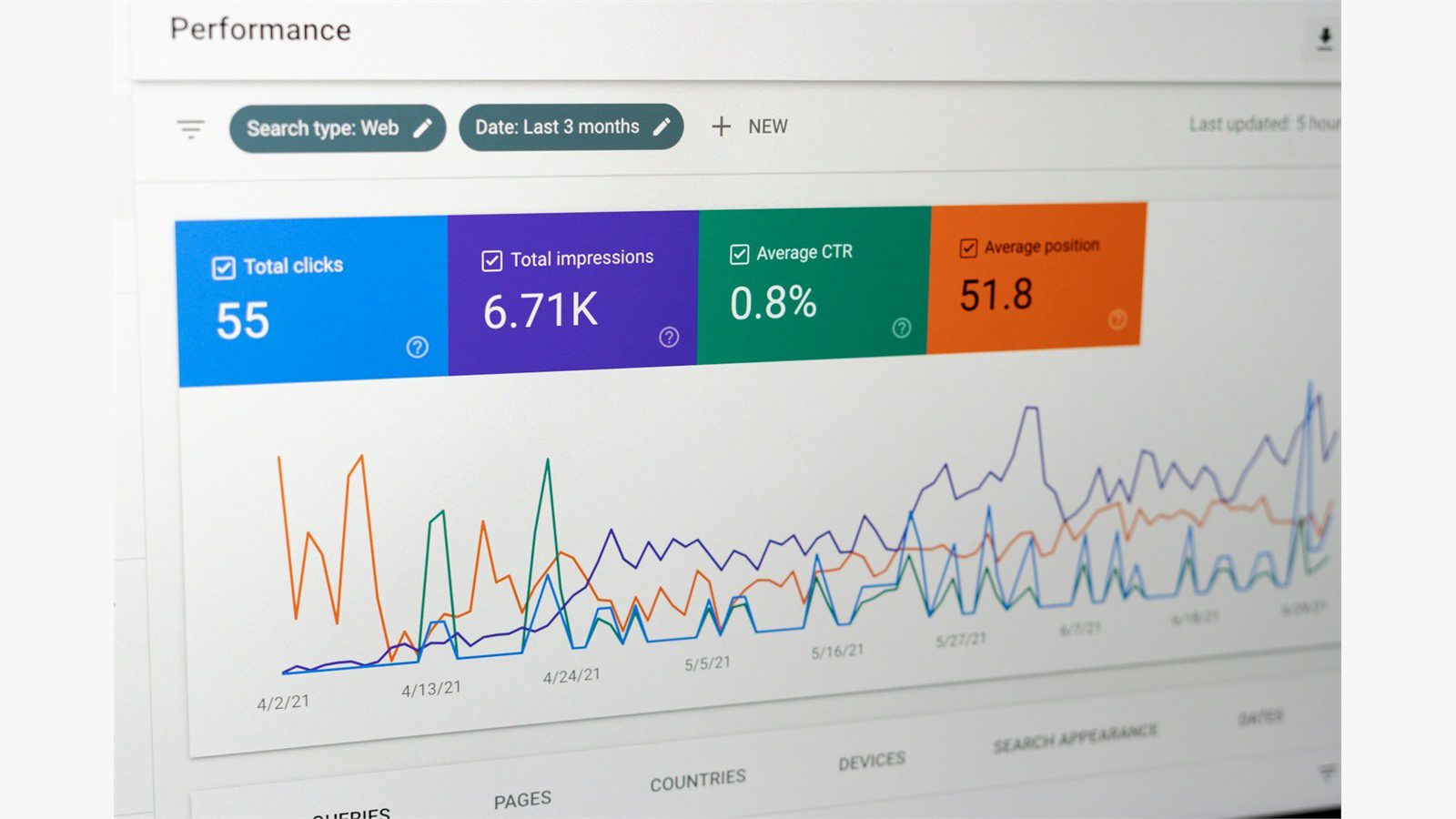
After launch, Salesforce data sync needs monitoring that covers both technical health and business outcomes. A connector can be technically running while still failing the business if updates arrive late, duplicates grow, or staff stop trusting the records.
Technical monitoring should track successful updates, failed updates, retry counts, queue depth, API latency, rate limit usage, authentication failures, and average processing time. These metrics show whether the integration is stable. Alert thresholds should be practical. A single temporary retry may not need a page. A growing queue or repeated authentication failure should alert the owner.
Business monitoring should track adoption and outcomes. Are customer service teams using shipment visibility in Salesforce? Are portal users seeing correct customer information? Are exceptions being routed faster? Are duplicate entries falling? Are customer calls about tracking status decreasing? Salesforce data sync should prove value beyond moving data.
Useful dashboards include:
- Sync volume by record type.
- Failures by cause and owner.
- Average time from portal update to Salesforce visibility.
- Duplicate customer and contact trend.
- Exceptions opened and resolved.
- On time pickup and delivery visibility.
- Portal adoption by customer segment.
- Staff time saved from reduced manual updates.
Monitoring should also support continuous improvement. If many failures come from missing service codes, improve validation. If many duplicates come from branch naming, update matching rules. If teams still export spreadsheets, ask what data they do not trust yet.
Salesforce data sync is not a one time technical task. It is an operational capability. The integration should be reviewed after 30 days, after 90 days, and whenever the portal, Salesforce model, carrier network, or customer onboarding process changes.
A 30 day rollout plan for Salesforce and logistics portal sync

A phased rollout lowers risk. Salesforce data sync can affect sales, customer service, dispatch, warehouse teams, billing, and customers, so the launch plan should be deliberate. Do not start with every customer, every record, and full two way updates unless the business can support the change.
Days 1 to 5 should focus on discovery and design. Confirm data ownership, create the field map, choose API patterns, review security requirements, and define success metrics. Use real customer and shipment examples instead of generic diagrams. Identify the pilot group and decide which records are safe for the first release.
Days 6 to 12 should focus on build and validation. Configure Salesforce objects or fields, prepare portal endpoints, build transformation rules, create queues, set up integration users, and write logging. Test the happy path plus failures: duplicate contact, missing service code, canceled shipment, invalid address, API timeout, and permission error.
Days 13 to 18 should focus on pilot data. Run a controlled sync with a small customer group or limited record set. Compare portal records against Salesforce records. Ask frontline users if the updates are useful. Track every failed update and fix root causes.
Days 19 to 24 should focus on training and governance. Create a short runbook that explains record ownership, retry handling, exception review, and escalation. Train teams on what changed and what did not change. Make sure users know that Salesforce data sync does not remove the need for operational judgment.
Days 25 to 30 should focus on expansion. Add more customers, enable more record types, or increase frequency only after the pilot is stable. Review metrics daily during expansion. Keep a rollback plan for any workflow that affects customer visibility.
A realistic rollout plan respects the fact that logistics operations are always moving. Salesforce data sync should be introduced in a way that improves trust while daily shipping work continues.
Documenting Salesforce data sync ownership during the rollout also helps new staff understand which system to update first.
Common mistakes to avoid

The most common mistake is syncing too much. Teams often begin with the idea that every portal field should appear in Salesforce and every Salesforce field should appear in the portal. That creates clutter, slow performance, and confusing ownership. Salesforce data sync should focus on decisions and visibility, not raw duplication.
Another mistake is ignoring exceptions. A shipment integration that handles only perfect bookings will fail when real operations begin. Missing dock times, address changes, customs documents, damaged freight, partial deliveries, and customer disputes need workflows. These exceptions should be designed before launch.
A third mistake is relying on names for matching. Company names, contact names, and location names change. Stable IDs are safer. If the portal and Salesforce do not exchange IDs, duplicates will grow.
Other mistakes include:
- Using administrator credentials for integration traffic.
- Skipping API limit planning.
- Sending every tracking event into Salesforce.
- Allowing two systems to edit the same field without rules.
- Forgetting audit logs.
- Failing to train staff on record ownership.
- Launching without a retry and error review process.
- Treating the project as done after the first successful API call.
Salesforce data sync should be judged by whether people trust the information. If staff still ask for screenshots, export spreadsheets, or call another department to confirm basic facts, the integration needs improvement.
The fix is usually not more fields. It is clearer ownership, better validation, more useful alerts, and dashboards that show what the business needs to know.
Salesforce data sync FAQ
What is the best way to sync Salesforce data with a local shipping portal?
The best way is to define source of truth rules first, map only required fields, use secure APIs, build retry handling, and monitor business results after launch. Salesforce data sync should start with a controlled pilot before expanding to every customer and shipment type.
Should Salesforce or the local logistics portal be the master system?
It depends on the record. Salesforce is usually the master for accounts, contacts, sales ownership, service cases, and customer relationship data. The portal is usually the master for shipment execution, tracking milestones, warehouse actions, and proof of delivery. Salesforce data sync should respect that split.
Is two way sync always better than one way sync?
No. Two way sync is useful for some fields, but it also creates conflict risk. One way sync is safer when one system clearly owns a field. A hybrid model is common: Salesforce sends customer data to the portal, while the portal sends shipment status and exception data back to Salesforce.
How often should shipment tracking data sync to Salesforce?
Important milestones and exceptions should move quickly. Low value scan events can be summarized or batched. Salesforce data sync should prioritize customer visibility and staff decisions instead of copying every event into Salesforce.
Can this be done without middleware?
Yes. A custom integration can work well when the portal is unique or the workflow is core to operations. Middleware can help when many systems need to connect. The better choice depends on volume, timing, budget, support skills, and security needs.
What should be monitored after launch?
Monitor update volume, failures, retry count, API latency, queue depth, duplicate records, exception routing, portal adoption, and staff time saved. Salesforce data sync should be reviewed regularly because customer onboarding, shipping operations, and portal features change over time.










