
1-Click Model GPU Droplets are useful because they remove a large amount of early setup friction from open-source AI deployment. Instead of assembling the model server, GPU instance, container runtime, endpoint, and authentication pattern by hand, teams can start from a hosted GPU Droplet that is already prepared for a supported large language model.
That matters for anyone trying to build a private AI assistant, test open-source models, or prototype a voice-enabled workflow before committing to a larger architecture. The practical opportunity is simple: use a DigitalOcean GPU Droplet with a Hugging Face model endpoint, connect to it through an OpenAI-compatible chat-completions API, and wrap the model with a lightweight Gradio interface that can accept text, transcribe speech, and read answers back aloud.
This guide turns the original 1-Click Model GPU Droplet tutorial into a Progressive Robot-style implementation guide. It explains what the deployment gives you, how to query the endpoint, how the voice assistant works, and what controls should be in place before anyone treats the demo like a production assistant.
For a first prototype, 1-Click Model GPU Droplets keep the infrastructure layer simple enough that the real work can move to assistant design, testing, and governance.
Quick Verdict on 1-Click Model GPU Droplets
1-Click Model GPU Droplets are best for teams that want fast access to open-source model inference without spending the first week on infrastructure plumbing. They are not a substitute for governance, monitoring, cost controls, or careful assistant design.
| Question | Practical answer |
|---|---|
| Best use case | Rapidly testing open-source LLMs on cloud GPUs and building internal assistant prototypes. |
| Main advantage | The model endpoint is already packaged for the GPU Droplet, so developers can focus on the application layer. |
| Core requirement | Keep the bearer token secure and know whether requests are going through localhost or the Droplet public IP. |
| Assistant stack | Gradio for the interface, Whisper for speech-to-text, the 1-Click model endpoint for reasoning, and XTTS for text-to-speech. |
| Biggest risk | Treating a demo assistant as production software before access, logging, data handling, and cost controls are defined. |
The best starting point is a narrow assistant: one interface, one model endpoint, one clear workflow, and one measurable reason to use a GPU-hosted open-source model instead of a general SaaS chatbot.
This is also where 1-Click Model GPU Droplets help planning conversations, because the prototype can show real latency, cost, and model behavior before a larger architecture is chosen.
In practice, 1-Click Model GPU Droplets work best when the team treats the Droplet as a controlled model endpoint rather than as a finished assistant product.
Why 1-Click Model GPU Droplets Matter
DigitalOcean and Hugging Face position 1-Click Models as a faster way to run open-source large language models on cloud GPUs. Hugging Face’s DigitalOcean HUGS guide explains the basic operating pattern: connect to the Droplet, use the bearer token shown in the initial SSH message, and send chat-completions requests to the model endpoint through localhost or the Droplet public IP.
For developers, this changes the first mile of experimentation. The question becomes less about how to host the model at all and more about what useful workflow the model should power. A personal assistant is a good test case because it touches the whole stack: interface, authentication, prompt input, model response, speech transcription, speech generation, latency, and user experience.
That is why 1-Click Model GPU Droplets are useful for discovery work: they make the model endpoint available quickly while still leaving room to design the workflow around it.
The approach also fits a broader business trend Progressive Robot has covered in GPT for Work and Domain-Tuned Models. Useful AI is moving from standalone chat toward tools that fit a specific workflow, data boundary, and operating model. 1-Click Model GPU Droplets make it easier to test that idea with open-source models before designing a more permanent service.
There is still a cost and support question. Cloud GPUs are powerful, but they are not free or self-governing. A good proof of concept should answer whether the business needs this level of control, whether the latency is acceptable, whether the model quality is good enough, and whether the operating cost is justified.
What the Deployment Gives You
The source tutorial focuses on a deployment pattern where the GPU Droplet exposes a model through a chat-completions endpoint on port 8080. The model catalogue can change over time, but the original list included Llama 3.1, Qwen, Gemma, Mistral, Mixtral, and Hermes model families.
In practical terms, 1-Click Model GPU Droplets give the assistant a stable place to send prompts before the team decides whether a larger deployment model is justified.
| Model family | Why teams might test it |
|---|---|
| Llama 3.1 | General assistant and reasoning experiments across different parameter sizes. |
| Qwen | Strong multilingual and coding-oriented testing scenarios. |
| Gemma | Lightweight assistant workloads and Google open-model comparison. |
| Mistral and Mixtral | Efficient instruction-following, mixture-of-experts testing, and open-model benchmarking. |
| Hermes | Assistant-style behavior and instruction-tuned workflows. |
The key point is not that every team should choose the largest model. The right model depends on the assistant’s job. A lightweight internal helper may need low latency and predictable cost more than maximum benchmark performance. A more complex research assistant may justify a larger GPU and a bigger model.
This is where GPUs vs TPUs becomes a useful planning question. If the assistant is only a short-lived prototype, a GPU Droplet can be the practical path. If the workload becomes permanent, the architecture should be reviewed for cost, reliability, scaling, and governance.
How to Query the Model Endpoint
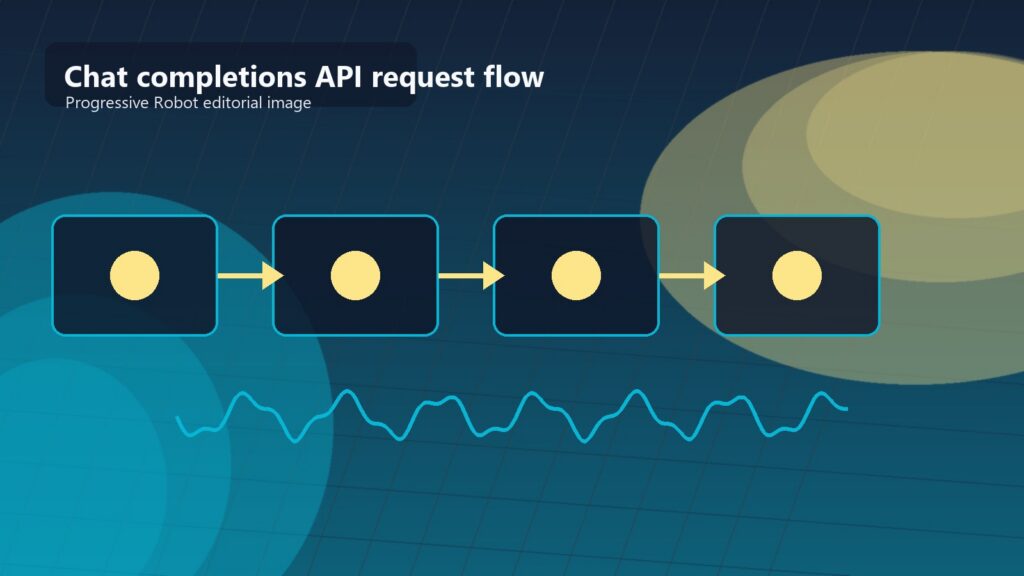
Once the Droplet is running, the inference pattern is straightforward. When you are connected to the GPU Droplet itself, requests can go to http://localhost:8080. When another machine calls the endpoint, replace localhost with the Droplet public IPv4 address and include the bearer token.
The source tutorial describes two practical routes: cURL and Python. A corrected cURL example looks like this:
curl http://localhost:8080/v1/chat/completions \
  -X POST \
  -H 'Content-Type: application/json' \
  -H "Authorization: Bearer $BEARER_TOKEN" \
  -d '{"messages":[{"role":"user","content":"What is deep learning?"}],"temperature":0.7,"top_p":0.95,"max_tokens":128}'
That request sends a user message to the model and returns a chat-completion response with the assistant message, finish reason, model name, and token usage. It is enough to prove that the endpoint is live before building a full interface.
The API shape is one reason 1-Click Model GPU Droplets are approachable: the application can use a familiar chat-completions pattern instead of custom inference plumbing.
Python is usually cleaner once the assistant needs application logic. The tutorial uses the Hugging Face Hub InferenceClient with the local endpoint as the base URL:
import os
from huggingface_hub import InferenceClient

client = InferenceClient(
    base_url="http://localhost:8080",
    api_key=os.getenv("BEARER_TOKEN"),
)

chat_completion = client.chat.completions.create(
    messages=[{"role": "user", "content": "What is deep learning?"}],
    temperature=0.7,
    top_p=0.95,
    max_tokens=128,
)

print(chat_completion.choices[0].message.content)
For a local Droplet demo, this is enough. For anything exposed outside the Droplet, add network controls, secret handling, request logging, and a clear rule for who can call the endpoint.
The Voice Assistant Architecture
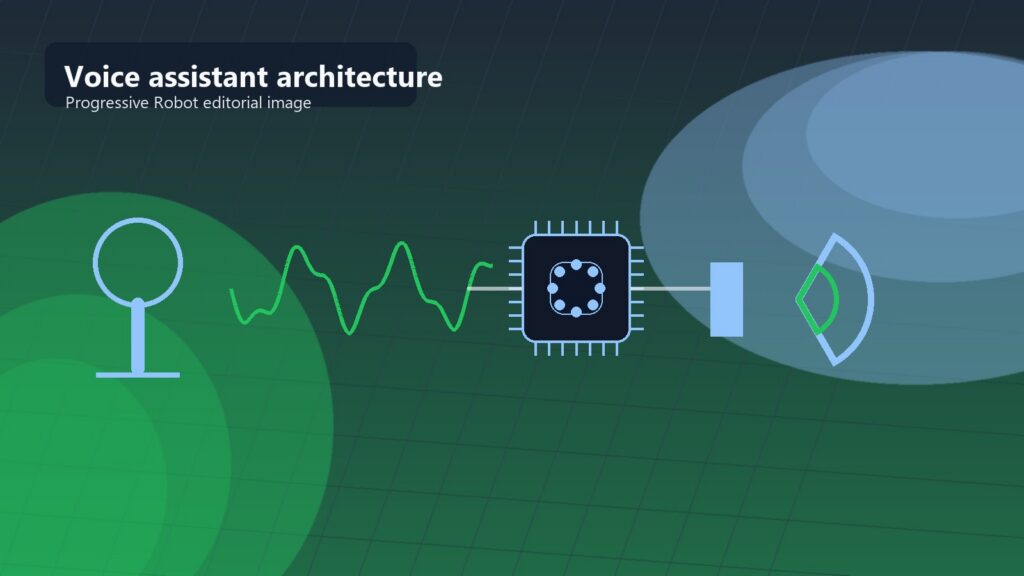
The personal assistant in the source file uses a simple but powerful architecture. Gradio provides the browser interface, Whisper transcribes audio input, the 1-Click model endpoint generates the answer, and XTTS converts the answer back into audio.
| Layer | Tool in the tutorial | Role in the assistant |
|---|---|---|
| Interface | Gradio Blocks | Shows the chat history, text box, audio input, buttons, and tuning sliders. |
| Speech-to-text | Whisper large-v3 | Converts recorded speech into text before sending it to the model. |
| Reasoning | Hugging Face InferenceClient |
Sends the user message to the GPU Droplet model endpoint. |
| Text-to-speech | XTTS v2 | Turns the assistant’s latest text response into an audio file. |
| Controls | Max tokens, temperature, top-p | Lets the user tune response length and sampling behavior. |
This is a useful prototype because each part can be swapped later. Gradio could become a React app. Whisper could move to a hosted transcription service. XTTS could be replaced by another speech model. The model endpoint could move from one open-source model to another. The assistant is modular enough to teach the architecture without locking the team into one final product shape.
With 1-Click Model GPU Droplets handling the LLM endpoint, the voice assistant can stay focused on input, output, history, and user controls.
The code pattern is also easy to understand. A text handler sends the typed message to the model, appends the user and assistant messages to the chat history, and returns the updated interface. An audio handler writes the audio to a temporary file, transcribes it, sends the transcript to the model, and appends the result. A read-aloud handler takes the latest assistant message and generates speech.
That is the right shape for a prototype. A production assistant would need stronger file handling, user identity, session management, content filtering, timeout behavior, observability, and safer treatment of generated audio.
Setup Checklist
Use this checklist before running the assistant code from the source tutorial.
- Create the GPU Droplet with a supported 1-Click model and confirm the instance is fully initialized.
- Connect over SSH and copy the bearer token from the initial message or environment.
- Confirm the chat-completions endpoint responds on
http://localhost:8080/v1/chat/completions. - Install the application dependencies:
pip install gradio TTS huggingface_hub transformers datasets scipy torch torchaudio
- Confirm CUDA is available if the speech models are expected to run on the GPU.
- Save the Gradio assistant code as
app.pyon the Droplet. - Run the demo with
python3 app.pyand test text input before testing audio. - Use short prompts first, then increase
max_tokens, temperature, and top-p only when the basic loop is stable. - Avoid sharing the Gradio public link with sensitive data unless access controls and retention rules are defined.
The most important setup habit is to test the layers separately. Confirm the model endpoint works before adding Gradio. Confirm transcription works before adding text-to-speech. Confirm text-to-speech works before treating the assistant as an end-to-end application.
A 1-Click Model GPU Droplets demo should not skip this staged testing, because debugging the full voice loop at once makes failures harder to isolate.
Controls Before Daily Use
1-Click Model GPU Droplets can make the technology feel deceptively simple. The assistant may run quickly, but it still handles prompts, transcripts, generated responses, audio files, credentials, and possibly private business context.
| Risk | Control to add before wider use |
|---|---|
| Bearer token exposure | Store tokens in environment variables or a secret manager, never in committed code or shared screenshots. |
| Public endpoint access | Restrict network access, use firewalls, and avoid exposing the model endpoint broadly. |
| Gradio share links | Treat public demo links as temporary and unsuitable for confidential information. |
| Voice cloning | Get explicit consent for any speaker sample and document how generated voice files are stored or deleted. |
| Sensitive prompts | Define what data users may enter and what data must stay out of the assistant. |
| Hallucinated answers | Use human review for business decisions, customer advice, financial work, legal content, or operational actions. |
| GPU cost | Set a budget, monitor usage, shut down idle Droplets, and document who owns spend. |
This is where the assistant connects to the broader lesson in Agentic AI Failure Rate. AI systems fail less because the demo is unimpressive and more because ownership, controls, evaluation, and recovery paths are weak. A voice assistant is especially sensitive because people tend to trust spoken responses faster than text.
For small teams, the right governance model can stay lightweight. Keep a short log of what the assistant is allowed to do, what data it can use, who owns the Droplet, how costs are monitored, where audio files are stored, and when the prototype should be reviewed.
Before wider rollout, 1-Click Model GPU Droplets need the same basic controls as any other system that can process sensitive prompts, transcripts, or generated answers.
A Practical 30-Day Build Plan
The first 30 days should prove whether the assistant is worth expanding. Do not start with a general-purpose helper for every workflow. Start with a bounded task and measure whether the model, latency, and cost are good enough.
| Timing | Action | Output |
|---|---|---|
| Week 1 | Deploy the model, test cURL and Python calls, and choose the first assistant workflow. | Working model endpoint and success criteria. |
| Week 2 | Add the Gradio chat interface, response controls, and basic prompt logging. | Text assistant prototype. |
| Week 3 | Add Whisper transcription and test short spoken requests under realistic audio conditions. | Speech-to-text assistant flow. |
| Week 4 | Add XTTS read-aloud output, cost monitoring, cleanup rules, and user feedback review. | Go/no-go decision for the next assistant version. |
The decision at the end should be specific. Continue if the assistant saves time, works reliably, and has a clear owner. Redesign if speech quality, latency, or model quality is weak. Stop if the GPU cost or governance burden is higher than the value.
For leaders, 1-Click Model GPU Droplets should produce evidence, not just a demo: response quality, cost, support effort, security assumptions, and user feedback all need to be reviewed together.
Use 1-Click Model GPU Droplets as the evidence-gathering platform, then decide whether the assistant should remain a prototype, become an internal tool, or move into a more formal architecture.
FAQ About 1-Click Model GPU Droplets
What are 1-Click Model GPU Droplets?
1-Click Model GPU Droplets are DigitalOcean GPU Droplets packaged with supported Hugging Face model deployments so developers can start testing open-source LLM inference faster.
Do I need to build my own inference server?
Not for the basic tutorial flow. The 1-Click deployment exposes a chat-completions endpoint, so the assistant application can call the model through cURL or a Python client.
Can I call the model from another machine?
Yes, but use the Droplet public IP instead of localhost and include the bearer token. For anything beyond a private test, add firewall rules, credential controls, and logging.
Why use Whisper and XTTS in the assistant?
Whisper turns speech into text so the LLM can process the request. XTTS turns the LLM response back into speech, which makes the Gradio demo feel like a voice-enabled personal assistant rather than only a chatbot.
Are 1-Click Model GPU Droplets a replacement for ChatGPT or Gemini?
They can be an alternative for certain private, open-source, or self-hosted workflows, but they are not automatically cheaper or easier. The right comparison depends on model quality, latency, governance, security, and total running cost.
Which model should I choose first?
Choose the smallest model that produces acceptable answers for the workflow. Larger models may improve response quality, but they also increase cost and infrastructure requirements.
Final Thoughts on 1-Click Model GPU Droplets
1-Click Model GPU Droplets are a strong way to move from curiosity to a working open-source AI prototype. The source tutorial shows the full path: start with a GPU-hosted model endpoint, call it through cURL or Python, add a Gradio interface, transcribe user speech with Whisper, and read responses aloud with XTTS.
The bigger lesson is that convenience should not replace design. A good personal assistant needs a clear task, safe credentials, controlled network exposure, sensible cost limits, and honest evaluation. Build the first version small, test each layer, and only expand once the assistant proves it can help without creating avoidable risk.










