
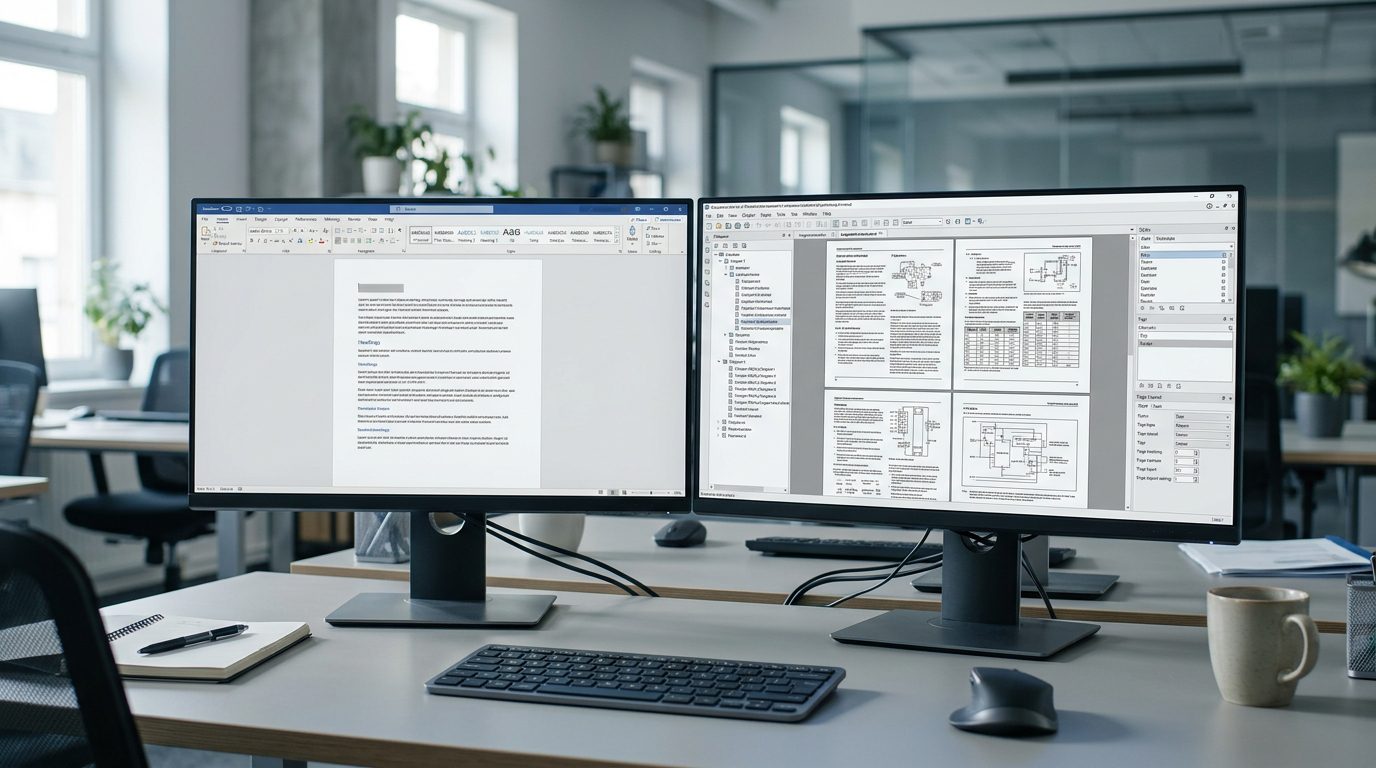
Microsoft Word is a familiar tool for business reports, proposals, procedures, and technical guides. Its editing features, templates, and collaboration capabilities make it a practical choice for organizations of all sizes. However, a document that starts as a simple user guide can become a demanding publishing project as chapters, figures, cross-references, product variants, and revision cycles accumulate.
A 15-page installation guide is relatively straightforward to maintain. A 600-page equipment manual with hundreds of illustrations, multiple contributors, changing specifications, and several required outputs presents a different challenge.
That is where FrameMaker vs Word becomes a meaningful technical publishing decision.
Adobe FrameMaker is designed for long-form technical authoring and publishing, including structured and unstructured content. Microsoft Word is a general-purpose word processor with many features that can support technical documents. The difference is not that Word cannot create professional manuals. It is that the effort required to maintain a complex publication may eventually outweigh the advantages of using a familiar word processor.
This article examines how the applications differ, the problems that emerge as documentation scales, the strengths and limitations of each platform, and the practical steps involved in deciding whether a new publishing workflow is justified.
The goal is to help technical writers, engineering teams, documentation managers, and businesses choose a tool that supports the entire documentation lifecycle—not just the first draft.
1. What Are FrameMaker and Microsoft Word Actually Designed For?
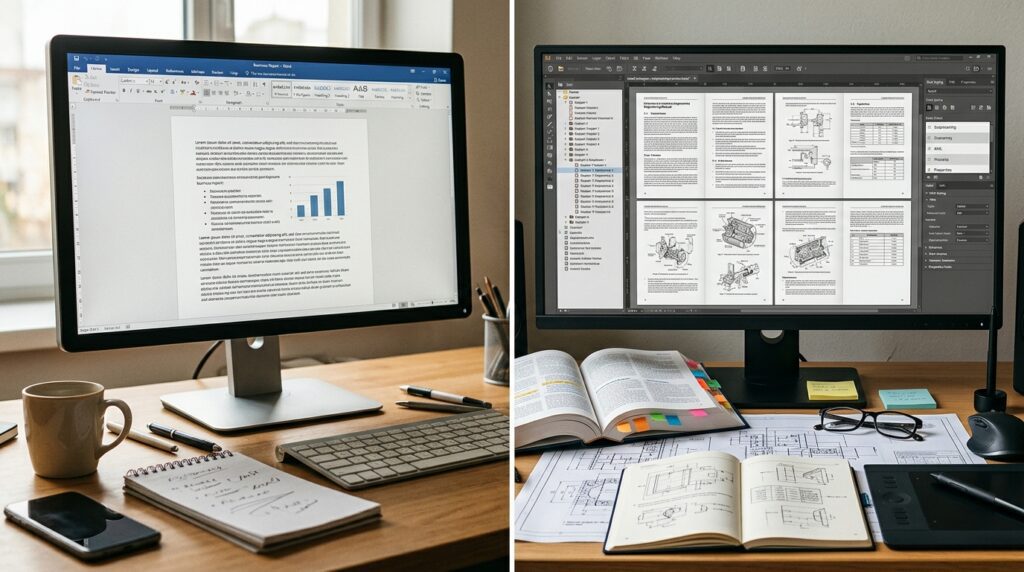
Microsoft Word: General-purpose document creation
Word is designed for writing, editing, reviewing, and formatting a broad range of documents. Its familiar interface and Microsoft 365 integration make it especially useful when many employees need to contribute to a document.
Word supports features that technical writers can use, including:
Paragraph and character styles.
Automatic tables of contents.
Captions and cross-references.
Numbered headings and lists.
Comments and tracked changes.
Templates and document protection.
PDF export.
These features can support professional technical manuals when the document structure and authoring process are well managed. Microsoft also documents Word’s ability to insert cross-references to headings, figures, tables, and other document elements.
For smaller manuals, internal procedures, straightforward product documentation, and documents that primarily need to be delivered as DOCX or PDF, Word can be an efficient choice.
Adobe FrameMaker: Technical authoring and publishing
FrameMaker is designed for technical communicators who produce complex publications. Adobe describes it as an environment for creating structured and unstructured technical content, reusing material, and publishing across multiple channels.
FrameMaker supports workflows involving:
Long technical documents and multi-file books.
Professional page layout and publication templates.
Structured content, including XML and DITA.
Reusable material across documentation.
Technical publication outputs such as PDF and HTML-based formats.
Localization and managed documentation workflows.
FrameMaker can also be used for conventional, unstructured authoring. A team does not have to adopt XML or DITA simply because it chooses FrameMaker. Adobe provides different authoring modes for different needs.
The key distinction: Word offers powerful document editing. FrameMaker offers a specialized technical publishing environment in which document structure, consistency, reuse, and output production can become central to the workflow.
2. FrameMaker vs Word: A Detailed Feature Comparison
Feature | Microsoft Word | Adobe FrameMaker |
|---|---|---|
Primary purpose | General-purpose writing and document editing | Technical authoring and publishing |
Short documents | Excellent fit | Can be more specialized than necessary |
Long manuals | Can manage long documents with careful design | Designed for long-form technical publications |
Multi-file book workflow | Can combine documents, but requires workflow discipline | Dedicated book files organize publication components |
Styles and templates | Strong style and template capabilities | Strong publishing-oriented formatting and templates |
Cross-references | Supports references to document elements | Supports technical publication cross-reference workflows |
Structured authoring | Not a dedicated XML/DITA authoring environment | Supports XML and structured workflows |
Content reuse | Possible through links, templates, systems, and add-ins | Specialized content reuse and conditional publishing capabilities |
Collaboration | Familiar Microsoft 365 review and editing | Collaboration depends on the publishing and review setup |
PDF production | Suitable for common business and technical documents | Designed for professional technical publication output |
Multiple output formats | Can support conversion and external publishing workflows | Offers technical publishing workflows for multiple channels |
Localization | Can be managed with external processes and translation tools | Offers localization-oriented features and structured workflows |
Learning curve | Familiar to many office users | Advanced publishing features require training |
Best fit | Everyday documents and less complex manuals | Complex, controlled, and frequently maintained technical publications |
The distinction becomes clearer when examining specific documentation problems. Word has more technical writing capabilities than many people realize. FrameMaker’s advantage is not the absence of comparable basic functions in Word; it is the way specialized publishing features work together in a large documentation workflow.
3. Nine Signs Your Documentation Has Outgrown Word

1. The manual is becoming difficult to navigate
A long manual can contain hundreds of pages, multiple chapters, appendices, tables, and illustrations. Although Word provides navigation and long-document features, the authoring process becomes increasingly dependent on consistent styles and careful document management.
The question is whether the team can navigate, revise, and validate the publication without introducing avoidable errors.
2. Numbering and cross-references are fragile
Technical documentation often refers to numbered procedures, warnings, figures, tables, and sections. A change in one part of the document can affect references elsewhere.
Word supports automatic captions, numbering, and cross-references. However, authors must insert and update those elements correctly. If the document contains manually typed numbering or inconsistent formatting, revisions can create broken or outdated references.
FrameMaker’s publishing-oriented workflow can be useful when managing references across a coordinated multi-file publication.
3. Formatting repairs consume too much time
If every revision causes tables to shift, headings to change appearance, or page layouts to require manual adjustment, the authoring process may be poorly controlled.
The underlying cause could be inconsistent Word styles, legacy formatting, unsuitable templates, or complex layout requirements—not necessarily Word itself.
Before changing applications, determine whether better templates and authoring standards would solve the problem. If they would not, evaluate a more specialized publishing environment.
4. Multiple contributors create inconsistent documents
Engineering manuals often require input from subject matter experts, technical writers, product managers, and reviewers.
Word’s collaboration features can be valuable in this situation. The challenge is maintaining a consistent final publication when contributors use different styles, formatting habits, or revision practices.
A dedicated publishing workflow may help when chapters need to be managed as separate components and assembled into a controlled final document.
5. You maintain several versions of the same manual
A product may have different configurations, regions, languages, or release versions. Maintaining a separate complete document for every variation can multiply the editing workload.
The team may need conditional content, version control, and a systematic way to identify which material belongs in each output.
FrameMaker supports content filtering and reuse workflows, while Word-based teams can also achieve these outcomes through external content management systems or carefully designed processes.
6. The same procedures appear in multiple publications
Suppose a company uses the same safety warning or maintenance procedure in an installation guide, service manual, and operator handbook.
If the source information changes, each copy must be located and updated. An overlooked occurrence can leave conflicting instructions in circulation.
Content reuse can reduce this risk, but it must be implemented and governed properly. Merely copying and pasting material between documents does not create controlled reuse.
7. You need PDF and online documentation from the same content
Some organizations distribute printed-style PDFs while also maintaining online help or responsive web documentation.
Creating each output independently can cause duplicated work and inconsistencies. A publishing workflow that supports multiple outputs from managed content may reduce this burden.
Adobe identifies multichannel publishing as a core FrameMaker capability, including PDF and responsive HTML5 outputs. The precise options depend on the product version and configuration.
8. Localization and translation are becoming difficult
As a product expands into more markets, documentation may need to be translated into several languages.
Repeated content, changing source files, layout differences, and review cycles can complicate localization. A structured content workflow can help isolate reusable text and make translation processes more manageable.
FrameMaker includes localization-oriented capabilities, including XLIFF support, according to Adobe’s product information.
9. Publishing maintenance costs more than authoring
The strongest warning sign is the amount of effort spent maintaining documentation rather than improving it.
If writers regularly spend hours repairing layout, checking numbering, rebuilding output files, and reconciling duplicate content, the team should measure the cost of the current process.
The FrameMaker vs Word decision should be based on whether a different workflow can reduce that recurring burden enough to justify its implementation and training costs.
4. Where FrameMaker Has a Technical Publishing Advantage
Book files and multi-document management
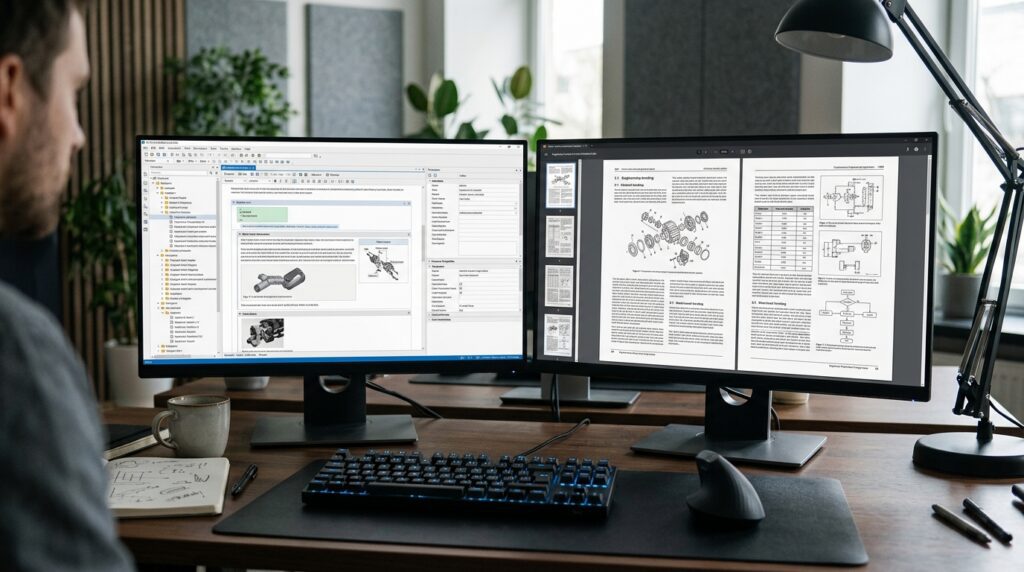
A large manual does not always need to exist as one enormous document. It may be more practical to maintain separate files for chapters, appendices, front matter, and supporting sections.
FrameMaker provides book files that can organize multiple documents into a coordinated publication. Adobe’s documentation describes adding files to a book and generating elements such as tables of contents, indexes, and lists of figures or tables.
This can be useful when:
Different writers are responsible for different chapters.
Chapters are revised independently.
A publication contains multiple appendices and supporting documents.
The final manual needs consistent numbering and generated publication elements.
Word can also manage long documents and combine files. The decision is whether its approach remains manageable for the team’s particular publication structure.
Structured authoring with XML and DITA
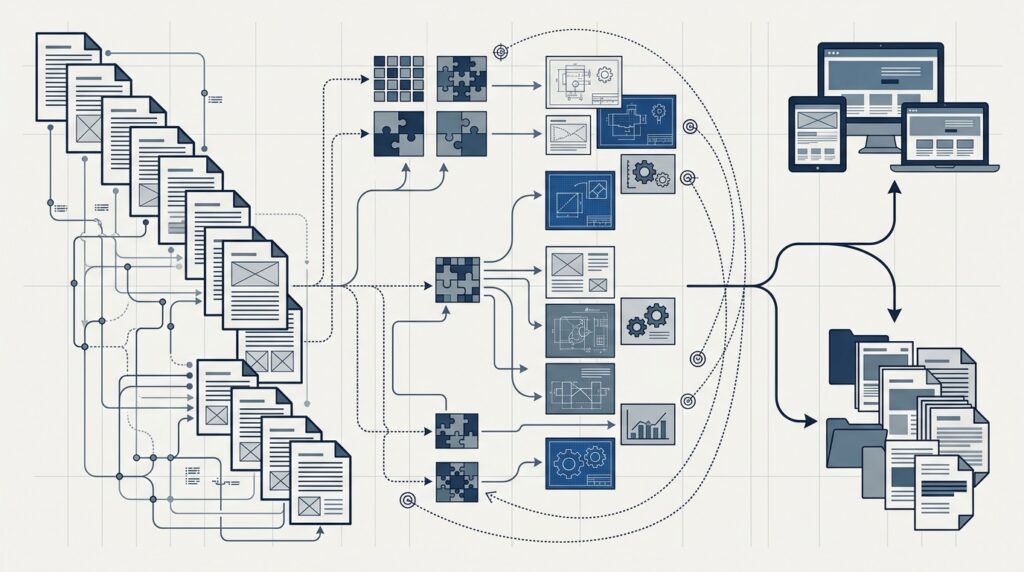
Structured authoring represents content according to defined elements and relationships rather than relying solely on visual formatting.
For example, an instruction can be represented as a task with steps, while a technical warning can be stored as a specific warning element. This allows the content model to define what information belongs where.
FrameMaker supports structured authoring with XML and established technical content models such as DITA. Adobe’s documentation describes elements, attributes, structure rules, and structured document workflows.
This approach can help organizations enforce consistency, validate content, and reuse information across publications.
However, structured authoring is not automatically beneficial for every team. It requires a suitable content model, training, and governance. A small documentation team producing a handful of uncomplicated guides may not need it.
Reusable content and conditional publishing
Reusable content is particularly valuable when several manuals share technical information.
Consider a manufacturer that sells three equipment configurations. Each manual may share safety instructions, troubleshooting procedures, and maintenance information, but each version also needs configuration-specific details.
A controlled reuse workflow can help the team maintain common content centrally and include the appropriate material in each output.
FrameMaker supports content reuse and filtering capabilities. Adobe describes its use in producing technical content across multiple formats and streamlining documentation workflows.
The benefit is not simply writing less. It is reducing the number of independently maintained copies of information that must remain accurate.
Professional page layout and publication consistency
Technical manuals often contain complex tables, illustrations, callouts, headers, footers, and numbered procedures.
FrameMaker’s publishing-oriented environment provides controls for creating and maintaining these layouts. This can be valuable when a manual must follow strict publication standards or retain consistent formatting across many chapters.
Word also supports professional layouts. A carefully constructed Word template may be sufficient for many publications. The deciding factor is how reliably the team can maintain the layout through its real revision cycle.
Publishing to multiple channels
Technical information may need to reach users through a printed manual, downloadable PDF, online help, or a web-based knowledge resource.
FrameMaker offers publishing workflows for several output formats. Adobe describes creating PDF, responsive HTML5, EPUB, and other outputs from technical content. Availability and workflow details depend on the product version and setup.
When comparing FrameMaker vs Word, consider the full production chain: source content, layout, review, output generation, and post-publication maintenance.
5. Where Word Still Wins

A specialized publishing application is not automatically the best solution. In the FrameMaker vs Word comparison, Word remains compelling when the documentation is simple enough to maintain without extensive publishing infrastructure.
Word may be the better choice when:
Manuals are short or moderately sized.
Contributors already work comfortably in Microsoft 365.
The primary deliverable is a DOCX file or conventional PDF.
The team does not need extensive structured authoring.
Repeated content can be handled through simple, reliable processes.
Collaboration and review are more important than specialized publication management.
The costs of migration and training would exceed the likely benefits.
For example, a small software company producing a 30-page installation guide, a troubleshooting document, and a few internal procedures may be well served by Word.
It can use styles, captions, automatic numbering, and a controlled template to maintain consistency. If the documents are stable and the team can publish them efficiently, moving to FrameMaker may offer little practical value.
The important point is that Word’s limitations are contextual. A poorly maintained 100-page Word document may be harder to manage than a well-designed 300-page document. Page count alone does not determine whether a publishing platform is suitable.
6. A Practical Example: A Manufacturer Maintaining Three Product Manuals

Imagine a manufacturer with three equipment models. Each model has an operator manual, installation guide, and maintenance manual.
The publications share safety warnings, inspection procedures, and common component descriptions. Each also includes model-specific specifications and instructions.
The Word-based workflow
The company maintains separate Word documents for each manual. Writers copy common instructions from one file into another.
When a safety procedure changes, the documentation manager must identify all nine publications, update the relevant sections, and verify that the changes appear consistently.
The workflow may still function. But as products and manuals multiply, the team faces more repeated editing and more opportunities to miss an update.
The FrameMaker-oriented workflow
The company evaluates a publishing workflow that separates reusable material from model-specific content.
Common information is managed for reuse, while configuration-specific material is included where required. The publishing process is designed to generate the appropriate manuals and outputs.
This may reduce duplication and make updates more consistent—but only if the company implements content reuse correctly and maintains clear ownership and review controls.
What the company should measure
Before migrating, the documentation manager should compare:
Time spent revising common content.
Number of locations requiring the same change.
Time spent checking references and formatting.
Effort required to publish each manual.
Number of errors found during release review.
Training, migration, and ongoing software costs.
This example illustrates why FrameMaker vs Word is a workflow decision, not simply a comparison of which application has more features.
7. The Limitations and Costs of FrameMaker

FrameMaker can provide substantial advantages for complex technical publications, but it is not a cost-free upgrade to a better workflow.
Training and authoring expertise
Many employees already know Word. Advanced FrameMaker workflows may require training in book management, templates, structured authoring, content reuse, or publication configuration.
The required expertise depends on whether the team uses FrameMaker for straightforward page-oriented authoring or adopts XML and DITA-based workflows.
Migration and legacy content
Existing Word manuals may contain inconsistent styles, manual numbering, complex tables, embedded objects, or layout workarounds.
Moving those files into FrameMaker does not automatically clean up their structure. Teams should budget for content review, template development, conversion, and publication testing.
Adobe provides resources for migrating content from Word to FrameMaker, but each organization’s legacy documents may require different treatment.
Licensing and total cost of ownership
The organization should account for licensing, training, implementation, maintenance, and the time needed to manage the publishing environment.
FrameMaker’s benefits must justify those costs. A team that rarely publishes complex manuals may find that its existing Word workflow is more economical.
Workflow and collaboration changes
A new application can affect how engineers, reviewers, editors, and external contributors exchange content.
If subject matter experts need to edit documents directly, the organization must determine how they will participate in the new workflow. Review tools, file compatibility, and content ownership should be considered before migration.
8. How to Choose: A Documentation Decision Matrix
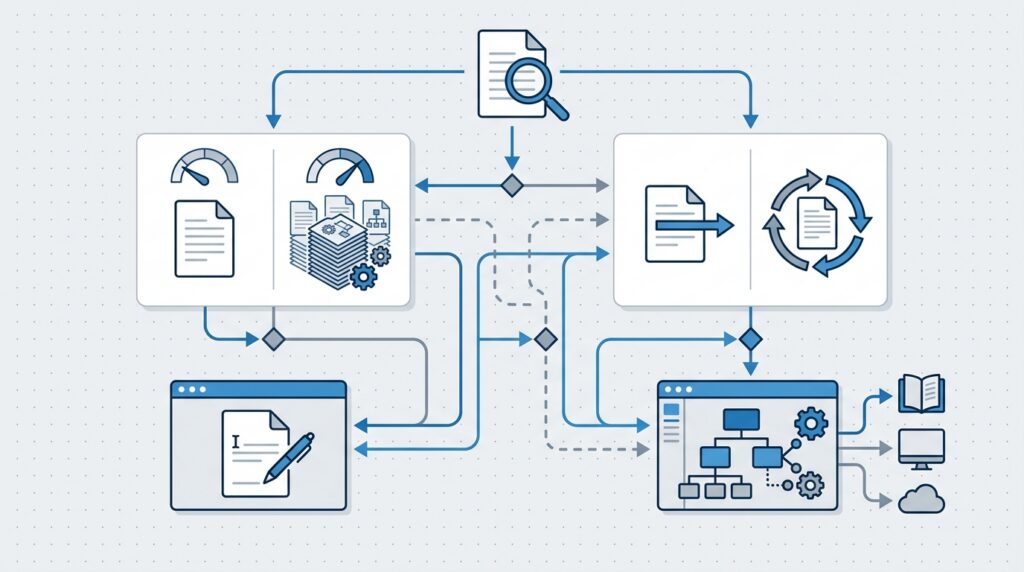
Use the following matrix as an initial assessment. It is a practical guide, not a strict rule: the final decision should reflect your actual documents, contributors, and publishing requirements.
Documentation requirement | Word is likely sufficient | Evaluate FrameMaker |
|---|---|---|
Document length | Short or moderate, manageable structure | Large publications with many components |
Revision frequency | Occasional, straightforward updates | Frequent revisions across complex manuals |
Number of outputs | Primarily DOCX or PDF | Several publication formats from managed content |
Content reuse | Limited repeated information | Common content reused across many manuals |
Document structure | Conventional headings and sections | Complex book organization or structured content |
Layout demands | Standard tables, images, and page layouts | Extensive, tightly controlled technical layouts |
Localization | Few translation requirements | Multiple languages and recurring localization |
Contributors | Familiar office-based editing workflow | Controlled technical publishing workflow |
Maintenance effort | Low and predictable | Repeated manual repairs or expensive release preparation |
Questions to ask before making the decision
Can better Word templates solve the problem? If the main issue is inconsistent formatting, a template and authoring standards may be enough.
Is content reuse the real requirement? If repeated information is the biggest source of errors, assess a content management or structured authoring strategy—not just a page-layout application.
Do we need multiple publishing outputs? Determine whether the team needs PDF, online help, responsive web content, or product-specific versions from a common source.
Can we support a migration? Identify who will configure templates, maintain the publishing process, train authors, and validate output.
What is the measurable business benefit? Estimate the hours saved, errors avoided, and production improvements required to justify the investment.
9. How to Move from Word to FrameMaker Without Disrupting Documentation

A successful migration should improve the way documentation is maintained. It should not simply move existing formatting problems into another application.
Step 1: Audit your current documents
Identify the manuals that are difficult to maintain. Record their structure, number of chapters, tables, illustrations, cross-references, contributors, and required output formats.
Separate publications that genuinely need a new workflow from those that can remain in Word.
Step 2: Define the publishing requirements
Determine whether the organization needs unstructured FrameMaker authoring, structured XML or DITA, reusable content, conditional output, or multi-channel publishing.
Avoid introducing advanced features without a clear business requirement.
Step 3: Standardize the source content
Review styles, numbering, terminology, diagrams, tables, and references. Correct inconsistencies where practical before migration.
This stage can also identify outdated material that should be revised rather than transferred.
Step 4: Build and test templates
Develop templates and publication standards that reflect the target output. Define how headings, tables, warnings, captions, and references should behave.
If structured authoring is planned, establish the content model and validation rules.
Step 5: Pilot one representative manual
Select a manual containing the real challenges of the documentation library. Convert a manageable portion, then test a full revision and publication cycle.
Compare the results with the existing Word workflow. Include feedback from authors, editors, engineers, and reviewers.
Step 6: Validate the published output
Review page layout, diagrams, numbering, references, tables, and the accuracy of technical instructions. Check the output formats and any accessibility or localization requirements relevant to the organization.
Step 7: Roll out gradually
After the pilot succeeds, migrate publications in stages. Keep clear ownership of source content, revision control, and release approval.
The best FrameMaker vs Word transition is one that demonstrates measurable improvement before the organization commits its entire documentation library.
10. FrameMaker vs Word: Which Platform Should You Choose?

The final decision in FrameMaker vs Word should be based on the complexity of the publication, the way contributors work, and the cost of maintaining the finished documentation.
Choose Word when your documents are manageable, contributors benefit from familiar editing tools, and existing templates and processes provide reliable results. Word remains capable of producing professional technical documentation.
Evaluate FrameMaker when your organization produces large technical publications, manages many related manuals, needs structured authoring or content reuse, or spends substantial time maintaining complex layouts and outputs.
Neither application automatically guarantees accurate documentation. Both require appropriate authoring standards, review processes, and quality assurance.
For businesses considering a change, the most reliable approach is to audit the existing workflow, identify the actual bottlenecks, and test a representative publication before committing to a migration.
Progressive Robot helps businesses evaluate software workflows, technical requirements, and digital transformation opportunities. If your documentation process is becoming difficult to maintain, a structured assessment can help identify practical improvements and determine whether a specialized publishing platform is justified.
Contact Progressive Robot to discuss your documentation workflow and explore ways to improve publishing efficiency.
Frequently Asked Questions
1. Is FrameMaker better than Word for technical documentation?
FrameMaker can be a better fit for complex, long-form technical publishing, particularly when a team needs book-level organization, structured authoring, reusable content, or multiple publication outputs. Word remains effective for many technical guides and manuals. The right choice depends on the workflow, not simply the application’s feature list.
2. Can Microsoft Word handle a 500-page technical manual?
Yes. Word can create long technical documents using styles, automatic numbering, captions, cross-references, and other document features. The difficulty of maintaining a 500-page manual depends on its layout, structure, revision frequency, and number of contributors. Test the actual publication requirements before deciding that Word is unsuitable.
3. Does FrameMaker support XML and DITA?
Yes. FrameMaker supports structured authoring with XML and DITA workflows. These approaches can help technical teams organize content, establish structural rules, and reuse material. They require an appropriate content model, templates, and author training.
4. Can I convert Word documents to FrameMaker?
Word content can be migrated into FrameMaker, but conversion may require cleanup and formatting adjustments. Complex tables, manual numbering, diagrams, and cross-references should be validated. A representative pilot is advisable before migrating an entire documentation library. Adobe provides migration guidance in its FrameMaker help resources.
5. What is the main difference in FrameMaker vs Word?
Word is a general-purpose word processor designed for writing, editing, and reviewing documents. FrameMaker is a specialized technical authoring and publishing application designed to support complex publications, structured content, and professional publishing workflows.
6. Does FrameMaker automatically fix technical documentation errors?
No. FrameMaker can support consistency through templates, structured content, and publishing controls, but it does not automatically guarantee technical accuracy. Authors still need to verify instructions, specifications, references, and final outputs.
7. Is FrameMaker suitable for small businesses?
It can be, particularly if a small business produces complex or frequently updated technical manuals. However, a small business producing straightforward documents may find Word more economical and easier to maintain. Evaluate the total cost of ownership before switching.
8. Can Word publish documentation to PDF and HTML?
Word can export documents to PDF and can participate in HTML or other publishing workflows. More elaborate multi-channel publishing may require additional tools or processes. FrameMaker provides specialized publishing capabilities for multiple output formats, depending on the version and configuration.
9. Should we adopt structured authoring when moving to FrameMaker?
Not necessarily. FrameMaker supports both structured and unstructured authoring. Structured authoring is worth considering when the organization needs content validation, controlled reuse, or consistent information architecture across many publications. A team with simpler needs may prefer conventional authoring.
10. How should we compare FrameMaker vs Word before migrating?
Use a representative manual and evaluate the same editing, review, revision, and publishing tasks in both workflows. Measure production effort, output quality, maintenance, training, and migration costs. This provides a practical basis for choosing a platform rather than relying on assumptions.










