

Field service scheduling software helps businesses coordinate technicians, appointments, work orders, and travel routes. For companies that deliver repairs, installations, inspections, maintenance, or on-site support, the right system can reduce scheduling conflicts and improve the customer experience.
Modern field service scheduling software does more than place appointments on a calendar. It can match jobs to technicians based on skills, availability, location, parts, and service-level requirements. It may also connect dispatchers, mobile workers, customers, inventory systems, billing tools, and business reporting.
Artificial intelligence is adding another layer of capability. AI-assisted scheduling can help businesses respond to cancellations, urgent work, changing traffic conditions, and uneven workloads. However, not every company needs an advanced optimisation platform—or should build one from scratch.
This guide explains the essential features of field service scheduling software, how AI can improve dispatch operations, and when a custom-built solution may be worth the investment.
What Is Field Service Scheduling and Dispatch Software?
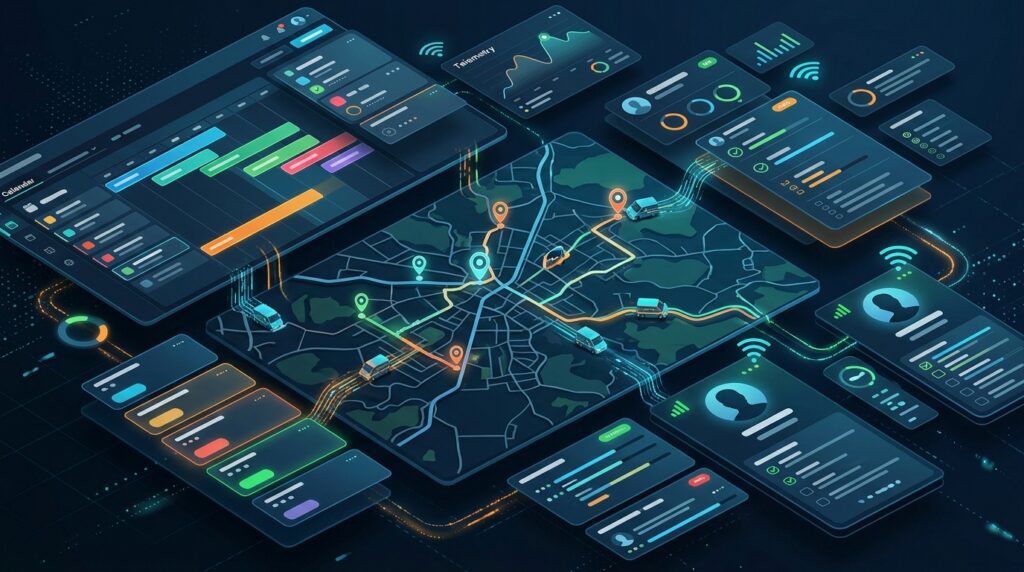
Field service scheduling and dispatch software is used to plan, assign, track, and manage work carried out away from a company’s main premises. Typical users include HVAC contractors, electricians, plumbers, equipment maintenance providers, telecom operators, facilities teams, and technical support businesses.
Scheduling determines when a job should take place and which technician should perform it. Dispatch turns that plan into an actionable assignment, communicates the details to the technician, and supports changes as the work progresses.
A basic system may provide a shared calendar and manual assignment tools. A more sophisticated platform can consider technician qualifications, travel time, job duration, customer availability, equipment requirements, and contractual response targets.
The software often supports the full service workflow: a customer request is recorded, a work order is created, a technician is assigned, the visit is completed, and the outcome is documented for invoicing or follow-up.
The main operational objective is to use available technicians effectively while delivering reliable service to customers. The best system is not necessarily the one with the most features. It is the one that reflects the company’s actual workflows and constraints.
Essential Features of Field Service Scheduling Software
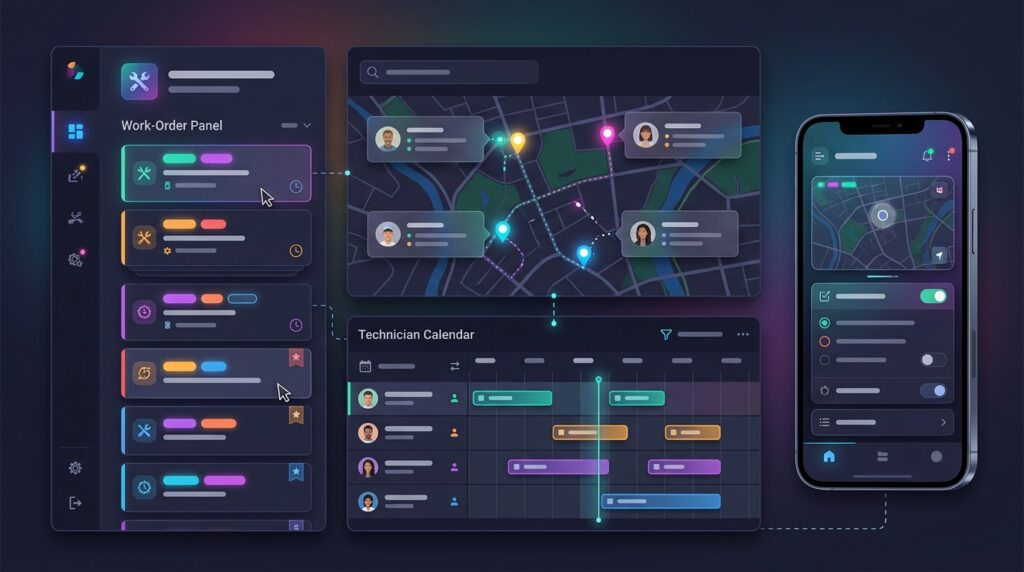
Appointment and Calendar Management
A shared scheduling calendar gives dispatchers visibility into technician availability, booked appointments, planned leave, and unassigned work. Users should be able to create, move, reschedule, and cancel appointments without losing the job’s history.
Useful calendar features include time-window scheduling, recurring maintenance visits, appointment duration estimates, and warnings about overlapping assignments. The system should also distinguish between confirmed appointments, tentative bookings, and urgent jobs.
For businesses with multiple teams or service territories, calendar filters can make it easier to view work by technician, location, customer, job type, or priority.
Technician Skills and Availability
Not every technician can perform every job. Scheduling software should maintain technician profiles that include relevant skills, certifications, experience, service territories, working hours, and equipment access.
When dispatchers assign work, the system can use these attributes to identify suitable workers. This reduces the risk of sending a technician who lacks the qualification or tools needed to complete the job.
Availability should account for more than an empty calendar slot. Travel, breaks, leave, existing work, and realistic job duration all affect whether a technician can accept another appointment.
Work Order and Job Management
A work order describes the service to be delivered. It may include the customer’s details, problem description, site address, requested service, priority, required parts, safety instructions, and completion criteria.
The scheduling system should allow dispatchers and technicians to access the same job information. When a work order changes, the update should be visible to the relevant people without relying on separate calls or messages.
A well-designed workflow also records job status, such as assigned, en route, in progress, completed, or awaiting parts. This provides operational visibility and supports customer updates.
Route Planning and Geographic Dispatch
Route planning helps reduce unnecessary travel and makes it easier to schedule multiple jobs in a day. A dispatch map can show technician locations, job sites, service territories, and the sequence of planned visits.
The system may calculate estimated travel times and recommend a more efficient job order. For businesses with dense schedules, even small improvements in routing can help technicians spend more time working and less time driving.
Routing should still respect real-world constraints. A mathematically short route may be unsuitable if it ignores appointment windows, vehicle restrictions, technician skills, or the urgency of a particular customer.
Mobile Technician Access
Technicians need access to their assignments while working in the field. A mobile app or responsive interface should provide job details, directions, customer contact information, checklists, and a way to record work performed.
Technicians may need to capture photos, signatures, readings, notes, parts used, and completion status. Offline support can be important in locations with unreliable connectivity, provided the system can safely synchronise updates later.
Mobile usability is an operational requirement, not simply a convenience. If technicians find the interface difficult to use, job records may become incomplete and dispatchers may lose visibility into work progress.
Customer Notifications and Service Updates
Automated notifications can inform customers when a visit is booked, when a technician is on the way, or when an appointment needs to change. Some systems provide arrival windows or links for customers to confirm appointments.
Notifications reduce uncertainty and can help prevent missed visits. They should be configurable so businesses can choose the right communication channels and avoid sending unnecessary messages.
Reporting and Operational Analytics
Reporting helps managers understand how the service operation is performing. Common metrics include technician utilisation, travel time, first-time fix rate, schedule adherence, job completion time, cancellations, and overdue work.
These measures can reveal recurring problems. For example, long travel times may indicate poorly designed territories, while frequent repeat visits may point to missing parts, inadequate job information, or training needs.
Reports are most useful when the underlying job and status data are accurate. Scheduling software cannot produce dependable operational insights from incomplete records.
How AI Is Changing Field Service Scheduling and Dispatch

AI can help field service teams make scheduling decisions when the number of jobs, technicians, and constraints becomes difficult to manage manually. Its value depends on the quality of operational data, the clarity of business rules, and the degree of human oversight.
Automated Job Assignment
An AI-assisted system can evaluate candidate technicians against job requirements, location, availability, workload, and expected travel time. It can then recommend assignments or, where appropriate, automatically allocate routine work within predefined rules.
The system should explain important assignment decisions when dispatchers need to review them. A recommendation that cannot be understood or overridden may be difficult to trust, especially when it affects urgent service or customer commitments.
Dynamic Rescheduling
Field schedules change throughout the day. A job may take longer than expected, a customer may cancel, a technician may become unavailable, or an urgent repair may need immediate attention.
AI-supported optimisation can recalculate the remaining schedule when conditions change. Rather than rebuilding the entire day manually, dispatchers can receive revised assignment or route suggestions.
A good implementation should protect important commitments. It should not optimise travel time in a way that repeatedly pushes lower-priority customers outside their promised appointment windows.
Demand Forecasting
Historical work orders can help a business estimate future demand by region, season, customer type, or service category. Forecasting can support staffing decisions, inventory planning, and service-territory design.
Forecasts are not guarantees. Unexpected weather, equipment failures, customer behaviour, or changes in contracts can produce demand patterns that differ from historical data.
Predictive Maintenance and Service Preparation
When field service scheduling is connected to equipment monitoring or maintenance records, analytics may help identify assets that are likely to need attention. This can allow companies to plan maintenance before a breakdown disrupts operations.
The scheduling benefit comes from turning a predicted need into a practical service plan: identifying the right technician, arranging required parts, and finding an appropriate appointment window.
AI Should Assist, Not Replace, Operational Judgement
AI optimisation is only as reliable as the constraints and information it receives. A system may recommend a schedule that looks efficient but fails to account for site access, safety requirements, customer preferences, or an unusual job condition.
Businesses should define which decisions can be automated, which require dispatcher approval, and how exceptions are handled. They should also monitor performance after deployment rather than assuming that an AI-generated schedule is automatically better.
Integrations: Connecting Scheduling With the Rest of the Business

Scheduling is rarely an isolated function. It often depends on customer records, asset histories, inventory availability, contract terms, and billing information.
A CRM integration can provide customer details and service history. Inventory integration can help confirm whether a technician has the parts needed for a job. Accounting or billing integration can transfer completed work into invoicing workflows.
Integration with asset-management systems can be especially valuable for recurring maintenance. Dispatchers can see equipment history and planned service requirements before assigning a visit.
When evaluating a platform, businesses should examine whether integrations are available out of the box, supported through APIs, or dependent on custom development. They should also consider data ownership, synchronisation frequency, error handling, and how duplicate or conflicting records are resolved.
Buying Field Service Scheduling Software: What to Evaluate

Before selecting a product, document how the service operation works today. Identify the number of technicians, typical jobs per day, scheduling constraints, territories, customer commitments, and the systems that hold essential business data.
A small team with straightforward appointment needs may be well served by a simple scheduling tool. A larger organisation with multiple regions, specialist skills, complex contracts, and high job volumes may need advanced optimisation and deeper integrations.
During evaluation, test the software against realistic scenarios rather than relying only on feature lists. For example, see how it handles an urgent job, a technician calling in sick, a visit requiring a specific certification, or a job that needs parts unavailable at the local depot.
Usability should be assessed by both dispatchers and field technicians. A system that works well in a sales demonstration may still create friction during a busy working day.
Also consider implementation effort, data migration, training, mobile reliability, security controls, reporting, vendor support, and the cost of adding users or integrations as the business grows.
When Should You Build Your Own Field Service Scheduling Software?

Building custom field service scheduling software can make sense when the business has requirements that commercial products cannot meet without major compromises. Examples include highly specialised assignment rules, unusual regulatory constraints, proprietary service workflows, or integration needs that are central to the company’s competitive advantage.
A custom system can be designed around the organisation’s exact processes. It may provide more control over the user experience, data model, integration architecture, and future development priorities.
However, custom development also creates long-term responsibility. The business must fund ongoing maintenance, security updates, infrastructure, monitoring, support, testing, and enhancements. Scheduling logic can become complicated as new job types, territories, rules, and exceptions are introduced.
A custom build is more compelling when the company can clearly define the required capabilities, has a realistic budget and product owner, and expects the solution to deliver value beyond what an established product can provide.
Build vs. Buy: A Practical Comparison
| Consideration | Buy an Existing Product | Build a Custom System |
|---|---|---|
| Initial deployment | Often faster, depending on configuration and migration | Usually requires design, development, testing, and rollout |
| Workflow fit | Works within the product’s supported processes | Can be tailored to specific operational rules |
| Upfront cost | Subscription, implementation, and configuration fees | Discovery, engineering, infrastructure, and testing costs |
| Ongoing responsibility | Vendor maintains the core product; customer manages configuration and use | Organisation owns maintenance, security, support, and roadmap |
| Integrations | Depends on available connectors and APIs | Can be designed for required systems, but each integration must be built and maintained |
| Flexibility | Limited by vendor roadmap and product architecture | Greater control, balanced against development complexity |
| Best fit | Standard or moderately complex field operations | Distinctive requirements that create measurable business value |
A hybrid approach is also possible. A company might buy a proven field service platform and develop custom extensions, integrations, or reporting around it. This can preserve mature scheduling capabilities while accommodating a few specialised workflows.
How to Estimate the Cost of a Custom Build

A reliable estimate starts with scope, not a generic price. A basic scheduling application with user accounts, a calendar, job assignment, and mobile access is a different project from an optimisation platform with real-time tracking, complex constraints, customer portals, and multiple enterprise integrations.
The discovery phase should clarify user roles, workflows, data sources, scheduling rules, performance expectations, security requirements, and reporting needs. A prototype can help validate the dispatcher and technician experience before a larger investment is made.
The budget should include more than initial development. Consider cloud hosting, monitoring, backups, support, security reviews, mobile-device compatibility, integration maintenance, and future changes to business rules.
For a complex operation, it may be sensible to begin with a focused minimum viable product. The first release could address the most expensive scheduling bottleneck, then expand after users validate the workflow and the business measures the results.
Implementation Best Practices
A successful implementation requires operational preparation as well as technical configuration. Start by cleaning customer, technician, asset, and job data. Inaccurate addresses, outdated skills, or inconsistent job-duration estimates can undermine scheduling from the first day.
Define the scheduling rules that matter most. These may include working hours, required certifications, appointment windows, priority levels, travel assumptions, and rules for emergency work.
Pilot the system with a limited team or service territory. Collect feedback from dispatchers and technicians, identify workflow problems, and adjust configuration before rolling it out across the organisation.
Training should reflect the users’ responsibilities. Dispatchers need to understand assignment, rescheduling, and exception handling. Technicians need a straightforward way to access jobs, update status, and record completed work.
After launch, monitor operational metrics and user feedback. A software rollout should be treated as an ongoing improvement process rather than a one-time installation.
Conclusion: Choose Software That Fits the Service Operation
Field service scheduling and dispatch software can improve coordination between office teams, technicians, and customers. Core capabilities such as appointment management, skill-based assignment, work orders, route planning, mobile access, and reporting help businesses deliver service more consistently.
AI can extend those capabilities by supporting automated assignment, dynamic rescheduling, and demand forecasting. Its recommendations still need to respect real-world constraints and remain understandable to the people responsible for service delivery.
For many businesses, an established platform is the practical starting point. Custom development becomes attractive when distinctive workflows or integrations create measurable value that existing products cannot deliver. In either case, the decision should be based on operational requirements, total cost of ownership, and evidence from realistic testing.
Frequently Asked Questions
What is field service scheduling software?
Field service scheduling software helps businesses plan customer appointments, assign technicians, coordinate work orders, and manage service visits performed at customer locations.
What is the difference between scheduling and dispatch?
Scheduling determines when work should happen and who is suitable to perform it. Dispatch communicates and manages those assignments, including changes as the day progresses.
Can AI automatically assign field technicians?
AI-assisted tools can recommend or automate assignments based on factors such as skills, availability, location, job priority, and travel time. Businesses should define rules, oversight, and exception handling before enabling automatic decisions.
Does a small field service business need advanced scheduling software?
Not necessarily. A small team with simple workflows may only need a shared calendar, job tracking, and basic assignment tools. More advanced optimisation becomes useful as job volume, territories, constraints, and scheduling complexity increase.
When is custom field service software worth building?
Custom development may be justified when standard products cannot support critical workflows or integrations, and when the expected operational benefits outweigh development and ongoing maintenance costs.
What should businesses measure after implementation?
Useful metrics include schedule adherence, technician utilisation, travel time, first-time fix rate, job completion time, cancellations, and customer satisfaction. Choose measures that reflect the organisation’s service goals.
Need Custom Scheduling or Dispatch Software?
Progressive Robot provides IT solutions and software development services for businesses that need technology aligned with their operational requirements. If your service operation has specialised workflows, integration challenges, or opportunities to improve dispatch efficiency, explore how a tailored solution could help.
Visit Progressive Robot or learn more about its AI-related services.










