

Generated files have been the least-managed output in modern development. A model produces exactly the code, document, or export you asked for, it renders inside a conversation, and within a day nobody can find it again. The AI Studio Artifacts folder is the correction: one project-scoped location where generated output persists as files rather than as messages.
The asymmetry it fixes has been visible for a while. Google AI Studio has long treated files going into a model as first-class objects, with upload, management, and documented storage limits per file and per project. Files coming out of a model had no equivalent standing. They were rendered, not stored.
The consequence is measurable in work, not just tidiness. Every artifact that cannot be found is either regenerated at full token cost, rebuilt by hand, or quietly abandoned along with the decision it was supposed to support. Build mode makes this sharper, because it produces multi-file applications that a coding agent maintains across sessions, and an agent reasoning about files needs those files to still exist.
This guide explains what the AI Studio Artifacts folder actually changes, how versioning protects you and where it does not, which output belongs in the folder and which should leave it immediately, how the ZIP, GitHub, and Cloud Run exits differ, and what to measure so you can tell whether the change helped.
Table of contents
- AI Studio Artifacts Folder: The Quick Answer
- What Lost Generated Files Actually Cost
- Why Output Sprawl Happens in the First Place
- What the AI Studio Artifacts Folder Actually Is
- The Storage Asymmetry It Corrects
- How the AI Studio Artifacts Folder Fits Build Mode
- Versioning Is the Feature Behind the Feature
- What Counts as an Artifact
- Getting Work Out: ZIP, GitHub, and Cloud Run
- The Sandbox and Deployment Still Disagree
- Governance: Who Sees the AI Studio Artifacts Folder
- Retention, Quota, and the Cost of Keeping Everything
- Where an AI Studio Artifacts Folder Does Not Help
- An Artifacts Folder Is Not Source Control
- How This Compares to Other Assistants
- Where Adoption Goes Wrong
- Making the Case to a Skeptical Team
- Implementation Roadmap for the AI Studio Artifacts Folder
- Metrics That Matter
- Common Mistakes
- Frequently Asked Questions
- Final Verdict
- References
AI Studio Artifacts Folder: The Quick Answer

The AI Studio Artifacts folder is a project-scoped store for files a model generates, replacing the conversation transcript as the default home for output. It is not a repository, and it is not a backup. The defining test is whether a colleague who was not in the session can open the file you produced without asking you to run the prompt again.
The shift is from output as conversation to output as asset. A transcript optimises for recall of what was said. An artifacts folder optimises for retrieval of what was made, which is the thing you actually need three weeks later.
| Area | Output scattered across sessions | AI Studio Artifacts folder |
|---|---|---|
| Where a file lives | Inside the message that produced it | In a project-scoped folder |
| Retrieval | Scroll, search, or regenerate | Open and browse |
| Naming | Automatic, opaque, or absent | Explicit and under your control |
| Revisions | Each regeneration is a new orphan | Same name, tracked versions |
| Handover | Send a link to a conversation | Point at a file |
| Review before shipping | Ad hoc, usually skipped | A reviewable surface |
| Cleanup | Nothing retained, nothing to clean | Deliberate retention decisions |
| Failure mode | Silent loss and repeated token spend | Visible clutter you can manage |
Neither column is automatically better. Clutter you can see still has to be managed. But a visible problem gets solved eventually, and an invisible one simply repeats.
What Lost Generated Files Actually Cost

The cost is rarely dramatic, which is why it survives so long. It arrives as a few minutes here, a duplicated effort there, and an occasional decision made on a figure nobody can trace.
Regeneration is the most obvious tax. Producing a file a second time costs the same tokens and the same wait as the first time, with the added risk that the output differs in ways nobody notices.
The second cost is drift. Two people who cannot find the original both regenerate it, and the organisation now holds two slightly different answers to the same question with no way to tell which one anybody acted on.
The third cost is abandonment. Work that cannot be found is not usually recreated; it is dropped. The analysis that took four prompts to get right simply stops informing anything, and nobody records that it happened.
The Regeneration Tax Nobody Measures
Most teams have never counted how often they regenerate output they already produced. It is worth counting once. The number is usually higher than expected, and it is the single clearest justification for taking the AI Studio Artifacts folder seriously rather than treating it as a convenience.
Why Output Sprawl Happens in the First Place
Sprawl is not carelessness. It is the predictable result of an interface that made generation cheap and retention manual.
Chat is a stream. Streams are excellent for dialogue and hostile to filing, because position in a stream is determined by time rather than by meaning. The file you need is somewhere in the middle, identified only by whatever you happened to type near it.
Generation also became cheap faster than storage conventions caught up. When producing a document takes eleven seconds, regenerating feels cheaper than organising, and that instinct is correct right up until the moment the original had context you cannot reconstruct.
Everyone Built a Private Workaround
In the absence of an AI Studio Artifacts folder, each person invented a system. Some downloaded everything immediately, some pasted output into a scratch repository, some copied text into a document and lost the formatting. Each habit works individually and none of them compose, which is why handover between colleagues was so consistently painful.
What the AI Studio Artifacts Folder Actually Is
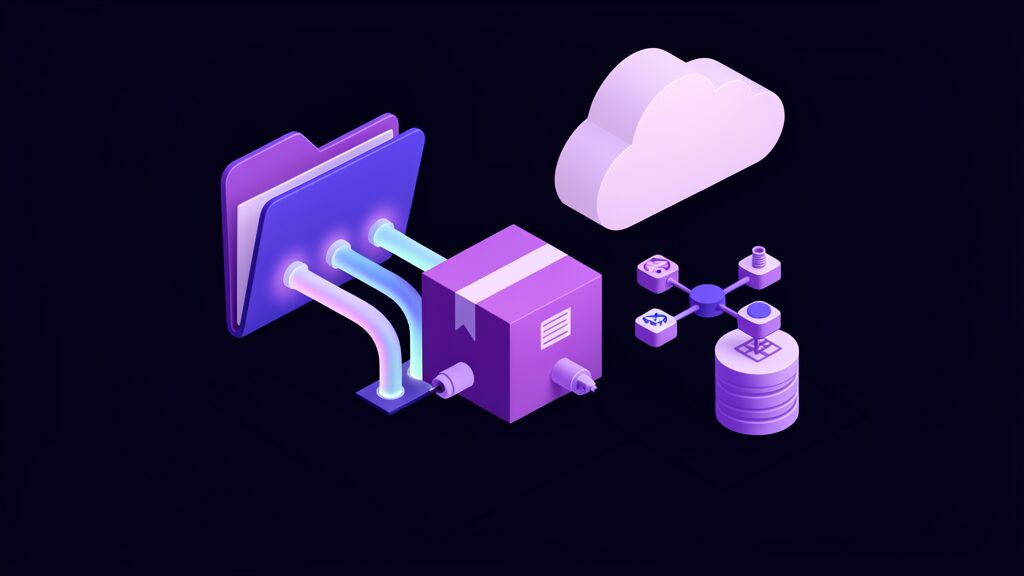
An artifact, in Google’s usage, is named binary or text data associated with a session or a user, stored with a MIME type that tells the platform what kind of data it holds. That definition is deliberately broad, and it is the reason a single folder can hold a component file, a CSV, and a rendered chart without special-casing any of them.
The AI Studio Artifacts folder applies that model to the studio interface rather than to agent code. What was previously an API-level concept for developers building agents becomes a surface a person can open, browse, and hand to someone else.
That translation matters more than it sounds. Capabilities that exist only in an SDK are used by the fraction of a team that writes SDK code. Capabilities that exist as a folder are used by everyone.
The Storage Asymmetry It Corrects
AI Studio has supported file input for a long time, across PDFs, spreadsheets, CSVs, images, and media, with published limits on individual file size and total project storage. Input has always had a home, a lifecycle, and a quota.
Output had none of those. It had a rendering. The AI Studio Artifacts folder closes that gap, and closing it is what makes this a workflow change rather than a UI refresh.
Symmetry also makes the round trip possible. Output from one session becomes input to the next without a manual download-and-reupload step, which is precisely the loop that multi-step work depends on.
How the AI Studio Artifacts Folder Fits Build Mode
Build mode is where the AI Studio Artifacts folder earns most of its value, because Build mode is where generation stops being a single answer and becomes a project.
The interface already splits into a chat pane for requests, a code view showing the generated files, and a live preview for testing. Persisting artifacts adds durability to that loop, so the next session starts from the last state rather than from a blank prompt.
The agent driving Build mode holds context across an entire project, managing multiple files and their dependencies and installing packages as needed. That capability is only worth having if the files it reasons about survive the session that created them.
The Agent Needs Durable Files
An agent working across many files against a store that forgets is doing archaeology every time it starts. The AI Studio Artifacts folder is the substrate that makes long-running, multi-file work coherent instead of a sequence of impressive one-shots.
Versioning Is the Feature Behind the Feature
Storage without versioning is a slower way to lose work. Google’s artifact model handles this the right way: saving under an existing filename creates a new version rather than overwriting the old one, and loading without specifying a version returns the latest.
That default is quietly important. It means an accidental regeneration costs nothing, a deliberate rollback is possible, and the fear that stops people from iterating — that the good version will be replaced by a worse one — goes away.
It also changes what a filename means. A name is no longer one file; it is a line of descent. Treat naming as the schema decision it now is.
Naming Conventions That Survive a Month
A file called report.md versioned eleven times is eleven mysteries. Agree a convention before the AI Studio Artifacts folder fills: what the artifact is, what it covers, and when it applies. The AI Studio Artifacts folder will faithfully preserve whatever discipline you bring to it, including none.
The cheapest moment to name something well is the moment it is created, while you still remember why it exists. Retroactive naming does not happen, and everyone knows it does not happen.
What Counts as an Artifact
The category is broader than most people assume, which is exactly why one folder helps rather than fragmenting further.
Code and configuration are the highest-volume case: application scaffolding, individual components, config files, and infrastructure definitions. This is also where regeneration is cheapest and therefore most tempting.
Documents and text output are the most easily lost, because text feels weightless in a way a binary file does not. Reports, summaries, transcripts, and specifications get pasted into other tools and disappear.
Data exports are the most quietly dangerous. A CSV extracted three weeks ago that somebody is still quoting today is a stale number with no warning label. Keeping it in an AI Studio Artifacts folder at least makes its age checkable.
Media and binary output — images, charts, diagrams, audio, video, PDFs — are the case chat interfaces always handled worst, and the one an AI Studio Artifacts folder handles most obviously well.
Getting Work Out: ZIP, GitHub, and Cloud Run
A folder is only as useful as its exits, and AI Studio already has three. The AI Studio Artifacts folder should be understood as feeding all of them rather than competing with them.
The ZIP download is the fastest path and the one with the least ceremony. It is also the point at which an artifact leaves the platform’s version history entirely, so treat a download as a fork rather than a sync.
Pushing to a GitHub repository is the exit most teams should default to. It puts generated code under the same review, history, and branch protection as everything else, which is the only durable answer to the question of whether that code should ship.
Deploying to Cloud Run is a genuine production path, not a demo. AI Studio apps run as standard containers with a public URL and server-side key handling.
The Path to Production Is Now Very Short
The distance between generating an artifact and exposing an endpoint to the internet is measured in clicks. That is a real capability and a real hazard, and it deserves a deliberate pause rather than an assumption that someone downstream is checking.
The Sandbox and Deployment Still Disagree
Worth naming honestly, because it is the kind of detail a feature announcement will not mention. Developers have reported that the AI Studio preview sandbox and a deployed app resolve asset paths differently, with the sandbox expecting files at the project root while deployment serves them from a public directory.
The practical effect is that assets can resolve in preview and break after deploy, or the reverse. Absolute URLs are the usual workaround, and nobody enjoys it.
An artifacts folder does not fix that mismatch. It gives you a stable place to keep assets, which is useful, but it does not change how either environment resolves a path. Test both surfaces before you trust either.
Governance: Who Sees the AI Studio Artifacts Folder
Consolidation concentrates output, and concentration has a security shape. The moment generated files live in a shared, browsable location, sharing becomes a question that has to be answered deliberately.
Decide who can read a project’s artifacts before you fill it with anything sensitive, rather than after. Access decisions made retroactively are audits, and audits are expensive.
Classification Does Not Change Because a Model Wrote It
Credentials, customer records, and anything covered by a data processing agreement deserve the same treatment in an AI Studio Artifacts folder as anywhere else. If the input was regulated, the output almost always is too. The file’s origin is not a reclassification event.
Retention, Quota, and the Cost of Keeping Everything
Storage limits apply to individual files and to total project storage, which means retention is a capacity question and not only a policy one. An AI Studio Artifacts folder will fill, and it will fill faster than a folder of hand-written files because generation is cheap.
Build the habit early: delete artifacts you are certain you do not need, promote the ones you do, and do both on a schedule rather than when you hit a limit. An AI Studio Artifacts folder left to grow indefinitely becomes exactly the haystack it was introduced to replace.
Scope helps as much as deletion. A folder holding fifteen related files is an asset; the same folder holding two hundred unrelated ones is a landfill with better lighting.
Where an AI Studio Artifacts Folder Does Not Help
Consolidation always attracts more expectation than it can carry, and three limits are worth stating plainly.
It is not a data platform. Exported CSVs are snapshots, not pipelines. They do not refresh, and nothing warns you when the underlying data moves. If a number matters recurrently, it needs a pipeline.
It is not an audit trail. Knowing a file exists is not knowing which prompt produced it, which model version answered, or who approved the result. Teams under real compliance obligations should keep treating provenance as separate work.
It is not a backup. Version history within a working area protects against overwrites, not against losing the working area. Anything irreplaceable belongs somewhere with a recovery guarantee.
An Artifacts Folder Is Not Source Control
This limit deserves its own section, because it is the one most likely to be misunderstood in a way that costs something.
Version history inside an AI Studio Artifacts folder is protection against accidental overwrites. It is not branching, merging, blame, pull requests, or CI. Those are different capabilities that solve a different problem, which is collaboration rather than persistence.
The practical rule is simple. The AI Studio Artifacts folder is where generated code waits; a repository is where it lives. Anything you would not accept as an unreviewed pull request should not reach production merely because a model wrote it and the file looked tidy.
Presentation is not verification. A well-named file in an organised folder feels more trustworthy than the same code pasted into a chat window, and it is exactly as unreviewed.
How This Compares to Other Assistants
The idea is not unique to Google, and the convergence is informative. Several assistants now render generated output into a dedicated panel with its own file list, download options, and per-project grouping.
The pattern converged because the underlying problem is universal. Conversation is a poor filing system regardless of which model is doing the generating.
Notebook and code-interpreter environments solved this years ago by making the working directory explicit — you always knew where a written file went because you wrote the path yourself. The AI Studio Artifacts folder brings that certainty to a chat-shaped interface without asking anyone to think in paths.
What Is Genuinely Different Here
Google’s advantage is proximity to deployment. An artifact in AI Studio sits a short hop from a Cloud Run service and a GitHub repository, inside an ecosystem that already handles identity and hosting. That end-to-end path, rather than the folder itself, is the differentiator.
Where Adoption Goes Wrong
An AI Studio Artifacts folder adopted badly is worse than no folder at all, because it converts an acknowledged mess into an assumed order. The failure modes are consistent enough to plan around.
The most common is treating the AI Studio Artifacts folder as a destination rather than a staging area. Artifacts accumulate, nothing is ever promoted to a repository or a document store, and after two months the folder is unnavigable.
The second is letting one project absorb everything. Scope creep makes a shared folder useless faster than volume does, because unrelated files defeat the one thing browsing is good at.
The third is assuming persistence equals permanence. Retention policies, quotas, and platform changes all apply, and durability within a session is not a commitment across years.
The fourth is skipping review because the output is well organised. Tidiness is a presentation quality. It carries no information about whether the code is correct.
Making the Case to a Skeptical Team
Not everyone will care, and the argument that works is rarely the feature list. Two framings tend to land.
The first is cost. Regenerated output is paid for twice, and the second payment buys nothing. That is a number a finance-minded colleague can act on without needing an opinion about artifact models.
The second is handover. Ask what happens when the person who ran the prompts is on leave. If the answer involves reading someone else’s chat history, the AI Studio Artifacts folder is solving a continuity problem rather than a convenience one.
Resist arguing it as tidiness. Tidiness is a preference, and preferences lose to deadlines.
Implementation Roadmap for the AI Studio Artifacts Folder
A month is enough to move from ad hoc output to a workflow that survives a busy quarter. The sequence matters more than the speed.
Count Your Regenerations First
Before changing anything, spend a week noting every time someone regenerates output that already existed. This is your baseline, and without it you will not be able to tell whether the change worked.
Scope Projects Narrowly
Split sprawling projects before they fill with artifacts. One project, one purpose. This is the single highest-leverage decision, and it is much cheaper to make before the AI Studio Artifacts folder has contents.
Agree a Naming Convention and Write It Down
Decide what an artifact name must convey — purpose, scope, and date where relevant — and record it somewhere a new colleague will find. Unwritten conventions decay within weeks.
Classify Before You Generate
Decide what is not allowed to be generated into a shared AI Studio Artifacts folder at all. Credentials and regulated data are the obvious cases, and the decision is far easier to make in advance than to unwind.
Define the Promotion Path
Name the destination for each artifact type: repository for code, document store for prose, warehouse or pipeline for data. An artifact with no defined exit will not get one improvised for it later.
Put Generated Code Under Review
Route anything heading for production through the same pull-request process as hand-written code. This is the step most often skipped and the one with the largest downside when it is.
Set a Promote-or-Delete Rhythm
Weekly is usually enough. Attach it to something that already happens, like a sprint boundary, so it survives contact with a busy week rather than depending on anyone’s memory.
Test Preview and Deployment Separately
Because the sandbox and the deployed environment can disagree about paths, verify assets in both before you consider anything finished.
Re-measure After a Month
Return to the regeneration count you started with. If it has not moved, the AI Studio Artifacts folder exists but the workflow has not changed, and the problem is process rather than product.
Metrics That Matter
File count is a tempting metric and a poor one. Measuring the outcomes the AI Studio Artifacts folder was meant to improve keeps the conversation on delivery rather than housekeeping.
| Metric | What it tells you | How to read it |
|---|---|---|
| Regeneration rate | Whether retrieval is actually working | Should fall within weeks; if flat, people are not finding files |
| Time from creation to promotion | Whether the folder is a staging area or a graveyard | A rising number means promotion is not happening |
| Share of shipped generated code reviewed | Whether speed came at the cost of safety | Treat anything below your hand-written baseline as a gap |
| Artifacts with a meaningful name | Whether the convention survived contact with deadlines | Sample rather than count; auditing everything is not worth it |
| Storage against quota | Whether retention is deliberate | Approaching a limit means deletion has become someone’s emergency |
| Handover time for a new colleague | Whether the folder is legible to anyone but its author | Measure once a quarter with a real newcomer |
Common Mistakes
The most frequent mistake is starting with the AI Studio Artifacts folder rather than the workflow. A store with no promotion path and no naming rule is a place where output goes to be forgotten more comfortably.
The second is confusing version history with review. Knowing that eleven versions exist tells you nothing about whether any of them is correct.
The third is generating sensitive data into a shared project because the AI Studio Artifacts folder made sharing frictionless. Friction was doing some quiet governance work, and removing it needs a deliberate replacement.
The fourth is treating downloads as synchronisation. A ZIP export leaves the platform’s history behind, and the copy on someone’s laptop will diverge immediately.
The fifth is deferring cleanup until a quota forces it. Emergency deletion is when good artifacts get removed alongside the noise, because nobody has time to look properly.
The sixth is measuring adoption by how full the AI Studio Artifacts folder is. Volume is not value, and a full folder that nobody opens is a more expensive version of the original problem.
Frequently Asked Questions
What is the AI Studio Artifacts folder?
It is a project-scoped location where files generated in Google AI Studio persist as files, rather than existing only inside the conversation that produced them.
What kinds of files does it hold?
Code and configuration, documents and summaries, data exports such as CSV and JSON, and binary output including images, charts, audio, video, and PDFs.
Does it replace GitHub?
No. It is a staging area with version history, not a source control system. Generated code you intend to keep belongs in a repository with branches, review, and history.
What happens if I save a file with a name that already exists?
Google’s artifact model creates a new version rather than destroying the previous one, and loading without specifying a version returns the most recent. Treat that as protection against accidents, not as licence to reuse names carelessly.
Are there storage limits?
Yes. AI Studio applies limits to individual files and to total project storage, so an AI Studio Artifacts folder needs periodic cleanup like any other store.
Can I still export a project as a ZIP?
Yes. Build mode’s ZIP export and GitHub push remain the primary ways to move a project into your own tooling, and neither is replaced by the folder.
Does this fix the sandbox path problem?
No. The difference between how the preview sandbox and a deployed app resolve asset paths is a separate issue, and it still needs testing on both surfaces.
Is generated output private by default?
Project access governs it. Decide who can see a project’s artifacts before generating anything sensitive into it, and apply the data classification rules you would apply anywhere else.
Does the AI Studio Artifacts folder give me an audit trail?
Not a complete one. It records that a file exists and roughly when. It does not by itself capture which prompt, which model version, or which person produced and approved it.
Should a small team change anything because of this?
Modestly. Adopt a naming convention, scope projects narrowly, and set a weekly promote-or-delete rhythm. That is most of the available value and it costs almost nothing to start.
Final Verdict
Lost generated files are not a tidiness problem. They cost tokens to recreate, they produce two versions of the same answer with no way to tell which one was used, and they quietly drop work that took real effort to get right. Every one of those effects shows up in delivery rather than in a dashboard, which is why it went unaddressed for so long.
The AI Studio Artifacts folder is the credible answer, provided it is understood as a staging area rather than a destination. The teams that get value from it will scope projects narrowly, name files at creation, promote what matters into repositories and data platforms, review generated code before it ships, and delete the rest on a schedule they actually keep.
The measure of success is not how much the AI Studio Artifacts folder holds. It is whether a colleague who was not in the session can find and trust the file, whether generated code reaching production has been read by a person, and whether anyone still regenerates work that already exists.
For teams formalising that layer, our work on intelligent automation and workflow automation covers the governance side in more depth, and our AI models and tools hub tracks how quickly these platforms keep changing.










