

Recover locked files after a localized ransomware attack by slowing down, isolating the affected device or share, preserving evidence, identifying safe recovery sources, restoring from clean copies, and validating the environment before reconnecting it to production.
A localized ransomware attack usually affects one laptop, one department folder, one small server, one mapped drive, or one cloud-synced workspace instead of the entire organization. That narrower scope is good news, but it also creates a dangerous temptation: someone may try quick fixes, rename encrypted files, run random decryptors, reconnect the machine, or restore over the top of infected data before the incident is understood.
The safest way to recover locked files is not to chase every file first. It is to stop the spread, protect evidence, work from clean sources, and rebuild trust in the endpoint or server. For businesses using cyber security services, IT consulting, cloud computing services, and DevOps services, the recovery process should protect operations without destroying forensic clues or reintroducing the same ransomware path.
| Recovery priority | What to do first | What to avoid |
|---|---|---|
| Containment | disconnect the affected endpoint or share | reconnecting to test whether files open |
| Evidence | save ransom notes, file extensions, timestamps, and logs | deleting artifacts before review |
| Recovery source | identify backups, snapshots, version history, or unaffected copies | overwriting clean data with encrypted data |
| Decryption | check trusted decryptor databases | downloading unknown tools from forums |
| Rebuild | reinstall or reimage the infected device | trusting a visibly compromised system |
| Validation | test restored files in isolation | moving files straight back to production |
| Prevention | close the local entry path | assuming the event was a one-time accident |
Recover locked files after ransomware at a glance
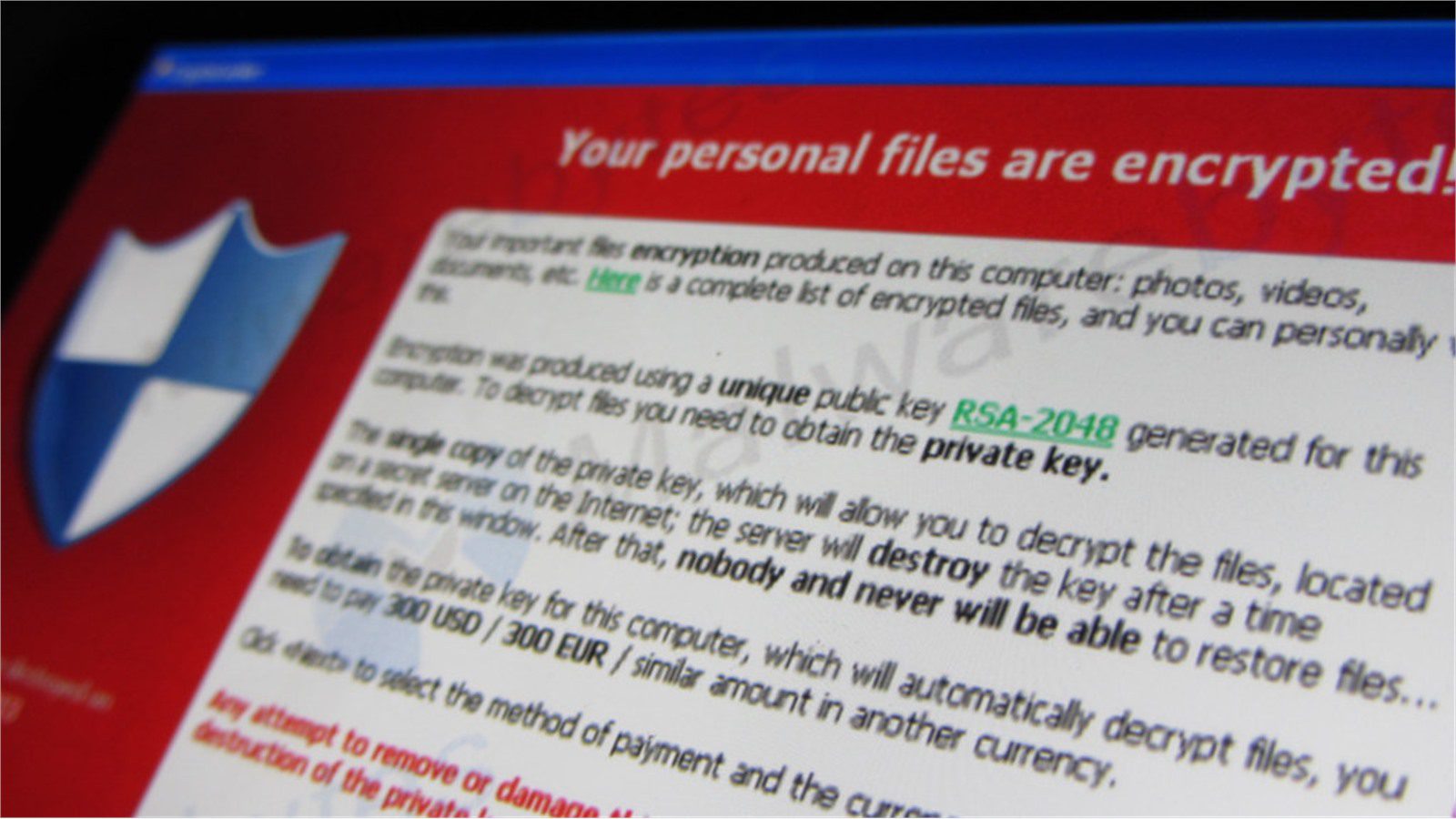
The fastest safe answer is this: recover locked files only after the affected system is isolated and the recovery source is confirmed clean. If the ransomware is still running, still syncing, or still connected to shared storage, every recovery action can spread damage.
Localized ransomware often arrives through phishing, a malicious browser download, an exposed remote access tool, a stolen password, a vulnerable line-of-business application, or an unmanaged workstation. The attack may encrypt local documents, mapped drives, synchronized folders, external drives, or a small file server. Because the visible damage may look limited, business users often ask IT to recover locked files immediately.
That urgency is understandable. Payroll may need spreadsheets. Operations may need PDFs. A clinic may need intake forms. A retailer may need supplier invoices. However, safe recovery starts with control. The affected machine should be removed from the network, cloud sync should be paused where needed, and the recovery team should determine whether the encryption is still active.
The CISA Stop Ransomware resource is a strong reference point because it treats ransomware as a prevention, response, and recovery problem. The No More Ransom project is also useful for checking whether a legitimate decryptor exists for a known ransomware family. Those resources should be used carefully and only after evidence is captured.
A practical rule helps: do not recover locked files onto a system you do not trust. Restore into a clean location, inspect the results, and reconnect only after the entry point has been fixed.
Use the same rule even when only a few documents look affected: recover locked files from trusted copies, not from guesswork on a compromised machine.
Step 1: contain the local ransomware event
The first step to recover locked files is containment. Disconnect the affected device from Wi-Fi, Ethernet, VPN, and shared drives. If the incident involves a file server or NAS, restrict access to that share until IT can confirm whether encryption has stopped. If cloud sync is involved, pause synchronization before encrypted files overwrite good versions everywhere.
Containment should be calm and documented. Record who disconnected the device, when it happened, which folders were affected, which users reported the issue, and what symptoms appeared first. Save screenshots of ransom notes, unusual extensions, warning messages, and suspicious pop-ups. If the organization has cyber insurance, outside counsel, or an incident response provider, notify the correct contact before taking destructive actions.
Do not power off every machine blindly unless spread is active and there is no safer option. In some cases, volatile evidence can help identify the attack path. In other cases, immediate shutdown is necessary to prevent more encryption. The right decision depends on scope, skill level, and business risk.
For a small localized incident, the goal is to freeze the scene. Stop network movement. Stop sync propagation. Stop users from copying encrypted files into clean locations. Then define the affected boundary: one laptop, one user profile, one shared folder, one server, one branch office, or one application workspace.
Teams that recover locked files safely treat containment as part of recovery, not a delay. A few extra minutes spent isolating the right systems can prevent hours of avoidable restoration work.
This is also the moment to assign one recovery owner, so every attempt to recover locked files follows the same evidence and approval path.
Step 2: preserve evidence and identify recovery options

Before trying to recover locked files, preserve enough evidence to understand what happened. Keep ransom notes, encrypted file samples, filenames, extensions, timestamps, suspicious downloads, email headers, endpoint alerts, login records, and backup job status. Do not send sensitive files to unknown websites, and do not upload confidential samples unless your legal or security team approves.
Identification matters because recovery options differ by ransomware family. Some variants have trusted decryptors. Some are poorly implemented and leave recoverable traces. Others destroy shadow copies, target backups, steal data, or wait before encryption. A localized incident can still include credential theft or data exposure, so the response should not assume that file locking is the only risk.
Create an inventory of affected data. Which folders are encrypted? Which file types matter? Are original copies available in email attachments, document management systems, versioned cloud storage, endpoint backup, server backup, snapshots, archive drives, or another user’s clean folder? This inventory helps the team recover locked files by business priority instead of restoring everything randomly.
Use trusted tools and sources only. Check vendor alerts, endpoint detection logs, backup console history, and known ransomware resources. If a decryptor is available from a reputable project, test it on copies of encrypted files in an isolated environment. Never run a random executable from a search result just because it claims to unlock files.
The key outcome of this step is a recovery map. It should list the affected systems, likely entry path, available recovery sources, business-critical files, and decision owner. That map keeps the team from making recovery choices based on panic.
With that map, the team can recover locked files in priority batches instead of mixing urgent business records with low-value duplicates.
Step 3: restore locked files from clean sources

The safest way to recover locked files is usually to restore from clean backups, snapshots, version history, or unaffected copies. Start with the highest business-value folders. Restore to a separate clean location, not directly on top of the infected system. If possible, use a sandbox, recovery workstation, or isolated file share where restored data can be scanned and validated.
Good recovery sources include immutable backups, offline backups, endpoint backup tools, storage snapshots, SaaS version history, document management history, email attachments, prior exports, source-control repositories, and clean copies from unaffected users. The best source depends on the file type and business process.
Restoration should follow a clear order. First, confirm the backup date is before encryption. Second, confirm the backup platform was not accessed by the compromised account. Third, restore a small sample and inspect it. Fourth, scan restored files with updated security tools. Fifth, ask business owners to confirm whether the data is usable.
Avoid overwriting encrypted files too early. In some cases, encrypted samples may be needed for identification, insurance, law enforcement, or a future decryptor. Keep a controlled copy of encrypted samples and ransom notes before cleaning the environment.
If no backup exists, the team can still search for unaffected copies, prior versions, cloud version history, temporary exports, email attachments, archive drives, partner portals, or application-level records. These options may not recover every file, but they can recover locked files that matter most to operations.
The recovery objective should be business continuity, not perfection on the first pass. Restore critical files first, document gaps, and maintain a clean chain of custody for anything that may be needed later.
When users ask whether IT can recover locked files immediately, explain that a controlled sample restore is faster than a rushed full restore that has to be redone.
Step 4: rebuild the device and rotate access
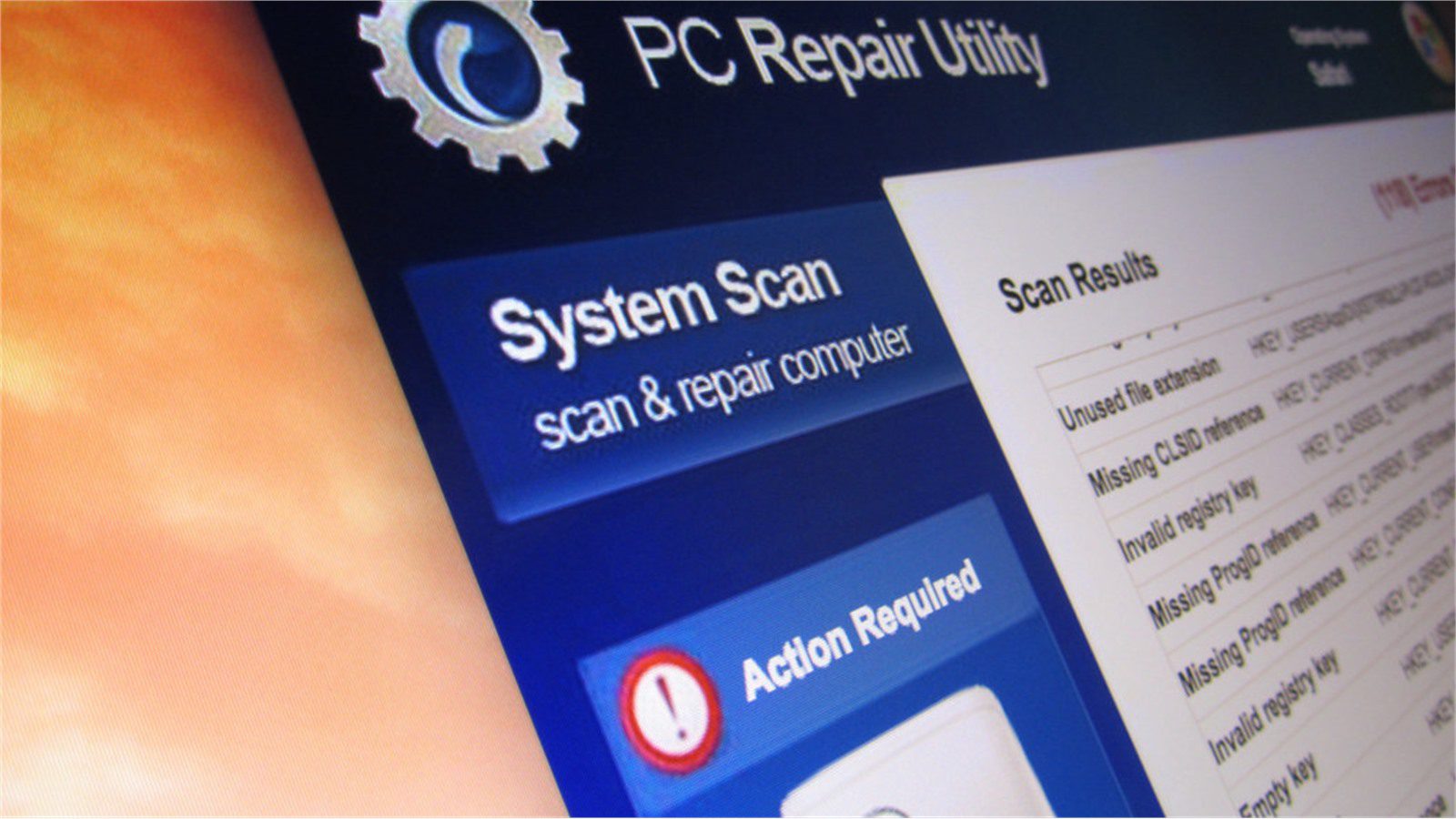
After files are restored to a safe location, the affected system still cannot be trusted. The cleanest path is usually to reimage the endpoint, rebuild the server, or restore the workload from a known-good baseline. Removing visible malware is not enough because ransomware incidents often involve stolen credentials, persistence tools, scheduled tasks, remote access software, or changed security settings.
Credential rotation is part of file recovery. Change passwords for the affected user, local administrator accounts, service accounts, remote access accounts, VPN accounts, and any privileged accounts used on the device. Revoke suspicious sessions and review multi-factor authentication prompts, OAuth grants, browser-saved passwords, and API tokens.
If the ransomware reached a shared folder, review permissions before reconnecting users. A local attack often becomes painful because one compromised account had write access to too many folders. Reducing permissions after the event helps recover locked files without leaving the same blast radius in place.
Patch the rebuilt system, reinstall required applications from trusted sources, apply endpoint protection, and confirm logging is active. Only then should restored files move back to the user’s normal workspace.
This step is where recovery and prevention meet. If the business can recover locked files but leaves the compromised password, exposed remote access tool, or overbroad file permission unchanged, it has restored data without restoring trust.
A rebuild-first approach helps recover locked files into a known-good workspace instead of returning them to a device that may still contain persistence.
Step 5: validate files and prevent reinfection

Validation is the difference between restored data and reliable recovery. Open representative files in an isolated clean environment. Confirm file sizes, modified dates, business records, macros, scripts, and application behavior. Scan restored folders. Check whether encrypted duplicates, ransom notes, suspicious executables, or unauthorized scripts were restored by mistake.
Business users should validate priority files because IT may not know whether a spreadsheet, drawing, database export, or contract version is the correct one. Create a short signoff list for critical departments. If the incident affected regulated data, legal and compliance teams should decide whether notification or reporting obligations apply.
When restored data is ready, reconnect carefully. Start with limited access. Monitor endpoint alerts, file server activity, authentication logs, backup jobs, and cloud sync behavior. Keep the original encrypted evidence isolated until the response team confirms it can be archived or destroyed.
To prevent reinfection, fix the likely entry path. That may mean blocking a malicious email sender, removing a browser extension, patching a VPN appliance, disabling exposed RDP, tightening endpoint controls, enforcing MFA, removing stale local admin rights, or segmenting shared folders. A localized ransomware event is a warning that one path worked.
Organizations should also test whether they can recover locked files faster next time. Run a small restore drill, review backup retention, document who owns shared folder permissions, and train staff to report ransom notes immediately instead of trying homegrown fixes.
This validation record becomes the proof that the company did recover locked files safely and did not simply move risky content back into production.
Step 6: know when to escalate the recovery
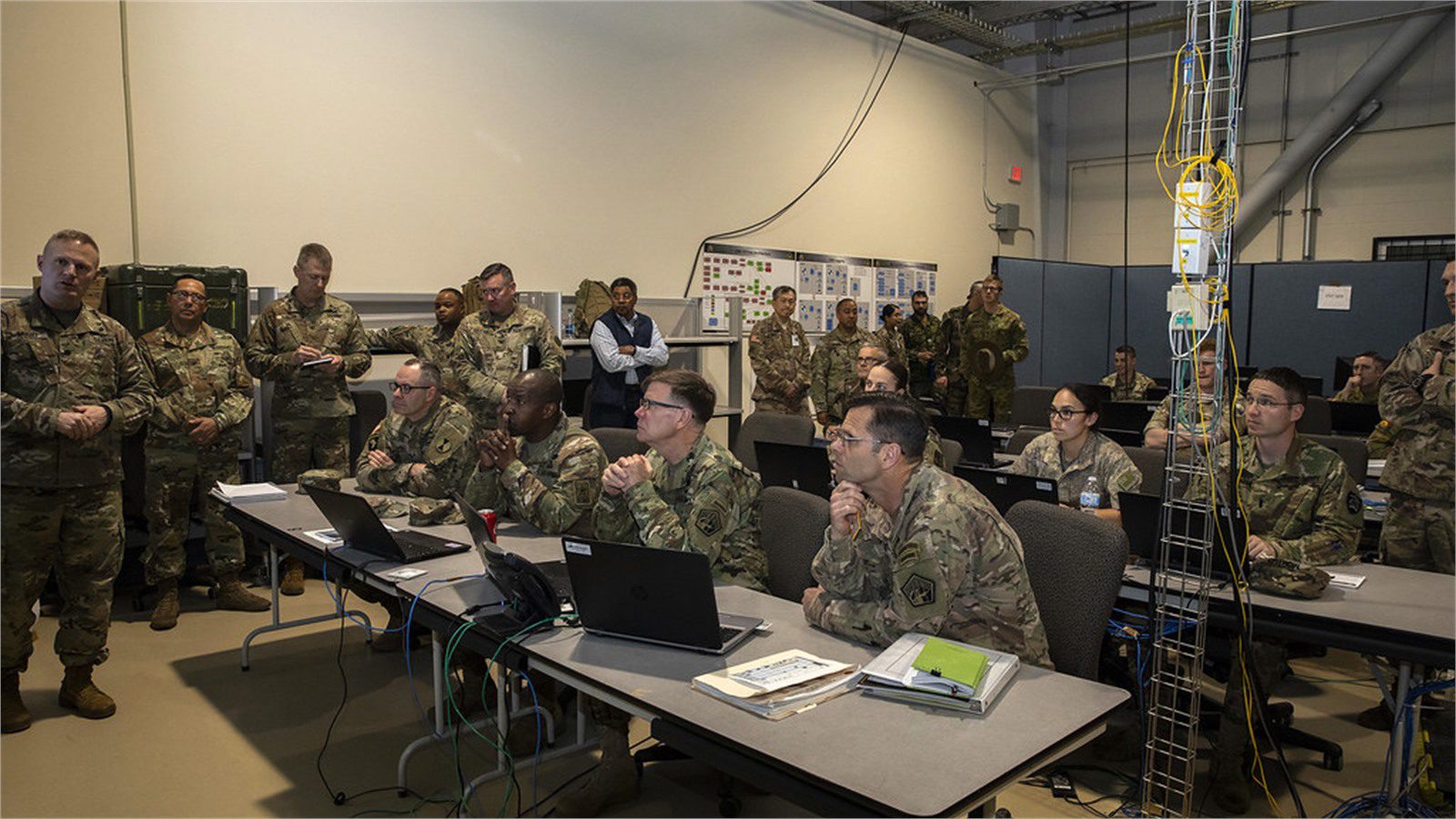
Not every localized ransomware attack stays localized. Escalate immediately if multiple users report encrypted files, domain admin credentials may be involved, backups were touched, sensitive data may have been stolen, remote access logs look suspicious, or the same file extension appears across several systems.
Escalation does not always mean panic. It means bringing the right expertise into the room. Incident response specialists can help preserve evidence, identify persistence, analyze logs, coordinate with legal counsel, and confirm whether the organization can safely recover locked files from available sources.
Executives should be involved when recovery affects revenue, patient care, customer commitments, regulated data, public communication, or insurance terms. Finance should track downtime and recovery costs. Legal should advise on ransom communications, evidence handling, and disclosure obligations. Communications should prepare accurate internal messages so employees do not spread rumors or reconnect systems on their own.
If payment pressure appears, slow down. Paying does not guarantee recovery, does not guarantee deletion of stolen data, and may create legal or sanctions risk. The safer business question is: what clean recovery sources exist, and what operational workaround keeps the organization running while recovery continues?
The ability to recover locked files depends on preparation, but even an unprepared business can improve outcomes by escalating before destructive mistakes happen.
Escalation should make it easier to recover locked files with legal, technical, and operational confidence, not harder for employees to resume work.
Step 7: build a better local ransomware recovery plan
After the immediate incident, turn the lessons into a local ransomware recovery plan. The plan should define who can isolate a device, who can pause cloud sync, who owns shared-folder permissions, who approves backup restores, who contacts insurance or counsel, and who communicates with affected users.
Improve backups first. Critical folders need versioning, retention, protected credentials, and restore testing. Endpoint backups should cover laptops that store important local files. File shares should have snapshots. SaaS platforms should have version history or a backup strategy. Backup administrators should use separate privileged accounts protected by MFA.
Then reduce the local blast radius. Remove unnecessary write access, eliminate stale accounts, enforce least privilege, patch commonly exploited software, block risky macros, restrict script execution, and monitor mass file changes. Train users to report sudden file extensions, ransom notes, disabled security tools, and unusual login prompts.
A useful exercise is to choose one department folder and ask: if ransomware encrypted this folder today, how would we recover locked files, who would decide, and how long would it take? If the answer is unclear, the plan needs more work.
Document the exact places where the business can recover locked files: backup consoles, SaaS version history, endpoint backup tools, archive folders, and application exports.
Then rehearse how nontechnical managers request help to recover locked files, because confusion during the first hour can turn a localized event into a larger disruption.
Progressive Robot can help organizations convert a stressful recovery into a repeatable resilience program. If you need a practical review of endpoint protection, backups, identity controls, file-share permissions, or incident response, contact Progressive Robot for support.
Recover locked files FAQ
Can encrypted ransomware files be unlocked without paying?
Sometimes. A trusted decryptor may exist for certain ransomware families, and clean backups or version history may make payment unnecessary. The safest first step is to identify the ransomware and preserve samples before trying any tool.
Should I rename encrypted files back to the original extension?
No. Renaming usually does not decrypt the content and can destroy useful clues. Keep samples unchanged, work from copies, and restore clean versions from backups or trusted recovery sources.
Is it safe to use free ransomware decryptor tools?
Only use decryptors from reputable sources such as known security vendors or established projects like No More Ransom. Test on copies in an isolated environment and avoid unknown tools from search ads, forums, or direct messages.
What if cloud sync copied encrypted files everywhere?
Pause sync, identify the time encryption began, and use platform version history or backup snapshots to roll files back. Do not reconnect the infected endpoint until it is rebuilt or confirmed clean.
Can shadow copies recover locked files?
Sometimes, but many ransomware variants delete shadow copies. If shadow copies remain, copy restored files into a clean location and scan them before returning them to production.
How do I know the attack was really localized?
Review endpoint alerts, authentication logs, file server changes, cloud sync logs, backup access, and reports from other users. If there is any sign of spread, stolen credentials, or data theft, escalate the incident.
What is the biggest recovery mistake?
The biggest mistake is restoring files onto an untrusted system. Clean data should return only after containment, evidence preservation, system rebuild, credential rotation, and validation are complete.
A localized ransomware incident can be contained, but only if recovery is disciplined. To recover locked files safely, isolate first, preserve evidence, restore from clean sources, rebuild trust, and close the path that allowed the attack.