

Perplexity Computer is a useful sign of where AI work tools are going. The official Computer product page describes it as a general-purpose digital worker that operates the same interfaces you do, creates and executes workflows, and can run work for hours or even months.
That is a very different promise from a chatbot that answers a single question. It points toward a more personal computer in the literal sense: a work surface where research, browsing, documents, apps, email, files, and recurring tasks can be delegated through natural language.
For SMEs, the opportunity is not magic. Perplexity Computer may help teams move from answer-seeking to task execution, especially when the job involves research, synthesis, browser workflows, reports, lightweight app creation, and routine monitoring. The risk is also practical. If a tool can browse, create, connect apps, and execute tasks, the business needs clear rules for data access, approval, quality review, and accountability.
This guide looks at where the product fits, what it can reasonably be used for, how Comet changes the browser workflow, and what controls should exist before letting an AI assistant operate inside real business systems.
Perplexity Computer at a glance

Perplexity Computer is positioned as an agentic work system rather than a simple AI search box. Perplexity says users give Computer tasks in natural language, then the system deploys subagents to browse, research, create, and connect tools automatically in the background. Users can then iterate and guide the work.
The product page lists several practical categories: background tasks and continuous monitoring, parallel research and browser automation, personalized connectors and Skills, and creation of apps, websites, reports, and other deliverables. It also says the product is available to Perplexity Pro and Max subscribers on web desktop and Slack, with mobile access coming later.
| Capability | What it means | SME use case |
|---|---|---|
| Natural-language tasks | Ask for a work outcome rather than a single answer | Research a market and produce a brief |
| Subagents | Split work into smaller parallel steps | Compare vendors, collect sources, draft findings |
| Browser automation | Work across websites and web tools | Monitor competitor pages or gather public data |
| Creation | Build reports, apps, dashboards, or documents | Prototype a calculator, brief, or internal tool |
| Monitoring | Repeat work over time | Watch filings, news, product pages, or job posts |
The useful question is not whether Perplexity Computer can automate everything. It cannot. The better question is where it can safely absorb low-judgment, high-friction digital work while humans keep ownership of decisions.
That places it naturally inside AI Process Redesign rather than basic productivity software. The tool only creates value when a business knows which workflow is being redesigned and who checks the result.
How the workflow actually works
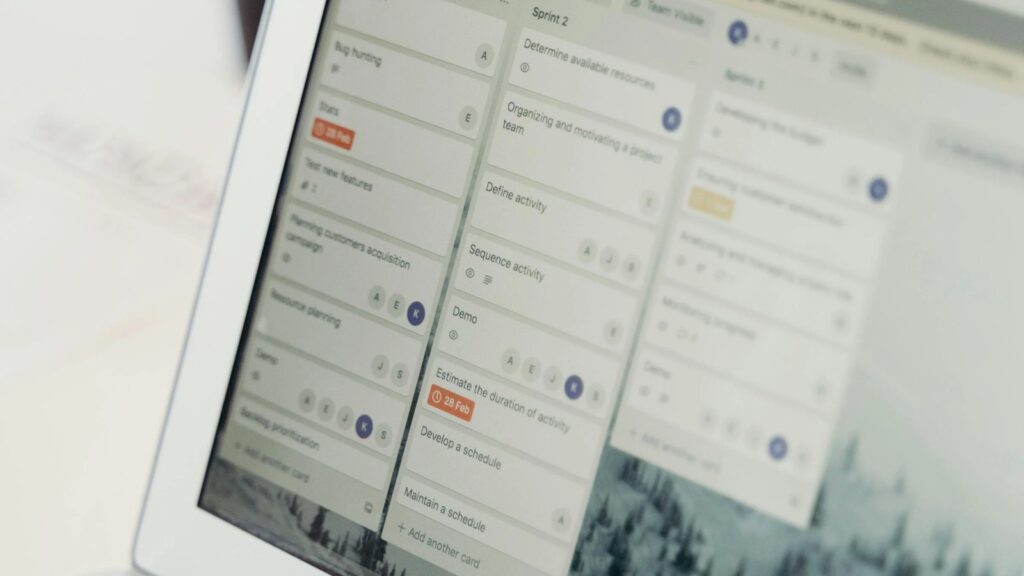
Perplexity Computer follows a simple pattern: give it a task, let it work, then review and refine. That sounds obvious, but the shift is important. A normal AI chat session often ends with advice. A computer-using agent is meant to keep moving through the steps required to produce an output.
The official examples include building interactive apps, creating spreadsheets, producing reports, generating websites, monitoring AI stocks, analyzing economic data, and building dashboards. Those examples show the intended boundary: work that combines research, data gathering, writing, coding, and browser-based action.
For an SME, that can translate into workflows like:
- Researching ten competitors and summarizing their pricing changes
- Building a first version of a sales dashboard or internal calculator
- Monitoring a public source weekly and flagging meaningful changes
- Turning a messy research question into a structured report
- Creating a lightweight web page, comparison table, or briefing pack
Perplexity Computer is not a replacement for a finance analyst, developer, compliance manager, or operations lead. It is closer to an AI workbench that can produce a useful first pass, collect sources, and reduce the blank-page work around digital tasks.
The review loop matters. Humans should check source quality, assumptions, calculations, legal implications, brand tone, and whether the output is complete enough to use. The more the output affects customers, money, security, or compliance, the more explicit that review should be.
Why Comet makes the browser personal
Perplexity’s Comet browser is the other half of this story. Comet is described as a browser from Perplexity that works for the user, with availability across Mac, Windows, iOS, and Android. The product page highlights an assistant that can understand pages, build, email, create, shop, and help with everyday browsing tasks.
The launch post for Comet frames the browser as a move from navigation to cognition and from answers to action. In plain English, that means the browser becomes more than a place to open tabs. It becomes a context-aware assistant sitting where web work already happens.
This is the personal-computer angle. For many workers, the browser is the real operating system. Email, CRM, finance portals, supplier tools, research sites, analytics dashboards, and internal apps all live there. If an AI assistant can understand context across tabs and perform actions, it can change how daily work is coordinated.
For SMEs, the safest first use cases are low-risk browser tasks: summarizing pages, comparing sources, preparing meeting notes, drafting emails for human approval, or gathering public information. Higher-risk tasks, such as purchases, customer messages, HR decisions, legal interpretation, or financial changes, need stronger guardrails.
Perplexity Computer and Comet together suggest a future where the browser is no longer passive. The business question is whether that future is governed before it becomes normal.
7 practical SME workflows
The strongest early workflows are the ones that are repetitive, source-heavy, and easy to review. These are seven practical places an SME could test Perplexity Computer without handing over critical decisions.
-
Market-watch briefs: monitor competitor websites, product pages, job posts, and public announcements, then produce a weekly summary for human review.
-
Vendor comparison: collect public pricing, capability claims, documentation, and support information into a comparison table before procurement calls.
-
Sales preparation: research a prospect, summarize relevant public signals, draft discovery questions, and prepare a short account brief.
-
Content research: gather credible sources, outline an article, identify counterpoints, and produce a first draft that a human editor can check.
-
Internal reporting: turn CSV exports or public datasets into charts, spreadsheets, or explainers for managers who need the story behind the numbers.
-
Lightweight tool building: create a simple calculator, dashboard, landing page, or workflow prototype before the business invests in full development.
-
Recurring monitoring: watch sources over time and alert a responsible person when something meaningful changes.
These workflows fit because they have clear inputs, visible outputs, and natural review points. They also connect well with AI-Native Organization thinking: AI becomes part of how work is organized, not an isolated novelty.
The main mistake is starting with tasks that need hidden judgment. If a workflow requires contractual interpretation, regulated advice, sensitive personal data, or irreversible action, it should be redesigned carefully before any AI agent is allowed near it.
Business controls before rollout
Perplexity’s Enterprise page positions the product suite for teams that need research, internal knowledge, apps, files, tasks, and complex projects in a secure platform. It also points to Computer, Comet, and enterprise controls as part of a broader business offering.
The Comet Enterprise page is especially relevant because browser agents need management. It describes permission controls, domain blocking, browser approvals, limits on tasks assigned to agents, MDM deployment, telemetry, audit logs, analytics, and advanced controls through CrowdStrike.
Those controls are not a side note. They are the difference between a useful assistant and uncontrolled shadow automation. If employees can connect personal or business tools, the organization must decide what is allowed, what needs approval, and which actions are off limits.
Before rolling out Perplexity Computer, define:
- Approved use cases and prohibited use cases
- Which tools, domains, files, and accounts may be connected
- Who can authorize recurring tasks or external actions
- How outputs are reviewed before customer, legal, finance, HR, or security use
- Where logs, prompts, files, and generated outputs are retained
- What happens when the system produces a bad result
This is also where identity and endpoint governance matter. A browser assistant can only be as safe as the account, device, and permission model around it.
Pricing, credits, and usage limits

Perplexity’s Pro page lists Pro at $17 per month or equivalent when billed annually. It says Pro includes access to Perplexity Computer, top AI models, deeper sourcing, and better support for complex questions, reports, documents, and apps.
The Max page lists Max at $167 per month or equivalent when billed annually and says it includes 10,000 monthly and 35,000 bonus credits for Perplexity Computer, advanced reasoning models, deep investigations at scale, massive datasets and files, Model Council, and priority access to new features. The same page lists Enterprise Max at $271 per seat each month or equivalent, with enterprise controls and security features.
That credit model matters. Agentic work can be more expensive than a single chat answer because tasks may involve multiple models, subagents, searches, files, browser actions, and repeated monitoring. Cost control should be designed into the workflow from the start.
For SMEs, the useful metric is cost per reviewed outcome. If the tool saves three hours of research and produces a source-backed brief that a manager can verify in 20 minutes, the value may be clear. If it burns credits producing outputs nobody trusts, the automation has only moved the cost.
Start with a small test budget, named owners, and a limit on recurring tasks. Review credit usage, output quality, time saved, and rework before expanding access.
Security and data questions

Security is central because agentic tools sit close to data and action. Perplexity’s security page says the company is SOC 2 Type II certified, uses GDPR-compliant and HIPAA-aligned safeguards, and maintains PCI-compliant payment security. It also describes access controls, SSO, MFA, short-lived credentials, just-in-time access, infrastructure separation, monitoring, and incident response.
Those are useful platform signals, but they do not remove the customer’s own duties. SMEs still need to decide whether a workflow may touch personal data, financial data, contracts, customer messages, private files, supplier portals, or regulated information.
The strongest rule is least privilege. Give the assistant only the access needed for the specific workflow. Avoid broad mailbox, drive, CRM, finance, or admin access unless there is a documented reason and a review process.
Also watch for prompt injection. A browser agent may read web pages, emails, documents, or other content that contains hostile instructions. Comet Enterprise specifically mentions controls for prompt injection and data privacy. That is a reminder that web agents need defensive design, not just productivity goals.
Perplexity Computer can be useful in a controlled environment. A Perplexity Computer rollout should not treat the tool as a trusted employee, a regulated adviser, or an invisible process owner.
Developer and API context
Perplexity’s API platform matters because some businesses will want repeatable product integrations rather than manual browser use. The platform includes Agent, Search, Embeddings, and Sonar APIs. The documentation index also describes real-time search, URL fetching, reasoning controls, token budgets, model fallback, function calling tools, embeddings, SDKs, and integrations such as MCP and n8n.
That gives teams two routes. Perplexity Computer and Comet are user-facing work tools. The API platform is for developers building search-grounded AI into products, internal tools, or repeatable workflows.
The governance pattern should be similar either way: define the source, constrain the task, log the output, review the result, and control who can change the workflow.
This is where the product connects with Domain-Tuned Models and narrower AI systems. General agents are useful for exploration and first drafts. Production workflows often need a clearer domain, stronger tests, and more predictable behavior.
Perplexity Computer FAQ
What is Perplexity Computer?
Perplexity Computer is an AI work system from Perplexity that can take natural-language tasks, deploy subagents, browse, research, create outputs, connect tools, and support longer-running workflows.
Is it the same as Comet?
No. Comet is Perplexity’s AI browser. Perplexity Computer is the task-execution system that can run workflows, create outputs, and automate work. They overlap because browser context is one of the most important places agentic work happens.
Can SMEs use it safely?
Yes, if they start with narrow, reviewable workflows. Good candidates include market research, vendor comparison, sales preparation, content research, lightweight reporting, and monitored public sources. Sensitive or irreversible tasks need stronger controls.
Does it replace staff?
No. It can reduce repetitive research and first-draft work, but humans still need to set goals, check sources, approve outputs, handle exceptions, and own decisions.
What should businesses check before rollout?
Check permissions, connected tools, source rules, file access, retention, audit logs, approval steps, prompt-injection risk, credit usage, and who is accountable for the final output.
Is Perplexity Computer only for personal use?
No. Pro and Max are individual plans, but Enterprise and Enterprise Max are positioned for organizations that need deployment, governance, security controls, and team administration.
Final thoughts
Perplexity Computer is important because it points beyond AI as a question-answering layer. It turns the personal computer into a more active work surface: research, browser action, files, apps, reports, and recurring tasks can begin to move through one natural-language interface.
For SMEs, the opportunity is focused productivity. Let the tool handle bounded research, draft outputs, monitoring, and prototypes. Keep humans in charge of judgment, approvals, data boundaries, and business decisions.
The right first step is not a company-wide rollout. It is one narrow Perplexity Computer workflow, one responsible owner, one budget, one access boundary, and one review process. That is how Perplexity Computer becomes a practical work tool instead of another unmanaged AI experiment.










