
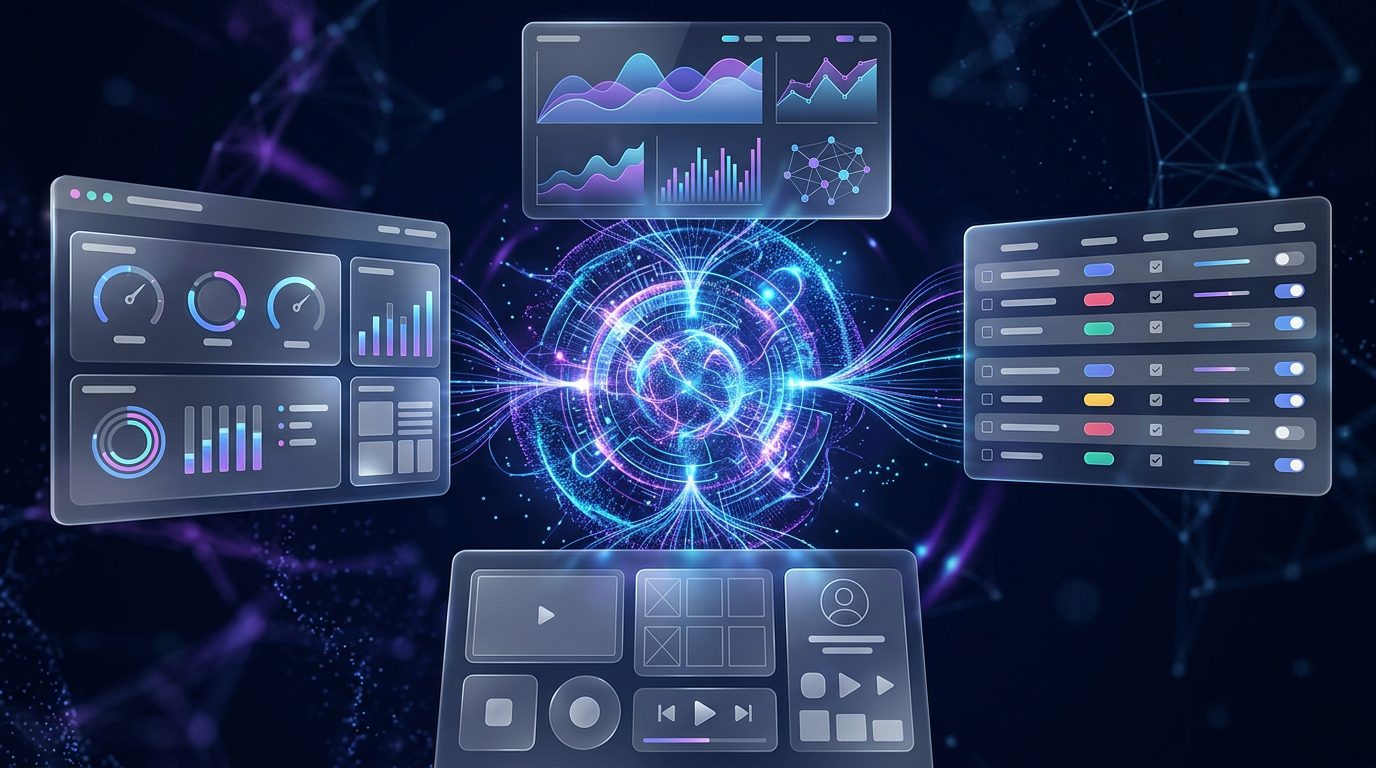
OpenUI is an open-source standard for generative user interfaces that allows AI models to produce interactive application experiences instead of responding exclusively with text. Built around OpenUI Lang, a compact language for describing interfaces, the project enables developers to connect AI-generated output with their own frontend components.
The idea addresses a limitation in many AI applications. A chatbot can explain a financial report, for example, but a well-designed interface could present the same information through charts, data tables and interactive filters. Similarly, an AI assistant could generate a configurable form, a product comparison or a multi-tab dashboard based on what a user asks.
OpenUI gives developers a way to build these experiences while retaining control over the components that can be generated and how they behave. The project supports streaming output, allowing interface elements to appear as the model generates them, rather than requiring users to wait for an entire response.
For developers exploring AI agents, copilots and conversational applications, this approach offers a practical way to move beyond text-only interactions. The project’s official website and GitHub repository provide the documentation, packages and examples needed to evaluate it.
What Is OpenUI?

OpenUI is a framework for building generative user interfaces, often shortened to generative UI. In this approach, an AI model helps determine which interface components to display and how to combine them for a particular request.
Instead of returning only Markdown or a large JSON structure, the model can generate a description written in OpenUI Lang. A compatible renderer interprets that description and maps it to components provided by the application.
The key distinction is that developers define the available building blocks. These can include charts, cards, forms, tables, layouts and specialised components designed for a particular business. The model can compose those elements, but the application remains responsible for their implementation and behaviour.
OpenUI is therefore not simply a visual chatbot theme or a tool that generates screenshots. It provides infrastructure for rendering structured, interactive UI elements within AI-powered applications.
How OpenUI Works
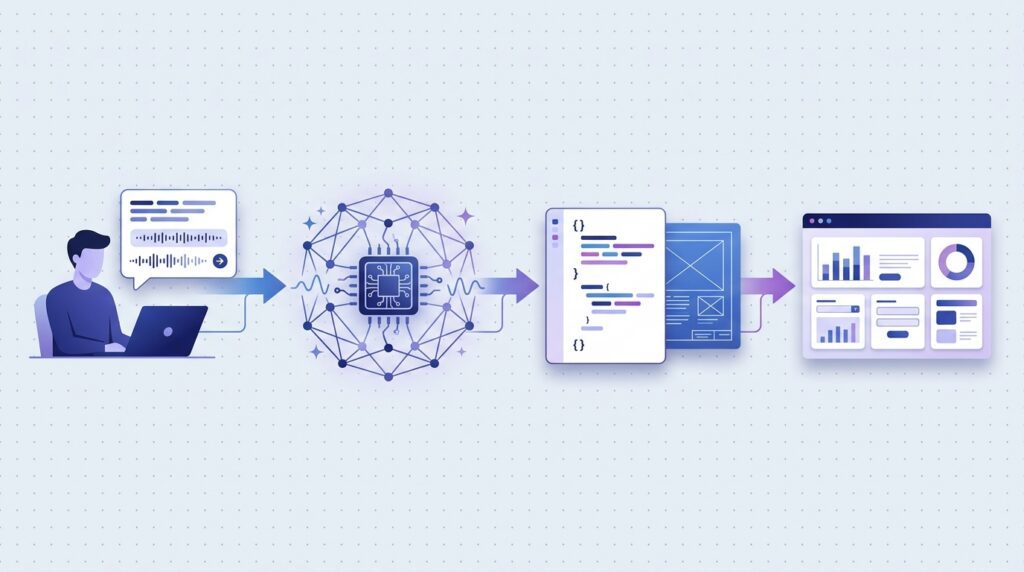
The workflow begins with the application’s component library. Developers define which components the model can use, along with their properties and expected structure.
The framework can then generate instructions describing that library so the model understands the available building blocks. When a user makes a request, the model generates an interface description using OpenUI Lang.
A renderer processes the output and maps it to the registered components. Because the format supports streaming, the application can render interface elements progressively as the response arrives.
For production applications, developers can generate output through their own model provider or explore OpenUI Gateway, which the project documents as an option for validating and correcting generated output and handling provider failures.
This architecture separates interface composition from component implementation. The model helps decide what to show, while the application controls the components, data access and functionality.
Key Features of OpenUI

1. OpenUI Lang for Structured Interfaces
OpenUI Lang is a compact, streaming-oriented language designed to describe interfaces using components defined by the application. It offers an alternative to verbose JSON-based representations, where component names and properties can consume substantial output tokens.
According to the project’s published benchmarks, OpenUI Lang can use up to 67% fewer tokens than some JSON-based alternatives in tested scenarios. Results vary by interface and comparison format, so this figure should be understood as a benchmark result rather than a guaranteed saving for every application.
A more compact representation can reduce the amount of output a model must generate, which may improve responsiveness and lower generation costs in suitable workloads.
2. Progressive Rendering
OpenUI supports progressive rendering, meaning the interface can appear while the model is still generating its response. Rather than waiting for the entire output to finish, the renderer can process the stream and display components as they become available.
For example, an analytics dashboard might display its layout and summary cards before all the chart data has arrived. This can help an application feel more responsive, although the actual experience still depends on model latency, network conditions and interface complexity.
3. Support for Multiple Frontend Frameworks
The project offers framework-specific runtimes and integrations for technologies including React, Vue, Svelte and Angular. Its broader ecosystem also includes tools for agent frameworks and other application environments.
This matters for teams that want to experiment with generative UI without rebuilding an entire product around one frontend framework. Developers can investigate the runtime that fits their existing stack and consult the relevant integration documentation before implementation.
4. Developer-Controlled Components
AI-generated interfaces need boundaries. Without them, developers can face inconsistent layouts, unsupported components or output that does not match the application’s design system.
OpenUI addresses this by letting developers define the component library available to the model. The application determines which elements exist, what properties they accept and how they render.
This gives teams a way to preserve brand consistency and reuse established interface components while allowing the AI model to compose them differently for each task.
5. AI Agent and Chat Interface Integration
Generative UI is particularly relevant to AI agents because agents often need to present structured information or ask users for input. OpenUI includes packages and integrations that can help developers add generated components to conversational experiences.
A support assistant could display a troubleshooting form. A business copilot could show a table of relevant records. A project assistant could present tasks and status cards instead of describing everything in paragraphs.
The required behaviour still needs to be implemented in the surrounding application. Rendering a button or form does not automatically connect it to a backend action.
6. Tools for Production Reliability
The project documents additional tools for applications that need stronger reliability controls. OpenUI Gateway can provide a generation endpoint with validation, output correction and provider-failure handling. Autofix can also be used to repair eligible invalid output while allowing teams to retain their existing model provider.
OpenUI’s observability options help developers investigate generation failures and recurring problems. These tools can be useful when generated interfaces are part of a real customer-facing product, where a malformed response can interrupt a workflow.
The appropriate setup depends on the application’s requirements, deployment model and tolerance for errors.
Why OpenUI Matters for AI Developers

Traditional AI chat interfaces are effective for answering questions, summarising documents and explaining complex topics. However, text alone can be limiting when users need to compare information, modify settings or complete a task.
OpenUI provides a way to combine conversational AI with interactive interface elements. Rather than asking users to interpret a long explanation, an application can present relevant information in a format that is easier to explore.
Potential applications include business intelligence dashboards, customer-support workflows, product comparison tools, project management assistants and data exploration interfaces. For example, a sales team might ask an AI assistant to compare regional performance and receive a chart and table tailored to the request.
These are possible use cases, not automatic outcomes. Developers must connect the components to reliable data sources, implement their interactions and test whether the generated interface correctly reflects the user’s request.
OpenUI vs Traditional UI Development

In conventional frontend development, engineers generally design screens and define the possible user journeys in advance. This approach provides precise control over layout, accessibility and behaviour, but accommodating a wide range of requests can require many predefined views.
With OpenUI, developers still build and maintain the underlying components, but the model can choose how to combine them for a particular request. This can make it easier to support more varied interactions without creating a separate fixed screen for every possible situation.
The two approaches are not mutually exclusive. Critical workflows can remain fixed and carefully tested, while generative UI can support flexible tasks such as exploring data, configuring reports or gathering information.
For most production products, a hybrid architecture is likely to be more practical than allowing every part of the application to be generated dynamically.
Safety, Reliability and Limitations

Generating an interface dynamically introduces risks that developers must manage. A model may produce invalid output, select an unsuitable component, misrepresent information or generate a form that does not handle errors correctly.
The component-library approach helps limit what can be rendered, but it does not guarantee that every generated interface will be correct or safe. Applications should validate generated output and enforce permissions and business rules on the server.
Sensitive operations, including payments, account changes and deletion of records, should never depend solely on a model-generated interface. They need normal authentication, authorisation, input validation and confirmation controls.
Developers should also test accessibility, responsive layouts, incomplete streams, missing data and unsupported interactions. Where appropriate, validation, output correction and observability tools can help identify and recover from failures.
OpenUI can provide useful infrastructure for generative interfaces, but it does not replace security engineering, frontend testing or production monitoring.
How to Get Started With OpenUI

Developers can start with the official OpenUI documentation, which explains the core concepts, component libraries, rendering process and available integrations. The GitHub repository provides access to the source code, packages, examples and project licence.
The repository documents a command-line workflow for scaffolding an application. Developers can use the official quick-start instructions to create a starter project, configure the required model access and run a local example.
For an initial evaluation, keep the prototype small. Define a limited component library, test several realistic user requests and check whether the generated output is accurate, usable and responsive. Include failure cases such as missing data, unsupported component properties and invalid user input.
Before adopting the framework in production, review the current licence, dependencies, model costs, deployment requirements and security implications. Teams should also decide whether they need optional services for generation reliability or monitoring.
Frequently Asked Questions
What is OpenUI?
OpenUI is an open-source framework and standard for generative user interfaces. It allows AI models to describe interfaces using OpenUI Lang and enables applications to render the output as interactive components.
Is OpenUI open source?
Yes. The project’s source code is publicly available in the Thesys OpenUI GitHub repository. Developers should check the current licence and terms for their intended use.
What is OpenUI Lang?
OpenUI Lang is a compact language for describing interfaces built from developer-defined components. It supports streaming so compatible renderers can display interface elements as the model generates them.
Does OpenUI work with different AI models?
The project is designed to work with different model providers, agent frameworks and chat interfaces. The exact integration depends on the selected model, runtime and application architecture.
Can OpenUI create interactive dashboards?
Yes. Developers can use it to compose dashboards from components such as charts, tables, cards and forms. Data connections and working interactions must be implemented by the application.
Is OpenUI suitable for production?
It can be evaluated for production use, but developers should test output reliability, security, accessibility, performance and error handling. The project’s documentation describes additional tools for validation, correction and monitoring.
Does OpenUI replace frontend developers?
No. Developers are still needed to build components, define application behaviour, protect data, test interfaces and maintain the software. Generative UI changes how some interfaces are composed; it does not eliminate frontend engineering.
Conclusion
OpenUI offers developers a practical foundation for building AI applications that go beyond text-based responses. Its compact interface language, progressive rendering and component-library approach make it possible to compose interactive experiences while retaining control over the application’s building blocks.
The framework does not remove the need for conventional frontend engineering, security or testing. Its real value depends on the quality of the components, the reliability of generated output and the application’s implementation of data access and interactions.
For teams building AI agents, copilots and adaptive business applications, OpenUI is worth exploring through a focused prototype before committing to a larger deployment.
Explore our IT services: Progressive Robot helps businesses explore software development, AI solutions, cybersecurity and wider IT services.
References
OpenUI — Official Documentation
Generative UI — OpenUI Documentation
More AI coverage: explore Progressive Robot's AI Models, Tools & Releases hub — hands-on reviews, setup guides and benchmarks in one place.










