
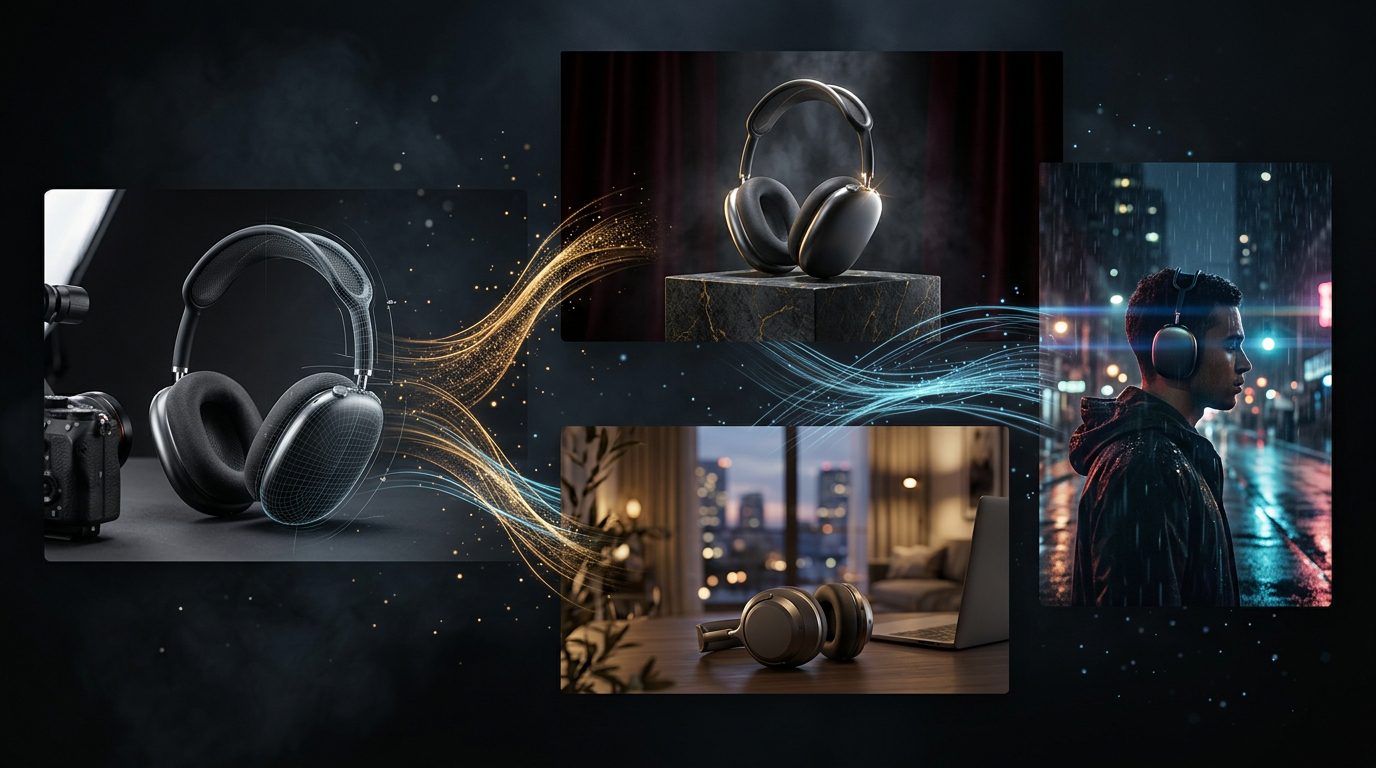
Krea 3 is Krea’s new AI image editing model, released on October 15, 2026, with native 2K resolution, image-to-image editing and support for up to six reference images per edit. The company says most edits complete in under eight seconds and cost $0.06 per image at 2K resolution. The release targets creators, e-commerce teams, advertisers and designers who need to make precise visual changes without rebuilding an image from scratch.
Instead of generating an entirely new picture from a text prompt, Krea 3 can work from an existing photograph, sketch, product image or collection of references. Users can request a different background, lighting arrangement, material, outfit or visual style while asking the model to preserve important parts of the original image.
That distinction is especially important for commercial design. A business may need dozens of product images for different campaigns without changing the product’s actual appearance. Krea says its new model is designed to preserve details such as product labels, logos and character identity while modifying the requested elements. These are the company’s stated capabilities, so teams should test them against their own images before relying on them for production work.
According to Krea’s official announcement, the model is available through Krea’s platform and several partner services. Its combination of editing speed, reference-image support and 2K output makes it a notable development in AI-assisted visual production.
What Is Krea 3?
Krea 3 is an image editing model designed to modify existing visual content using natural-language instructions and reference images. Rather than relying exclusively on text-to-image generation, it lets users provide an image and describe what should change.
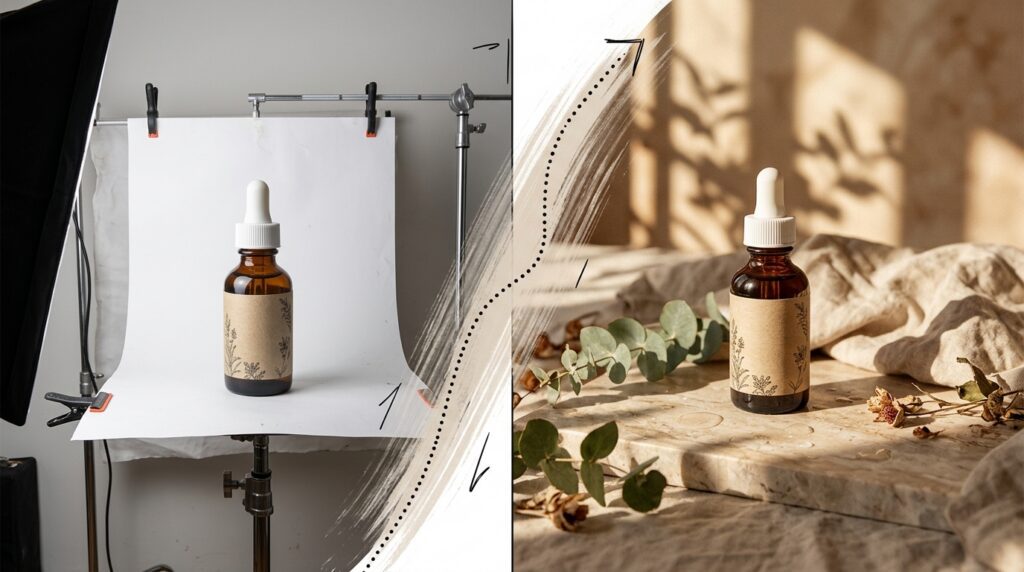
For example, a designer could upload a product photograph and request a warmer studio background, softer lighting and a more premium atmosphere. The objective is to preserve the product itself while changing the surrounding scene. Krea 3 also supports workflows involving sketches, material references, style examples and multiple images that contribute different elements to a final composition.
The model is intended for professional creative workflows where consistency matters. A single successful image may not be enough for an advertising campaign or online catalogue; businesses often need a collection of related visuals that maintain the same product design, person or overall art direction.
Krea’s announcement positions the model around three core benefits: fast editing, precise changes and consistent visual identity. The extent to which it delivers those benefits will depend on the complexity of the edit and the quality of the supplied references.
Image-to-Image Editing: Change What You Want, Keep What Matters
Image-to-image editing is the central feature of Krea 3. Users start with an existing image and describe the desired transformation, rather than asking the AI to invent every detail from a blank canvas.
This approach is useful when the original image already contains important elements that should remain unchanged. A product photographer, for example, may want to replace a plain white background with a luxury interior while preserving the packaging, shape, label and proportions of the product.
Krea says the model is designed to make targeted changes without unnecessarily altering unrelated parts of an image. In its launch examples, the company demonstrates edits to furniture, interiors, materials and product presentations while retaining the rest of the scene.
For designers, this can reduce repetitive work. Instead of creating a new composition for every variation, they can start from an approved image and request specific adjustments. However, small details should still be checked carefully, especially when the output contains branded packaging, technical product features or text that must remain exact.
Native 2K Resolution and Faster Editing
Krea 3 supports native 2K output, allowing users to generate detailed images without relying entirely on a separate upscaling step. Higher resolution is valuable for product photography, campaign artwork, presentation visuals and other creative assets that need to withstand cropping or display at larger sizes.
The company says most edits complete in under eight seconds from request to finished image. Its published launch comparison reports median edit times of under eight seconds for Krea 3, 33 seconds for Nano Banana Pro and 90 seconds for GPT Image 2 in the tested editing workflow. Krea states that these measurements include queue time and were collected on its platform between September 24 and October 1, 2026.
These figures are vendor-reported results, not a universal guarantee. Actual processing times may vary with service demand, prompt complexity, reference images and the provider being used.
The speed advantage matters because creative work often involves trying multiple versions before selecting a final result. Krea 3 is designed to shorten the interval between an idea and its visual evaluation, making rapid iteration more practical for teams producing large numbers of assets.
Six Reference Images for More Consistent Results
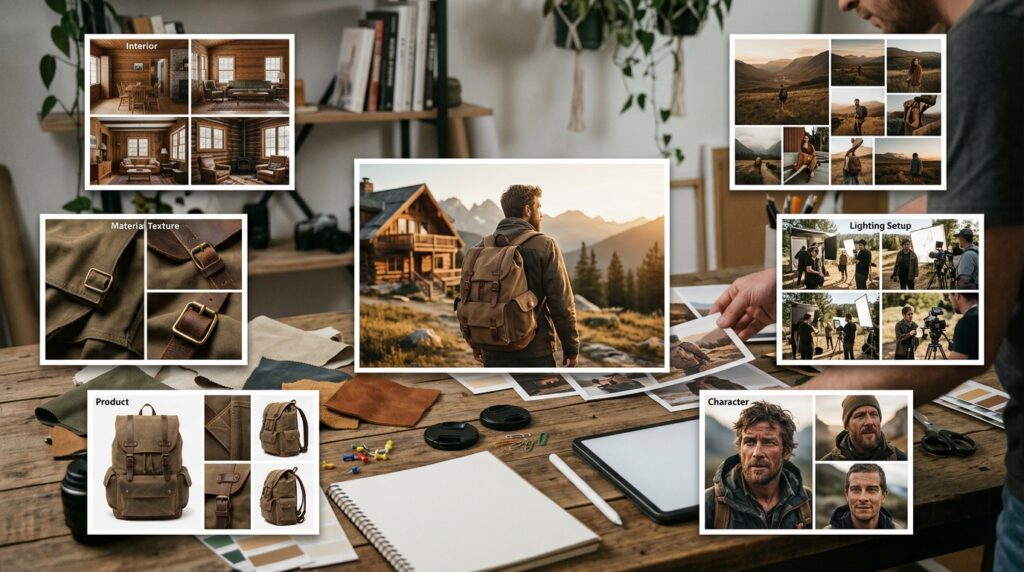
Krea 3 supports up to six reference images per edit. Each reference can help establish a different aspect of the requested result, such as the original scene, a product, a character, a material or a visual style.
This is useful when a single text prompt cannot communicate all the details required. An interior designer might provide a room photograph, a furniture reference and several material examples. A marketing team could supply a product image and visual references for a campaign’s desired aesthetic.
Reference images can also help maintain continuity across a series. For example, a character can appear in different poses and environments while retaining recognizable features. A product can be placed in different settings without deliberately redesigning the item itself.
The number of references alone does not guarantee consistency. Clear instructions are still important, particularly when several images contain conflicting styles or objects. Krea 3 works best when the prompt explains what each reference contributes and identifies which details must remain unchanged.
Keeping Products, Logos and Characters Consistent
One of the biggest challenges in generative image editing is controlling everything that should not change. A model may produce an attractive image while subtly altering a product label, changing a person’s appearance or modifying an object that was already approved.
Krea says Krea 3 is designed to preserve product details, including labels and logos, while changing the environment around them. It also highlights consistency for people and characters across multiple images. These capabilities could be valuable for businesses that need a coherent set of campaign visuals rather than unrelated generated pictures.
Consider an online store selling the same product in several contexts. The team might need a clean studio photograph, a lifestyle image and a seasonal campaign variation. A controlled editing workflow can help create those alternatives from the same source material.
Nevertheless, AI-generated details should not automatically be treated as production-ready. Inspect labels, packaging, logos, faces and small design features at full resolution. Where exact branding or regulatory information matters, compare the result against the original source and use conventional editing tools for final corrections.
Practical Uses for E-Commerce, Marketing and Design
Krea 3 has several potential applications for teams that regularly adapt visual assets.
E-commerce product imagery: Retailers can explore different backgrounds, lighting setups and lifestyle scenes using an existing product photograph. This may reduce the need to arrange a separate shoot for every creative variation, although quality control remains essential.
Advertising and campaign production: Marketing teams can adapt an approved visual for different campaign concepts, environments and seasonal themes. Reference images can help keep the product and art direction consistent across variations.
Interior and architectural visualization: Designers can use sketches, material palettes and room references to explore how a concept might look when rendered as a finished scene. These images are useful for exploration, but should not be confused with verified technical plans.
Fashion and character development: Creators can test new settings, poses, lighting and compositions while using reference images to help preserve a person’s or character’s appearance.
Brand and content production: Creative teams can develop related assets from an established visual direction, potentially making it easier to experiment with concepts before choosing a final design.
The common advantage is iteration. Krea 3 aims to make it faster to explore alternatives while retaining the key elements of an existing image.
How to Get Better Results From Krea 3
The quality of an edit depends partly on how clearly the instruction describes the intended change. Instead of writing a vague prompt such as “make this image better,” identify what should stay the same and what should change.
Start by naming the elements that must be preserved. For a product image, this might include the product shape, label, logo and camera angle. Then describe the requested change, such as the background, lighting, material or atmosphere.
When using several reference images, explain the role of each one. For example, identify which image provides the product, which provides the environment and which establishes the desired style. This helps reduce ambiguity when the references differ.
Use focused instructions for precision edits. If only the background should change, say so explicitly rather than requesting a complete redesign. After generation, inspect the output at full resolution and correct any important discrepancies before publishing.
Krea 3 Pricing and Availability
Krea announced that Krea 3 is available through Krea’s platform and partner services including fal, Hedra, Together AI, Nous Research, OpenRouter and Replicate.
The company’s launch pricing is $0.06 per image at native 2K resolution and $0.03 per image at 1K. These are the announced per-image prices; final costs may vary depending on the service, plan, reference-image usage and any additional platform fees.
At the announced 2K rate, 1,000 edits would cost $60 before any additional charges. For a team producing thousands of images each month, it is worth testing whether the faster editing workflow offsets the total cost and review effort.
Availability, subscription requirements and API access can differ between providers. Check the relevant platform’s current documentation before building a production workflow around Krea 3.
Limitations to Consider Before Using It Professionally
Fast editing and high resolution do not eliminate the usual limitations of generative AI. The model may change a detail that was supposed to remain fixed, misinterpret an instruction or produce inconsistencies across a batch of images.
Teams should pay particular attention to branded products, small text, technical diagrams and faces. These elements can require precise fidelity that a generative model may not consistently maintain. Human review remains important before publishing images in advertising, product listings or other high-visibility contexts.
There is also a distinction between visual similarity and factual accuracy. An attractive architectural visualization does not confirm that a building can be constructed as shown, and an AI-generated product image should not depict features the real product does not have.
The best approach is to use Krea 3 as a creative production tool, establish clear review standards and reserve conventional editing or verification for details that must be exact.
Frequently Asked Questions
What is Krea 3?
Krea 3 is an AI image editing model released by Krea on October 15, 2026. It supports image-to-image editing, native 2K output and up to six reference images per edit.
Does Krea 3 support 2K resolution?
Yes. Krea says the model produces native 2K output. The company also announced a lower-cost 1K option.
How fast is Krea 3?
Krea says most edits complete in under eight seconds end to end. Actual performance may vary depending on the prompt, service and operating conditions.
How many reference images can Krea 3 use?
The model supports up to six reference images per edit. These can help establish the subject, style, materials, environment or other visual details.
How much does Krea 3 cost?
Krea announced pricing of $0.06 per image at 2K and $0.03 per image at 1K. Check the platform you plan to use for current pricing and any additional charges.
Where can I use Krea 3?
It is available through Krea’s website and announced partner platforms, including fal, Hedra, Together AI, Nous Research, OpenRouter and Replicate. Availability may vary by provider.
Conclusion
Krea 3 focuses on a practical challenge in AI image generation: editing existing visuals quickly while preserving the details that matter. Native 2K resolution, support for six reference images and the company’s reported sub-eight-second editing time make it an interesting option for e-commerce, advertising and professional creative workflows.
Its real value will depend on how reliably it preserves products, branding and character identity in everyday use. Test it with representative images, review the results at full resolution and compare the cost against your current production process before adopting it at scale.
Explore our IT services: Progressive Robot helps businesses explore software development, AI solutions, cybersecurity and wider IT services.
References
More AI coverage: explore Progressive Robot's AI Models, Tools & Releases hub — hands-on reviews, setup guides and benchmarks in one place.










