

WordPress Security Risks are often misunderstood. While many website owners assume that WordPress itself is inherently insecure, the overwhelming majority of successful attacks are not caused by flaws in the WordPress core. Instead, they result from weak governance, poor operational practices, inadequate maintenance, inconsistent security policies, and human error. Organizations that treat WordPress security as an ongoing governance responsibility rather than a one-time technical configuration consistently experience significantly fewer compromises.
WordPress powers more websites than any other content management system in the world, making it a frequent target for cybercriminals. Its popularity naturally attracts attackers seeking vulnerable installations, outdated plugins, weak administrator credentials, poorly configured hosting environments, abandoned themes, exposed APIs, insecure third-party integrations, and mismanaged user permissions. However, these vulnerabilities typically emerge because organizations fail to establish disciplined governance frameworks rather than because WordPress itself lacks security capabilities.
Modern WordPress deployments are increasingly complex. Enterprise websites integrate cloud hosting, content delivery networks (CDNs), REST APIs, e-commerce platforms, payment gateways, marketing automation systems, analytics platforms, customer relationship management software, artificial intelligence tools, and hundreds of plugins. Every additional component expands the attack surface. Without clear governance policies defining software updates, access control, vulnerability management, backup strategies, incident response procedures, and compliance requirements, the overall security posture gradually weakens.
Cybersecurity professionals increasingly emphasize that governance is the foundation of website security. Strong governance defines who is responsible for maintaining the platform, approving plugins, reviewing administrator access, monitoring security logs, performing updates, validating backups, enforcing authentication policies, and responding to emerging threats. When governance is absent, even technically secure infrastructures become vulnerable over time.
Organizations that successfully minimize WordPress Security Risks establish repeatable operational processes instead of relying solely on security plugins. Continuous monitoring, timely patch management, role-based access control, secure development practices, infrastructure hardening, employee awareness, and regular security assessments work together to create a resilient WordPress environment capable of resisting evolving cyber threats.
This comprehensive guide explores WordPress Security Risks, explains why governance plays a more important role than software alone, examines common organizational weaknesses, discusses technical and administrative controls, and provides practical recommendations for building secure, enterprise-grade WordPress environments.
Key Takeaways
- WordPress Security Risks are primarily governance challenges rather than core software problems.
- Weak operational processes create more vulnerabilities than WordPress itself.
- Strong governance reduces long-term cybersecurity risk.
- Regular updates remain essential.
- Access management significantly improves security.
- Security monitoring enables faster incident response.
- Governance supports compliance and accountability.
- Continuous improvement strengthens enterprise resilience.
Why Governance Matters More Than Technology

Technology alone cannot secure a website.
Organizations also require:
- Security policies.
- Defined responsibilities.
- Access management.
- Patch management.
- Incident response.
- Backup procedures.
- Risk assessments.
- Continuous monitoring.
Governance ensures these processes remain consistent over time.
Why WordPress Remains a Popular Target
WordPress powers millions of websites worldwide.
Attackers frequently search for:
- Outdated plugins.
- Vulnerable themes.
- Weak passwords.
- Misconfigured hosting.
- Excessive administrator privileges.
- Exposed APIs.
- Poor update practices.
- Insecure integrations.
Popularity increases visibility, but governance determines resilience.
Common Misconceptions
Many organizations believe installing additional security plugins completely eliminates WordPress Security Risks.
In reality, security plugins are only one component of a comprehensive governance strategy.
Long-term security depends upon:
- Operational discipline.
- Continuous maintenance.
- Infrastructure security.
- Employee awareness.
- Regular auditing.
- Secure development.
- Access control.
- Governance frameworks.
How WordPress Security Risks Emerge
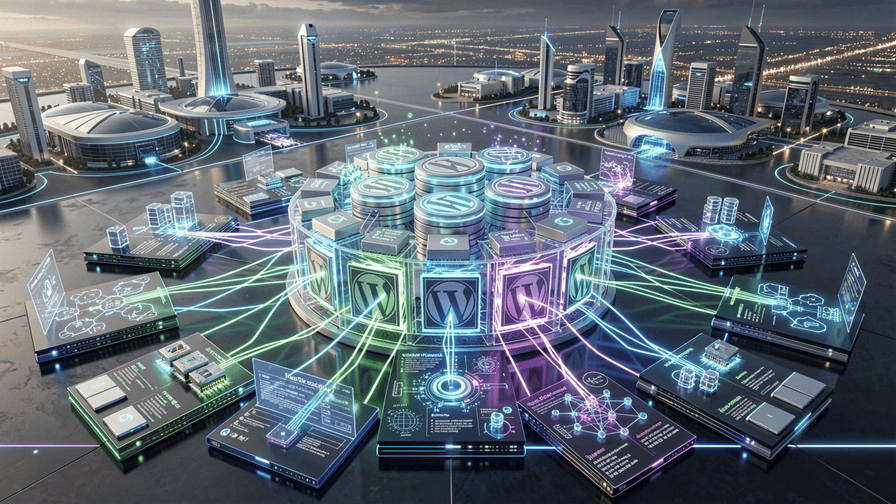
Understanding WordPress Security Risks begins with recognizing that successful attacks rarely originate from WordPress core alone. Instead, security incidents typically develop through a combination of weak governance, inconsistent operational practices, poor maintenance, and inadequate security oversight. Modern WordPress environments include numerous interconnected technologies, each introducing potential risks if not managed through structured governance.
A secure WordPress deployment depends upon continuous coordination between administrators, developers, hosting providers, security teams, and business stakeholders. When governance breaks down, vulnerabilities accumulate over time until attackers discover and exploit them.
Governance Frameworks
Strong governance establishes clear accountability for website security.
An effective governance framework defines:
- Security ownership.
- Administrative responsibilities.
- Software approval processes.
- Update schedules.
- Access management.
- Compliance requirements.
- Backup policies.
- Incident response procedures.
Organizations with mature governance consistently experience fewer WordPress Security Risks than organizations relying solely on technical controls.
User Access Management
Administrator accounts represent one of the most valuable targets for attackers.
Organizations should implement:
- Role-based permissions.
- Least-privilege access.
- Multi-factor authentication.
- Regular account reviews.
- Strong password policies.
- Session management.
- Account lifecycle controls.
- Administrative logging.
Restricting unnecessary administrative privileges significantly reduces attack opportunities.
Patch Management
One of the most common causes of WordPress Security Risks is delayed software updates.
Governance policies should ensure timely updates for:
- WordPress core.
- Plugins.
- Themes.
- PHP versions.
- Database servers.
- Web servers.
- Operating systems.
- Security tools.
Consistent patch management closes known vulnerabilities before attackers can exploit them.
Plugin Governance
Plugins greatly extend WordPress functionality but also increase the attack surface.
Organizations should establish governance covering:
- Plugin approval.
- Vendor evaluation.
- Code quality.
- Update frequency.
- Security reputation.
- Business necessity.
- License management.
- Periodic review.
Installing unnecessary plugins increases operational complexity and security exposure.
Theme Governance
Themes should receive the same level of governance as plugins.
Security reviews should evaluate:
- Source credibility.
- Maintenance history.
- Coding standards.
- Compatibility.
- Update frequency.
- Custom modifications.
- Third-party dependencies.
- Long-term support.
Poorly maintained themes may introduce vulnerabilities that remain unnoticed for extended periods.
Hosting Infrastructure
WordPress Security Risks often originate outside the application itself.
Infrastructure governance should include:
- Secure hosting.
- Firewall configuration.
- Server hardening.
- Web application firewalls.
- TLS certificates.
- File permissions.
- Network segmentation.
- Backup infrastructure.
Secure hosting environments provide multiple defensive layers against common attacks.
Security Monitoring
Continuous monitoring allows organizations to detect suspicious behavior before major compromises occur.
Monitoring should include:
- Authentication logs.
- Administrator activity.
- File changes.
- Plugin modifications.
- Malware detection.
- Firewall events.
- Traffic anomalies.
- Failed login attempts.
Early detection dramatically reduces incident response costs.
Backup Governance
Backups represent the final recovery mechanism when prevention fails.
Governance policies should define:
- Backup frequency.
- Storage locations.
- Encryption.
- Retention periods.
- Recovery testing.
- Disaster recovery procedures.
- Access controls.
- Version management.
Regular recovery testing is equally important as creating backups.
Secure Development Practices
Organizations building custom WordPress functionality should integrate security throughout development.
Best practices include:
- Secure coding standards.
- Code reviews.
- Static analysis.
- Dependency management.
- Input validation.
- Output escaping.
- API security.
- Continuous testing.
Secure software development reduces vulnerabilities before deployment.
Compliance and Documentation
Enterprise WordPress deployments often operate within regulated industries.
Governance documentation should cover:
- Security policies.
- Risk assessments.
- Asset inventories.
- Change management.
- Incident reporting.
- Audit trails.
- Compliance reviews.
- Business continuity planning.
Well-documented governance improves both operational consistency and regulatory compliance.
Enterprise Security Workflow
A mature WordPress governance process generally follows these stages:
- Risk assessment.
- Security policy definition.
- Access management.
- Software approval.
- Patch management.
- Continuous monitoring.
- Incident response.
- Continuous improvement.
Each stage contributes to reducing long-term WordPress Security Risks across the organization.
Challenges and Limitations of WordPress Security Risks

Although strong governance significantly reduces WordPress Security Risks, no website can ever be considered completely immune to cyber threats. Attack techniques continue evolving as attackers discover new vulnerabilities, automate exploitation, and target increasingly complex digital infrastructures. Organizations must therefore recognize that WordPress security is not a final destination but an ongoing governance process requiring continuous improvement, monitoring, auditing, and adaptation.
As WordPress environments expand to support enterprise applications, e-commerce platforms, multilingual websites, APIs, cloud infrastructure, artificial intelligence integrations, and marketing automation systems, their security posture becomes increasingly dependent on operational maturity rather than individual security tools. Every additional integration introduces another potential point of failure that governance policies must address.
Understanding these limitations allows organizations to proactively strengthen defenses instead of reacting after security incidents occur.
Third-Party Plugin Risks
One of the largest contributors to WordPress Security Risks is the extensive use of third-party plugins.
Plugins may introduce risks including:
- Vulnerable source code.
- Poor maintenance.
- Abandoned development.
- Insecure authentication.
- Outdated dependencies.
- Privilege escalation flaws.
- SQL injection vulnerabilities.
- Cross-site scripting weaknesses.
Organizations should regularly evaluate whether every installed plugin remains necessary.
Theme Security Challenges
Themes can also become sources of security exposure.
Common governance failures include:
- Unsupported themes.
- Poor coding standards.
- Unauthorized modifications.
- Infrequent updates.
- Hidden backdoors.
- Weak input validation.
- Insecure template files.
- Excessive third-party libraries.
Only trusted, actively maintained themes should remain in production.
Supply Chain Security
Modern WordPress deployments depend on numerous external vendors.
Potential supply chain risks include:
- Plugin vendors.
- Theme developers.
- Hosting providers.
- CDN services.
- Payment gateways.
- Marketing platforms.
- API providers.
- Software dependencies.
Weak security practices within any supplier may increase overall WordPress Security Risks.
Human Error
Technology alone cannot eliminate security incidents.
Many successful attacks begin with simple human mistakes such as:
- Weak passwords.
- Shared administrator accounts.
- Delayed updates.
- Poor permission management.
- Phishing attacks.
- Accidental misconfiguration.
- Unsafe plugin installation.
- Inadequate backup verification.
Employee awareness remains one of the strongest security controls.
Access Management Complexity
Large organizations often struggle to maintain consistent administrator permissions.
Common governance problems include:
- Dormant accounts.
- Excessive privileges.
- Shared credentials.
- Temporary administrator access.
- Contractor accounts.
- Inconsistent password policies.
- Missing MFA.
- Poor auditing.
Regular permission reviews greatly reduce unnecessary exposure.
Cloud Infrastructure Challenges
Cloud hosting improves scalability but also introduces additional governance requirements.
Organizations must secure:
- Cloud storage.
- Virtual servers.
- Network configurations.
- Identity management.
- Secret management.
- Container security.
- Backup storage.
- Cross-region replication.
Cloud governance has become an essential component of WordPress Security Risks management.
Compliance Requirements
Organizations operating within regulated industries face additional governance responsibilities.
Security programs may need to address:
- GDPR.
- ISO 27001.
- PCI DSS.
- HIPAA.
- SOC 2.
- Data retention.
- Privacy controls.
- Audit reporting.
Compliance requirements continue evolving alongside cybersecurity regulations.
Incident Response Limitations
Even organizations with mature governance may eventually experience security incidents.
Preparedness requires:
- Incident response plans.
- Recovery procedures.
- Communication protocols.
- Backup validation.
- Forensic readiness.
- Legal coordination.
- Executive reporting.
- Continuous improvement.
Well-prepared organizations recover far more quickly than those without documented response procedures.
Evolving Threat Landscape
Cybercriminals constantly develop new attack techniques.
Emerging threats include:
- AI-assisted phishing.
- Automated vulnerability discovery.
- Credential stuffing.
- API abuse.
- Supply chain attacks.
- Zero-day exploits.
- Bot-driven attacks.
- Cloud infrastructure targeting.
Governance policies must evolve alongside these changing threats.
Best Practices for Reducing WordPress Security Risks
Organizations can significantly strengthen WordPress security through disciplined governance.
Maintain Continuous Updates
Update WordPress core, plugins, themes, PHP versions, and server software according to documented maintenance schedules.
Enforce Strong Access Controls
Implement least-privilege access, multi-factor authentication, password policies, and regular account reviews.
Monitor Continuously
Use centralized logging, intrusion detection, malware scanning, vulnerability monitoring, and security audits to identify threats early.
Test Backup Recovery
Backups should be restored regularly to verify that disaster recovery procedures remain effective.
Build Security Into Governance
Security should become part of organizational culture through documented policies, employee awareness, executive support, and continuous operational improvement.
The Future of WordPress Security Risks

The future of WordPress Security Risks will be defined less by the discovery of new software vulnerabilities and more by the evolution of governance, automation, artificial intelligence, and enterprise cybersecurity practices. As WordPress continues to power a significant portion of the global web, organizations will increasingly recognize that maintaining secure websites requires continuous operational discipline rather than periodic technical fixes. Security governance will become an integral part of digital strategy, combining technology, policy, compliance, employee awareness, and risk management into a unified security framework.
Artificial intelligence is expected to play an increasingly important role in identifying and reducing WordPress Security Risks. AI-powered security platforms will continuously analyze administrator behavior, login patterns, plugin activity, file integrity, network traffic, API usage, and infrastructure performance to identify anomalies before attackers successfully compromise websites. Rather than relying solely on manual monitoring, organizations will increasingly deploy intelligent security systems capable of detecting threats in real time and automatically recommending mitigation actions.
Cloud-native security architectures will also continue transforming WordPress hosting environments. Modern hosting providers increasingly integrate Web Application Firewalls (WAFs), Distributed Denial-of-Service (DDoS) protection, automated backups, malware scanning, vulnerability assessments, container isolation, runtime monitoring, and zero-trust security principles directly into managed WordPress platforms. These integrated security capabilities will reduce operational complexity while improving overall resilience.
Governance maturity will become a competitive advantage. Organizations with clearly documented security policies, formal change management procedures, continuous vulnerability management, role-based access control, compliance monitoring, and executive oversight will recover faster from incidents and experience significantly fewer successful attacks than organizations relying solely on security plugins.
Several emerging technologies are expected to shape the future of WordPress Security Risks:
- AI-powered threat detection.
- Automated vulnerability management.
- Zero Trust security architecture.
- Passwordless authentication.
- Behavioral analytics.
- Cloud-native security platforms.
- Continuous compliance monitoring.
- Intelligent security orchestration.
These innovations will enable organizations to shift from reactive cybersecurity toward predictive and preventative security management.
Strategic Takeaways
Organizations seeking to minimize WordPress Security Risks should prioritize governance before technology.
Key lessons include:
- Governance determines long-term security success.
- WordPress core is generally secure when properly maintained.
- Plugin management requires continuous oversight.
- Access management significantly reduces attack opportunities.
- Regular updates remain essential.
- Employee awareness strengthens organizational resilience.
- Security monitoring enables early threat detection.
- Continuous governance outperforms one-time security projects.
Organizations combining technical controls with disciplined operational governance consistently achieve stronger cybersecurity outcomes.
Conclusion
WordPress remains one of the world’s most trusted and widely deployed content management systems, powering millions of personal websites, enterprise platforms, government portals, educational institutions, and global e-commerce businesses. Its popularity naturally attracts cybercriminals, but successful attacks are rarely caused by WordPress itself. Instead, they typically result from weak governance, poor maintenance practices, inconsistent operational controls, delayed updates, excessive administrator privileges, insecure plugins, and inadequate organizational oversight.
Successfully reducing WordPress Security Risks requires treating security as an ongoing governance responsibility rather than a technical checklist. Organizations should establish clear ownership, formal security policies, structured change management, continuous monitoring, routine vulnerability assessments, secure software development practices, backup validation, incident response planning, and employee education programs. These governance practices create a resilient security culture capable of adapting to constantly evolving cyber threats.
The future of WordPress security will increasingly combine artificial intelligence, cloud-native infrastructure, automated vulnerability management, behavioral analytics, zero-trust principles, and enterprise governance into integrated cybersecurity ecosystems. Businesses that invest in governance today will be better prepared to protect digital assets, maintain customer trust, support regulatory compliance, and reduce long-term cybersecurity risk.
Ultimately, technology provides powerful security capabilities, but governance determines whether those capabilities are consistently implemented, maintained, and improved over time.
Frequently Asked Questions (FAQs)
What are WordPress Security Risks?
WordPress Security Risks are potential vulnerabilities that may allow unauthorized access, malware infections, data breaches, website defacement, or service disruption. Most risks arise from governance failures rather than WordPress core software.
Is WordPress itself insecure?
No. WordPress core is actively maintained and regularly patched. Most successful attacks exploit outdated plugins, abandoned themes, weak passwords, poor configurations, or inadequate governance.
Why is governance important for WordPress security?
Governance establishes consistent policies for updates, access management, plugin approval, monitoring, backups, compliance, and incident response, reducing long-term cybersecurity exposure.
How can organizations reduce WordPress Security Risks?
Organizations should implement timely software updates, role-based access control, multi-factor authentication, security monitoring, regular backups, vulnerability scanning, employee awareness training, and formal governance frameworks.
Are security plugins enough to protect WordPress?
No. Security plugins provide valuable protection, but they cannot replace strong governance, operational discipline, secure hosting, regular maintenance, and responsible administrative practices.
Build a Stronger WordPress Security Strategy
Whether you’re securing an enterprise WordPress platform, improving governance, hardening hosting infrastructure, or implementing proactive cybersecurity controls, our specialists can help you build a resilient, scalable, and secure WordPress environment.










