
Artificial intelligence is rapidly changing how people create and share video content. From automated editing and script generation to AI-powered voiceovers and visual effects, modern video production is becoming faster, more accessible, and increasingly personalized. Google’s latest update to Google Vids takes this evolution a step further by allowing users to appear in their own AI-generated videos.
The new capability enables creators to incorporate their own likeness into AI-assisted presentations and business videos, creating a more engaging and personalized viewing experience. Rather than relying solely on stock visuals or animated graphics, users can record themselves and seamlessly integrate their appearance into AI-generated content.
For businesses, educators, marketers, and enterprise teams, Google Vids AI Videos offer new opportunities to improve communication while significantly reducing the time required to produce professional-quality presentations. AI assists with scripting, scene generation, media suggestions, editing, and production, allowing creators to focus more on their message than on technical video editing.
The feature also reflects a broader trend toward personalized AI content, where artificial intelligence enhances human creativity instead of replacing it. By combining generative AI with authentic human presentation, organizations can produce more engaging training materials, product demonstrations, internal communications, educational lessons, and marketing content.
As AI-powered productivity tools continue expanding throughout Google Workspace, video creation is becoming an increasingly integrated part of everyday business collaboration. Rather than requiring specialized production skills, users can create polished videos directly within familiar workplace workflows.
In this article, we’ll explore what Google Vids AI Videos are, how the new personalization feature works, its key capabilities, enterprise applications, advantages, challenges, and what it means for the future of AI-assisted video creation.
Key Takeaways
- Google Vids AI Videos now allow users to appear in AI-generated videos.
- AI simplifies scripting, editing, and video production.
- Personalized videos improve communication and engagement.
- Businesses can create training, presentations, and marketing videos more efficiently.
- Google Workspace continues expanding AI-powered productivity tools.
- Human creativity remains central to AI-assisted content creation.
What Are Google Vids AI Videos?
Google Vids AI Videos are AI-assisted video creation tools within Google Workspace that help users produce professional-looking videos using artificial intelligence.
Instead of manually editing every scene, creators can use AI to generate scripts, organize content, recommend visuals, assist with narration, and streamline production. The newest update adds support for integrating the user’s own appearance into videos, making presentations more personal and engaging.
This capability is particularly valuable for business professionals, educators, trainers, sales teams, and marketers who want to communicate information more effectively while reducing production time.
By combining generative AI with human presenters, Google Vids helps create polished video content that feels both professional and authentic.
How Google Vids AI Videos Work
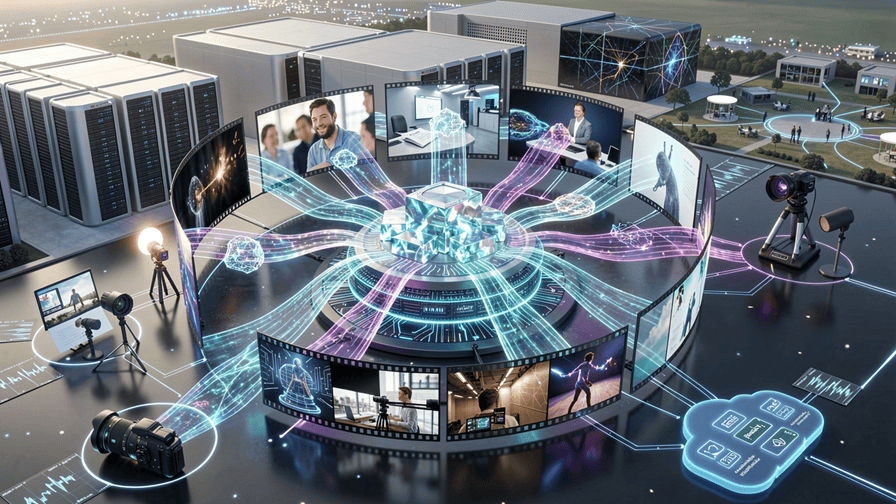
Google Vids AI Videos combine generative artificial intelligence with intuitive video editing tools to simplify the entire production process. Instead of starting with a blank timeline, users can provide a topic, outline, document, or presentation, and the AI assists in generating a structured video complete with suggested scenes, scripts, visuals, transitions, and narration.
With the latest update, creators can also record themselves directly within Google Vids and incorporate their appearance into AI-generated videos. This creates a more engaging experience by combining authentic human communication with AI-assisted production.
The result is a faster, more accessible workflow that enables users to create polished videos without requiring advanced video editing expertise.
Key Features of Google Vids AI Videos
Google continues expanding the capabilities of Google Vids to support professional communication, education, and business collaboration.
Appear in Your Own AI Videos
One of the most significant new features allows users to include themselves directly within AI-generated presentations.
Instead of relying solely on graphics or stock footage, presenters can record personalized video segments that integrate seamlessly with AI-created content.
This helps make presentations feel more authentic while strengthening audience engagement.
AI Script Generation
Google Vids can assist with generating structured video scripts based on user prompts, documents, or presentation content.
This reduces the time required to organize ideas while helping creators produce more consistent messaging.
Automatic Scene Creation
The platform intelligently recommends scenes that match the video’s purpose.
AI can organize content into logical sections while suggesting layouts, transitions, and supporting visuals that improve storytelling.
Smart Media Suggestions
Google Vids recommends relevant visual assets to enhance presentations.
These suggestions may include:
- Images.
- Illustrations.
- Icons.
- Animations.
- Background visuals.
- Scene layouts.
- Visual transitions.
- Supporting graphics.
This allows creators to build professional videos without manually searching for every visual element.
AI-Assisted Editing
Rather than performing every editing task manually, creators receive intelligent recommendations that simplify production.
AI can help with:
- Scene organization.
- Timing adjustments.
- Visual consistency.
- Layout improvements.
- Presentation flow.
- Narration alignment.
- Media placement.
- Production efficiency.
Workspace Integration
Because Google Vids is part of Google Workspace, teams can create videos using information already stored within their productivity environment.
This supports collaboration across documents, presentations, meetings, and shared projects while reducing workflow complexity.
Enterprise Applications
Businesses across many industries can benefit from Google Vids AI Videos.
Employee Training
Organizations can quickly create engaging onboarding materials, compliance training, instructional videos, and internal learning resources featuring real employees.
Sales Presentations
Sales teams can produce personalized customer presentations that explain products, demonstrate solutions, and communicate proposals more effectively.
Marketing Content
Marketing departments can generate promotional videos, campaign updates, product launches, social media content, and brand storytelling with greater speed.
Internal Communications
Leadership teams can share company announcements, strategic updates, policy changes, and executive messages through professional AI-assisted video presentations.
Education
Teachers, trainers, and educational institutions can develop instructional content that combines AI-generated visuals with human explanations, improving learner engagement.
Benefits of Personalized AI Video Creation
Adding a real presenter to AI-assisted videos offers several advantages.
Potential benefits include:
- Increased audience engagement.
- More authentic communication.
- Faster video production.
- Consistent branding.
- Lower production costs.
- Improved knowledge retention.
- Better collaboration.
- Greater accessibility for non-experts.
By combining artificial intelligence with authentic human presentation, Google Vids makes professional video creation more accessible to organizations of all sizes.
Challenges and Limitations of Google Vids AI Videos
While Google Vids AI Videos make professional video creation more accessible, organizations should recognize that AI-assisted video production also introduces technical, operational, and governance challenges. Producing effective videos still requires thoughtful planning, accurate information, and responsible use of AI-generated content.
As businesses increasingly integrate AI into communication workflows, balancing automation with human creativity will remain essential.
Privacy and User Consent
One of the most important considerations is protecting personal identity and ensuring that users have full control over how their image and voice are used.
Organizations should establish policies covering:
- User consent.
- Identity protection.
- Secure storage.
- Access controls.
- Data retention.
- Privacy compliance.
- Content ownership.
- Usage permissions.
Responsible handling of personal media helps build trust while supporting ethical AI adoption.
AI-Generated Content Accuracy
Although AI can assist with scripting and presentation design, it may occasionally generate content that is inaccurate, incomplete, or lacks proper context.
Potential issues include:
- Factual inaccuracies.
- Misinterpreted prompts.
- Inconsistent messaging.
- Outdated information.
- Missing context.
- Incorrect visual suggestions.
- Poor narrative flow.
- Unverified statements.
Human review remains essential before publishing business or educational content.
Creative Limitations
AI can accelerate production, but it cannot fully replace human creativity.
Creators may still need to manually adjust:
- Visual storytelling.
- Presentation style.
- Emotional tone.
- Branding consistency.
- Audience engagement.
- Scene pacing.
- Visual composition.
- Final editing.
The best results typically come from combining AI efficiency with human creative direction.
Enterprise Governance
Organizations adopting Google Vids AI Videos should implement governance frameworks that ensure responsible content creation.
Important considerations include:
- Brand guidelines.
- Approval workflows.
- Content verification.
- Copyright compliance.
- Security policies.
- AI usage standards.
- Regulatory compliance.
- Audit processes.
Strong governance helps maintain quality while reducing legal and reputational risks.
Technical Constraints
Like many cloud-based AI services, Google Vids depends on internet connectivity and compatible Google Workspace services.
Organizations may also encounter limitations related to:
- Feature availability.
- Supported regions.
- Workspace subscription levels.
- Processing times.
- Media compatibility.
- File size limits.
- Collaboration permissions.
- AI usage quotas.
These factors should be considered when planning enterprise deployments.
Best Practices for Using Google Vids AI Videos
Organizations can maximize the value of AI-assisted video creation by following several practical recommendations.
Keep Human Presenters Authentic
Use AI to enhance communication while allowing real presenters to maintain a natural speaking style and genuine personality.
Review AI-Generated Content
Always verify scripts, visuals, and AI recommendations for accuracy, clarity, and relevance before publishing.
Protect Personal Data
Establish privacy policies governing the recording, storage, sharing, and management of employee and customer video content.
Maintain Brand Consistency
Ensure AI-generated presentations follow organizational branding, messaging standards, and communication guidelines.
Continuously Improve Workflows
Gather user feedback, evaluate production efficiency, and refine AI-assisted processes to improve future video creation.
The Evolution of AI Video Production
AI-powered video creation is rapidly evolving from simple editing assistance into comprehensive multimedia production platforms.
Future capabilities are expected to include:
- More realistic AI-assisted editing.
- Smarter presentation generation.
- Advanced multilingual video creation.
- Intelligent audience personalization.
- Improved collaborative editing.
- Automated content localization.
- Richer multimedia integration.
- Stronger enterprise governance tools.
These advancements will further simplify professional video production while enabling organizations to communicate more effectively across global audiences.
The Future of Google Vids AI Videos
The future of Google Vids AI Videos reflects a broader shift toward AI-powered visual communication across the workplace. As artificial intelligence becomes more deeply integrated into productivity platforms, creating professional videos will increasingly become as simple as creating a document or presentation.
Future versions of Google Vids are expected to deliver more intelligent automation while keeping users at the center of the creative process. AI will likely assist with everything from planning and scripting to editing, localization, accessibility, and personalized content generation, allowing creators to produce high-quality videos in a fraction of the traditional production time.
Future developments may include:
- Advanced AI avatars and presenter assistance.
- Smarter video scripting.
- Real-time multilingual translation.
- AI-powered voice enhancement.
- Intelligent scene generation.
- Personalized audience experiences.
- Improved collaborative editing.
- Deeper Google Workspace integration.
As these capabilities mature, organizations will be able to create engaging business videos at scale while maintaining authentic human communication.
Strategic Takeaways
The latest update to Google Vids highlights several important trends shaping the future of AI-assisted content creation.
Key insights include:
- AI is making professional video production accessible to more users.
- Personalized videos improve engagement and strengthen communication.
- Google Workspace is evolving into a comprehensive AI productivity platform.
- AI enhances human creativity rather than replacing presenters.
- Responsible governance and privacy remain essential for enterprise adoption.
- Businesses that embrace AI-powered communication tools can improve productivity and collaboration.
Organizations that integrate AI into their communication workflows today will be well positioned for the next generation of digital collaboration.
Conclusion
The introduction of Google Vids AI Videos with support for appearing in AI-generated videos represents another major step in the evolution of workplace productivity tools. By combining generative AI with authentic human presenters, Google enables organizations to create more engaging presentations, training materials, marketing videos, and internal communications without requiring advanced production skills.
The platform simplifies scripting, scene generation, editing, and media selection while allowing users to remain the focal point of their message. This balance between AI automation and human creativity makes video production faster, more scalable, and more accessible for organizations of every size.
Although businesses should continue addressing privacy, governance, content accuracy, and security considerations, AI-assisted video creation offers significant opportunities to improve communication efficiency while maintaining authenticity.
As AI-powered productivity platforms continue to evolve, Google Vids AI Videos are likely to become an increasingly valuable tool for business communication, education, collaboration, and enterprise content creation.
Frequently Asked Questions (FAQs)
What are Google Vids AI Videos?
Google Vids AI Videos are AI-assisted video creation tools within Google Workspace that help users create professional videos using AI-generated scripts, scene suggestions, editing assistance, and personalized presenter features.
Can I appear in my own AI-generated videos?
Yes. The latest Google Vids update allows users to record themselves and integrate their appearance into AI-assisted videos, creating more personalized and engaging presentations.
Who can benefit from Google Vids?
Business professionals, educators, trainers, marketers, sales teams, human resources departments, and content creators can all benefit from faster AI-assisted video production.
Does Google Vids replace professional video editors?
No. Google Vids is designed to simplify video creation for everyday business communication. Professional editors may still be preferred for highly customized or cinematic productions.
Is Google Vids part of Google Workspace?
Yes. Google Vids is integrated into Google Workspace, enabling users to create videos alongside documents, presentations, spreadsheets, and other collaborative productivity tools.
Create Smarter Business Videos with AI
AI-powered video creation is transforming the way organizations communicate. Whether you’re building employee training, marketing campaigns, sales presentations, or internal communications, our experts can help you implement secure, scalable, and AI-driven productivity solutions that enhance collaboration and accelerate content creation.
More AI coverage: explore Progressive Robot's AI Models, Tools & Releases hub — hands-on reviews, setup guides and benchmarks in one place.










