
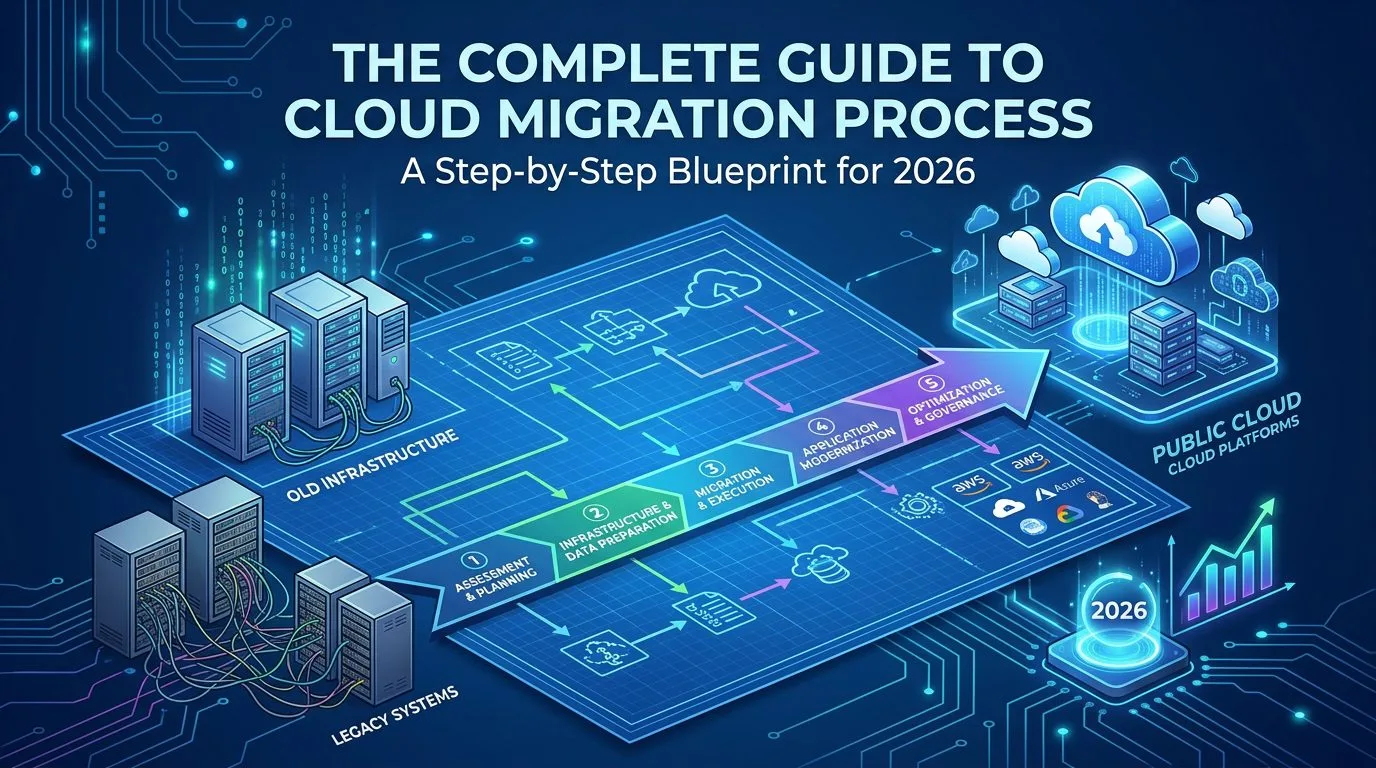
Cloud migration has become a critical business imperative in 2026, with 350% growth in search interest for cloud migration services compared to last year. This comprehensive guide walks you through the entire cloud migration process, from initial assessment to successful deployment, based on industry best practices and real-world case studies.
Table of Contents
- Introduction: Why Cloud Migration Matters Now
- Understanding the Cloud Migration Process
- Phase 1: Pre-Migration Assessment & Planning
- Phase 2: Choosing Your Cloud Strategy
- Phase 3: Architecture Design & Infrastructure Setup
- Phase 4: Data Migration Execution
- Phase 5: Application Migration & Testing
- Phase 6: Go-Live & Cutover Strategy
- Phase 7: Post-Migration Optimisation
- Common Cloud Migration Pitfalls to Avoid
- Cloud Migration Cost Management in 2026
- Security & Compliance Considerations
- Measuring Success: KPIs for Cloud Migration
- Conclusion & Next Steps
1. Introduction: Why Cloud Migration Matters Now

The business landscape has fundamentally shifted in 2026. With remote work now the default for most organisations, digital transformation isn’t optional—it’s existential. According to recent industry data, 72% of enterprises have completed or are actively pursuing cloud migration initiatives this year alone.
What is Cloud Migration?
Cloud migration refers to the process of moving digital business operations—including data, applications, and IT resources—from on-premises infrastructure or legacy systems to cloud-based environments. This strategic shift enables:
- Scalability: Instantly scale resources up or down based on demand
- Cost Efficiency: Pay only for what you use (OpEx vs CapEx model)
- Business Continuity: Enhanced disaster recovery and redundancy
- Innovation Acceleration: Faster time-to-market for new features
- Remote Work Enablement: Access systems from anywhere, securely)
2. Understanding the Cloud Migration Process

The cloud migration process is not a one-time event but a structured journey involving multiple phases, stakeholders, and technical considerations. According to Gartner’s 2026 analysis, successful migrations follow a 7-phase framework that minimizes risk while maximising business value.
The Modern Cloud Migration Lifecycle
Phase 1: Assessment → Phase 2: Strategy → Phase 3: Architecture
↓ ↓
Phase 4: Data Migration ←→ Phase 5: App Migration → Phase 6: Go-Live → Phase 7: Optimisation
Key Insight: Organisations that follow a structured migration process are 3.5x more likely to complete projects on time and within budget compared to those attempting ad-hoc migrations.
3. Phase 1: Pre-Migration Assessment & Planning

3.1 Business Case Development
Before touching a single server, you must establish a clear business case answering:
Why are we migrating?
- Cost reduction (typically 20-40% TCO savings)
- Digital transformation enablement
- Legacy system retirement
- Compliance requirements
- Competitive advantage
3.2 Current State Assessment
Conduct a comprehensive inventory of your existing infrastructure:
| Asset Type | What to Document | Tools Recommended |
|---|---|---|
| Applications | Dependencies, usage patterns, criticality | Cloudamize, Turbonomic |
| Databases | Size, transaction volume, data sensitivity | AWS Database Migration Service |
| Servers | CPU/memory utilisation, OS versions | Azure Migrate, Google Migrate |
| Networks | Bandwidth requirements, latency sensitivity | Network Topology Tools |
Pro Tip: Create a migration readiness scorecard for each application. Rate on: technical debt, cloud compatibility, business criticality, and complexity. This helps prioritise which applications to migrate first.
3.3 Stakeholder Alignment
Successful migrations require cross-functional buy-in:
- Executive Sponsor: Champion the initiative at C-level
- IT Operations: Owns infrastructure changes
- Security Team: Ensures compliance requirements met
- Business Units: Validates application criticality
- Finance: Tracks costs and ROI
4. Phase 2: Choosing Your Cloud Strategy

Gartner’s framework identifies six approaches to cloud migration, commonly known as the 6 R’s:
4.1 Rehosting
What it is: Moving applications as-is without modifications
Best for:
- Quick wins (weeks vs months)
- Legacy apps with low refactoring needs
- Time-sensitive migrations
Trade-offs:
- ✅ Fastest path to cloud
- ❌ Misses out on cloud-native benefits
- ⚠️ May not optimise costs long-term
Example: Moving a Windows Server 2016 application to AWS EC2 without code changes.
4.2 Replatforming
What it is: Making strategic optimisations before migration
Best for:
- Applications needing minor adjustments
- Database migrations (RDS, Azure SQL)
- Containerization initiatives
Trade-offs:
- ✅ Better performance than pure rehosting
- ⚠️ Requires some development effort
- ❌ Still not fully cloud-native
4.3 Refactoring/Rearchitecting
What it is: Completely rebuilding applications for cloud-native architecture
Best for:
- Mission-critical applications
- Long-term strategic initiatives
- Teams with DevOps maturity
Trade-offs:
- ✅ Maximum cloud benefits (scalability, resilience)
- ❌ Highest cost and time investment
- ⚠️ Requires significant expertise
4.4 Repurchasing
What it is: Replacing applications with SaaS alternatives
Best for:
- Commodity functions (email, HR, CRM)
- When better cloud-native solutions exist
Trade-offs:
- ✅ Fastest path to modernisation
- ❌ Vendor lock-in concerns
- ⚠️ May not fit all business needs
4.5 Retiring
What it is: Decommissioning unused or redundant applications
Best for:
- Sunsetting legacy systems
- Reducing cloud migration complexity
- Cost optimisation
4.6 Retaining
What it is: Keeping certain workloads where they are
Best for:
- Regulatory requirements preventing cloud movement
- Latency-critical applications
- Data sovereignty concerns
Strategy Recommendation: Most successful migrations use a hybrid approach, applying different R’s to different applications based on business needs. A typical 2026 migration portfolio might look like:
| Application Type | Recommended Strategy | % of Portfolio |
|---|---|---|
| Core ERP System | Replatforming / Refactoring | 30% |
| Customer Portal | Refactoring (cloud-native) | 25% |
| Internal Tools | Rehosting | 25% |
| SaaS Applications | Repurchasing | 15% |
| Legacy Apps | Retiring | 5% |
5. Phase 3: Architecture Design & Infrastructure Setup

6. Phase 4: Data Migration Execution
5.1 Target Cloud Selection
Choosing your cloud provider(s) is a critical decision. Consider these factors in 2026:
| Factor | AWS | Azure | Google Cloud | Multi-Cloud |
|---|---|---|---|---|
| Market Share | Leader (32%) | Strong #2 (25%) | Growing (11%) | Increasing demand |
| Enterprise Integration | Good | Excellent (Microsoft ecosystem) | Good | Flexibility |
| Datacenter Regions | 100+ globally | 60+ regions | 40+ regions | Best coverage |
| Pricing Model | Pay-as-you-go | Hybrid-friendly | Committed use discounts | Negotiated rates |
| Compliance Certifications | Extensive | Strong (enterprise focus) | Growing | Distributed risk |
2026 Trend: Multi-cloud strategies are up 180% as organisations avoid vendor lock-in and optimise costs across providers.
5.2 Cloud Architecture Patterns
5.2.1 Three-Tier Architecture
Presentation Layer (Load Balancers, CDNs)
↓
Application Layer (App Servers, Containers)
↓
Data Layer (Databases, Storage)
5.2.2 Microservices Architecture
- Break monolithic apps into smaller, independent services
- Each service can scale independently
- Enables faster deployment cycles
5.2.3 Serverless Architecture
- Event-driven compute (AWS Lambda, Azure Functions)
- Pay only for execution time
- Zero infrastructure management
5.3 Infrastructure as Code
Essential tooling: Terraform, CloudFormation, ARM Templates
Benefits:
- Version-controlled infrastructure
- Repeatable deployments
- Automated testing of configurations
- Disaster recovery capability
Example Terraform snippet for cloud infrastructure:
resource “aws_instance” “web_server” {
ami = “ami-0c55b159cbfafe1f0”
instance_type = “t3.medium”
tags = {
Name = “WebServer”
Environment = “Production”
}
}

6.1 Data Migration Strategies
6.1.1 Offline Migration
Best for* Large datasets (>100TB), slow networks
Process:
- Request physical storage device from cloud provider
- Copy data locally to device
- Ship device to provider’s datacenter
- Provider ingests data into cloud storage
6.1.2 Online Migration
Best for: Smaller datasets, real-time synchronisation needs
Tools: AWS DMS, Azure Data Factory, Google Cloud Transfer Service
6.2 Data Migration Best Practices
| Practice | Why It Matters | Implementation |
|---|---|---|
| Data Cleansing | Reduces migration volume by 30–50% | Archive old data; remove duplicates before migration |
| Incremental Sync | Minimizes downtime during cutover | Initial full load + ongoing delta syncs |
| Validation Checks | Ensures data integrity post-migration | Row counts, checksums, sample queries |
| Rollback Plan | Enables quick recovery if issues occur | Maintain source systems in parallel for 2–4 weeks |
6.3 Database Migration Considerations
Critical questions to answer:
- Schema Compatibility: Will your database schema work in the cloud?
- MySQL → Amazon RDS (straightforward)
- Oracle → AWS Aurora PostgreSQL (requires migration tool)
- Downtime Tolerance: How much downtime can you afford?
- < 5 minutes: Use replication + cutover window
- > 1 hour: Can do during maintenance window
- Zero downtime: Requires complex blue-green deployment
- Data Volume: What’s your total database size?
- < 10TB: Network migration feasible
- 10-100TB: Hybrid approach (initial offline, ongoing online)
- > 100TB: Physical data transfer required
Pro Tip: Run a data profiling analysis before migration to identify:
- Data quality issues
- Encryption requirements
- Compliance flags (PII, PCI-DSS, HIPAA)
- Estimated migration time per table
7. Phase 5: Application Migration & Testing

7.1 Application Dependency Mapping
Critical step often overlooked: Understanding how your applications interact
Tools for dependency discovery:
- AWS Application Discovery Service
- Azure Application Insights
- Google Cloud Application Performance Management
Dependency mapping should capture:
- Internal dependencies (Service A calls Service B)
- External integrations (APIs, webhooks)
- Data flow patterns (which databases each app touches)
- User access points (how users reach the application)
7.2 Testing Strategy
7.2.1 Functional Testing
- Unit tests: Individual components
- Integration tests: Service-to-service communication
- End-to-end tests: Complete user workflows
7.2.2 Performance Testing
Load Test Scenarios:
├── Baseline performance (current on-prem metrics)
├── Peak load simulation (150% of expected max)
├── Stress testing (beyond system limits)
└── Endurance testing (sustained load over 24-48h)
7.2.3 Security Testing
- Penetration testing in cloud environment
- Vulnerability scanning
- Compliance validation (SOC 2, ISO 27001, GDPR)
7.3 Migration Testing Checklist
| Test Type | When to Execute | Success Criteria |
|---|---|---|
| Unit tests | During refactoring | All tests pass in cloud environment |
| Integration tests | Post-migration of dependent services | All APIs respond correctly |
| Performance tests | Before go-live | Meets SLA requirements |
| Security scans | Pre and post migration | No critical vulnerabilities |
| User acceptance testing (UAT) | Final phase before cutover | Business users sign off |
8. Phase 6: Go-Live & Cutover Strategy

8.1 Cutover Planning
The cutover plan is your detailed minute-by-minute execution script:
CUTOVER SCHEDULE EXAMPLE (4-hour window):
T-2 hours: Final backup of on-prem systems
T-1 hour: Stop write operations to source system
T-0: Execute final incremental sync
T+0:30: Validate data consistency between source and target
T+1:00: DNS switch to cloud environment
T+1:30: Verify application functionality
T+2:00: Notify stakeholders of successful cutover
T+4:00: Complete cutover, begin monitoring phase
8.2 Cutover Strategies
8.2.1 Big Bang
- When to use: Small applications, minimal dependencies
- Risk: High – everything must work perfectly
- Downtime: Single event, typically overnight
8.2.2 Phased Migration
- When to use: Large enterprises, complex landscapes
- Approach: Migrate business units or applications in waves
- Advantage: Lower risk, easier rollback per wave
8.2.3 Parallel Run
- When to use: Mission-critical systems requiring zero disruption
- Approach: Run both systems simultaneously for 1-4 weeks
- Disadvantage: Doubled infrastructure costs during transition
8.3 Rollback Plan Essentials
Your rollback plan must answer: “If this goes wrong, how do we get back to business as usual in under 2 hours?”
Rollback triggers (when to execute):
- Data corruption detected post-migration
- Performance degradation >50% from baseline
- Security vulnerabilities discovered
- Critical functionality not working
Rollback steps:
- Stop all traffic to cloud environment
- Restore on-prem systems from pre-cutover backup
- Update DNS to point back to source
- Validate business continuity
- Conduct post-mortem before retry attempt
9. Phase 7: Post-Migration Optimisation

9.1 The First 30 Days Checklist
Week 1: Stabilization
- Monitor all systems 24/7 for issues
- Address any performance bottlenecks immediately
- Validate cost tracking is accurate
Week 2-3: Optimisation
- Right-size underutilized resources (scale down)
- Identify and fix configuration inefficiencies
- Begin implementing auto-scaling policies
Week 4: Lessons Learned
- Conduct retrospective with all stakeholders
- Document what went well and what didn’t
- Create improvement action items for future migrations
9.2 Cloud Cost Optimisation Strategies
9.2.1 Rightsizing Resources
Use tools like AWS Compute Optimizer or Azure Advisor to identify:
- Over-provisioned instances (scale down)
- Under-utilised resources (consolidate)
- Idle assets (terminate)
Typical savings: 20-40% of cloud spend through rightsizing alone.
9.2.2 Reserved Instances & Savings Plans
Commit to 1 or 3-year terms for predictable workloads:
| Commitment Type | Discount Range | Flexibility | Best For |
|---|---|---|---|
| On-Demand | 0% | Maximum | Spiky, unpredictable workloads |
| Reserved Instances | Up to 72% | Low (specific instance type) | Steady-state production workloads |
| Savings Plans | Up to 65% | Medium (flexible within family) | Most predictable workloads |
9.2.3 Automation for Cost Control
# Example: Auto-shutdown development environments after hours
import boto3
def shutdown_dev_instances():
ec2 = boto3.client(‘ec2’)
instances = ec2.describe_instances(
Filters=[
{‘Name’: ‘tag:Environment’, ‘Values’: [‘Development’]},
{‘Name’: ‘instance-state-name’, ‘Values’: [‘running’]}
]
)
for reservation in instances[‘Reservations’]:
for instance in reservation[‘Instances’]:
ec2.stop_instances(InstanceIds=[instance[‘InstanceId’]])
10. Common Cloud Migration Pitfalls to Avoid

10.1 Top 5 Migration Failures
Failure #1: Underestimating Complexity
Symptoms: Projects consistently miss deadlines, budget overruns >50%
Prevention:
- Conduct thorough discovery phase before committing timeline
- Build in 20-30% buffer for unexpected complications
- Engage cloud migration experts early (not as an afterthought)
Failure #2: Security & Compliance Gaps
Symptoms: Data breaches, compliance violations post-migration
Prevention:
- Involve security team from day one of planning
- Conduct penetration testing before cutover
- Implement cloud security posture management (CSPM) tools
Failure #3: Cost Overruns
Symptoms: Monthly bills 2-3x higher than projected
Prevention:
- Use cost estimation tools during planning phase
- Set up budget alerts and auto-scaling limits
- Conduct weekly cost reviews post-migration for first quarter
Failure #4: Performance Degradation
Symptoms: Applications slower after migration, user complaints
Prevention:
- Run performance tests in staging environment before cutover
- Implement monitoring tools (CloudWatch, Azure Monitor)
- Have rollback plan ready if SLA not met
Failure #5: Skills Gap
Symptoms: Team overwhelmed by cloud technologies, slow troubleshooting
Prevention:
- Invest in training and certifications pre-migration
- Consider managed services for complex workloads
- Build partnerships with cloud migration consultants
11. Cloud Migration Cost Management in 2026

11.1 Total Cost of Ownership (TCO) Calculation Framework
Traditional on-prem costs:
TCO_OnPrem = (Hardware + Software + Datacenter + Power/Cooling
+ IT Staff + Maintenance + Downtime Costs) × 5 years
Cloud costs:
TCO_Cloud = (Compute + Storage + Network + Data Transfer
+ Licensing + Cloud Management Tools + Training) × 3 years
11.2 Hidden Migration Costs to Budget For
| Cost Category | Typical Range (% of project budget) | Often Forgotten? |
|---|---|---|
| Training & Upskilling | 5–10% | ✅ Yes |
| Downtime during migration | Variable (revenue impact) | ✅ Yes |
| Data egress fees | 3–8% | ✅ Yes |
| Application refactoring labour | 20–40% of total project | Sometimes |
| Security tooling & compliance | 5–15% | ✅ Yes |
| Change management | 3–7% | ✅ Yes |
11.3 ROI Calculation Template
Cloud Migration ROI = (Cost Savings + Revenue Increase + Risk Reduction)
- (Migration Costs + Ongoing Cloud Costs)
Typical payback period: 12-24 months for well-executed migrations.
12. Security & Compliance Considerations

12.1 Shared Responsibility Model
Critical concept: Your cloud provider secures the infrastructure; you secure what’s IN the cloud.
| Responsibility | Cloud Provider | You (Customer) |
|---|---|---|
| Physical security | ✅ Yes | ❌ No |
| Network infrastructure | ✅ Yes | ❌ No |
| Hypervisor security | ✅ Yes | ❌ No |
| Operating system patching | ❌ No | ✅ Yes |
| Application security | ❌ No | ✅ Yes |
| Data encryption (at rest) | Shared | Shared |
| Identity & Access Management | Shared | Primary responsibility |
12.2 Compliance Frameworks in 2026
Common certifications to consider:
- SOC 2 Type II: Service organisation controls, security focus
- ISO 27001: International information security standard
- GDPR: EU data privacy regulations (mandatory for EU customers)
- HIPAA: Healthcare data protection (if applicable)
- PCI-DSS: Payment card industry compliance
- FedRAMP: US government cloud requirements
12.3 Security Best Practices for Cloud Migration
Implement these from day one:
- Identity & Access Management (IAM):
- Principle of least privilege
- Multi-factor authentication (MFA) enforced
- Role-based access control (RBAC)
- Data Encryption:
- Encrypt data at rest (AES-256 minimum)
- Encrypt data in transit (TLS 1.3+)
- Manage encryption keys securely (KMS)
- Network Security:
- Virtual private clouds (VPCs) with proper segmentation
- Firewalls and security groups configured correctly
- Private endpoints for sensitive services
- Monitoring & Logging:
- Enable CloudTrail/Audit logs immediately
- Set up anomaly detection alerts
- Centralised log management (SIEM integration)
13. Measuring Success: KPIs for Cloud Migration

13.1 Technical KPIs
| Metric | Target | Measurement Frequency |
|---|---|---|
| Application availability post-migration | >99.5% SLA | Real-time monitoring |
| Performance (page load times) | Within 10% of baseline | Weekly |
| Mean Time to Recovery (MTTR) | <30 minutes for critical issues | Monthly |
| Security incidents | Zero critical vulnerabilities | Continuous |
13.2 Business KPIs
| Metric | Target | Measurement Frequency |
|---|---|---|
| Cost savings vs on-prem baseline | 20–40% reduction by Year 2 | Quarterly |
| Time to deploy new features | 50% faster than pre-cloud | Monthly |
| User satisfaction scores | >85% positive feedback | Post-migration survey |
| Business continuity improvement | <1 hour RTO, <1 hour RPO | Annual drill |
13.3 Migration Success Scorecard Template
Create a weighted scorecard for each migration wave:
Migration Wave Success Score = (40% × Technical KPIs)
+ (30% × Business KPIs)
+ (20% × Cost Metrics)
+ (10% × User Satisfaction)
Target: ≥85/100 for “successful” designation
14. Conclusion & Next Steps
14.1 Key Takeaways
- Cloud migration is a strategic imperative in 2026, not just an IT initiative
- The 7-phase framework (Assessment → Strategy → Architecture → Data Migration → App Migration → Go-Live → Optimisation) provides structure and reduces risk
- Choose the right migration strategy for each application (Rehosting, Replatforming, Refactoring, etc.) based on business needs
- Security must be embedded from day one, not added as an afterthought
- Cost optimisation is an ongoing process, not a one-time activity
14.2 Your Cloud Migration Roadmap: Next Steps
Week 1-2: Initial Assessment
- Conduct current state inventory (applications, data, infrastructure)
- Identify business drivers and success criteria
- Form cross-functional migration team
Week 3-4: Strategy Development
- Complete cloud readiness assessment for each application
- Select target cloud provider(s)
- Define migration strategy (6 R’s) per application
Month 2: Planning & Design
- Create detailed architecture design
- Develop cutover plan and rollback procedures
- Establish security and compliance framework
Month 3+: Execution Phase
- Begin migration waves based on prioritisation
- Implement monitoring and cost optimisation tools
- Conduct post-migration reviews and optimisations
14.3 How Progressive Robot Can Help
At Progressive Robot, we specialise in end-to-end cloud migration services that minimise risk while maximising business value:
Our Cloud Migration Services:
- ✅ Cloud Migration Assessment – Comprehensive readiness evaluation
- ✅ Migration Strategy Consulting – Expert guidance on the 6 R’s framework
- ✅ Architecture Design & Implementation – Best-practice cloud-native designs
- ✅ Data & Application Migration – Seamless execution with minimal downtime
- ✅ Post-Migration Optimisation – Continuous cost and performance optimisation
Why Choose Progressive Robot?
- 20+ years of enterprise IT experience
- Certified AWS, Azure, and Google Cloud partners
- Proven track record with 150+ successful migrations
- Chester-based team serving clients across the UK (including Managed Services London
Ready to start your cloud migration journey?
Contact our team for a free consultation.
References & External Resources
- Gartner, “Cloud Migration Trends 2026,” March 2026
- Forrester Research, “The Seven Phases of Successful Cloud Migration,” February 2026
- McKinsey & Company, “Cloud Success Stories: What Separates Winners from Losers,” January 2026
- AWS Migration Acceleration Program (MAP) Best Practices
- Flexera 2026 State of the Cloud Report
- Deloitte, “Cloud Cost Optimisation: A Framework for 2026,” Q1 2026
- IDC Market Perspective, “Cloud ROI Measurement in the Modern Enterprise,” December 2025










