
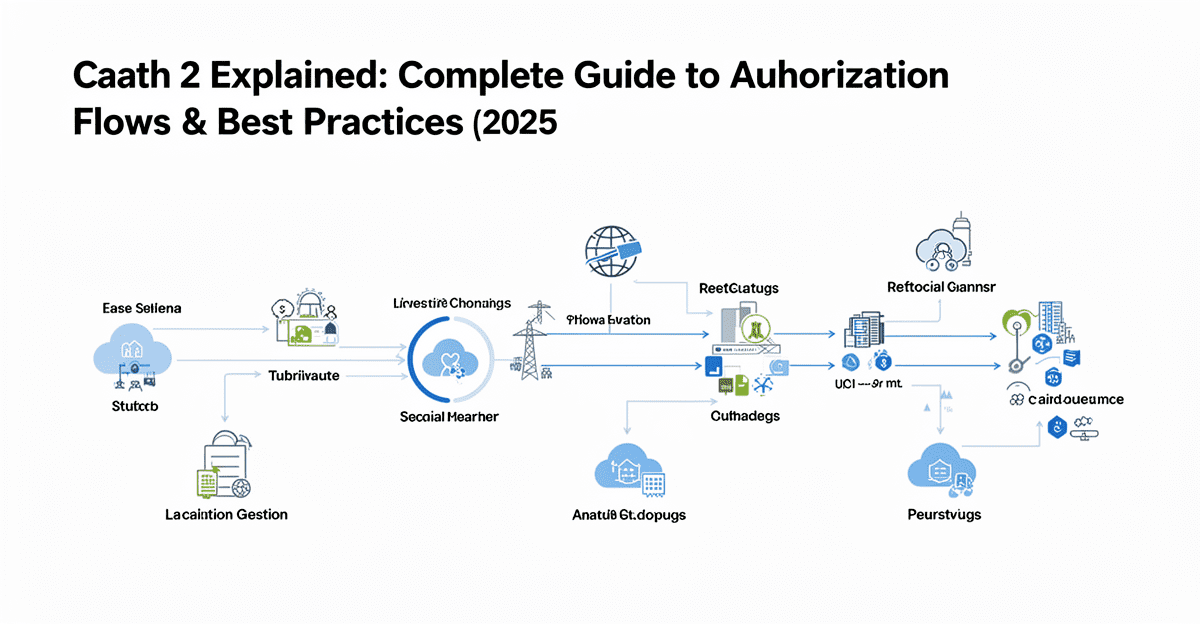
OAuth 2 is the industry-standard authorization framework that lets third-party apps securely access user data without ever handling passwords. Instead of asking users to share credentials, OAuth 2 delegates authentication to the service provider (like Google, GitHub, or Progressive Robot) and issues limited, revocable tokens that represent specific permissions.
OAuth 2 answers “What can this app do?” — not “Who is this user?” (that’s authentication). When you see “Sign in with Google,” that’s usually OpenID Connect (which adds identity) built on top of OAuth 2.
This complete 2025–2026 guide explains how OAuth 2 works, the different grant types and when to use each, security must-haves (PKCE, state validation, token handling), common pitfalls, and production-ready implementation patterns — so you can build secure, reliable integrations every time.
Key Takeaways
- OAuth 2 is authorization, not authentication — use OpenID Connect when you need identity + permissions.
- Four core roles: Resource Owner (user), Client (your app), Authorization Server (token issuer), Resource Server (API).
- Authorization Code + PKCE is the gold standard for web/mobile apps — never use deprecated flows (Implicit, Password).
- Scopes define granular permissions — always request the minimum needed to improve user trust and authorization rates.
- Tokens expire — use refresh tokens for seamless renewal; never expose them client-side.
- State parameter + PKCE prevent CSRF and code interception attacks — mandatory for security.
- Client secrets must stay server-side — public clients (SPAs, mobile) use PKCE instead.
- It replaces insecure alternatives (sharing passwords/API keys) and is used by billions of daily authorizations.
What Is OAuth 2?
OAuth 2 (defined in RFC 6749) is an authorization framework that enables third-party applications to obtain limited access to a user’s resources on an HTTP service without exposing user credentials.
Think of it as a valet key for your car: you give limited access (start engine, open doors) without handing over the full keyring (trunk, garage door). Similarly, OAuth 2 grants specific permissions (scopes) to access resources (files, profile, emails) without giving full account control.
It solves a core security problem: applications no longer need to store user passwords or require users to share API keys. Users authorize via the service provider, which issues tokens representing the granted permissions — revocable anytime.
How OAuth 2 Works: The Core Flow
It follows a six-step pattern across all grant types:
- Client requests authorization — redirects user to authorization server with requested scopes.
- User approves — logs in (if needed) and consents to permissions.
- Client requests access token — exchanges authorization grant for token (server-to-server).
- Authorization server issues token — returns access token (± refresh token).
- Client accesses protected resource — uses token to make API calls.
- Resource server validates token — serves data if token is valid and has required scopes.
The grant type determines steps 1–4; steps 5–6 are identical.
OAuth 2 vs Authentication vs OpenID Connect
| Aspect | OAuth 2 | Authentication | OpenID Connect |
|---|---|---|---|
| Purpose | Authorization (permissions) | Identity verification | Both identity + permissions |
| Answers | “What can this app do?” | “Who is this user?” | “Who is this user and what can they do?” |
| Token Type | Access token | Session token/cookie | ID token + access token |
| Use Case | API access, third-party integrations | Your own login system | Social login, SSO |
| Example | Backup app accessing Google Drive | Logging into your email | “Sign in with Google” button |
OAuth 2 alone = authorization only. OpenID Connect = OAuth 2 + identity (ID token with user info). Use OAuth 2 for API access; use OpenID Connect for social login.
OAuth 2 Roles
- Resource Owner — the user who owns the data and grants access.
- Client — your application requesting access (web, mobile, server).
- Authorization Server — authenticates user and issues tokens (e.g., Google’s auth server).
- Resource Server — hosts protected resources and validates tokens (often same as authorization server).
From your perspective, the service (e.g., Progressive Robot API) usually combines authorization + resource server roles.
Application Registration & Client Credentials
Before using it, register your app in the provider’s developer portal.
Required info:
- App name (shown to users)
- Website URL
- Redirect URI(s) — exact callback URLs (must match exactly)
Issued credentials:
- Client ID — public identifier (safe in frontend code)
- Client Secret — confidential key (keep server-side only!)
Never expose client secrets in:
- JavaScript/mobile apps (use PKCE)
- Git repos
- URLs/query params
- Logs/error messages
OAuth 2 Grant Types – Which to Use
| Grant Type | Best For | Client Type | Security Level | User Interaction Required? |
|---|---|---|---|---|
| Authorization Code + PKCE | Web apps, mobile apps, SPAs | Public/Confidential | Highest | Yes |
| Client Credentials | Machine-to-machine, server-to-server | Confidential | High | No |
| Device Code | Smart TVs, IoT, CLI tools | Public | High | Yes (on second device) |
Deprecated / Never Use:
- Implicit Flow — tokens in URL fragment (vulnerable to interception)
- Resource Owner Password Credentials — sends user password to your app (huge risk)
Authorization Code Flow + PKCE (Recommended)
When to use: Almost all cases — web, mobile, SPA, desktop apps.
Why PKCE: Protects against code interception attacks (essential for public clients).
Flow Steps:
- Generate code_verifier (random string) & code_challenge (SHA256 hash)
- Redirect user to authorization URL with code_challenge & code_challenge_method=S256
- User approves → authorization code sent to redirect URI
- Server exchanges code + code_verifier for tokens
- Server validates challenge matches → issues access token
Security win: Even if code is intercepted, attacker can’t exchange without verifier.
Client Credentials Flow (Machine-to-Machine)
When to use: No user involved — app accessing its own resources.
Flow:
					POST /token
grant_type=client_credentials
client_id=CLIENT_ID
client_secret=CLIENT_SECRET
scope=read
Response:
					{
  "access_token": "TOKEN",
  "expires_in": 3600,
  "token_type": "bearer"
}
No refresh token — re-request when expired.
Using Access Tokens
Send in Authorization header:
curl -H "Authorization: Bearer ACCESS_TOKEN" https://api.progressiverobot.com/v2/droplets
Common responses:
- 200 OK — success
- 401 Unauthorized — invalid/expired token
- 403 Forbidden — valid token but insufficient scope
Refresh Token Flow
When access token expires:
					POST /token
grant_type=refresh_token
refresh_token=REFRESH_TOKEN
client_id=CLIENT_ID
client_secret=CLIENT_SECRET
Best practice: Store refresh tokens encrypted; revoke on logout.
Common OAuth 2 Implementation Mistakes
- Exposing client secrets client-side → Use PKCE for public clients.
- Missing state validation → Enables CSRF attacks.
- Wildcard/insecure redirect URIs → Allows code theft.
- Storing tokens in localStorage → Vulnerable to XSS.
- Not refreshing tokens → Sudden 401 errors.
- Requesting too many scopes → Lowers user approval rates.
- Ignoring token expiration → Breaks user experience.
Conclusion
OAuth 2 is the foundation of secure delegated access in modern applications. Use Authorization Code + PKCE for user-facing apps, Client Credentials for server-to-server, and always follow security best practices: exact redirect URI validation, state parameter, secure token storage, minimal scopes, and proper error handling.
Mastering OAuth 2 lets you build integrations that users trust — without ever touching passwords.
Recommended Resources
- RFC 6749 – OAuth 2.0 Authorization Framework
- RFC 8252 – OAuth 2.0 for Native Apps (PKCE)
- OAuth 2.1 Draft (modern best practices)
- OWASP OAuth Cheat Sheet
- Progressive Robot API OAuth Documentation










