
The e-commerce industry is growing fast. Many businesses are now using advanced IT solutions. Because of this, Custom Billing Software has become very important. A recent survey by the IMARC Group shows that the global e-invoicing market was worth 15.9 Billion in 2024. By 2033, it is expected to reach 68.7 Billion.
A well-organised billing system helps businesses grow. Custom Billing Software makes billing easier. It also improves cash flow and finds financial gaps. This guide will explain the benefits, features, and steps to develop Custom Billing Software.
What Is Billing Systems?
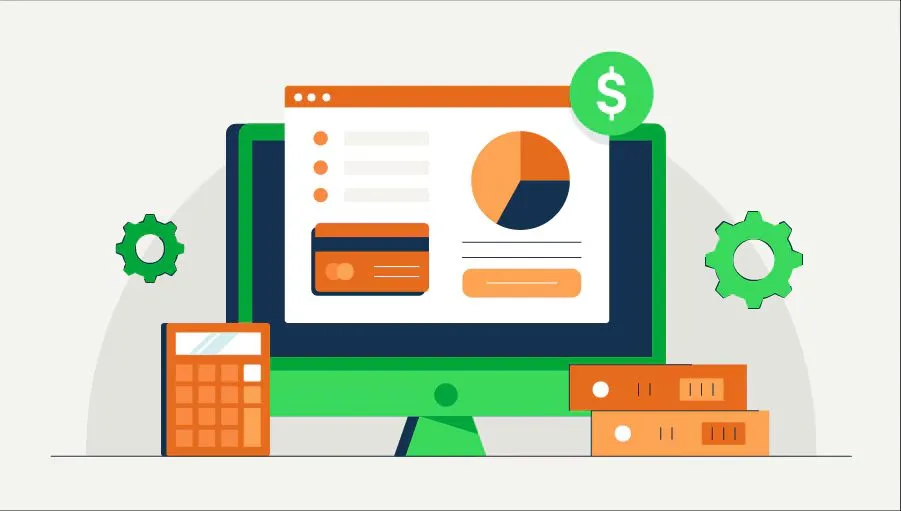
Custom Billing Software is a tool that manages invoices and payments. It automates tasks instead of doing them manually. Businesses can create customised invoices and accept payments through cards, bank transfers, or online wallets. The software also calculates taxes and applies discounts automatically.
It stores all customer billing data in one place. This helps track payment history and generate reports. Businesses can see how much they earned and which payments are pending. There are different types of billing systems. Some work alone, while others connect with CRM or ERP systems. Cloud-based software allows access from anywhere. Some are designed for specific industries like healthcare or telecom.
Why Your Business Should Invest in Custom Billing and Invoicing Software
Custom Billing Software improves speed, security, and efficiency. Unlike ready-made solutions, it fits your business perfectly. You only pay for the features you need. The software also grows with your business. It can handle more transactions and add new features when required.
Customers also benefit from Custom Billing Software. You can offer them personalised invoices or payment portals. This makes payments easier for them. The software also keeps data safe. You can add strong security measures to follow rules like GDPR or PCI DSS.
Another advantage is easy integration. Custom Billing Software works well with your existing tools like CRM or accounting systems. Over time, it saves money. There are no subscription fees, and you won’t need to replace it as your business grows.
Custom Billing Solutions vs. Off-the-Shelf Solutions: Pros and Cons

Choosing between Custom Billing Software and ready-made solutions is a big decision. Each has its own benefits and drawbacks.
Custom Billing Software Solutions
Custom Billing Software is built just for your business. It matches your workflow and needs exactly.
The biggest advantage is personalisation. You get only the features you need. It also scales easily as your business grows. Integration with other tools is smooth. Security is stronger because you can add advanced protections.
However, Custom Billing Software costs more upfront. Development takes time. You will also need a team for updates and maintenance.
Off-the-Shelf Billing Software
Ready-made solutions are quick to set up. They are cheaper at the start and come with regular updates. Customer support is usually available 24/7.
But these solutions lack flexibility. You may have to adjust your business processes to fit the software. Many features may go unused. They may not scale well. Data security depends on the vendor, which may not meet your standards.
Examples of the Best Market Billing Systems for Businesses
Many businesses use popular billing systems. These can inspire your own Custom Billing Software.
BM4A Billing Software Solutions lets you build an app quickly. Zoho Invoice is great for basic invoicing needs. QuickBooks offers billing and accounting tools. FreshBooks works well for freelancers. Xero is a cloud-based system for managing invoices.
Must-Have Features for Custom Billing Software
A good Custom Billing Software should have key features. Invoicing is the most important. It should let you create, edit, and send invoices easily. Automated payment processing is also necessary. Customers should pay through cards, bank transfers, or digital wallets.
Recurring billing helps if you offer subscriptions. Tax calculations should be automatic. Reporting tools track revenue and unpaid invoices. Customer management keeps all data in one place.
How to Develop Custom Billing Solutions: Key Steps and Best Practices
Developing Custom Billing Software requires careful planning. First, define your business needs. List the must-have features. Then, hire experienced developers.
Start with a basic version (MVP). Test it thoroughly before adding more features. Make sure it works with your other systems. After launch, keep improving it as your business grows.
How Much Does It Cost to Develop Custom Billing Software?
The cost of Custom Billing Software depends on many factors. Features, team rates, and development time affect the price. Offshore teams may charge less than onshore ones.
On average, Custom Billing Software costs between 25,000and200,000. Maintenance and updates add to the cost.
Billing Software Trends: What to Expect in 2025
In 2025, billing software will be smarter. AI will improve reporting and forecasting. Blockchain will make payments more secure. Cloud-based solutions will grow. Mobile apps will let users manage billing from anywhere.
Progressive Robot’s Custom Billing Software Development: What We Offer
Choosing the right team is crucial for Custom Billing Software. At Progressive Robot, we specialise in building billing solutions for businesses.
With over 20 years of experience, we provide end-to-end development. Our solutions are scalable and secure. We also offer free MVP development to test your idea. We work with industries like SaaS, eCommerce, and finance.
If you need Custom Billing Software, contact us. We will discuss your needs and provide a quote. Let us help you build software that fits your business perfectly.










