

Every organisation says uptime matters, but many only discover their weak points when a payment system, cloud login, production file share, or customer portal is already offline. The practical work of minimizing downtime starts earlier. It means deciding which services must survive disruption, how quickly each one must return, and who owns the recovery steps when systems fail under pressure. For small and mid-sized teams, the answer is rarely a huge enterprise programme. It is a disciplined mix of resilient architecture, recoverable data, monitoring, and rehearsed response. The three strategies below give leaders a clear starting point.
Quick Verdict on minimizing downtime
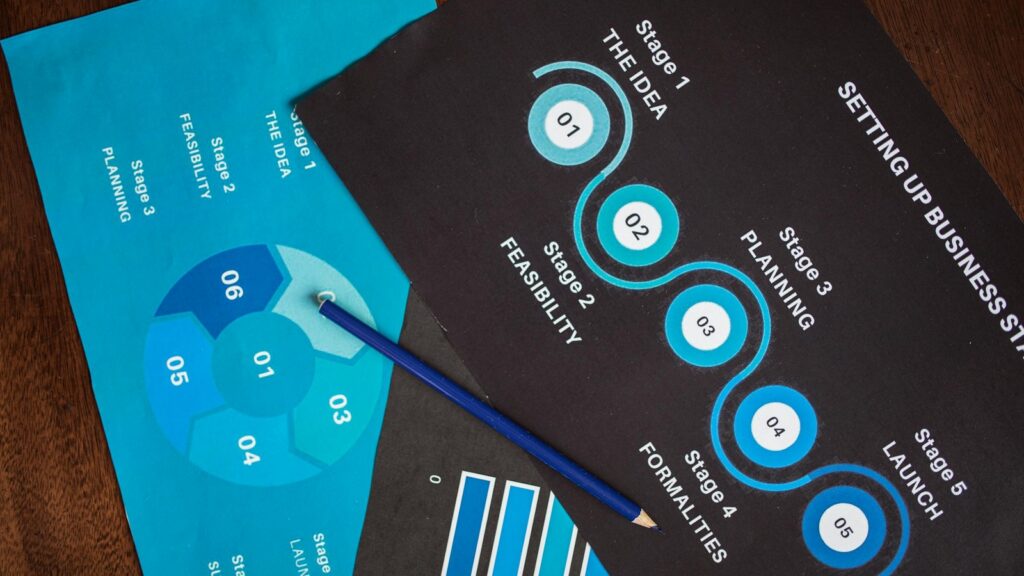
The fastest route to minimizing downtime is to stop treating downtime as one technical event. Split the problem into prevention, recovery, and response, then assign owners and evidence to each layer.
| Strategy | What it protects | Evidence to ask for |
|---|---|---|
| Resilient service design | Identity, connectivity, cloud apps, line-of-business systems | Dependency map, failover design, supplier commitments, maintenance windows |
| Recovery-ready backups | Data, configurations, SaaS exports, server images, endpoint recovery | RTO/RPO targets, restore tests, immutable or offline copies, backup alerts |
| Monitoring and response drills | Detection, escalation, communication, cutover decisions | Runbooks, monitoring coverage, tabletop exercises, incident review notes |
A useful downtime plan should fit on a page, but it should point to real evidence. If the plan cannot show who is paged, what is restored first, and how the business communicates, it is still a wish list for minimizing downtime.
Strategy 1: Design Critical Services to Degrade Gracefully

The first strategy for minimizing downtime is to design critical services so a single fault does not stop the whole business. That starts with a dependency map: identity, DNS, internet access, VPN or SASE, Microsoft 365 or Google Workspace, ERP, payment systems, phones, file storage, and any industry-specific platform.
For useful public baselines, compare NCSC business continuity and disaster recovery, Azure Well-Architected reliability, and AWS disaster recovery overview. They all point to the same lesson: resilience has to be designed, tested, and owned before a production incident starts.
A dependency map is not just a diagram for engineers. It tells the leadership team which service failure would stop sales, fulfilment, support, payroll, or compliance work. It also reveals quiet dependencies, such as a cloud application that still needs local internet, a warehouse process that still needs label printing, or a remote team that cannot work if MFA prompts are unavailable.
For minimizing downtime, define service tiers. Tier 1 services need fast restoration and clear failover. Tier 2 services can wait a few hours. Tier 3 services can be restored after the business is stable. This avoids spending the same effort on every system and helps teams protect what actually creates revenue or legal exposure.
| Design choice | Downtime benefit |
|---|---|
| Dual internet or 4G/5G failover | Keeps cloud and communication tools reachable during provider outages |
| Cloud region or availability-zone planning | Reduces exposure to local infrastructure faults |
| Emergency admin accounts and MFA fallback | Prevents identity lockout during authentication disruption |
| Documented supplier escalation paths | Cuts delay when the fix depends on a vendor |
Strategy 2: Make Backups Prove They Can Restore

The second strategy for minimizing downtime is to stop measuring backups by whether they ran and start measuring them by whether the business can restore. A green backup dashboard is useful, but it does not prove the files open, the database is consistent, or the application can run from the restored copy.
Use recovery time objective and recovery point objective as plain business terms. RTO asks how long the organisation can tolerate a service being unavailable. RPO asks how much data loss is acceptable. Those targets should guide backup frequency, replication, immutable storage, and restore rehearsal.
The NCSC mitigating malware and ransomware attacks guidance is especially useful here because ransomware turns weak backups into a business outage. Immutable, offline, or otherwise protected copies matter when attackers try to delete or encrypt recovery paths before launching the visible attack.
| Question | Good answer |
|---|---|
| What is backed up? | Production data, critical SaaS exports, server configurations, endpoint recovery material, and key documentation |
| Where are copies stored? | In separate accounts, protected storage, or offline locations that normal admin credentials cannot silently erase |
| How often are restores tested? | At least quarterly for critical services, and after major system changes |
| Who signs off? | The business owner who depends on the service, not only the technical owner |
Progressive Robot has related guidance on Cloud Migration Mistakes, Ransomware Recovery Plan UK, and Co-Managed IT.
Strategy 3: Monitor, Escalate, and Rehearse the Response

The third strategy for minimizing downtime is to reduce detection and decision time. Many outages last longer than they should because nobody sees the early warning signs, nobody knows who can approve a cutover, or the team debates responsibilities during the incident.
Monitoring should cover the user journey, not only server health. A server can be online while users still cannot sign in, print labels, process payments, receive email, or reach a SaaS application. The Azure Well-Architected operational excellence guidance is helpful because it links observability, automation, deployment safety, and incident learning instead of treating monitoring as a dashboard decoration.
Build an escalation map that names primary owners, deputies, suppliers, communication leads, and business decision-makers. Then rehearse it. A thirty-minute tabletop exercise can reveal missing phone numbers, unclear authority, forgotten suppliers, or a recovery step that only one person knows.
For minimizing downtime, every incident review should ask four questions: what failed, why it was not caught earlier, what delayed recovery, and what control would shorten the next event. That keeps downtime work tied to evidence rather than blame.
A 90-Day Plan for Reducing Downtime Risk

A practical programme for minimizing downtime does not need to begin with a giant transformation. Start with the systems that would stop revenue, operations, or compliance in the first day of an outage.
| Timeframe | Action |
|---|---|
| Days 1-15 | List critical services, owners, suppliers, login dependencies, and current backup status |
| Days 16-30 | Set RTO/RPO targets and identify the top five single points of failure |
| Days 31-60 | Run restore tests, clean up monitoring gaps, and document escalation routes |
| Days 61-90 | Hold a tabletop exercise, update runbooks, and agree budget for the highest-risk fixes |
This is where minimizing downtime becomes a management habit. The point is not to make every outage impossible. The point is to know what matters, see trouble earlier, and recover in a controlled order.
Metrics Leaders Should Track

Uptime percentages can hide weak recovery. A service that is usually available may still be unacceptable if a rare outage lasts all day or corrupts data. Track metrics that explain whether minimizing downtime is improving operational readiness.
- Mean time to detect incidents.
- Mean time to acknowledge and assign ownership.
- Mean time to restore each tier-one service.
- Restore test pass rate for critical backups.
- Number of services with documented RTO and RPO targets.
- Number of unresolved single points of failure.
- Percentage of incidents with a completed post-incident review.
These metrics make minimizing downtime visible to finance, operations, and the board. They also help distinguish useful investment from technology theatre.
FAQ

What is the first step in reducing IT downtime?
The first step in minimizing downtime is identifying the services that would stop the business fastest. Once those are known, map dependencies, owners, recovery targets, and current weak points.
How often should backups be tested?
Critical services should have restore tests at least quarterly and after major changes. Less critical systems can be tested on a lower cadence, but every important restore path should have a named owner and a recent result.
Is cloud migration enough to prevent downtime?
No. Cloud platforms can improve resilience, but customers still own configuration, identity, networking, backups, monitoring, access control, and response decisions. Cloud can reduce some risks while exposing others if governance is weak.
Who should own downtime reduction?
IT should not own it alone. The right model includes business process owners, security, operations, finance, suppliers, and an executive sponsor who can make risk and budget decisions.
Final Thoughts
Minimizing downtime is less about buying a single resilience product and more about creating a system the organisation can trust under stress. The strongest teams know their critical services, test recovery paths, monitor the user journey, and practise the decisions they will need during an incident. If the business can name what matters, prove it can restore, and respond without confusion, minimizing downtime becomes a repeatable operating discipline rather than a hopeful promise.
For a broader resilience benchmark, compare this with NIST Cybersecurity Framework and use it to connect downtime work with governance, risk, and continuous improvement.










