

FLUX 3 Image Klein is Black Forest Labs’ newly released open-weight image model, designed to make advanced AI image generation and editing more accessible to developers, researchers and businesses. Announced on October 15, 2026, the model combines text-to-image generation, multi-reference editing and layout control in a 5.6-billion-parameter image-generation model.
The release is significant because developers can download the model weights, customise the system and run it on their own infrastructure rather than relying exclusively on a hosted image-generation service. Black Forest Labs also offers a faster distilled version and quantised builds designed to reduce deployment requirements.
FLUX 3 Image Klein supports native 4K generation, can work with up to 10 reference images and offers bounding-box controls for positioning or editing elements. These features could be particularly useful for product photography, marketing visuals, creative workflows and applications that require greater control over generated images.
The model is part of Black Forest Labs’ broader FLUX 3 family, which builds on research spanning images, video and audio. Developers can explore the official release announcement and access the model through Hugging Face.
What Is FLUX 3 Image Klein?

FLUX 3 Image Klein is an open-weight image model developed by Black Forest Labs, the company behind the FLUX family of generative models. Its 5.6-billion-parameter figure refers to the image generator itself; the model uses a separate text encoder.
The system is designed to handle several related tasks through one model. Users can create images from text prompts, edit an existing image or combine multiple visual references to guide a new composition.
The model is available in two principal forms. The distilled version is intended for faster generation with fewer sampling steps, while the base version is aimed at fine-tuning, LoRA training and research. Quantised versions are also available for supported deployment environments.
The distinction between open weights and fully open-source software is important. Downloadable weights provide substantial freedom to run and adapt a model, but the licence still governs how it may be used. Developers should review the FLUX 3 Image Klein licence and model documentation before deploying it commercially.
7 Key Features of FLUX 3 Image Klein
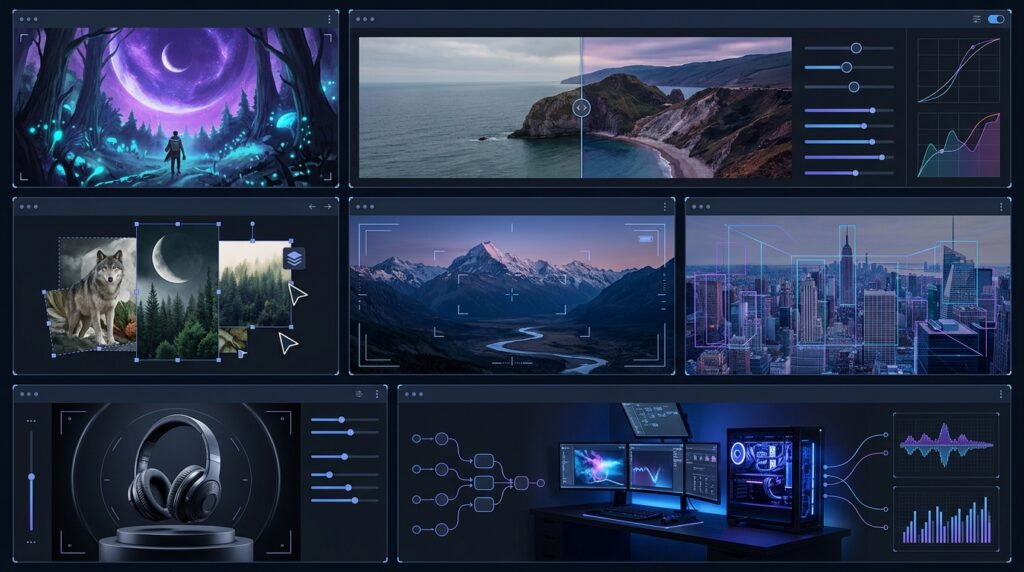
1. Text-to-Image Generation
The model can generate images from natural-language prompts. Users can describe a subject, environment, lighting conditions, composition and visual style to produce an image matching their creative brief.
This makes it suitable for workflows such as concept art, campaign visuals, product mock-ups and editorial illustrations. The final result still depends on prompt quality, model behaviour and the complexity of the requested scene.
2. Image Editing With Reference Images
FLUX 3 Image Klein supports editing existing images rather than requiring users to start from scratch. Developers can provide a reference image and describe the changes they want the model to make.
This can support workflows such as changing an environment, adjusting colours, replacing objects or adapting a visual for a different campaign. For professional use, the output should be checked carefully to ensure that important details remain consistent.
3. Multi-Reference Generation
One of the model’s key capabilities is support for up to 10 reference images. These references can help guide the composition, appearance or visual elements of a generated image.
For example, a designer could combine a product reference, a desired background and a style reference to create a new visual. This can reduce the need to communicate every detail through text alone.
Reference images guide the result, but they do not guarantee perfect preservation of every feature. Developers should test the model with their own images and requirements.
4. Native 4K Image Generation
The model supports native 4K generation, making high-resolution output a major part of its offering. Higher resolution can be valuable for detailed artwork, product imagery and creative assets intended for large displays or further production work.
Actual output dimensions and performance depend on the chosen inference setup and settings. Developers should verify the supported resolutions in the current implementation rather than assuming every configuration produces every possible 4K format.
5. Bounding-Box Layout Control
FLUX 3 Image Klein supports bounding-box instructions that help guide where elements appear in an image. A prompt can specify approximate positions and sizes for subjects or indicate which areas should be changed.
This gives developers a more structured approach to composition. For example, a marketing image might need a product on the right, open space on the left and a specific background behind the subject.
Bounding boxes guide placement and scale; they should not be treated as pixel-perfect masks that guarantee every edit stays strictly inside a defined region.
6. Distilled and Quantised Versions
The release includes a distilled model intended for faster generation and a base model for fine-tuning and research. Black Forest Labs also provides quantised builds, including FP8, NVFP4 and INT8 variants, for supported deployment configurations.
Quantisation can reduce memory requirements, although actual memory consumption depends on the full pipeline, including the text encoder, image autoencoder, inference software and other runtime components.
7. Customisation and Local Deployment
Because the model weights are available for download, developers can investigate running the model on their own infrastructure and adapting it to specialised workflows.
The release supports fine-tuning and LoRA training, with tools such as Ostris AI Toolkit. It also has launch support across tools and libraries including ComfyUI, Hugging Face Diffusers, and supported inference systems.
This flexibility is useful for teams that need more control over deployment, customisation and data handling. However, local deployment still requires compatible hardware, supported software and an appropriate licence.
How FLUX 3 Image Klein Compares With Earlier FLUX Models
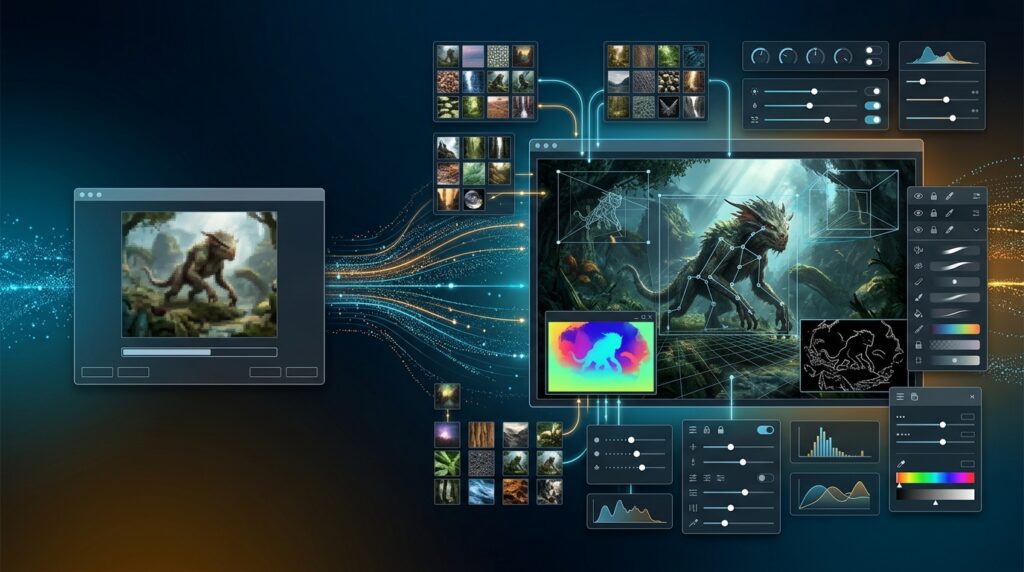
FLUX 3 Image Klein follows the earlier FLUX.2 Klein family and shares core capabilities with the larger FLUX 3 Image model. Its focus is to bring advanced generation and editing features into an open-weight model that developers can customise and deploy.
Black Forest Labs says its internal evaluations place the new model ahead of several leading open-weight image models in text-to-image generation, multi-reference generation and image editing. These results come from the company’s own evaluations and should not be interpreted as a universal ranking across every model, prompt or use case.
The model also uses fewer image-generator parameters than some larger competitors cited in the release. That can make deployment and adaptation more practical, but parameter count alone does not determine image quality, speed or memory usage.
The most meaningful comparison for developers is whether the model meets their own requirements for visual quality, editing precision, inference time, hardware cost and licensing.
What Can You Use FLUX 3 Image Klein For?

E-Commerce and Product Photography
Online retailers can explore the model for product-scene variations, background changes and marketing images. Reference-based workflows may help teams guide the appearance of a product while experimenting with different environments.
Product accuracy remains important. Businesses should inspect generated images closely to ensure packaging, logos, colours and physical details have not been altered incorrectly.
Advertising and Digital Marketing
Marketing teams can use text-to-image generation to develop campaign concepts, social media visuals and alternative creative directions. Multi-reference generation may help combine a brand’s visual references with a new scene.
Human review is still necessary for brand consistency, factual accuracy and any legal or licensing requirements.
Design and Creative Prototyping
Designers can explore different art directions and compositions before committing time to final production. Bounding-box controls may be especially useful when a concept needs a particular arrangement of subjects or reserved space for later design elements.
Custom AI Image Applications
Developers can integrate the model into specialised software, such as image-editing tools, design assistants or automated content workflows. Open weights provide an opportunity to experiment with local inference and model adaptation.
Teams should evaluate the cost of hardware, model serving, integration and ongoing quality assurance before building a commercial product around the model.
Hardware Requirements, Performance and Pricing
Black Forest Labs says FLUX 3 Image Klein is designed to run on consumer GPUs and laptops, with supported configurations using as little as 8 GB of VRAM. That figure should be treated as a minimum configuration claim rather than a guarantee that every version, resolution and workflow will run comfortably on any 8 GB graphics card.
Quantised models may reduce memory requirements, while higher resolutions and additional pipeline components can increase resource use. Developers should follow the installation instructions for their chosen runtime and test their target hardware before planning a production deployment.
The distilled model is designed to generate images with fewer sampling steps. In the company’s published tests, it achieved a median API latency of 4.54 seconds for text-to-image generation and 7.18 seconds for editing at one megapixel. Those figures reflect the company’s stated test methodology and should not be assumed to represent local performance on all hardware.
For API access, the official release page lists pricing starting at $0.009 per 1K image. Check the official FLUX 3 Image Klein page for current pricing, available endpoints and any usage-specific terms before estimating project costs.
Licensing: Can Businesses Use FLUX 3 Image Klein Commercially?

FLUX 3 Image Klein is released under the FLUX Kommunity License. According to Black Forest Labs, the licence allows free commercial use for qualifying individuals and companies with annual revenue below $5 million, alongside research and non-commercial use subject to the licence terms.
Larger organisations may need a commercial arrangement through Black Forest Labs’ self-hosted licensing options or API. This makes it important to review the precise terms before integrating the model into a business product.
Open weights do not mean unrestricted use. Businesses should check the licence, applicable restrictions, model notices and any requirements relevant to their deployment. They should also ensure that generated images do not infringe third-party rights or violate applicable laws and platform policies.
For current details, read the model’s licence on Hugging Face and the official release announcement.
How to Get Started With FLUX 3 Image Klein
Developers can begin with the official model repository, which provides the distilled model and information about its supported variants. The base model is available separately for fine-tuning and research.
The reference inference repository provides implementation details and examples, while the Hugging Face Diffusers guide explains support within the Diffusers ecosystem. ComfyUI and other compatible tools also provide routes for experimenting with image generation and editing.
For a first test, developers should start with the distilled checkpoint and a supported inference setup. Test text-to-image generation first, then explore single-image editing, multiple references and bounding-box control. Record output quality, generation time, memory use and failure cases.
Before deploying the model commercially, verify the licence, runtime dependencies, hardware requirements and model version. A working demo is only the first step; production use requires repeatable testing, secure infrastructure and a process for reviewing generated images.
Frequently Asked Questions

What is FLUX 3 Image Klein?
FLUX 3 Image Klein is a 5.6-billion-parameter open-weight image model from Black Forest Labs. It supports text-to-image generation, image editing, multiple reference images and bounding-box layout control.
Is FLUX 3 Image Klein open source?
Black Forest Labs describes the release as open weights. The model can be downloaded and adapted under the FLUX Kommunity License, but users must follow its terms. Open weights are not the same as unrestricted use.
Can FLUX 3 Image Klein generate 4K images?
Yes. The model supports native 4K generation, subject to the capabilities and settings of the chosen inference implementation.
How many reference images does it support?
The model supports up to 10 reference images for guided generation and editing workflows.
Can it run on a consumer GPU?
Black Forest Labs says supported configurations can run on consumer GPUs and laptops with as little as 8 GB of VRAM. Actual requirements depend on the model variant, quantisation, resolution and software setup.
Is commercial use free?
The FLUX Kommunity License allows free commercial use for qualifying individuals and companies with annual revenue below $5 million, subject to its terms. Larger organisations may need an alternative commercial arrangement.
Where can developers download the model?
Developers can access the FLUX 3 Image Klein model on Hugging Face and find reference implementation code in the official GitHub repository.
Conclusion

FLUX 3 Image Klein gives developers and creative teams a new option for building image-generation and editing workflows around downloadable model weights. Its combination of native 4K generation, support for up to 10 reference images, bounding-box controls and distilled inference makes it worth evaluating for applications that require more than basic text-to-image generation.
The model’s practical value will depend on the target hardware, the quality of generated results, the editing workflow and the licensing terms that apply to each user. Developers should test their intended use cases rather than relying solely on benchmark claims.
For businesses seeking greater control over their AI image pipelines, FLUX 3 Image Klein offers a useful starting point for experimentation, customisation and locally deployed creative tools.
Explore our IT services: Progressive Robot helps businesses explore software development, AI solutions, cybersecurity and wider IT services.
References
FLUX 3 Image Klein — Official Black Forest Labs Announcement
FLUX 3 Image Klein — Hugging Face Model Page
FLUX 3 Image Klein — Official GitHub Repository
Welcome FLUX 3 Image Klein in Diffusers — Hugging Face Blog
More AI coverage: explore Progressive Robot's AI Models, Tools & Releases hub — hands-on reviews, setup guides and benchmarks in one place.










