

AI-native IDEs are becoming the practical alternative to traditional IDEs because they treat AI as part of the development loop, not as a small autocomplete panel. In 2026, the best coding environments can read a codebase, explain architecture, draft changes, run tests, inspect errors, and help teams move from idea to pull request faster.
That shift does not mean every team should abandon Visual Studio Code, JetBrains, Vim, or cloud workspaces overnight. It does mean leaders need a clearer way to compare AI-native IDEs against older tools that were designed before code agents, repository-aware chat, and autonomous refactoring became normal.
The right choice depends on codebase size, security rules, deployment habits, budget, and developer trust. Use this guide to compare the strongest options, understand where AI-native IDEs help most, and plan a safe rollout that improves delivery without weakening engineering discipline.
AI-native IDEs at a glance
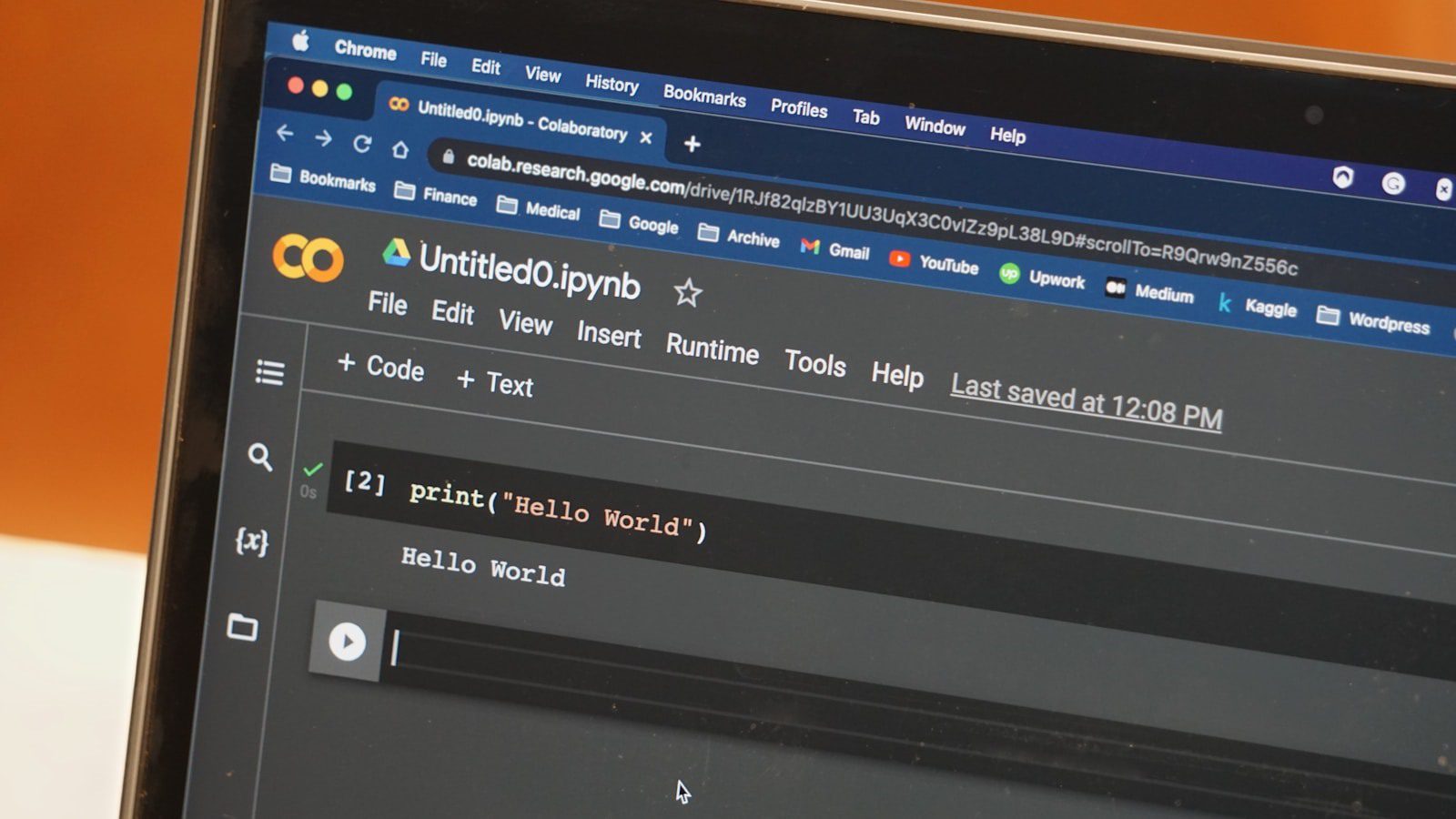
AI-native IDEs are coding environments where AI is built into the workflow from the start. They do more than predict the next line. They understand files, symbols, terminals, tests, documentation, and sometimes deployment targets, then help a developer complete multi-step work with context.
The biggest difference is intent. A traditional IDE starts with manual editing and adds assistance around the edges. AI-native IDEs start with a goal, such as fixing a bug, migrating a component, creating tests, or building a small feature, then help coordinate the steps.
Here is a quick way to think about the 2026 landscape:
| Tool category | Best fit | Watch-out |
|---|---|---|
| AI-first code editors | Daily professional coding | Requires strong review habits |
| Agentic browser workspaces | Fast prototypes and full-stack experiments | Can hide infrastructure details |
| Hybrid IDE plugins | Teams keeping existing tools | AI depth depends on host IDE |
| App-generation studios | Product mockups and simple apps | Not always ideal for complex systems |
| Open-source local agents | Privacy-sensitive engineering | More setup and governance required |
For most organizations, AI-native IDEs should be evaluated as part of a broader AI strategy, not as a novelty purchase. The decision affects security, knowledge sharing, onboarding, code review, and delivery metrics.
Why traditional IDEs feel different in 2026

Traditional IDEs were built around files, projects, syntax trees, debuggers, and build tools. That foundation still matters, but it assumes the developer is the sole planner and executor. AI-native IDEs change the interaction model by turning the environment into a collaborator that can propose plans, edit multiple files, and explain the consequences.
The difference is most visible in maintenance work. In an older IDE, a developer usually searches, edits, runs tests, reads errors, and repeats. In AI-native IDEs, the developer can ask for a targeted refactor, review a generated diff, request tests, and use the tool to trace failures across the project.
This is why the category is growing alongside Artificial Intelligence (AI) and Machine Learning (ML) adoption. Software teams are not just using AI to write code; they are using AI to reason about existing systems, reduce context switching, and make complex work easier to start.
The tradeoff is control. AI-native IDEs can accelerate work, but they can also produce confident mistakes. Teams need rules for generated code, dependency changes, secrets, test coverage, and review ownership before they rely on them in production workflows.
9 best AI-native IDE alternatives
The best AI-native IDEs in 2026 fall into a few practical groups. Some are full code editors. Some are browser workspaces. Some are plugins that make an existing IDE feel more agentic. The right answer is usually a portfolio, not one universal tool.
1. Cursor
Cursor is one of the clearest AI-first alternatives for developers who like the VS Code style but want deeper codebase chat, agentic editing, and repository-aware help. It is strong for multi-file changes, debugging support, code explanation, and fast iteration inside familiar editor patterns.
Cursor is a good first test when a team wants AI-native IDEs without forcing developers into a completely new mental model. The main requirement is disciplined review, because fast diffs still need human judgment.
2. Windsurf
Windsurf is designed around agentic flow, where the assistant can understand context and help move across files with less manual prompting. It is useful for teams that want a smoother AI workflow than a classic plugin can provide.
If your team is already researching Windsurf, this Windsurf overview can help frame the decision. Compare Windsurf with Cursor on codebase context, terminal integration, privacy controls, and how well developers trust generated changes.
3. Replit Agent
Replit Agent is a strong browser-first option for prototypes, small apps, teaching, internal tools, and fast deployment experiments. It combines coding, runtime, package management, and hosting patterns in one place, which makes it different from desktop AI-native IDEs.
The advantage is speed. The caution is portability. Teams should understand how projects move from a browser workspace into long-term repositories, CI/CD, observability, and production ownership.
4. GitHub Copilot inside VS Code
GitHub Copilot is not a standalone IDE, but its agentic capabilities can make VS Code feel much closer to an AI-native environment. For many companies, Copilot is the safest bridge because it works inside existing workflows and connects naturally with GitHub repositories. The official GitHub Copilot documentation is the best source for current capabilities and administration details.
This option works well when teams want AI-native IDEs benefits while preserving editor habits, extension ecosystems, and enterprise controls.
5. Zed
Zed is a fast, collaborative editor that has been moving toward AI-assisted coding while keeping performance and multiplayer work central. It is attractive for developers who want a modern editor experience without carrying the weight of a full legacy IDE.
Zed should be evaluated on language support, team collaboration, AI model options, and fit with existing repositories. It may not replace every enterprise IDE, but it can be compelling for teams that value speed and focus.
6. JetBrains AI Assistant and agent features
JetBrains tools remain important for Java, Kotlin, Python, PHP, and enterprise teams with deep IDE workflows. JetBrains AI Assistant and related agent features make those environments more AI-aware while retaining mature inspections, refactoring, and debugging.
This is the conservative path. It is not the purest example of AI-native IDEs, but it can be the right choice when code intelligence, enterprise standards, and developer muscle memory matter more than a full tool switch.
7. Continue.dev and local agent stacks
Open-source assistants such as Continue.dev, terminal agents, and local model workflows appeal to teams that need more control over data, models, prompts, and deployment. They can add AI-native IDEs behavior to existing editors while keeping sensitive code closer to approved infrastructure.
The tradeoff is operational effort. Open-source stacks need configuration, policy, model evaluation, and support. They are best for teams that have platform engineering maturity.
8. Bolt, Lovable, and v0-style app studios
App-generation studios are not traditional IDE replacements, but they are credible alternatives for early product work. They can turn prompts into interfaces, simple applications, and deployable prototypes faster than a blank project setup.
Use these tools for validation, demos, and internal apps. For complex products, teams should move generated output into a governed engineering workflow with tests, architecture review, and ownership.
9. Cloud development environments with AI agents
Cloud development environments become more powerful when paired with AI agents. They standardize setup, reduce local machine drift, and give assistants a controlled runtime for commands, tests, and previews.
This option fits distributed teams, regulated environments, and onboarding-heavy organizations. It also pairs well with workflow automation because build, test, review, and deployment steps can be made more repeatable.
Cursor vs Windsurf vs Replit Agent

Cursor, Windsurf, and Replit Agent are often compared because they represent three different directions for AI-native IDEs. Cursor feels like an AI-first editor for professional repository work. Windsurf emphasizes agentic flow inside the editor. Replit Agent pushes more of the development lifecycle into the browser.
Choose Cursor when developers want familiar editing, strong codebase context, and multi-file assistance without leaving desktop workflows. Choose Windsurf when the team values continuous assistant context and wants the editor to feel more guided. Choose Replit Agent when the goal is fast creation, easy sharing, and integrated runtime management.
The practical test is not a feature checklist. Give each tool the same realistic task: understand a service, make a small change, add tests, explain risks, and prepare a reviewable diff. The best AI-native IDEs will reduce time while keeping the developer in control of architecture and final quality.
Also test failure behavior. A useful agent should ask clarifying questions, avoid unsafe commands, preserve existing style, and explain uncertainty. If a tool is fast but careless, it will create hidden work for reviewers.
Browser-first app builders for prototypes

Browser-first builders are changing how non-specialists and product teams explore software ideas. Instead of opening a local IDE, setting up dependencies, and wiring a starter app, a user can describe a workflow and receive an interface, database pattern, or deployable prototype.
That makes these tools valuable for discovery. A product manager can test a customer portal concept. An operations lead can sketch an approval workflow. A founder can create an MVP demo. AI-native IDEs and app builders together shorten the distance between idea and working software.
The boundary matters. Generated prototypes should not automatically become production systems. Before a prototype graduates, engineering teams should review data models, authentication, error handling, accessibility, logging, tests, and maintainability.
This is especially important for business process automation. A quick AI-built workflow can create value, but business-critical automation needs clear ownership, monitoring, and rollback plans.
Where GitHub Copilot, JetBrains AI, and Zed fit
Not every successful team will move to a new AI-first editor. Many will modernize existing environments. GitHub Copilot, JetBrains AI, and Zed occupy the middle ground between traditional IDEs and fully agentic workspaces.
Copilot is a strong enterprise bridge for teams already using GitHub and VS Code. JetBrains AI is attractive where mature refactoring and language intelligence are essential. Zed is interesting for teams that want a fast modern editor with collaboration and AI features.
This hybrid path can be the best rollout strategy. Teams get some benefits of AI-native IDEs while preserving existing build systems, shortcuts, debugging habits, and compliance processes. It also reduces adoption shock for senior developers who do not want a tool to obscure the code.
The decision should be based on daily tasks. If most work is bug fixing in a large monorepo, codebase understanding matters. If most work is rapid UI prototyping, browser-first generation may matter more. If most work is regulated backend development, governance and auditability may outweigh raw speed.
Security, privacy, and governance checklist

AI-native IDEs must be reviewed like production engineering tools, not casual utilities. They may see source code, logs, stack traces, prompts, dependency names, tickets, and architectural details. That creates security and privacy questions before any team-wide rollout.
Start with data handling. Know what code leaves the machine, which model providers process it, whether training is disabled, how retention works, and which admin controls exist. Then define what developers may paste into prompts, especially secrets, customer data, credentials, logs, and proprietary algorithms.
Next, create review rules. AI-generated code should pass tests, static analysis, security scans, dependency review, and human code review. The assistant can help write code, but accountability stays with the developer and the organization.
The NIST AI Risk Management Framework is useful for thinking about governance as an ongoing process rather than a one-time approval. Teams that already use AI governance platforms can register AI-native IDEs as approved tools, document risks, and monitor adoption.
Migration plan for development teams
The safest migration starts with a small pilot. Pick one or two teams, choose realistic tasks, define success metrics, and compare AI-native IDEs against the current baseline. Measure cycle time, review quality, defect rates, developer satisfaction, and onboarding speed.
Second, define approved use cases. For example, allow documentation drafts, test generation, refactoring suggestions, code explanation, and prototype work first. Restrict production changes, dependency upgrades, or security-sensitive code until review practices are stable.
Third, create a shared playbook. Include prompt patterns, review expectations, prohibited data, model settings, escalation rules, and examples of good and bad generated changes. This turns individual experimentation into organizational learning.
Fourth, connect the new environment to existing delivery systems. AI-native IDEs should fit source control, issue tracking, CI/CD, secrets management, observability, and incident response. If a tool creates work outside the normal pipeline, it will eventually cause confusion.
Finally, revisit the decision every quarter. The market is moving quickly, and tool quality changes fast. A good 2026 evaluation process should make it easy to test new assistants without losing control of architecture, security, or engineering standards.
AI-native IDEs FAQ

What are AI-native IDEs?
AI-native IDEs are development environments designed around AI-assisted planning, editing, testing, explanation, and review. They use codebase context to help developers complete multi-step work, not just autocomplete one line.
Are AI-native IDEs replacing traditional IDEs?
They are replacing some workflows, but not every traditional IDE. Many teams will use hybrid setups where AI agents improve VS Code, JetBrains, cloud workspaces, or terminal workflows while mature tooling remains in place.
Which AI-native IDE is best for enterprises?
The best enterprise choice depends on security controls, identity management, admin policy, repository support, auditability, and developer adoption. Cursor, Windsurf, Copilot-enabled VS Code, JetBrains AI, and controlled cloud workspaces all deserve evaluation.
Are browser-first coding tools production-ready?
They can be production-ready for the right use case, but teams should be careful. Browser-first tools are excellent for prototypes and internal apps, yet production systems still need architecture review, tests, monitoring, security controls, and maintainers.
How should teams compare AI coding tools?
Use the same real task in each tool. Ask it to understand the codebase, make a change, add tests, run checks, explain tradeoffs, and prepare a reviewable diff. The best AI-native IDEs improve speed without reducing accountability.
What is the biggest risk?
The biggest risk is accepting generated work too quickly. AI can write plausible code that misses edge cases, weakens security, or conflicts with architecture. Human review, automated tests, and clear ownership remain essential.
What is the main takeaway?
The main takeaway is that AI-native IDEs are no longer experimental toys. They are becoming a serious layer in modern software delivery, but they create the most value when teams combine speed with governance, testing, and disciplined review.
More AI coverage: explore Progressive Robot's AI Models, Tools & Releases hub — hands-on reviews, setup guides and benchmarks in one place.