
GPUs vs TPUs is one of the most common infrastructure questions in AI, but the right answer is not simply that one is faster than the other.
If you want the short version, GPUs are the more flexible and broadly supported AI accelerator, while TPUs are more specialised processors designed by Google for large-scale machine learning workloads dominated by dense matrix math. In practice, GPUs usually win on ecosystem breadth, model compatibility, and deployment flexibility, while TPUs can be extremely strong when your training stack already fits the way Google Cloud TPUs are built to run.
That is why GPUs vs TPUs matters beyond a hardware debate. The decision affects framework support, engineering effort, portability, batch sizing, compiler behaviour, cloud strategy, and ultimately the economics of training and inference.
This article draws on official documentation from Google Cloud, including the Introduction to Cloud TPU and TPU architecture pages, plus NVIDIA’s official Tensor Cores and CUDA-X pages.
GPUs vs TPUs at a glance
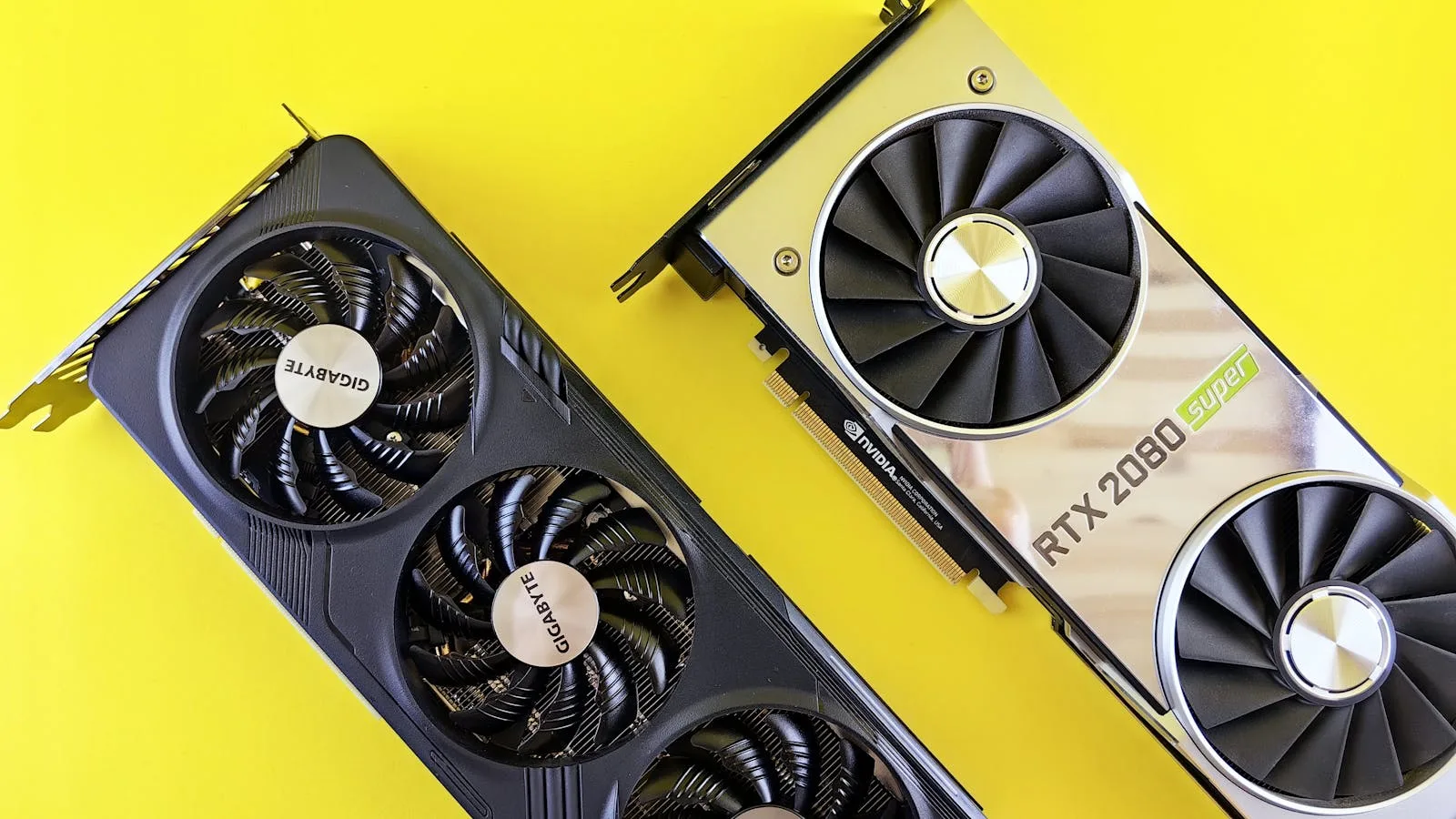
GPUs vs TPUs can be summed up in a few clear points.
- GPUs are general-purpose parallel processors that are widely used for AI, graphics, simulation, and HPC.
- TPUs are Google’s application-specific integrated circuits designed to accelerate machine learning workloads.
- GPUs usually offer broader model compatibility, especially when workloads include custom operations, mixed infrastructure, or non-ML tasks.
- TPUs are best suited to large machine learning jobs dominated by matrix computation, especially when training runs for a long time and uses large batch sizes.
- Google says TPUs are not a good fit for workloads with frequent branching, many element-wise operations, dynamic shapes, or high-precision arithmetic requirements.
- NVIDIA positions GPUs as part of a full-stack platform spanning AI, inference, data processing, and HPC through Tensor Cores and CUDA-X libraries.
- TPUs are tightly associated with Google Cloud deployment paths such as TPU VMs, GKE, and Vertex AI.
| Factor | GPUs | TPUs |
|---|---|---|
| Core design | General-purpose parallel accelerator | Google-designed ASIC for ML |
| Best fit | Broad AI, inference, HPC, mixed workloads | Large matrix-heavy ML jobs |
| Software model | Broad ecosystem and portability | More specialised XLA-oriented path |
| Cloud flexibility | Broad multi-cloud and on-prem support | Primarily Google Cloud |
| Tolerance for custom ops | Usually stronger | More constrained |
| Ideal team profile | Teams needing flexibility and speed of iteration | Teams optimising large stable workloads |
Why GPUs vs TPUs matters

The GPUs vs TPUs decision matters because accelerator choice is really a software and operations decision disguised as a hardware question.
If your team picks the wrong platform, you do not only lose raw performance. You also take on migration work, framework constraints, compiler surprises, retraining overhead, and vendor concentration risk. The best accelerator is not the one with the most impressive vendor benchmark. It is the one that fits your actual model architecture, team skills, cloud footprint, and production lifecycle.
This is especially important for teams building around workflow automation and autonomous AI agents, where the real bottleneck is often deployment speed and operational reliability, not a theoretical peak throughput number.
7 critical differences in GPUs vs TPUs

1. GPUs are flexible accelerators, while TPUs are domain-specific ML chips
The first thing to understand about GPUs vs TPUs is that they were designed with different goals.
GPUs are parallel processors built to handle many workloads well. Google itself describes GPUs as general-purpose processors with thousands of ALUs that work well for massively parallel tasks such as matrix operations in neural networks. NVIDIA extends that story further by positioning modern GPUs as a platform for AI training, inference, data processing, and high-performance computing.
TPUs are narrower by design. Google describes TPUs as custom-developed ASICs for machine learning and says Cloud TPUs are matrix processors specialised for neural network workloads. In other words, TPUs trade generality for specialisation.
That distinction drives almost every other tradeoff in GPUs vs TPUs.
2. TPUs are strongest when the workload is dominated by dense matrix math
Google is unusually explicit about where TPUs shine.
According to the Cloud TPU documentation, TPUs are best for models dominated by matrix computations, large models with large effective batch sizes, long training runs, and advanced recommendation workloads with ultra-large embeddings. Google also notes that TPUs efficiently train models using hardware designed for large matrix operations and on-chip high-bandwidth memory.
That means TPUs are usually at their best when the model structure is stable, the tensors are well-shaped for the hardware, and the job runs long enough for platform-specific optimisation work to pay off.
If your workload looks like large-scale transformer training, dense recommendation training, or structured inference at high volume, TPUs become much more compelling.
3. GPUs are usually the safer choice for heterogeneous or messy real-world stacks
This is the part many summary articles skip.
Real production stacks are often messy. They include custom PyTorch operations, preprocessing steps on CPUs, dynamic control flow, odd-shaped tensors, third-party libraries, retrieval components, simulation code, and inference services that do more than multiply matrices.
Google’s own guidance says GPUs make more sense when models contain custom PyTorch or JAX operations that must run at least partially on CPUs, or when TensorFlow operations are not available on Cloud TPU. Google also warns that TPUs are not well suited to programs dominated by non-matrix operations, frequent branching, or dynamic shapes.
That is why GPUs remain the default choice for many engineering teams. Even when a TPU may offer strong upside on the right workload, the GPU usually asks less of the codebase.
4. The software ecosystem around GPUs is broader and more portable
In practice, GPUs vs TPUs is often decided by software support more than silicon.
NVIDIA says CUDA-X includes more than 400 libraries and is deployed across PCs, workstations, servers, supercomputers, cloud platforms, and edge environments. That matters because a mature software stack reduces friction when teams need to train in one place, fine-tune in another, and deploy somewhere else entirely.
TPUs have solid framework support, especially through JAX and PyTorch/XLA on Google Cloud, but the operating model is more opinionated. Google says TPU code must be compiled by XLA, and the docs emphasise layout choices, tensor dimensions, and shape stability because those directly affect MXU utilisation.
The simple reading is this: GPUs usually give you more portability across vendors and environments. TPUs can give you excellent performance, but typically inside a more specialised software path.
5. TPUs reward model discipline, while GPUs are more forgiving
TPUs are not just faster matrix engines. They are hardware that expects the model to meet it halfway.
Google explains that the XLA compiler tiles matrix operations to fit TPU matrix units, and that high performance depends on layouts and dimensions that align well with the hardware. The docs specifically note that dynamic shapes are a poor fit, and that dimensions that are not aligned well can trigger padding, which wastes compute and memory.
That means TPU performance is often strongest when the model is architected and tuned with the platform in mind.
GPUs are not effortless, but they are usually more forgiving when teams need to iterate quickly, test unusual operators, or support models that were not designed around a single accelerator architecture.
6. TPU scale is compelling inside Google Cloud, but it comes with platform concentration
Google makes TPUs available through TPU VMs, GKE, and Vertex AI, and the architecture supports scaling from chips to slices to larger pod-based topologies. The TPU VM model gives direct access to a Linux VM attached to the TPU hardware, with root access and visibility into logs and runtime behaviour.
That is a serious platform, not a niche experiment. Google also supports multislice training for larger jobs and provides an increasingly mature operational stack around monitoring, profiling, scheduling, and fault handling.
But the tradeoff is obvious. TPU strategy is much more tightly bound to Google Cloud. By contrast, NVIDIA’s CUDA-X stack is explicitly positioned as available across AWS, Microsoft Azure, Google Cloud, desktops, workstations, servers, and supercomputers.
So one of the biggest practical differences in GPUs vs TPUs is cloud portability. If multi-cloud optionality matters, GPUs usually have the advantage.
7. The best choice depends less on hype and more on workload shape, team maturity, and time horizon
The final point is the most important.
If your team is training very large, stable models for long runs, already works comfortably with XLA-oriented tooling, and is willing to optimise for Google Cloud, TPUs can be an excellent choice.
If your team needs broad tooling support, rapid experimentation, mixed workloads, easier portability, or a lower-friction path from prototype to production, GPUs are usually the safer and more adaptable default.
That is the right way to think about GPUs vs TPUs. This is not a moral argument and it is not a brand loyalty question. It is a workload-fit question.
GPU vs TPU for training

GPU vs TPU for training usually comes down to how standardised the model is and how much platform-specific optimisation you are willing to do.
GPUs are often the easier training choice for fast-moving teams because they are more forgiving with mixed workloads, custom operations, and evolving research code. They are also easier to move across clouds and on-prem clusters when infrastructure strategy changes.
TPUs become especially attractive for training when the workload is dominated by dense matrix operations, uses stable tensor shapes, runs at large batch sizes, and trains long enough for XLA and topology tuning to pay back. That is why TPU training tends to make the most sense for large, disciplined production pipelines rather than constantly changing experiments.
TPU vs GPU for inference

TPU vs GPU for inference is a different decision from training, because serving workloads care more about latency targets, throughput targets, deployment location, and operational simplicity.
GPUs often have the practical edge for inference because they fit more deployment environments and can serve a wider variety of model architectures without forcing a highly specialised path. That matters if you need flexible model serving across multiple clouds, regions, or hardware footprints.
TPUs can still be a strong inference option when the model maps cleanly to the platform and the serving stack is already centered on Google Cloud. But for many teams, the broader ecosystem and portability of GPUs makes them the default inference choice even when TPUs remain attractive for certain training jobs.
When GPUs are usually the better option

In most teams, GPUs are the better option when flexibility matters more than absolute specialisation.
- You use custom operations or nonstandard model components.
- You need the same stack across training, inference, analytics, and HPC workloads.
- You want broad cloud and on-prem deployment options.
- You need mature third-party tooling, libraries, and operational familiarity.
- Your workload includes dynamic shapes, branching logic, or heavy non-matrix processing.
- You expect the project architecture to change frequently.
When TPUs are usually the better option

TPUs are usually the better option when the workload maps cleanly to the platform and the job is large enough to justify optimisation.
- The model is dominated by dense matrix computation.
- Training runs are long and large enough for platform-specific tuning to pay back.
- You are already committed to Google Cloud.
- Your team is comfortable with XLA-oriented workflows.
- Tensor shapes and layouts can be kept stable and hardware-friendly.
- You want access to TPU-specific scaling paths such as slices and pods for large training jobs.
What teams should check before choosing GPUs vs TPUs

Before choosing between GPUs vs TPUs, test the workload rather than trusting generic advice.
- Benchmark your real model, not a vendor demo model.
- Measure training throughput, time to convergence, and inference latency separately.
- Check whether your stack depends on custom operations or dynamic shapes.
- Price the whole system, including engineering time, not just accelerator-hour rates.
- Decide how much vendor portability you want over the next 12 to 24 months.
- Validate debugging, profiling, and deployment workflows on the target platform.
- Re-check whether the same accelerator choice still makes sense for both training and serving.
For many teams, that process leads to a simple result: GPUs are the default, and TPUs are the deliberate optimisation.
GPUs vs TPUs FAQ
Are TPUs faster than GPUs?
Sometimes, yes, but only on the right workloads. TPUs are specialised for neural-network-style matrix computation, so they can be extremely strong when the model fits the platform well. GPUs are more general and often win on flexibility, compatibility, and broader deployment options.
What is the biggest difference between GPUs and TPUs?
The biggest difference is specialisation. GPUs are broadly programmable parallel accelerators used across AI and HPC, while TPUs are Google-designed ASICs built specifically to accelerate machine learning workloads.
Are TPUs only available on Google Cloud?
In practical terms, yes. Google’s TPU offering is tightly tied to Google Cloud services such as TPU VMs, GKE, and Vertex AI.
Why do many AI teams still choose GPUs?
Many teams choose GPUs because the ecosystem is broader, the tooling is more portable, and the hardware is usually easier to fit into mixed or changing workloads.
When should a team seriously consider TPUs?
Teams should seriously consider TPUs when they run large, long-duration machine learning jobs that are dominated by matrix operations, can be optimised around XLA, and already fit naturally into Google Cloud.
Final thoughts
GPUs vs TPUs is really a question of flexibility versus specialisation.
The headline is simple: GPUs are usually the best default for most AI teams because they support a wider range of models, tools, and deployment environments with less engineering friction. TPUs become especially attractive when the workload is large, stable, matrix-heavy, and aligned with Google’s cloud-native ML stack.
That is the practical answer most teams need. Start with the workload, not the hype. If your models are broad and your environment is mixed, choose GPUs. If your training problem is large, structured, and deeply compatible with Cloud TPU, TPUs may be the better optimisation.
More AI coverage: explore Progressive Robot's AI Models, Tools & Releases hub — hands-on reviews, setup guides and benchmarks in one place.










