

Neurodiversity-First UX is becoming a practical IT priority, not only a design slogan. UK employers are starting to realise that the internal tools people use every day can either reduce friction or quietly exclude a large part of the workforce.
The usual accessibility conversation focuses on public websites, screen readers, colour contrast, and keyboard access. Those still matter. But the next pressure point is inside the company: HR portals, finance systems, intranets, CRM screens, service desks, dashboards, approval workflows, knowledge bases, rota tools, learning platforms, and AI assistants. These are the systems that shape how people ask for leave, file expenses, update customers, complete training, report issues, and prove performance.
For neurodivergent workers, those interfaces can create unnecessary cognitive load. Dense screens, vague labels, moving panels, hidden help, inconsistent navigation, hard timeouts, memory-heavy authentication, unclear errors, and aggressive notification patterns can make ordinary work harder than it needs to be. Neurodiversity-First UX is the redesign discipline that removes those barriers before employees have to request individual fixes.
The business case is growing. CIPD says it is estimated that 1 in 5 people are neurodivergent in some way, which means neurodivergent workers are present in every sizeable workforce even when disclosure is low. Many employers still use a more conservative 15% planning assumption. Either number is large enough to change the design brief.
Neurodiversity-First UX does not mean building a separate interface for every diagnosis. It means designing internal software so more people can understand, focus, recover, adapt, and complete tasks without masking, workaround spreadsheets, private coaching, or avoidable manager intervention.
What Neurodiversity-First UX means

Neurodiversity-First UX is an approach to workplace interface design that starts from the reality that employees process information, attention, memory, language, sensory input, and time differently.
It draws on accessibility, inclusive design, service design, employee experience, human factors, and product governance. The difference is emphasis. Instead of treating neurodivergent needs as edge cases, Neurodiversity-First UX treats cognitive accessibility as a core measure of whether an internal tool is usable.
This matters because internal software has a captive audience. If a public website is difficult, a customer can leave. If an employee expense system, ticketing queue, rota platform, or training portal is difficult, the worker may have no alternative. They must use the tool to do the job.
At a practical level, Neurodiversity-First UX asks four questions:
| Question | Design implication |
|---|---|
| Can employees understand what the screen is asking? | Use clear headings, plain labels, predictable structure, and visible next steps. |
| Can employees stay focused long enough to complete the task? | Reduce clutter, interruptions, animation, and unnecessary choices. |
| Can employees recover from errors or breaks? | Save progress, provide undo, show context, and avoid harsh timeouts. |
| Can employees adapt the interface to their needs? | Support spacing, contrast, reading tools, keyboard use, reminders, and alternative formats. |
The best designs help everyone. A simpler expenses form helps a dyslexic employee, a manager completing admin between meetings, a new starter, an employee working in a second language, and a tired finance colleague at month end. Neurodiversity-First UX turns that overlap into a design standard.
Why IT departments are now involved

The neuroinclusion conversation often starts in HR, but internal software is owned by IT, operations, security, procurement, and product teams. That means Neurodiversity-First UX cannot sit only in a wellbeing policy.
Acas neurodiversity at work guidance explains that neurodiversity describes natural differences in how people think, learn, act, and process information. It also says neurodivergence will often amount to a disability under the Equality Act 2010, giving workers rights and protections including reasonable adjustments.
The legal link matters. GOV.UK guidance says employers must make reasonable adjustments for workers with disabilities or health conditions so they are not substantially disadvantaged at work. The Equality Act 2010 Section 20 duty includes taking reasonable steps where a provision, criterion, or practice puts a disabled person at a substantial disadvantage, and it can include providing information in an accessible format.
Acas also points workers and employers toward Access to Work, which can help with practical support such as specialist equipment, assistive software, job coaching, and communication support. That does not replace the employer’s legal duties, but it shows how much of workplace inclusion now depends on the digital environment.
Internal software can be exactly that kind of provision or practice. If the only way to request leave, complete training, access payroll, or file incidents is through a confusing tool, the interface becomes part of the working environment.
That is why IT departments are moving from reactive ticket handling to proactive design. Neurodiversity-First UX gives IT a way to reduce adjustment demand, improve adoption, lower support tickets, and make digital work fairer before problems become grievances.
The common interface barriers

Neurodivergent employees are not one group with one set of needs. Acas describes different experiences across ADHD, autism, dyslexia, dyspraxia, dyscalculia, Tourette’s syndrome, and co-occurring conditions. The National Autistic Society also stresses that autistic people can have different communication styles, sensory processing differences, preferences for order or routine, and a wide range of strengths and support needs.
Neurodiversity-First UX avoids reducing people to stereotypes. Still, internal software teams can identify patterns that often cause avoidable friction.
| Barrier | What it can feel like at work | Better design response |
|---|---|---|
| Dense dashboards | Too much visual noise before the main task is clear | Prioritise the next action and hide secondary panels. |
| Vague labels | Employees have to guess what a button or field means | Use literal, visible labels and examples. |
| Inconsistent layouts | Each module feels like learning a new tool | Use stable navigation, components, and wording. |
| Moving content | Focus is broken by popups, carousels, animations, or live updates | Let users pause, suppress, or control motion. |
| Memory-heavy workflows | Users must remember codes, choices, or prior entries across screens | Summarise previous choices and auto-populate repeated data. |
| Harsh timeouts | Work is lost when someone needs more time | Save progress and warn early. |
| Ambiguous errors | Users know something failed but not how to fix it | State the exact problem and next step. |
| Notification overload | Important tasks drown in pings and nudges | Batch, prioritise, and let users control channels. |
The W3C note on Making Content Usable for People with Cognitive and Learning Disabilities is especially useful here. It emphasises clear layout, understandable content, helping users focus, avoiding memory barriers, providing help, testing with real users, and supporting adaptation. Neurodiversity-First UX brings those ideas into enterprise systems.
9 ways to redesign internal software for Neurodiversity-First UX
1. Start with the task, not the system module
Many internal systems are organised around departments: HR, finance, IT, sales, compliance, operations. Employees are organised around tasks: book leave, submit an expense, update a customer, find a policy, approve a request, report a problem, complete training.
Neurodiversity-First UX starts with the task because task clarity reduces cognitive load. A screen should make the purpose obvious in the first few seconds. The heading should say what the employee can do there. Primary actions should be visible. Secondary content should not compete with the next step.
This is more than tidiness. W3C cognitive guidance says users may need to identify important information and critical functions quickly, and to reach important controls without scrolling or carrying out extra actions. Internal software often violates that by putting announcements, metrics, banners, navigation trees, and system messages ahead of the job the employee came to do.
The fix is to redesign around critical paths. For example, an HR portal home screen can show “Request annual leave,” “View payslip,” “Update bank details,” and “Ask HR” before campaign tiles or policy news. A service desk can show “My open tickets,” “New incident,” and “Search knowledge base” before operational charts.
Neurodiversity-First UX should make the most common task the easiest task.
2. Make the interface predictable across tools
Predictability is one of the biggest wins. Employees should not have to relearn layout, labels, filters, search behaviour, help placement, or form conventions every time they move between internal tools.
GOV.UK’s overview of WCAG 2.2 says services should be perceivable, operable, understandable, and robust. It also highlights consistent behaviour, meaningful labels, visible focus, usable keyboard access, and the ability to pause moving content. Those principles apply just as strongly to an internal finance workflow as to a public service.
Neurodiversity-First UX should therefore have a design system for internal software. It should define button labels, form field patterns, table behaviour, empty states, error messages, keyboard focus, status messages, help placement, and notification rules. The aim is not visual polish for its own sake. The aim is recognition.
For a neurodivergent worker, a familiar pattern can reduce the need to decode a screen from scratch. For a new starter, it shortens onboarding. For IT support, it reduces “where do I click?” tickets.
This is also procurement work. Many internal tools come from SaaS vendors. IT teams can still create standards for configuration, menu naming, single sign-on flows, help content, and integration pages. Neurodiversity-First UX should be part of buying criteria, not only custom development.
3. Replace vague labels with literal language
Internal software loves abstract labels: action, submit, manage, process, engage, request, resolve, review, close, acknowledge. Those words are not always wrong, but they can be too vague when an employee is under pressure.
Neurodiversity-First UX uses literal language. Buttons should say what will happen: “Send expense claim,” “Save draft,” “Ask manager to approve,” “Download payslip,” “Cancel booking,” “Reopen ticket.” Field labels should use common words. If a technical term is unavoidable, the explanation should be nearby.
This helps employees who process language literally, employees with dyslexia, employees working quickly, and employees using translation or text-to-speech tools. It also reduces operational risk because fewer people misunderstand what a control does.
Error messages need the same treatment. “Validation failed” is a system statement. “Enter the invoice date in day month year format, for example 12 March 2026” is a user instruction. “You are not authorised” is blunt. “Only budget owners can approve this purchase. Ask your manager to approve it or contact finance” is actionable.
Neurodiversity-First UX should make every label pass a simple test: could a tired employee understand this without asking a colleague?
4. Reduce visual noise and sensory pressure
Enterprise tools often pack too much into one screen. Tiles, badges, banners, alerts, graphs, sidebars, filters, tips, popovers, animations, and chat widgets compete for attention. For some workers this is irritating. For others it can be a genuine barrier.
Neurodiversity-First UX treats attention as a finite resource. It uses whitespace, grouping, clear hierarchy, stable regions, and fewer simultaneous prompts. It avoids automatic animation unless the user can pause it. It makes status changes clear without creating constant motion.
W3C WCAG 2.2 includes requirements around pausing, stopping, or hiding moving or auto-updating information. W3C cognitive guidance goes further, recommending that teams help users focus, avoid too much content, and give users control when content moves or changes.
For internal software, this can be simple. Hide non-essential dashboard widgets by default. Move announcements out of task forms. Limit badge counts. Put charts on a reporting tab instead of every home screen. Replace blinking urgency with clear priority labels. Give employees quiet modes for deep work.
Neurodiversity-First UX is not minimalist for fashion. It is focused because focus is part of accessibility.
5. Design forms that prevent mistakes
Forms are where many workplace tools fail. Expense claims, procurement requests, security questionnaires, HR updates, incident reports, risk registers, and CRM updates all depend on employees entering accurate data. Yet many forms are long, poorly labelled, fragile, and unforgiving.
Neurodiversity-First UX makes forms easier before errors happen. It breaks long processes into clear steps. It shows what information is needed before the user starts. It accepts flexible input formats where possible. It saves drafts automatically. It provides examples. It lets users review before submitting. It keeps labels visible after typing begins.
This aligns with WCAG 2.2 input assistance: labels or instructions, error identification, error suggestions, redundant entry reduction, and accessible authentication. It also aligns with the W3C cognitive guidance on avoiding mistakes, accepting different input formats, avoiding data loss and timeouts, and providing feedback.
The practical payoff is big. If a finance form accepts dates written as “12/03/2026,” “12 March 2026,” or selected from a calendar, fewer claims fail. If a procurement form explains why a field is required, fewer users guess. If an HR form saves progress, an employee who needs a break does not have to start again.
Neurodiversity-First UX should make the correct path easier than the incorrect path.
6. Build memory support into workflows
Many internal workflows assume strong working memory. They ask users to remember a policy number from a previous page, copy a code into another window, compare options across tabs, recall what was selected earlier, or re-enter information already provided.
Neurodiversity-First UX reduces memory dependency. It shows a persistent summary of previous choices. It repeats key context at each step. It auto-populates repeated information. It offers saved templates for common requests. It lets users return to previous steps without losing data. It supports browser password managers and copy-paste where security allows.
This is especially relevant to authentication. WCAG 2.2 added accessible authentication criteria because tasks that require remembering, manipulating, or transcribing information can create cognitive barriers. Internal single sign-on, MFA, and privileged access flows should be designed with that in mind.
Security teams sometimes worry that cognitive accessibility weakens controls. It should do the opposite. A login flow that works with password managers, passkeys, device trust, and clear recovery routes is often stronger than one that forces copying codes under time pressure.
Neurodiversity-First UX should work with security, not around it. The goal is to remove unnecessary cognitive tests while keeping identity controls strong.
7. Give users control over notifications and time
Notifications are part of the interface. A ticket ping, HR reminder, CRM nudge, chat mention, workflow escalation, or learning platform warning is a design choice, not a natural event.
Neurodiversity-First UX treats notifications as workload. Users should be able to batch low-priority alerts, suppress duplicates, choose channels, set focus time, and distinguish urgent from routine. Managers should see when automated systems create attention overload.
Time matters too. Employees may need longer to read, process, check, or recover. A system that times out without warning can create avoidable stress and data loss. A system that counts overnight waiting time as employee delay can misrepresent performance. A system that escalates every quiet period can punish thoughtful work.
Internal tools should warn before timeouts, save drafts, allow extension where possible, and measure service levels against working context. Progressive Robot’s article on Right to Disconnect infrastructure covers this wider boundary problem: technology can protect recovery time only when systems understand when people are actually working.
Neurodiversity-First UX is therefore linked to workload design. It is not only about screen layout. It is about how software asks for attention.
8. Test with neurodivergent employees, not assumptions
No checklist can replace real user involvement. W3C cognitive guidance is clear that teams should involve people with cognitive and learning disabilities in research, design, testing, and feedback. Automated accessibility tools are useful, but they cannot tell whether a screen is cognitively manageable.
Neurodiversity-First UX research needs care. Employees should not feel forced to disclose a diagnosis. Participation should be voluntary, confidential, paid or recognised where appropriate, and supported by psychological safety. Teams can test with employee resource groups, external accessibility panels, occupational health partners, or specialist researchers.
The tests should be task-based. Can a user find the leave request? Can they complete an expense claim after an interruption? Can they understand an error? Can they recover from a timeout? Can they use the tool with text-to-speech, keyboard navigation, browser zoom, increased spacing, or reduced motion?
Designers should look for friction signals: rereading, hesitation, accidental clicks, repeated backtracking, missed warnings, confusion about status, and reliance on a colleague. Those moments often reveal the real work of Neurodiversity-First UX.
The feedback loop should continue after launch. A simple, visible “report a problem with this page” route can expose barriers that analytics miss.
9. Govern Neurodiversity-First UX as a digital workplace standard
Neurodiversity-First UX will not survive if it depends on one enthusiastic designer. It needs governance.
That means adding cognitive accessibility to design reviews, procurement checks, IT change management, security architecture, HR transformation, and service desk reporting. It means documenting patterns. It means training product owners. It means asking vendors how their tools support custom spacing, keyboard operation, clear labels, status messages, reduced motion, accessible authentication, and assistive technology.
The CIPD neuroinclusion guide says senior leader advocacy, manager behaviour, culture, flexible working, wellbeing, and neurodivergent voices all matter. Internal software governance is one practical way to make that culture visible.
Progressive Robot’s guide to AI Process Redesign makes a related point: adding technology without redesigning the workflow usually preserves the old friction. Neurodiversity-First UX should be built into process redesign, especially as companies add AI assistants, automated triage, and workflow bots to internal systems.
The standard should be simple enough to use. For every major internal tool, ask: can employees understand it, focus in it, recover from mistakes, adapt it, and get help without stigma?
Reference architecture for IT teams

Neurodiversity-First UX needs architecture as well as empathy.
| Layer | What IT should standardise | Examples |
|---|---|---|
| Identity | Accessible authentication and recovery | Passkeys, password manager support, clear MFA prompts, device trust. |
| Design system | Shared patterns for internal apps | Buttons, forms, tables, errors, help, focus states, status messages. |
| Content | Plain language and task labels | Literal buttons, examples, short instructions, glossary terms. |
| Workflow | Memory and recovery support | Draft save, step summaries, undo, clear progress, flexible formats. |
| Notifications | Attention governance | Priority rules, batching, quiet hours, channel control, escalation logic. |
| Personalisation | User-controlled presentation | Zoom, spacing, contrast, reduced motion, reading tools, keyboard access. |
| Evidence | Barrier and support data | Accessibility tickets, task failure points, timeout reports, user feedback. |
This architecture works best when HR, IT, security, procurement, and employees share ownership. It also gives a vCIO or digital workplace lead a clear role. Progressive Robot’s guide to the vCIO advantage explains why cross-functional technology leadership matters when systems, people, and operating models overlap.
Implementation roadmap
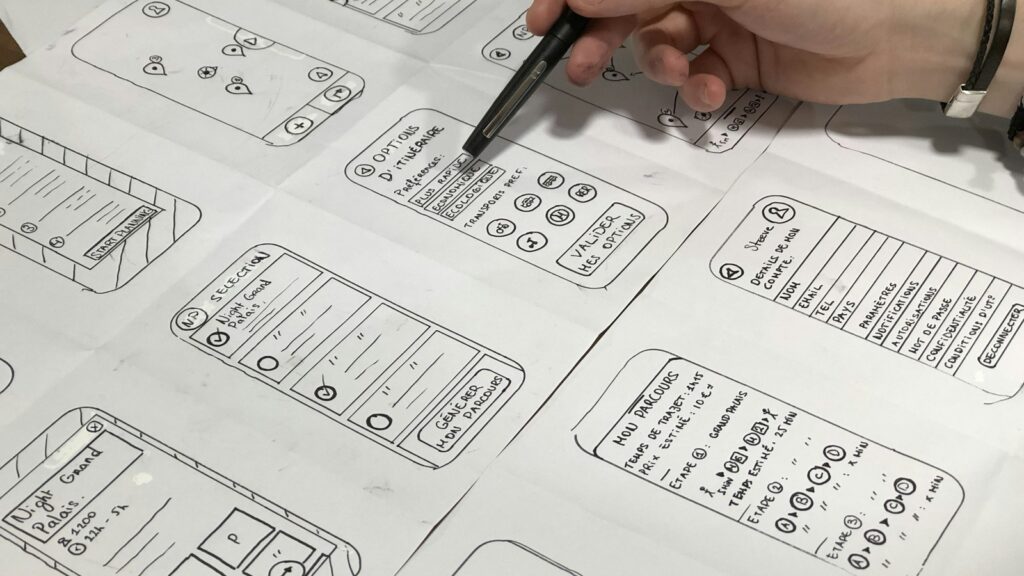
Start with one high-friction internal process. Do not try to redesign every system at once.
- Pick a task with high volume and visible complaints, such as expenses, leave, IT tickets, onboarding, or training.
- Map every screen, notification, timeout, error, and handoff in that task.
- Review the journey against WCAG 2.2 and W3C cognitive guidance.
- Test the task with neurodivergent users and users who rely on assistive features.
- Rewrite labels, instructions, and errors in plain language.
- Remove non-essential content from the critical path.
- Add draft saving, progress summaries, undo, and timeout warnings.
- Tune notifications so routine prompts do not interrupt focus.
- Measure completion rate, support tickets, rework, and employee confidence.
The fastest win is usually content and workflow cleanup. Many internal tools become more usable before a single new feature is built.
Metrics to track
Neurodiversity-First UX needs evidence, but the metrics should improve systems rather than monitor individuals.
| Metric | What it reveals |
|---|---|
| Task completion rate | Whether employees can finish the process without support. |
| Form error frequency | Which labels, formats, or validations cause confusion. |
| Abandonment and timeout points | Where people lose progress or confidence. |
| Accessibility support tickets | Which tools create recurring barriers. |
| Notification volume by workflow | Where attention demand is excessive. |
| Search terms with poor results | Which words employees naturally use. |
| Adjustment requests linked to software | Where proactive redesign could help more people. |
| User confidence scores | Whether employees feel able to complete the task independently. |
These metrics should be reviewed at system level. The goal is not to find employees who struggle. The goal is to find software that makes work harder than it needs to be.
What not to do
Do not ask employees to disclose diagnoses before improving a tool. Do not assume every autistic, dyslexic, ADHD, dyspraxic, or dyscalculic worker wants the same setting. Do not replace human support with a chatbot that is harder to escape than a form. Do not hide help behind jargon. Do not use accessibility data to judge individual performance. Do not make a quiet interface so sparse that users cannot find help.
Neurodiversity-First UX should increase choice, clarity, and control. It should not create a softer-looking version of the same rigid workflow.
There is also a security warning. If internal tools are too hard to use, employees create workarounds: spreadsheets, screenshots, personal notes, unofficial messaging groups, and shared passwords. Progressive Robot’s guide to identity-first security is relevant here because usability and security are linked. Systems that support people well are less likely to be bypassed.
FAQ
What is Neurodiversity-First UX?
Neurodiversity-First UX is an approach to designing software for people with different ways of processing information, attention, memory, language, sensory input, and time. In the workplace, it means internal tools are designed to be clear, predictable, adaptable, and easier to recover from.
Why does Neurodiversity-First UX matter for UK employers?
UK employers have neurodivergent workers in every sizeable workforce, whether people disclose or not. Acas links neurodivergence to possible Equality Act disability protections, and employers may need reasonable adjustments. Better internal software reduces barriers before individual fixes are needed.
Is Neurodiversity-First UX only for neurodivergent employees?
No. Neurodiversity-First UX is designed around neurodivergent needs, but it usually improves usability for everyone: new starters, managers under time pressure, employees with temporary stress, people using assistive technology, and workers using complex systems rarely.
How can IT teams start quickly?
Pick one painful internal workflow, test it with users, simplify the critical path, rewrite labels and errors, add draft saving, reduce notifications, and measure completion and support tickets. A small redesign can prove the value before a wider programme.
Does Neurodiversity-First UX replace reasonable adjustments?
No. It reduces avoidable barriers for many people, but individual reasonable adjustments may still be needed. The goal is to make the default digital workplace more inclusive while preserving personalised support where employees need it.










