

Cloud-based inventory tracking gives local auto shops a practical way to control parts, tires, fluids, tools, and shop supplies without relying on memory, paper sheets, or one overloaded spreadsheet. The goal is simple: know what is on the shelf, what is committed to a repair order, what needs reorder, and what is tying up cash.
For a busy repair shop, inventory problems rarely look like an accounting problem at first. They look like a technician waiting for a brake sensor, a service advisor calling three suppliers for the same filter, a duplicate order arriving after the car already left, or a shelf full of parts that nobody trusts. Cloud-based inventory tracking fixes that by putting counts, costs, locations, reorder rules, and purchase history in one shared view.
This guide is written for independent garages, tire shops, specialty repair shops, transmission shops, body shops, fleet service providers, and local multi-bay service centers. It connects inventory work with cloud computing services, IT consulting, business process automation, workflow automation, and software development services because the best setup is not just a parts list. It is an operating system for repair flow.
The best cloud-based inventory tracking setup for a local auto shop is usually lightweight. It should fit the way technicians pull parts, service advisors write estimates, managers approve purchases, and bookkeepers close the month.
| Setup area | What the shop tracks | Practical first move |
|---|---|---|
| Parts catalog | common filters, belts, sensors, bulbs, brake parts | standardize item names and part numbers |
| Locations | front counter, bay shelves, tire racks, locked cabinets | label bins and assign each item a home |
| Scanning | barcodes, QR labels, mobile counts | scan receipts, pulls, returns, and cycle counts |
| Reorders | min-max levels, preferred suppliers, lead times | set reorder points for the top 100 fast movers |
| Repair flow | estimates, work orders, held parts, returns | reserve parts against open jobs |
| Finance | landed cost, margin, shrinkage, slow movers | connect purchases and usage to accounting |
| Security | roles, approvals, audit trails, backups | limit who can edit counts and vendor pricing |
Cloud-based inventory tracking at a glance

Cloud-based inventory tracking stores inventory data in a secure online system instead of a single office computer or paper binder. Owners, service advisors, parts staff, and managers can see the same information from the counter, the back office, a tablet, or a phone. That matters in a local auto shop because inventory decisions happen everywhere: at the estimate desk, beside a lift, in the stockroom, near the tire rack, and during vendor deliveries.
The main advantage is visibility. A shop can see whether a part is in stock, reserved for another job, on order, returned, damaged, or below reorder level. Cloud-based inventory tracking can also show which supplier was used, what the part cost, how often it moves, and whether the shop is holding too much cash in slow-moving items.
This is different from a generic spreadsheet. A spreadsheet can list parts, but it usually does not control permissions, mobile scans, purchase receipts, repair order reservations, supplier lead times, audit history, or automatic reorder alerts. Cloud-based inventory tracking is better suited to the constant movement inside a repair shop.
Local auto shops should not copy a warehouse system designed for a national distributor. They need a smaller setup that supports fast service and clean margins. The system should answer five questions quickly:
- Do we have the part, tire, fluid, or supply right now?
- Where is it stored?
- Is it reserved for an open job?
- When should we reorder?
- What did it cost and what margin did we earn?
Cloud-based inventory tracking also supports better customer communication. When a service advisor knows that a part is available, delayed, or committed to another vehicle, the advisor can set realistic expectations before a customer approves work.
Setup 1: map parts, tires, fluids, and shop supplies
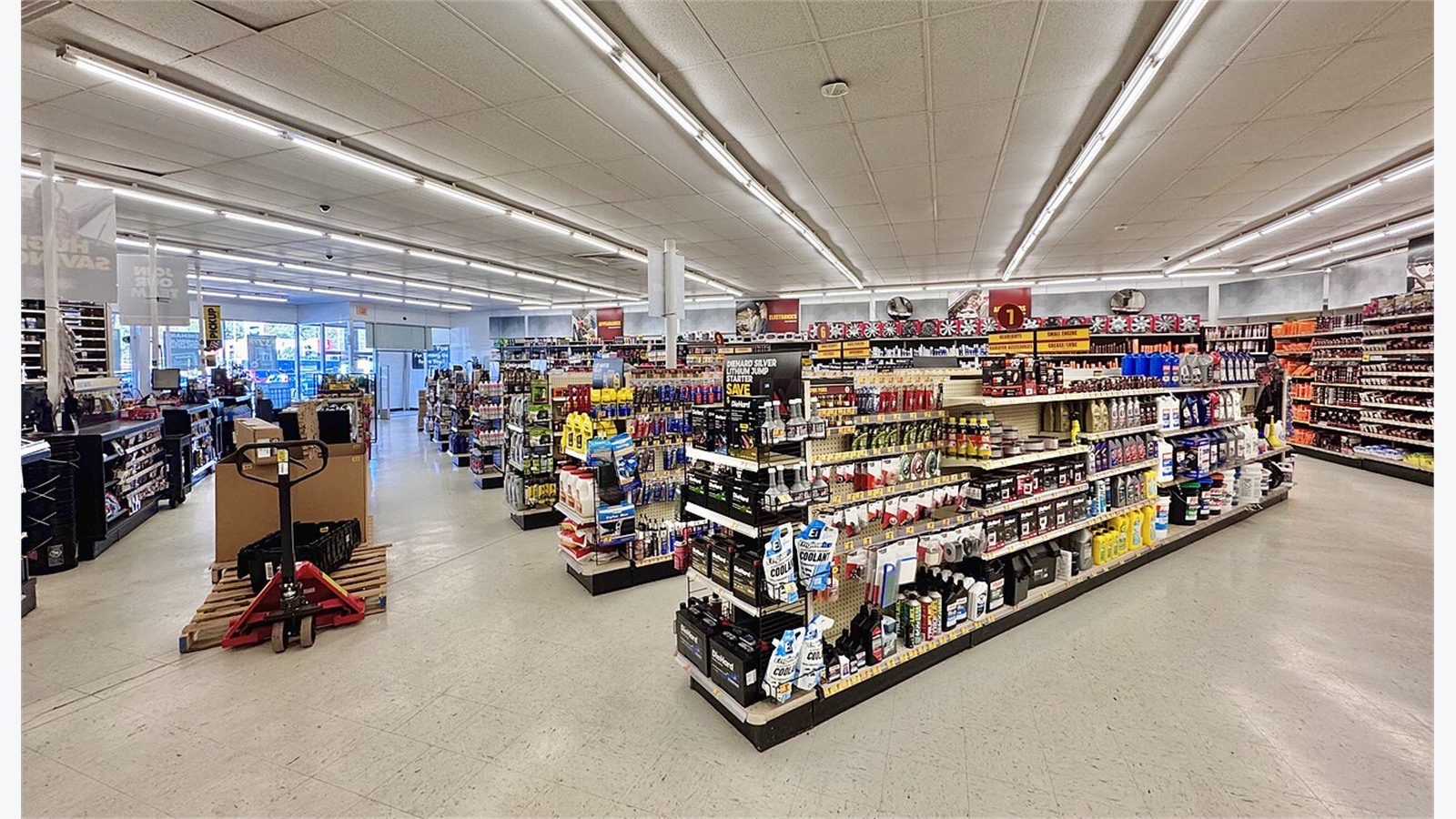
The first setup is not software. It is a clean inventory map. Before cloud-based inventory tracking can work, the shop needs to define what counts as inventory. Many shops track major parts but forget fluids, shop supplies, cores, warranty returns, reusable tooling, uniforms, inspection stickers, batteries, tires, wiper blades, and specialty items that sit outside the main parts shelf.
Start with categories that match the daily workflow. Common categories include brakes, filters, belts, fluids, ignition, sensors, bulbs, batteries, tires, hardware, detailing supplies, safety supplies, diagnostic adapters, and customer-supplied parts. Keep categories simple enough that staff can choose the right one quickly.
The next step is item naming. Cloud-based inventory tracking becomes messy if the same oil filter appears as Oil Filter, OF-123, filter oil 123, and supplier code only. Create naming rules that combine part type, brand, part number, size, and vehicle fit where needed. The system should make search easy for the service desk and counting easy for the stockroom.
Every item should have a home location. A simple location format might use area, shelf, bin, and container. For example: Stockroom-A-03-Bin2 or TireRack-Row2-Top. Local shops do not need warehouse complexity, but they do need enough location detail to stop parts from disappearing into shelves that only one employee understands.
Cloud-based inventory tracking works best when the first phase focuses on high-impact items. Do not start by entering every bolt in the building. Start with the top 100 to 300 fast movers, high-cost parts, controlled supplies, tires, batteries, and items that frequently delay repairs.
A good inventory map should also separate normal stock from job-specific parts. Stock parts are items the shop expects to use repeatedly. Job-specific parts are ordered for a specific vehicle or customer. Mixing the two can make the system look accurate while technicians still cannot find what they need.
Setup 2: choose a cloud tool that fits the bay workflow

A cloud tool should match the way the shop actually works. Cloud-based inventory tracking can be built from a repair shop management platform, a standalone inventory app, a barcode system connected to accounting, or a custom workflow for shops with special needs. The right choice depends on bay count, repair volume, supplier complexity, staff roles, and accounting requirements.
For a small shop with two to five bays, the best setup is often a simple SaaS tool that supports item lists, locations, barcode labels, mobile counts, purchase orders, and reorder alerts. For a larger local shop, the system may need repair order integration, multiple stock areas, approval rules, role-based access, and more detailed reporting.
The most important test is whether the tool helps technicians and service advisors instead of adding extra typing. If a technician pulls a cabin filter, the system should make that movement easy to record. If a service advisor converts an estimate into a work order, the system should reserve parts clearly. If a manager receives an order, the system should update count and cost without forcing duplicate entry.
Cloud-based inventory tracking should also work on the devices the shop already uses. A front counter computer, a stockroom tablet, a shared bay tablet, and a manager phone can all be part of the setup. The fewer special devices required, the easier adoption becomes.
Ask these questions before choosing software:
- Can the system reserve items for open repair orders?
- Can it record partial receipts and backorders?
- Can it track cores, returns, and warranty parts?
- Can staff count inventory from a phone or tablet?
- Can it export clean data to accounting?
- Can it limit who changes prices, counts, and suppliers?
- Can it produce fast-mover and slow-mover reports?
Cloud-based inventory tracking should also survive normal shop chaos: interrupted counts, late supplier trucks, emergency orders, technician substitutions, and customer approvals that change mid-day.
Setup 3: use barcodes, bins, and mobile counts
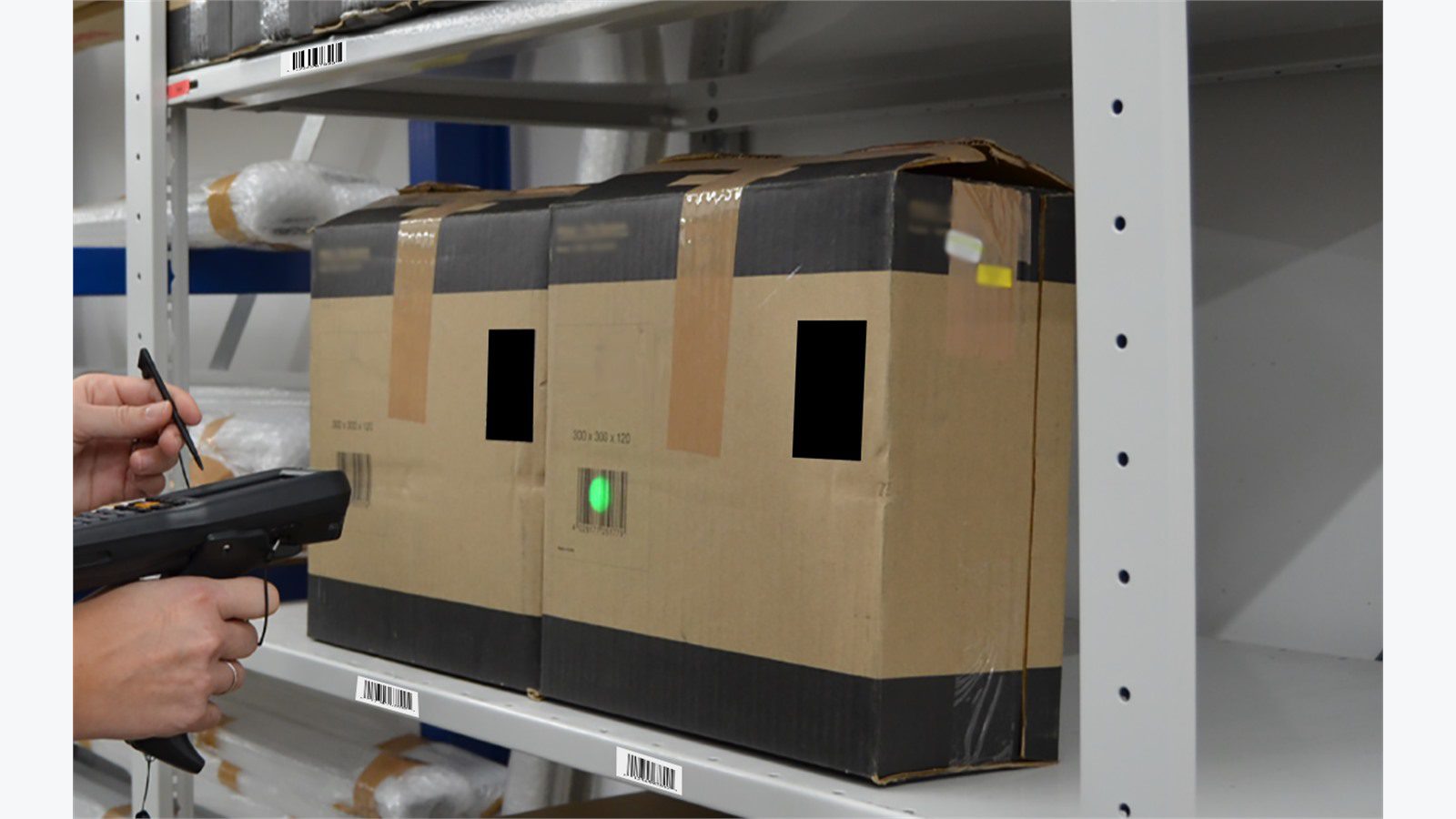
Barcodes make cloud-based inventory tracking faster and more reliable. A label on a bin, shelf, box, tire stack, or fluid container reduces typing and helps staff confirm that the right item is being moved. The shop can use manufacturer barcodes, supplier labels, printed shop labels, or QR labels that point back to the inventory record.
A practical barcode setup does not need to be expensive. Many local shops can start with a label printer, a mobile scanning app, and a simple bin labeling standard. The GS1 barcode guidance is useful for understanding barcode structure, although internal shop labels can be simpler when items never leave the business as retail products.
Bins matter as much as barcodes. If a scan says that a brake pad set is in stock but the item has no stable home, the system will still frustrate staff. Label shelves and bins before expecting accurate counts. Every fast-moving item should have one primary location and a clear overflow rule.
Cloud-based inventory tracking should support four common scan events:
1. Receive: parts arrive from a supplier and stock increases. 2. Reserve: parts are assigned to an open repair order. 3. Consume: parts are installed and removed from available stock. 4. Return: unused parts go back to stock or supplier.
Cycle counts should be small and frequent. Instead of shutting down for a full inventory day, count one shelf, one bin family, or one category at a time. Cloud-based inventory tracking can show count variance, last counted date, and staff notes so managers can fix recurring problems.
For local auto shops, the best barcode rule is simple: scan when the part changes status. Received, moved, reserved, installed, returned, or scrapped should all leave a trail.
Setup 4: connect repair orders, purchasing, and accounting

Inventory control fails when repair orders, purchasing, and accounting live in separate worlds. Cloud-based inventory tracking should connect these handoffs so a part does not get sold, reordered, returned, and expensed in four different systems with four different numbers.
The repair order connection is the most important. When a service advisor adds a part to an estimate, the system should show availability and supplier options. When the estimate becomes approved work, the part should be reserved. When the technician installs it, the item should be consumed. When a customer declines the work, the part should return to available stock or supplier return status.
Purchasing needs the same discipline. Cloud-based inventory tracking should record preferred supplier, alternate suppliers, expected lead time, last cost, current cost, purchase order number, receipt date, and backorder status. That data helps the shop avoid ordering the same part twice because nobody trusted the status.
Accounting does not need every technician note, but it does need clean financial data. Parts cost, sales price, margin, taxes, supplier invoices, credits, cores, and returns should tie out. If the shop uses QuickBooks or another accounting platform, the inventory setup should define which data syncs automatically and which data is reviewed before posting.
This is where business process automation becomes practical. Reorder alerts, purchase approvals, supplier email parsing, invoice matching, and margin reports can reduce repetitive admin work. The key is to automate after the workflow is clean, not before.
Cloud-based inventory tracking should also expose exceptions. Managers should be able to see negative stock, aging reserved parts, unused special orders, repeated emergency purchases, high-cost count changes, and supplier returns waiting for credit.
Setup 5: set min-max levels for local demand
Min-max rules tell the shop when to reorder and how much to keep. Cloud-based inventory tracking makes those rules easier because it can combine usage history, supplier lead time, seasonality, local vehicle mix, and current repair pipeline. A local shop should not stock like a national chain. It should stock for its own customers, bays, services, and nearby supplier network.
Start with fast movers. Oil filters, air filters, cabin filters, wiper blades, bulbs, common brake hardware, fluids, batteries, and tire sizes often deserve reorder rules. Specialty parts for rare vehicles usually do not. The goal is to reduce delays without turning shelves into a storage unit for slow-moving parts.
A simple min-max formula can start like this:
- Minimum = average weekly usage plus lead time buffer.
- Maximum = minimum plus a practical shelf quantity.
- Reorder quantity = maximum minus current available stock.
Cloud-based inventory tracking can make this more accurate over time. If a supplier delivers daily, the shop can hold less. If a tire vendor takes three days, the shop may need more buffer. If winter demand changes wiper blades, batteries, and tires, seasonal settings should change before the rush.
Slow movers deserve special attention. A shelf full of old sensors, odd tires, discontinued parts, and forgotten special orders can quietly drain cash. Review items that have not moved in 90, 180, and 365 days. Decide whether to return, discount, bundle, write off, or remove them from normal stock.
Cloud-based inventory tracking should also help prevent emotional stocking. Staff may remember the one time a missing part caused a bad customer call, but the data may show that keeping six of that item is not justified. Use reports to balance service speed with cash discipline.
Setup 6: secure access, supplier data, and customer records
Inventory data can look harmless, but it connects to pricing, customer jobs, supplier terms, employee actions, and sometimes payment or vehicle information. Cloud-based inventory tracking should be secured like a real business system, not like a shared spreadsheet.
Role-based access is the first control. Technicians may need to scan parts and view locations. Service advisors may need to reserve parts and see availability. Managers may need to change counts, costs, suppliers, and reorder settings. Bookkeepers may need financial exports. Not every user should have every permission.
Use MFA for admin accounts, strong passwords, individual logins, and a clear offboarding process. Shared logins make it impossible to know who changed a count or deleted a part. The NIST Cybersecurity Framework provides a useful risk language for small businesses that need to protect operations without creating enterprise bureaucracy.
Cloud-based inventory tracking should also protect supplier data. Vendor account numbers, price files, discounts, credit terms, and invoice history can be sensitive. If an employee leaves or a device is lost, the shop should be able to revoke access quickly.
Backups and exports matter. Even when the vendor hosts the platform, the shop should know how to export item lists, counts, vendors, purchase history, and open orders. Ask how data is backed up, how long audit logs are retained, and how quickly the shop can recover access after an outage.
Security should not slow down every repair. The right setup makes normal scanning easy while locking down high-risk actions such as deleting items, changing cost, adjusting stock, editing supplier records, and exporting full inventory data.
Setup 7: build reports that owners actually use

Cloud-based inventory tracking creates value when owners and managers review the right reports. A long dashboard full of charts is not useful if nobody acts on it. Local auto shops need a short report pack that connects inventory to service speed, margin, and cash.
The weekly report should show stockouts, emergency purchases, negative inventory, open special orders, supplier delays, and count adjustments. These are operational reports. They help managers fix problems while vehicles are still in the shop.
The monthly report should show inventory value, gross margin by category, slow movers, fast movers, supplier spend, returns waiting for credit, and parts with repeated variance. These reports help the owner decide what to stock, what to stop stocking, and which supplier relationships need review.
Cloud-based inventory tracking can also support technician productivity. If technicians regularly wait for parts that should be stocked, the report should make that visible. If parts are pulled but not attached to repair orders, the report should reveal margin leakage.
A useful dashboard for local auto shops includes:
- Inventory value by category.
- Top 50 parts by usage.
- Parts below minimum.
- Open purchase orders.
- Open returns and credits.
- Special order parts older than 14 days.
- Count variance by location.
- Gross margin by part category.
- Stockouts by supplier and part family.
Reports should drive a weekly habit. Spend 20 minutes reviewing the exceptions, assign fixes, and update rules. Cloud-based inventory tracking should reduce surprises, not create another screen nobody trusts.
A 30-day rollout plan for local auto shops

A local shop can launch cloud-based inventory tracking in 30 days if it starts small and protects the daily repair schedule. The goal is not perfection. The goal is a reliable first operating loop for the most important items.
Days 1 to 5 should focus on discovery. List stock areas, current spreadsheets, supplier accounts, shop management software, accounting tools, pain points, and high-value categories. Identify who receives parts, who pulls parts, who approves orders, who handles returns, and who reconciles invoices.
Days 6 to 10 should focus on cleanup. Pick the first 100 to 300 items. Standardize names, categories, part numbers, locations, and units. Label shelves and bins. Decide which items are normal stock and which items are special order only.
Days 11 to 15 should focus on the cloud setup. Configure users, roles, locations, categories, suppliers, tax settings, and initial item records. Import clean data. Add barcode labels for fast movers. Test the workflow on a small category before going wider.
Days 16 to 22 should focus on live movements. Receive parts, reserve parts, consume parts, return unused items, and run small cycle counts. Managers should watch for bottlenecks and fix naming, label, and permission issues quickly.
Days 23 to 30 should focus on reporting and rules. Set min-max levels for fast movers, review purchase exceptions, compare supplier invoices, and create a weekly owner dashboard. Cloud-based inventory tracking becomes valuable when the owner uses the reports to make better decisions.
After day 30, expand by category. Add tires, batteries, fluids, high-cost parts, shop supplies, and special tools in phases. A phased rollout keeps staff confidence high and avoids overwhelming the front counter during busy repair hours.
If your shop needs help connecting inventory, repair flow, supplier data, and reporting, contact Progressive Robot to design a cloud-based inventory tracking setup that fits the way your local auto shop works.
Cloud-based inventory tracking FAQ

What is cloud-based inventory tracking for an auto shop?
Cloud-based inventory tracking is an online system that records parts, tires, fluids, locations, counts, costs, suppliers, and reorder rules. For an auto shop, it helps staff know what is available, what is reserved for a job, what needs reorder, and what is costing money.
Does a small repair shop need barcodes?
A small shop can start without barcodes, but barcodes make cloud-based inventory tracking more accurate. Labels help staff scan receipts, pulls, returns, and cycle counts instead of typing part numbers by hand.
Should inventory connect to repair orders?
Yes. Repair order connection is one of the most important benefits. Cloud-based inventory tracking should reserve parts for approved work, remove installed parts from available stock, and return declined or unused parts to the right status.
How many parts should a shop enter first?
Start with the items that affect speed and margin: fast movers, high-cost parts, tires, batteries, fluids, and items that often cause delays. Many local shops begin with 100 to 300 items, then expand after the first workflow is stable.
How does cloud-based inventory tracking reduce waste?
It reduces duplicate orders, lost parts, slow-moving stock, emergency purchases, and unused special orders. The system also helps owners see which items deserve reorder rules and which items should not take shelf space.
Can cloud-based inventory tracking work with accounting?
Yes, if the setup defines the handoff clearly. Purchases, returns, credits, landed cost, margins, and inventory value should connect to accounting in a controlled way so the books match actual shop activity.
What is the biggest rollout mistake?
The biggest mistake is trying to enter everything before fixing locations, names, and responsibilities. Cloud-based inventory tracking works best when the first phase is small, clean, and tied to daily repair flow.










