

Help desk billing automation reduces the manual work of copying ticket details, labor time, parts, service categories, customer approvals, and billable notes from a support platform into billing software. When the help desk and billing system do not share reliable data, teams lose time, miss revenue, delay invoices, and create disputes that could have been prevented.
The goal is not to bill every ticket automatically without review. The goal is to create a controlled workflow where approved ticket activity becomes accurate billing data with less retyping. A strong help desk billing automation design respects service agreements, billable and non billable work, tax and invoice rules, labor rates, parts usage, approval thresholds, and customer communication.
This guide explains how to reduce manual data entry between help desk and billing software without creating billing mistakes. It covers data ownership, field mapping, integration options, time and materials rules, exception handling, reconciliation, security, rollout, and common mistakes. Progressive Robot helps organizations connect service and finance workflows through business process automation, workflow automation, software development services, IT consulting, and cybersecurity services.
Use this planning map before building help desk billing automation:
| Workflow area | Help desk example | Billing example | Automation decision |
|---|---|---|---|
| Customer | account, site, contact, contract | customer, billing address, terms | match by stable ID |
| Ticket | issue type, priority, status | invoice memo or job reference | summarize only useful details |
| Labor | technician, time entry, work type | billable hours, rate, service line | validate rate and approval |
| Materials | part, quantity, serial number | invoice line item | confirm inventory and price |
| Agreement | SLA, plan, included hours | recurring contract, retainer, coverage | apply billing rules before invoice |
| Approval | customer signoff, manager review | ready to invoice flag | block questionable charges |
| Exceptions | missing time, dispute, bad customer match | billing hold | route to owner |
| Reporting | ticket volume, billable leakage, cycle time | invoice delay and revenue capture | measure impact |
Help desk billing automation at a glance
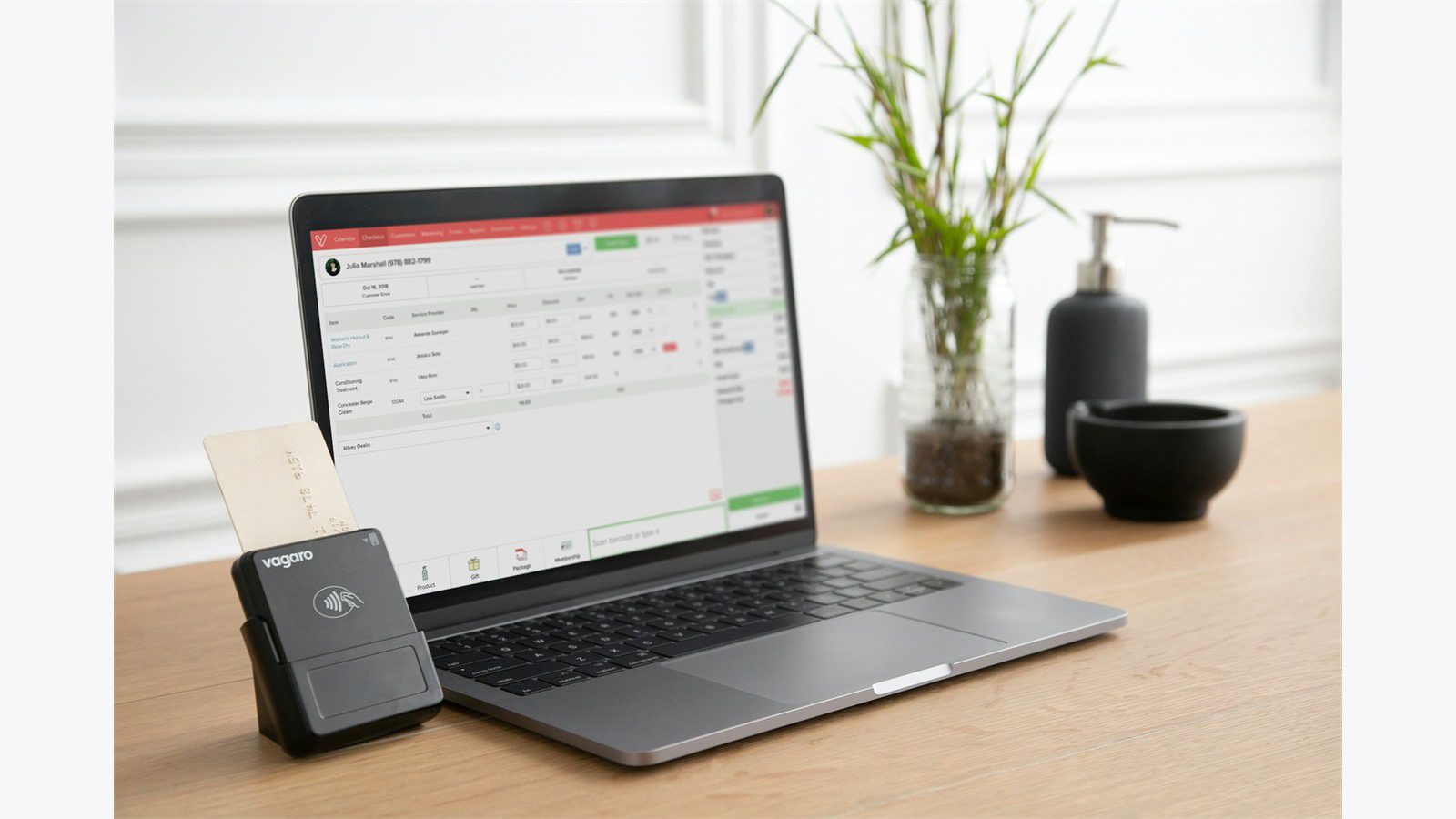
Help desk billing automation connects support ticket activity to billing workflows. It can move time entries, service codes, materials, project references, customer approvals, and billing notes from the help desk into billing software. It can also update ticket status when billing is complete or when an invoice needs correction.
A good workflow does not simply dump raw ticket data into invoices. Support tickets often contain internal notes, troubleshooting noise, screenshots, and customer messages that do not belong on an invoice. The automation should extract the clean billing facts: customer, contract, ticket number, service category, technician time, billable status, approved materials, and invoice-ready summary.
The biggest benefit is fewer handoffs. Without help desk billing automation, support teams may close tickets, accounting teams may chase missing details, and managers may manually review spreadsheets before invoicing. With a better flow, billing can see approved charges quickly and support can see when a ticket has moved into billing review.
Common use cases include:
- Turning ticket time entries into invoice line items.
- Matching tickets to customer contracts or retainers.
- Capturing parts used during support or field service work.
- Flagging non billable warranty or SLA work.
- Routing over threshold charges for manager approval.
- Creating billing holds for disputed tickets.
- Summarizing support work for customer invoices.
- Measuring missed billable time and invoice delays.
Help desk billing automation works best when it starts with one clear workflow, such as time entry to invoice review, then expands after the rules prove reliable.
For that reason, help desk billing automation should be treated as a billing control project, not just a connector setup.
Step 1: define customer contract and ticket ownership

The first step is deciding which system owns each important record. Help desk billing automation fails when the help desk, billing software, CRM, spreadsheets, and contract documents all define the customer differently. If the customer name or contract status is unclear, billing errors are almost guaranteed.
Start with customer identity. The help desk may store requester, organization, site, asset, SLA, and support plan. Billing software may store customer, billing contact, tax settings, invoice terms, recurring agreement, and payment status. Create a stable link between the two, preferably using system IDs rather than names.
Then define contract ownership. If billing software owns service plans, rates, retainers, and included hours, the help desk should not invent billing rules. It should capture work performed and send it through rules that reference the billing source. If the help desk owns SLA or warranty status, billing needs that status before creating invoice lines.
A source of truth worksheet should include:
- Customer ID in help desk.
- Customer ID in billing software.
- Contract or agreement ID.
- Billing contact and invoice delivery method.
- Service plan, retainer, or warranty status.
- Default labor rates and exceptions.
- Ticket categories that are billable.
- Ticket categories that are included or non billable.
- Owner of missing or conflicting data.
Help desk billing automation should also respect ticket ownership. Support owns technical resolution. Billing owns invoice accuracy. Managers may own approvals for write offs, discounts, or disputed charges. The automation should move data between these roles without erasing accountability.
The best first milestone is a clean customer match report. Before any invoice data moves, confirm that every active customer and contract in the help desk maps to the right billing record.
This early cleanup makes help desk billing automation safer because the workflow knows exactly which customer and agreement each ticket belongs to.
Step 2: map ticket fields to billing line items
After ownership is clear, map help desk fields to billing fields. Help desk billing automation depends on clean translation between ticket activity and invoice-ready data. A support ticket and an invoice line item are not the same thing, so the map must be deliberate.
A ticket may include requester, technician, ticket type, priority, internal notes, public notes, time entries, products, assets, location, project code, and resolution. Billing software may need customer, item, service code, quantity, rate, tax code, description, class, department, project, and invoice date.
Start with the minimum viable map. For many organizations, this includes ticket number, customer ID, technician, work date, billable time, service category, invoice description, and approval status. Add materials, project codes, or asset references after the core flow is stable.
A practical field map might look like this:
| Help desk field | Billing field | Rule |
|---|---|---|
| Ticket ID | reference number | always included on invoice line or memo |
| Customer organization ID | customer ID | must match stable billing record |
| Work type | item or service code | mapped through approved table |
| Time entry duration | quantity | rounded by billing policy |
| Technician role | rate | matched to labor rate table |
| Public resolution note | invoice description | cleaned and customer safe |
| Internal note | not synced | never appears on invoice |
| Parts used | item line | requires price and approval |
| Billing status | ready to bill flag | set only after validation |
Help desk billing automation should also define what not to send. Internal troubleshooting notes, passwords, private security details, sensitive customer messages, and unapproved estimates should not flow into billing records.
Test the map with real tickets. Include a quick fix, multi day issue, after hours support, warranty work, contract-included labor, billable parts, disputed work, and a ticket with missing time. These examples reveal gaps before customers see invoices.
Step 3: choose API middleware or native connectors
The integration path determines how reliable help desk billing automation will be. Some help desk and billing platforms have native connectors. Others support APIs, webhooks, scheduled exports, middleware, or custom integration services.
Native connectors are useful when the workflow is simple and both systems support the required fields. They can be faster to configure and easier to maintain. The limitation is flexibility. If your billing rules involve contracts, retainers, approvals, custom fields, tax logic, or multi-entity accounting, the native connector may not cover enough detail.
Middleware or integration platforms can manage mapping, transformation, retries, logging, and routing between multiple tools. This is useful when the business uses a help desk, billing software, CRM, payment system, reporting tool, and document storage. Middleware can reduce custom code but still requires governance.
A custom integration service is appropriate when billing logic is specific or revenue leakage is significant. The service can read ticket updates, validate them against billing rules, queue approved items, handle exceptions, and post invoice-ready lines into billing software.
The ITIL 4 practice guide for service desk concepts is useful for thinking about service desk responsibilities, while IRS guidance on recordkeeping for businesses reinforces why billing records and support documentation should be accurate and traceable.
A typical architecture includes:
- Ticket update or time entry event.
- Integration service or middleware receives the event.
- Customer and contract are matched.
- Billable status is calculated.
- Service code and rate are mapped.
- Validation runs before posting.
- Approved items are sent to billing software.
- Exceptions go to a review queue.
- Ticket is updated with billing status.
Avoid brittle CSV-only workflows where possible. Scheduled exports can help during a transition, but long term help desk billing automation should give teams visibility into what synced, what failed, and why.
Step 4: automate time materials and recurring billing rules

Time and materials are where most manual entry problems appear. Help desk billing automation should standardize how time entries, parts, supplies, minimum charges, after hours work, retainers, and recurring agreements become billing data.
Start with time entry rules. Decide whether time is rounded to six minutes, fifteen minutes, thirty minutes, or another increment. Decide whether travel time is billable. Decide how after hours, emergency, remote, onsite, project, and account management time should map to service codes and rates.
Then address materials. If technicians add parts or supplies to tickets, the automation needs item IDs, quantities, prices, serial numbers, warranty status, and approval rules. A part may be billable for one contract and included for another. The workflow should check the agreement before sending invoice lines.
Recurring billing needs special care. Some customers pay a monthly support plan that includes a number of hours, devices, users, or services. Others are billed per incident. Help desk billing automation should prevent double billing by checking whether work is included, overage, warranty, project-based, or non billable.
Useful billing rules include:
- Minimum billable time per ticket.
- Time rounding increment.
- Labor rate by technician role or service type.
- After hours rate multiplier.
- Contract-included work categories.
- Retainer drawdown rules.
- Parts markup and warranty rules.
- Approval threshold for high charges.
- Taxable or non taxable service codes.
Help desk billing automation should produce a reviewable billing queue before invoices are finalized. Accounting can then approve, edit, or hold items without retyping the original support data.
The key is consistency. Customers are more likely to trust invoices when service descriptions, rates, and ticket references follow the same rules every time.
Consistent rules also make help desk billing automation easier to audit when finance reviews revenue leakage and invoice timing.
Step 5: handle exceptions approvals and disputed tickets

No automation can assume every ticket is invoice-ready. Help desk billing automation needs exception handling for missing fields, unclear customer matches, disputed work, warranty status, missing approvals, and unusual charges.
A ticket should not flow directly to billing if required data is missing. If the time entry has no service category, if the customer is not mapped, if the ticket is marked disputed, or if the charge exceeds a threshold, the automation should hold it and notify the right owner.
Approvals should be clear. A support manager may approve write offs or non billable decisions. A finance manager may approve credits or discounts. A customer may need to approve project or onsite work before billing. The workflow should capture who approved, when, and why.
Common exceptions include:
- Ticket closed with no time entry.
- Time entry marked billable but no contract match.
- Customer has a billing hold.
- Work type does not map to a service code.
- Part has no approved price.
- Ticket is disputed or waiting for customer response.
- Technician entered internal notes into a public billing field.
- Charge exceeds approval threshold.
A strong exception queue shows record, reason, owner, age, and next step. It should separate corrections that support can fix from corrections that billing must handle. Help desk billing automation should reduce chasing, not hide problems in another system.
Disputes need special treatment. If a customer questions work, the ticket should remain visible but blocked from invoice posting until resolved. The billing system should show a hold reason so accounting does not unknowingly invoice it.
Step 6: reconcile invoices reports and cash flow impact
Automation is not complete until billing is reconciled. Help desk billing automation should help finance confirm that approved support work made it to invoices, invoices were sent, and exceptions were resolved.
Reconciliation starts with counts and totals. Compare closed billable tickets against billing queue items, invoice lines, and held exceptions. If ten billable tickets closed yesterday but only seven reached billing, the team needs to know why.
Useful reconciliation reports include:
- Billable tickets closed by day.
- Tickets ready for billing.
- Tickets held by exception reason.
- Time entered but not invoiced.
- Materials used but not invoiced.
- Invoice lines created from tickets.
- Average time from ticket close to invoice.
- Manual edits made before invoice approval.
- Credits or write offs by reason.
Help desk billing automation should also track revenue leakage. Leakage happens when billable time is not entered, time is entered but marked incorrectly, parts are not captured, or invoices are delayed until details are forgotten. The automation should make these gaps visible.
Cash flow impact matters too. Faster invoice creation can reduce days sales outstanding and improve collections. Cleaner invoice descriptions can reduce customer questions. Better ticket references can help customers approve payment faster.
A monthly review should include support, billing, and management. The goal is not to blame teams. The goal is to improve service categories, time entry habits, contract rules, and exception workflows.
That review keeps help desk billing automation aligned with changing customer agreements and support processes.
Step 7: protect customer billing and support data

Help desk billing automation moves sensitive data between systems. Tickets may contain customer names, contact details, issue descriptions, device names, IP addresses, attachments, internal notes, contract terms, rates, and invoice history. The integration must protect that data.
Start with least privilege. The integration user should only access the ticket fields and billing records required for the workflow. It should not use a shared administrator login. API keys and tokens should be stored securely, rotated, and monitored.
Data minimization is important. Do not copy full internal ticket notes into billing software if the invoice only needs a customer-safe summary. Do not store payment details in the help desk. Do not expose support details to billing users who do not need them.
The OWASP API Security Top 10 is a useful reference for risks such as broken object authorization, weak authentication, excessive data exposure, and unsafe API consumption. These risks apply directly when support and billing systems exchange data.
Security controls should include:
- TLS for all system connections.
- Dedicated integration user accounts.
- Role based access in both systems.
- Field-level data minimization.
- Audit logs for sync events and approvals.
- Token storage outside source code.
- Alerting for unusual sync volume or failures.
- Retention rules for logs and attachments.
- Review of customer-facing invoice descriptions.
Help desk billing automation should also be reviewed when customer contracts, privacy rules, or billing processes change. A secure integration can become risky if old assumptions remain after the business changes.
A 30 day rollout plan for help desk and billing integration

A phased rollout reduces risk. Help desk billing automation touches customer communication, support operations, finance, and revenue, so the first month should focus on a narrow but valuable workflow.
Days 1 to 5 should focus on discovery. Identify the highest volume manual entry step, map customer records, review billing rules, and choose the first workflow. Time entry to billing review is often a good pilot because it is frequent and measurable.
Days 6 to 12 should focus on design and build. Create field maps, service code lookups, contract rules, integration users, validation logic, and exception queues. Decide which ticket notes are safe for invoice descriptions.
Days 13 to 18 should focus on testing. Use real tickets from recent work. Test billable time, included time, after hours work, parts, disputed tickets, missing fields, customer mismatches, and billing holds. Confirm that errors are easy to understand.
Days 19 to 24 should focus on pilot users. Train support staff on time entry expectations and train billing staff on the review queue. Run the automation for a small customer group or selected service category. Compare results against the old manual process.
Days 25 to 30 should focus on expansion. Add more customers, ticket categories, materials, or approval rules after the pilot is stable. Review reports daily during expansion and document the final support runbook.
Help desk billing automation should leave both teams with clearer responsibilities: support captures accurate work, automation validates and routes it, billing reviews exceptions and sends cleaner invoices.
Common mistakes to avoid
The most common mistake is automating bad data. If technicians do not enter time, if customer records are mismatched, or if service categories are vague, help desk billing automation will only move bad data faster. Clean the workflow before connecting systems.
Another mistake is sending too much ticket detail to billing. Internal troubleshooting notes can confuse invoices and expose sensitive information. A customer-safe invoice summary is usually better than a full ticket transcript.
A third mistake is skipping exception queues. If the system silently fails or posts questionable charges without review, trust will disappear. Billing and support teams need clear visibility into what synced, what failed, and what needs action.
Other mistakes include:
- Matching customers by name instead of stable ID.
- Ignoring contract included work.
- Forgetting time rounding rules.
- Sending internal notes to invoices.
- Using shared administrator credentials.
- Not reconciling ticket totals to invoices.
- Launching without approval thresholds.
- Treating billing disputes as normal sync failures.
- Measuring sync volume instead of revenue leakage and invoice speed.
Help desk billing automation should make invoices easier to trust. If customers ask fewer questions, billing closes faster, and support spends less time answering finance follow-ups, the workflow is working.
Help desk billing automation FAQ

What is help desk billing automation?
Help desk billing automation connects support ticket data to billing workflows. It can transfer approved time, materials, service codes, ticket references, and invoice descriptions from the help desk into billing software with less manual entry.
Should every closed ticket become an invoice line?
No. Some tickets are included in contracts, warranty work, internal support, pre-sales help, or non billable customer service. Help desk billing automation should apply billing rules before creating invoice-ready lines.
What data should sync from help desk to billing software?
The most useful data includes customer ID, ticket ID, service category, billable time, technician role, approved materials, work date, billing status, and customer-safe summary. Internal notes and sensitive troubleshooting details should usually stay out of invoices.
Can this work with recurring service contracts?
Yes. The workflow should check contract rules before billing. It can route included work, retainer drawdown, overage hours, after hours work, and project charges differently depending on the customer agreement.
How do teams prevent billing mistakes?
Use stable customer IDs, service code maps, validation rules, approval thresholds, exception queues, and reconciliation reports. Help desk billing automation should post clean data and hold questionable charges for review.
What should be measured after launch?
Measure manual entry time saved, invoice cycle time, billable leakage, held exceptions, sync failures, write offs, customer invoice questions, and time from ticket close to invoice. These metrics show whether automation improved the business.










