
Keeping your messages and files secure is essential in today’s digital world. GPG encryption offers powerful protection for your sensitive data. Among the top tools available, Kleopatra, KGpg and WinGPG stand out as excellent choices. Each has unique strengths depending on your operating system and needs.
This guide will help you understand these three popular GPG encryption tools. We’ll explore their features, benefits and ideal use cases. By the end, you’ll know which solution best fits your security requirements and workflow.
First, let’s clarify what GPG encryption tools actually do. They use advanced cryptography to protect your data through key pairs. Your public key encrypts information while your private key decrypts it. This ensures only intended recipients can access your files and messages.
Understanding GPG Encryption Tools
GPG tools create a secure environment for your digital communications. They work across emails, files and even entire storage drives. The encryption process converts readable data into scrambled code. Only someone with the right private key can decode this information.
These tools follow the OpenPGP standard for maximum compatibility. You can exchange encrypted messages with others using different GPG applications. The technology has stood the test of time since its creation in 1999.
Security professionals trust GPG for its strong encryption algorithms. It protects against data breaches and unauthorized access. Whether you’re a business or individual, these tools offer peace of mind.
Kleopatra: Cross-Platform Encryption Solution
Kleopatra serves as a versatile certificate manager for GPG operations. It works seamlessly across Windows, macOS and Linux systems. The clean interface makes encryption accessible to all skill levels.
This tool handles all essential cryptographic functions efficiently. You can encrypt/decrypt files, sign documents and verify signatures. Kleopatra integrates with GnuPG to deliver robust security features.
The software shines with its excellent key management capabilities. Creating, importing and exporting keys happens through simple menus. Kleopatra also displays detailed information about your keys and certificates.
For KDE desktop users, Kleopatra offers deep system integration. Yet it functions perfectly as a standalone application too. The consistent experience across platforms makes it ideal for multi-device users.
KGpg: Lightweight Option for KDE Users
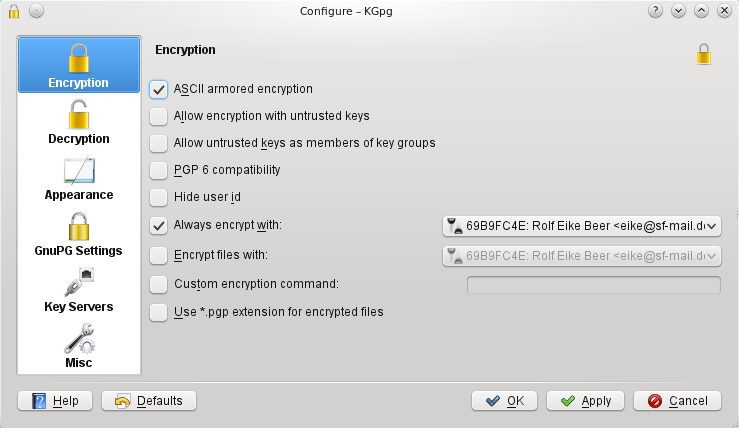
KGpg provides a streamlined approach to GPG encryption. Designed for the KDE environment, it focuses on simplicity and efficiency. The interface presents only essential functions without clutter.
This tool excels at quick encryption tasks for daily use. You can process text directly from your clipboard for convenience. Batch operations let you encrypt multiple files simultaneously.
KGpg maintains all standard GPG features despite its lightweight design. Key generation and management happen through intuitive dialogs. The application shows complete key details including trust levels and expiration dates.
Advanced users appreciate the integrated command line access. This allows complex operations while keeping the simple GUI. KGpg’s minimal resource usage makes it perfect for older systems.
WinGPG: Windows-Focused Encryption Tool
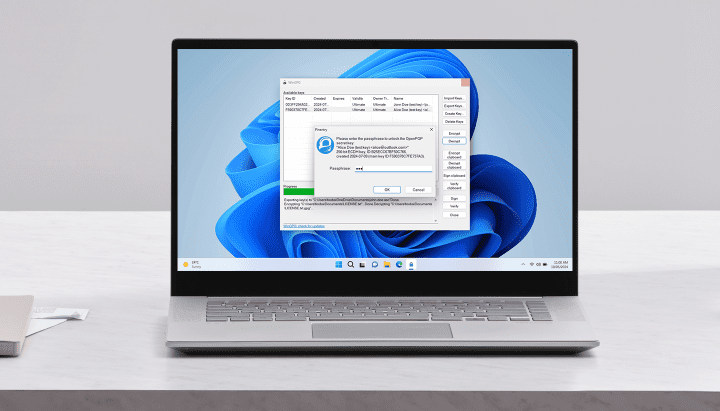
WinGPG brings powerful GPG encryption to Windows users. The native interface feels familiar to Microsoft operating systems. Installation requires minimal configuration for immediate use.
The software handles all fundamental encryption needs effectively. Managing keys happens through straightforward wizards and dialogs. WinGPG supports strong encryption standards for maximum security.
Portability stands out as a key advantage of WinGPG. You can run it directly from a USB drive without installation. This makes secure file transfers possible on any Windows computer.
WinGPG maintains compatibility with other GPG implementations. Exchanging encrypted data with users of different tools works seamlessly. The application includes helpful documentation for beginners.
Choosing Your Ideal GPG Solution

Selecting the right encryption tool depends on several factors. Consider your primary operating system first. Kleopatra works best for cross-platform needs while WinGPG excels on Windows.
Evaluate your technical comfort level too. KGpg and WinGPG offer simpler interfaces for beginners. Kleopatra provides more advanced options for power users.
Integration with your workflow matters significantly. KDE users benefit most from KGpg’s tight desktop integration. Windows users will prefer WinGPG’s native experience.
All three tools deliver strong security through proven GPG standards. Your choice ultimately depends on specific needs and preferences. Each provides reliable protection for sensitive data.
Getting Started with GPG Encryption
Progressive Robot can help implement the perfect GPG solution for you. Our security experts provide consultation and setup assistance. We ensure proper configuration for maximum protection.
Proper key management remains crucial for effective encryption. Our team trains users on best practices for security maintenance. We cover all aspects from key generation to secure backups.
Contact Progressive Robot today for personalized GPG guidance. We’ll match you with the ideal encryption tool for your requirements. Protect your communications with professional-grade security solutions.