

Web and mobile apps dominate today’s software landscape. Yet, desktop applications remain essential for many industries. The development of desktop application in C# continues to be a strong choice in 2024.
C# offers powerful tools for building reliable and high-performance desktop software. Its deep integration with Windows makes it ideal for business, finance, and creative tools. Modern frameworks like WPF and .NET MAUI enhance its capabilities.
This article explores why C# is still relevant for desktop development. We will compare it with other languages and examine real-world use cases. Let’s dive into the strengths of C# for desktop applications.
The Evolution of Desktop Applications

Desktop applications have evolved significantly over the years. Early programs were simple and ran on standalone machines. Today, they handle complex tasks with advanced graphics and real-time data processing.
Many industries still rely on desktop software. Financial trading, graphic design, and enterprise tools need powerful desktop solutions. The development of desktop application in C# meets these demands effectively.
Modern desktop apps also integrate with cloud services and networks. C# provides the tools to build such connected applications. Its continuous updates ensure compatibility with new technologies.
Why Choose C# for Desktop Application Development?

The development of desktop application in C# offers many advantages. First, C# has a rich set of libraries for graphics, databases, and networking. These resources speed up development and reduce coding effort.
C# works seamlessly with Windows, leveraging its full potential. Features like LINQ and async/await simplify complex coding tasks. Visual Studio, the primary IDE for C#, provides excellent debugging and testing tools.
User interface design is another strength of C#. Frameworks like WPF support animations and custom controls. This allows developers to create visually appealing and interactive applications.
Performance and scalability are key benefits of C#. It handles both small utilities and large enterprise software efficiently. The language adapts well as application requirements grow.
Popular Frameworks for C# Desktop Development
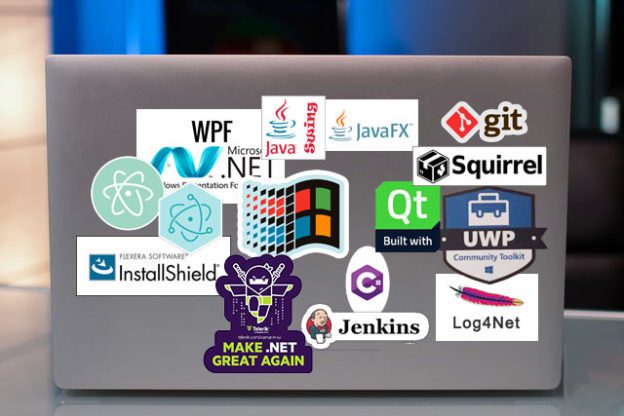
Several frameworks enhance the development of desktop application in C#. WPF (Windows Presentation Foundation) is ideal for rich, interactive UIs. It supports advanced graphics and data binding for modern applications.
Windows Forms (WinForms) is simpler and great for business tools. It is easy to learn and works well for internal applications. Many legacy systems still use WinForms due to its reliability.
UWP (Universal Windows Platform) targets multiple Windows devices. It ensures a consistent experience across PCs, tablets, and Xbox. UWP is perfect for apps needing broad Windows compatibility.
.NET MAUI extends C# to cross-platform development. It allows building apps for Windows, macOS, iOS, and Android. This framework is gaining popularity for its flexibility and reach.
Comparing C# with Other Languages for Desktop Development
Java is a common alternative for desktop apps. However, C# integrates better with Windows and offers superior UI tools. The .NET ecosystem gives C# an edge in performance and features.
C++ provides high performance and low-level control. Yet, C# is easier to use with its modern syntax and rich libraries. For most business applications, C# delivers better productivity.
Python is great for quick prototyping and scripting. But for complex desktop software, C# outperforms Python in speed and UI capabilities. C# is more suited for professional-grade applications.
Case Studies and Real-World Examples
MetaTrader, a leading trading platform, relies on C#. Its real-time data processing and advanced charts showcase C#’s power. The language’s efficiency makes it ideal for financial tools.
Adobe uses C# for some desktop utilities in its Creative Suite. While core apps use other technologies, C# handles integrations well. This demonstrates its versatility in professional software.
Many enterprise systems also depend on C# for internal tools. Its stability and performance make it a trusted choice. These examples highlight the relevance of C# in real-world applications.
Challenges and Considerations

The development of desktop application in C# has some limitations. Windows is its strongest platform, though .NET MAUI expands reach. Cross-platform support still requires extra effort compared to native solutions.
Performance overhead exists due to the .NET runtime. For extreme performance needs, C++ might be better. However, most applications find C#’s speed more than sufficient.
Learning WPF or .NET MAUI can take time. These frameworks are powerful but come with a learning curve. Proper training and resources help overcome this challenge.
Legacy system integration can be tricky. Older technologies may not work smoothly with modern C# apps. Developers must plan for compatibility layers if needed.
Future Outlook
Cloud and mobile trends influence desktop software. Yet, the development of desktop application in C# remains vital. Tools like .NET MAUI ensure C# adapts to multi-platform needs.
Microsoft continues to invest in C# and .NET. Regular updates bring new features and improvements. This commitment keeps C# competitive for future desktop development.
Industries requiring high-performance computing still favor desktop apps. C# will stay relevant as long as these needs exist. Its balance of power and ease ensures lasting appeal.
Conclusion
The development of desktop application in C# is still a smart choice in 2024. Its robust frameworks, Windows integration, and performance make it ideal for many projects.
From financial tools to creative software, C# delivers reliable solutions. While challenges exist, its benefits outweigh them for most use cases. C# continues to evolve, keeping pace with modern demands.
Need a custom desktop application? Progressive Robot specializes in C# development. Our team builds high-quality software tailored to your needs.