
hMailServer by Progressive Robot
hMailServer 6.3 Documentation
The complete guide to running your own mail server on Windows or Linux — from first install to hardened production. Written for people who have never run a mail server before, and thorough enough for people who have.
Part IGetting started
1. What hMailServer is, and what it is not
hMailServer is a mail server — the software that owns an email domain. When someone
sends a message to [email protected], their mail server looks up where
yourcompany.com receives mail and delivers it to whatever is listening there. If you
run hMailServer, that is your machine.
It does three jobs:
| Job | Protocol | What it means |
|---|---|---|
| Accept mail from the world | SMTP | Other mail servers connect and hand you messages for your users |
| Let your users read mail | IMAP and POP3 | Outlook, Thunderbird, Apple Mail and phones connect to fetch messages |
| Let your users send mail | SMTP submission | Your users hand you messages and you deliver them onward |
What hMailServer is not:
- It is not a groupware suite. There is a browser inbox now — the self-service
portal at
/portal, served by the REST listener out of the binary itself (chapter 36), and since 6.3.0 it is a real webmail: folders, search, compose, drafts, flags and inline images. What it is not is a calendar or an address book. Most users will still read their mail in Outlook, Thunderbird, Apple Mail or a phone, and a separate webmail package such as Roundcube pointed at hMailServer’s IMAP remains a perfectly reasonable choice. - It is not a spam filter you can point at someone else’s mail. It filters mail it receives, for domains it hosts.
- It is not Exchange. There is no shared calendaring, no Teams integration, no ActiveSync. It is email — done properly, and nothing else.
Who should run it: a small business that wants its own mail on its own server; a developer who needs a real SMTP/IMAP endpoint for testing; a hosting provider running mail for many domains; anyone who would rather not pay per mailbox forever.
Who should not: if nobody in your organisation is comfortable editing DNS records and watching a log file occasionally, a hosted mailbox provider will serve you better. Running a mail server is not hard, but it is not zero-maintenance either.
About this fork
The original hMailServer project stopped being maintained. This fork brings it up to current standards:
- On Windows, built with Visual Studio 2026, OpenSSL 4.0.2 and Boost 1.92 — 64-bit only
- Runs on Linux since 6.3.0 — x86-64 and AArch64, from the same source tree, built with clang or GCC, taking OpenSSL and Boost from the distribution rather than from those pins (chapter 35)
- TLS 1.2/1.3, modern password hashing (PBKDF2-HMAC-SHA256, optional Argon2id)
- MTA-STS, DANE with DNSSEC validation, ARC, DMARC, Ed25519 DKIM
- Automatic Let’s Encrypt certificates built in — no manual renewal
- A modern .NET 10 administration application replacing the old WinForms tool
- A REST API that writes as well as reads, a browser Control Deck, a built-in webmail portal and Prometheus metrics (chapters 24 and 36)
- 2,302 automated regression tests on every release — 2,294 passed, 0 failed, 8 skipped — plus the same suite on an assertion-enabled build with no assertion violated anywhere in the run, and a separate hosted Linux run of 1,289 passed, 0 failed, 231 skipped of 1,520
Everything new is additive and off by default. An existing hMailServer installation upgrades without behaving differently until you turn something on.
2. How email actually works
Skip this chapter if you already know it. If you do not, the next eight chapters will make far more sense with it.
Delivering a message
You send mail to [email protected]. Here is what happens:
  Your mail client                 Your server              Example.com's server
  ───────────────                  ───────────               ────────────────────
        │                               │                             │
        │──── SMTP submission ─────────▶│                             │
        │     (port 587, you log in)    │                             │
        │                               │                             │
        │                        DNS: "who receives                   │
        │                         mail for example.com?"              │
        │                        Answer: the MX record                │
        │                               │                             │
        │                               │──── SMTP delivery ─────────▶│
        │                               │     (port 25, no login)     │
        │                               │                             │
        │                               │                    stored in Alice's
        │                               │                        mailbox
        │                               │                             │
        │                               │                             │◀── IMAP ─── Alice
Two facts do most of the explaining:
- Port 25 has no password. Any server on the internet may connect to your port 25 and offer you mail for your own domains. That is how email works — it has to be open, or nobody could write to you. This is also why spam exists, and why chapters 8, 10 and 17 matter.
- Your users use a different door. Port 587 (submission) requires a login. Never let an unauthenticated stranger send mail through you to the outside world — that is an open relay, and it will get your server blacklisted within hours. hMailServer refuses this by default.
The three things that make mail arrive
A message you send is judged before it is delivered. Three DNS records decide whether it lands in the inbox or the spam folder — or is rejected outright:
- SPF — a list of the servers allowed to send mail for your domain.
- DKIM — a cryptographic signature proving the message really came from you and was not altered.
- DMARC — a policy saying what to do when SPF and DKIM disagree, and where to send reports.
Chapter 8 sets all three up. Without them your mail will go to spam. This is the single most common reason a new mail server “doesn’t work”.
3. Before you install: the checklist
Work through this before you download anything. Skipping it is the usual cause of a painful first day.
3.1 A machine to run it on
- Windows: Windows 10/11 (Windows 10 needs version 1607 or later), or Windows Server 2016 or newer. 64-bit only.
- Linux: since 6.3.0, x86-64 or AArch64 with systemd — from the
.deb, the.rpm, the PKGBUILD or the AppImage. 64-bit only. Chapter 35 covers it end to end, including what a Linux server does not have: no Control Panel, no COM, no event scripting, and no way to configure per-domain DKIM signing yet. - Minimum 2 GB RAM and 20 GB free disk. Mail accumulates; size the disk for how much mail you will keep, not how much you have today.
- The machine must be on all the time. A mail server that is asleep is a mail server that is losing mail.
3.2 A domain name
You need a domain you control — yourcompany.com — and the ability to edit its DNS
records. If your domain is with a registrar like Namecheap, Cloudflare, GoDaddy or
123-Reg, you have this.
3.3 A static public IP address — and port 25 open
This is the step that stops most home installations.
- Your server needs a static public IP. A dynamic home IP will work badly and be widely blacklisted.
- Port 25 inbound must reach your server. Most consumer ISPs block it. Business connections and cloud/VPS providers usually allow it, sometimes on request.
- Port 25 outbound must work too. Many cloud providers (notably Azure and AWS) block outbound 25 by default and require you to ask.
Check before you commit. If your ISP blocks port 25, you cannot receive mail directly. You can still run hMailServer and relay outbound mail through a smart host (chapter 14), but inbound mail will not reach you.
3.4 Reverse DNS (PTR)
Your IP address must resolve backwards to your mail server’s name. If mail.example.com
is 203.0.113.10, then 203.0.113.10 must resolve back to mail.example.com.
Only your ISP or hosting provider can set this — it is not in your domain’s DNS. Ask them. Many large providers (Google, Microsoft) reject mail from IPs with no matching PTR record, so this is not optional.
3.5 A database
hMailServer stores accounts and message metadata in a database. You have four choices:
| Database | Good for | Notes |
|---|---|---|
| Built-in (SQL Server Compact) | Getting started; small installations | Installed automatically, nothing to configure. The default. |
| MySQL / MariaDB | Most production use | Client is bundled — works with MySQL 8 and MariaDB out of the box |
| Microsoft SQL Server | Windows shops that already run it | Including Express edition |
| PostgreSQL | Larger installations | libpq bundled |
On Windows, if in doubt, take the built-in database. You can migrate later, and for anything up to a few dozen mailboxes it is entirely adequate.
On Linux the choice is narrower — two of the four. PostgreSQL is reached through
libpq, which the package depends on. MySQL/MariaDB is reached through
libmariadb.so.3, loaded at run time, so the client package has to be installed
separately: libmariadb3 on Debian and Ubuntu, mariadb-connector-c on Fedora and
RHEL, mariadb-libs on Arch. Microsoft SQL Server and the built-in SQL Server Compact
database are refused by name, with an explanation in the error log, because both are
reached through Windows-only interfaces. See chapter 35.
3.6 Decide your host name
Pick the name your mail server will be known by — conventionally mail.yourcompany.com.
Write it down. It is used in your MX record, your PTR record, your TLS certificate and
your server’s SMTP greeting, and they should all agree.
Pre-flight checklist
- Windows or Linux machine, 64-bit, always on
- Domain name with DNS access
- Static public IP
- Port 25 open inbound and outbound
- PTR record requested from your provider
- Host name chosen (
mail.yourcompany.com) - Administrator access to the machine — an administrator account on Windows, root or sudo on Linux
4. Installing hMailServer
4.1 Download
Get the Windows installer for the current release, hMailServer-6.3.3-x64.exe, from the
downloads page, which always offers the newest release first and lists
every file’s SHA-256 and Sigstore bundle.
Each release also carries SBOM files (hmailserver.spdx.json,
hmailserver.cyclonedx.json) — a full inventory of every component in the build, for
anyone who needs to audit their supply chain. You do not need them to install.
The Linux packages are on the same release. hmailserver_6.3.3_amd64.deb,
hmailserver_6.3.3_arm64.deb, hmailserver-6.3.3-1.x86_64.rpm,
hmailserver-6.3.3-1.aarch64.rpm, hMailServer-6.3.3-x86_64.AppImage and
hMailServer-6.3.3-aarch64.AppImage, with hmailserver-linux-6.3.3-SHA256SUMS.txt
beside them. Installing and first-run setup on Linux are chapter 35; the rest of this
chapter is the Windows installer.
The Windows installer is Authenticode-signed from 6.3.1. It is signed with Azure Artifact Signing, against a certificate profile issued to Progressive Robot Ltd after Microsoft’s identity validation, and countersigned to RFC 3161. The elevation prompt names the publisher instead of reading Unknown publisher, and an enterprise policy that refuses unsigned binaries no longer refuses this one.
SmartScreen still warns. Microsoft puts a signed installer in the same row as an unsigned one, flagged unrecognised until reputation accumulates, and reputation attaches to a file that does not change — which a new 80 MB installer every few weeks never is. An EV certificate would not help; Microsoft removed EV’s SmartScreen bypass in 2024. Expect the same Windows protected your PC screen, now carrying the real publisher name. Releases before 6.3.1 are unsigned and always will be: a published release is immutable, so 6.3.0 could not be signed after the fact.
Only the Windows installer carries Authenticode — there is no such thing for a
.deb, an .rpm or an AppImage. Sigstore is unchanged, and it is the check that
means something for every asset on the release: each carries a .cosign.bundle
beside it.
cosign verify-blob --bundle hMailServer-6.3.3-x64.exe.cosign.bundle \
  --certificate-identity-regexp '^https://github\.com/Progressiverobot/hmailserver/' \
  --certificate-oidc-issuer https://token.actions.githubusercontent.com \
  hMailServer-6.3.3-x64.exe
Two SHA-256 values, deliberately. From 6.3.1 the release notes give the Windows installer’s hash twice — as built, and as published. The signing job replaces the installer asset with the signed one before cosign runs, so the bytes on the release are not the bytes the build produced. The published value is the one to check a download against, and it is those same published bytes the cosign bundle above is signed over. 6.3.1 is the first release for which the two differ.
4.2 Run the installer
Right-click the installer and choose Run as administrator.
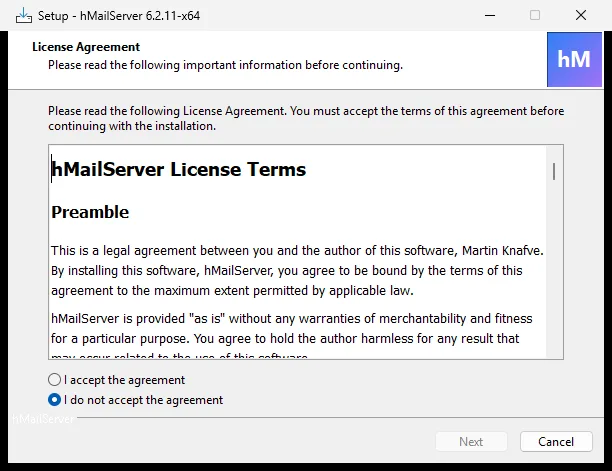
Work through the wizard — there is no welcome page; it opens straight on the licence:
1. Licence agreement. hMailServer is AGPL-3.0. In short: you may use it freely, including commercially; if you modify it and offer it to others over a network, you must publish your changes.
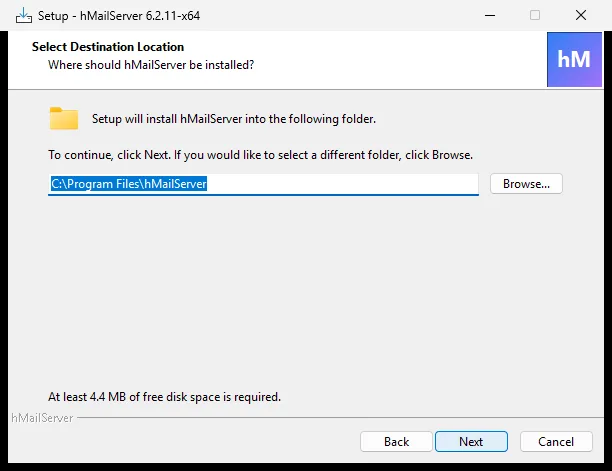
2. Destination folder. The default C:\Program Files\hMailServer is fine.
3. Components. This page matters, so read it:
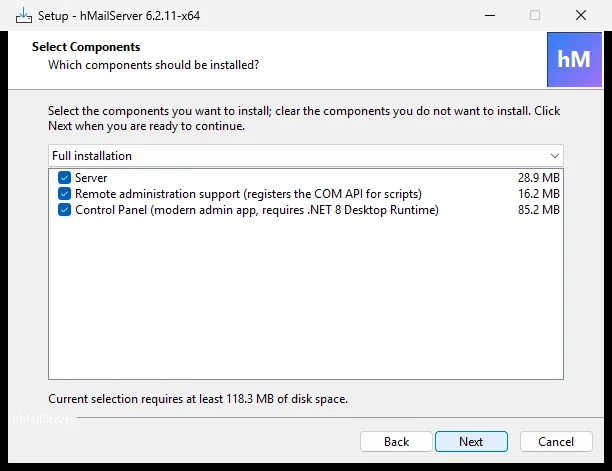
| Component | Take it? | What it does |
|---|---|---|
| Server | Yes | The mail server itself. Everything else is optional. |
| Control Panel | Yes | The administration application. Without it you have no GUI. |
| Remote administration support | Only if scripting from another machine | Registers the COM API so scripts on a different machine can administer this server. The Control Panel does not need it — it connects to remote servers by itself. |
Note for upgraders: “Administrative tools” in older versions bundled the classic Administrator and a PHP web interface. Both are gone (see chapter 25). The component now does only what it always really did — register the COM type library for scripts.
4. Database type. Choose Use built-in database server (Microsoft SQL Compact) unless you decided otherwise in §3.5.
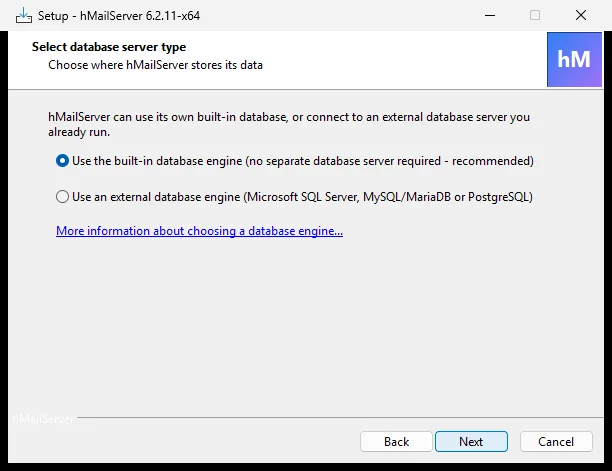
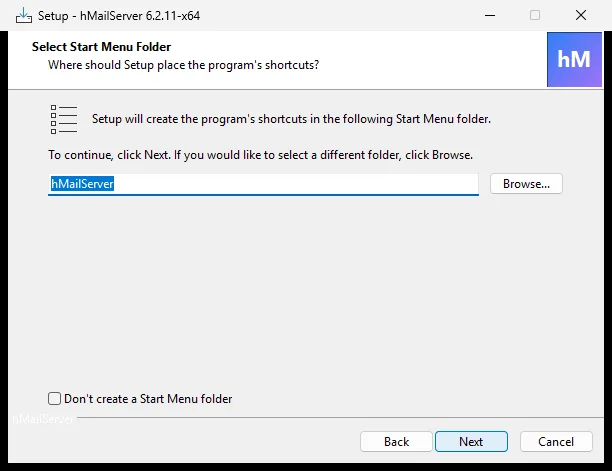
5. Start Menu folder. Where the shortcuts go. The default is fine.
6. Administrator password. hMailServer asks you to set a password for the administration interface. This is not an email password — it is the master password for the whole server.
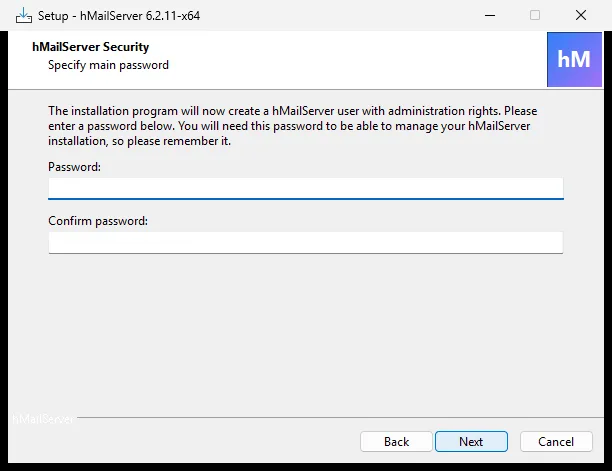
Use a long, unique password and store it in a password manager. Anyone with it owns every mailbox on the server.
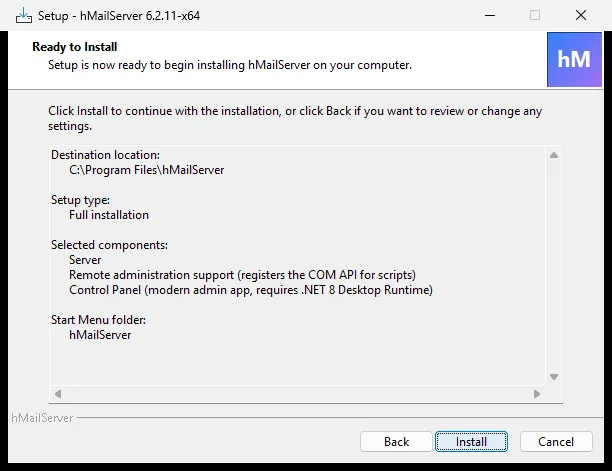
7. Ready to install. A summary of everything you chose. Click Install. The installer copies files, creates the database, registers the hMailServer Windows service and starts it. If the .NET 10 Desktop Runtime is missing it is installed silently — the Control Panel and the database tools both run on it.
4.3 Confirm it is running
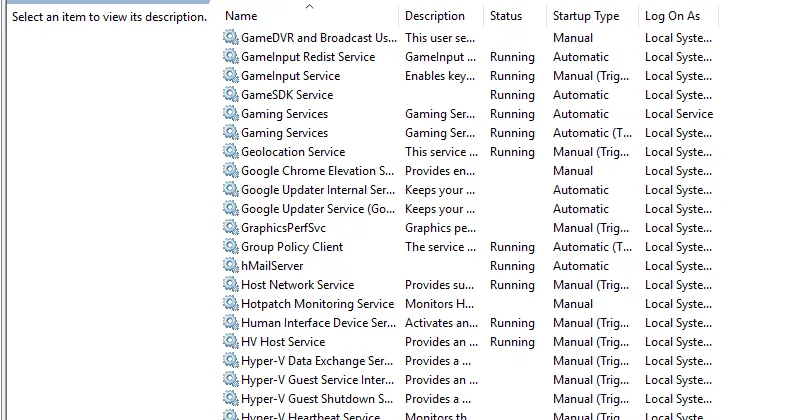
Open Services (services.msc) and find hMailServer. It should say Running,
startup type Automatic.
Or from PowerShell:
Get-Service hMailServer
Status   Name          DisplayName
------   ----          -----------
Running  hMailServer   hMailServer
On Linux the service is a systemd unit of the same name:
systemctl status hmailserver
journalctl -u hmailserver -f
hmailserver --check-config
--check-config reads the configuration, reports what it says and exits without opening
a listener or touching the database — it is the Linux answer to “did I get the INI right?”.
Chapter 35 has the whole command set.
4.4 Open the firewall
The installer does not open firewall ports for you. Until you do, nothing can reach your server. Run this in an elevated PowerShell:
New-NetFirewallRule -DisplayName "hMailServer SMTP"        -Direction Inbound -Protocol TCP -LocalPort 25  -Action Allow
New-NetFirewallRule -DisplayName "hMailServer Submission"  -Direction Inbound -Protocol TCP -LocalPort 587 -Action Allow
New-NetFirewallRule -DisplayName "hMailServer IMAP"        -Direction Inbound -Protocol TCP -LocalPort 143 -Action Allow
New-NetFirewallRule -DisplayName "hMailServer IMAPS"       -Direction Inbound -Protocol TCP -LocalPort 993 -Action Allow
New-NetFirewallRule -DisplayName "hMailServer POP3"        -Direction Inbound -Protocol TCP -LocalPort 110 -Action Allow
New-NetFirewallRule -DisplayName "hMailServer POP3S"       -Direction Inbound -Protocol TCP -LocalPort 995 -Action Allow
On Linux, with firewalld:
firewall-cmd --permanent --add-port={25,110,143,465,587,993,995}/tcp
firewall-cmd --reload
or with ufw:
ufw allow 25,110,143,465,587,993,995/tcp
The systemd unit grants CAP_NET_BIND_SERVICE ambiently, so the service binds 25, 110,
143, 465, 587, 993 and 995 without ever running as root.
Your router or cloud firewall needs the same ports forwarded to this machine.
5. The Control Panel: your first look
The hMailServer Control Panel (hMailCP.exe) is the Windows way to administer the
server. It is a .NET 10 desktop application that talks to the server over the COM API —
which means it can administer a server on another machine just as easily as the local
one.
It is one route of three. The Control Deck — the administration page the REST
listener serves at /, in any browser — now covers most of the same ground
(chapter 36), and the REST API itself (chapter 24) is there for scripts. On Linux there is
no Control Panel and no COM at all, so those two are administration (chapter 35).
Launch it from the Start menu.
5.1 Connecting
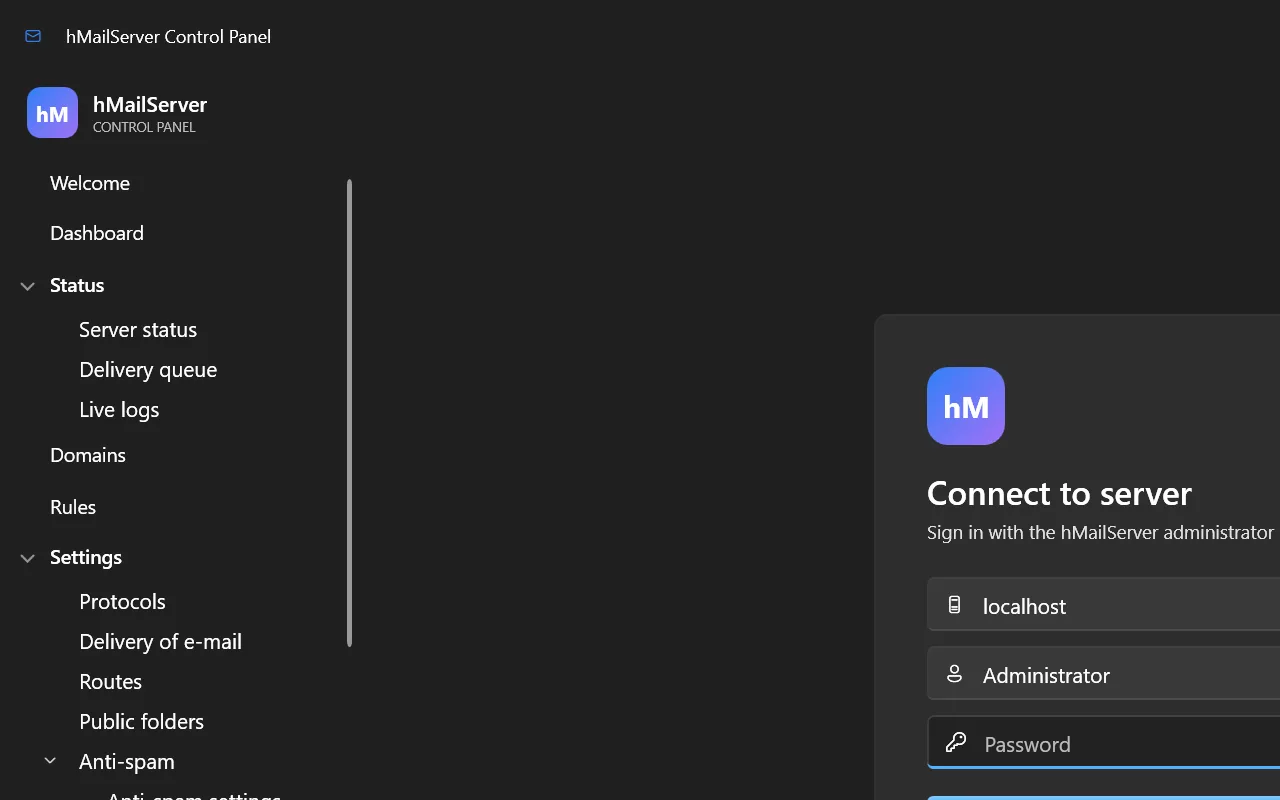
| Field | What to enter |
|---|---|
| Host | localhost for the machine you are sitting at, or the remote server’s name/IP |
| User name | Administrator |
| Password | The administration password you set during installation |
If you have enabled two-factor authentication (§17.4), you are asked for a six-digit code next.
5.2 The Welcome page
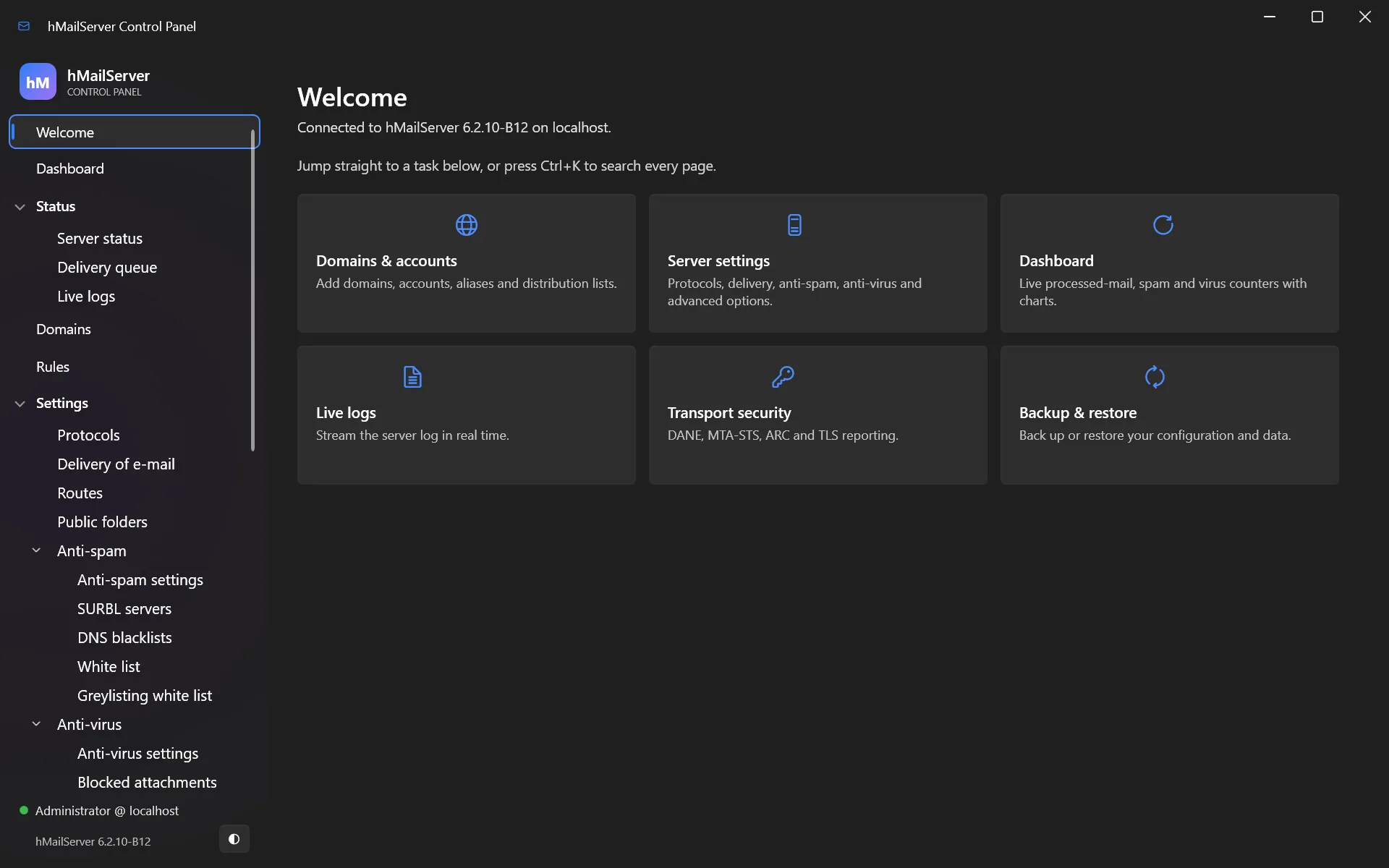
The Welcome page is a grid of quick-action tiles — the jobs you do most often, one click away. It is the fastest route to “add a domain” when you are starting out.
5.3 Finding your way around
The left sidebar is the navigation tree. It is organised in the order you will need it:
Welcome            ← quick actions
Dashboard          ← live graphs
Status             ← is it working right now?
  Server status
  Delivery queue
  Live logs
Domains            ← your domains, accounts, aliases and lists
Rules              ← server-wide mail rules
Settings           ← everything configurable
  Protocols, Delivery of e-mail, Routes, Public folders
  Anti-spam ▸ Anti-virus ▸ Logging ▸ Security ▸ Network ▸ Maintenance
Utilities          ← backup, MX query, sendout, diagnostics
About
Press Ctrl+K at any time for the command palette — since 6.2.14 it searches
settings as well as pages, indexed by label and INI key, so typing log level or
LogDeleteDays takes you to the setting itself. Start typing a page name and jump
straight to it.
The window remembers its size, position and maximised state between sessions, and both light and dark themes are fully supported (it follows your Windows setting).
Since 6.2.28 it speaks seventeen languages beside English — Czech, Danish, German, Spanish, Finnish, French, Italian, Japanese, Norwegian bokmål, Dutch, Polish, Brazilian Portuguese, Russian, Swedish, Turkish, Ukrainian and Simplified Chinese. Every page, dialog, message, hint and verdict sentence is translated, 3,376 texts rather than a subset. The language is chosen in the connect card and remembered per user.
5.4 The Dashboard
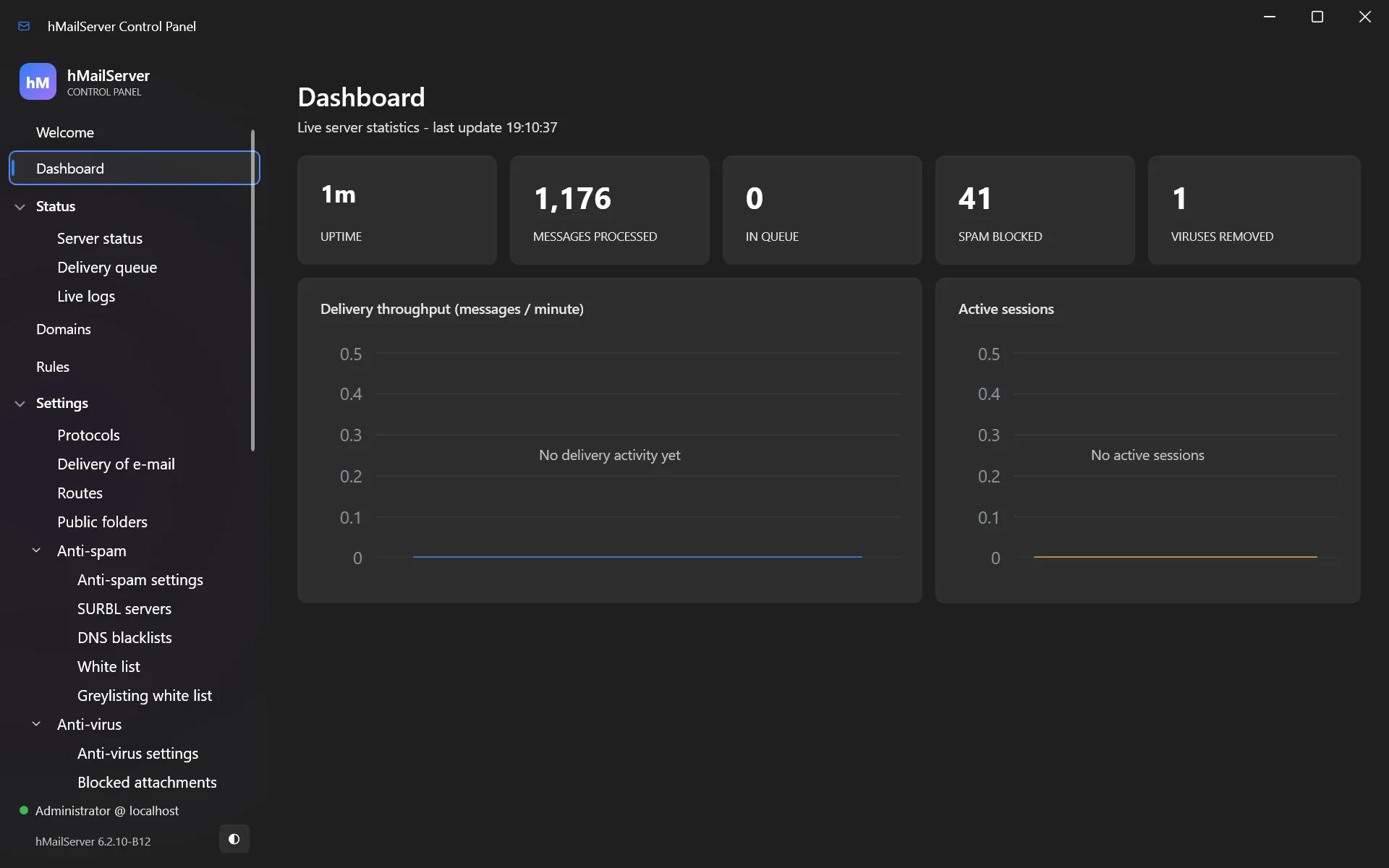
Live view of the server: messages processed, active sessions, delivery activity over time, and the state of each service. This is the page to leave open on a second monitor.
6. Your first domain and mailbox
This is the chapter where you get working email.
6.1 Add your domain
Go to Domains and click Add.
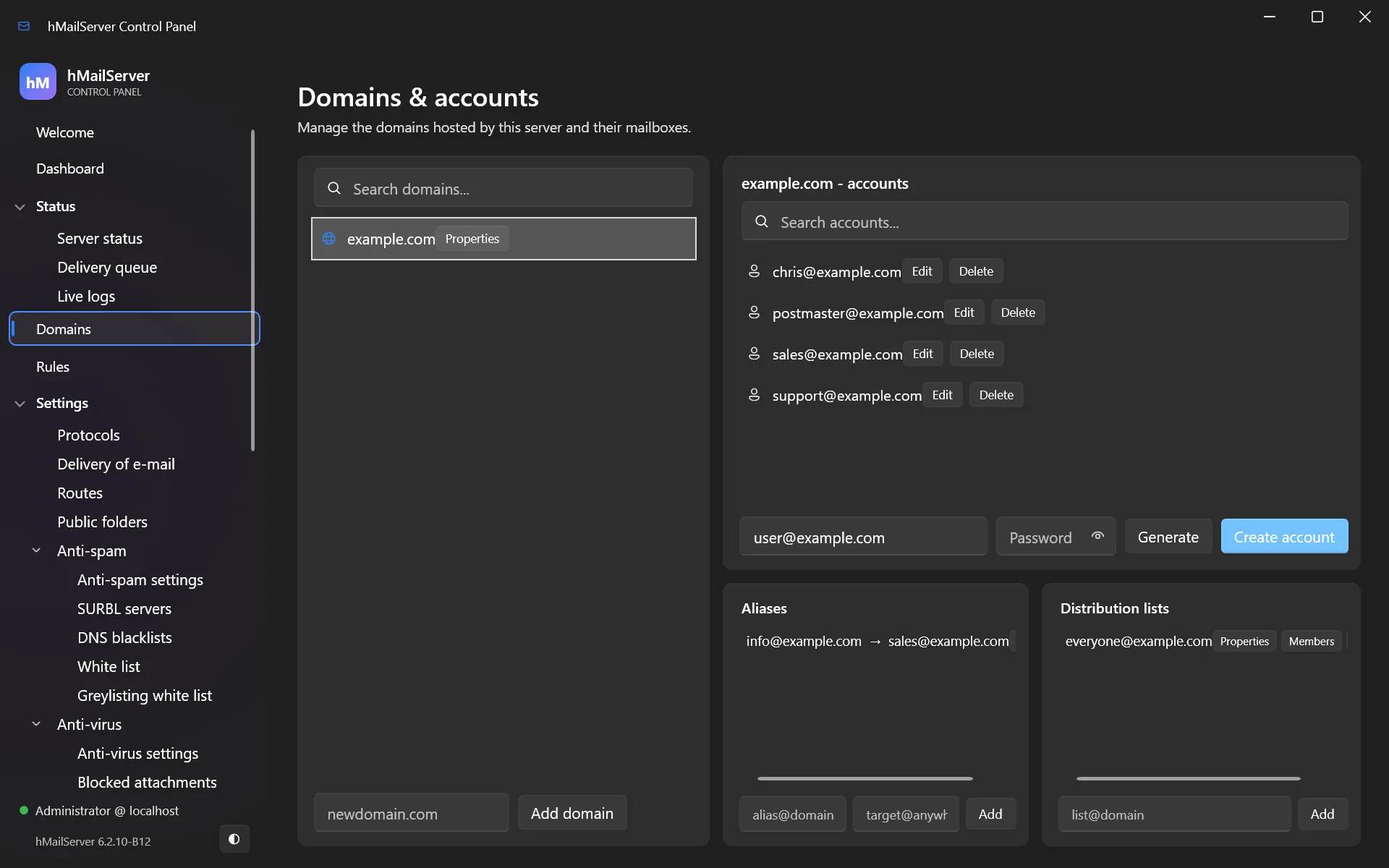
In the domain dialog:
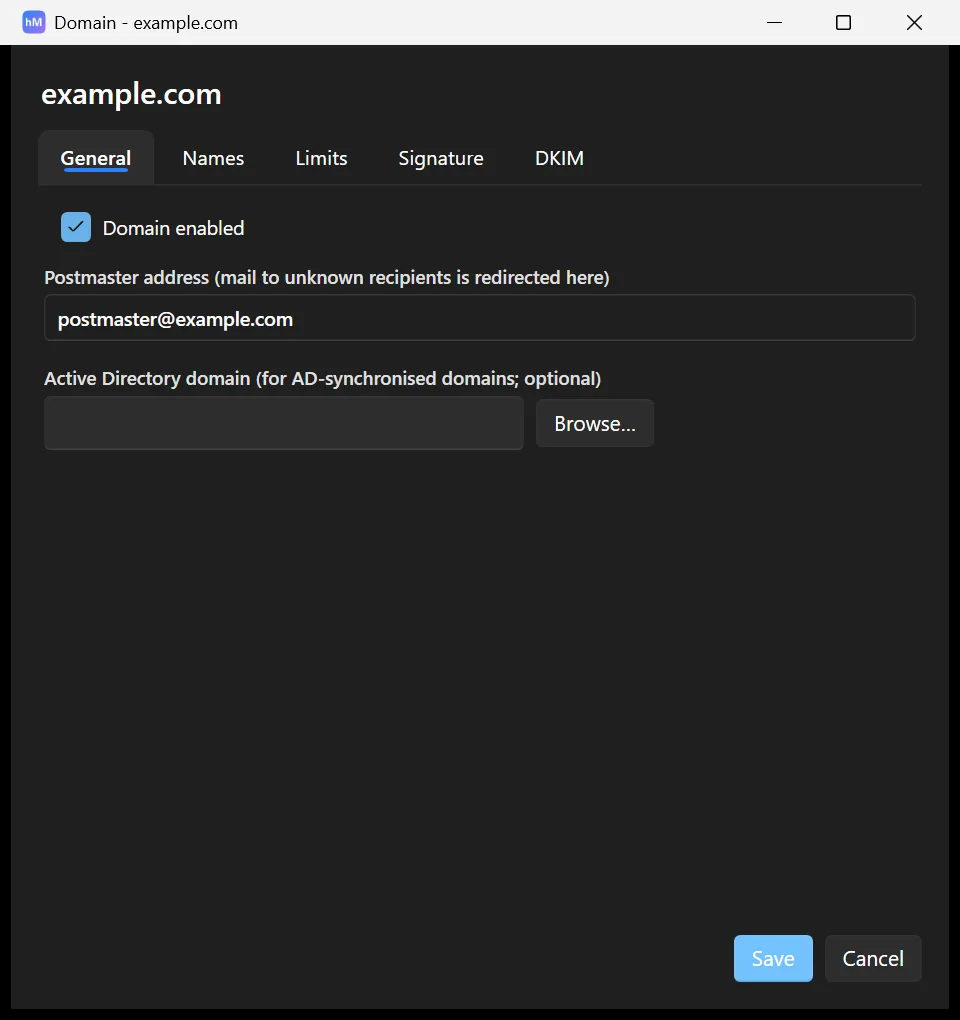
| Field | Value |
|---|---|
| Domain name | yourcompany.com — the part after the @, with no www and no mail. |
| Active | Ticked |
| Maximum size | 0 for unlimited, or a size in MB to cap the whole domain |
| Postmaster | [email protected] (create this account — RFC 5321 requires it) |
Click Save.
A common mistake: the domain is
yourcompany.com, notmail.yourcompany.com.mail.yourcompany.comis the name of the machine;yourcompany.comis the domain whose email you are hosting. Addresses look like[email protected].
6.2 Add a mailbox
Select your domain, open Accounts, and click Add.
| Field | Value |
|---|---|
| Address | [email protected] |
| Password | Click Generate strong password — it uses a cryptographic RNG and copies to your clipboard |
| Maximum size | Mailbox quota in MB. 0 = unlimited |
| Active | Ticked |
| Administration level | User for a normal mailbox. Only give Server administrator to yourself |
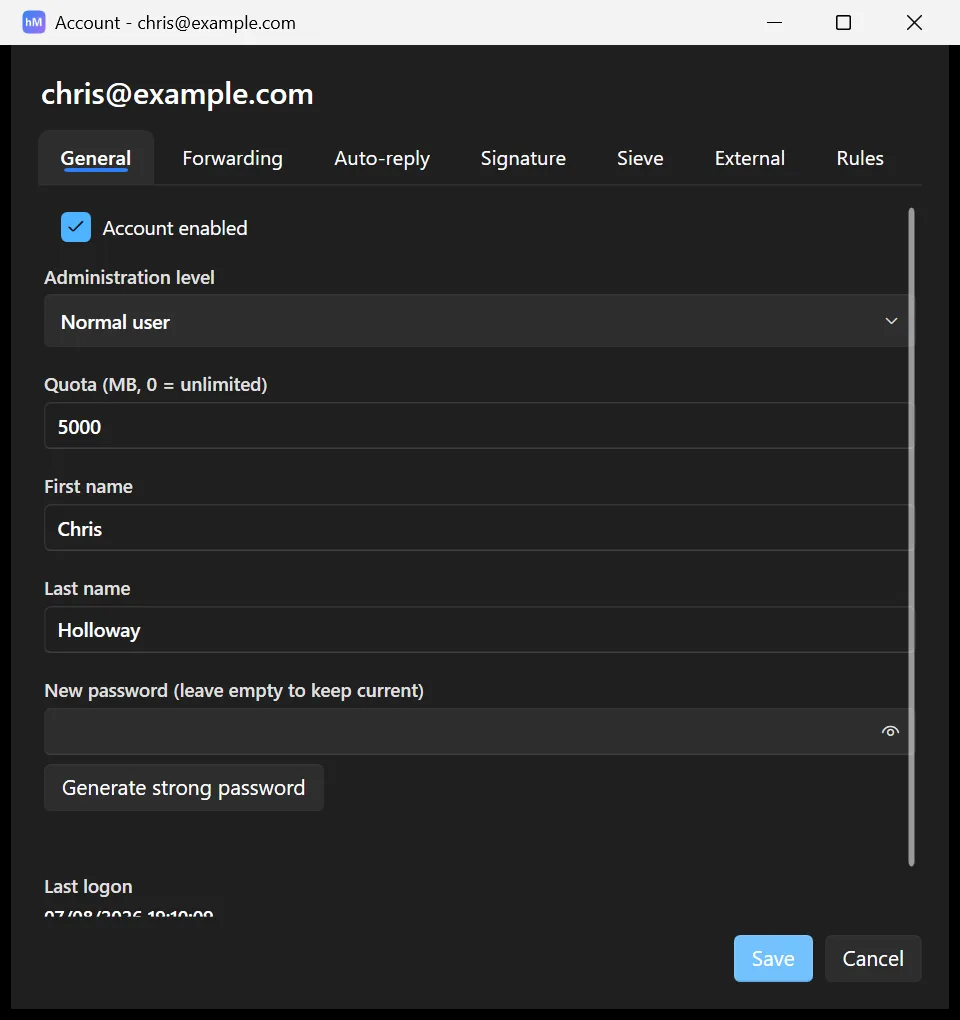
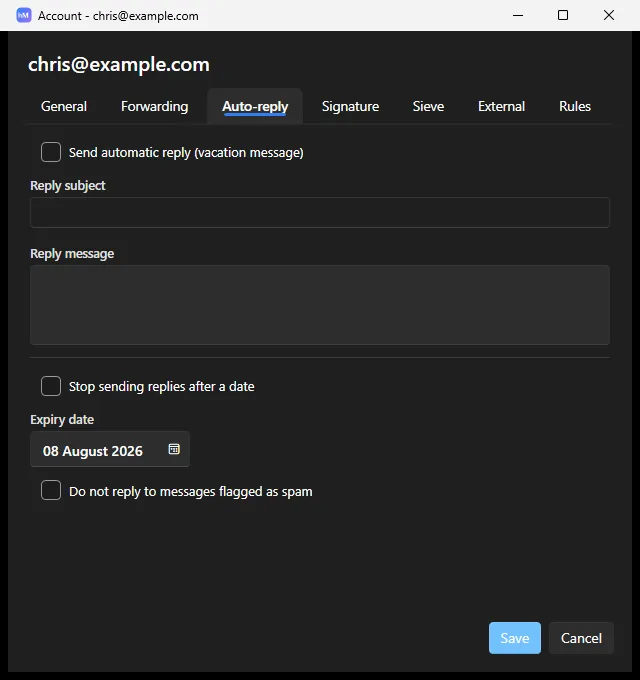
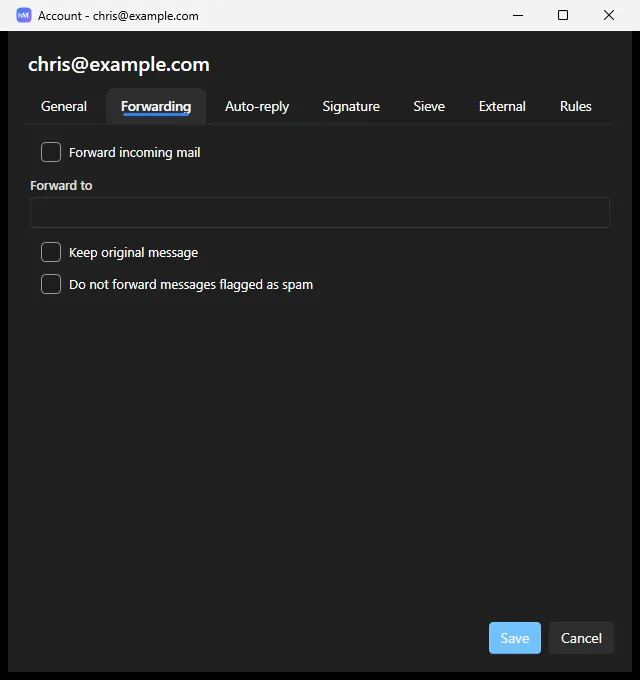
The account dialog also has tabs for Auto-reply (out-of-office), Forwarding, External accounts (fetch mail from elsewhere by POP3 or IMAP), Rules, Sieve and Active Directory linking.
Create at least these two:
[email protected]— required by the email standards[email protected]— your actual mailbox
6.3 Test it locally, before touching DNS
Prove the server works before you involve the internet. From PowerShell on the server:
Send-MailMessage -SmtpServer localhost -Port 25 `
   -From "[email protected]" -To "[email protected]" `
   -Subject "First test" -Body "If you can read this, hMailServer is working."
Send-MailMessageis deprecated but perfectly good for a one-off test.
Then check Status → Delivery queue (should be empty — the message was delivered instantly) and Status → Live logs.
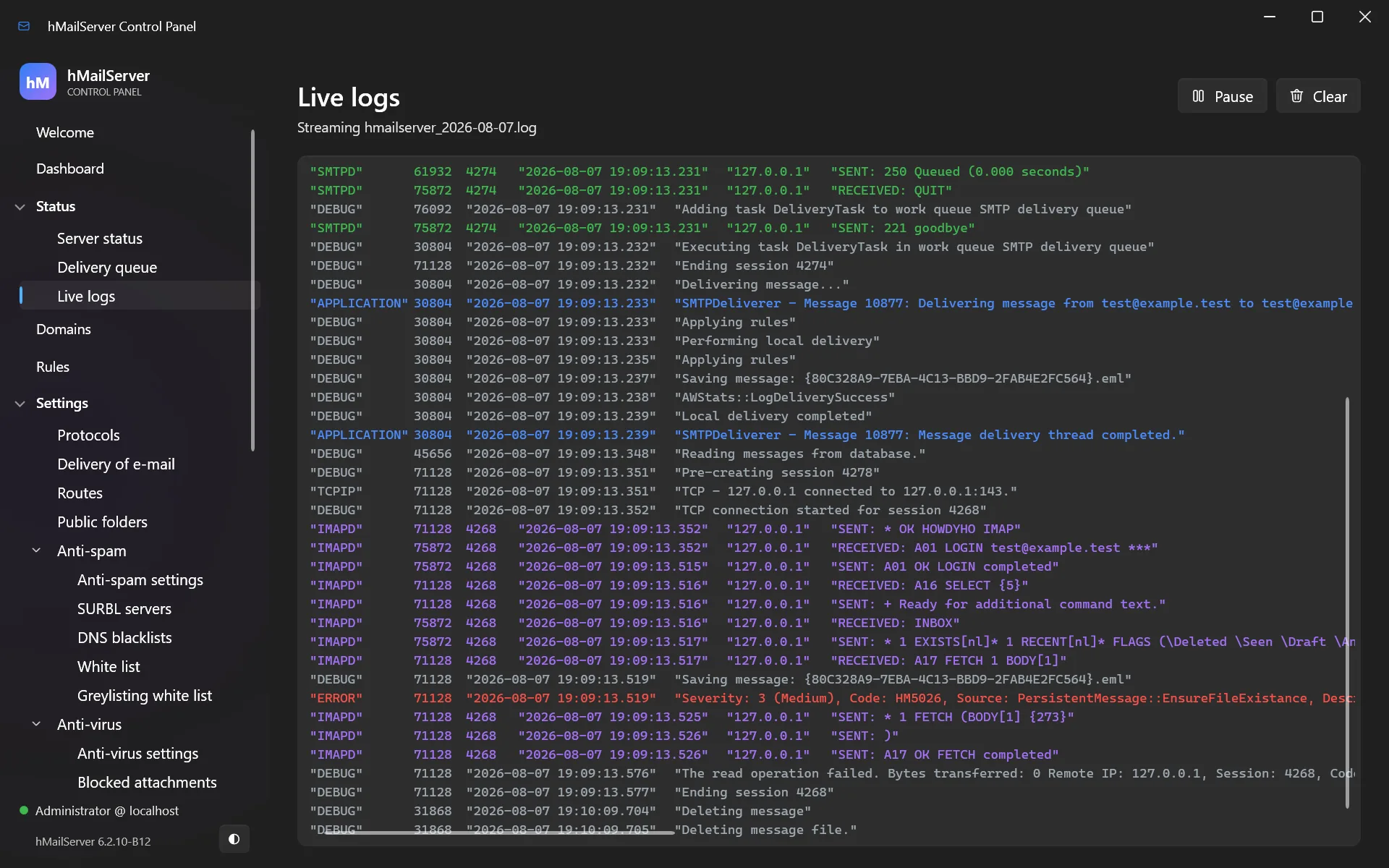
Now connect a mail client (chapter 7) and read the message. If it is there, your server works. Everything from here is about the outside world being able to reach it.
6.4 Creating accounts from Active Directory
New in 6.2.19. An account has always been able to authenticate against Active
Directory (the account dialog’s AD tab); now the directory can also be the source of
accounts. Directory sync reads an LDAP directory and creates or updates the mailboxes it
says should exist — from its Control Panel page, on an optional unattended schedule, or
from a script (Settings.PreviewDirectorySync / ApplyDirectorySync).
It is built around a preview. Planning and applying are one piece of code — the planner decides and writes nothing, the applier writes and decides nothing — so a preview cannot describe an action the apply would not take, and the Apply button stays disabled until a preview of the same options has been run.
What it refuses to do is as important as what it does:
- A domain takes part only if its Active Directory domain name is set — provisioning is opt-in per domain, so a search base pointed one level too high cannot provision into unrelated hosted domains.
- Nothing is ever deleted. The most it will do is clear Active, and only when asked — never on a truncated or empty enumeration, where an account that still exists is indistinguishable from one that was removed.
- An account that is not directory-linked, or is linked to a different AD domain, is reported rather than taken over.
7. Connecting a mail client
7.1 The settings your users need
| Setting | Value |
|---|---|
| Incoming server (IMAP) | mail.yourcompany.com, port 993, SSL/TLS |
| Incoming server (POP3) | mail.yourcompany.com, port 995, SSL/TLS |
| Outgoing server (SMTP) | mail.yourcompany.com, port 587, STARTTLS |
| User name | The full email address — [email protected], not you |
| Password | The account’s password |
| Authentication | Normal password (or SCRAM-SHA-256, see §17.2) |
Two mistakes cover most failed client setups: entering the user name without the domain part, and using port 25 for sending. Users send on 587.
IMAP or POP3?
- IMAP keeps mail on the server; every device sees the same mailbox, folders and read/unread state. Use IMAP.
- POP3 downloads mail to one device and (usually) deletes it from the server. Only use it if you have a specific reason.
7.2 Automatic client configuration
hMailServer can configure clients for your users automatically, so they type only their address and password.
Enable it in Settings → Network → API & monitoring, or in hMailServer.INI:
WebServicesHttpPort=80
WebServicesHttpsPort=443
AutoconfigEnabled=1
Then add DNS records pointing autoconfig.yourcompany.com and
autodiscover.yourcompany.com at your server. Thunderbird and Outlook will find their
own settings.
8. Making the internet trust you: DNS
This is the most important chapter in this document. A perfectly configured mail server with wrong DNS delivers nothing but spam-foldered mail.
Add these records at your DNS provider. Replace yourcompany.com and 203.0.113.10
with your own.
8.1 A record — where the server is
mail.yourcompany.com. IN A 203.0.113.10
8.2 MX record — where mail goes
yourcompany.com. IN MX 10 mail.yourcompany.com.
The 10 is a priority; with one server the number is arbitrary. An MX record must
point at a host name, never at an IP address.
8.3 PTR record — proving the IP is yours
10.113.0.203.in-addr.arpa. IN PTR mail.yourcompany.com.
You cannot set this yourself — ask your ISP or hosting provider. Without it, Google and Microsoft will reject or spam-folder your mail.
8.4 SPF — who may send as you
yourcompany.com. IN TXT "v=spf1 mx -all"
This says: “the servers in my MX records may send my mail; reject everything else.”
-all— hard fail, reject anything else. Correct once you are sure.~all— soft fail, mark as suspicious. Safer while you are still testing.
If you also send through another service (a newsletter platform, say), include it:
"v=spf1 mx include:sendgrid.net -all"
8.5 DKIM — signing your mail
DKIM adds a cryptographic signature proving the message came from you unaltered.
hMailServer generates the key for you. In the Control Panel, open your domain’s DKIM tab and click Generate key. It creates an RSA-2048 key, saves the private key, fills in the path, and shows you the exact DNS record to publish — with a Copy button.
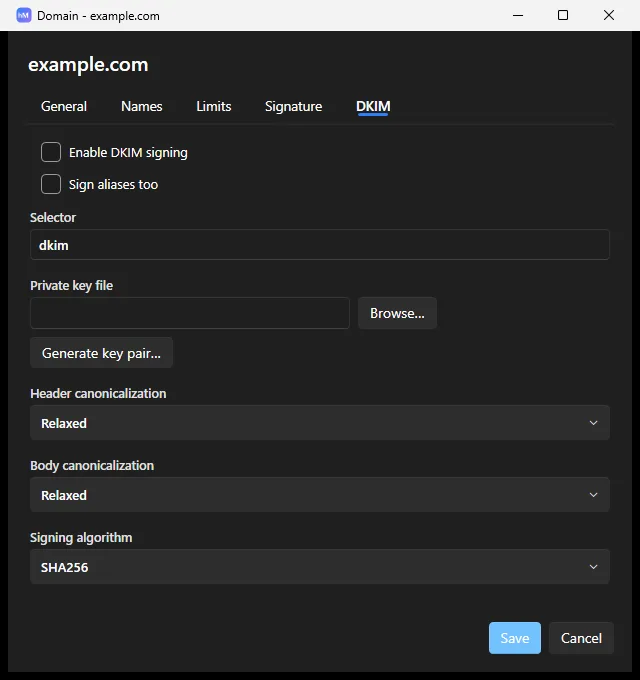
You will get something like:
selector1._domainkey.yourcompany.com. IN TXT "v=DKIM1; k=rsa; p=MIIBIjANBgkq..."
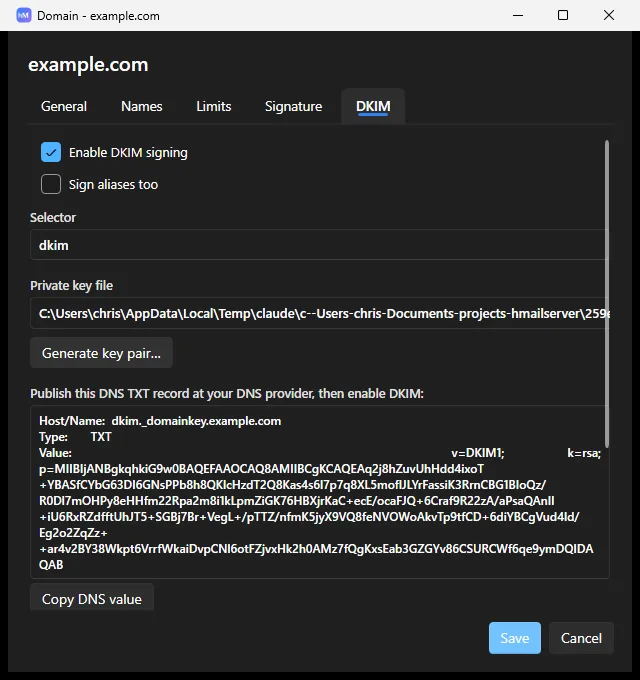
Publish that TXT record. hMailServer signs every outgoing message from that domain.
hMailServer also supports Ed25519 DKIM (RFC 8463) — shorter keys, modern crypto — alongside RSA.
8.6 DMARC — the policy
_dmarc.yourcompany.com. IN TXT "v=DMARC1; p=none; rua=mailto:[email protected]"
Start with p=none: “don’t change how you treat my mail, but send me reports.” Read the
reports for a few weeks, confirm all your legitimate mail passes SPF and DKIM, then
tighten:
p=quarantine     ← failures go to spam
p=reject         ← failures are refused outright
Do not start at
p=reject. If something you had forgotten about sends mail as your domain, you will silently lose it.
8.7 MTA-STS — enforcing encryption inbound
MTA-STS tells other servers that mail to you must be encrypted, preventing an attacker from stripping TLS. hMailServer can host the policy itself:
WebServicesHttpsPort=443
MtaStsHostingEnabled=1
MtaStsPolicyMode=enforce
Point mta-sts.yourcompany.com at your server and publish:
_mta-sts.yourcompany.com. IN TXT "v=STSv1; id=20260101000000Z"
8.8 Checking your work
Give DNS an hour to propagate, then verify. hMailServer has an MX query tool built in (Utilities → MX query):
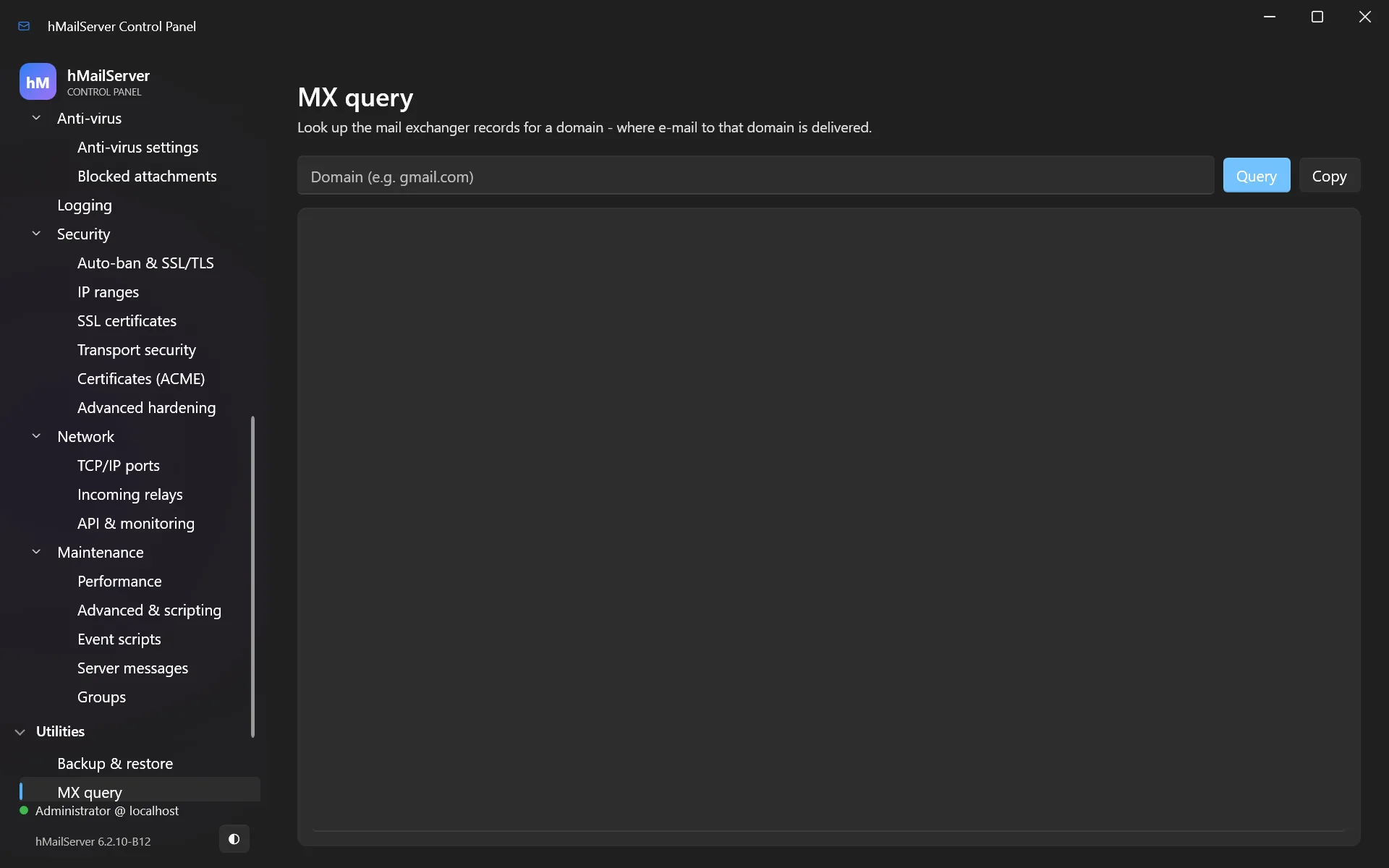
Also use these external checkers — they will tell you what the rest of the internet sees:
- https://mxtoolbox.com/SuperTool.aspx — MX, SPF, DKIM, DMARC, blacklists
- https://www.mail-tester.com — send it a message; it scores your setup out of 10
- https://dmarcian.com/dmarc-inspector/ — DMARC specifically
Aim for 10/10 on mail-tester before you consider yourself live.
DNS summary
| Record | Name | Value | Set by |
|---|---|---|---|
| A | mail.yourcompany.com |
Your IP | You |
| MX | yourcompany.com |
mail.yourcompany.com |
You |
| PTR | Your IP | mail.yourcompany.com |
Your ISP |
| TXT (SPF) | yourcompany.com |
v=spf1 mx -all |
You |
| TXT (DKIM) | sel._domainkey.yourcompany.com |
From the Control Panel | You |
| TXT (DMARC) | _dmarc.yourcompany.com |
v=DMARC1; p=none; rua=... |
You |
Part IIRunning it properly
9. Encryption and certificates
Mail must be encrypted in transit. You need a TLS certificate for
mail.yourcompany.com.
9.1 The easy way: automatic Let’s Encrypt certificates
hMailServer has an ACME v2 client built in. It obtains a free certificate, installs it, assigns it to your TLS ports, renews it before expiry and reloads it — with no restart and no scheduled task.
Open Settings → Security → Certificates (ACME):
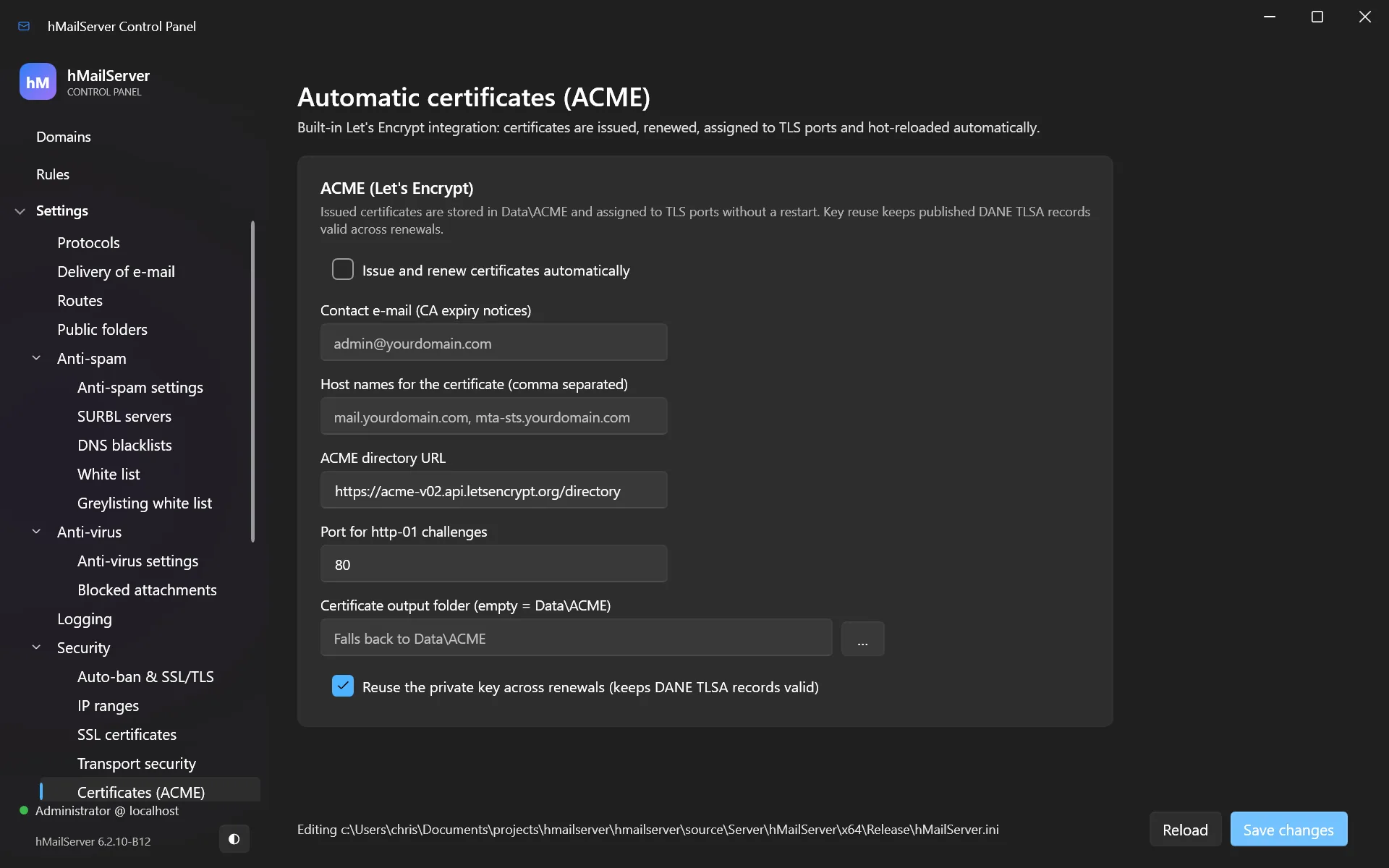
Or in hMailServer.INI:
AcmeEnabled=1
[email protected]
AcmeDomains=mail.yourcompany.com,mta-sts.yourcompany.com,autoconfig.yourcompany.com
AcmeHttpPort=80
AcmeReuseKey=1
Requirements: port 80 must be reachable from the internet (that is how Let’s
Encrypt verifies you own the name), and each name in AcmeDomains must already resolve
to this server.
AcmeReuseKey=1matters if you use DANE. Keeping the same private key across renewals keeps your published TLSA records valid. Leave it on.
Certificates are stored in Data\ACME.
9.2 The manual way
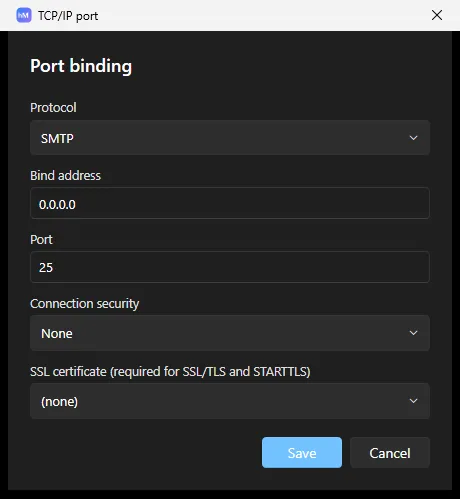
If you have a certificate from another CA, go to Settings → Security → SSL certificates, add it (PEM certificate and private key), then assign it to your TLS ports under Settings → Network → TCP/IP ports.
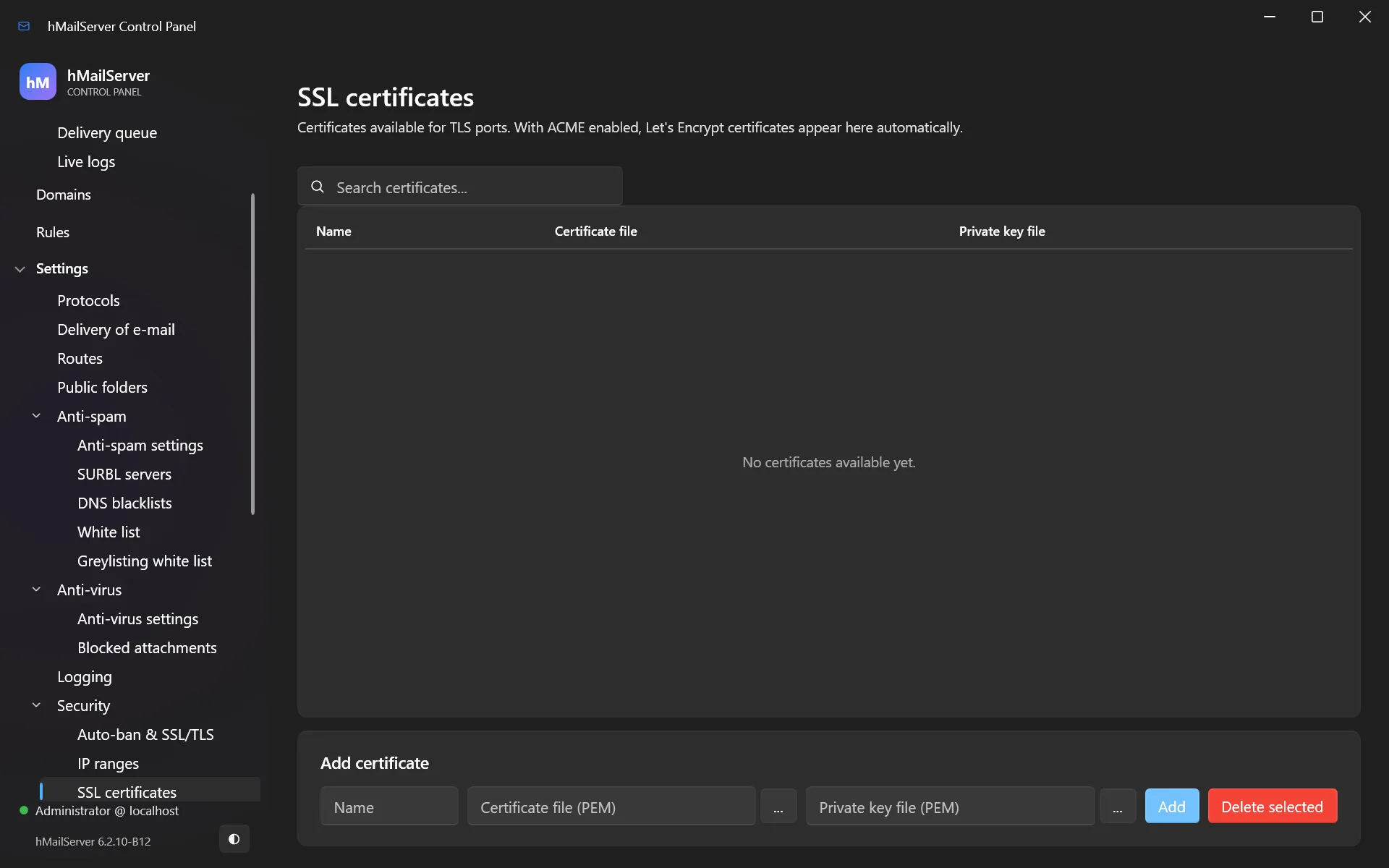
The port editor is where the certificate meets the port — protocol, bind address, connection security and the certificate to serve:
9.3 TLS settings
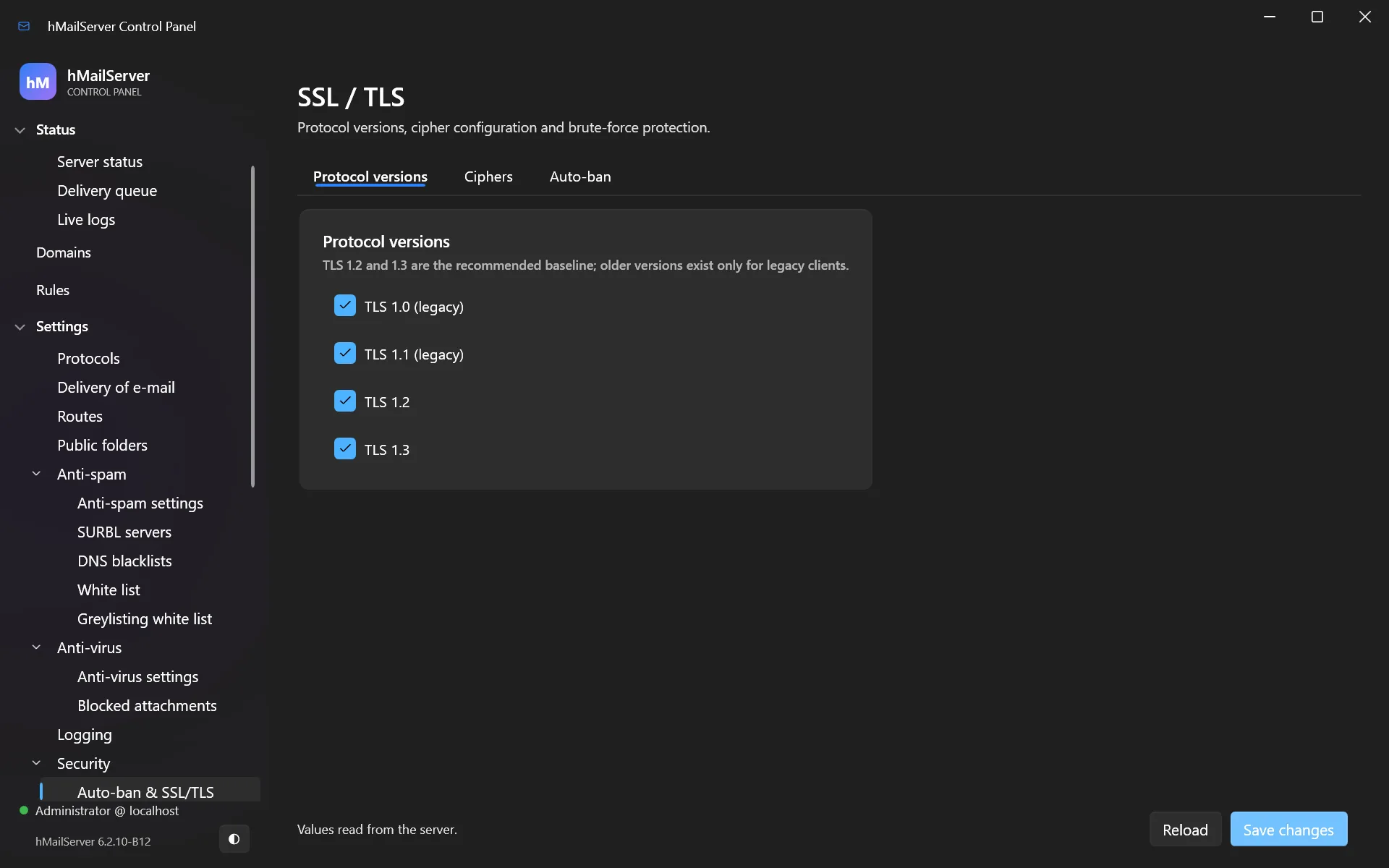
Settings → Security → Auto-ban & SSL/TLS controls protocol versions and cipher suites. The defaults — TLS 1.2 and 1.3 only — are correct. Do not re-enable TLS 1.0 or 1.1 unless a specific ancient client forces you to, and then plan to replace that client.
9.4 Outbound transport security
These protect mail you send:
MtaStsEnabled=1            ; honour recipients' MTA-STS policies
DaneEnforcementEnabled=1   ; honour recipients' DANE/TLSA records
DnssecValidationEnabled=1  ; validate DNSSEC for DANE and SPF/DKIM/DMARC lookups
All three are on by default. With DANE enforcement, a recipient whose DNSSEC chain is bogus will not receive your mail rather than receive it unencrypted — which is the point.
Configure them under Settings → Security → Transport security.
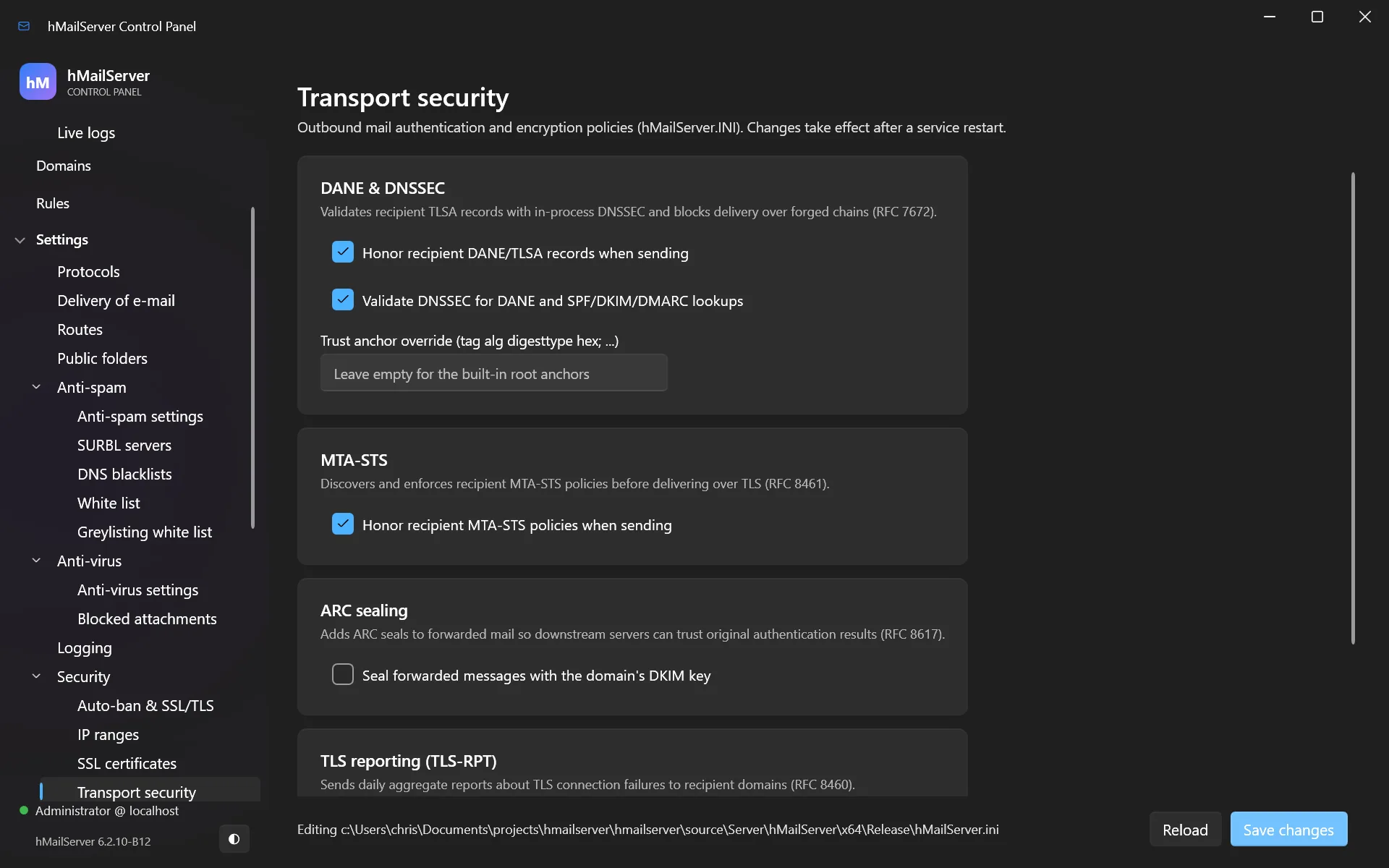
You can also publish daily TLS-RPT reports to recipient domains:
[email protected]
10. Stopping spam
hMailServer filters in layers. Each one is cheap and catches a different kind of junk.
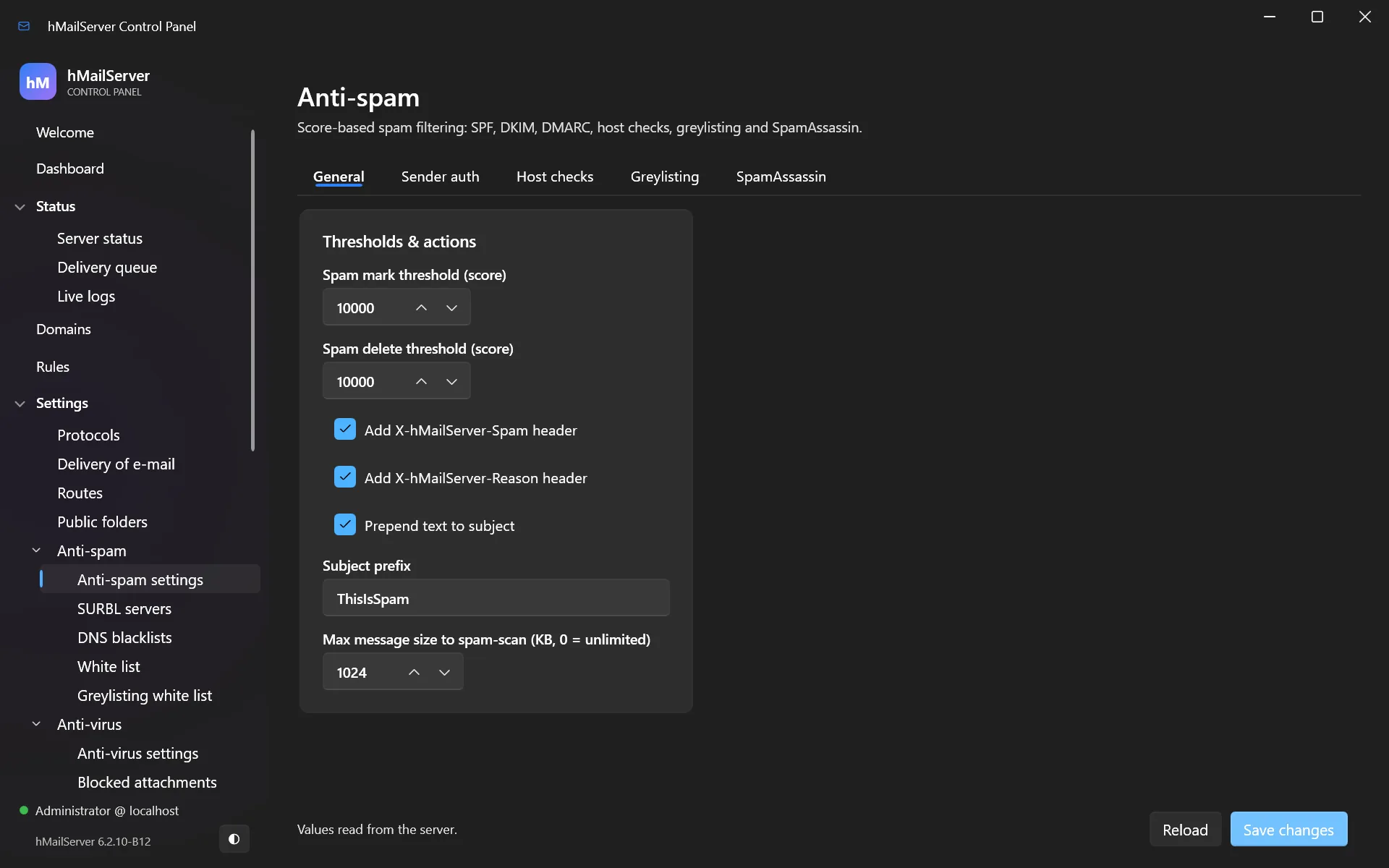
Open Settings → Anti-spam → Anti-spam settings:
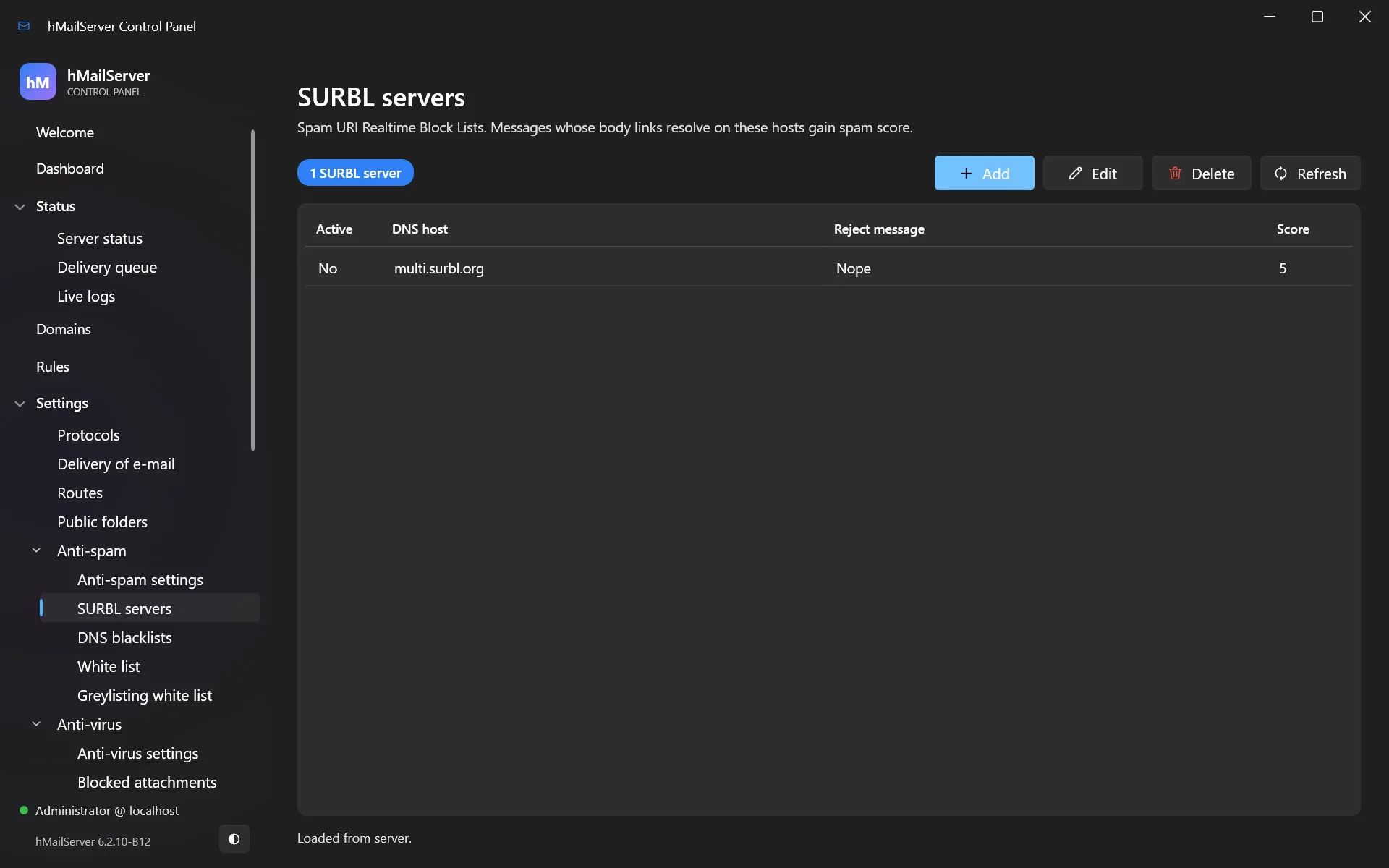
SURBL servers checks the links inside a message body against URL blocklists:
10.1 How scoring works
Each test that matches adds a score. Two thresholds decide the outcome:
- Spam mark threshold — at or above this, the message is delivered but tagged
(subject prefixed,
X-Spamheaders added) so client-side rules can file it. - Spam delete threshold — at or above this, the message is deleted outright.
Sensible starting values: mark at 5, delete at 20. Set delete to 0 to disable
deletion entirely while you are learning what your mail looks like.
Start by tagging, not deleting. Run for a fortnight with deletion off and read what got tagged. Only then turn on deletion, and set the threshold well above anything legitimate has scored.
10.2 The layers
| Test | What it does | Cost |
|---|---|---|
| SPF | Checks the sender’s SPF record | One DNS lookup |
| DNS blacklists (DNSBL) | Is the sending IP a known spam source? | One DNS lookup per list |
| SURBL | Are the links in the body on a blocklist? | One DNS lookup per URL |
| Greylisting | Temporarily reject unknown senders; real servers retry, spambots do not | Free, but delays first mail |
| DMARC | Evaluates the sender’s DMARC policy | One DNS lookup |
| SpamAssassin | Full content analysis, hundreds of rules | External service |
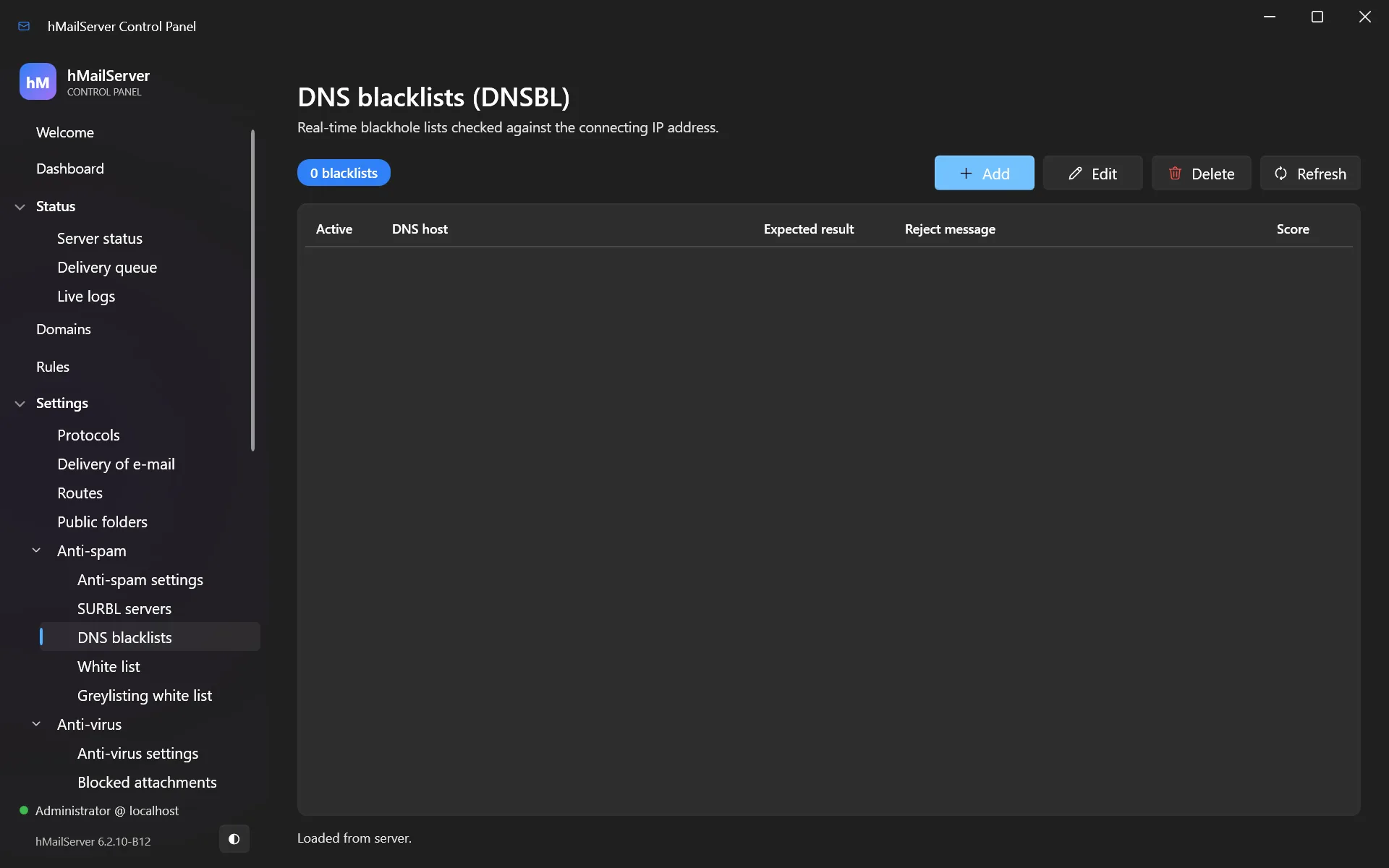
DNS blacklists (Settings → Anti-spam → DNS blacklists) are the best
effort-to-reward ratio. zen.spamhaus.org alone removes most spam.
Greylisting is remarkably effective and costs nothing, but delays the first message from every new sender by a few minutes. Warn your users, or leave it off for a customer-facing domain.
10.3 SpamAssassin
For serious content filtering, connect SpamAssassin. hMailServer talks to spamd over
TCP.
Set the host and port in the anti-spam settings (localhost, port 783), and set the
score SpamAssassin contributes.
Installing SpamAssassin on Windows is covered in the repository’s README — briefly, it
is Strawberry Perl plus Mail::SpamAssassin from CPAN, with spamd run as a Windows
service. On Linux, spamd is your distribution’s own package. hMailServer reaches it
over TCP either way, so it can equally well live on another machine.
Three settings added in 6.2.25, all off by default:
SpamAssassinUser=                ; whose spamd preferences to apply (empty = none)
SpamAssassinUserFromRecipient=0  ; 1 uses the recipient address as that user
SpamAssassinLearnOnMove=0        ; a move into Junk teaches spam, out of it teaches ham
An external filter hook
Since 6.2.24 hMailServer can hand a message to an external HTTP filter — rspamd
and the like — and fold the verdict into the same score SPF, DKIM and DMARC land in. A
"reject" verdict is worth FilterHookRejectScore.
FilterHookUrl=                ; empty = off
FilterHookTimeoutSeconds=10
FilterHookRejectScore=100
FilterHookMaxMessageSizeKB=10240
FilterHookFailClosed=0        ; 0 = a filter that cannot be reached does not block mail
Two honest limits. The hook does not speak HTTPS to the engine, so the engine belongs on this machine or on a trusted network. And it cannot express a hard
5xxatDATAindependently of the thresholds — its verdict is a score, not a veto.FilterHookFailClosed=0is the default deliberately: a filter outage should not stop your mail.
10.4 White lists
Two separate lists, for two different jobs:
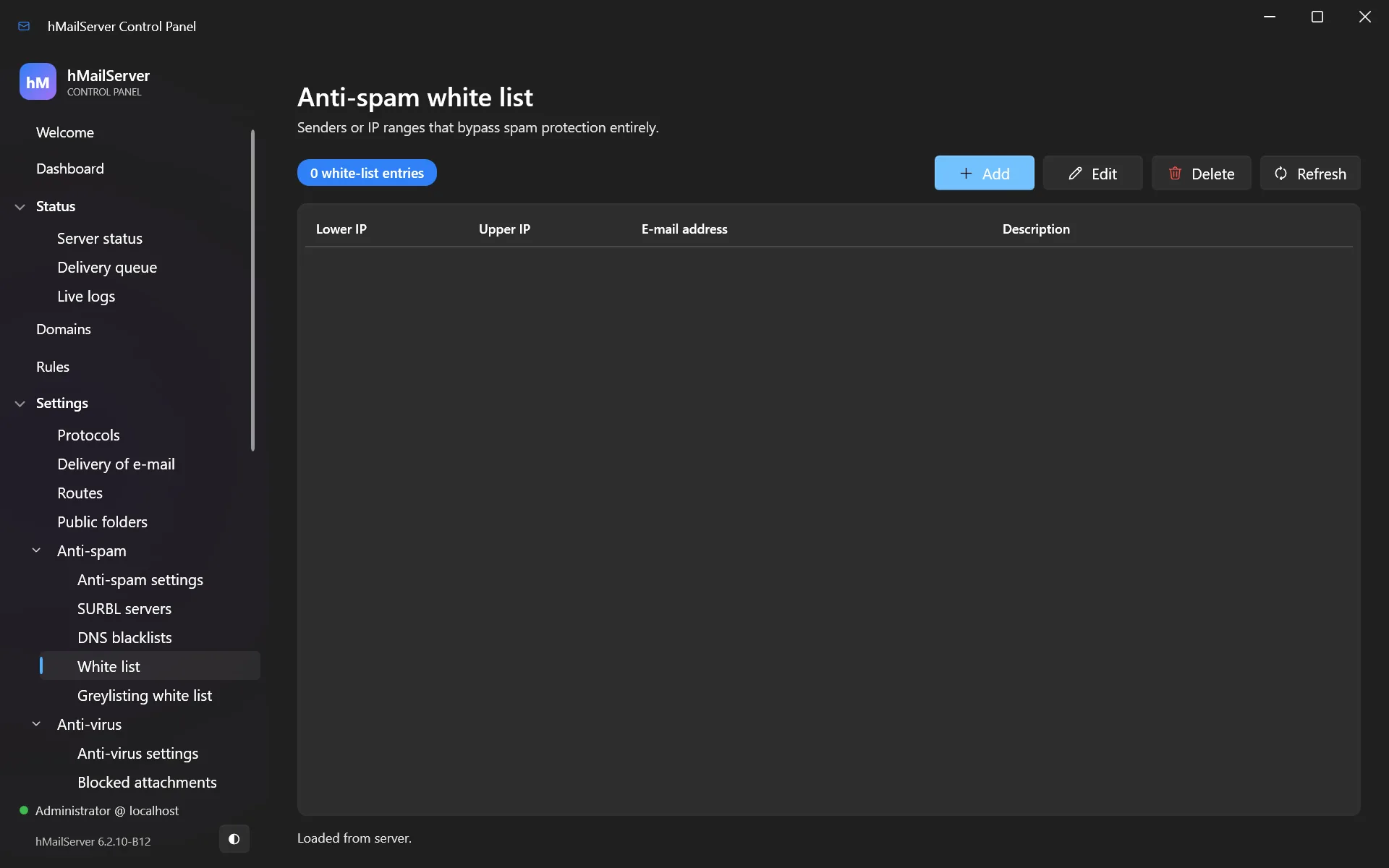
- Settings → Anti-spam → White list — senders and IPs exempt from spam checks entirely.
- Settings → Anti-spam → Greylisting white list — senders exempt from greylisting only, still spam-checked. Use this for services whose mail you need immediately.
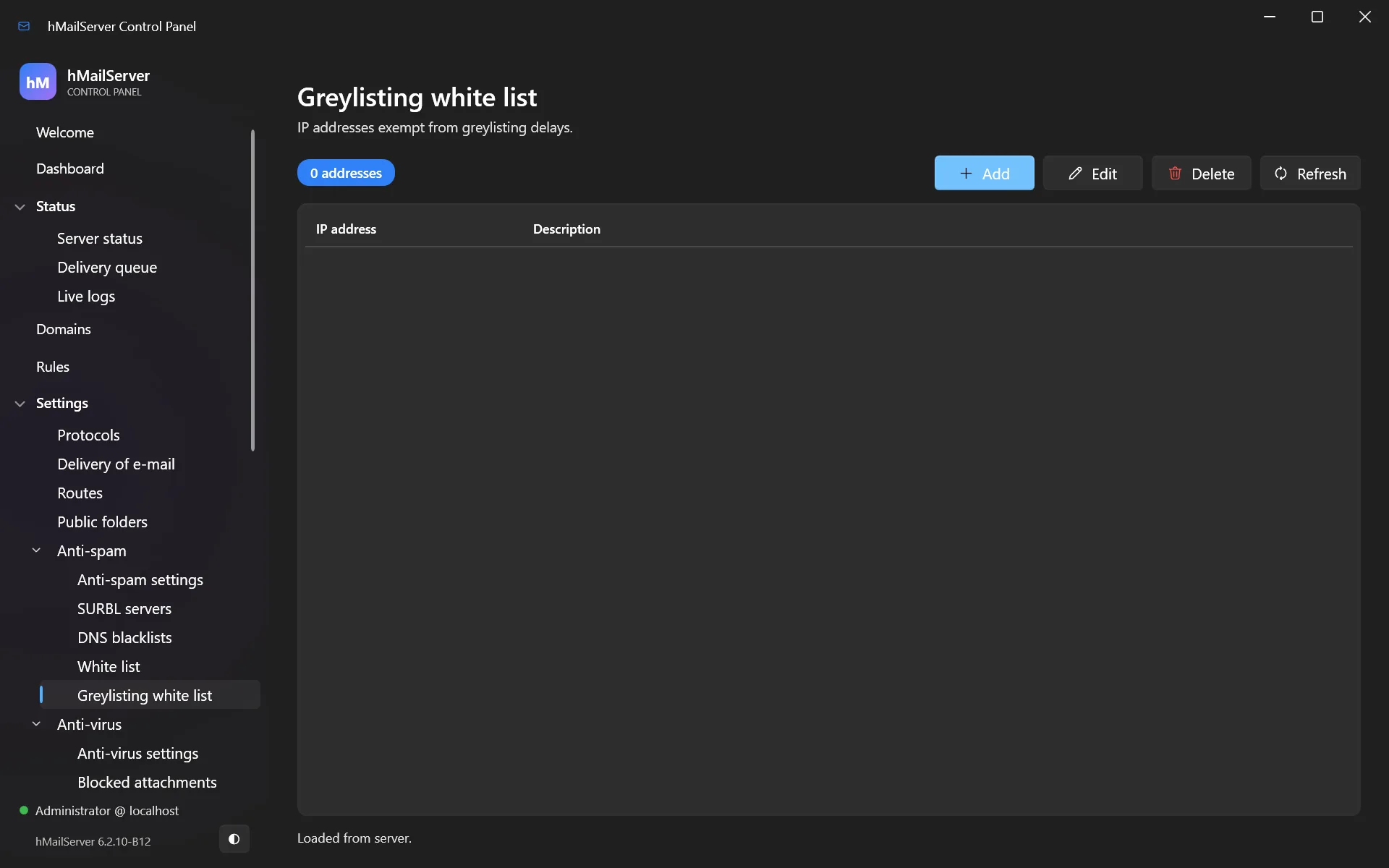
11. Stopping viruses
Open Settings → Anti-virus → Anti-virus settings:
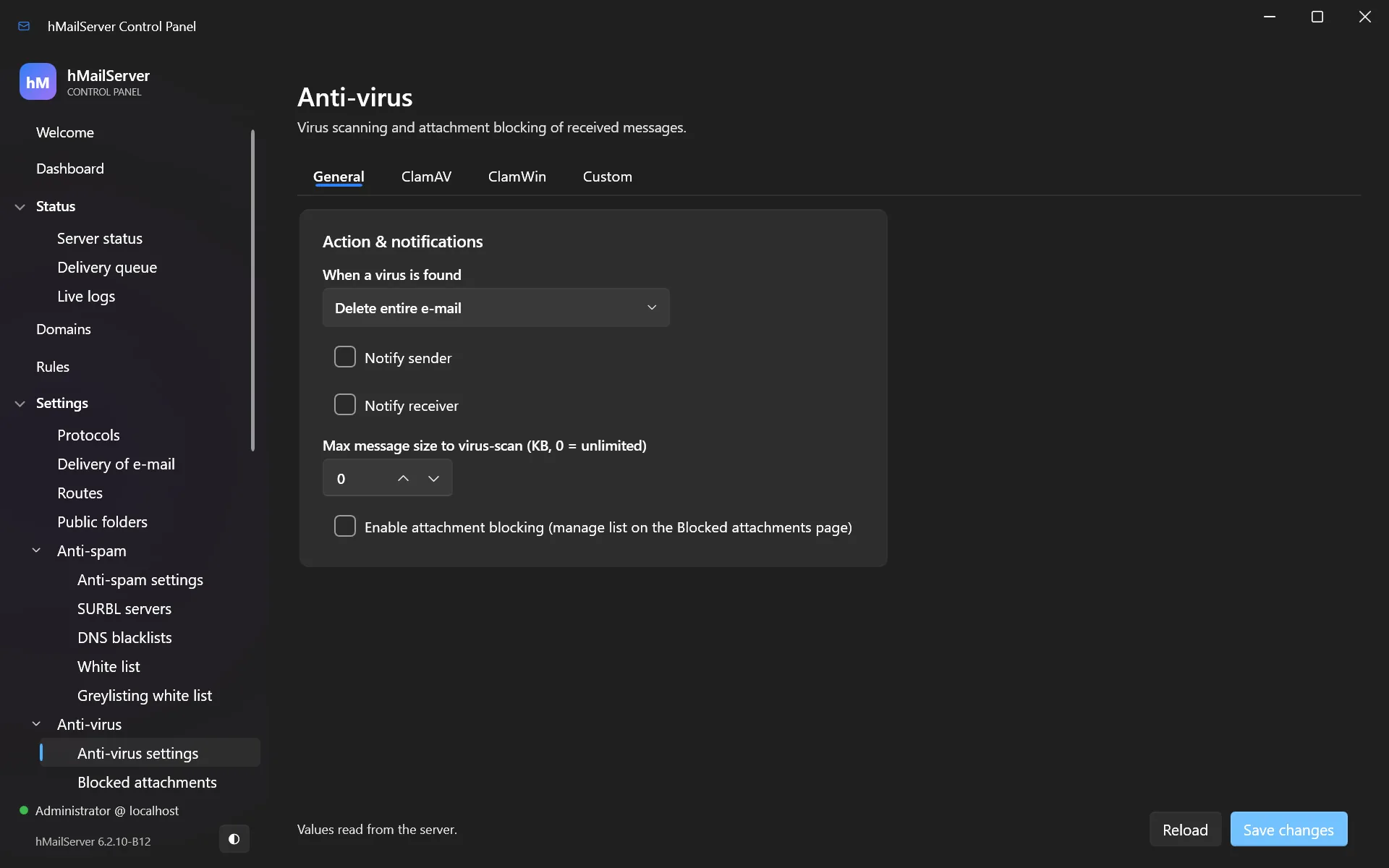
11.1 ClamAV
ClamAV is free, open source, and the usual choice. Install it, run freshclam to
download signatures, and run clamd listening on TCP 3310.
The connection test changed in 6.2.25. It now asks PING and VERSION first and
names the daemon it reached, and it streams its EICAR sample from memory instead of
writing it to a file. The old test failed on every Windows with real-time protection
enabled, because Defender removed the sample before clamd ever saw it. If you tested
this on an earlier build and concluded ClamAV was broken, test it again.
In hMailServer, enable ClamAV and point it at localhost:3310.
Action on virus found:
- Delete e-mail — the message is destroyed. Recommended.
- Strip attachments — the message is delivered with the infected part removed.
Do not configure a bounce for virus mail. The sender address on a virus is virtually always forged, so a bounce just sends junk to an innocent third party — “backscatter”, and a good way to get blacklisted.
11.2 Blocked attachments
Separate from virus scanning, and worth using regardless: Settings → Anti-virus → Blocked attachments refuses files by extension.
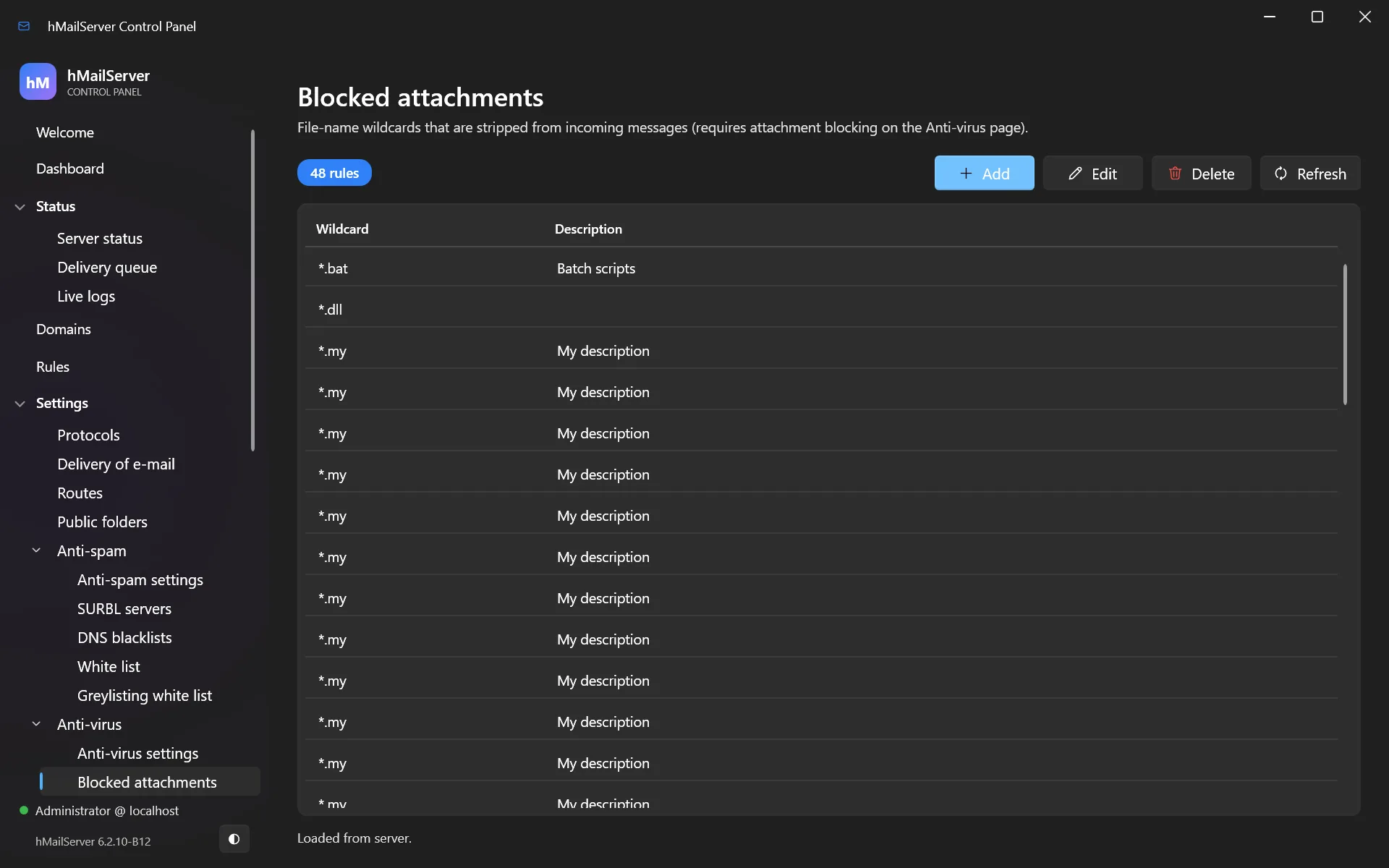
A sound starting list: *.exe, *.scr, *.pif, *.bat, *.cmd, *.com, *.vbs,
*.js, *.jar, *.msi, *.hta. No legitimate correspondent emails you an .exe.
12. Sorting mail automatically: rules and Sieve
Two independent systems, both running during delivery.
12.1 hMailServer rules
Rules in the sidebar are server-wide; each account also has its own rules tab.
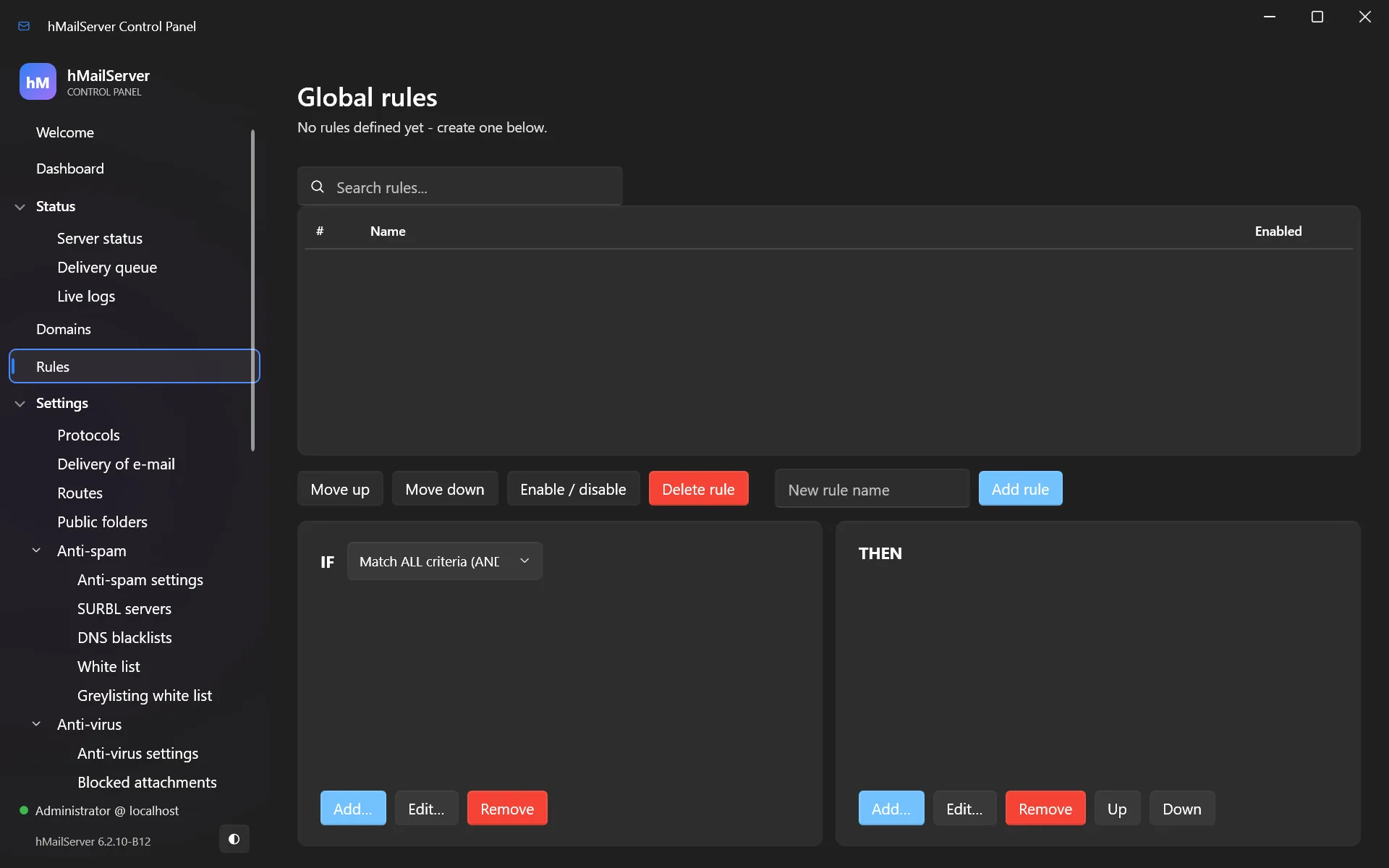
A rule is criteria plus actions. Criteria test headers, sender, recipient, subject, body or message size. Actions move to a folder, forward, reply, delete, run a script, or set a flag.
Useful examples:
- Move anything with
[SPAM]in the subject to a Junk folder. - Forward everything for
sales@to a distribution list. - Delete messages over 50 MB before they fill a mailbox.
12.2 Sieve (RFC 5228)
hMailServer also implements Sieve, the standard mail filtering language — portable across mail servers, and what most modern clients expect.
Each account can have an active Sieve script, edited on the account’s Sieve tab:
require ["fileinto"];

if header :contains "subject" "[SPAM]" {
    fileinto "Junk";
} elsif address :domain "from" "newsletters.example.com" {
    fileinto "Newsletters";
} else {
    keep;
}
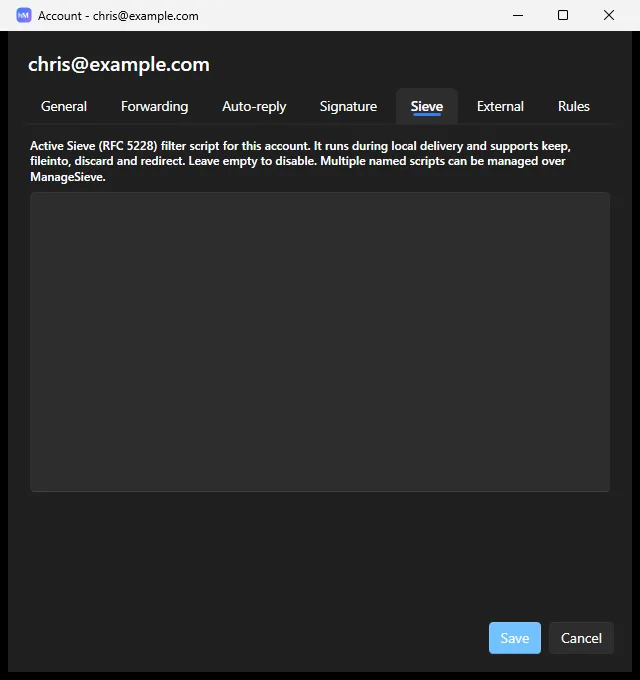
Supported: keep, fileinto, discard, redirect, and implicit keep; tests header,
address, exists, size, allof/anyof/not; match types :is, :contains,
:matches. Two extensions arrived in 6.2.19 and 6.2.21:
imap4flags(since 6.2.19) —setflag,addflag,removeflagand the:flagstag onfileinto/keep, applied to the stored message. The five system flags (\Seen \Answered \Flagged \Deleted \Draft) can be stored; a custom keyword is noted in the application log rather than dropped silently.body(RFC 5173, since 6.2.21) — filters can read the message itself, not just its headers, with all three transforms::text(the decoded text of every text part — transfer encoding and charset are decoded before matching, so a rule keeps working when a sender’s client base64-encodes the part),:content "type"(decoded parts of the named MIME types), and:raw(the body exactly as it arrived).
Sixteen more have arrived since, and the capability line advertises twenty-four extensions in all:
| RFC | Extension | What it adds |
|---|---|---|
| 5490 | mailbox |
fileinto :create — file into a folder, creating it if it is missing |
| 5463 | ihave |
Capability probing as a test, so one script serves servers with different feature sets |
| 5183 | environment |
Which server, where, and at what phase the script is running |
| 5260 | date, index |
The date/currentdate tests, and :index/:last for repeated header fields. Two capability names, by that RFC’s own registration |
| 3685 / 5235 | spamtest, spamtestplus |
The server’s own spam verdict as a graded value. virustest is deliberately absent — infected mail never reaches a script |
| 7352 | duplicate |
Has a message with this identifier been seen before. The seen-store fails open |
| 5293 | editheader |
addheader and deleteheader. Received and Return-Path are protected |
| 5229 | variables |
set, ${} expansion, match variables from :matches, and the string test |
| 5429 | reject, ereject |
Both refuse by report: scripts run after the SMTP transaction has accepted the message, so the RFC’s DSN fallback is the only honest spelling |
| 6609 | include |
include, return, global. Personal scripts are the account’s own, global ones the administrator’s. Nesting capped at three levels |
| 5435 / 5436 | enotify |
Notifications go out with a null return path and Auto-Submitted: auto-notified; an auto-submitted message is never notified about |
| — | regex |
draft-ietf-sieve-regex, which never became an RFC. Implemented because Dovecot’s Pigeonhole implements it and clients offer it |
| 5228 | envelope |
Tests the SMTP envelope rather than the headers. Implemented earlier, advertised from September 2026 once a test proved the test command itself |
Also advertised, and present at 6.2.21: copy (RFC 3894), relational
(RFC 5231), subaddress (RFC 5233), vacation (RFC 5230) and vacation-seconds
(RFC 6131). The comparators are i;ascii-casemap, i;octet and i;ascii-numeric.
Anything this server does not implement is refused when the script is uploaded, with an error naming the construct (since 6.2.21) — a script never parses as valid and then silently does nothing.
To let users manage their own scripts from their mail client, enable ManageSieve (RFC 5804):
ManageSieveServerPort=4190
ManageSieveServerBindAddress=127.0.0.1
ManageSieve’s only SASL mechanism is
PLAIN, but it is no longer offered blindly. The listener advertisesSTARTTLSwhenever a TLS certificate is configured on an IMAP, POP3 or SMTP port, and where the connecting IP range requires TLS for authentication it advertises an empty SASL list and refusesAUTHENTICATEwithNO (ENCRYPT-NEEDED)untilSTARTTLShas been issued. Bind it to127.0.0.1anyway unless a certificate is available to it.
For a cookbook of worked rule recipes — and what to do when a rule refuses to match — see chapter 27.
13. Aliases, distribution lists and public folders
13.1 Aliases
An alias is a second address that delivers to an existing mailbox. info@ → sales@
costs no extra mailbox and no extra password.
Domain aliases work at the domain level: mail to yourcompany.net can be delivered
to the accounts of yourcompany.com.
13.2 Distribution lists
A distribution list delivers one message to many recipients — [email protected].
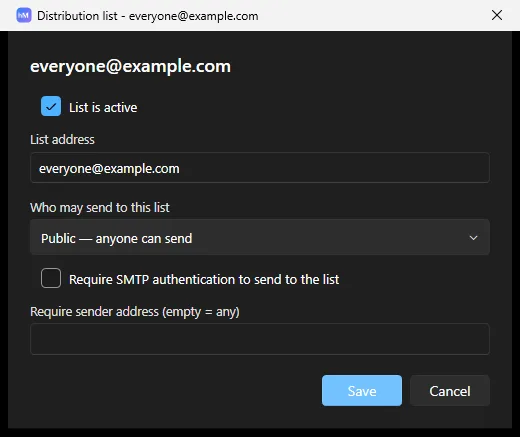
You control who may post: anyone, only members, or only specific addresses. Set this deliberately. A publicly postable list is a spam relay in waiting.
13.3 Public folders
Settings → Public folders creates shared IMAP folders visible to multiple users — a shared archive, or a team inbox.
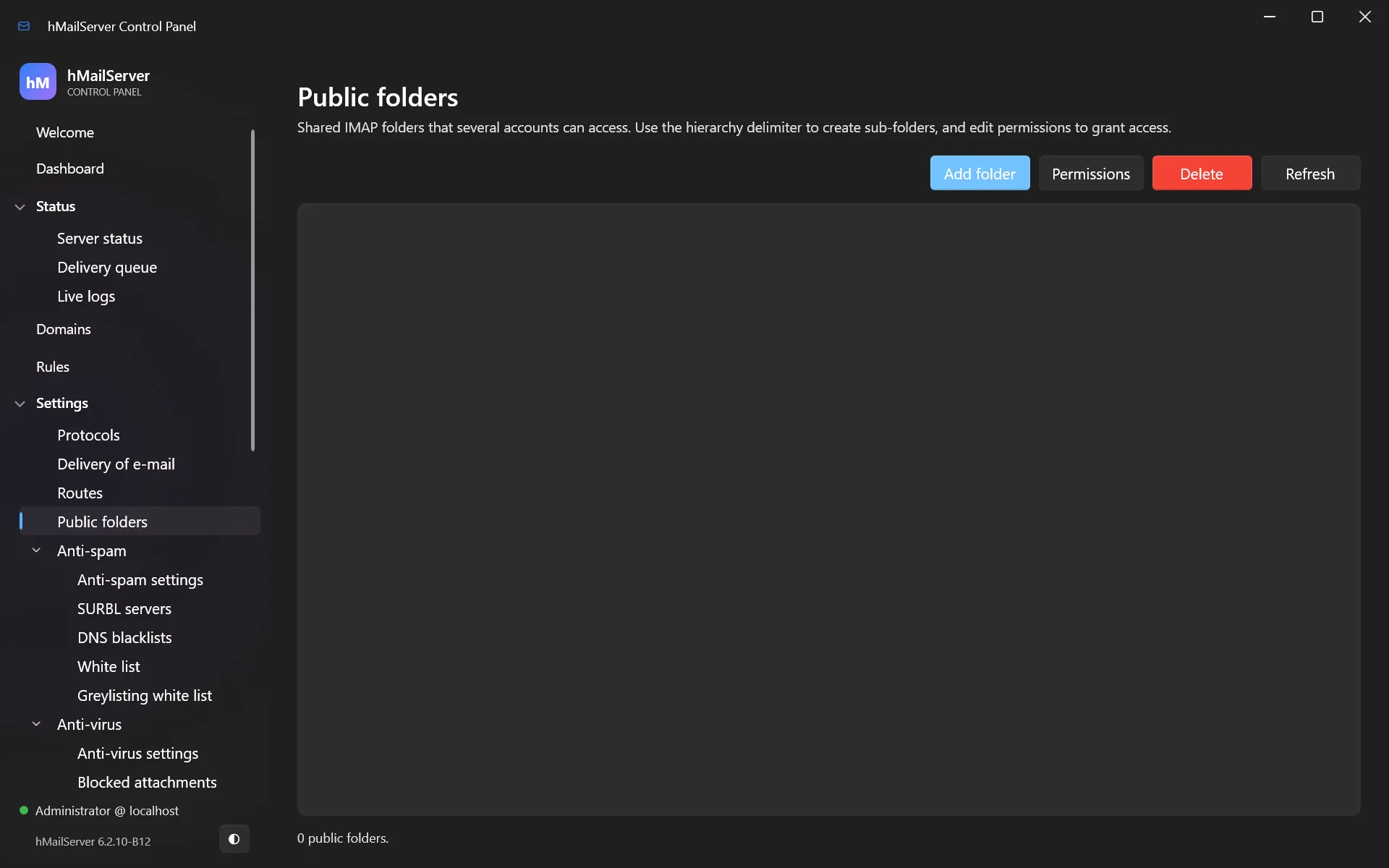
Permissions are per-account or per-group, with the usual IMAP ACL rights (read, insert, delete, administer).
14. Routes and relays
14.1 Sending through a smart host
If your ISP blocks outbound port 25, or your IP has poor reputation, relay outbound mail through a smart host — your ISP’s server, or a service such as SendGrid, Mailgun or Amazon SES.
Configure it in Settings → Delivery of e-mail — the SMTP relayer host, port and credentials.
The relayer field accepts several hosts separated by | —
smtp1.example.com|smtp2.example.com — and delivery fails over to the next when one
cannot be reached. This has always worked; it just went undocumented until 6.2.14.
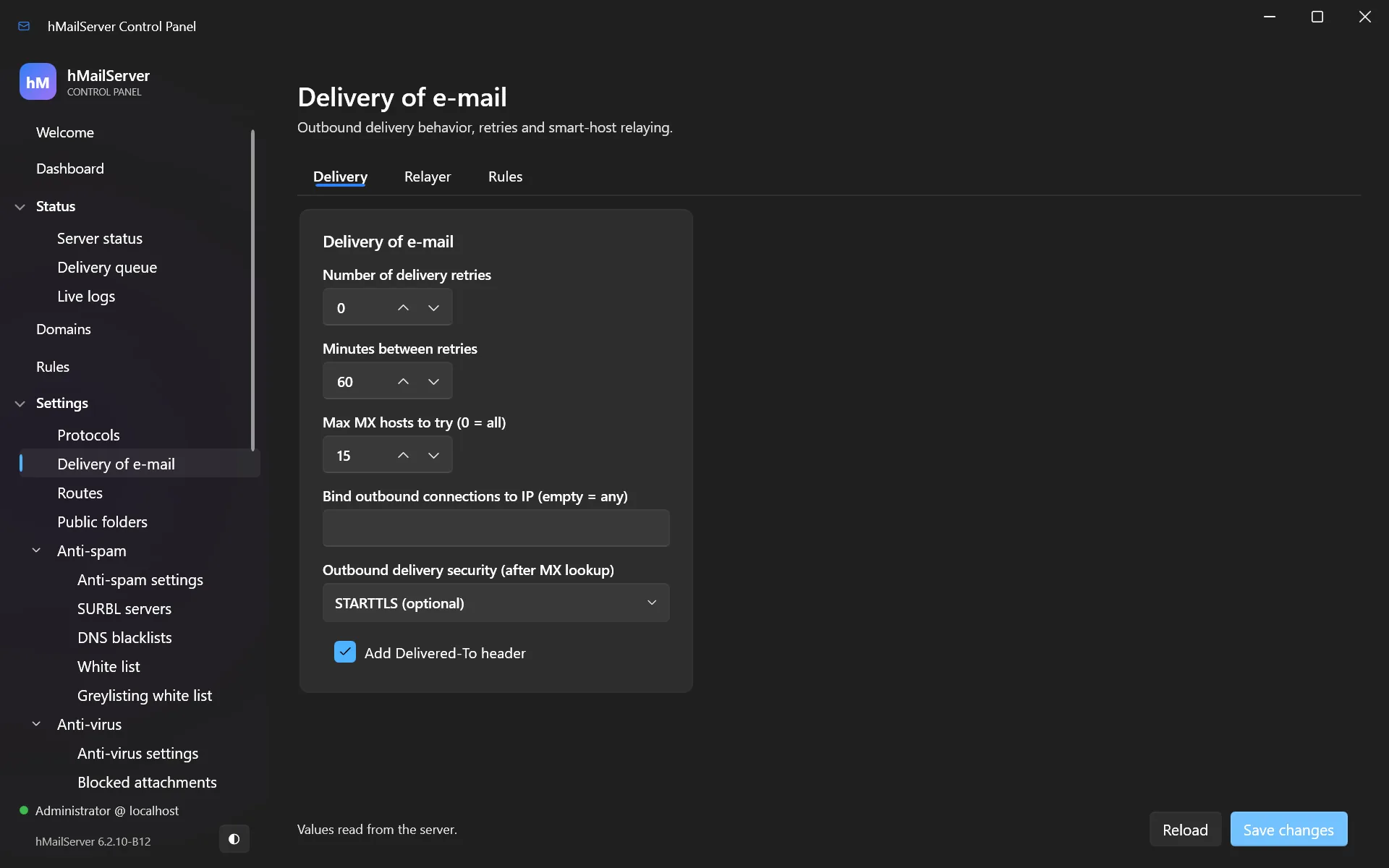
This is the standard fix for a home or small-office installation that can receive mail but cannot send it.
14.2 Routes
A route overrides delivery for a specific domain — “mail for partner.example.com
goes to this specific server, not wherever DNS says.”
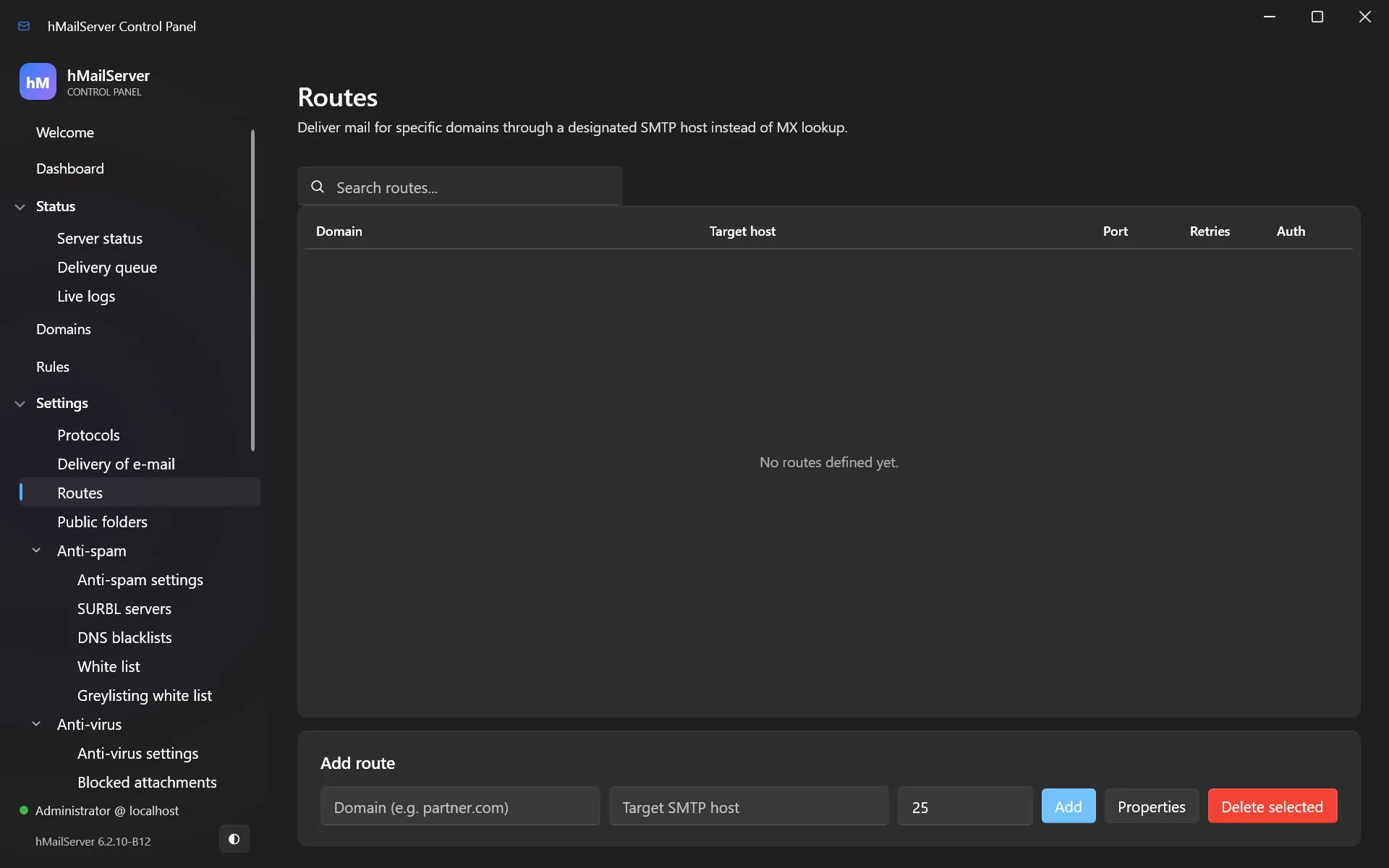
Used for internal domains, split delivery during a migration, or a partner with a private link.
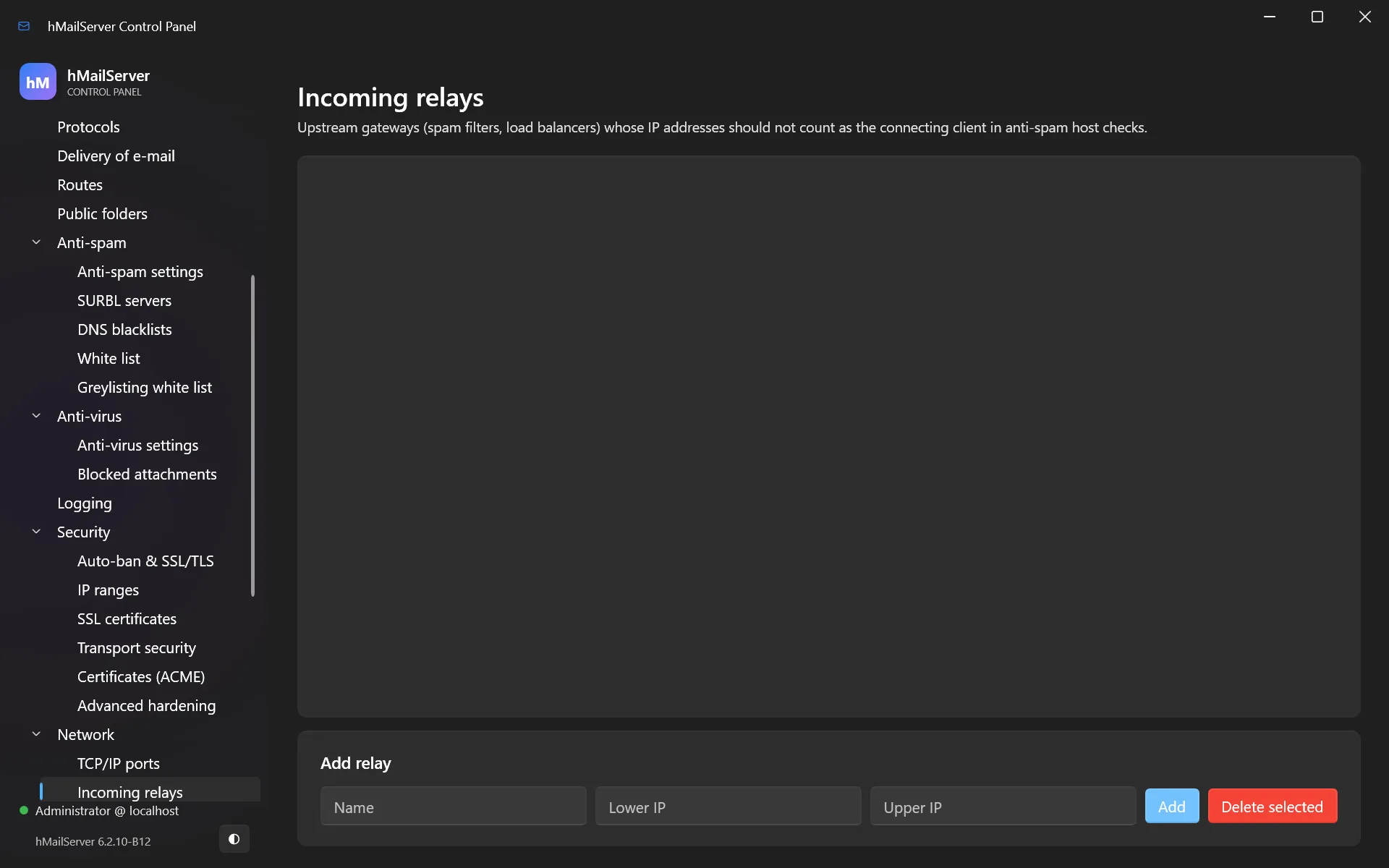
14.3 Incoming relays
Settings → Network → Incoming relays lists servers that legitimately forward mail to
you — a front-end spam filter, for instance. hMailServer then reads the original sender
IP from the Received headers instead of blaming your own filter for everything.
Changed in 6.2.24. The anti-spam tests now run against the address the relay actually observed, rather than the first bracketed value in the
Receivedheader — which was the client’s ownHELOliteral, and therefore chosen by the sender. It is the correct behaviour, and it moves scores: if you tuned thresholds around the old one, re-check them after upgrading.
15. Backup and restore
15.1 What must be backed up
| What | Where | Why |
|---|---|---|
| Messages | The data directory (default C:\Program Files\hMailServer\Data) |
The mail itself |
| Database | Your database server, or Database\hMailServer.sdf for the built-in |
Accounts, domains, settings |
hMailServer.INI |
Bin\hMailServer.INI |
Server configuration |
| Certificates and DKIM keys | Wherever you put them; Data\ACME for ACME |
Recreating these is painful |
On Linux the same four live at /var/lib/hmailserver (messages, and the ACME
directory under it), your database server, /etc/hmailserver/hMailServer.ini, and
wherever you put certificates and DKIM keys. One extra file matters there and has no
Windows counterpart: /var/lib/hmailserver/.hmailserver-secret-key, the 32-byte key
every stored secret is encrypted under. Back it up with the database — a database
restored without it has lost every stored password.
15.2 The built-in backup
Utilities → Backup & restore backs up the database and settings, on a schedule if you like. The schedule is four INI settings, not an external task:
ScheduledBackupTime=              ; 24-hour local HH:MM for a daily run; wins over the interval
ScheduledBackupIntervalMinutes=0  ; or run every N minutes (0 = off)
ScheduledBackupKeepCount=0        ; keep this many archives (0 = keep all)
ScheduledBackupMaxAgeDays=0       ; and/or delete archives older than N days (0 = off)
Since 6.2.25 a backup verifies itself. With BackupVerifyRestore=1 — the default —
the archive’s message store is extracted to a scratch directory through the same code a
restore runs, before the backup is reported complete. Set it to 0 only for a store your
temporary volume cannot hold.
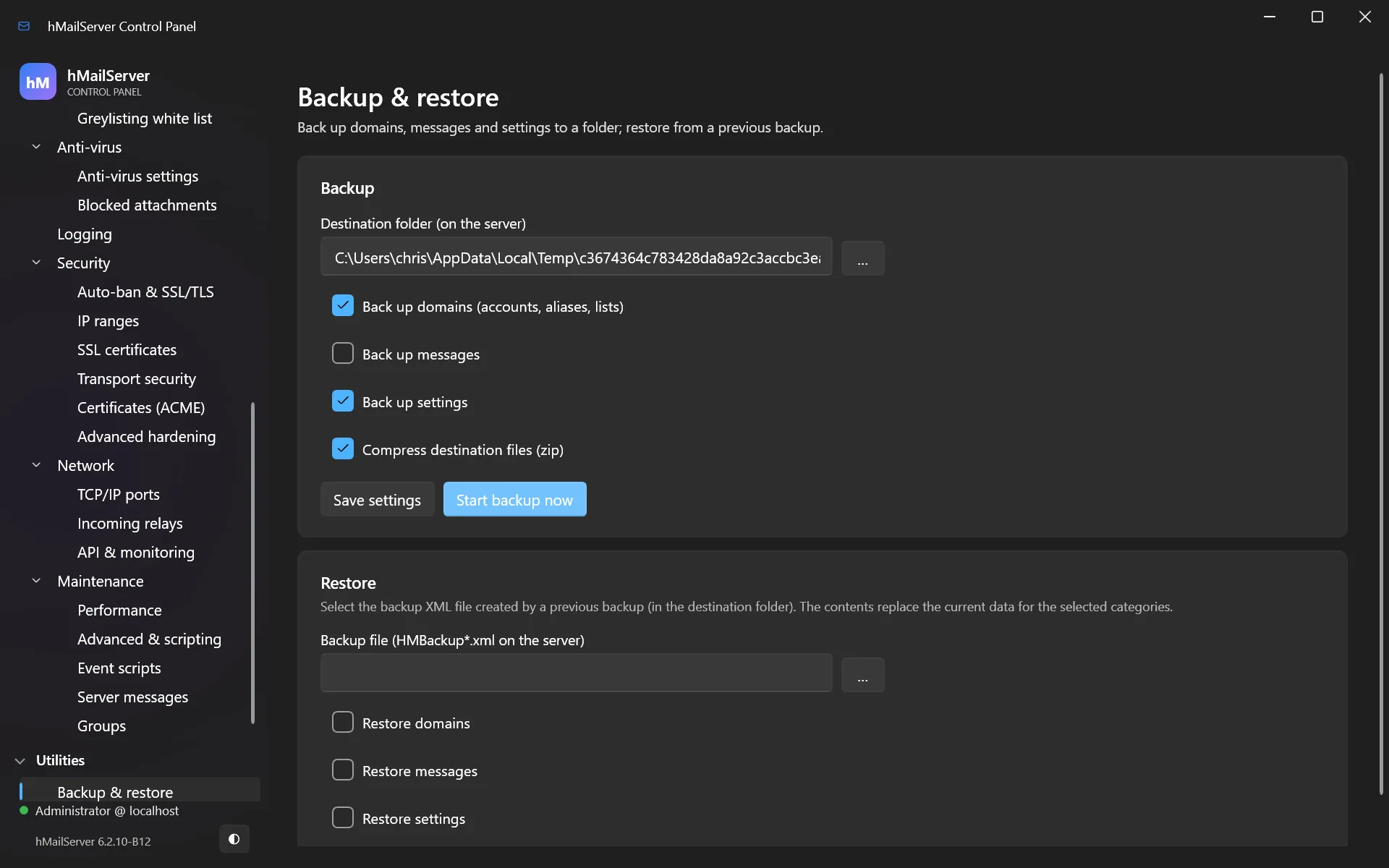
The built-in backup does not copy your messages by default. Tick the option to include them, or back up the data directory separately. Many people discover this at the worst possible moment.
15.3 Restoring
- Install the same version of hMailServer.
- Restore the data directory.
- Restore the database.
- Restore
hMailServer.INI. - Start the service and check Status → Server status.
A caveat about secrets, and it differs by platform. With
ProtectStoredSecretsWithDPAPI=1(the default), stored passwords — the database password, route/fetch/relay passwords — are protected by the platform’s own secret store.On Windows that is machine-scoped DPAPI, and the secrets cannot be decrypted on a different machine. Restoring onto new hardware means re-entering them. If you would rather have portable backups, set
ProtectStoredSecretsWithDPAPI=0to keep the older portable encoding — weaker at rest, but movable.On Linux the same setting selects a key file instead:
<DataFolder>/.hmailserver-secret-key, 32 random bytes at mode 0600, written once the first time a secret is stored and never rewritten; each secret is AES-256-GCM under it and stored asLINUX1:<base64>. The key travels with the data directory, so a restore that carriesData/carries the secrets with it — which the Windows store cannot offer. The file is refused if any account but its owner can read it, and if it cannot be made or read the secret is not stored at all rather than falling back to something weaker (HM6410 to HM6413, HM6416).A
Passwordencryption=6value written by a Windows installation is a DPAPI blob that nothing on Linux can open. It is recognised as one and reported as HM6414, and the password has to be re-entered in plain text.
16. Monitoring and health
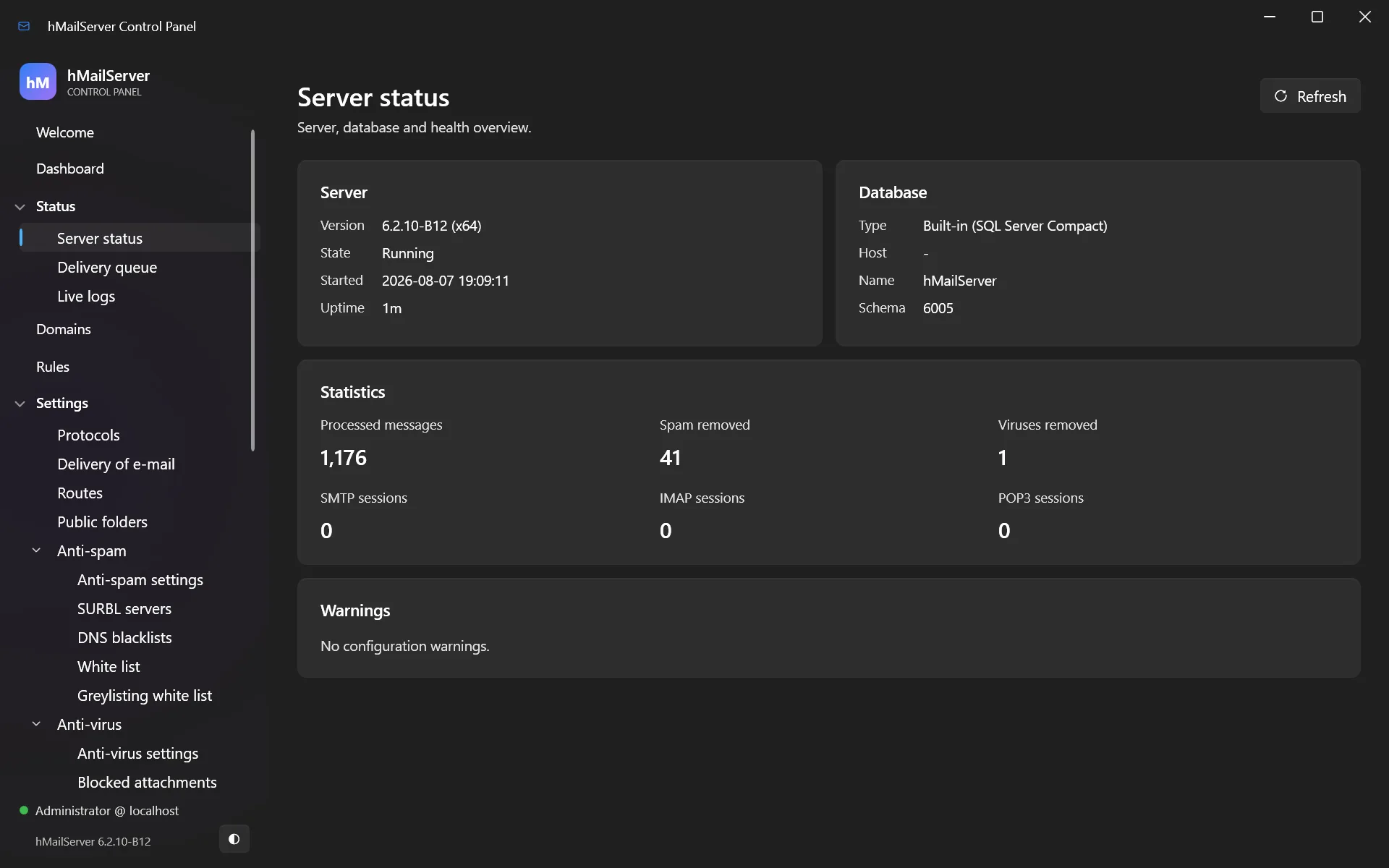
16.1 The live view
- Status → Server status — which services are running, and current connections.
- Status → Delivery queue — messages waiting to go out. A growing queue is your earliest warning.
- Status → Live logs — a real-time, colour-coded log tail.
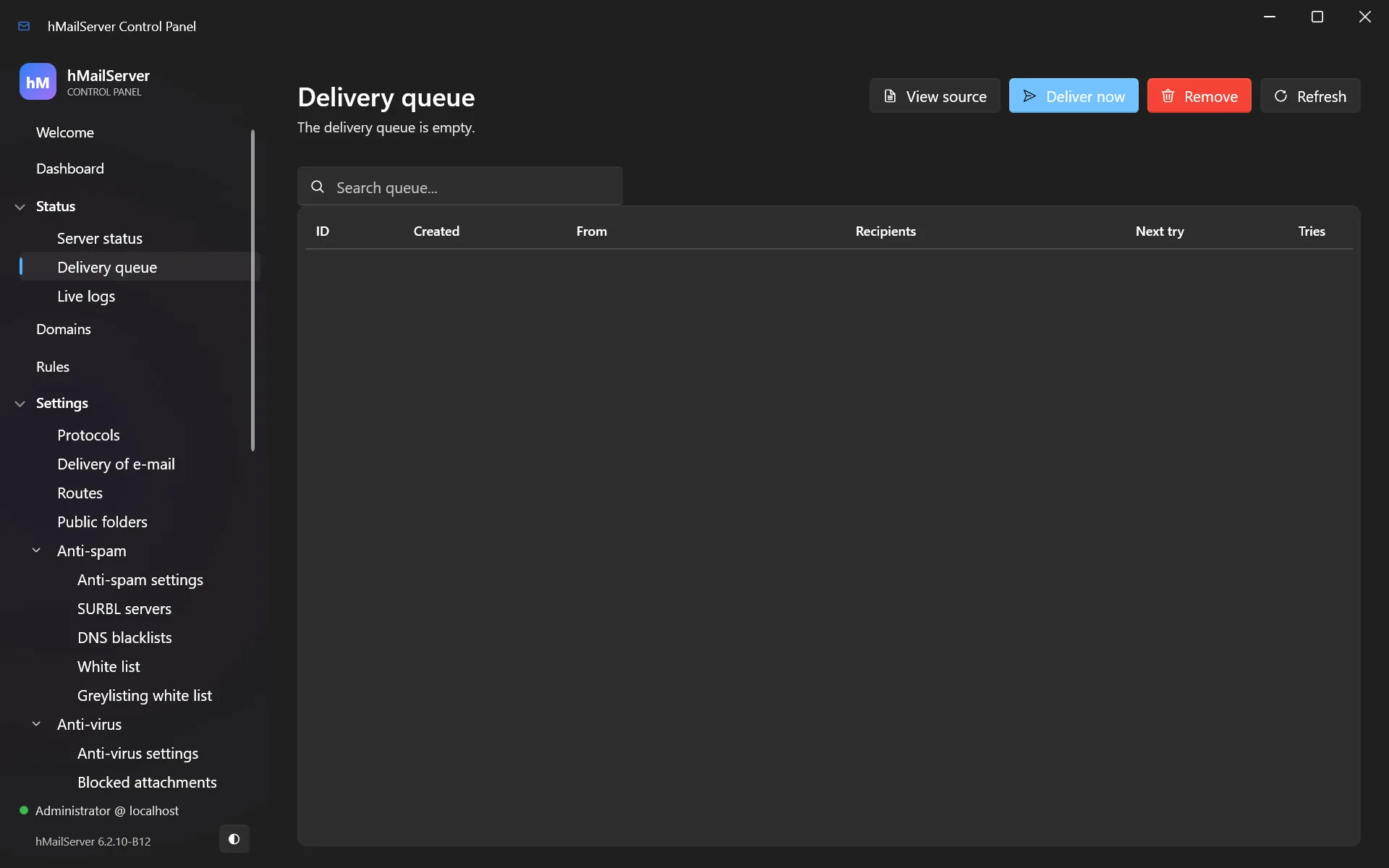
16.2 Logs on disk
Logs live in the Logs directory — /var/log/hmailserver on Linux.
Settings → Logging controls what is written.
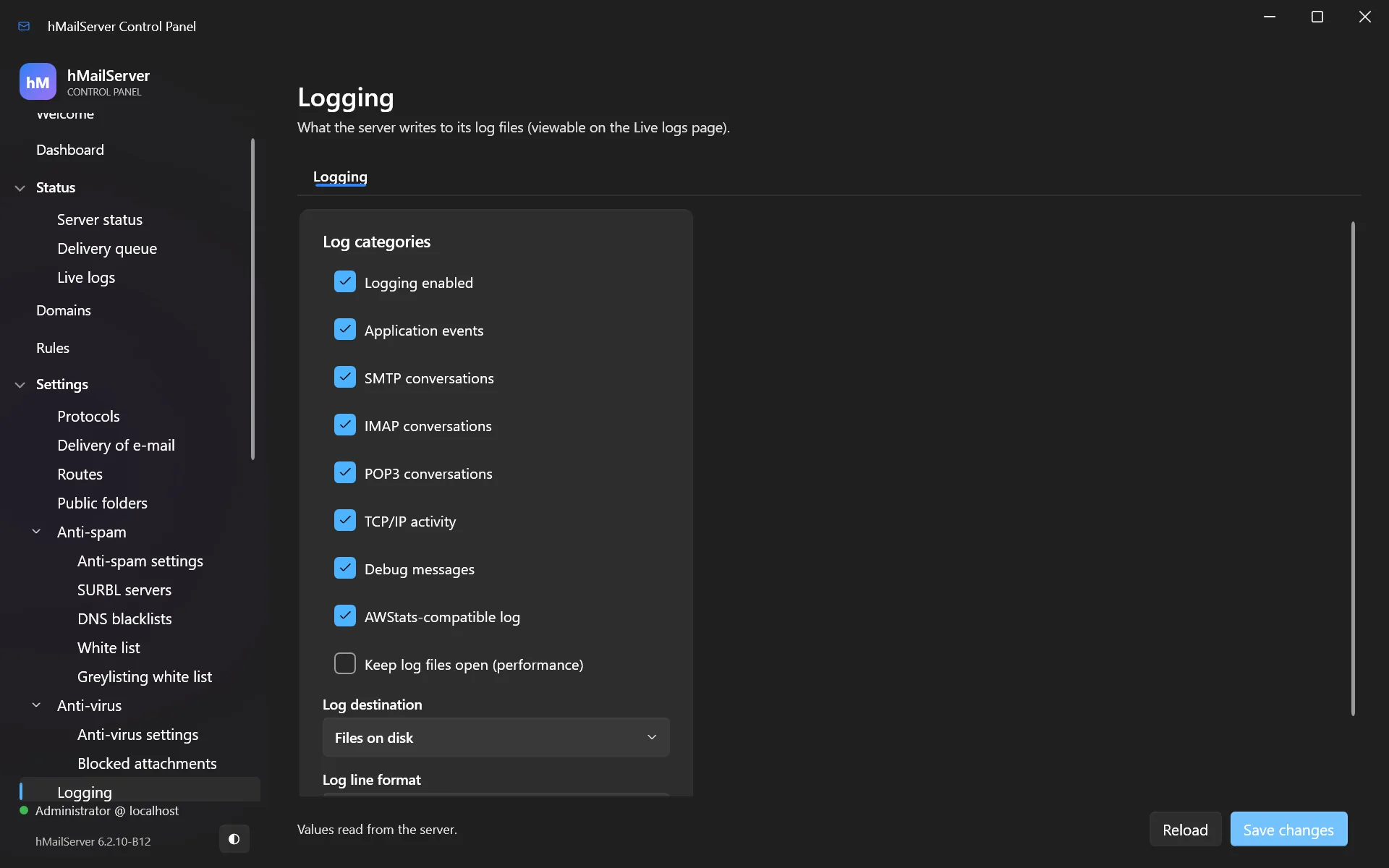
- Turn debug logging on only while diagnosing something — it is verbose and it will fill your disk.
LogDeleteDays=30prunes logs older than 30 days.JsonLogging=1writes JSON lines, for ingestion into Elasticsearch, Loki or Splunk.
16.3 Prometheus metrics and health probes
MetricsServerPort=9100
MetricsServerBindAddress=127.0.0.1
/metrics— Prometheus format: messages processed, spam and virus counts, TLS handshake success/failure, authentication success/failure, sessions per protocol, uptime, database pool state, delivery-queue depth, delivery outcomes (hmailserver_messages_delivered_total,_deferred_total,_bounced_total) and per-command latency./livez— is the process alive?/readyz— 200 when running with a connected database; 503 while starting or draining./healthz— JSON summary of status, server state and database.
The /readyz and /livez shapes are deliberately Kubernetes-compatible, so a load
balancer or orchestrator can use them directly.
The listener takes authentication and TLS as of 6.2.25 — worth having if it is bound to anything but loopback:
MetricsServerAuthToken=        ; bearer token for /metrics
MetricsServerAuthUsername=     ; or HTTP Basic
MetricsServerAuthPassword=
MetricsServerCertificateFile=  ; PEM
MetricsServerPrivateKeyFile=
MetricsPerDomainEnabled=0      ; per-domain series as well as server totals
And the server remembers its metrics. One row per metric per minute is kept for
MetricsHistoryDays (7) in hm_metricsamples — the table schema 6028 added — readable
over COM, over GET /api/v1/metrics/history, and on the dashboard for a day, a week or a
month. OTLP export is separate and off by default: OtelMetricsEndpoint,
OtelLogsEndpoint and OtelMetricsInterval (60).
Status → Live logs is not the only live view any more either: the Control Deck reads
the log files over /api/v1/logs, a named file’s last 200 or 2,000 lines at a time
(chapter 36).
Configure this under Settings → Network → API & monitoring on Windows. On Linux
there is no Control Panel: set the keys in /etc/hmailserver/hMailServer.ini, or write
them through the REST API or the Control Deck.
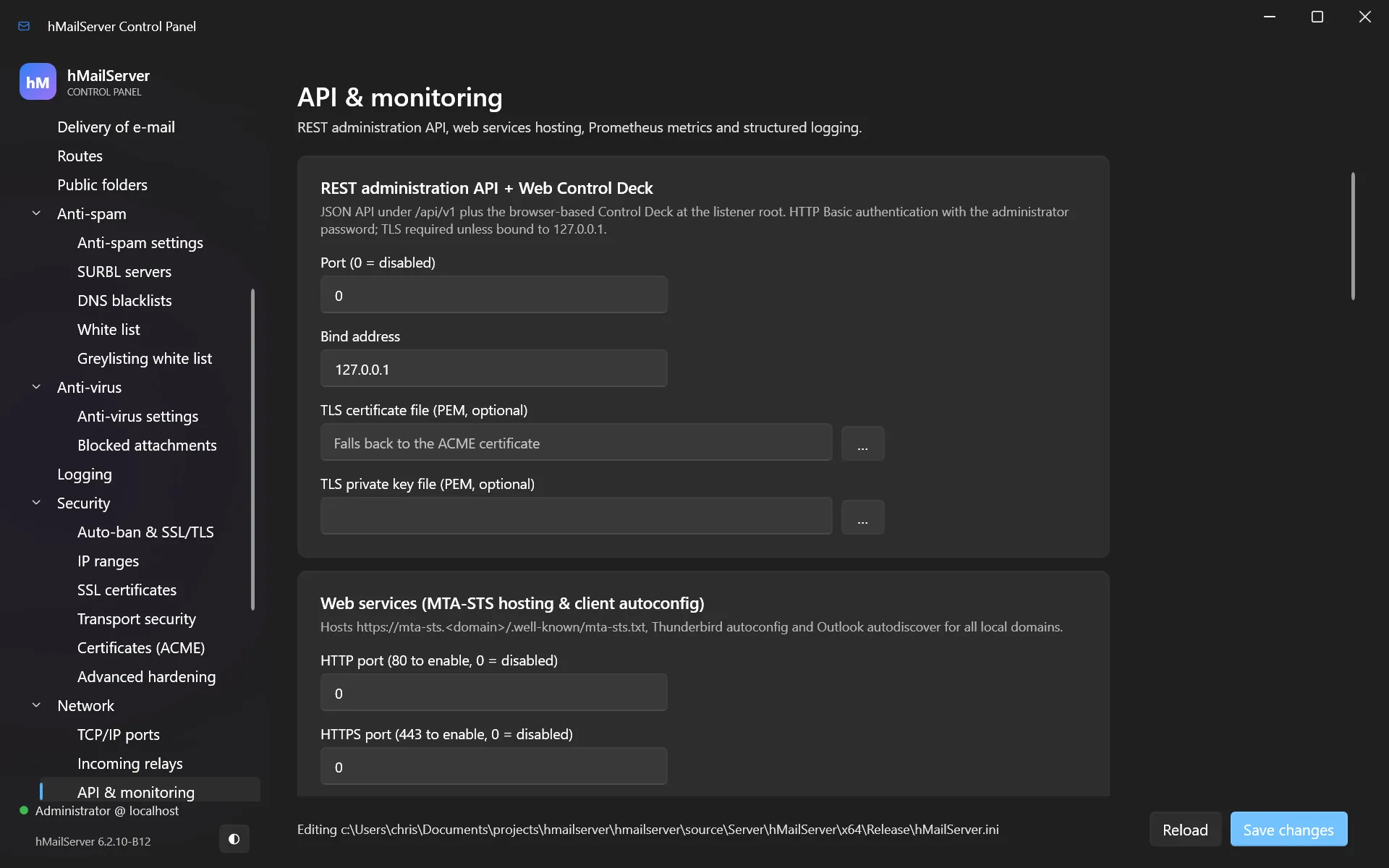
16.4 Diagnostics
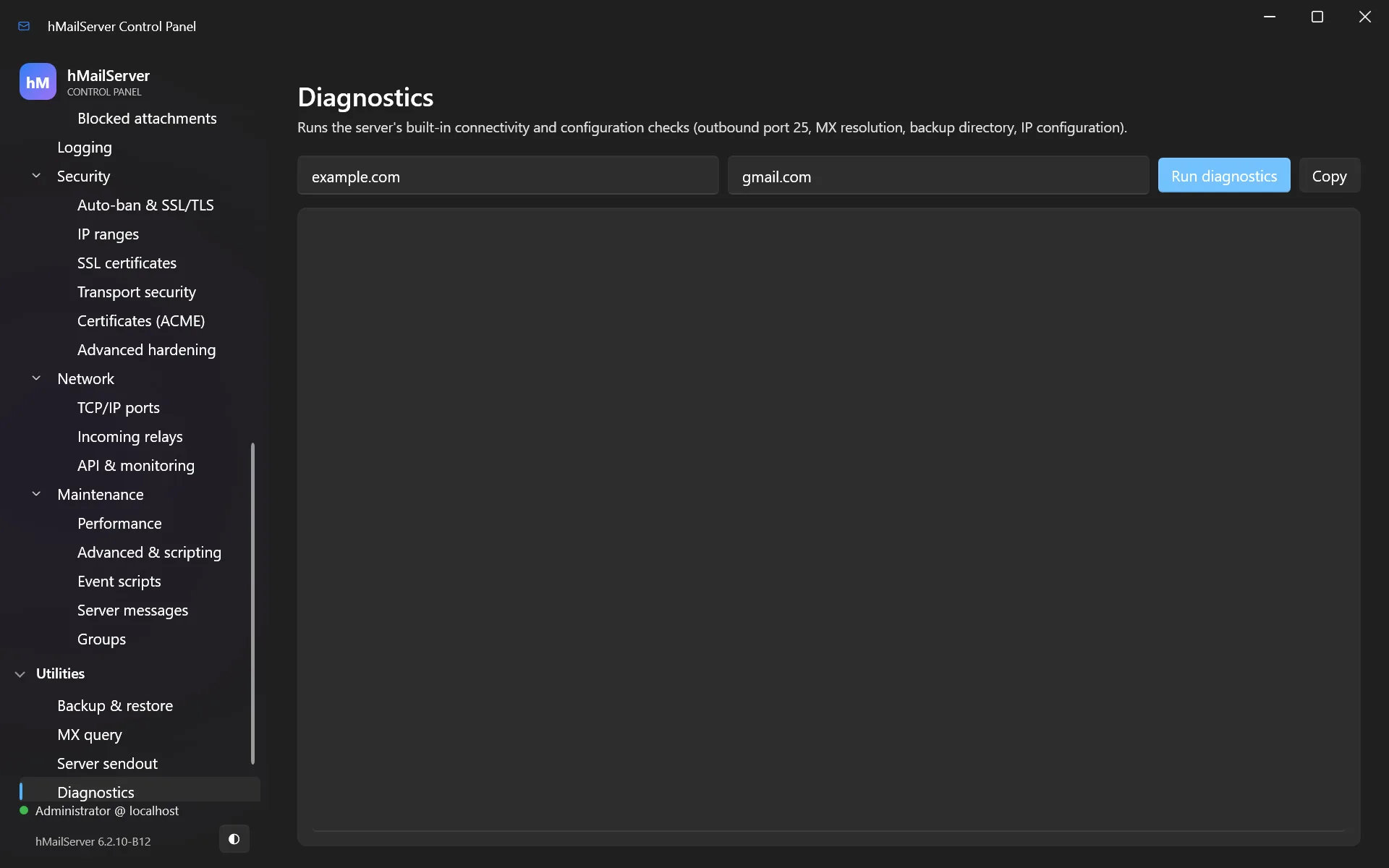
Utilities → Diagnostics runs a self-test — DNS resolution, database connectivity, port bindings, disk access — and reports what is wrong in plain language. Run this first when something breaks.
17. Security hardening
17.1 The essentials
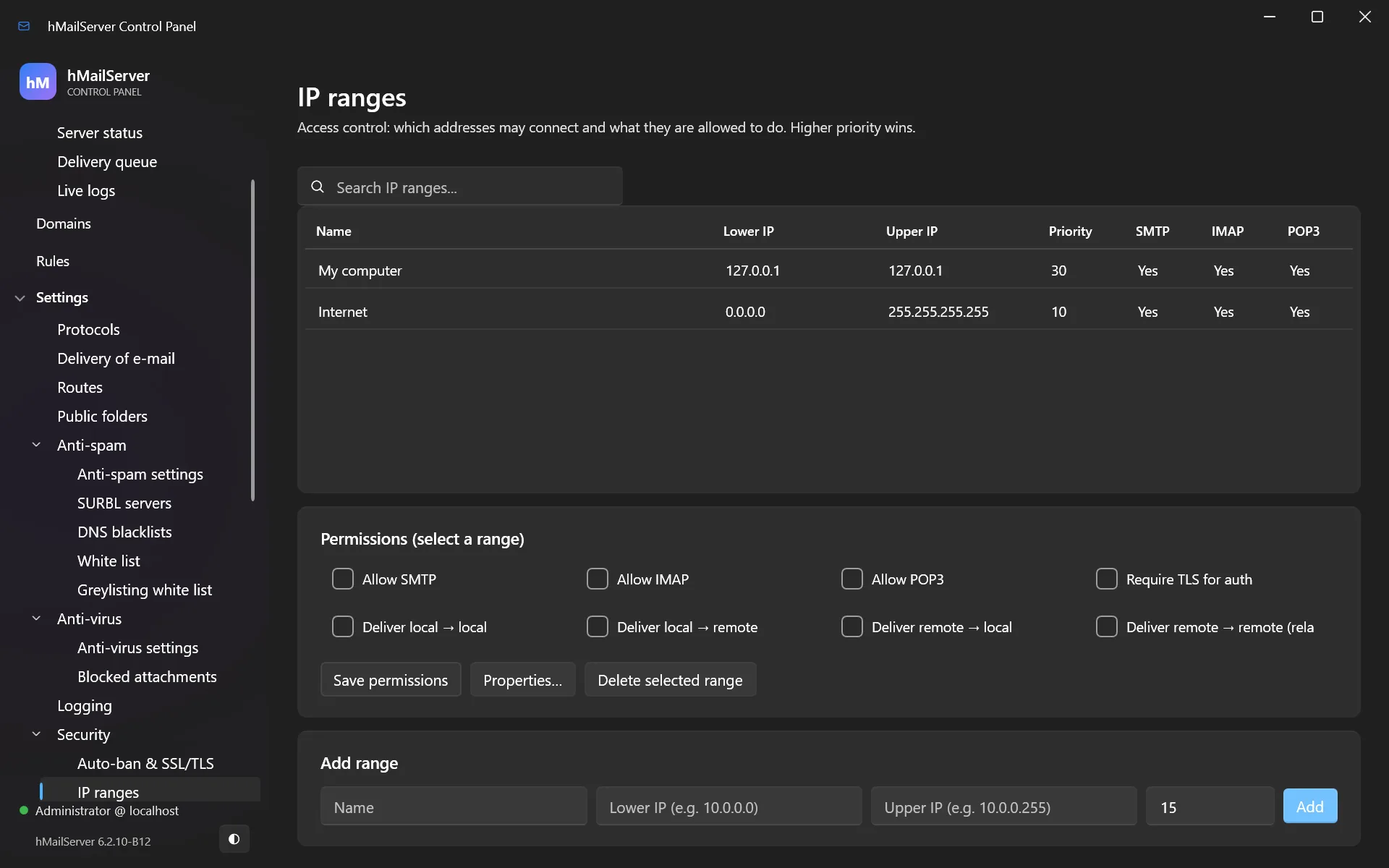
- Never become an open relay. hMailServer’s defaults are safe; the danger is a careless IP range. Check Settings → Security → IP ranges and make sure no external range is allowed to relay.
- Auto-ban blocks an IP after repeated failed logins. On by default — leave it on. Tune it under Settings → Security → Auto-ban & SSL/TLS.
- Require TLS. Disable plaintext logins on ports reachable from the internet.
- Strong passwords everywhere. Use the generator in the account dialog.
17.2 Modern authentication
hMailServer supports SCRAM-SHA-256 and SCRAM-SHA-256-PLUS (with channel binding) across IMAP, POP3 and SMTP submission — the password never crosses the wire, even inside TLS. Also supported: OAuth2 bearer tokens (XOAUTH2 and OAUTHBEARER, RFC 7628) for integration with an identity provider.
Password storage defaults to PBKDF2-HMAC-SHA256, with Argon2id available. Existing weaker hashes upgrade transparently the next time the user logs in. You can enforce a floor:
MinimumAcceptedHashAlgorithm=PBKDF2
scrypt joined the list in 6.2.25. PreferredHashAlgorithm now takes 3 (SHA256),
4 (PBKDF2, the default), 5 (Argon2id) or 7 (scrypt); anything else is refused at read time
and reported as HM5528 while the server falls back to 4. If you ask for Argon2id on a
build whose OpenSSL has no Argon2id KDF, that is reported as HM5607 and scrypt is used
instead. The work factor is settable, and only ever re-derived upward at the next logon:
PasswordHashIterations=0      ; 0 = the built-in work factor (PBKDF2)
PasswordHashMemoryKB=0        ; 0 = the built-in (Argon2id, scrypt)
PasswordHashTimeCost=0        ; 0 = the built-in
Also since 6.2.24 and 6.2.25: SASL EXTERNAL (RFC 4422 Appendix A) — a client
certificate verified against the port’s CA logs on as the mailbox its addresses name, on
SMTP, IMAP and POP3; app passwords, so a device gets a credential of its own; and
OAuth2 hardening — OAuth2JwksUrl makes the provider’s JWK Set the signing-key source,
and OAuth2IntrospectionUrl adds token introspection so a revoked token stops working.
Both are off unless configured.
SCRAM-SHA-1 is not offered, deliberately. A client that cannot do SCRAM-SHA-256 uses
PLAINorLOGINover TLS.
17.3 Run as a least-privilege account
By default the service runs as LocalSystem, which is more privilege than it needs:
ServiceAccountName=NT SERVICE\hMailServer
ServiceAccountPassword=
The virtual account NT SERVICE\hMailServer needs no password. Grant it Log on as a
service and access to the program, data and database directories. Applied when the
service is next registered.
On Linux these two settings do nothing. The packaged systemd unit already runs the
server as its own hmailserver user, never as root, and declares the rest of the
sandbox itself — ProtectSystem=strict with ReadWritePaths limited to
/var/lib/hmailserver and /var/log/hmailserver, NoNewPrivileges, a capability
bounding set of nothing but CAP_NET_BIND_SERVICE, a private /tmp, and a system-call
filter. Change any of it with systemctl edit hmailserver, because a package upgrade
replaces the unit file and a drop-in survives it. Chapter 35 has the detail.
17.4 Two-factor authentication for administrators
The Control Panel supports TOTP two-factor authentication. Settings → … → Two-factor authentication shows a scannable QR code plus a manual key; scan it with Microsoft Authenticator, Google Authenticator, Authy or 1Password, confirm with a code, and every subsequent administrator logon requires one.
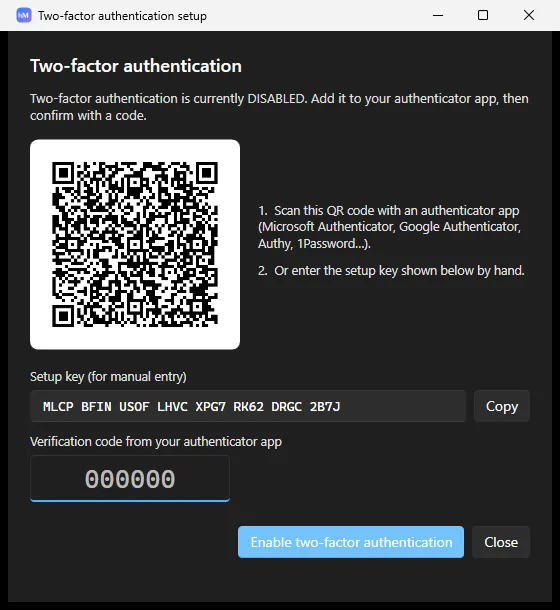
Writing the secret from the Control Panel requires it to run as administrator on Windows — that copy is stored under
HKLM.
Since 6.2.25 the second factor is the server’s, not the Control Panel’s. Enrol it
with Settings.EnrolAdministratorTOTP (and clear it with
Settings.DisableAdministratorTOTP); Application.AdministratorTOTPEnabled reports
whether it is on. Once enrolled, every administrative route asks for the code: a COM
client authenticates with COMAuthentication.AuthenticateWithCode, and the REST API
wants the six digits in an X-hMailServer-OTP header. That closes the gap where a
script could bypass a check the GUI was making on its own. The secret itself lives in
[Security] AdministratorTotpSecret; clearing that line is how you recover a locked-out
administrator credential.
17.5 Rate limiting
MaxSubmissionsPerIPPerMinute=30        ; cap MAIL FROM per source IP per minute
MaxOutboundPerDestinationPerMinute=60  ; cap outbound per destination domain per minute
The first refuses excess submissions with 421 — it contains a compromised account. The
second defers rather than bounces, which keeps you the right side of large providers’
rate limits.
Tarpits and lockout arrived in 6.2.25, all off by default. The tarpits are implemented as a pause on the connection’s own timer, never a sleeping thread — which is why the two old COM properties of the same name were stubs for years.
LogonTarpitSeconds=0          ; delay before the answer to a failed logon
SmtpTarpitCount=0             ; after this many errors in one SMTP session...
SmtpTarpitDelaySeconds=0      ; ...delay every further command by this much
Pop3LoginDelaySeconds=0
AccountLockoutThreshold=0     ; failed logons before the account is locked (0 = never)
AccountLockoutWindowMinutes=30
AccountLockoutMinutes=30
A password policy, applied when a password is set:
PasswordPolicyMinimumLength=0
PasswordPolicyRequireMixedCase=0
PasswordPolicyRequireDigit=0
PasswordPolicyRequireNonAlphanumeric=0
PasswordPolicyRejectCommon=0
PasswordPolicyHistoryCount=0      ; refuse re-use of the last N (needs schema 6019)
PasswordPolicyMaximumAgeDays=0
And if you run event scripts, ScriptAllowedObjects restricts which COM classes a
script may create. The default is *, which is what every earlier version did; set it to
a list and CreateObject of anything else fails inside the script with error 429. Event
scripting is Windows-only — the script engine is the Windows scripting host — so this key
has no effect on Linux.
17.6 SRS and BATV
If you forward mail, enable SRS so forwarded mail stays SPF-aligned:
SRSEnabled=1
SRSSecret=<a long random string you never change>
SRSSecretmust be stable. Changing it invalidates outstanding SRS addresses, which remain valid for 21 days — so bounces for recently forwarded mail will be lost.
BATV (prvs) signs your envelope sender so you can recognise and drop backscatter.
17.7 Advanced hardening
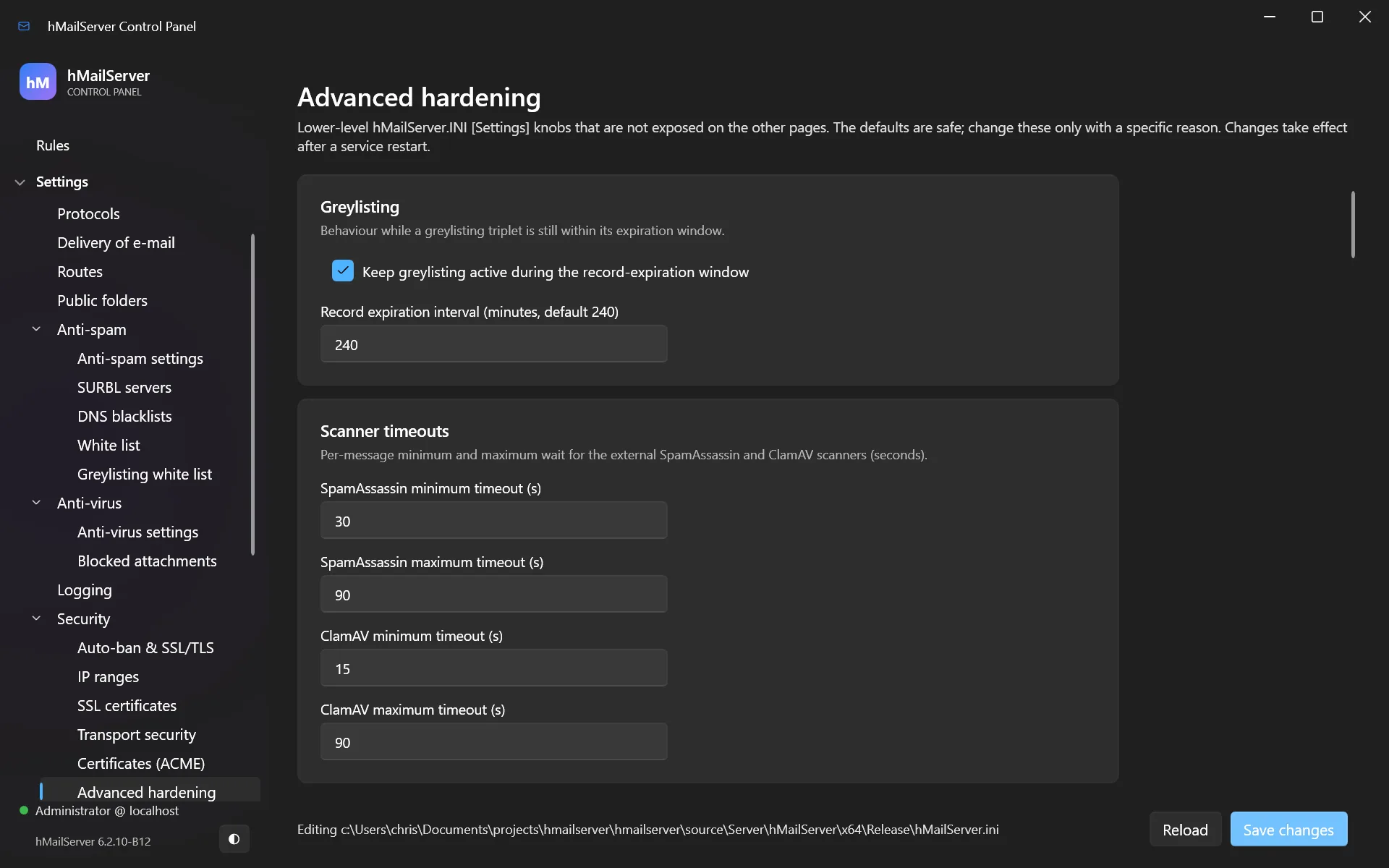
Settings → Security → Advanced hardening collects the remaining controls — DPAPI secret protection, connection limits, message-store fsync, and consistency checking.
Part IIIMaintenance
18. Upgrading hMailServer
18.1 How upgrades work
hMailServer upgrades in place. The installer stops the service, replaces the program files, upgrades the database schema if needed, and restarts. Your mail, accounts, domains and settings are preserved.
Two things change during an upgrade:
- Program files in
C:\Program Files\hMailServer\Binare replaced. On Linux the package manager replaces/usr/bin/hmailserverand/usr/share/hmailserver, and the post-install step runshmailserver --upgrade-database(chapter 35). - The database schema is upgraded by
DBUpdater, which the installer runs automatically. Current schema version: 6031 (6.2.27 and later; 6030 in 6.2.25 and 6.2.26, 6025 in 6.2.24, 6011 in 6.2.19 to 6.2.21, and 6005 in releases up to 6.2.18).
Your data directory (the messages) and hMailServer.INI are left alone.
18.2 The upgrade path
The database upgrade chain is continuous from every earlier hMailServer release, on MySQL, MS SQL, PostgreSQL and SQL CE. You do not need to step through intermediate versions:
  5.3.x ┐
  5.4.x ┤
  5.5.x ┼──▶  6.3.3    (DBUpdater walks every intermediate schema step for you)
  5.6.x ┤
  5.7.x ┤
  6.0.x ┤
  6.1.x ┤
  6.2.x ┘
| Coming from | Path | Notes |
|---|---|---|
| 6.2.x | Run the 6.3.3 installer | Drop-in. A 6.2.27 or 6.2.28 database is at 6031 and is walked forward to 6040 — 6.3.2’s seven steps and 6.3.3’s two, in place; any earlier 6.2 is walked all the way, automatically, as always |
| 6.0 / 6.1 | Run the 6.3.3 installer | Schema upgraded automatically |
| 5.6 / 5.7 | Run the 6.3.3 installer | Schema upgraded automatically. Read §18.5 — the GUI has changed |
| 5.3 – 5.5 | Run the 6.3.3 installer | As above. Very old installs: back up first and test the restore |
| Original hMailServer (unmaintained) | Run the 6.3.3 installer | This fork is a drop-in successor |
6.3.0 and 6.3.1 made no schema change — a 6.2.28 database was already at 6031 and
their installers found nothing to do. 6.3.2 moved the schema to 6038 in seven steps
(contacts, account preferences, scheduled sends and snoozes, files sent as links, message keywords,
S/MIME keys, SURBL expected results), and 6.3.3 needs 6040: 6039 widens a
domain’s relay-password column so a DPAPI envelope fits, and 6040 adds the CardDAV tables. Every
step upgrades in place and DBUpdater runs whichever ones your database still needs. Nothing 6.3.0 added is on by default: the
REST API, the Control Deck and the portal all need RestApiPort set, and a server
upgraded without touching its settings behaves as 6.2.28 did, apart from the delivery fix and the
rebuilt webmail that 6.3.3 brings to everyone. 6.3.1’s Windows installer was the first this
project Authenticode-signed (§4.1).
Upgrading from anything older than 6.3.1? Go straight to 6.3.3. 6.3.2 could not upgrade a database whose schema was older than its own: its guard for a refused database covered the whole Settings object, which DBUpdater reads before it runs the first script, so every upgrade from 5.x or 6.2.x stopped with The server has not loaded its configuration and left the database untouched. 6.3.3 upgrades such a database in one go, and nothing in a database was changed by a failed 6.3.2 attempt.
On 6.3.1 or 6.3.2 and using the Control Panel’s live update? The first real update, 6.3.1 to 6.3.2, failed with the installer’s exit code 5 because the Control Panel that started it kept its own files open. 6.3.3 fixes that, but the helper that runs a live update is the one already installed, so update by hand once: close the Control Panel, run the 6.3.3 installer. Live updates work from then on.
Two steps in the 6011 → 6031 chain need a maintenance window on a large database.
6024 → 6025 rewrites hm_messages.messageflags from tinyint to smallint — a table
rewrite on your largest table, holding locks, on MS SQL, SQL Server Compact and
MySQL/MariaDB; PostgreSQL is unaffected. 6029 → 6030 adds seventeen FOREIGN KEY
constraints with ON DELETE CASCADE, deleting the orphan rows they would otherwise
refuse, and reads every child table once. Plan both like an index build.
A known defect in the 6029 → 6030 step, unfixed at 6.3.1 and fixed in 6.3.2. That step’s orphan sweep runs children before parents. Three of the parent tables are themselves pruned by those deletes, and each one’s children are cleaned earlier, against a parent that has not yet lost its rows — so pruning an orphaned account, fetch account or distribution list re-orphans rows nothing revisits, and the foreign-key constraint that follows is refused.
The scope, stated fully. It fires only on an upgrade from a schema below 6030 on a database that already holds orphaned rows; a database without them upgrades correctly, and a fresh installation is never on this path. It affects all four database backends. When it does fire it fails loudly, in the database engine’s own words, and rolls back rather than doing anything quietly. No installation has reported hitting it. The fix is a reordering of seventeen delete statements; it shipped in 6.3.2, together with a gate that executes a schema upgrade on a seeded database on every push — which is why it could not ship earlier.
This chapter’s readers cross that step. A 6.2.19 to 6.2.21 installation sits at schema 6011, below 6030. Take the backup at §18.3 step 1 before you start. If the upgrade does stop here it has rolled back, so the database is where it was; the error names the constraint it could not add, and the orphaned rows behind it have to go before the upgrade will pass.
The upgrade is one-way: an older server refuses a newer database rather than misreading it. That is what makes §18.3 step 1 non-negotiable.
On Linux
A first installation is the package plus three commands; there is no wizard:
apt install ./hmailserver_6.3.3_amd64.deb     # or: dnf install ./hmailserver-6.3.3-1.x86_64.rpm
hmailserver --create-database
hmailserver --set-admin-password
systemctl enable --now hmailserver
A package upgrade replaces the binary and runs hmailserver --upgrade-database from
its post-install step, then you restart the unit. Chapter 35 is the full walk-through.
Moving a Windows installation to Linux is not a supported migration, and the 6.3 releases do not claim it is. The database schema is the same on both and the message store’s on-disk format is the same on both, so the pieces are there — what is missing is a tested path. Treat a move as a new installation plus a mailbox-level migration (§33.8), not as a restore.
18.3 Before you upgrade
- Back up. Database, data directory and
hMailServer.INI. See chapter 15. - Write down your version. Help → About, or the Control Panel’s About page.
- Pick a quiet time. The service is down for a minute or two; senders will retry, so nothing is lost, but users will notice.
18.4 Doing it
- Download
hMailServer-6.3.3-x64.exefrom the downloads page. - Run it as administrator.
- The installer detects the existing installation and offers to upgrade. Accept.
- Keep your existing database settings when asked.
- Let it finish, then confirm the service is running.
- Open the Control Panel and check About shows 6.3.3.
- Send a test message in and out.
18.5 Things that changed, and what to do about them
Coming from 5.x or early 6.x, the administration GUI is different.
The classic hMailServer Administrator (hMailAdmin.exe) was retired in 6.2 and its
source removed in 6.2.10. It is replaced by the Control Panel (hMailCP.exe), which
does everything the old tool did — domains, accounts, aliases, distribution lists,
routes, rules, IP ranges, TCP/IP ports and SSL bindings, server settings, status, queue,
logs, backup, certificates, scripts and public folders — plus a live dashboard, complete
settings coverage and optional two-factor authentication.
- The navigation tree deliberately mirrors the old Administrator’s layout, so muscle memory mostly transfers.
- Your TOTP secret carries over — the Control Panel uses the same one.
- The Control Panel needs the .NET 10 Desktop Runtime, which the installer installs silently if missing.
- If that runtime install fails, you have no mail server, not just no GUI.
DBSetup,DBSetupQuickandDBUpdaterare .NET applications too, the upgrade has to move the schema, and the server refuses to start against an old one. Recovery: install the .NET 10 Desktop Runtime (x64) by hand from https://dotnet.microsoft.com/download/dotnet/10.0, runDBUpdater.exefrom the installation’sBinfolder, then start the service.
The PHP WebAdmin is gone. It stored the administrator password in plaintext in a PHP session and needed DCOM opened up for the web server account. It was 2008-era unmaintained code. If you used it to administer the server remotely, use the Control Panel instead — it connects to a remote host directly, which is both simpler and safer.
“Administrative tools” means something narrower now. With both old front-ends gone, the component’s only job is registering the COM type library so scripts on another machine can administer this server. If you do not script remotely, you do not need it.
18.6 Rolling back
If an upgrade goes wrong:
- Uninstall 6.3.3.
- Install your previous version.
- Restore the database from your backup — this is the essential step, because the schema was upgraded and an older server will refuse a newer schema.
- Restore the data directory and
hMailServer.INI.
This is why §18.3 step 1 is not optional. Without a database backup there is no rollback.
18.7 Staying up to date
- Watch the downloads page: every release is published there with its notes.
- Or let the server watch. Since 6.2.28 it can check for releases itself. Nothing
happens at all until you turn it on — no request, no identifier, no counts:
UpdateCheckEnabled=0is the default. Set it and the release feed is read everyUpdateCheckHours(24) and reported on the Status page. Fetching (UpdateAutoDownload) and applying are two further opt-in steps, andUpdateBackupBeforeApply=1means an unattended apply does not happen without a configured backup destination and a backup that succeeded. - What is applied is verified against the release’s Sigstore bundle — chain to
Fulcio, this project’s release-workflow identity and issuer, the signature over the
file, and inclusion in the transparency log — and that check cannot be turned off. If
the service does not come back within
UpdateServiceWaitSeconds(180),hMailServer.Updater.exereinstalls the previous version. - Authenticode is an extra check, and from 6.3.1 it can pass.
UpdateRequireAuthenticode=1makes the server demand a Windows-trusted Authenticode signature on the downloaded installer as well as the Sigstore bundle. It has existed since 6.2.28 and, until 6.3.1, refused every release of this project, because none carried one. It is off by default, and it is Windows-only: on Linux there is no Authenticode to check, the server reports that rather than passing, and updating is the package manager’s job. - Every release lists exactly what changed and why, and carries SBOMs. Release assets are signed (since 6.2.19).
- Security fixes are called out explicitly in the release notes.
- Read the roadmap —
Roadmap.mdin the repository states what is planned, what is deliberately refused, and why.
19. Troubleshooting
19.1 Start here, always
- Utilities → Diagnostics — the built-in self-test.
- Status → Live logs — watch what happens as you reproduce the problem.
- Status → Delivery queue — is mail stuck, and what is the error?
Chapter 32 is the companion lookup reference: what individual database, DNS and SMTP error messages mean, and what to do about each.
19.2 “I can’t receive mail from outside”
Work through in order:
| Check | How |
|---|---|
| Is the service running? | Get-Service hMailServer |
| Is port 25 open on Windows Firewall? | §4.4 |
| Is port 25 forwarded by your router/cloud firewall? | Your firewall’s own configuration |
| Does your ISP block port 25? | Ask them. Very common on consumer lines |
| Is your MX record right? | Utilities → MX query, or mxtoolbox |
| Can the world reach you? | From outside your network: Test-NetConnection mail.yourcompany.com -Port 25 |
| Is the domain in hMailServer and Active? | Domains |
19.3 “I can’t send mail”
| Symptom | Likely cause |
|---|---|
| Client says “relay denied” | Client is not authenticating, or is using port 25 instead of 587 |
| Mail sits in the queue | Outbound port 25 blocked, or DNS resolution failing. Use a smart host (§14.1) |
| Remote server rejects you | Missing PTR, missing SPF, or your IP is blacklisted |
19.4 “My mail goes to spam”
Almost always DNS. In order of impact:
- PTR record — ask your ISP. Missing PTR is the single biggest cause.
- SPF — publish it, and make sure it lists your actual sending server.
- DKIM — generate the key in the Control Panel and publish the TXT record.
- DMARC — publish it, even as
p=none. - Blacklists — check your IP at mxtoolbox. New IPs sometimes arrive pre-tainted; most lists have a delisting form.
- Test it — https://www.mail-tester.com. Fix everything it flags.
19.5 “The Control Panel won’t connect”
| Check | Notes |
|---|---|
| Is the service running? | The Control Panel talks to the running service |
| Right password? | The administration password, not a mailbox password |
| Connecting remotely? | The COM API must be reachable and DCOM permitted |
| Just restarted the service? | The Control Panel reconnects itself; give it a few seconds |
19.6 “Database too old” / “Authentication failed” after install
Both were real defects in 6.2.4 and are fixed in 6.2.5 and later. If you see either on a fresh install, you are running an old build — upgrade to 6.3.3.
19.7 Where the files are
| What | Default location |
|---|---|
| Program | C:\Program Files\hMailServer\Bin |
| Configuration | C:\Program Files\hMailServer\Bin\hMailServer.INI |
| Messages | C:\Program Files\hMailServer\Data |
| Logs | C:\Program Files\hMailServer\Logs |
| Built-in database | C:\Program Files\hMailServer\Database |
| ACME certificates | C:\Program Files\hMailServer\Data\ACME |
On Linux the packaged layout is:
| What | Default location |
|---|---|
| Program | /usr/bin/hmailserver, with /usr/share/hmailserver (including DBScripts) |
| Configuration | /etc/hmailserver/hMailServer.ini (mode 0640, root:hmailserver) |
| Messages | /var/lib/hmailserver |
| Logs | /var/log/hmailserver |
| Temporary files | /var/lib/hmailserver/temp |
| Stored-secret key | /var/lib/hmailserver/.hmailserver-secret-key |
The server looks for hMailServer.ini beside its own executable first and falls back to
the packaged path; --config <file> overrides both. Chapter 35 covers the rest.
19.8 Getting help
- Source and releases: https://gitlab.com/Progressiverobot/hmailserver
- Support and bug reports: contact Progressive Robot.
When reporting a problem, include your version, the relevant log extract (with passwords removed), and what you have already checked.
Part IVReference
20. Every Control Panel page
This is the Windows desktop application, page by page. The Control Deck — the
administration page the REST listener serves at / — covers a large part of the same
ground in a browser, and is the only graphical administration a Linux server has; see
chapter 36 for what it does and the three things it does not do yet.
| Page | What it is for |
|---|---|
| Welcome | Quick-action tiles for the common jobs |
| Dashboard | Live graphs — throughput, sessions, service state |
| Status → Server status | Which services are up; current connections |
| Status → Delivery queue | Outbound mail waiting; retry or delete individual messages |
| Status → Live logs | Real-time colour-coded log tail |
| Domains | Domains, accounts, aliases, distribution lists, domain aliases, DKIM |
| Rules | Server-wide mail rules |
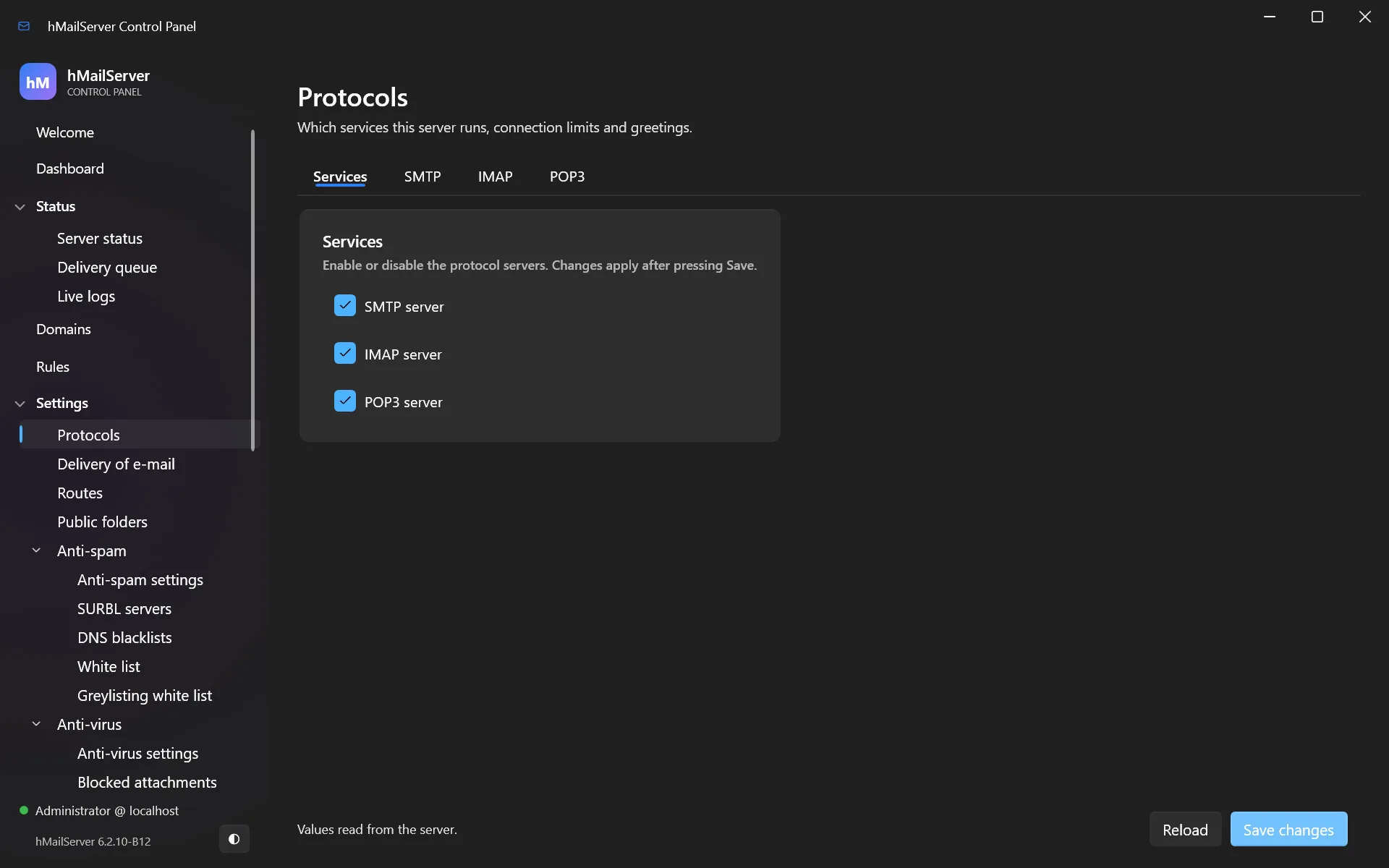
| Settings → Protocols | Enable/disable SMTP, IMAP, POP3 and their behaviour |
| Settings → Delivery of e-mail | Host name, smart host relay, retry schedule, bounce handling |
| Settings → Routes | Per-domain delivery overrides |
| Settings → Public folders | Shared IMAP folders and their permissions |
| Settings → Anti-spam settings | Thresholds, SPF, DMARC, greylisting, SpamAssassin |
| Settings → SURBL servers | URL blocklists checked against message bodies |
| Settings → DNS blacklists | IP blocklists checked against connecting servers |
| Settings → White list | Senders exempt from spam checking |
| Settings → Greylisting white list | Senders exempt from greylisting only |
| Settings → Anti-virus settings | ClamAV connection and action on detection |
| Settings → Blocked attachments | Refuse attachments by file extension |
| Settings → Logging | Log level, format, retention, JSON output |
| Settings → Auto-ban & SSL/TLS | Failed-login banning; TLS versions and ciphers |
| Settings → IP ranges | Who may connect, authenticate and relay |
| Settings → SSL certificates | Certificates available to TLS ports |
| Settings → Transport security | MTA-STS, DANE, DNSSEC, ARC, TLS-RPT |
| Settings → Certificates (ACME) | Automatic Let’s Encrypt issuance and renewal |
| Settings → Advanced hardening | DPAPI secrets, fsync, consistency checking, limits |
| Settings → TCP/IP ports | Listening ports and their SSL bindings |
| Settings → Incoming relays | Trusted forwarders whose Received headers are believed |
| Settings → API & monitoring | REST API, Prometheus metrics, health probes, web services |
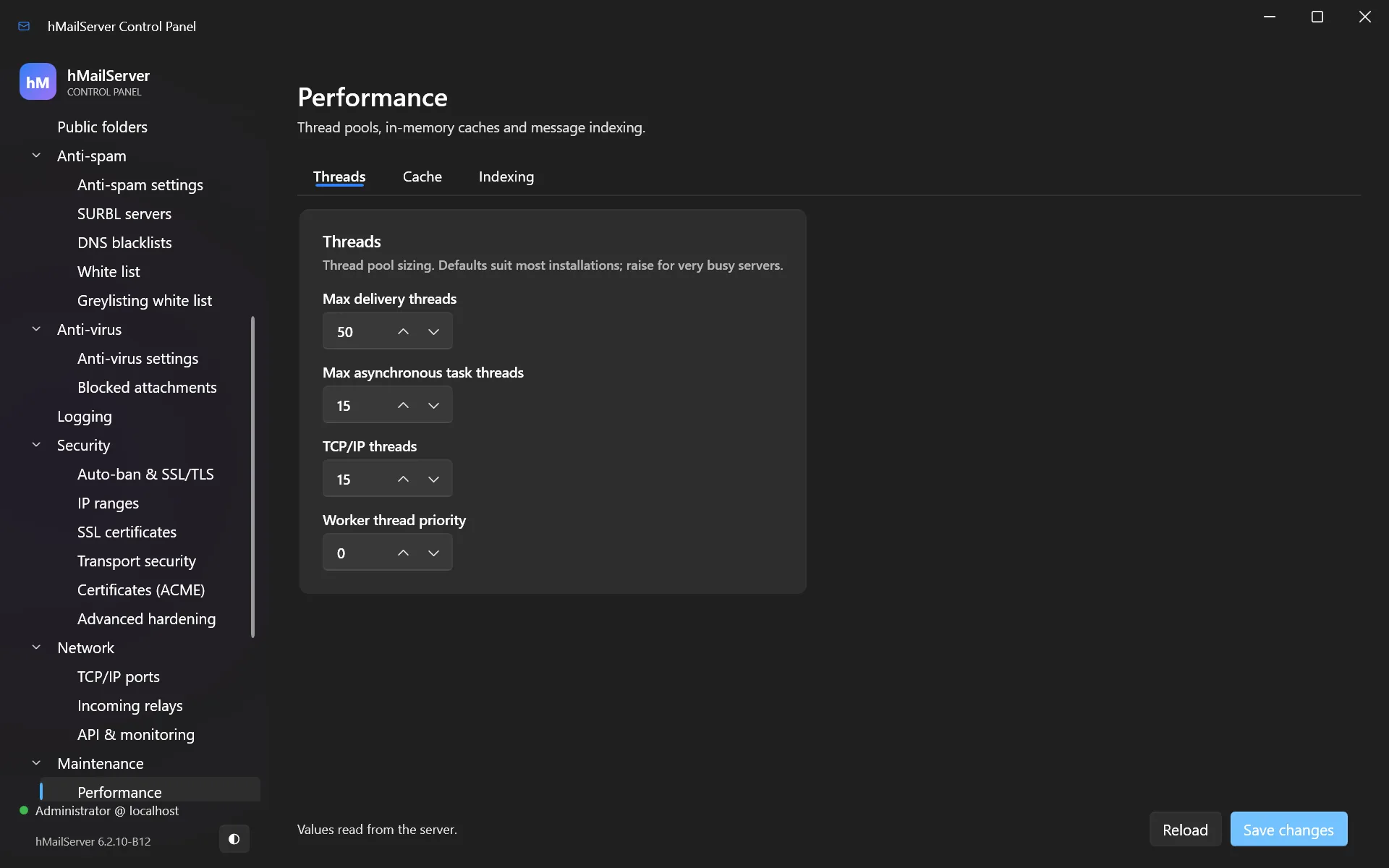
| Settings → Performance | Caching, connection and thread tuning |
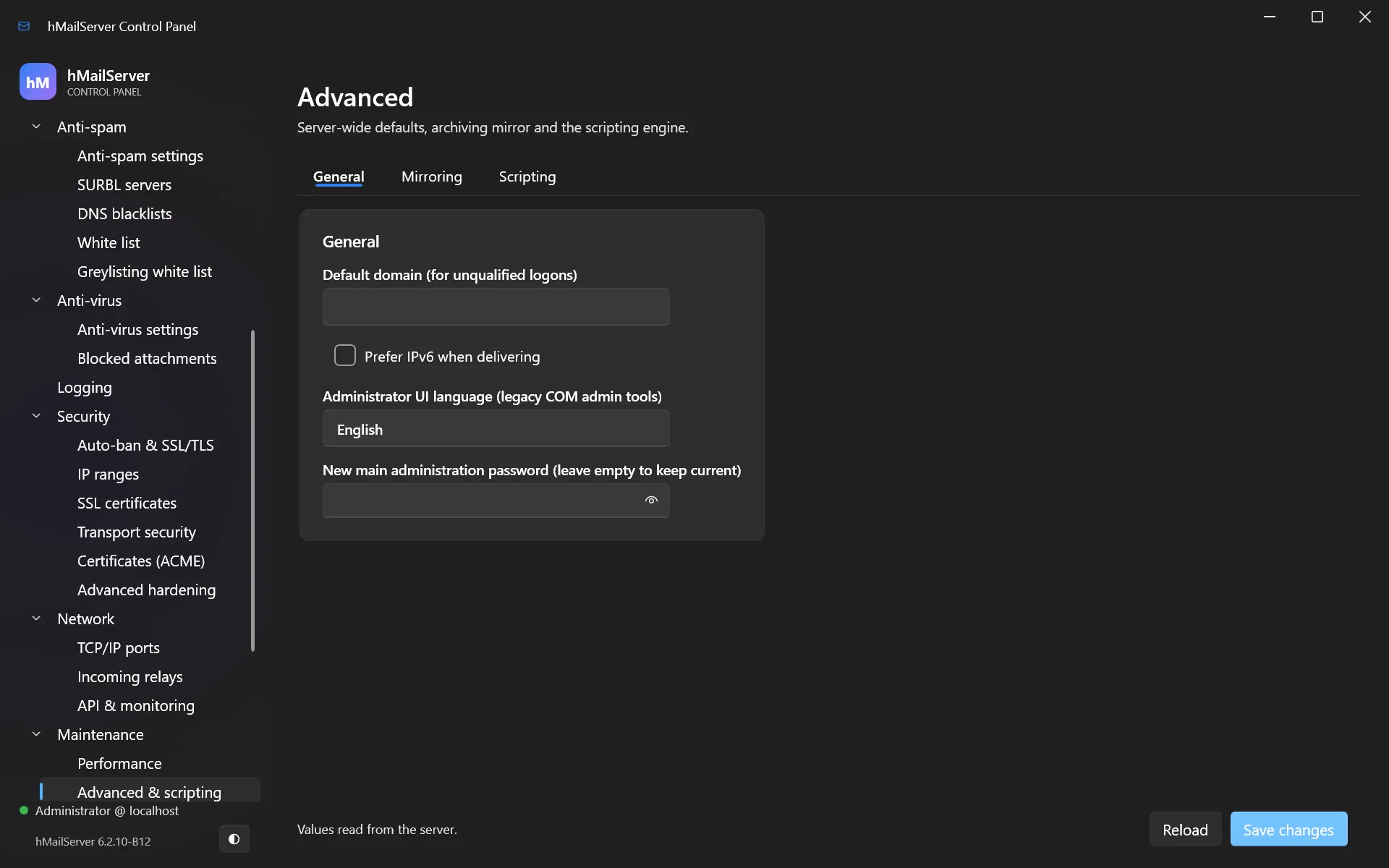
| Settings → Advanced & scripting | Miscellaneous INI-level settings |
| Settings → Event scripts | VBScript/JScript event handlers |
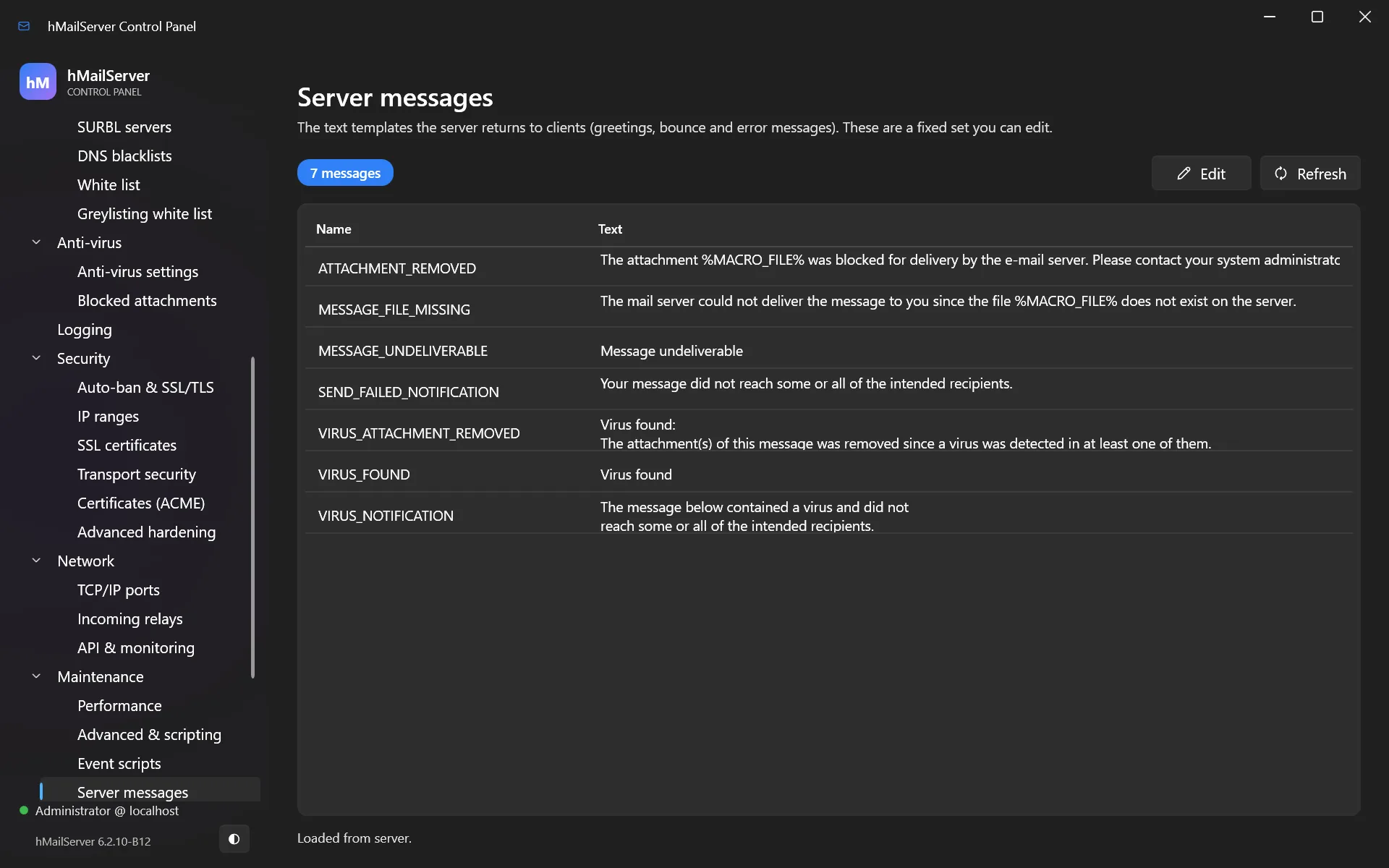
| Settings → Server messages | The text of bounces and system messages |
| Settings → Groups | Account groups, used for public-folder permissions |
| Utilities → Backup & restore | Backup configuration and scheduling |
| Utilities → MX query | Look up any domain’s MX records from this server |
| Utilities → Server sendout | Send a message to every account (maintenance notices) |
| Utilities → Diagnostics | Built-in self-test |
| About | Version, licence, build information |
Pages not pictured above
The remaining pages are shown here for completeness.
Settings → Protocols — enable or disable SMTP, IMAP and POP3 and tune their behaviour:
Settings → Maintenance → Performance — caching, connection and thread tuning:
Settings → Maintenance → Advanced & scripting — the remaining INI-level settings:
Settings → Maintenance → Server messages — the text of bounces and system messages:
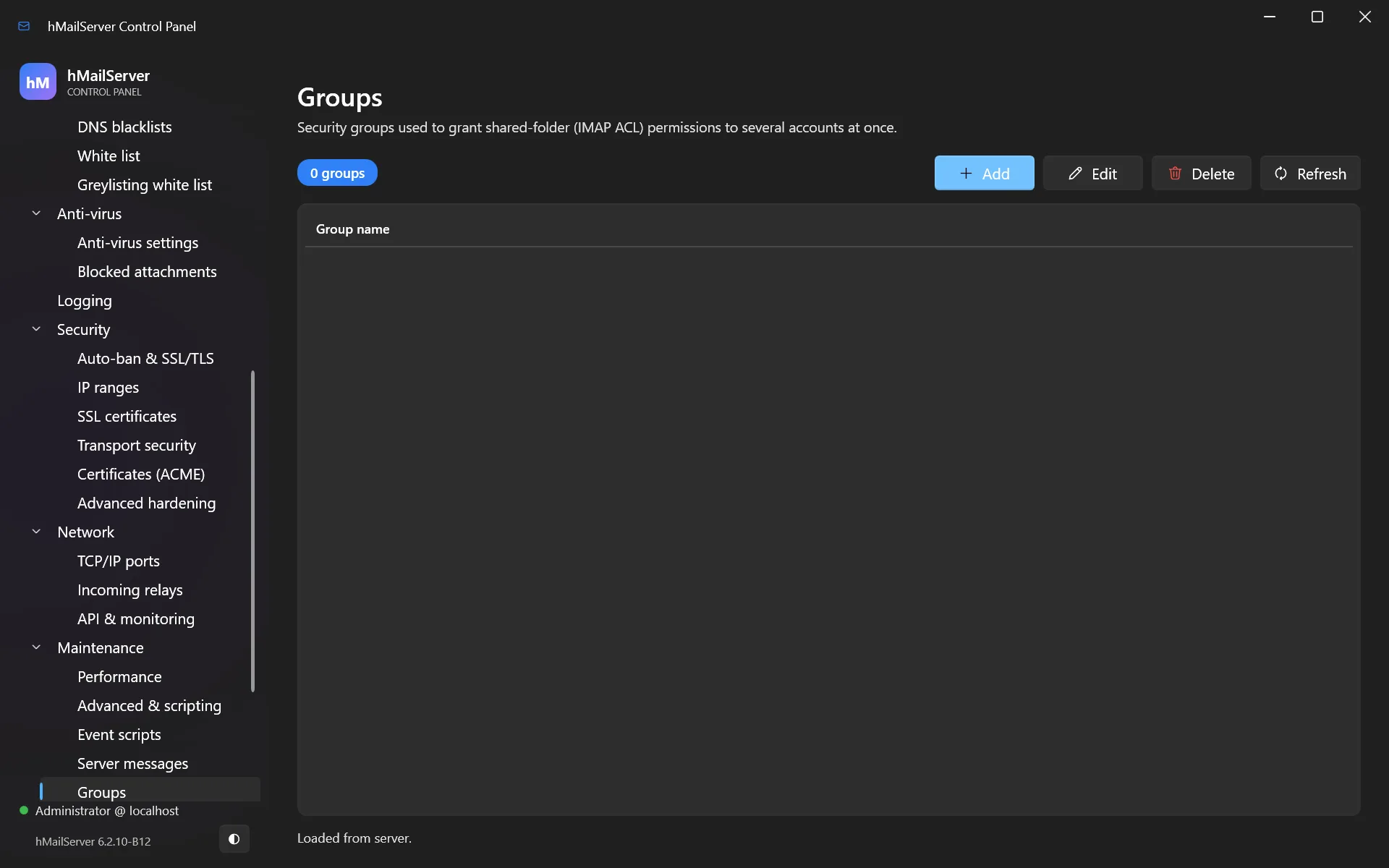
Settings → Maintenance → Groups — account groups, used for public-folder permissions:
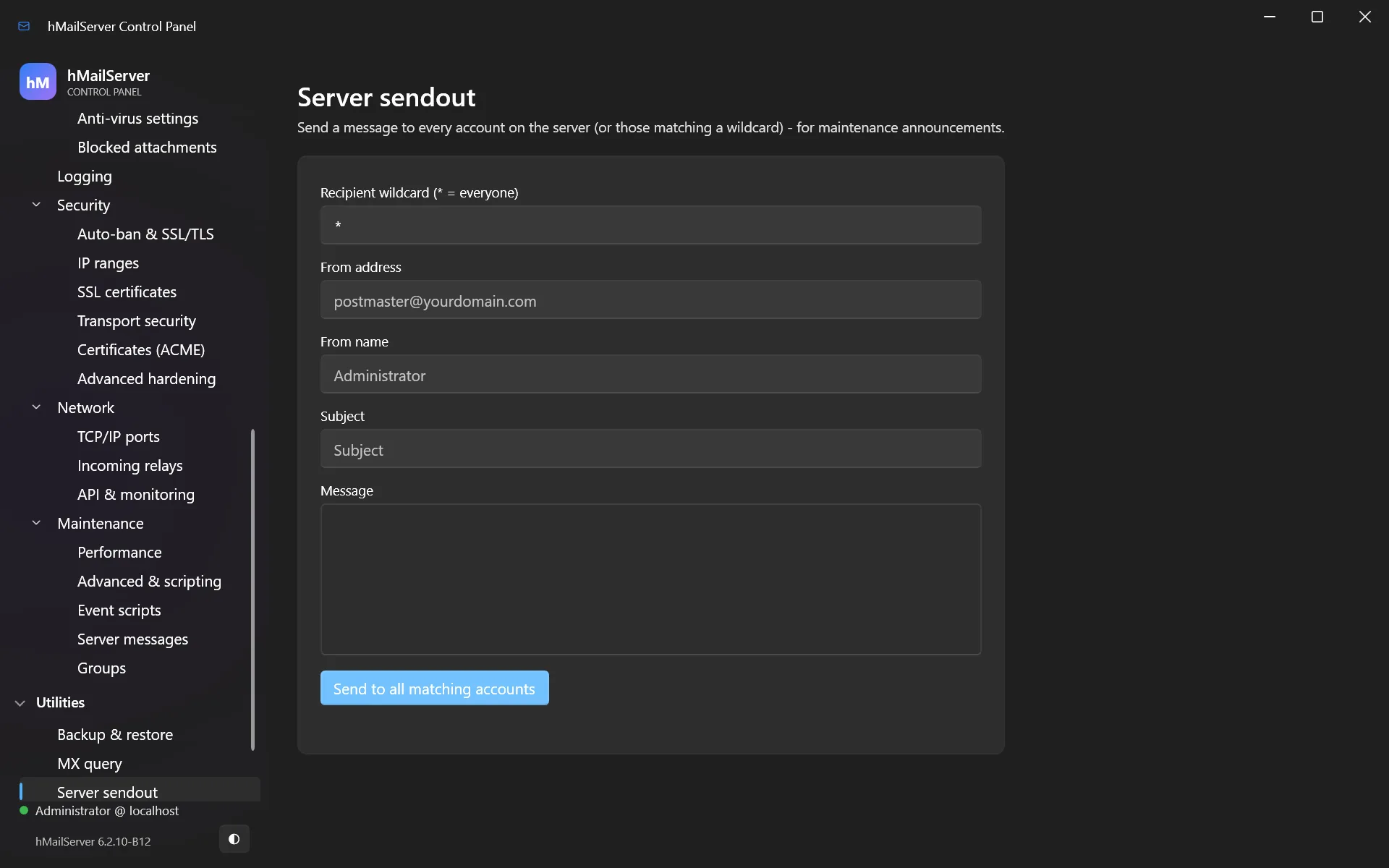
Utilities → Server sendout — send a message to every account, for maintenance notices:
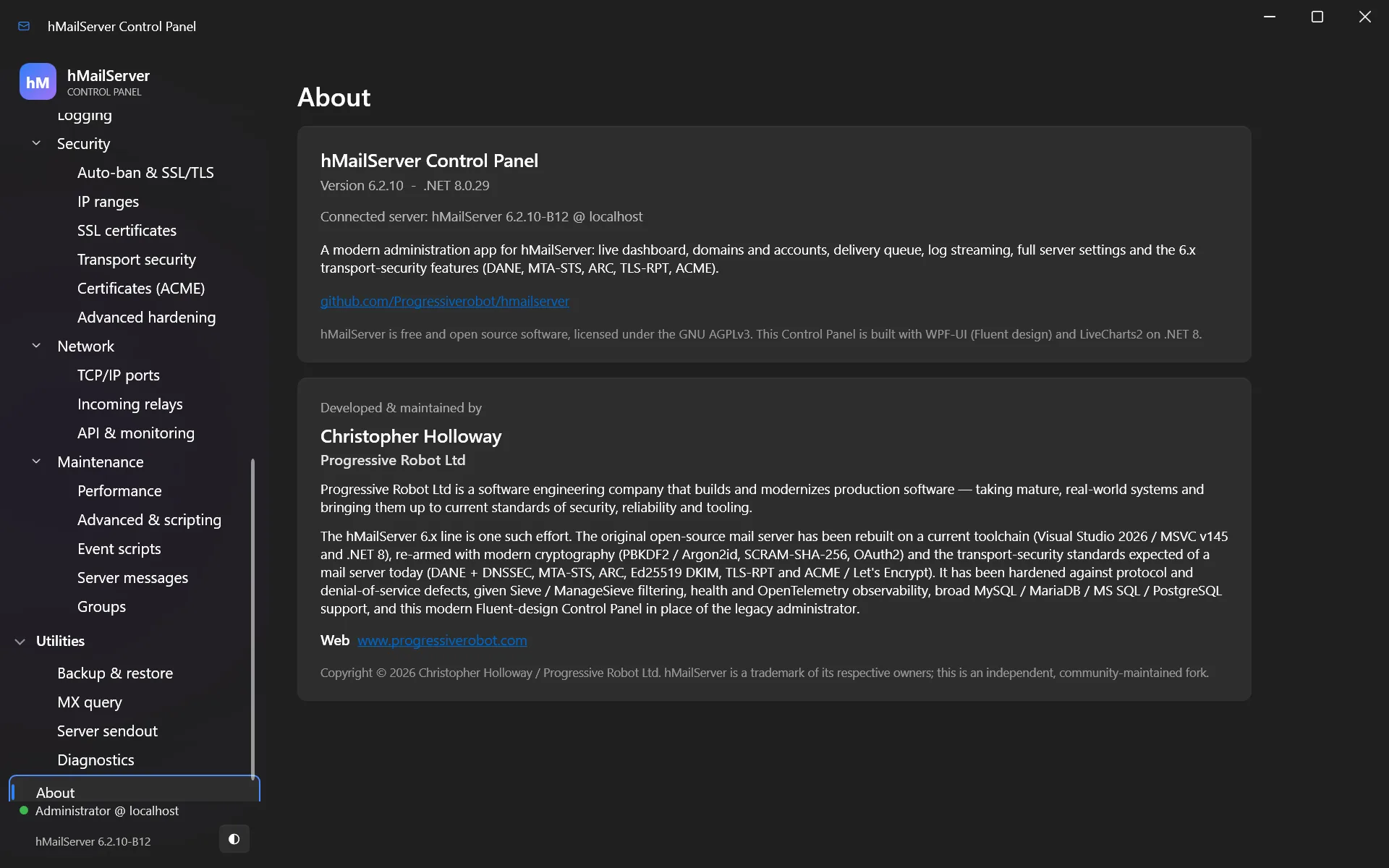
About — version, licence and build information:
21. Settings reference (hMailServer.INI)
Everything here is also editable in the Control Panel, which offers to restart the
service when a change requires it — and, since 6.3.0, through the REST API and the Control
Deck, which write 108 of these keys between them (chapters 24 and 36). Unless a section
says otherwise, the keys below live in [Settings], and the values shown are the
defaults.
The file is Bin\hMailServer.INI on Windows and
/etc/hmailserver/hMailServer.ini on Linux. The server looks for the file beside its own
executable first and falls back to the packaged path; --config <file> overrides both.
Since 6.2.19 these values are also stored in the database, so they can be administered remotely through the Control Panel. A value set in the INI file wins where both carry one — a hand-edited INI keeps behaving exactly as it always has.
Transport security and authentication
MtaStsEnabled=1               ; honour recipient MTA-STS policies when sending
DaneEnforcementEnabled=1      ; honour recipient DANE/TLSA records when sending
DnssecValidationEnabled=1     ; validate DNSSEC for DANE and SPF/DKIM/DMARC lookups
DnssecTrustAnchors=           ; override root trust anchors ("tag alg digesttype hex;...")
ArcSealingEnabled=0           ; ARC-seal mail from hosted, DKIM-enabled domains (relayed third-party mail is not sealed)
TlsRptFromAddress=            ; sender for daily TLS-RPT reports (empty = disabled)
TlsRptOrganizationName=hMailServer
TlsKeyExchangeGroups=X25519MLKEM768:SecP256r1MLKEM768:X25519:secp384r1:secp256r1
TlsCipherSuites13=            ; empty = OpenSSL's own defaults
TlsSessionTicketsEnabled=1
TlsSessionCacheSize=0         ; 0 = OpenSSL's default, negative = off
TlsSessionTimeoutSeconds=0
TlsTicketKeyRotationSeconds=0 ; 0 = OpenSSL's single, never-rotated key
The default key-exchange list puts post-quantum hybrids first. An OpenSSL older than those hybrids — the one Debian and Ubuntu ship, for instance — rejects the list and the fallback handles it. Since 6.3.0 that is reported once rather than once per listener and once per outbound delivery, which is the difference between a note and hundreds of medium errors an hour.
Automatic certificates (Let’s Encrypt)
AcmeEnabled=0                 ; issue and renew certificates automatically
AcmeContactEmail=             ; expiry notices from the CA
AcmeDomains=                  ; comma-separated host names for the certificate
AcmeDirectoryUrl=https://acme-v02.api.letsencrypt.org/directory
AcmeHttpPort=80               ; port for http-01 challenges
AcmeReuseKey=1                ; keep the same key across renewals (keeps TLSA records valid)
Web services (MTA-STS hosting, client autoconfiguration)
WebServicesHttpPort=0         ; 80 to enable
WebServicesHttpsPort=0        ; 443 to enable (uses the ACME certificate if none is set)
WebServicesBindAddress=0.0.0.0
MtaStsHostingEnabled=1        ; serve https://mta-sts.<domain>/.well-known/mta-sts.txt
MtaStsPolicyMode=enforce      ; enforce, testing or none
MtaStsPolicyMaxAge=604800
MtaStsPolicyMx=               ; override mx patterns (default: the domain's live MX records)
AutoconfigEnabled=1           ; Thunderbird autoconfig + Outlook autodiscover
AutoconfigClientHost=         ; host name clients connect to (default: the server's host name)
Per domain, point mta-sts.<domain>, autoconfig.<domain> and autodiscover.<domain>
at this server, and include them in AcmeDomains for HTTPS.
Administration and monitoring
RestApiPort=0                 ; REST API + the Control Deck at / and the portal at /portal
RestApiBindAddress=127.0.0.1  ; TLS is required unless bound to 127.0.0.1, localhost or ::1
RestApiCertificateFile=       ; PEM; falls back to the ACME certificate
RestApiPrivateKeyFile=
MetricsServerPort=0           ; Prometheus metrics endpoint (/metrics) + health probes
MetricsServerBindAddress=127.0.0.1
MetricsServerAuthToken=       ; bearer token for /metrics (empty = no authentication)
MetricsServerAuthUsername=    ; or HTTP Basic
MetricsServerAuthPassword=
MetricsServerCertificateFile= ; TLS on the metrics listener
MetricsServerPrivateKeyFile=
MetricsHistoryDays=7          ; per-minute metric samples kept in hm_metricsamples
MetricsPerDomainEnabled=0
OtelMetricsEndpoint=          ; OTLP metrics (separate from OtelEndpoint)
OtelLogsEndpoint=             ; OTLP logs
OtelMetricsInterval=60
HttpProxy=                    ; host:port for every web request the server makes as a client
CalDavRedirectUrl=            ; served by the web-services listener; a redirect, not a server
CardDavRedirectUrl=
IMAPCompressionEnabled=1      ; advertise IMAP COMPRESS=DEFLATE (RFC 4978)
WindowsEventLogEnabled=1      ; critical/high errors to the Windows Event Log — syslog on Linux
WindowsEventLogLevel=2        ; 1=Critical, 2=+High, 3=+Medium, 4=everything
DatabaseStatementTimeout=30   ; seconds; PostgreSQL and MySQL
SlowQueryLogMilliseconds=0    ; log queries slower than this (0 = off)
LogDeleteDays=0               ; prune date-stamped logs older than N days (0 = keep all)
ShutdownDrainSeconds=0        ; on stop, wait up to N seconds for sessions to finish
MessageStoreFsync=0           ; force each message to physical disk before acknowledging
MessageStoreConsistencyCheck=0; periodically cross-check message rows against files
ManageSieveServerPort=0       ; ManageSieve (RFC 5804); standard port 4190
ManageSieveServerBindAddress=127.0.0.1
JsonLogging=0                 ; write logs as JSON lines
Bounded waits and timeouts
New in 6.2.17–6.2.18. Every wait that can hold a thread from a shared pool now has a ceiling, and the log names the one that was hit. All values are in seconds.
FinalizationTimeout=240       ; ceiling on accepting one message after end-of-data; past it
                              ; the sender gets 451 and retries (0 = off)
SAMaxTimeout=90               ; SpamAssassin ceiling; past it the message is accepted unscanned
DBConnectionAcquireTimeout=60 ; maximum wait for a pooled database connection
DNSQueryTimeout=10            ; per DNS query
ScriptTimeout=60              ; per event-script invocation
ExternalProcessTimeout=300    ; external helper processes (command-line scanners and the like)
ClientSessionCeiling=1800     ; absolute lifetime of an outbound delivery session — distinct
                              ; from the idle timeout, which re-arms on every byte received
Secret protection and least privilege
ProtectStoredSecretsWithDPAPI=1   ; machine-scoped DPAPI for reversible stored secrets
ServiceAccountName=               ; Windows only — empty = LocalSystem
ServiceAccountPassword=           ; Windows only — empty for virtual/managed accounts
On Linux the same key means a key file, not DPAPI. 1 selects
<DataFolder>/.hmailserver-secret-key— 32 random bytes at mode 0600, written once and never rewritten, each secret AES-256-GCM under it and stored asLINUX1:<base64>. Back it up with the database (chapter 15).ServiceAccountNameandServiceAccountPassworddo nothing there: the systemd unit runs the server as its ownhmailserveruser.
Deliverability and SMTP standards
SRSEnabled=0                         ; Sender Rewriting Scheme for forwarded mail
SRSSecret=                           ; HMAC secret for SRS (required when SRSEnabled=1)
MaxSubmissionsPerIPPerMinute=0       ; cap MAIL FROM per source IP per minute (0 = off)
MaxOutboundPerDestinationPerMinute=0 ; cap outbound per destination domain (0 = off)
OutboundPipelining=1                 ; pipeline the envelope where the remote advertises PIPELINING
OutboundChunking=1                   ; send the message as one BDAT chunk where it advertises CHUNKING
SmtpAuthenticatedSenderCheck=0       ; 1 = an authenticated session may only send as an address it owns
DkimOversignHeaders=                 ; header fields to over-sign
DkimAcceptSha1=0                     ; accept rsa-sha1 signatures on inbound mail
DmarcTreeWalkEnabled=1
DmarcRptFromAddress=                 ; DMARC aggregate reports (empty = disabled)
DmarcRptOrganizationName=hMailServer
DmarcRptSchemaVersion=1
SpfVoidLookupLimit=2
SMTPProxyProtocolEnabled=0           ; accept PROXY protocol from a trusted reverse proxy
SMTPProxyProtocolTrustedIPs=
SMTPXClientEnabled=0                 ; accept XCLIENT from a trusted front end
SMTPXClientTrustedIPs=
MinimumFreeDiskSpaceMB=100           ; below this, mail is refused with a temporary error
DiskSpaceWarningThresholdMB=1024
MinimumFreeDiskSpaceMBchanges behaviour on upgrade without a switch. It is new since 6.2.21 and defaults to 100: below that floor the server refuses mail with a temporary error rather than filling the disk. Set it to 0 to restore the older behaviour.
PIPELINING, SMTPUTF8/EAI (RFC 6531/6532), ENHANCEDSTATUSCODES (RFC 2034), DSN
(RFC 3461), CHUNKING/BDAT and BINARYMIME (RFC 3030) and 8BITMIME are advertised
automatically and need no configuration. Legacy HELO sessions keep the classic
non-enhanced replies.
Anti-spam, anti-virus and filtering
FilterHookUrl=                ; external HTTP filter (rspamd and the like); empty = off
FilterHookTimeoutSeconds=10
FilterHookRejectScore=100
FilterHookMaxMessageSizeKB=10240
FilterHookFailClosed=0
SpamAssassinUser=             ; whose spamd preferences to apply
SpamAssassinUserFromRecipient=0
SpamAssassinLearnOnMove=0     ; moving to Junk teaches spam, out of it teaches ham
QuarantineEnabled=0
QuarantineRetentionDays=30
AVFailAction=0                ; what to do when the scanner cannot be reached
AVFailRetryMinutes=15
AVFailMaxHolds=16
Passwords, lockout and tarpits
PasswordHashIterations=0      ; 0 = the built-in work factor; re-derived upward only
PasswordHashMemoryKB=0
PasswordHashTimeCost=0
PasswordPolicyMinimumLength=0
PasswordPolicyRequireMixedCase=0
PasswordPolicyRequireDigit=0
PasswordPolicyRequireNonAlphanumeric=0
PasswordPolicyRejectCommon=0
PasswordPolicyHistoryCount=0
PasswordPolicyMaximumAgeDays=0
AccountLockoutThreshold=0
AccountLockoutWindowMinutes=30
AccountLockoutMinutes=30
LogonTarpitSeconds=0
SmtpTarpitCount=0
SmtpTarpitDelaySeconds=0
Pop3LoginDelaySeconds=0
ScriptAllowedObjects=*        ; which COM classes an event script may create (Windows only)
PreferredHashAlgorithm takes 3 (SHA256), 4 (PBKDF2, the default), 5 (Argon2id) or
7 (scrypt, new in 6.2.25). Anything else is refused at read time and reported as
HM5528; see §17.2.
OAuth2
OAuth2JwksUrl=                ; the provider's JWK Set as the signing-key source
OAuth2JwksCacheSeconds=3600
OAuth2IntrospectionUrl=       ; token introspection, so revocation takes effect
OAuth2IntrospectionClientId=
OAuth2IntrospectionClientSecret=
OAuth2IntrospectionCacheSeconds=300
OAuth2IntrospectionFailOpen=0
OutboundOAuth2TokenUrl=       ; XOAUTH2 for outbound relay (Microsoft 365 and the like)
OutboundOAuth2ClientId=
OutboundOAuth2ClientSecret=
OutboundOAuth2Scope=https://outlook.office365.com/.default
OutboundOAuth2Hosts=smtp.office365.com
OutboundOAuth2FixedToken=
FetchOAuth2Hosts=outlook.office365.com
Storage, retention and archive
ArchiveDomains=               ; scope the archive to named domains (empty = all)
ArchiveRetentionDays=0
ArchiveHardLinks=0
DeliveryHardLinks=0           ; one file on disk, a name in each recipient's folder
BackupVerifyRestore=1         ; verify the archive before calling a backup complete
ScheduledBackupTime=          ; HH:MM local for a daily backup; wins over the interval
ScheduledBackupIntervalMinutes=0
ScheduledBackupKeepCount=0
ScheduledBackupMaxAgeDays=0
IMAPExpungeRetentionRecords=5000
IndexerFullText=0             ; full-text index (schema 6023); off
IndexerFullTextBatchSize=250
IndexerFullTextMinTokenLength=3
IndexerFullTextMaxTokensPerMessage=2048
MessageTraceEnabled=0
MessageTraceRetentionDays=30
QuotaWarningPercent=90
RejectFullMailboxAtRcpt=1
Self-update
New in 6.2.28. Every one of these is inert until UpdateCheckEnabled=1: the
default makes no request, sends no identifier and counts nothing (§18.7).
UpdateCheckEnabled=0          ; nothing happens at all until this is 1
UpdateCheckHours=24
UpdateChannel=stable
UpdateFeedUrl=                ; empty = this project's own release feed
UpdateSourceRepository=       ; the repository a signature must be bound to
UpdateSigningIdentity=
UpdateSigningIssuer=
UpdateTrustRootsFile=         ; point these five at a private Sigstore instance
UpdateLogPublicKeyFile=
UpdateRequireAuthenticode=0   ; 1 also requires Authenticode (Windows only)
UpdateAutoDownload=0
UpdateWindow=                 ; the window an unattended apply may run in
UpdateBackupBeforeApply=1
UpdateServiceWaitSeconds=180  ; wait this long for the service, then roll back
UpdateRequireAuthenticode only became worth setting in 6.3.1. It has
existed since 6.2.28, and until then 1 refused every release of this project, because
none carried an Authenticode signature; the Windows installer has carried one since 6.3.1
(§4.1). The check is WinVerifyTrust on the downloaded installer and it is
Windows-only — on Linux there is nothing to verify, so the server says so rather
than reporting a pass, and updating is the package manager’s job.
The [Database] and [Security] sections
These four do not live in [Settings]:
[Database]
PostgreSQLSslMode=            ; require, verify-full, ... an unknown mode refuses the connection
PostgreSQLSslRootCert=
ConnectionStringOptions=      ; appended to the OLE DB connection string (MS SQL)
AllowUnencryptedConnection=0  ; 1 lets the MySQL client fall back from TLS
And [Security] AdministratorTotpSecret holds the administrator’s TOTP secret. It is
written by enrolment, not by hand; clearing the line is how a locked-out administrator
credential is recovered (§17.4).
22. Ports reference
| Port | Protocol | Encryption | Who uses it | Open to the internet? |
|---|---|---|---|---|
| 25 | SMTP | STARTTLS | Other mail servers delivering to you | Yes — required |
| 587 | SMTP submission | STARTTLS | Your users sending mail | Yes |
| 465 | SMTPS | Implicit TLS | Your users sending mail (legacy-modern) | Optional |
| 143 | IMAP | STARTTLS | Your users reading mail | Optional — prefer 993 |
| 993 | IMAPS | Implicit TLS | Your users reading mail | Yes |
| 110 | POP3 | STARTTLS | Your users reading mail | Optional — prefer 995 |
| 995 | POP3S | Implicit TLS | Your users reading mail | Optional |
| 80 | HTTP | None | ACME challenges, autoconfig | Only if using ACME/web services |
| 443 | HTTPS | TLS | MTA-STS policy, autoconfig | Only if using MTA-STS hosting |
| 4190 | ManageSieve | None by default | Users managing Sieve scripts | No — localhost only |
| (your choice) | REST API, Control Deck, portal | TLS | Administration scripts, the Control Deck at /, and mailbox users through the portal at /portal |
Only with TLS. Loopback by default; a portal your users reach from outside needs a certificate and a bound address, or a TLS-terminating proxy in front |
| (your choice) | Metrics | None, or TLS | Prometheus | No — localhost unless you set a certificate and a token |
| 783 | spamd | None | hMailServer talking to SpamAssassin (chapter 10) | No — outbound, to your own spamd |
| 3310 | clamd | None | hMailServer talking to ClamAV (chapter 11) | No — outbound, to your own clamd |
Ports are configured under Settings → Network → TCP/IP ports on Windows. On Linux there is no Control Panel: the listeners are configured through the REST API or the Control Deck (chapters 24, 35 and 36).
The REST listener carries four things on one port — the JSON API under
/api/v1/, the Control Deck at /, the webmail portal at /portal (with its script at
/portal.js), and POST /api/v1/session, which exchanges a password for an
HttpOnly, SameSite=Strict session cookie. There is no second port to open: both
browser pages come out of the binary rather than out of files beside it. TLS is required
unless the listener is bound to 127.0.0.1, localhost or ::1.
Port 80 alone is not quite enough for Apple devices. Since 6.2.25 the
.mobileconfigprofile is served over HTTPS only: a plain-HTTP request is answered with a 301 to the same URL on theWebServicesHttpsPortlistener where one is configured, and a 403 that says why where none is. A TLS-terminating proxy signals withX-Forwarded-Proto: https. Thunderbird autoconfig and Outlook autodiscover are unchanged.
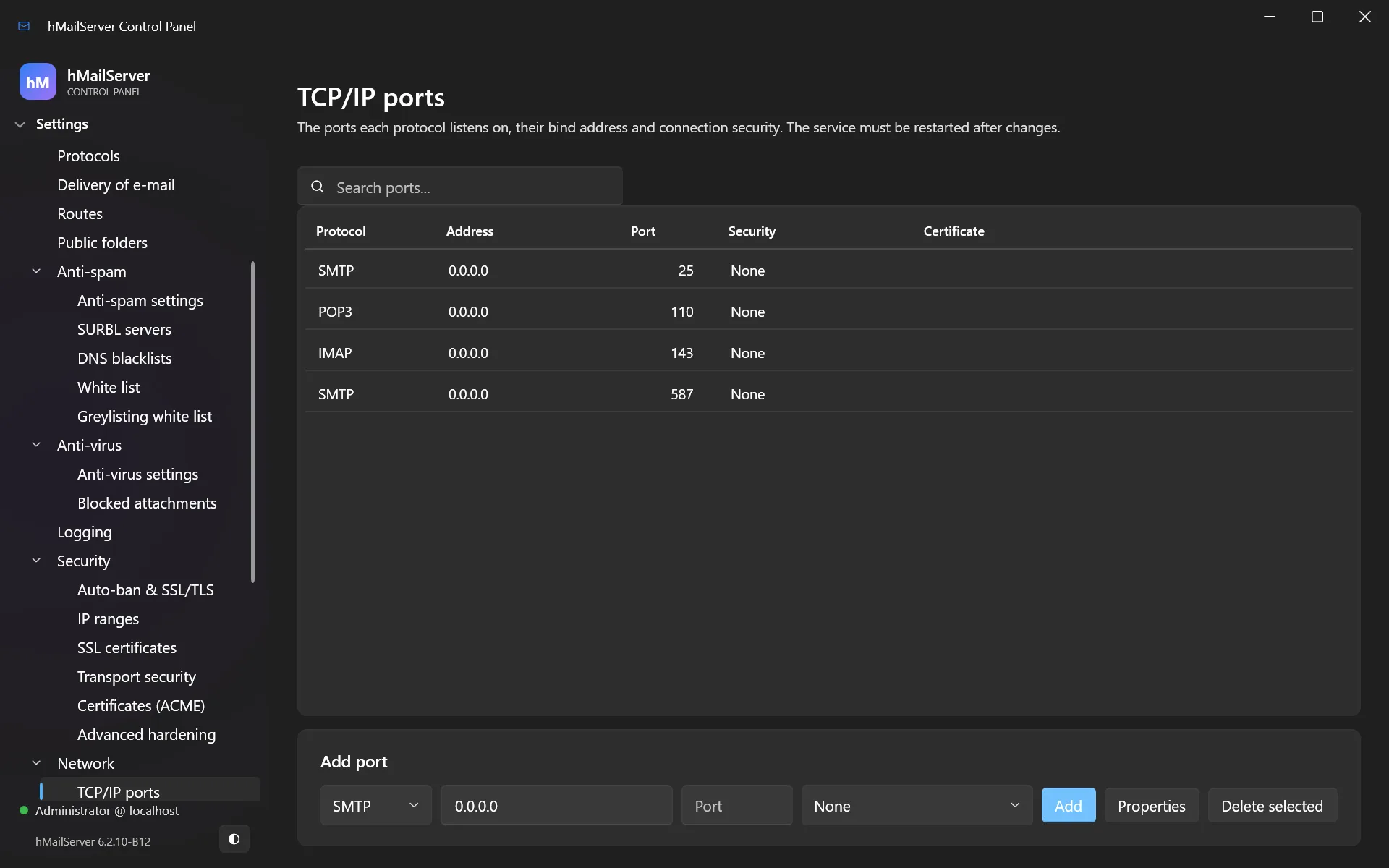
23. The COM API and scripting
hMailServer exposes a full COM API. Anything the Control Panel can do, a script can do — it is the same interface. This chapter is the introduction; chapters 29–31 are the complete object reference, and chapter 28 documents every event script in depth.
COM is Windows. It is not part of the Linux build, and neither is event scripting — the script engine is the Windows scripting host. On Linux every automation example in this chapter and in chapters 29–31 is replaced by the REST API (chapter 24), which since 6.3.0 writes most of what COM writes. Chapter 35 covers what that does and does not reach.
From PowerShell
$app = New-Object -ComObject 'hMailServer.Application'
$app.Authenticate('Administrator', 'your-admin-password') | Out-Null

# Add a domain
$domain = $app.Domains.Add()
$domain.Name   = 'example.com'
$domain.Active = $true
$domain.Save()

# Add an account
$account = $domain.Accounts.Add()
$account.Address  = '[email protected]'
$account.Password = 'a-strong-password'
$account.Active   = $true
$account.MaxSize  = 1000          # MB, 0 = unlimited
$account.Save()

# Report on every mailbox
foreach ($d in $app.Domains) {
   foreach ($a in $d.Accounts) {
      '{0,-40} {1,8} MB used' -f $a.Address, [math]::Round($a.Size / 1MB, 1)
   }
}
Authorization note. In 6.2.10 a real defect was fixed here: fifteen COM methods returned
S_OKwhen they had actually refused the call, because they returnedfalsefrom a function whose return type isHRESULT— andfalseis0, which isS_OK. Five of them returned before writing their out-parameter, so an unauthorized caller got “success” plus uninitialized memory. If you script against the COM API, upgrade to 6.2.10 or later and make sure your scripts check return values.
Event scripts
Settings → Maintenance → Event scripts runs VBScript or JScript at defined points in the mail flow:
| Event | Fires when |
|---|---|
OnClientConnect |
A client connects |
OnAcceptMessage |
A message is accepted |
OnDeliverMessage |
A message is about to be delivered |
OnDeliveryFailed / OnDeliveryStart |
Delivery outcome |
OnError |
An error is logged |
OnExternalAccountDownload |
Mail is fetched from an external account |
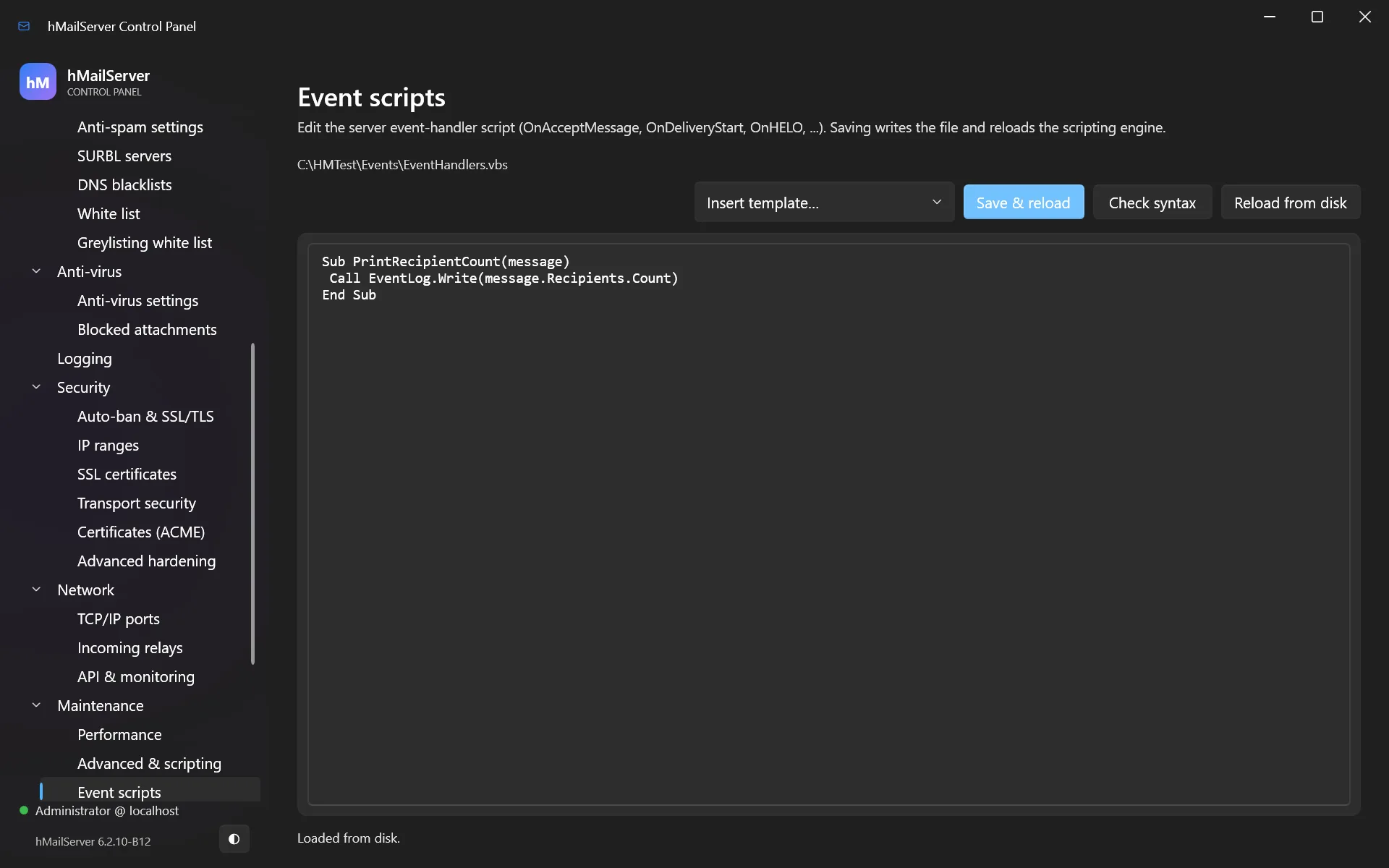
Sub OnAcceptMessage(oClient, oMessage)
   If InStr(LCase(oMessage.Subject), "urgent invoice") > 0 Then
      oMessage.HeaderValue("X-Suspicious") = "possible-invoice-fraud"
      oMessage.Save
   End If
End Sub
Event scripts run inside the mail flow. A slow script slows every message; a script that throws can stop delivery. Keep them short, and test on a non-production server.
24. The REST API
The REST API is an HTTP interface to the running server. It was a small read-mostly
surface until 6.3.0. It is now the interface the server is administered through wherever there
is no Control Panel and no COM — which is to say, on Linux — and it is the engine underneath
the two pages the server itself serves, the Control Deck at / and the webmail
portal at /portal.
The scale, before the detail. There are 66 path templates under
/api/v1/ carrying 92 method-and-path operations, and three
unauthenticated page endpoints beside them — 95 operations over 69 paths in all.
The settings routes alone describe 113 keys, of which 108 can be
written. Twenty-four operations are the mailbox surface under /api/v1/me/
that the portal is built on. Every route appears in a table below, and the server describes the
/api/v1/ ones itself at GET /api/v1/openapi.json.
What the API cannot write matters as much as what it can. There is no route that writes a domain’s DKIM signing configuration — there is one that reads it. On Windows the Control Panel sets it and COM sets it (chapter 23). On Linux nothing sets it yet. A domain that must sign its outbound mail with DKIM is therefore not a domain to run on Linux today. Section 24.15 gives the full list. COM remains the richer interface on Windows; the REST API is narrower, but it is reachable from any machine and any language with an HTTP client, and it is the only one of the two that exists on Linux. Chapter 35 covers the Linux build, chapter 36 the Deck and the portal.
24.1 Turning the API on
The API is off in a default installation on both platforms. Four keys in the
[Settings] section of hMailServer.ini control it, and only the first
has to be set.
| INI key | Default | Effect |
|---|---|---|
RestApiPort |
0 |
0 is off; any positive port starts the listener. The only switch there is — a
server upgraded without touching its settings behaves exactly as 6.2.28 did. |
RestApiBindAddress |
127.0.0.1 |
The address the listener binds. |
RestApiCertificateFile |
(empty) | PEM certificate, for HTTPS. |
RestApiPrivateKeyFile |
(empty) | The matching private key. |
Loopback only, which needs no certificate; and reachable from elsewhere, which must have one:
[Settings]
RestApiPort=8443
RestApiBindAddress=127.0.0.1
[Settings]
RestApiPort=8443
RestApiBindAddress=0.0.0.0
RestApiCertificateFile=/etc/hmailserver/certs/fullchain.pem
RestApiPrivateKeyFile=/etc/hmailserver/certs/privkey.pem
What the server refuses at start
Four messages begin “RestApi: Refusing to start”, in three situations. Each writes one line to the application log and leaves the rest of the server running.
- An empty administrator password disables the API entirely — “RestApi:
Refusing to start – the administrator password is not set.” On Linux, set it with
hmailserver --set-admin-passwordfirst. - TLS is mandatory off loopback. TLS counts as configured only when
both the certificate and the key are set. If it is not, and the bind address is not
exactly
127.0.0.1,localhostor::1, the listener refuses to start: “RestApi: Refusing to start – TLS certificate is required unless bound to 127.0.0.1 or ::1. Set RestApiCertificateFile and RestApiPrivateKeyFile.” Those three literals are matched exactly:127.0.0.2, an IPv4-mapped form and a127/8range are none of them exempt. It is a security gate, and widening it is a separate decision. - A certificate the shared TLS configuration will not take. Two of the four messages: one when the shared configuration could not be applied to the configured certificate, one when building the context threw. The specific cause — an unreadable file, a key that does not match — is reported as HM5113.
If RestApiCertificateFile is empty the server looks for
fullchain.pem and privkey.pem in the ACME certificate directory and
uses them when both exist, so a server already renewing through ACME gets an HTTPS API without
a second copy of the paths.
The listener now goes through the same TLS initialisation as the mail protocols, so the
cipher list, the protocol toggles, the DH parameters and the TlsKeyExchangeGroups
post-quantum hybrids all apply to it. Before 6.3.0 it built its own context and took OpenSSL’s
defaults, so an administrator who configured post-quantum groups got classical-only key exchange
with nothing saying so. One thing is deliberately not shared: a TLS 1.2 floor,
applied afterwards so it can only tighten, and not configurable. Chapter 17 covers the rest.
Restart the server, then ask it how it is. The first configuration above has no certificate, so that listener speaks plain HTTP and says so at startup — “RestApi: Listening on 127.0.0.1:8443 (http, loopback only).”:
curl -s -u Administrator:your-admin-password http://127.0.0.1:8443/api/v1/status
{"version":"6.3.3","state":3,"processedMessages":18422,"spamMessages":903,
 "virusesRemoved":4,"sessions":{"smtp":2,"imap":11,"pop3":0}}
state is a number, not a word: 0 unknown, 1 stopped,
2 starting, 3 running, 4 stopping. Once the listener has a
certificate the scheme becomes https, and the rest of this chapter uses it. Reach for
curl -k only while the certificate is self-signed, and drop it the moment there is a
real one: a client that ignores certificates on loopback and then keeps the habit over a network
has thrown the gate away.
On Linux this listener is the administration interface — chapter 35. The Deck is a file the
package installs at /usr/share/hmailserver/WebAdmin/index.html and the server serves
at GET /; if it is missing the server serves a built-in stub saying so, and
hmailserver --check-config will not warn you, because that page is not one of the
paths it prints. The portal, by contrast, is compiled into the binary. §36.2 is this same switch
seen from the two pages’ side, and says what turning it on exposes.
24.2 Authentication
Four credentials exist. Which one a request carries is decided once, before routing.
| Credential | Presented as | Reaches |
|---|---|---|
| Administrator password | Authorization: Basic, user Administrator; plus
X-hMailServer-OTP once a second factor is enrolled |
Everything except /api/v1/me. Nothing narrows it. |
| API key | Authorization: Bearer <token> |
What its Scope and optional Domains list allow; tried first when
present. |
| Account credential | Authorization: Basic, the mailbox address as user name |
/api/v1/me/* and the two /api/v1/session routes. Nothing
else. |
| Session cookie | Cookie: hmailsession=<token> |
Whatever the password that minted it reaches. |
A Basic user name of administrator, compared without regard to case, is tried
against the administrator password and nothing else; any other user name is treated as a
mailbox address and is never tried against it.
Sessions
New in 6.3.0, so that a browser page need not hold a password.
POST /api/v1/session takes HTTP Basic once — an account’s address and
password, or Administrator and the administrator password, with
X-hMailServer-OTP when a second factor is enrolled — and answers 201
with:
Set-Cookie: hmailsession=<64 hex chars>; Path=/; HttpOnly; SameSite=Strict; Max-Age=43200
; Secure is appended whenever the listener speaks TLS, which is everywhere but
loopback.
- The token is 32 random bytes in lower-case hex, and only its SHA-256 is kept in memory, so reading the session table gives an attacker nothing usable.
- Two lifetimes: 30 minutes idle, 12 hours absolute, both enforced on the
server.
Max-Agecarries only the absolute ceiling. - At most 1,000 live sessions; expired ones are swept first, then the least recently used is evicted.
- Sessions live in process memory only, so a restart invalidates every one —
including a restart through
POST /api/v1/server/reinitialize. - The session ends when the password behind it changes. Every request on an administrator session re-derives a stamp from the administrator credential and compares it in constant time with the stamp taken at sign-in; a different one, or an empty password, revokes every administrator session at once. Per account the same: a password change ends the account’s other sessions while keeping the one that made it, and an account deactivated or deleted mid-session is refused from its next request.
- An API key cannot mint a session (
403), and a session cannot mint another.DELETE /api/v1/sessionends the session it came with; a request that carried a password gets400, there being nothing to end.
Every write made with a session cookie must carry
X-Requested-With: hMailServer, compared case-sensitively. The check runs
before authentication is even tested; without it the answer is 403, “a request
that changes something must carry X-Requested-With: hMailServer when it is authenticated by a
session cookie”. That closes cross-site request forgery twice over:
SameSite=Strict stops the cookie travelling with another site’s request at all, and
no other origin could add that header without a preflight this server never grants. A client
using Basic or Bearer needs no such header — there is no cookie to abuse. §36.3 shows the same
exchange as the Control Deck and the portal perform it, including what a second factor adds.
What each credential can and cannot do
Authorisation is decided in exactly one place, on the route’s identity rather than on a path string, before any handler runs — so an endpoint that forgets to check something cannot exist, because no endpoint does the checking. In order:
- The session routes: account or administrator only; an API key gets
403. - The self-service routes, everything under
/api/v1/me: an account credential only. The administrator password and API keys are refused403— “this endpoint answers to an account’s own credentials, not to the administrator password or an api key” — there being no mailbox behind either. - An account credential anywhere else:
403, “an account’s credentials reach only the account’s own endpoints under /api/v1/me”. - The administrator credential: allowed, always. Including through a cookie,
which is why an administrator session reaches
/api/v1/apikeys. - An API key under
/api/v1/apikeys:401, not403— the one place the API answers misleadingly on purpose, so that a key probing key management learns neither “valid but not permitted” from “not a key at all” nor whether a verb exists there. - A read-only key on a route that changes something:
403, “this api key is read-only”. Mutating is a property of the route, not the HTTP method, so a route that changed state under aGETcould not slip past. - A key with a
Domainslist: see 24.3.
Scope and Domains fail closed: an absent or
unrecognised scope leaves the key read-only, and a Domains entry that is not a real
domain matches nothing rather than everything.
At the front door there is a rate limit of 200 requests per 10 seconds per
credential — per credential, not per source address, so one leaked key cannot spend the
listener’s capacity by rotating addresses — answered 429 with
Retry-After. Failed credentials feed the auto-ban exactly as the SMTP, IMAP and POP3
front ends do. 401 responses conceal everything: no credential, a
wrong password, an unknown key, an expired key and a key refused by source address answer
identically, the sole exception being X-hMailServer-OTP: required when the password
was right and the one-time code was missing or wrong. And WWW-Authenticate: Basic
is suppressed for a page’s own fetch, so the Deck and the portal show their own message instead
of the browser’s credential box.
24.3 Conventions
- The path is versioned. Everything is under
/api/v1/; the three page endpoints are not, because they are pages. - JSON in, JSON out. Every response is
Content-Type: application/jsonwithCache-Control: no-store— except the attachment download and the three pages, which set their own media type and areno-storeas well. - Status codes are conventional:
200read or applied change,201created,202accepted but not yet done — onlyserver/reinitializeandPOST /api/v1/backupanswer it —400a body the server will not accept,401a credential it will not accept,403a credential it accepts but will not permit here,404an unmatched path or unknown id,413over the size limit,429over the rate limit. - The error shape is one field,
{"error":"..."}; an unmatched method-and-path pair answers404 {"error":"not found"}. No stack trace, no SQL, no file path, and403responses say why in fixed sentences that never name a file, a query, a row or another domain. - Read-only keys are refused by route, not by verb.
POST /api/v1/update/checkis a write because it changes the recorded verdict and makes the server call out, so a read-only key cannot make it. - Writes are all or nothing. Most visible on the settings groups, where a request naming twenty keys applies twenty or none, but it is the general habit.
- Request size.
POST /api/v1/me/messagesandPOST /api/v1/me/draftsare the only routes allowed a large body, up to sixteen megabytes. - One matching quirk. Prefix and suffix comparisons are case-insensitive in this codebase while exact ones are not, and the router preserves that deliberately. Rely on neither; send paths as written here.
Domain scoping
A key may carry a Domains list. What that does depends on the route, in three
cases.
- Refused outright. The delivery queue and the quarantine are refused entirely rather than filtered, each in its own sentence — “the delivery queue is server-wide” and “the quarantine is server-wide”. One queued message names recipients in any number of domains, and the listing shows the sender and every recipient of all of them, so there is no honest way to narrow it.
- Refused as server-wide. Domain create and delete, every IP-range route,
certificate list, create and delete, every port route, every SMTP-route route, every rule route,
the log list and tail, backup start and status, all six settings routes,
server/reinitializeand all four update routes:403, “that resource is server-wide”. - Checked against the list. Account list and create, domain update, alias list and create, distribution-list list and create and the DKIM read take the domain from the path. Account delete, account update, alias delete and list delete take it from the address — which is the whole reason the mechanism exists, since otherwise a key for one domain could delete an account in another by editing one path segment.
Everything else falls through to allowed and is filtered inside the handler: the domain
listing and /api/v1/srv drop domains the key is not entitled to, and the archive
routes refuse an unnamed or wrong domain with their own 403. Every route table
below uses one vocabulary; a cell lists every credential the route accepts, and anything not
listed is refused.
| Token | Meaning |
|---|---|
admin |
The administrator password over Basic, or the cookie minted from it |
key-ro |
Any API key, read-only ones included |
key-full |
An API key only when Scope=full; a read-only key gets 403 |
key-alldom |
A key with no Domains list; a domain-restricted key gets 403 |
key-dom |
A domain-restricted key is accepted, confined to its own domains |
account |
The mailbox’s own address and password, or the cookie minted from it |
key:401 |
Any API key refused with 401 rather than 403, deliberately |
key:403 |
Any API key refused with 403 |
none |
No credential required |
24.4 Server and status
| Method | Path | Auth | What it does |
|---|---|---|---|
GET |
/ |
none |
The Control Deck page, also served at /index.html; read from
WebAdmin/index.html, with a stub when absent |
GET |
/portal |
none |
The webmail markup, compiled into the binary; no inline script |
GET |
/portal.js |
none |
The portal’s script, separate so the page’s CSP can forbid inline script entirely |
GET |
/api/v1/status |
admin, key-ro, key-dom |
version, state (0 unknown, 1 stopped, 2 starting, 3 running,
4 stopping), the processed, spam and virus counts, and live session counts per protocol |
POST |
/api/v1/server/reinitialize |
admin, key-full, key-alldom |
Stop every service, reload the configuration, start again in the same process |
GET |
/api/v1/openapi.json |
admin, key-ro, key-dom |
The OpenAPI 3.0.3 description of every route (24.17) |
GET |
/api/v1/tlsa |
admin, key-ro, key-dom |
Recommended DANE TLSA records (3 1 1) for the configured certificates |
GET |
/api/v1/srv |
admin, key-ro, key-dom |
Recommended client-discovery SRV records (RFC 6186 and 8314, plus Outlook
_autodiscover) built from the ports actually enabled |
Reinitialize answers before it acts — 202
{"reinitializing":true}, then the work on a detached thread half a second later, because
the listener carrying the answer is one of the things that stops. Poll
GET /api/v1/status to find out when it is back; it holds its own lock, so two callers
restart in turn rather than at once. This route is what makes the write surface usable without
stopping the process: a new listener, a certificate binding, or any setting marked as taking
effect on restart becomes live the moment it returns.
/tlsa and /srv generate records and publish
nothing. /srv emits nothing for a disabled service, a loopback-bound port or
port 25 presented as submission, and skips inactive domains, so what it gives back matches the
server as it actually runs. Chapter 22 covers the ports.
24.5 Settings
Six routes and three groups — the largest single piece of the write surface 6.3.0 added.
Everything known about a setting is one row of one table: its name, its type, whether it can be
read or written, when it takes effect, the words an enumerated value may take, its description,
and the getter, setter and pre-apply check that reach the same code COM reaches. The
GET walks that table, the PUT walks it and the OpenAPI description is
generated from it, so the three cannot disagree about a key.
| Method | Path | Auth | What it does |
|---|---|---|---|
GET |
/api/v1/settings |
admin, key-ro, key-alldom |
The 62 readable server-wide settings as one flat object — 63 rows less the write-only relayer password |
PUT |
/api/v1/settings |
admin, key-full, key-alldom |
Change any subset of the 63 writable server-wide settings. All or nothing |
GET |
/api/v1/settings/antispam |
admin, key-ro, key-alldom |
The 34 anti-spam settings as one flat object |
PUT |
/api/v1/settings/antispam |
admin, key-full, key-alldom |
Change any subset of the 34 anti-spam settings. All or nothing |
GET |
/api/v1/settings/logging |
admin, key-ro, key-alldom |
The 16 logging keys: 11 settings plus 5 read-only facts about where the log is written |
PUT |
/api/v1/settings/logging |
admin, key-full, key-alldom |
Change any subset of the 11 writable logging settings; naming a read-only key is a
400 |
| Group | Keys | Writable | Readable |
|---|---|---|---|
| server | 63 | 63 | 62 |
| anti-spam | 34 | 34 | 34 |
| logging | 16 | 11 | 16 |
| total | 113 | 108 | 112 |
113 keys described, 108 written, 112 readable. The gap on each side has
exactly one cause. The five read-only logging keys are directory,
current_default_log, current_error_log, current_event_log
and current_awstats_log — facts about where the log is being written rather than
choices anyone makes; a PUT naming one is a 400,
“<key> is read-only”. The one write-only key is
smtp_relayer_password in the server group: accepted by PUT, emitted by
no route at all. Nothing you can call will read a relayer password out of this server.
A write applies only when every key is accepted. A PUT takes
any subset of its group’s writable keys and is all or nothing: every member of the body is
resolved to a row and a typed value, every row’s own check is run, and only then is anything
applied. An unknown key, a wrong type, a read-only key, or a value the setting refuses is a
400 naming the key — or carrying the setting’s own refusal sentence, the one the
Control Panel shows — with nothing changed. The three settings whose setters
can themselves fail — the IMAP hierarchy delimiter, which is refused while a folder or a rule
action still contains the new character, and the two tarpit values, which are written to
hMailServer.ini rather than to the database — are applied in a first pass, so a
refusal there also leaves nothing else applied.
The setters are the ones COM calls. A property write reaches the settings store at once and
raises the configuration-change notification, which refreshes the logger, the work queues and the
delivery manager: a change made over REST is seen by the running server exactly as one
made in the Control Panel is. Each key declares when it takes effect — now,
restart (the network thread pool, which services start, the TLS contexts), or
stored, meaning written and read by nothing, kept because the Control Panel writes it.
The PUT also logs the keys and never the values, since a value may
be the relayer password, and enumerated values travel as words rather than numbers: connection
security is none, starttls_optional, starttls_required or
tls, the log device unknown, sql or file, the
log format default or csa.
The server group covers identity and defaults, capacity and threading,
which services run and what they say, the server-wide relayer including its write-only password,
delivery and retry policy, protocol behaviour, nine IMAP keys, four auto-ban keys, eight TLS keys
and three conversation-logging toggles. The anti-spam group covers the two score
thresholds and the marking options, the SPF, HELO, MX and PTR checks each with its score, DKIM
verification, DMARC and ARC, five SpamAssassin keys, tarpitting and six greylisting keys. The
logging group is enabled, seven log toggles,
keep_files_open, device and log_format, plus the five
read-only keys above. The OpenAPI document is the definitive list.
24.6 Domains, accounts and aliases
| Method | Path | Auth | What it does |
|---|---|---|---|
GET |
/api/v1/domains |
admin, key-ro, key-dom |
List domains; a domain-restricted key sees only its own |
POST |
/api/v1/domains |
admin, key-full, key-alldom |
Create a domain from name, active and postmaster;
every other setting takes the new-domain default |
PUT |
/api/v1/domains/{domain} |
admin, key-full, key-dom |
Switch a domain on or off and set its postmaster. The name cannot be changed here |
DELETE |
/api/v1/domains/{domain} |
admin, key-full, key-alldom |
Delete a domain with its accounts and messages, aliases, lists, domain aliases and directories |
GET |
/api/v1/domains/{domain}/dkim |
admin, key-ro, key-dom |
The DKIM signing configuration: enabled, selector, sign_aliases, private_key_file.
Read only — no write route exists, and a PUT here is a
404 |
GET |
/api/v1/domains/{domain}/accounts |
admin, key-ro, key-dom |
List the accounts in a domain |
POST |
/api/v1/domains/{domain}/accounts |
admin, key-full, key-dom |
Create an account: address and password required, optional
active, first_name, last_name, max_size_mb |
PUT |
/api/v1/accounts/{address} |
admin, key-full, key-dom |
Update an account: any subset of active, password, max_size_mb, the two name fields, the three forwarding fields, the three signature fields and admin_level |
DELETE |
/api/v1/accounts/{address} |
admin, key-full, key-dom |
Delete an account and its messages; the domain is taken from the address |
GET |
/api/v1/domains/{domain}/aliases |
admin, key-ro, key-dom |
List the aliases in a domain |
POST |
/api/v1/domains/{domain}/aliases |
admin, key-full, key-dom |
Create an alias from name, value and active; in
effect for the next message |
DELETE |
/api/v1/aliases/{address} |
admin, key-full, key-dom |
Delete an alias, scoped to the address’s domain |
The only domain properties the API ever writes are the name at creation, the active flag and the postmaster. That is exhaustive, not a summary. Every other property a domain has — its DKIM signing configuration above all, and with it the per-domain size limits, the domain signature and a per-domain relay host — has a COM setter and no REST path to it (24.15). The practical consequence, again: a domain that must sign its outbound mail with DKIM cannot be fully configured over this API, and because Linux has no other configuration interface, such a domain should not be run on Linux yet.
Accounts. Create is under the domain, update and delete by address, and the
address must belong to the named domain on create; unknown fields on the update are refused by
name. admin_level is governed as COM governs it: the administrator password, or a key
issued for every domain, may set all three levels and may update an account that is itself a
server administrator, while a key restricted to named domains may set user or
domain only and may not touch a server administrator at all.
Aliases. Judged as the Control Panel judges one — a name an account or a
distribution list already holds, or a domain already at its alias limit, is refused in the same
sentence. There is no PUT: an alias is changed by deleting it and
creating it again.
24.7 Distribution lists
| Method | Path | Auth | What it does |
|---|---|---|---|
GET |
/api/v1/domains/{domain}/lists |
admin, key-ro, key-dom |
List the distribution lists in a domain, with their members |
POST |
/api/v1/domains/{domain}/lists |
admin, key-full, key-dom |
Create a list from address, members and
require_auth |
DELETE |
/api/v1/lists/{address} |
admin, key-full, key-dom |
Delete a distribution list, scoped to the address’s domain |
Both writes are domain-scoped. The create takes the address, the members and whether posting
requires authentication, and nothing else: the list’s mode and its other object properties are
carried by no route. As with aliases there is no PUT, so a list whose mode has to
change is a job for COM on Windows (chapter 23), or for deleting and recreating it.
24.8 Rules and routes
| Method | Path | Auth | What it does |
|---|---|---|---|
GET |
/api/v1/rules |
admin, key-ro, key-alldom |
List the global rules with their criteria and actions |
POST |
/api/v1/rules |
admin, key-full, key-alldom |
Create a global rule: name, active, all_criteria, criteria[] and actions[], in the order they run |
PUT |
/api/v1/rules/{id} |
admin, key-full, key-alldom |
Replace a rule whole, keeping its place in the order |
DELETE |
/api/v1/rules/{id} |
admin, key-full, key-alldom |
Delete a global rule with its criteria and actions |
GET |
/api/v1/routes |
admin, key-ro, key-alldom |
List the SMTP routes the server delivers by; the relay password is never returned |
POST |
/api/v1/routes |
admin, key-full, key-alldom |
Create an SMTP route: domain_name and target_smtp_host required,
plus port, retry policy, relayer authentication, the local-domain flags, all_addresses,
addresses[] and connection_security |
PUT |
/api/v1/routes/{id} |
admin, key-full, key-alldom |
Replace a route whole; the address list is replaced by addresses |
DELETE |
/api/v1/routes/{id} |
admin, key-full, key-alldom |
Delete an SMTP route and its addresses |
Rules. Criteria fields are from, to,
cc, subject, body, message_size,
recipient_list, delivery_attempts and header — the
header’s name goes in the header field. Matches are equals,
not_equals, contains, not_contains,
less_than, greater_than, regex and wildcard.
Action types are delete, forward, reply,
move_to_folder, script_function, stop,
set_header, send_using_route, copy and
bind_to_address. A PUT replaces a rule whole — old criteria and
actions deleted, new ones created — which is what saving an edited rule in the Control Panel
comes to. These are the global rules only; rules belonging to an account are
not reachable here.
SMTP routes. treat_security_as_local_domain is the COM name for
treat_recipient_as_local_domain; both spellings are accepted and both emitted.
relayer_auth_password is write-only, and it is the one field a PUT
keeps when the body omits it — every other omitted field takes its default. So the safe
way to edit a route is to read it, change the one field, and send the whole object back.
24.9 Certificates and listeners
| Method | Path | Auth | What it does |
|---|---|---|---|
GET |
/api/v1/certificates |
admin, key-ro, key-alldom |
List the SSL certificates: names and file paths, never a private-key password |
POST |
/api/v1/certificates |
admin, key-full, key-alldom |
Add a certificate by name and the PEM certificate and key paths; both files must exist or the request is refused naming the missing one |
DELETE |
/api/v1/certificates/{id} |
admin, key-full, key-alldom |
Delete a certificate; refused while a port binds it, and the refusal names the port |
GET |
/api/v1/ports |
admin, key-ro, key-alldom |
List every listener: id, protocol, address, port, connection_security, certificate_id, client_certificate_policy, CA file |
POST |
/api/v1/ports |
admin, key-full, key-alldom |
Add a TCP/IP port; tls and both STARTTLS values need a
certificate_id. Takes effect on restart |
PUT |
/api/v1/ports/{id} |
admin, key-full, key-alldom |
Replace a listener whole — an omitted field takes its default, so send back what
GET returned with the change made |
DELETE |
/api/v1/ports/{id} |
admin, key-full, key-alldom |
Delete a listener; the row goes at once, the listener stays up until a restart |
Certificate paths are checked for existence at create time and refused with
the file named, rather than saved for a listener to fail on at the next start. That matters more
on Linux than it sounds: the certificate is read by the service’s own user, so a path readable to
the administrator’s shell may not be readable to the server. A port written here takes
effect when the server restarts — or at once after
POST /api/v1/server/reinitialize, the pairing that makes this write surface usable
without stopping the process. Chapter 22 covers what the ports are for, chapter 17 which should be
exposed.
24.10 IP ranges
| Method | Path | Auth | What it does |
|---|---|---|---|
GET |
/api/v1/ipranges |
admin, key-ro, key-alldom |
List the IP ranges |
POST |
/api/v1/ipranges |
admin, key-full, key-alldom |
Create a range: name, lower, upper, priority, the three protocol flags, the four relay flags, the four SMTP-auth requirements, require_tls_for_auth, spam_protection, virus_protection |
DELETE |
/api/v1/ipranges/{id} |
admin, key-full, key-alldom |
Delete an IP range |
Server-wide, and there is no PUT: a range is changed by
deleting it and creating it again. Do that in the right order. Deleting the range that permits
your own relaying and then failing to create its replacement is how a working server stops
accepting mail from its own network, and no route restores the defaults — there is no equivalent
of the Control Panel’s reset. Chapter 17 covers what the ranges should say.
24.11 Queue, quarantine and archive
| Method | Path | Auth | What it does |
|---|---|---|---|
GET |
/api/v1/queue |
admin, key-ro, key-alldom |
List the delivery queue: id, created, from, recipients, next_try, locked, tries |
POST |
/api/v1/queue/{id}/retry |
admin, key-full, key-alldom |
Retry a queued message now; an unknown id is a 404, not a reported
success |
DELETE |
/api/v1/queue/{id} |
admin, key-full, key-alldom |
Remove a message from the delivery queue |
GET |
/api/v1/quarantine |
admin, key-ro, key-alldom |
List quarantined messages, bounded to the newest 1,000 |
POST |
/api/v1/quarantine/{id}/release |
admin, key-full, key-alldom |
Release a quarantined message to its original recipients |
DELETE |
/api/v1/quarantine/{id} |
admin, key-full, key-alldom |
Delete a quarantined message |
GET |
/api/v1/archive |
admin, key-ro, key-dom |
Search the archive index by domain, mailbox, sender, recipient, subject, since, until, hold and limit |
GET |
/api/v1/archive/{id} |
admin, key-ro, key-dom |
One archive entry |
POST |
/api/v1/archive/{id}/hold |
admin, key-full, key-dom |
Put an archived copy on legal hold: never removed by the retention sweep or an address erasure |
DELETE |
/api/v1/archive/{id}/hold |
admin, key-full, key-dom |
Lift the legal hold on an archived copy |
The queue and the quarantine are refused outright to a domain-restricted key
— refused, not narrowed — for the reason given in 24.3. A quarantine release delivers
directly rather than back through the filters, because a release is an administrator
overruling them, and sending the message back through them would simply quarantine it again. The
account’s own quarantine is a separate surface at /api/v1/me/quarantine, showing only
the entries that one address is a recipient of and not the other recipients.
The archive routes are the only ones whose domain restriction is enforced in the
handler rather than at the authorisation choke point, because there the domain is a query
parameter or a property of the row. A domain-restricted key must name one of its own domains in
domain= on the search, and is refused an entry whose domain is not one of its own.
24.12 Logs, metrics, backup and updates
| Method | Path | Auth | What it does |
|---|---|---|---|
GET |
/api/v1/logs |
admin, key-ro, key-alldom |
List the log files with size and creation time |
GET |
/api/v1/logs/{name} |
admin, key-ro, key-alldom |
The last lines of one log file; lines= defaults to 200, at most 2,000 |
GET |
/api/v1/metrics/history |
admin, key-ro, key-dom |
The recorded history of one metric; metric and range
(24h, 7d, 30d). Empty when
MetricsHistoryDays is 0 |
GET |
/api/v1/backup |
admin, key-ro, key-alldom |
The backup manager’s status text and the last lines of the backup log |
POST |
/api/v1/backup |
admin, key-full, key-alldom |
Start a backup with the configured settings; it runs on the maintenance queue, so poll the
GET |
GET |
/api/v1/update |
admin, key-ro, key-alldom |
The update check’s recorded verdict (state 0-5, availableVersion, releaseName, publishedAt, releaseUrl, installer). Fetches nothing itself |
POST |
/api/v1/update/check |
admin, key-full, key-alldom |
Read the release feed now and return the verdict |
POST |
/api/v1/update/download |
admin, key-full, key-alldom |
Download the newer installer and its Sigstore bundle and verify it. Nothing is run |
POST |
/api/v1/update/install |
admin, key-full, key-alldom |
Re-verify the installer, fetch the running version as a rollback image, hand both to the update helper. The service stops and starts |
Log names are strictly checked. A name is admitted only if it ends
.log, is at most 128 characters, contains no .., has no leading dot,
and is drawn from letters, digits, underscore, hyphen and dot — no path separators at all. The
list route is the only place a client should get a name from.
Metrics. metric is a name from the Prometheus exporter without
its hmailserver_ prefix, and range sets the bucket as well as the
window: 24h averaged per minute, 7d per ten minutes, 30d
per hour. Counters are totals; a rate is the difference between two samples.
All three update POSTs are classed as writes, so a read-only
key is refused all three: a check changes the recorded verdict and makes the server call out, a
download writes a file the next step will run, an install runs it. The download verifies the
installer against its Sigstore bundle — the digest, the certificate chain as of the
transparency-log entry, the release workflow’s identity, the signature and the log’s own signature
— and a file that fails any of those is deleted rather than kept. The digest it checks is the one
the release feed states for the asset it fetched, which is worth knowing from 6.3.1 onwards: the
installer published on a release is now the signed file rather than the one the build produced, so
it has a different SHA-256 from the build’s. The feed and the download agree; a hash copied out of
a build log will not.
UpdateRequireAuthenticode, and what 6.3.1 changed about it. The
key lives in [Settings], has existed since 6.2.28 and defaults to 0.
Set to 1 it adds a WinVerifyTrust check on the downloaded installer,
run after the Sigstore verification and before the file is moved into place; a file that fails
is deleted and the reason is reported in the verdict, so
POST /api/v1/update/download answers state 5 rather than state 3. Until 6.3.1 the
setting was unusable: no release of this project carried an Authenticode signature, so turning it
on refused every one of them. The Windows installer has been Authenticode-signed since
6.3.1 — signed with Azure Artifact Signing against a certificate profile issued to
Progressive Robot Ltd after Microsoft’s identity validation, with an RFC 3161 countersignature —
so the check now has something to find. Three things to know before turning it on.
Releases before 6.3.1 are unsigned and always will be, a published release
being immutable, so the check refuses every one of them — and the rollback image an install
fetches goes through the same download, so on a server still running a pre-6.3.1 version the
install proceeds without one and says so in the log: if the new version does not start, that
machine needs a reinstall by hand. The check is Windows-only: on Linux there is
no Authenticode to verify, and the server says so rather than reporting a pass —
“Authenticode signatures can only be checked on Windows” — which is the honest answer
and also the reason updating a Linux installation is the package manager’s job rather than this
API’s. And the signature changes nothing about SmartScreen, which still flags a new installer as
unrecognised; it is the machine-checkable signature this setting wants, not a reputation.
One current defect bears on POST /api/v1/update/install. The
installer it hands over moves the database schema, and the 6029-to-6030 upgrade step has an
ordering fault in the sweep that clears orphaned rows before it adds seventeen foreign keys:
children are cleaned before the parents whose deletion re-orphans them, so the constraint that
follows is refused. It fires only on an upgrade from a schema below 6030 — a database not yet
taken through 6.2.25 — and only where orphaned rows are already present; a database without them
upgrades correctly, and a fresh installation is never on that path. When it does fire it fails
loudly with the database engine’s own words and rolls back rather than doing anything quietly, it
affects all four database backends, and no installation has reported hitting it. The fix shipped in 6.3.2. A self-update is on exactly the
same path as a hand-run installer, so read chapter 18 before calling this route on an old
database.
24.13 API keys
| Method | Path | Auth | What it does |
|---|---|---|---|
GET |
/api/v1/apikeys |
admin, key:401 |
List the API keys. Administrator credential only — a key that could read the store is a step towards minting one |
POST |
/api/v1/apikeys |
admin, key:401 |
Create a key from label, expires, allowed_from, scope and domains. The clear-text
token exists once, in this 201 |
DELETE |
/api/v1/apikeys/{id} |
admin, key:401 |
Revoke a key. Administrator credential only, so a key cannot lock the administrator out |
Three routes and a deliberate catch-all: any other verb under /api/v1/apikeys
is treated as part of the same administrator-only set, so a key probing the prefix cannot learn
whether a verb exists there. The store is hMailServerApiKeys.ini, beside
hMailServer.ini, re-read on every authentication attempt, so a key added or revoked
takes effect with no restart. Only the SHA-256 of a token is ever stored — losing
the 201 means minting a new key. A record carries a label, an expiry date,
allowed_from (an address, a range or a CIDR block; empty means any),
scope (readonly by default) and domains (empty means every
domain). Both defaults fail safe: a create request naming no scope produces a read-only key. A key
that does less than you expected is the failure mode; one that does more is not.
24.14 The mailbox API
Twenty-four operations across nineteen paths under /api/v1/me/, plus the two
session operations. This is the largest single group and it is what the webmail at
/portal is built on — the portal calls nothing else. Every one of these routes
answers to the account’s own credentials and nothing else: the administrator
password and API keys are both refused 403, because neither is an account and there
is no mailbox behind either whose quota or vacation message could be meant.
| Method | Path | Auth | What it does |
|---|---|---|---|
POST |
/api/v1/session |
admin, account, key:403 |
Exchange a password for the hmailsession cookie |
DELETE |
/api/v1/session |
admin, account, key:403 |
End the session the request came with and clear the cookie |
GET |
/api/v1/me |
account |
The account’s own state: address, domain, active, quota, vacation, password_changed, second_factor, directory_linked |
POST |
/api/v1/me/password |
account |
Change the account’s own password (current, new); the policy and
reuse history apply as when an administrator sets one |
PUT |
/api/v1/me/vacation |
account |
Set the automatic reply whole: enabled (required), subject, message, expires, expires_date |
GET |
/api/v1/me/settings |
account |
The account’s own name, forwarding and signature settings |
PUT |
/api/v1/me/settings |
account |
Change name, forwarding or signature; each one the body names is applied whole, one it does not name is left alone |
GET |
/api/v1/me/filters |
account |
The account’s active Sieve script |
PUT |
/api/v1/me/filters |
account |
Set the active Sieve script, checked as ManageSieve’s PUTSCRIPT checks it (max
256 KB); an empty script removes the filter |
GET |
/api/v1/me/quarantine |
account |
The messages held as suspected spam for this address only, without the other recipients |
POST |
/api/v1/me/quarantine/{id}/release |
account |
Deliver a held message to this address only; the entry stays for its other recipients |
DELETE |
/api/v1/me/quarantine/{id} |
account |
Give up this address’s copy of a held message; nothing is delivered |
GET |
/api/v1/me/folders |
account |
The folder tree as IMAP LIST gives it, plus a shared section for the public
namespace and delegated folders |
POST |
/api/v1/me/folders |
account |
Create a folder, judged as IMAP CREATE judges it; a name carrying the delimiter
creates every missing level |
PUT |
/api/v1/me/folders/{id} |
account |
Rename or move a folder, judged as IMAP RENAME judges it; subfolders follow by
parent id |
DELETE |
/api/v1/me/folders/{id} |
account |
Delete a folder with its subtree; the inbox and any special-use folder are always refused |
GET |
/api/v1/me/folders/{id}/messages |
account |
One folder’s messages newest first; limit 1-200, before_uid to
page back, q to filter; at most 2,000 scanned |
GET |
/api/v1/me/changes |
account |
An opaque token hashing, per folder, the message and unseen counts, the folder’s current
UID and its name; hand the previous one back as since= and the answer carries
changed |
GET |
/api/v1/me/search |
account |
Search every readable folder; q required, limit 1-200, at most
2,000 scanned; each hit names its folder |
POST |
/api/v1/me/messages |
account |
Send as the signed-in account through the same pipeline as SMTP submission; a copy is filed
in \Sent |
GET |
/api/v1/me/messages/{id} |
account |
One message with to, cc, text, html and attachment entries; over one megabyte it is
described with truncated true and no body |
DELETE |
/api/v1/me/messages/{id} |
account |
Delete one message — to \Trash where the account has one, final otherwise or
with ?permanent=1 |
PUT |
/api/v1/me/messages/{id}/flags |
account |
Change any of seen, flagged, answered, draft, deleted; only the flags named change, and every IMAP session on the folder is told |
POST |
/api/v1/me/messages/{id}/move |
account |
Move a message to another folder of the account, as IMAP MOVE does |
GET |
/api/v1/me/messages/{id}/attachments/{index} |
account |
One attachment decoded, under the type the listing reported — except HTML, SVG, XML and
script, served as application/octet-stream |
POST |
/api/v1/me/drafts |
account |
Save a draft in Drafts, created when the account has none, optionally superseding
replace_id; flagged \Draft and \Seen |
Folder writes speak IMAP’s own sentences. Create, rename and delete judge a
name exactly as CREATE, RENAME and DELETE judge it and
refuse in those commands’ own words, so a page and a mail client are never told different things
about the same mailbox. Delete is stricter than IMAP on purpose: the inbox is
refused however it is reached, and so is any folder the server has designated for a special use,
because one mis-click on \Sent in a page with no undo takes every sent message with
it. Such a folder is not made undeletable — it stays deletable over IMAP — and a page can tell in
advance, because a folder whose special_use is anything but the empty string will be
refused.
The change probe is designed not to lose a message. A since
that was never this mailbox’s token answers changed: true — “something differs” is
the answer that cannot lose anything. The portal polls it every six seconds and stops dead while
the tab is hidden. Reading is wider than writing: the public namespace and the
folders a delegating owner has shared are readable through the message routes under the rights the
owner granted, but they are not this account’s to create, rename or delete.
Inline images, and why the mechanism looks odd. Attachment entries carry
content_type and content_id, but the portal cannot point an
<img> at the attachment route: the body is rendered in a frame sandboxed
without allow-same-origin, so its document has an opaque origin, so the browser counts
its subresource requests as cross-site, so the SameSite=Strict cookie never travels,
so the route answers 401. The only thing that would fix it is the attribute the frame
exists to withhold. So the page fetches the attachment itself, with its own credentials, and hands
the frame the bytes as a data: URL. What decides whether something is inlined is
the server’s own Content-Type on the download, not the message’s claim
— which is why the types the download route deliberately neuters are never inlined.
Sending has its own limits: at most 20 attachments and twelve megabytes of files together, in a request of up to sixteen megabytes, because base64 adds a third. The portal’s page and its script are served under one set of headers, and it is a strict set:
Content-Security-Policy: default-src 'none'; script-src 'self'; style-src 'unsafe-inline';
  img-src data:; connect-src 'self'; frame-src 'self'; form-action 'none';
  frame-ancestors 'none'; base-uri 'none'
X-Content-Type-Options: nosniff
Referrer-Policy: no-referrer
Cache-Control: no-store
The page fetches no font, no image and no stylesheet from anywhere, and comes out of the binary rather than out of files beside it. Its script is executed in CI against a small DOM and a stubbed API — 88 checks. Chapter 36 covers the portal as a thing to use; §36.10 and §36.11 go through the inline-image path and this header set in full.
24.15 What the API cannot write yet
This is the honest counterpart to the rest of the chapter, and the section to read before deciding where to host a domain. The limitation has one shape: the only domain properties the API writes are the name at creation, the active flag and the postmaster. Every other property a domain has exists, has a COM setter on Windows, and has no REST path to it.
| Not writable over REST | What that means in practice |
|---|---|
| Per-domain DKIM signing — enabled, selector, private key file, whether aliases are signed, the signing algorithm, both canonicalisation methods, the secondary selector and key | There is a read route and no write route at all. A domain cannot be made to sign its outbound mail over this API. |
| Per-domain size limits — maximum domain, message and account size, and the account, alias and list count limits | A domain created over the API takes the new-domain defaults and keeps them. |
| The domain signature — enabled, method, plain text, HTML, whether it is added to local mail and to replies | Account signatures can be set, through PUT /api/v1/accounts/{address}. Domain
ones cannot. |
| A per-domain relay host — host, port, user name, password, whether authentication is required, connection security | The server-wide relayer is writable through PUT /api/v1/settings. A relay host
for one domain is not. |
| Other domain properties — the plus-addressing character and whether it is used, message retention days, the Active Directory domain name, the domain vacation fields, the domain anti-spam options and greylisting flag | Control Panel or COM only. |
Why a PUT to the DKIM path is a 404 rather than a 405:
the domain-update branch of the router requires the path remainder after
/api/v1/domains/ to contain no slash, and the /dkim branch matches
GET only. Nothing else matches, so the request becomes an unknown route and falls
through to 404 {"error":"not found"}. It is not that the verb is rejected; it is
that no route of that shape exists.
Also absent, from the same reading of the router: domain rename;
domain aliases, which no route lists, creates or deletes; alias
update; IP-range update, and no way to restore the default ranges;
distribution-list properties — the mode, the authentication requirement, and the
recipients as an object rather than a flat member list; incoming relays, account groups,
the event-handler scripting and the anti-spam address lists; and an account’s or the
administrator’s second factor, the directory-sync preview, the live log, and
hMailServer.ini itself.
The consequence, stated plainly. On Windows the Control Panel sets every one of those, and COM sets them from a script (chapter 23). On Linux nothing sets them yet, because that build has no Control Panel and no COM, and the REST API has no route for them. So: a domain that must sign its outbound mail with DKIM is not a domain to run on Linux today. The same reasoning applies, less sharply, to a domain needing its own size limits, its own signature or its own relay host. Chapter 35 says the same from the Linux side. It is not a caveat to read past — it is the deciding factor in whether a given domain can move.
One honest note on how the gap is measured. The Linux regression run’s large skip count — 756 passed, 0 failed, 649 skipped of 1,405 — is the API’s gaps rather than the server’s: a fixture that reaches something no route can answer is skipped with a reason naming what is missing, rather than weakened until it passes. The skip list is a fairly direct inventory of this section.
24.16 Worked examples
All of these assume a loopback listener on port 8443 with a self-signed certificate, hence
-k. Over a real certificate, drop it.
Create a domain and an account
curl -sk -u Administrator:secret -X POST \
  -H 'Content-Type: application/json' \
  -d '{"name":"example.com","active":true,"postmaster":"[email protected]"}' \
  https://127.0.0.1:8443/api/v1/domains

curl -sk -u Administrator:secret -X POST \
  -H 'Content-Type: application/json' \
  -d '{"address":"[email protected]","password":"a-long-passphrase","max_size_mb":2048}' \
  https://127.0.0.1:8443/api/v1/domains/example.com/accounts
The domain now exists and accepts mail. It does not sign its outbound mail, and no further call in this chapter will make it.
Change settings, safely
Read first, change only the keys you mean, and send only those back. The write is all or nothing, so a typo costs the whole request and changes nothing.
curl -sk -u Administrator:secret https://127.0.0.1:8443/api/v1/settings

curl -sk -u Administrator:secret -X PUT \
  -H 'Content-Type: application/json' \
  -d '{"max_message_size_kb":51200,"smtp_no_of_tries":5,"auto_ban_on_logon_failure":true}' \
  https://127.0.0.1:8443/api/v1/settings
That one applies, and the answer is the whole server group as it now stands. Name a key the group does not have, or one it will not let you write, and nothing at all is applied:
curl -sk -u Administrator:secret -X PUT \
  -H 'Content-Type: application/json' \
  -d '{"enabled":true,"current_error_log":"D:\\logs\\error.log"}' \
  https://127.0.0.1:8443/api/v1/settings/logging
{"error":"current_error_log is read-only"}
The enabled in that body was perfectly valid and was not applied either.
Add a listener and make it live
{
  "protocol": "imap",
  "address": "0.0.0.0",
  "port": 993,
  "connection_security": "tls",
  "certificate_id": 3
}
curl -sk -u Administrator:secret -X POST \
  -H 'Content-Type: application/json' -d @port.json \
  https://127.0.0.1:8443/api/v1/ports

curl -sk -u Administrator:secret -X POST \
  https://127.0.0.1:8443/api/v1/server/reinitialize
The second call answers 202 {"reinitializing":true}. Poll
GET /api/v1/status until it answers again, and note that it drops every session
cookie, so a browser signed in to the Deck will have to sign in afresh.
Mint a scoped API key
curl -sk -u Administrator:secret -X POST \
  -H 'Content-Type: application/json' \
  -d '{"label":"provisioning","scope":"full","domains":"example.com","allowed_from":"10.0.0.0/24"}' \
  https://127.0.0.1:8443/api/v1/apikeys

curl -sk -H 'Authorization: Bearer hmapi_4f3c...' \
  https://127.0.0.1:8443/api/v1/domains/example.com/accounts

curl -sk -H 'Authorization: Bearer hmapi_4f3c...' https://127.0.0.1:8443/api/v1/queue
The first response carries the clear-text token once — it begins hmapi_, and
the whole string including that prefix is what goes in the header. Store it before you close the
terminal. The second call works. The third does not:
{"error":"this api key is restricted to named domains, and the delivery queue is server-wide"}
A browser-style session
What the Control Deck does: exchange the password once, then use the cookie — and remember the header on every write.
curl -sk -c jar.txt -u Administrator:secret -X POST \
  https://127.0.0.1:8443/api/v1/session

curl -sk -b jar.txt https://127.0.0.1:8443/api/v1/domains

curl -sk -b jar.txt -X PUT \
  -H 'X-Requested-With: hMailServer' \
  -H 'Content-Type: application/json' \
  -d '{"active":false}' \
  https://127.0.0.1:8443/api/v1/domains/example.com

curl -sk -b jar.txt -X DELETE https://127.0.0.1:8443/api/v1/session
Leave the header off that PUT and the answer is 403 — the single
most common surprise for anyone writing a client that keeps cookies by default.
A mailbox reading its own mail
curl -sk -u [email protected]:a-long-passphrase \
  https://127.0.0.1:8443/api/v1/me/folders

curl -sk -u [email protected]:a-long-passphrase \
  'https://127.0.0.1:8443/api/v1/me/search?q=invoice&limit=25'

curl -sk -u [email protected]:a-long-passphrase -X POST \
  -H 'Content-Type: application/json' \
  -d '{"to":"[email protected]","subject":"Re: invoice","text":"Attached."}' \
  https://127.0.0.1:8443/api/v1/me/messages
Try the same three with the administrator password and every one answers 403:
there is no mailbox behind the administrator credential.
24.17 The OpenAPI document
curl -sk -u Administrator:secret \
  https://127.0.0.1:8443/api/v1/openapi.json > hmailserver-openapi.json
GET /api/v1/openapi.json returns an OpenAPI 3.0.3 document
describing every route under /api/v1/. The three page endpoints are not in it; they
are pages, not API operations, and the document mentions /portal only in prose.
It is valid JSON as of 6.3.0, and it was not before — anything that tried to
generate from it in an earlier release, a client, a form generator or a schema validator, would
have failed to parse it. If you have a tool that gave up on this document in the past, try it
again.
- It lives beside the router it describes, so a route change and its documentation change land in the same commit. It is assembled from a static head, a contribution from each write-surface unit — settings, rules, certificates, routes, mailbox — and a static tail, each contributor returning either nothing or a run of entries that each begin with a comma. That is what keeps the document well-formed however many units contribute.
- The settings sections are generated from the same row tables the
GETand thePUTwalk, so every setting appears with its type, its permitted words, whether it is read-only and whether it takes effect on restart. - The Control Deck generates its settings forms from this document. That is why the Deck gained editors for the entire settings surface at once rather than field by field: nobody hand-wrote 113 form controls, and nobody has to hand-write the next one. Chapter 36.
- Several regression fixtures hold the document to its own contract: each carries the paths it owns and fails the moment the document stops naming one of them. Those lists are the tests’ copy of the contract rather than a complete inventory of the router, so extending the API means extending the document and the list together — which is what the failure message says.
components.securitySchemesdeclaresbasicandbearer; the session cookie is described in prose under/api/v1/sessionrather than as a scheme, so a generated client will hold the password rather than the cookie unless you write that part yourself.
One thing the document does not tell you is the subject of 24.15. It describes every route that exists, accurately, and says nothing about the domain properties for which no route exists. A generated client will therefore look complete and will still have no way to turn on DKIM signing for a domain.
25. Version history
6.3.3 — large messages over BDAT, a webmail rebuilt, CardDAV
- Read this first if you are upgrading from anything older than 6.3.1 (issue #263). 6.3.2 could not upgrade a database whose schema was older than its own: the guard added in 6.3.2, which makes a database the server has refused answer COM with the refusal instead of crashing, covered the whole Settings object, and DBUpdater reads the script directory from it before it runs the first script — so every upgrade from 5.x or 6.2.x stopped with The server has not loaded its configuration and left the database untouched. 6.3.3 upgrades such a database in one go; nothing in the database was changed by the failed attempt. A regression test now walks DBUpdater’s path over COM against a database the server has refused.
- Read this too if you run 6.3.1 or 6.3.2 and use the Control Panel’s live update. The first real update, 6.3.1 to 6.3.2, failed with the installer’s exit code 5 because the Control Panel that started it kept its own files open. That is fixed here, but the helper that runs a live update is the one already installed, so an installation on 6.3.1 or 6.3.2 has to be updated by hand once: close the Control Panel, run this installer. Live updates work from then on.
- Delivery: an outbound BDAT chunk larger than one send buffer no longer stalls (issue
#261). Every message over 60,000 bytes to a server advertising CHUNKING — Gmail, iCloud, Outlook.com,
Postfix — had stalled after its first buffer and timed out at the remote, ever since outbound BDAT
arrived in 6.2.28; a message that fit one buffer went, which is why short ones did. The operation
queue now runs once more after a read has started, so a write behind it goes at once. Two regression
tests relay a 222 KB message over BDAT, pipelined and not. Until you upgrade,
OutboundChunking=0inhMailServer.iniis the workaround. The full-text indexer also no longer reports an error for a message deleted before its terms were saved. - The webmail, rebuilt to the shape of Gmail and Outlook.com. The page is real files now
(
Portal.html,Portal.js), embedded into the binary at build time: a top bar with one search box, a navigation column, a list with star, avatar, snippet and hover actions, a reading pane on the right, below or off, a toast with Undo after every move, the keys a mail client has, light and dark. Compose docks, minimises or pops out; replies are written under the message they answer; an attachment reminder asks once. The list gains drag-to-folder, a right-click menu, pin ($Pinned), block sender, sweep, shift-click and ctrl-click selection. Mute ($Muted) and an inbox in tabs — Primary, Social, Promotions, Updates and Forums, or Focused and Other — sorted by the server from the headers alone. Search offers the last ten searches, completes a contact’s name tofrom:, and understands fourteen more operators (cc:,bcc:,filename:,larger:,smaller:,older_than:,newer_than:,is:muted,is:pinned,category:,has:link,in_reply_to:,-word,OR). Follow-up dates ($FollowUp,$Due-YYYY-MM-DD), nudges, quick steps and clean-up conversation round it off, in twenty languages, with 224 CI checks on the page’s script. - CardDAV (RFC 6352): the account’s address book on phones and desktop clients. On the
web services listener
/.well-known/carddavredirects to/dav/; the principal answers the address-book home, which holds one book, Contacts — the one the webmail keeps. The card a client sends is the card it reads back (stored beside the contact, schema 6040, vCard 3.0 or 4.0). HTTP Basic as the account or an application password, over HTTPS only, with the IMAP logon’s lockout and auto-ban; addressbook-query, addressbook-multiget and sync-collection reports; ETags with If-Match and If-None-Match. iOS, macOS Contacts, DAVx5 and Thunderbird speak it. The web services HTTPS listener has to be on (WebServicesHttpsPort). - The Linux Control Deck, measured and moved.
build/check-deck-parity.pycounts every field the desktop Control Panel writes against the REST API and the Deck;hmailserver/docs/DeckParity.mdis its report. Of 330 properties, 240 were writable over REST and 153 reachable from a Deck view at the start of 14 September; 328 and 322 by its end, the two not writable being groups and their members. New write routes for the anti-virus group, sixteen more account and nine more domain fields, distribution-list settings, DNS blacklists, SURBL servers, white-list addresses, blocked senders, incoming relays, blocked attachments, the greylisting white list, the cache group’s ceilings, an IP range’s expiry, and — under an account, for the administrator — its application passwords, folder permissions and messages. The Deck gained its own harness (292 checks, in CI), full domain editing, an IP-ranges view, fetch-account and backup views, the account editor in full, distribution lists and aliases, and the scripting, cache and indexing groups. - The Linux regression suite’s route backlog is largely lifted. A REST route for every
fixture family the Linux run had skipped, the fixtures rewritten so that one skips only against an
older server whose OpenAPI lacks the route. The hosted Linux run on the release tree: 1,520 tests,
1,289 passed, 0 failed, 231 skipped. Three server defects found on the way (a vacation save PostgreSQL
refused,
ncsarefused as a log format, a negative thread id on Linux) — and one on every Windows installation: a domain’s relay password could not be saved, because the column was 255 characters and a DPAPI envelope is 314. Schema 6039 widens it. - Security, from the release’s own review. The
[Settings]section ofhMailServer.iniover REST answered to any API key — a read-only key could read the OAuth2 HMAC secret, the password pepper and the service account’s password, and a write key could setAutoBanCommand. The four ini routes answer to the administrator password only now. A key restricted to a domain could lift that domain’s limits throughPUT /api/v1/domains/{domain}; it is refused with 403. In CardDAV, a REPORT body of a million ampersands cost a worker thread tens of seconds (the entity scan is bounded), a multiget answered the same href as often as asked (a repeated href is answered once; a multistatus over 64 MiB is refused), and on MySQL the card column could not hold the megabyte the collection advertises (it can). Two tests hold the two key-scope findings. - Database. On PostgreSQL a backslash is stored as one backslash: the escaper doubled it
unconditionally, which is right only while
standard_conforming_stringsis off, and it has been on by default since PostgreSQL 9.1. Values already stored doubled stay as they are — edit and save them once. Schema 6039 (relay-password column) and 6040 (the CardDAV tables) both upgrade in place. - Build and supply chain. One licence header on every source file, checked by
build/add-license-headers.py; the container image job of a tag run asks Docker for the image by a lower-case name (at 6.3.2 the image was pushed but its smoke test was refused the capital letter); the Linux suite’s shims learned the anti-virus group and the nine domain properties. - Verification. The full regression suite ran on the stamped binary: 2,302 tests,
2,294 passed, 0 failed, 8 skipped; the assertion build ran the same suite first with nothing
asserted; three clean Release builds produced the same
hMailServer.exe6.3.3.42, SHA-2562c57f78050ecc43ee6d69ac3a2dc42b1dd802cc35ec369c09457d8119d53510a. The installer has two hashes, deliberately: as built, 79,926,537 bytes,45a9d7f1a78bb31031dde27849fa21828a60aff178f32cbc2b0d9cd93f6b33f2; as published, after Authenticode signing,3188be2fa16a4c43d3b43ddbd7274e4cfe878c082343ef25ffbd00489610a057. The published value is the one to check a download against.
6.3.2 — a webmail people would choose, Kerberos single sign-on, auto-ban at the firewall
- The webmail became a mail client. The self-service portal at
/portalshipped in 6.3.0 with a mailbox page; fifteen waves later it reads conversations grouped by thread, archives, junks and deletes with one key, searches the way a reader writes a search (from:,to:,subject:,has:attachment,before:,after:,is:unread,label:and the rest), and keeps labels as IMAP keywords (schema 6036). Writing has a formatting bar and an editor whose HTML is rebuilt from an allowed subset, a From picker offering exactly the addresses the server would accept from the account, a signature and templates. S/MIME in the browser: the page signs, verifies, encrypts and decrypts with the Web Crypto API; the private key is wrapped under a key derived from the account password and stored on the server so wrapped (schema 6037) — the server cannot open it. It installs as an app, keeps the inbox listing and the last thirty opened messages for reading offline, imports.emlfiles, exports a folder as mbox, takes a name, logo and announcement from an administrator (PUT /api/v1/portal/branding), speaks the Control Panel’s seventeen languages plus Greek, Korean and European Portuguese, and works with a screen reader. Everything is over/api/v1/me, described in the OpenAPI document. - Kerberos single sign-on — SASL GSSAPI (RFC 4752) on SMTP, IMAP and POP3, on Windows.
A client presents a ticket for this server’s service principal, the server proves itself back, and
the client’s principal names the account. Off unless
GssapiEnabled=1in[Settings]; the credentials are the process’s own on a domain-joined host, or a service account named byGssapiServiceAccountandGssapiServicePassword. Proven end to end against a Windows Server domain controller. - An auto-ban reaches the operating system’s firewall. With
AutoBanFirewall=1, Windows gets an inbound block rule per banned address in Windows Defender Firewall, in a rule group of its own; Linux gets a packaged hook that keeps an nftables set, and a fail2ban filter and jail.AutoBanCommandruns anything else, andAutoBanNeverBanlists the addresses that are never banned. All three are off as shipped. Making an app password now requires the account’s own password. A SURBL server’s answers are judged the way a DNSBL’s are, against an expected result (schema 6038) — until now a server resolving through a public resolver tagged every message carrying a link as spam. - The Linux packages install on the next distribution release. The 6.3.1
.debdepended on the builder’s exact Boost sonames and would not install on Ubuntu 26.04; Boost is linked statically now, and the package-install job installs the.debon Ubuntu 26.04 in a container on every run. A container image is built from every tag, run as its own user, smoke-tested beside a PostgreSQL over TLS. The Linux build is green on every push. - Database. The 6029 → 6030 upgrade step sweeps parents before children — the defect
6.3.1 named as known and unfixed is fixed in all four backends, and a gate now executes a schema upgrade
on a seeded database on every push, winding a created database back to 6029 and forward again. Schema
6032 to 6037: contacts, account preferences, scheduled sends and snoozes, files sent as links, message
keywords, S/MIME keys; 6038: SURBL expected results. The fresh-schema create scripts drop dependent
tables before
hm_accounts, and every statement in a MySQL script is followed by a blank line, with a check that keeps it so. - Build and supply chain. Thirty-seven of the forty committed binaries left git; a
manifest (
hmailserver/docs/third-party-binaries.json) says how each is obtained andbuild/get-installer-binaries.ps1fetches them from the build-inputs-1 release against the manifest’s SHA-256. Beside every cosign bundle a.sigstore.jsontwin, and SLSA build provenance for the assets as attached, verified with slsa-verifier after upload. Every Linux job runs behind Harden-Runner with its service images pinned by digest. - Quality and tests. Code Quality is at zero findings and stays there; native coverage can now be measured; the regression suite can drive a console server; the pre-flight refuses to pass while WSL is running. A server holding a database it refused answers COM with the refusal, not an access violation (HM5011) — a guard that reached too far: it covered the whole Settings object, so 6.3.2 could not upgrade a database whose schema was older than its own. Upgrade straight to 6.3.3, which puts it right. The Control Panel’s first live update, 6.3.1 to 6.3.2, also failed with the installer’s exit code 5; 6.3.3 fixes that too.
- Documentation and governance.
SECURITY.mdstates the vulnerability management policy the automation enforces and an OpenVEX statement accompanies it;GOVERNANCE.mdnames two maintainers; the release checklist says that releases are immutable once published. - Verification. The full regression suite ran on the stamped binary: 2,219 tests,
2,211 passed, 0 failed, 8 skipped; the assertion build ran the same suite first with nothing
asserted; three clean Release builds produced the same
hMailServer.exe6.3.2.41, SHA-2564c7d5a2c7fa6537e460eadd6dcc85d5aedb3559fe349e2dec9547fa99086d3e8. The installer as built, 79,683,220 bytes:746f17303d219930aaed03d836f3c2c55e367bcd59620ba60e16eae7efb5f589; as published, after Authenticode signing:d10eb643c7d4717655da19b8facbd4916d393024ba7d18ac5ccde492f2140de9. The three MIME fuzzing harnesses ran thirty minutes each on this release’s source: no crash, no hang, no violated assertion.
6.3.1 — a signed installer, an unchanged server
- The Windows installer carries an Authenticode signature — the first release of
this project that does. It is signed with Azure Artifact Signing against a certificate profile
issued to Progressive Robot Ltd after Microsoft’s identity validation, and it is
countersigned (RFC 3161). On the downloaded file
Get-AuthenticodeSignaturereads Valid, signerCN=Progressive Robot Ltd, O=Progressive Robot Ltd, L=Chester, S=Cheshire West and Chester, C=GB, issued by Microsoft ID Verified CS EOC CA 03 and countersigned by Microsoft Public RSA Time Stamping Authority — which is what keeps the signature valid after a signing certificate that lives about seventy-two hours has expired. What it changes for a reader: the elevation prompt names the publisher instead of reading Unknown publisher, and an enterprise policy that refuses unsigned binaries outright no longer refuses this one. - SmartScreen still warns. Said plainly, because the signature is easy to overread: Microsoft’s own comparison puts a signed installer in the same row as an unsigned one, flagged unrecognised until reputation accumulates, and reputation attaches to a file that does not change — which a new 80 MB installer every few weeks never is. An EV certificate would not help; Microsoft removed EV’s SmartScreen bypass in 2024. Expect the same Windows protected your PC screen, now carrying the real publisher name.
- Only the Windows installer is Authenticode-signed, and Sigstore is unchanged.
There is no Authenticode for a
.deb, an.rpmor an AppImage, so Sigstore remains the check that means something for every asset on the release: each carries a.cosign.bundlebeside it, andcosign verify-blobagainst that bundle is the verification to run. Releases before 6.3.1 are unsigned and will stay unsigned — a published release here is immutable, so 6.3.0 could not be signed retroactively and never will be. UpdateRequireAuthenticodebecomes usable. The setting has existed since 6.2.28 and defaults to0; until this release, setting it to1made the server’s own update path refuse every release of this project, because none carried a signature — the check isWinVerifyTruston the downloaded installer, and an unsigned file is refused with the file carries no Authenticode signature. From 6.3.1 the installer it downloads carries one. The check is Windows-only: on Linux there is no Authenticode to verify, the server says so rather than reporting a pass, and updating is the package manager’s job.- Nothing in the server changed. The compiled server differs from 6.3.0 by its
version stamp and one comment line. Everything else in the release is the path a release travels
— the workflows that sign and verify it, found wanting while preparing to use the certificate for
the first time — plus three documentation corrections: the README offers the Linux packages on its
download line rather than 140 lines further on; two files that named a version
6.2.29, which does not exist and never will — the
[Directories]header comment in the server source and the relocating guide’s note on when a relative[Directories]path began to resolve against the program folder (a 6.3.0 change, described below) — now say 6.3.0, where both shipped; and the release checklist givesARTIFACT_SIGNING_ENDPOINTas a full URI rather than a bare host, which is the form the signing action documents. Comment and prose only. Among the release-path repairs, each of which could have put out a permanently wrong release: the gate that guards signing checked the wrong four of the six settings it protects and let five half-configured states through; the release is now verified as it stands on the release page rather than as it left the signing job, in both directions, an asset with no bundle and a bundle whose asset has gone; both SBOMs are a hard failure before a code-signing certificate is spent on the release; the countersignature is proved before the release asset is replaced; a verification step that matched nothing can no longer pass having checked nothing; and runs are serialised per tag rather than interleaved. So do not read the version bump as new server behaviour — there is none. - Verification, and a download that now has two hashes. The suite ran on the
stamped binary: 2,175 tests, 2,166 passed, 0 failed, 9 skipped (the seven
explicit IMAP stress tests and two ignored), in 40 minutes, with no ERROR log written. The
assertion build ran the same suite first with nothing violated, and two clean builds produced a
byte-identical
hMailServer.exe6.3.1.40, SHA-2568b0ab1a2d1f3645f1e12c3bca1315023474bb3a63abf0efb44f60ba0b2d83235. No parser changed, so 6.3.0’s fuzzing run stands, which the checklist allows for a patch release. The schema is still 6031 and nothing new is on by default. The installer, though, now hashes two ways, deliberately: as built it is 79,408,192 bytes, SHA-2563986fbcccda9e46fee29c1e538a79f2423ebc4d5e3f6e59306ffba4cc7bd8cba; as published it is 79,423,896 bytes, SHA-25668c72a60e7a8530bdd32d28b60eaadab5b9c90505e174c03196e5dfa58ac9b70. The signing job replaces the installer asset with the signed one before cosign runs, so the bytes on the release are not the bytes the build produced — this is the first release for which that is true, and the published hash is the one to check a download against. - Known and not fixed here: the orphan sweep in the 6029-to-6030 upgrade step runs children before parents (chapter 18). Before that step adds its seventeen foreign keys it deletes rows whose parent is gone; three of the parent tables are themselves pruned by those deletes, and each one’s children are cleaned earlier, against a parent that has not yet lost its rows — so pruning an orphaned account, fetch account or distribution list re-orphans rows nothing revisits, and the constraint that follows is refused. The scope, stated completely: it fires only on an upgrade from a schema below 6030 on a database that already holds orphaned rows; a database without them upgrades correctly and a fresh installation is never on this path; it is in all four database backends; when it does fire it fails loudly, in the database engine’s own words, and rolls back rather than doing anything quietly; and no installation has reported hitting it. The fix is a reordering of seventeen delete statements and shipped in 6.3.2, with the gate that executes a schema upgrade on a seeded database on every push — the gate that was missing when the defect got in. It matters here because an installation still on schema 6011, which is where 6.2.19 to 6.2.21 sit, crosses this step on the way up: take the database and data-directory backup chapter 18 asks for.
- The report that led to that review — a SQL Server Compact upgrade from schema 6011 refused at the same step — turned out to be #114, already fixed in 6.2.26: the upgrade had succeeded, the verification probe crashed the database provider afterwards, and the tool then printed a cause it had no way to know. That installation upgrades on 6.3.0 and on 6.3.1.
6.3.0 — Linux, a REST write surface, the Control Deck, webmail
- hMailServer runs on Linux (chapter 35). A server that had been Windows-only since 2002 now builds, installs, runs and delivers mail on x86-64 and AArch64 Linux from the same source tree — which is the whole reason this is 6.3 and not 6.2.29. Every core translation unit is counted as it compiles, one file at a time, under clang on x86-64 and on a native AArch64 runner rather than a cross-build, and the job fails when a single file stops compiling; a third job builds and links the whole core with GCC on x86-64, which is what stops the port quietly becoming clang-only. The Windows build is the same MSVC project it was — nothing in this release changes what it compiles or how it behaves.
- Installed the way a Linux service is installed. A
.deband an.rpmfor both architectures, aPKGBUILDand an AppImage, carrying the binary, the schema scripts, a systemd unit that runs the server as its own user, a logrotate rule, the configuration under/etc/hmailserver, and the Control Deck.hmailserver --create-database,--upgrade-database,--set-admin-passwordand--check-configdo the setup. Proven rather than assumed: against PostgreSQL 18 and MariaDB 11.8 the schema is created, a domain and account made over the API, a message submitted over SMTP, delivered and read back over IMAP; directory authentication runs against a real slapd over StartTLS and LDAPS. Stored secrets are AES-256-GCM under a key file the installation owns, which is what DPAPI does on Windows. The AArch64 packages are built and installed by CI on an ARM runner; nobody has installed one on ARM hardware by hand yet. - The REST API writes what only COM could write (chapter 24).
PUT /api/v1/settingsand its anti-spam and logging groups write 108 settings, each through the same setter the Control Panel calls and applied only when every key in the request is accepted — the three groups describe 113 keys in all, of which five are read-only facts about where the log is written rather than settings, and the relayer password is written and never read back. Also global rules with their criteria and actions, SMTP routes with their address lists, aliases, accounts including the password and administrator level, certificates and the listeners that bind them, andPOST /api/v1/server/reinitialize— what the Control Panel’s Reinitialize does, so a new listener takes effect without stopping the process. Every route is refused to a read-only key, refused to a key issued for other domains, and scoped to its own domain where a domain owns it. The OpenAPI document is now valid JSON; it never was before this release. What it still does not write is said as plainly: a domain’s own properties beyond its active flag and its postmaster, and above all DKIM signing — a read route and no write route — and with it the per-domain size limits, the domain signature and a per-domain relay host. - The Control Deck writes, and signs in properly (chapter 36). The page the
REST listener serves at
/gained editors for most of that: rules, routes and listeners are created, edited and deleted, a certificate is added and deleted, an account is created and deleted under a domain, and a button restarts the services in place. (The release notes say certificates are edited too; there is no route that edits one, on the page or off it — replace a certificate by adding the new one, repointing the listeners and deleting the old.) Its settings forms are generated from the server’s own OpenAPI document, so every setting the API accepts appears with its type, its permitted words, whether it is read-only and whether it takes effect on restart. It no longer holds the administrator password in the browser:POST /api/v1/sessionexchanges it once for anHttpOnly,SameSite=Strictcookie that ends when the administrator password changes, a write must carryX-Requested-With, and an API key cannot mint a session. Four write surfaces the API has are not on the page yet — domains, aliases, distribution lists, and changing an account that already exists. (The release notes count three, omitting distribution lists; the page carries no control for those either. Chapter 36 lists all four with the routes that do the work.) - The
/portalpage gains what a webmail needs beyond reading and sending (chapter 36). It has addresses —#/f/<id>,#/m/<id>,#/search,#/compose— so a folder or a message can be linked to, Back and Forward work, and a half-written reply survives a reload. Folders are created, renamed and deleted from the page itself (POST /api/v1/me/folders,PUTandDELETE /api/v1/me/folders/{id}), a name judged exactly as IMAP’s CREATE, RENAME and DELETE judge it and refused in IMAP’s own sentences; the page offers no delete for the inbox or for a folder the server has designated for a special use, because a page has no undo.GET /api/v1/me/changeshashes the per-folder message and unseen counts into an opaque token and answerschangedagainst the one handed back, which the page polls every six seconds and stops polling while the tab is hidden. Inline images work by a route that was measured rather than assumed: the body is rendered in a frame sandboxed withoutallow-same-origin, so its subresource requests are cross-site, so theSameSite=Strictsession cookie never travels and the attachment route answers401— the page therefore fetches the attachment with its own credentials and hands the frame the bytes as adata:URL. What is inlined is decided by the server’s ownContent-Typeon the download rather than by the message’s claim, and remote images stay off. The markup and the script are two responses,/portaland/portal.js, so the page’s Content-Security-Policy can allow no inline script at all; both still come out of the binary rather than out of files beside it, and the page fetches no font, no image and no stylesheet from anywhere.build/check-portal-script.pynow lifts the two out of the C++ literals and runs the script against a small DOM and a stubbed API — 88 checks, where what stood there before was a test that asserted certain substrings appeared. - Three Linux-only defects fixed before anyone could meet them: a non-ASCII folder name was
mangled in both directions by the modified UTF-7 conversion, a command line with a byte above
127 was cut short (which truncated an IMAP
SEARCH CHARSET UTF-8and aMAIL FROMunder SMTPUTF8), and a TLS key-exchange group list OpenSSL rejects was logged once per listener and per outbound delivery — hundreds of medium errors an hour on the OpenSSL Debian and Ubuntu ship, for a condition the fallback already handled. On Windows, the administrator’s user name is no longer translated in the Control Panel’s sign-in box, which had made a fresh Chinese, German or Swedish installation refuse the credential it had just asked for (#156, #177), and a diagnostic lists every directory the server was configured with and whether it exists (#158). - A relative path in
[Directories]now resolves against the program folder. The five directories other thanProgramFoldermay be written relative from 6.3.0, so a new installation can be made movable without seven absolute strings that have to agree. An existing installation is untouched — its absolute values are left exactly as they are, because rewriting a configured server’s paths during an upgrade is not something an upgrade may do. (Two files described this as arriving in “6.2.29”, a version that does not exist; 6.3.1 corrected them. It shipped in 6.3.0.) - No schema change — 6031, as 6.2.28 — and nothing new is on by default. The
REST API still needs
RestApiPort, which is what the Control Deck and the portal are served on, so a Windows server upgraded without touching its settings behaves exactly as 6.2.28 did. The suite reports 2,175 tests, 2,166 passed, 0 failed, 9 skipped, run first on an assertion-enabled build with nothing violated; it also ran against the Linux server on PostgreSQL, 260 of its own files compiled in place under a REST-backed fixture layer, for 756 passed, 0 failed, 649 skipped of 1,405 — and those skips are the API’s gaps, not the server’s. Three limitations the release states plainly: per-domain DKIM cannot be configured on Linux (a read route, no write route, aPUTanswers404), so a domain that must sign its outbound mail is not one to run there today; moving a Windows installation to Linux is not a supported migration — same schema, same on-disk message format, no tested path; and its installer carried no Authenticode signature, leaving the Sigstore bundle — which is still the check that means something, on every asset of every release — to do that work alone. The last of those has since changed: 6.3.1’s installer is signed. But a published release is immutable, so 6.3.0’s own installer stays unsigned.
6.2.28 — self-update, webmail, and seventeen languages
- The server can update itself, and every step of it is opt-in.
UpdateCheckEnabled=0is the default and nothing happens at all until it is set — no request, no identifier, no counts. Turned on, a scheduled task reads the project’s release feed everyUpdateCheckHours(24) and the Status page reports what it found; fetching an installer and applying it are two further opt-in steps. What is applied is what the project signed: the installer is verified against its Sigstore bundle — chain to Fulcio, identity and issuer the release workflow, entry in the public transparency log — before it runs. The apply survives its own failure, reinstalling the previous version if the service does not come back withinUpdateServiceWaitSeconds(180), and the database upgrade authenticates with a single-use token revoked at every service start rather than the administrator password. The upgrade to 6.2.28 is manual for everybody. - An account can use its mailbox in a browser —
/portalon the REST listener, with/api/v1/mebehind it. It answers to an account’s own credentials and nothing else, no administrator password and no API key, and signing in exchanges the password for a session cookie so the password is sent once. Folders with counts, threads, flags, move, delete, search over the account’s own mail, attachments served under a type a browser will not execute, and shared and public folders alongside its own; it sends text or HTML with attachments, every address through the checks a submitted message meets. It also carries the account’s quarantine, forwarding, signature, vacation reply, active Sieve script and a password change — which is why the password-expiry text now says an expired password is renewed by an administrator or by the person themselves, if they hold an app password. - A real HTTP server underneath. The REST API and the web services
(autoconfiguration, autodiscover, the mobileconfig profile, the CalDAV and CardDAV redirects)
had been running on a single-threaded HTTP/1.0 loop. They now run on HTTP/1.1 over Boost.Asio
with its own
io_contextand four workers, keep-alive, chunked bodies, header and body limits, separate header and body deadlines, andCache-Control: no-storeon every API answer. That is what made the other two possible. - The Control Deck arrives as the page the REST listener serves at
/, reading the server’s settings, the log files, the certificates, and the global rules in evaluation order. At this release it reads only — writing is the Control Panel’s and COM’s, and because a browser session for the administrator was still owed it held the administrator password insessionStoragewhile open. Both are fixed in 6.3.0. Also IMAP COMPRESS=DEFLATE (RFC 4978), with STARTTLS refused once a session is compressed, and the Control Panel in seventeen languages beside English — every page, dialog, message, hint and verdict sentence, 3,376 texts and not a subset, with CI checkers that fail the build on an untranslated new caption. - A masked password was typed backwards from the second character (#156):
12345678became18765432with the password hidden, while revealed text was fine — the box restored the caret to the index it had read before the keystroke. Saving the SSL/TLS page dropped the post-quantum key-exchange groups and saving the Scripting page took every COM object from every script, both because a settings editor shipped without the server’s absent-key default and saving a page writes every field. Five defects in the live update and ten in the portal were found by reading them back against the tree before either had shipped. Schema 6031, unchanged; nothing new is on by default, and a server upgraded without touching its settings behaves exactly as 6.2.27 did.
6.2.27 — DNSSEC proof of absence, IMAP folder mirroring
- A missing DS record is now proved missing, not assumed (RFC 4035 §5.2, RFC 5155 §8). The validating resolver that guards DANE and the SPF, DKIM and DMARC lookups treated a DS query answered with nothing as an unsigned delegation — which is exactly what an attacker stripping the DS from the answer in transit presents, so a signed zone quietly became an unsigned one and took DANE and validated TXT with it. The resolver now keeps the authority section of a negative answer and requires the parent’s proof there: an NSEC at the delegation name with NS set and DS clear, an NSEC3 whose hashed owner matches with the same bits, or an Opt-Out NSEC3 covering the hash, each signed by the parent’s key. A proof that fails to verify, has expired, claims a DS exists or belongs to another name is no proof, and a delegation without one under a signed parent is Bogus rather than Insecure. An unsigned parent still makes everything below it Insecure, and an unreachable resolver still degrades to Insecure rather than lying. Twelve tests run against a chain the suite signs itself.
- An external IMAP account can mirror every folder
(
FetchAccount.MirrorFolders, schema 6031; in the Control Panel, Mirror every folder). 6.2.25 collected the remote INBOX and nothing else. With mirroring on, the server lists the remote mailboxes and collects each into the local folder of the same name: every message byte for byte, its\Seen\Flagged\Answered\Draft\Deletedflags, its internal date, the remote hierarchy delimiter mapped to the local one. Nothing is delivered — no header, rule, anti-spam or anti-virus touches a copy, because it is mail the other server already accepted. Each folder keeps its own collection record, so a second poll takes only what is new. This is theimapsyncshape, and the migration route the project never had. - The Import Tool reads a Maildir — the directory with
cur,newandtmp— importing the INBOX and every Maildir++ folder beside it, with the flags the file names carry and line endings made CRLF.hmailserver/docs/Migration.mddocuments every route: from another IMAP server, from mbox, from a Maildir, from Outlook through IMAP, from the upstream hMailServer in place, and accounts in bulk. PST is deliberately not parsed, and the page says why. - A message imported into a folder a client has open now appears at once; the import told
nobody the folder had changed, so a session with the list cached saw the copy only after a
restart. Schema 6030 → 6031 is one column on
hm_fetchaccounts, added on every backend.
6.2.26 — the Compact upgrade that reported its own success as failure
- Every SQL Server Compact upgrade through schema 6030 was reported as failed after it
had in fact succeeded, and the false verdict took the service down (#114). The updater
proves each step by running a probe statement; the four probes for schema 6030 — the foreign
keys — were written with
case when exists (subquery)in the SET expression, which is valid on SQL Server, MySQL and PostgreSQL and an access violation inside the OLE DB provider on SQL Server Compact, on a correct database with every constraint present. The server reported it asHM10045 Unknown error, the updater declared thatUpgrade6029to6030MSSQLCE.sqlhad not createdfk_hm_accounts_domain, the installer said the database could not be upgraded, and two seconds later the crash oracle — which treats a memory-safety fault as fatal — ended the service. The probes are now written so that a present constraint matches no row and an absent one fails by division by zero, on every backend, leavinghm_dbversionuntouched. - If the 6.2.25 installer failed on your database it is at schema 6030 with its foreign keys in place, and this installer finds nothing left to upgrade; if you restored a backup from before, the whole chain runs and verification passes.
- The verification itself was tightened as part of the fix: the create-script check now runs every probe against the database it builds, through the provider the server uses, with a negative control that must fail, and a regression fixture runs the probes through the same COM path the updater takes. Both fail against the 6.2.25 statement. Nothing else in the server changes, and the schema stays 6030 — the release changes the verification probe, not the schema.
6.2.25 — the ACME crash, IMAP fetching, schema 6030
- ACME issuance and renewal ended the process (#93). Two calls in the ACME
client handed the OpenSSL DLL a
FILE*opened by the server’s own C runtime — the DANE TLSA computation logged straight after issuance, and the private-key re-read at the start of every renewal, which is the default. OpenSSL routes stdio back into the executable through anOPENSSL_Applinkexport this executable has never provided, and its answer to the missing export is not an error return: it logs “OPENSSL_Uplink(…): no OPENSSL_Applink” and callsTerminateProcess. The whole symptom set was an OpenSSL Application-log event whose message looks blank, a 7031 from the service control manager in the same second, no crash dump, and no “ACME (automatic)” certificate record. Both calls now use OpenSSL’s own file I/O, and deployment runs before the TLSA line. If 6.2.24 issued a certificate before dying, the files underData\ACMEare valid and 6.2.25 deploys them at its first ACME check after start-up. Two simultaneous restarts — one over COM, one from an ACME deployment or a backup restore — could also end in an access violation; restarts now run one after the other. - Mail flow. External accounts can be collected over IMAP by UID, with LOGIN or
XOAUTH2 over STARTTLS or TLS — the INBOX only at this release; folders are not
mirrored until 6.2.27. Message retention by stored creation time and never by the sender’s
Date; an archive index with one row per copy, searchable over COM andGET /api/v1/archive, with a legal hold that survives retention and address erasure. Outbound pipelining and chunking are on by default where the remote advertises PIPELINING and CHUNKING.SEARCH BODYandTEXTnow read text-bearing attachments, index on or off. - Authentication. SASL EXTERNAL on SMTP, IMAP and POP3 — and with it the AUTH
line limit raised from 500/510 octets to 12288, RFC 5034’s figure, so a real RS256 bearer token
fits. OAuth2 JWKS and token introspection, both off unless configured; scrypt as a password
hash, with schemes compared by strength rather than by number; tarpitting on the connection’s
own timer, off by default; and the administrator’s second factor is now the
server’s — COM needs
AuthenticateWithCode, REST needs anX-hMailServer-OTPheader.SmtpAuthenticatedSenderCheckconfines an authenticated session to addresses its account owns, andScriptAllowedObjectsbounds what an event script mayCreateObject. - Schema 6025 → 6030 in five steps, one way: a settings row, two retention
columns,
hm_metricsamples,hm_archiveindex, and then seventeen FOREIGN KEYs with ON DELETE CASCADE, which removes the orphan rows they would refuse and reads every child table once on a large database. The REST API reaches what was COM-only for reading — IP ranges, distribution lists, certificates (never the private-key password), DKIM, global rules, logs, backup, a settings snapshot — while writing settings, rules, certificates and DKIM deliberately stays COM-only until 6.3.0. - OpenSSL 4.0.2 (a security patch release closing eleven CVEs, the most severe Moderate) and
Boost 1.92.0; every TLS context built with SSLv2, SSLv3, TLS 1.0 and TLS 1.1 off; all fourteen
open CodeQL C++ findings dealt with and the weekly C++ analysis running again on a hosted
runner. Eight behaviours change on upgrade without a switch, of which two are worth knowing:
the Apple
.mobileconfigprofile is served over HTTPS only, and the four HTTPS clients — ACME, the OAuth2 token client, the MTA-STS policy fetch and the introspection/JWKS client — require TLS 1.2 or later whatever the mail protocol toggles allow.
6.2.24 — the two pre-release lines land, schema 6011 to 6025
- The first stable release since 6.2.21, and the vehicle for everything the two pre-release lines carried. No stable release ever shipped as 6.2.22 or 6.2.23: the work was done in 6.2.22 pre1, pre2, pre3 and pre6 and in 6.2.23 Alpha 1 and Alpha 2, and 6.2.24 is the code of Alpha 2, cut the same day, plus NuGet lock files beside all nine .NET tool projects with every CI restore held to them. Nothing compiled into the server, the tools or the installer changed otherwise. (pre4 was withdrawn — its installer could not create its own database — and pre5 was republished as pre6 so the SBOMs and Sigstore bundles could be attached.)
- Mail that was silently lost is not any more. A delegated
APPEND,COPYorMOVEfiled bytes under the wrong account, and aMOVEdestroyed the only readable copy. Local delivery could lose a message outright: the recipient row and the queued message were deleted after a failed account-level copy, with the sender already told250. Every Thunderbird Sent copy was refused onceUTF8=ACCEPTwas enabled (#53), a kept-open log was never flushed for up to forty minutes (#33), and the built-in ACME client had never once succeeded against real Let’s Encrypt (#34) — Boulder pretty-prints its JSON, and the challenge locator searched for the compact spelling. - Three anti-spam bypasses closed. A sender could un-mark their own mail by
forging a header into a per-account spam override; a sender chose which address the DNSBL, SPF
and HELO tests ran against, because the
Received-header parser took the first bracketed value afterfrom— the client’s own HELO literal — rather than the address the receiving server observed; andRSETbeforeEHLO, or STARTTLS without a freshEHLO, opened a transaction with an empty HELO host, skipping the HELO-host test and theOnHELO/OnEHLOscript events. - Features, all of them inherited from the pre-release lines. Shared and delegated IMAP mailboxes, a full-text index, RFC 3464 machine-readable bounces, BINARYMIME, per-account spam thresholds, a sender blacklist, domain-wide out-of-office, distribution-list moderation, Windows Event Log integration, OTLP metrics and logs, a PROXY-protocol front for SMTP, an external HTTP filter hook, eleven IMAP extensions (APPENDLIMIT, LITERAL-, LIST-STATUS, UNAUTHENTICATE, QUOTA, PREVIEW, MULTIAPPEND, REPLACE, SAVEDATE, METADATA, BINARY), Microsoft 365 XOAUTH2 in both directions, app passwords, TOTP for the Control Panel, an admin-reviewable quarantine, password expiry and history, a queryable message trace, per-domain outbound relay, DMARC aggregate reporting, the DMARCbis DNS tree walk, an ACME renewal window sized as two thirds of the certificate’s lifetime plus ARI, and a disk-space floor. 23 new INI settings, all shipped off or inert.
- The Control Panel and the database tools have run on .NET 10 since 6.2.19,
which is worth restating here because this is the release most upgrades land on. The installer
bundles the .NET 10 Desktop Runtime and installs it when it is missing. The server itself is
native code with no .NET dependency, but
DBSetup,DBSetupQuickandDBUpdaterare .NET applications, this release must move the schema, and the server refuses to start against an old schema — so coming from 6.2.18 or earlier the runtime is load-bearing on upgrade: a failed runtime install leaves no running mail server, not a working one without its administration tool. The repair by hand is the Desktop Runtime (x64) fromdotnet.microsoft.com/download/dotnet/10.0, thenDBUpdater.exefrom the installation’sBinfolder, then start the service (chapter 18). - The schema moves from 6011 to 6025 in fourteen steps, one way, and two are
worth a maintenance window: 6024 → 6025 rewrites
hm_messages.messageflagsfromtinyinttosmallinton MS SQL, SQL Server Compact and MySQL/MariaDB — a table rewrite on the largest table you have, holding locks (PostgreSQL is unaffected, its column was alreadysmallint) — and 6022 → 6023 creates the full-text index tables, empty and inert. An older server refuses a newer database rather than misreading it, and there is no downgrade, so take a database and data-directory backup first. Seven behaviours change without a switch, the two most likely to be noticed being503 Bad sequence of commandsfor a client that sendsMAIL FROMorAUTHstraight after STARTTLS without a secondEHLO, and a temporary refusal of mail below 100 MB free (MinimumFreeDiskSpaceMB, set 0 to restore the old behaviour). Control Flow Guard on the server, a reproducible build, signed release tags, SBOMs and Sigstore bundles on every asset, and the COM vtable repaired to be binary compatible with 6.2.21.
6.2.21 — the Postfix hang, dot transparency, Sieve body
- The Postfix relay hang is fixed — found by running a real Postfix. When Postfix
has nothing further for a connection it sends the end of the body, the terminating dot
and
QUITin one TCP segment — and every end-of-data check this server ever shipped examined only the end of the received buffer, so a terminator withQUITbehind it was never seen and the session waited forever. The receive path now finds<CRLF>.<CRLF>anywhere in what has arrived and hands the rest back to the command parser. Verified against Postfix 3.10, now part of the repository’s test rig. The bare-LF spellings are still recognised only at the end of the buffer — that is the CVE-2023-51764 SMTP-smuggling rule, pinned by its own test. - SMTP dot transparency across buffer boundaries, in both directions. A line-leading
dot falling just inside a chunk could be sent unprotected — so
.Xsilently becameX, and a lone-dot body line truncated the message at that point. - Sieve scripts now follow renames and deletes. Renaming a domain or account left every filter behind (mail was delivered to INBOX with no error); deleting one left the script on disk, where recreating the address silently reactivated the previous holder’s filter — redirects included.
- The Sieve
bodytest (RFC 5173, §12.2) with all three transforms; anything unimplemented is refused at upload with an error naming the construct. - An empty-criteria
SORTno longer spins a connection thread forever at 100% of a core; the folder message-list cache can now actually evict (it never could, and its accounting only counted upwards); a DNS answer Windows rejects as malformed is retried once over TCP; the MX-query tool asks the server’s own resolver (Utilities.ResolveMXRecords, chapter 31); and seven things the retired Administrator could do are restored in the Control Panel, including domain rename and pause/resume.
6.2.19 – 6.2.20 — directory provisioning, schema 6011, IMAP THREAD
- Active Directory as an account source (§6.4): preview-then-apply directory sync with a Control Panel page and an optional unattended schedule. Opt-in per domain; nothing is ever deleted; verified against a live Windows Server 2025 domain controller.
- The database schema moves from 6005 to 6011 — the first schema change of the 6.2
line. INI
[Settings]values are also stored in the database for remote administration; the file wins where both carry a value. - The custom-DNS-server regression in 6.2.16–6.2.18 is fixed. With one configured, every lookup through it failed — MX, DNSBL, SPF, SURBL — because the rewritten resolver set a destination port the Windows DNS client requires to be zero. Pinned by a negative-control regression test.
- IMAP THREAD (RFC 5256, §34.3), both algorithms, with a pre-ship adversarial review
that caught a stack overflow reachable through a deep reply chain. Sieve
imap4flagsactions now reach the stored message instead of being discarded at delivery. - 6.2.19 fresh installations failed — multi-statement batches in the create scripts
broke SQL CE and MySQL, and a silent install hung on a hidden dialog. 6.2.20 fixes
both (upgrades were never affected), makes all 28 installer dialogs take their default
under
/SUPPRESSMSGBOXES, and installs every release on a clean machine before promotion. Release assets are signed.
6.2.17 – 6.2.18 — bounded waits, and the relay stall bounded
- The relay-stall mechanism, reproduced and bounded. For a trusted incoming relay
the whole spam battery runs after end-of-data, on a bounded pool of 15 threads —
and SpamAssassin’s wait had no ceiling, so a stalled scanner under concurrent load
meant total silence after
354. SpamAssassin now has a hard ceiling, a newFinalizationTimeout(240 s) answers451 4.3.1so the sender retries instead of timing out, and acceptance is timed per stage with slow stages named in the log. - A database that did not answer no longer bounces valid mail. A recipient lookup
that failed was indistinguishable from one that found nothing, so a database briefly
locked by a backup made the server tell senders a valid mailbox did not exist —
mail loss with a delivery receipt. A failed lookup now answers
451, which is what made it safe forDBConnectionAcquireTimeoutto default to 60 s. - Every remaining shared-pool wait is bounded (chapter 21): an absolute outbound session ceiling defeats one-byte-at-a-time peers, and ClamAV, DNS queries, event scripts and external processes all have deadlines. A saturated work queue reports which task holds each thread, with session and peer IP.
- Pre-authentication IMAP command buffering is capped; backup restore validates the
archive before deleting what it is restoring over; a first
/analyzestatic-analysis pass fixed a buffer overrun on long paths and a log-rotation defect. Roadmap.mdpublished — what the fork is ahead on, the gaps that cost users, and reasoned refusals — including the correction that ARC sealing does not yet cover relayed third-party mail (chapter 26).
6.2.15 – 6.2.16 — IMAP sequence sets, files with no owner
- IMAP sequence sets now behave as RFC 3501 defines.
*was parsed as the number zero anywhere except the end of a range, and descending ranges (3:1) matched nothing — soFETCH *returned nothing, whileUID STORE *:* +FLAGS (\Deleted)flagged every message in the mailbox andUID EXPUNGE *expunged them all. All four sequence-set parsers fixed; twelve regression tests pin the behaviour. - A failed restore could destroy the data directory. Restoring messages deleted the live data directory first and only then looked for the backup’s message store. It now confirms the replacement exists before deleting anything, and if a later step fails the extracted copy is kept and its location logged.
- Files with no owner, deliveries that could never succeed. Failed header rewrites,
rejected external-account fetches and unsendable bounces each stranded orphan files;
an unreadable message file hung its outbound connection for up to ten minutes; and a
truncated
BDATchunk could be NUL-padded and delivered. All fixed — a message merely locked by a scanner stays queued rather than bouncing. - ManageSieve now limits authentication attempts — three failures, then disconnect and auto-ban registration, like every other protocol.
- Control Panel pages for settings that previously existed only in the INI — authentication, administrative access (with two-factor reachable after logon), DNS resolver, web services, archiving, and the consistency scan’s findings. 6.2.16 fixed the settings palette raising an error dialog on close. For the recurring “what did this fork change?” question: of 980 server source files shared with official master, 936 are byte-identical; 44 differ and 30 are new.
6.2.14 — 21 defect fixes, and settings you can find
- An adversarial audit found 21 defects, several of which could lose or corrupt
mail: a failed message-file copy crashed delivery and wedged the message in the queue;
IMAP
APPENDansweredOKfor messages never written (Sent Items lost while the client showed them saved); every string SQL parameter on MS SQL and SQL CE was bound from freed memory; a failed transaction start leaked its pooled connection until the pool starved. - Security. DKIM test mode (
t=y) no longer turns a failed signature into a pass that satisfies DMARC; IMAP SASL credentials are masked in the protocol log; every key record at a DKIM selector is tried, so a sender rotating keys no longer loses half its mail; MTA-STS enforcement and MX failover no longer degrade for large recipient sets. - Settings you can find. The Ctrl+K palette searches all 227 settings by label and INI key (chapter 5); settings moved to the page where they are used; “Advanced hardening” became “Advanced INI settings” under Maintenance.
- Multiple smart hosts documented at last (§14.1). Community fixes: backup start was blocked by a call to a method that does not exist (#19), and log retention existed but was unfindable (#16).
6.2.13 — community bug fixes and protocol hardening
- The relayed-mail DATA stall, first pass: the reverse-DNS lookup for the
Receivedheader moved off the network I/O thread, where an internal relay with no reverse zone could stall the whole session. - SMTP robustness: data pipelined with
DATAis consumed correctly; a rejectedBDATdrains its in-flight payload instead of desyncing the session (Exchange uses BDAT whenever CHUNKING is advertised); a parse exception can no longer wedge a connection permanently. - IMAP: a malformed partial-fetch range (
BODY[]<0.-1>) could crash the server or send heap memory from before the buffer to an authenticated client — clamped and normalised.OnClientLogonnow fires from every IMAPAUTHENTICATEmechanism. - SpamAssassin: a malformed
spamdresponse could spin a core, write the raw response header into the message, or replace it with a zero-byte file. The client now parses defensively and the original message is preserved on any failure. - DBUpdater labels schema versions 6002–6005; a failed database create/upgrade
propagates a real exit code instead of reporting success against a broken schema; a
customised
EventHandlers.vbssurvives uninstall/reinstall.
6.2.12 — .NET 8 tools, Import Tool, installer hardening
- Every C# component now targets .NET 8. DBSetup, DBSetupQuick, DBUpdater and the Data Directory Synchronizer move off .NET Framework 4.8.1; the silent command-line behaviour the installer drives at post-install is unchanged. No server-core changes; no database change (the schema stays 6005).
- The VB6 migration wizards are replaced by the Import Tool (§33.8): accounts from a comma-separated text file, messages from mbox files — with every defect documented in the old tools fixed.
- Installer hardening. The .NET 8 Desktop Runtime is now a prerequisite of the server component — installed, with its exit code checked, before the database tools run — not just of the Control Panel. The obsolete .NET Framework 4.5 check is gone, and the supported-OS floor is Windows 10 1607, the runtime’s own minimum.
- CI now builds every C# project with warnings as errors, and the test suite runs on NUnit 4.
6.2.11 — Control Panel accessibility
- Two Control Panel lists announced their class name to screen readers — every row
of the alias list on the Domains page, and every line of Live logs. A
ListViewItem‘s accessible name falls back toToString()on the bound object; both now expose the text a sighted user sees. - The regression suite now runs in full. 27 of its 1026 tests had always reported inconclusive because SpamAssassin and ClamAV were not installed on the release machine. With both installed, two tests failed — defects in the tests, not the server — and all 1026 now execute and pass on every release.
6.2.10 — security and housekeeping
- Fifteen COM methods reported success on calls they had refused. They returned
falsefromHRESULTfunctions, andfalseisS_OK. FiveInterfaceCachegetters returned before writing*pVal, handing an unauthorized caller success plus uninitialized memory;SetAdministratorPasswordand five siblings reported a password change that never happened. Found by running CodeQL’s C++ suite by hand — the workflow had only ever analysed C#, leaving the entire protocol surface unscanned. - The PHP WebAdmin is removed. It stored the administrator password in plaintext in a PHP session and required DCOM to be opened up for the web server account.
- The retired Administrator is removed from the repository.
Interop.hMailServer.dllnow comes fromShared, so the packaged output is unchanged. - Code-quality findings on shipped, hand-written code taken to zero.
6.2.9
- LiveCharts upgraded; dashboard charts no longer render as a white block on the dark theme.
- First automated tests for the Control Panel.
6.2.8
- Fixed list editors rendering every row blank.
- Fixed the Control Panel becoming unusable after an hMailServer service restart.
6.2.7
- Control Panel usability: DKIM key generation with the DNS record shown and copyable, password reveal toggles and a strong-password generator, date pickers, Enter/Esc in dialogs, window state remembered.
6.2.6
- IMAP4rev2 (RFC 9051) as an opt-in session mode.
- Control Panel visual redesign; complete settings coverage; real QR code for 2FA.
6.2.5
- Fixed two defects that broke default fresh installs: DPAPI database-password truncation, and the create-table scripts stamping the wrong schema version.
6.2.0 – 6.2.4
- The Control Panel replaces the classic Administrator.
- SCRAM-SHA-256 and SCRAM-SHA-256-PLUS, Argon2id, OAuth2 bearer authentication.
- Sieve (RFC 5228) and ManageSieve (RFC 5804).
- SMTPUTF8/EAI, PIPELINING, ENHANCEDSTATUSCODES, DSN, SRS, CHUNKING/BDAT, BATV.
- Prometheus metrics and health probes; JSON logging; slow-query log.
- Active Directory account pickers.
6.0.0
- Visual Studio 2026 toolchain, OpenSSL 4.0, Boost 1.91, PostgreSQL 18, 64-bit only.
- PBKDF2-HMAC-SHA256 password hashing; TLS 1.2/1.3 defaults.
- MTA-STS, DANE with in-process DNSSEC validation, TLS-RPT.
- DMARC evaluation, ARC sealing, Ed25519 DKIM.
- ACME v2 (Let’s Encrypt) built in; REST API; Prometheus metrics; web services server.
- IMAP MOVE, ID and SPECIAL-USE; SMTP 8BITMIME.
26. How mail flows through the server
When a message goes missing, scores strangely, or turns up somewhere unexpected, the explanation is almost always obvious once you know the order in which hMailServer does things. This chapter follows a message through the server — from the first TCP packet to the mailbox file or the outbound queue — showing where each decision is made, which setting drives it, and where you can intervene.
26.1 The journey at a glance
 Sending server                     hMailServer
 ──────────────                     ───────────
       │  connect                        │
       │───────────────────────────────▶ │  IP ranges, auto-ban, connection limits
       │  EHLO, MAIL FROM, RCPT TO       │
       │───────────────────────────────▶ │  recipient resolution            (§26.4)
       │                                 │  envelope spam tests, greylisting (§26.5)
       │  DATA  (message content)        │
       │───────────────────────────────▶ │  content spam tests              (§26.5)
       │  250 accepted                   │
       │ ◀───────────────────────────────│  ◀── the message is now hMailServer's problem
       │                                 │
       │                     anti-virus (chapter 11),
       │                     rules and Sieve (chapter 12)
       │                                 │
       │                  ┌──────────────┴───────────────┐
       │                  ▼                              ▼
       │          local recipient               remote recipient
       │          written straight into         delivery queue ─▶ retries (§26.7)
       │          the account's mailbox                        ─▶ bounce  (§26.8)
The most important line in that diagram is the 250 after DATA. Before it,
hMailServer can simply refuse — the sending server still holds the message and the
duty of telling its user. After it, the message is hMailServer’s responsibility, and
anything that goes wrong from then on must be handled by retrying or reported with a
bounce. hMailServer therefore rejects as early in the conversation as it can: it is
cheaper, and it never generates backscatter.
26.2 Two senders, two recipient lists
Every message carries two independent sets of addressing, and confusing them is behind a surprising number of “impossible” support cases.
| Row | The envelope (SMTP) | The headers (MIME) |
|---|---|---|
| Sender | MAIL FROM — where bounces go |
From: — what the reader sees |
| Recipients | RCPT TO — where the message is actually delivered |
To: / Cc: — what the reader sees |
The two do not have to agree, and legitimately often do not:
- A BCC recipient appears in the envelope but nowhere in the headers — the server knows where to deliver, the other readers never see it.
- A forwarded message keeps its original
To:header while the envelope recipients change — the content is unchanged, the destination is not. - A forged
From:header costs a spammer nothing. Seeing your own address inFrom:proves only that the sender typed it there. - Spam apparently “addressed to someone else” was delivered to you because you were the envelope recipient; the headers were dressing.
hMailServer delivers on the envelope, always. Rules, Sieve scripts and event scripts
that test To: or From: are testing the headers — reliable for filing legitimate
mail, worthless as proof of origin or destination. Keep this distinction in mind
throughout the rest of this chapter: “recipient” below means the envelope recipient.
26.3 The SMTP conversation
An inbound delivery is a fixed sequence of commands, and hMailServer attaches specific work to each one:
| Stage | What hMailServer does |
|---|---|
| Connection | Looks the client IP up in IP ranges and the auto-ban list; enforces the connection-count limit; sends the welcome banner |
EHLO / HELO |
Records the client’s stated host name (checked later by the HELO spam test); on EHLO, advertises extensions — PIPELINING, SMTPUTF8, ENHANCEDSTATUSCODES, DSN, CHUNKING, 8BITMIME, STARTTLS. New in 6.x — every extension in that list except STARTTLS is a fork addition |
STARTTLS |
Upgrades the connection to TLS — 1.2/1.3 by default in 6.x |
AUTH |
Authenticates a submitting user; failures count towards auto-ban |
MAIL FROM |
Accepts the envelope sender. An empty sender (<>) is allowed by default — see §26.8 for why it must be. The submission rate limit (§17.5; new in 6.x), if set, refuses excess senders here with a 421 |
RCPT TO |
The busiest moment of the session: the recipient is resolved (§26.4), the relay decision is made, and the envelope spam tests plus greylisting run (§26.5). Each recipient is accepted or refused individually |
DATA |
Receives the content; enforces the maximum message size (default 20 MB, overridable per domain) and, optionally, strict line endings; then runs the content spam tests before the final reply. Anti-virus runs after acceptance (§26.6) |
QUIT |
Ends the session |
Two protocol-hygiene settings are worth knowing about. hMailServer can reject messages with malformed line endings (the standard requires CRLF; some spamware cannot manage it, but neither can some buggy legitimate software), and it can disconnect a client after too many invalid commands — the classic signature of a spammer probing your server for deliverable addresses. Both live with the other SMTP behaviour under Settings → Protocols.
How commands are processed internally
hMailServer does not dedicate a thread to each connection. Instead, the service starts a fixed pool of worker threads, and each command that arrives — on any session — is picked up by whichever worker happens to be free, handled, and released. A mail client spends almost all of its time idle, so one worker can serve a great many sessions, and thousands of simultaneous connections do not translate into thousands of threads — or the context-switching cost that would come with them.
The trade-off is that no more commands can run at once than there are workers; anything beyond that waits briefly for a worker to come free. In normal operation the wait is invisible, because individual commands finish in milliseconds. The pool size is tuned under Settings → Maintenance → Performance.
This is why a slow event script (chapter 23) is so damaging: it occupies a worker for its whole running time, and the pool is small. One sluggish script slows every session on the server.
26.4 Resolving recipients
When RCPT TO arrives, hMailServer must answer one question: is this address mine, and
if so, whose mailbox is it? The resolution runs as follows.
1. Domain-alias rewrite. If the recipient’s domain matches a domain alias of a
local domain (chapter 13), the address is rewritten to the primary domain name first:
with example.net set up as an alias of example.com, mail for [email protected]
becomes mail for [email protected] before anything else happens.
2. The domain is local. If a domain matching the recipient exists on the server:
- If the domain is marked inactive, the recipient is refused.
- An account matching the full address wins: the message will be delivered to that mailbox. An inactive account is refused.
- Failing that, an alias matching the address is looked up. If one is found, the whole resolution restarts from step 1 with the alias’s target address — which may be another local account, another alias, or an address on a completely different server. An inactive alias is refused.
- Failing that, a distribution list matching the address is looked up. If one is found (and the sender is entitled to post to it — chapter 13), the list’s members are added as recipients, and each member address is resolved through this same process. Members may themselves be aliases, other lists, or remote addresses.
- If nothing matched and the domain has a catch-all address, the message goes there.
- If nothing matched and there is no catch-all, the recipient is refused as unknown —
after the
OnRecipientUnknownevent script (chapter 23), if you have one, has had its say.
3. The domain is not local. If no local domain matches, hMailServer looks for a route (chapter 14) matching the recipient’s domain and, failing that, falls back to ordinary DNS-MX delivery. Route lookup uses the address as the client gave it — the domain-alias rewrite in step 1 only applies to local domains. Either way, accepting a non-local recipient means agreeing to relay, so the session must be entitled to it: an authenticated user, or an IP range that explicitly permits external-to-external delivery. Everything else gets the “relay denied” refusal — which is exactly the behaviour that keeps you off the blacklists (chapter 17).
Worked example
[email protected] arrives; example.net is a domain alias of example.com;
[email protected] is an alias pointing at [email protected], which is a real account:
[email protected]
   └─ domain alias      ─▶ [email protected]
        └─ alias        ─▶ [email protected]
             └─ account ─▶ delivered to bob's mailbox
Three lookups, one 250, one copy of the message.
Catch-all
The catch-all address receives everything sent to non-existent addresses in the domain — a safety net for misspelt local parts. It is set on the domain and can be any address at all, including one on another server; leave it empty and unknown recipients are refused instead.
A catch-all means your domain accepts mail for every possible local part. Spammers notice, and dictionary-attack traffic that would have been refused at
RCPT TOnow has to be received, scanned and stored. Use one deliberately or not at all.
Plus addressing
With plus addressing enabled on a domain (the domain’s Advanced settings, alongside
a choice of separator character), the tag between the separator and the @ is ignored
during resolution: [email protected] lands in [email protected]‘s mailbox.
Users can hand out a distinct tagged address to every service they sign up to, then file
— or identify leaks — with a rule or Sieve script that tests the recipient address
(chapter 12).
26.5 The anti-spam pipeline
Chapter 10 covers configuring the spam layers; this section covers when each one runs. The principle is the one from §26.1: judge the message as early as the available evidence allows, so bad mail can be refused before it costs bandwidth — and so the refusal reaches a legitimate sender honestly, via their own server, instead of as backscatter.
There is no evidence at all until the envelope is complete, so the first checkpoint is
after RCPT TO, and the second is after DATA:
| Check | Runs | Judges |
|---|---|---|
| DNS blacklists | after RCPT TO |
The connecting IP address |
| SPF | after RCPT TO |
Envelope sender’s domain vs the connecting IP. Only a hard fail (-all) scores |
| HELO host check | after RCPT TO |
Whether the HELO/EHLO host name resolves to the connecting IP |
| Sender MX check | after RCPT TO |
Whether the envelope sender’s domain has MX records at all |
| Reverse-DNS (PTR) check | after RCPT TO |
Whether the connecting IP has a PTR (reverse-DNS) record |
| Greylisting | at RCPT TO |
Whether this (IP, sender, recipient) triplet has been seen before |
| SURBL | after DATA |
The links inside the message body |
| DKIM verification | after DATA |
Whether a DKIM-Signature header, if present, matches the content |
| DMARC | after DATA |
New in 6.x. The From: domain’s published policy, using the SPF and DKIM results |
| SpamAssassin | after DATA |
The whole message, against hundreds of content rules |
Mail fetched from external accounts by POP3 or IMAP (§6.2) goes through the same tests before the message is saved — with one exception: a fetch account set to mirror every folder copies messages in verbatim and delivers nothing, so no header, rule, anti-spam or anti-virus pass touches a mirrored copy.
How the score accumulates
Every test that fires adds its configured score to a running total for the message, and the total is compared against the two thresholds from §10.1. What “delete” means in practice depends on when the threshold is crossed:
- Delete threshold reached during the envelope stage — the recipient is refused
immediately with a permanent error, and
DATAnever happens. - Delete threshold reached only after the content tests — the message is refused in
the final reply to
DATA. Either way the sending server is told plainly, during the session, that the message was not accepted — nothing is stored, and there is nothing to bounce. - Mark threshold reached (but not delete) — the message is delivered tagged, exactly
as §10.1 describes: the subject is prefixed and
X-Spamheaders are added, so rules and Sieve can file it.
For externally fetched mail there is no session and nobody to refuse, so a message over the delete threshold is simply deleted.
A message is only scored at all if at least one spam test is enabled, the sender is not on the white list, the connecting IP falls in an IP range with anti-spam enabled, and the message is no larger than the maximum message size to scan — spam is overwhelmingly small, and content-scanning very large messages buys little for its CPU cost.
Greylisting
Greylisting is the odd one out: it does not score, it stalls. The first time a given (IP, sender, recipient) triplet appears, hMailServer records it and answers with a temporary error. A real mail server retries after a few minutes and is accepted; most spamware never comes back. Because the rejection is temporary and happens before acceptance, greylisted messages are never scored, delivered or counted — they simply have not arrived yet.
You control how long the deferral lasts, how long unused triplets are kept, and how long a successful triplet remains valid (so established correspondents are never delayed again). Two bypasses take most of the sting out of the delay: skip greylisting when SPF passes (the big providers all publish SPF, so their mail flows straight through), and skip it when the connecting IP appears in the A or MX records of the sender’s domain. The greylisting white list (§10.4) handles the genuinely incompatible senders — services that retry from a different IP each time and so never complete a triplet.
Greylisting must be switched on in two places: globally under Settings → Anti-spam → Anti-spam settings, and per domain in the domain’s Advanced settings — which is what lets you greylist a back-office domain while sparing a customer-facing one.
26.6 Between acceptance and the mailbox
Once the final 250 is sent, the accepted message passes through the remaining
machinery on its way to a mailbox or the outbound queue:
- Anti-virus (chapter 11) — an infected message is deleted or has its attachments stripped, and blocked attachments are enforced by extension.
- Server-wide rules, then the recipient account’s own rules and Sieve script (chapter 12; Sieve support is new in 6.x) — filing, forwarding, replying, deleting, or handing the message to a script.
- Account features — auto-reply, forwarding, and quota enforcement.
Two guards operate here. The rule loop count (kept with the other SMTP settings under Settings → Protocols) caps how many times a message can be automatically forwarded, so a pair of rules forwarding to each other cannot ping-pong forever. And when forwarding sends a message back out to the world, SRS (§17.6; new in 6.x), if enabled, rewrites the envelope sender so the forwarded copy still passes SPF at its destination. ARC sealing (new in 6.x) is narrower than the idea suggests: as currently implemented a seal is added only to mail from a domain hosted on this server with DKIM enabled — the seal rides on a successful DKIM signature. Relayed third-party mail, the case ARC exists for, is not yet sealed; the project’s roadmap records this openly.
One quirk to remember when writing rules: the Delivered-To header, if you have enabled it, is added after all rule and script processing — a rule can never match on it.
This is also where the event scripts of chapter 23 fire: OnAcceptMessage just before
the final reply to DATA (its Result can still refuse the message), then
OnDeliveryStart as delivery processing begins — before anti-virus and the
server-wide rules — and OnDeliverMessage after them, just before the message is
handed to local and remote delivery. OnDeliveryFailed reports each failed remote
delivery attempt described next.
26.7 The delivery queue and the retry schedule
What happens next depends on where each recipient lives:
- Local recipients get the message written straight into their mailbox folder in the data directory. There is no queueing step — this is why the test in §6.3 leaves the queue empty.
- Remote recipients put the message in the delivery queue, visible at Status → Delivery queue, where you can retry or delete individual messages by hand (and do the same over the REST API — chapter 24; the API itself is new in 6.x).
For each remote domain, hMailServer picks the destination in a fixed order: a matching route wins; otherwise the smart host, if one is configured, carries everything; otherwise a DNS-MX lookup names the destination, and the MX hosts are tried in priority order — up to a configurable maximum number of hosts, 15 by default. Large recipient lists are split into batches (the maximum recipients per delivery is configurable), because many receivers treat a single message with hundreds of recipients as spam in itself.
Outbound connections use STARTTLS whenever the remote server offers it. New in 6.x. With MTA-STS and DANE enforcement on (their defaults — chapter 9), a domain that has published a policy must present verified TLS or the mail is held back rather than sent unprotected. The outbound rate limit (§17.5) also acts here, deferring — not bouncing — anything over the per-destination cap.
The reply to each attempt decides what happens next:
| Outcome | Meaning | hMailServer does |
|---|---|---|
2xx |
Accepted | Done. Counted in hmailserver_messages_delivered_total (§16.3; the Prometheus metrics are new in 6.x) |
4xx, or no connection |
Temporary failure | Back in the queue for the next retry |
5xx |
Permanent refusal | No retry — a bounce is generated now |
The retry schedule is set under Settings → Delivery of e-mail: the number of retries, and the minutes between them. The defaults are 4 retries at 60-minute intervals — five attempts in total, spread across roughly four hours — after which the message is abandoned and bounced. A rebooting server, a full mailbox that gets cleared, a DNS blip: all of these heal within that window, which is why a growing queue is a warning sign (§16.1) but a briefly non-empty one is routine.
26.8 Bounces
A bounce — formally a delivery status notification — is generated in exactly two situations: a remote server refused the message permanently, or the retry schedule ran out. It is sent to the envelope sender, and it quotes the remote server’s last response, which is usually all the troubleshooting you need. The wording of the notification is yours to edit under Settings → Maintenance → Server messages.
Bounces are sent with an empty envelope sender (MAIL FROM:<>), as the standard
requires — a bounce that could itself bounce would loop forever. This is also why the
allow empty sender address option in the SMTP settings should stay on: disable it and
you refuse every delivery report the internet tries to send you.
Bounce as little as possible. Because spam and viruses forge their senders, any bounce you generate after accepting such a message lands on an innocent third party — backscatter, and a fast route onto blacklists. This is the deeper reason the whole pipeline rejects during the SMTP session wherever it can: an in-session refusal makes the sending server responsible for informing its user, which for forged mail means the bounce goes nowhere. BATV (§17.6; new in 6.x) closes the loop from the other side, tagging your outgoing envelope senders so that forged bounces arriving at your server can be recognised and dropped.
26.9 What hMailServer caches
Almost every step above needs objects from the database — the domain at the alias rewrite, the account at resolution, the list at expansion. Reading them fresh for every recipient of every message would make the database the bottleneck, so hMailServer keeps an in-memory object cache for four object types: domains, accounts, aliases and distribution lists. Only the object itself is cached — caching a domain does not cache its accounts.
Each cached object carries a time-to-live (default 60 seconds). A lookup checks the cache first; an entry younger than its TTL is used as-is, an older one is discarded and re-read from the database. The hit rate per object type tells you how well this is working: 90% means nine lookups in ten never touched the database. Raising a TTL raises the hit rate.
Invalidation is the part that matters operationally:
- A change made through the Control Panel, the COM API or the REST API updates the cache immediately. Administer the server only through these, and the cache is always coherent — you can set the TTLs as high as an hour and collect the benefit for free. (Older documentation lists the classic hMailServer Administrator and the PHP WebAdmin here too; both have been removed from the fork — the Control Panel replaces them.)
- A change made directly in the database is invisible until the TTL expires. A password changed by a third-party tool, or an account deactivated by hand-written SQL, simply does not exist as far as the running server is concerned — for up to a full TTL.
If a change you made “didn’t take”, ask yourself whether you made it behind the server’s back. Direct database edits and a long TTL are a reliable recipe for ghost-chasing.
The cache is configured under Settings → Maintenance → Performance — enabled or
disabled as a whole, with a TTL per object type — and is scriptable through the COM
Cache object:
$app = New-Object -ComObject 'hMailServer.Application'
$app.Authenticate('Administrator', 'your-admin-password') | Out-Null

$cache = $app.Settings.Cache
'Domains:            {0}% hit rate' -f $cache.DomainHitRate
'Accounts:           {0}% hit rate' -f $cache.AccountHitRate
'Aliases:            {0}% hit rate' -f $cache.AliasHitRate
'Distribution lists: {0}% hit rate' -f $cache.DistributionListHitRate

# The safe pattern for direct database work:
$cache.Enabled = $false      # ...make the database changes...
$cache.Enabled = $true       # coherent again, nothing stale survives

$cache.Clear()               # or: flush everything and reset the statistics
Run 6.2.10 or later for this kind of scripting: earlier builds had COM methods that reported success on calls they had actually refused, and
Cachegetters that could return uninitialized values. On current releases, still check return values.
If some external tool must write to the database routinely, either shorten the TTLs to match how quickly those changes need to be seen, disable the cache around each batch of changes as above, or — bluntest of all — stop the service while the surgery happens. For everyone else, the right answer is the default one: leave the cache on, administer through the proper interfaces, and let it quietly absorb the database load of every message that flows through the server.
27. Rules in practice: a cookbook
Chapter 12 introduced the rules engine in a paragraph. This chapter is the working manual: how matching actually behaves, every criterion and action, the order things run in, eleven recipes you can copy, and the reasons rules mysteriously fail to fire.
Everything here concerns the built-in rules engine — the Rules page and each account’s Rules tab. Sieve — the per-user standard filtering language, new in 6.2 — is a separate system covered in chapter 12.
27.1 Where rules live, and when they run
Rules exist at two levels:
| Level | Where | Applies to |
|---|---|---|
| Global | Rules in the sidebar | Every message the server delivers, to any recipient |
| Account | Domains → your domain → Accounts → the account → Rules tab | Messages delivered to that one account |
Rules run during delivery — after a message has been accepted, as it is being placed into mailboxes or sent onward. Three consequences follow, and they explain most rule surprises:
- A rule acts on the recipient’s copy. If a global rule moves messages into a
Spamfolder and User 1 mails User 2, the message lands in User 2’s Spam folder. Nothing happens in User 1’s mailbox — the message was never being delivered to User 1. - Global rules run first. If a global rule deletes a message, the recipient’s own account rules never see it.
- Account rules get the last word on anything both levels touch. A global rule that
files a message into
Filed, followed by an account rule that files it intoClients, leaves the message inClients.
Within each level, rules run top to bottom in the order listed, and each rule’s actions run in their listed order. Reorder with Move up and Move down. Order is not cosmetic — it is half of rule debugging (§27.5).
AND and OR
A rule combines its criteria in exactly one of two ways:
- Use AND — every criterion must match.
- Use OR — any single criterion is enough.
There is no mixing within one rule. If you need “(A and B) or C”, write two rules.
27.2 Criteria
A criterion is a field, a search type and a value.
| Field | What is examined |
|---|---|
| From | The From header |
| To | The To header — not who the message is actually delivered to |
| CC | The CC header |
| Recipient list | The actual recipients, taken from the SMTP envelope |
| Subject | The Subject header |
| Body | The message body — both the plain-text and the HTML part |
| Message size | The size of the message (numeric — see the unit note below) |
| Delivery attempts | 1 on the first delivery attempt, 2 on the second, and so on |
| Custom header | Any header you name — List-Id, Precedence, X-Mailer, anything |
Headers are not the envelope. Every message carries two recipient lists: the
To/CCheaders that a mail client displays, and the SMTP envelope — the addresses the message is actually delivered to. They routinely differ. A BCC address exists only in the envelope and appears in no header at all. Filter on To and BCC’d mail will never match; filter on Recipient list and it will.Recipient list only works in global rules. When a message is placed into an account, the envelope recipient list is cleared. A Recipient list criterion in an account rule therefore matches nothing, ever. Use it in global rules only.
Missing equals empty. An absent header and an empty header are treated identically. A criterion of “Subject Equals (empty value)” matches messages with a blank subject and messages that have no Subject header at all — which may be more than you intended.
Message size units. The upstream project’s documentation was inconsistent about the unit for this criterion — bytes in one example, megabytes in another. The source settles it: the criterion compares the raw message size in bytes (the size of the message file). Do not confuse it with the COM API’s
Message.Sizeproperty, which reports kilobytes. If in doubt, send yourself a message of known size before you attach a destructive action to a size criterion.
Search types
| Search type | Matches when |
|---|---|
| Equals | The field matches the value exactly |
| Not equals | The field does not match the value exactly |
| Contains | The value appears anywhere in the field |
| Not contains | The value appears nowhere in the field |
| Less than / Greater than | Numeric comparison — for Message size and Delivery attempts |
| Wildcard | A pattern using * (any sequence of characters) and ? (any single character) matches the field |
| Regular expression | The expression matches the field — see below |
Every search type except Regular expression compares case-insensitively —
Equals, Contains and Wildcard all ignore case. Regular expressions are
case-sensitive unless you say otherwise (below).
Regular expressions
Regular expressions are evaluated by Boost.Regex using Perl syntax. One fact matters more than all the others:
The expression must match the entire field value. There is no partial matching.
invoicewill not match the subject “Your invoice is attached” — write.*invoice.*. Forgetting the leading and trailing.*is the single most common regex-rule mistake.
Prefix (?i) for a case-insensitive match. For syntax details, the Boost.Regex
documentation is the authority.
Test before you save
The retired classic Administrator’s criteria editor had a built-in Test field; the
Control Panel’s criteria dialog does not. The same check is still one call away through
the COM API (chapter 23): Utilities.CriteriaMatch(pattern, matchType, sampleValue)
returns whether the sample would match — pass match type 5 for a regular expression,
8 for a wildcard. Use it every time you write a wildcard or a regular expression — it
is far faster than sending yourself test messages, and it catches the entire-value
regex mistake on the spot.
27.3 Actions
| Action | What it does |
|---|---|
| Delete | The message is not delivered. Deletion takes effect once rule processing has finished |
| Forward | Send a copy to another address, local or external. The original is still delivered normally |
| Reply | Send an automatic reply, with a from-address, subject and body you set, to the sender |
| Move to IMAP folder | File the message into the named folder. Local deliveries only; the folder is created if it does not exist |
| Set header value | Add a header to the message, or overwrite one that already exists |
| Run function | Call a named function in your event scripts, passing the message object |
| Send using route | Deliver via a named route instead of the normal MX lookup (chapter 14). Global rules only |
| Create copy | Put an independent copy of the message into the delivery queue, addressed to the original recipients |
| Bind to TCP/IP address | Deliver the message outbound from a specific local IP address. Global rules only |
| Stop rule processing | Skip every remaining action and every remaining rule |
Details worth knowing:
- Move to IMAP folder understands subfolders:
Archive.2026.Invoicesfiles three levels deep, using.as the separator (if you have changed the IMAP hierarchy delimiter from the default dot, use your delimiter instead). The folder name may also contain the macros%YEAR%,%MONTH%and%DAY%, expanded at delivery time. - Forward updates the envelope, not the headers. The person receiving the
forwarded copy sees the original
ToandCCin their client. A forwarded message is a new message — and new messages are run through the rules themselves, which is how forwarding loops start (§27.5). (Through the COM API, a Forward action also exposes anAbortSpamFlaggedproperty — set it and messages already flagged as spam are not forwarded.) - Send using route and Bind to TCP/IP address are offered only when editing global rules — both steer outbound delivery, which account-level rules never handle.
- Create copy stamps the copy with an
X-CopyRuleheader naming the rule that made it — which is also a ready-made loop guard: a Custom header criterion onX-CopyRulekeeps a copy rule from processing its own copies. - Run function calls a function that takes the message as its one parameter —
Sub MyFunction(oMessage)— in the event-script file on Settings → Maintenance → Event scripts. Scripting must be enabled there, and the syntax check is worth a click before you save. As with all event scripts, this runs inside the mail flow: keep it short. - Reply deserves caution: never let it answer bulk mail or bounces. Recipe 6 shows the guards.
27.4 The cookbook
Eleven recipes, each stating its level. Addresses, folder names and thresholds are examples — substitute your own.
Recipe 1: file tagged spam into Junk
Chapter 10’s spam-mark threshold tags suspect mail (subject prefix, X-Spam headers)
but still delivers it. This global rule files the tagged mail out of the inbox:
| Part | Field | Search type | Value |
|---|---|---|---|
| Criterion | Subject | Contains | [SPAM] |
| Action | Move to IMAP folder | Junk |
Match whatever prefix your anti-spam settings actually add. If you prefer to leave
subjects out of it, match the tagging header instead — open a tagged message’s source,
note the exact X-Spam header name your server writes, and use a Custom header
criterion on it.
Recipe 2: trusted senders skip the filters
A white-list rule, placed above the rules it bypasses. Global:
| Part | Field | Search type | Value |
|---|---|---|---|
| Criterion | From | Contains | @yourbiggestclient.com |
| Action | Stop rule processing |
Everything below this rule is skipped for matching mail. If it sits below your filing and deletion rules instead of above them, it protects nothing — order is the whole mechanism here. Note this is a different job from the anti-spam white list (§10.4): that exempts senders from spam scoring; this rule exempts them from the rest of your rules.
Recipe 3: forward-and-keep an off-site copy
Copy everything addressed to sales@ to an external archive address, while delivering
the original as normal. Global rule, Use AND:
| Part | Field | Search type | Value |
|---|---|---|---|
| Criterion | Recipient list | Contains | [email protected] |
| Criterion | Recipient list | Not contains | [email protected] |
| Action | Forward | [email protected] |
The second criterion is the loop guard. The forwarded copy is a new message and is
run through the rules itself. With these exact criteria the copy escapes on its own —
its envelope recipient is the archive address, not sales@ — but the moment the rule is
re-edited to match on To or Subject, both of which the forwarded copy carries
unchanged, it starts forwarding its own forwards. The guard costs nothing and keeps the
rule safe to edit. The server’s rule loop limit will stop a runaway eventually, but the
archive still receives duplicates in the meantime.
Recipient list criteria only work in global rules (§27.2). For a simple unconditional forward of one mailbox, the account’s Forwarding tab (§6.2) is the easier tool — rules earn their keep when conditions are involved.
Recipe 4: delete oversized messages
| Part | Field | Search type | Value |
|---|---|---|---|
| Criterion | Message size | Greater than | your limit, in bytes (§27.2) |
| Action | Delete |
Global. Note that a rule delete is silent — the sender learns nothing. A protocol-level maximum message size (under Settings → Protocols) rejects the message at the door with an error the sender sees, which is usually kinder. Use the rule when you want size handling that depends on other conditions — over a limit and from outside the organisation, say.
Recipe 5: delete a problem sender, server-wide
| Part | Field | Search type | Value |
|---|---|---|---|
| Criterion | From | Contains | [email protected] |
| Action | Delete |
Global. Two cautions. First, if the sender is simply a spammer, chapter 10’s machinery (DNSBLs, scoring) is the right tool — a rule is for the awkward case the filters legitimately pass. Second, resist the tempting variant “delete anything with an empty subject”: an empty value also matches messages with no Subject header (§27.2), and some legitimate automated mail qualifies.
Recipe 6: an out-of-office reply that behaves
The account’s Auto-reply tab (§6.2) covers the ordinary out-of-office. Use a rule when you need to be choosy about what earns a reply. Account rule, Use AND:
| Part | Field | Search type | Value |
|---|---|---|---|
| Criterion | To | Contains | [email protected] |
| Criterion | Custom header Precedence |
Not contains | bulk |
| Criterion | From | Not contains | mailer-daemon |
| Action | Reply | Subject Out of office, body as you like |
Why each guard is there:
- To Contains means only mail addressed to Alice directly gets a reply. Mailing-list
traffic carries the list’s address in
To, not Alice’s, so it never matches — exactly what you want. (This is a case where the header-not-envelope behaviour of To works for you.) - The Precedence guard skips well-behaved bulk senders that mark their mail.
- The mailer-daemon guard stops the rule answering bounce messages — replying to a bounce generates another bounce, and so on.
If two correspondents both auto-reply, the server’s rule loop limit caps the ping-pong; with these guards in place it rarely begins.
Recipe 7: date-stamped archive folders
On a dedicated archive account — the one fed by Recipe 3, say — file everything into a folder per month:
| Part | Field | Search type | Value |
|---|---|---|---|
| Criterion | Message size | Greater than | 0 |
| Action | Move to IMAP folder | Archive.%YEAR%.%MONTH% |
“Message size Greater than 0” is the traditional match-everything criterion. The macros
expand at delivery, so August 2026 mail lands in Archive/2026/08, and each new month’s
folder is created automatically on first use.
Recipe 8: flag mail from outside the organisation
A useful phishing defence: mark every external message so clients can display it differently. Global:
| Part | Field | Search type | Value |
|---|---|---|---|
| Criterion | From | Not contains | @yourcompany.com |
| Action | Set header value | X-External = yes |
Client-side rules — or a Sieve script (chapter 12) — can then colour, flag or file on
the X-External header. Set header value overwrites an existing header of the same
name, so an outsider cannot smuggle in a pre-set X-External: no.
Recipe 9: tag large messages in the subject
Rules can set headers but cannot edit the subject directly — for that, Run function hands the message to a script. Global or account:
| Part | Field | Search type | Value |
|---|---|---|---|
| Criterion | Message size | Greater than | your threshold |
| Action | Run function | OnTagLarge |
Then on Settings → Maintenance → Event scripts, add the function, run the syntax check and make sure scripting is enabled:
Sub OnTagLarge(oMessage)
   oMessage.Subject = "[LARGE] " & oMessage.Subject
   oMessage.Save
End Sub
The same pattern — criterion, Run function, small script — handles any per-message
transformation the built-in actions cannot express. It runs inside the mail flow, so
keep the script short and test it on a non-production server first.
Recipe 10: route one sender’s mail through a different server
Suppose [email protected] sends bulk mail and you want it delivered through a
separate route — a different smart host with its own IP reputation — so a blacklisting
incident never touches your ordinary mail. Define the route under Settings → Routes
(chapter 14), then, globally:
| Part | Field | Search type | Value |
|---|---|---|---|
| Criterion | From | Contains | [email protected] |
| Action | Send using route | the bulk-mail route |
Normally a route is chosen by recipient domain; Send using route overrides that
per rule. The same shape works keyed on a Custom header — have your mailing software
add X-Campaign: yes and match on that instead of the sender address.
Recipe 11: file machine-generated invoices by pattern
Account rule, using a regular expression:
| Part | Field | Search type | Value |
|---|---|---|---|
| Criterion | Subject | Regular expression | (?i).*invoice\s+#?\d{4,}.* |
| Action | Move to IMAP folder | Accounts.Invoices |
Reading the expression: (?i) makes it case-insensitive; .* at each end satisfies the
entire-value rule (§27.2); invoice\s+#?\d{4,} requires the word followed by an
optional # and at least four digits. “Your Invoice #20260807” matches; a casual
message that merely mentions an invoice does not. Check it against sample subjects with
Utilities.CriteriaMatch (§27.2) before saving.
27.5 When a rule does not fire
Rules fail quietly — there is no “rule declined to match” log line. Work from symptom to cause:
| Symptom | Likely cause |
|---|---|
| Never matches, though the mail looks right | Filtering the wrong list: To/CC are headers, but delivery follows the envelope. BCC’d and list mail carry the recipient only in the envelope |
| A Recipient list criterion in an account rule never matches | It cannot — the envelope list is cleared before account rules run (§27.2). Move it to a global rule |
| Regex matches in your head but not on the server | It must match the entire value. Add .* at both ends; confirm with Utilities.CriteriaMatch (§27.2) |
| The rule matches but the action seems undone | A later rule overrode it — the last move wins, and account rules run after global ones |
| The rule never even runs | An earlier rule executed Stop rule processing, or a global rule deleted the message before your account rule’s turn |
| Forwarded or auto-replied mail arrives late | Rule-generated messages wait for the next delivery poll — up to 60 seconds. Deliberate, not a fault |
| The archive receives duplicates | Forwarding loop: the forwarded copy re-enters rule processing. Add a Not contains loop guard (Recipe 3) |
| Matches most mail but not certain messages | Encoded or malformed headers — see below |
Encoded and malformed headers
Header values arrive MIME-encoded more often than you might think, particularly subjects in non-Latin scripts. hMailServer decodes headers before matching where it can, but content in some encodings is effectively unsearchable — a Contains criterion on a Japanese subject may never match even though the client displays it perfectly.
Malformed messages are the sneakier case. A correctly formed message ends every line with carriage return plus line feed; some sending software emits bare line feeds. When that happens in the header block, hMailServer cannot reliably read individual header values — and criteria against them fail. The server is behaving correctly: a line that is not properly ended is not a line.
What makes this confusing is that mail clients paper over the damage and render the message perfectly. To check, open the raw message file from the data directory in Notepad, which shows the file exactly as it is — word processors quietly repair the very line endings you are trying to observe. Several headers jammed onto one visual line means a malformed message. You can refuse such messages outright with the SMTP RFC-compliance options under Settings → Protocols — disable the allowance for incorrectly formatted line endings.
The 60-second delay is not a bug
A message created by a rule — a forward, a reply — is queued and picked up on the next
delivery poll, up to a minute later. This damping is deliberate: without it, a
badly-written rule pair could bounce messages between two accounts as fast as the CPU
allows. Related protection: the Rule loop limit setting (under Settings →
Delivery of e-mail; RuleLoopLimit in the COM API) caps how many times any one
message can pass through rule processing.
Watch it happen
The fastest diagnosis is empirical: open Status → Live logs, send yourself a message
crafted to match, and watch the delivery. Combine that with a Utilities.CriteriaMatch
check of your patterns (§27.2) and there is very little a misbehaving rule can hide.
Scripting rules? Rules can also be created and managed through the COM API (chapter 23). If you do this, run 6.2.10 or later and check return values — earlier builds contained methods that reported success on calls they had actually refused.
28. Event scripts: the complete reference
Rules and Sieve (chapter 12) act on messages. Event scripts act on the server. At fifteen fixed points in hMailServer’s processing — a connection opening, a message arriving, a delivery failing, a backup finishing — the server hands control to a script you have written, and in several of those events your script decides what happens next: accept, reject, tag, redirect or drop.
Chapter 23 introduced event scripts in a paragraph and a short table. This chapter is the full reference: every event, its exact signature, which objects are live inside it, what you may change, and what the Result object means in each one.
The scripting model is carried over from classic hMailServer — the same file, the same
Result semantics — and 6.x extends it. The classic ten events are all still here under
their classic names, including OnError (the site documentation’s chapter 23 previously
listed it as “OnErrorLog”; that was an error — the event is and always was OnError),
so the large body of published 5.x-era scripts still applies unchanged. Five new events
join them: OnHELO, OnClientValidatePassword, OnClientLogon, OnRecipientUnknown
and OnTooManyInvalidCommands. What has moved is the switch: the classic
Administrator — retired in 6.2 — kept it at Settings → Advanced → Scripts; it is now
Settings → Maintenance → Event scripts in the Control Panel.
28.1 Getting a script running
Four pieces, all of them small:
| Piece | Where |
|---|---|
| The script file | C:\Program Files\hMailServer\Events\EventHandlers.vbs |
| The on/off switch | Control Panel → Settings → Maintenance → Event scripts |
| The language | VBScript (the default) or JScript, chosen on the same page |
| The reload | Reload scripts, also on the same page |
Every handler lives in that one file. Define only the events you need — an event with
no matching handler (Sub in VBScript, function in JScript) is simply skipped, at no
cost. If you choose JScript, the file is EventHandlers.js in the same folder.
To enable scripting:
- Open the Control Panel and go to Settings → Maintenance → Event scripts.
- Tick Enabled, pick the language, and click Save.
- Edit
EventHandlers.vbsin theEventsfolder and add your handlers. - Click Reload scripts.
Edits do nothing until you reload. hMailServer compiles the whole file once and keeps it in memory — that is what makes events cheap enough to run on every message. After every edit, click Reload scripts (or restart the service). Forgetting this is the single most common “my script doesn’t work” report.
The script runs as the service account —
LocalSystem, unless you have setServiceAccountName(chapter 21). Anyone who can write to theEventsfolder can execute code as that account. Restrict NTFS write access to administrators, and treat the file like the configuration it is.
28.2 VBScript or JScript
One language per server, chosen on the Event scripts page. The events, objects and Result semantics are identical in both; only the syntax differs.
Sub OnAcceptMessage(oClient, oMessage)
   EventLog.Write("Accepted a message from " & oMessage.FromAddress)
End Sub
function OnAcceptMessage(oClient, oMessage)
{
   EventLog.Write("Accepted a message from " + oMessage.FromAddress);
}
In practice, choose VBScript unless you have a strong reason not to: nearly every published hMailServer example, forum answer and snippet you will ever find is VBScript, and translating on the fly is a needless source of bugs. The rest of this chapter uses VBScript throughout.
28.3 Where the events sit in the mail flow
Seven of the fifteen events fire in a fixed order as a message travels through the server, interleaved with the built-in checks. Four more police the session — the greeting, the login, unknown recipients, hostile clients. Knowing the order tells you what has already happened — and therefore what you can rely on — inside each handler:
TCP connection opened
│
├── OnClientConnect            (oClient)
│
├── HELO / EHLO
├── OnHELO                     (oClient)
│
├── AUTH, if the client logs in
│   ├── OnClientValidatePassword   (oAccount, sPassword)
│   └── OnClientLogon              (oClient)
│
├── MAIL FROM / RCPT TO
│   ├── connection-stage checks    DNS blacklists, HELO host, MX, SPF
│   └── OnRecipientUnknown         (oClient, oMessage)   on an unknown local address
│
├── DATA command issued
├── OnSMTPData                 (oClient, oMessage)
├── message content received
│
├── content-stage checks       SURBL, DKIM, greylisting, SpamAssassin
│
├── OnAcceptMessage            (oClient, oMessage)      ← last chance to reject
│
│   message accepted, saved, queued
│
├── OnDeliveryStart            (oMessage)
├── anti-virus, global rules
├── OnDeliverMessage           (oMessage)
├── delivery to mailboxes / onward relay, then account-level rules
│
└── OnDeliveryFailed           (oMessage, sRecipient, sErrorMessage)
The two login events fire on POP3 and IMAP sessions too, not only SMTP, and OnTooManyInvalidCommands can fire at any point in an SMTP session — the moment the server decides the client is hostile and disconnects it. The remaining four fire outside the mail flow: OnExternalAccountDownload when mail is fetched from an external POP3 account, and OnBackupCompleted, OnBackupFailed and OnError when the thing their name describes happens.
| Event | Fires when |
|---|---|
OnClientConnect |
A client opens a TCP connection to the server |
OnHELO |
An SMTP client greets the server with HELO or EHLO — new in 6.x |
OnClientValidatePassword |
An account password is about to be validated — new in 6.x |
OnClientLogon |
An SMTP, POP3 or IMAP authentication attempt completes — new in 6.x |
OnSMTPData |
An SMTP client issues the DATA command |
OnAcceptMessage |
A message is about to be accepted for delivery |
OnRecipientUnknown |
A RCPT TO names an unknown local recipient — new in 6.x |
OnTooManyInvalidCommands |
The server disconnects a session for too many invalid commands — new in 6.x |
OnDeliveryStart |
Delivery of an accepted message begins, before any rules |
OnDeliverMessage |
During delivery — after global rules, before account rules |
OnDeliveryFailed |
Delivery of an accepted message to a recipient has failed |
OnExternalAccountDownload |
A message has been fetched from an external POP3 account |
OnBackupCompleted |
A backup has finished successfully |
OnBackupFailed |
A backup has failed |
OnError |
The server has logged an error |
28.4 The Result object
Result is a temporary object that the server creates for the events that consult it — eight of the fifteen. Your script writes to it; hMailServer reads it when the handler returns and acts accordingly. It has three properties:
| Property | Type | Meaning |
|---|---|---|
Result.Value |
number | Your decision. Pre-set to 0 — “carry on as normal” — in every event except OnClientValidatePassword, where the server pre-sets 2 (“built-in validation decides”) |
Result.Message |
string | The error text used when an event supports a script-defined rejection |
Result.Parameter |
number | An extra numeric argument; used only by OnExternalAccountDownload |
What each value means depends on the event:
| Event | 0 |
1 |
2 |
3 |
|---|---|---|---|---|
OnClientConnect |
accept the connection | close the connection | — | — |
OnHELO |
accept the greeting | reject with 554 Rejected |
reject with 554 and Result.Message |
temporary failure: 453 and Result.Message |
OnClientValidatePassword |
password is correct — log the user in | password is wrong — refuse the login | built-in validation decides (the pre-set default) | — |
OnSMTPData |
accept | reject with 554 Rejected |
reject with 554 and Result.Message |
temporary failure: 453 and Result.Message |
OnAcceptMessage |
accept | reject with 554 Rejected |
reject with 554 and Result.Message |
temporary failure: 453 and Result.Message |
OnDeliveryStart |
deliver | do not deliver | — | — |
OnDeliverMessage |
deliver | do not deliver | — | — |
OnExternalAccountDownload |
account’s own setting applies | delete from the remote server now | delete after Result.Parameter days |
never delete from the remote server |
The other seven events — OnClientLogon, OnRecipientUnknown,
OnTooManyInvalidCommands, OnDeliveryFailed, OnBackupCompleted, OnBackupFailed
and OnError — are notifications only. For those the server does not even create the
Result object, so referencing it there is a runtime error, not a no-op.
Older hMailServer documentation quoted the fixed rejection reply as
542 Rejected— a code no SMTP standard defines. What the server actually sends is554 Rejected. The temporary-failure value3(a453reply) asks a well-behaved sender to retry later — useful for “not right now” policies where a permanent554would be a lie.“Do not deliver” is silent. A
Result.Valueof1inOnDeliveryStartorOnDeliverMessagedrops the message with no bounce and no trace beyond the logs. The sender believes it arrived. Use it deliberately, never as a lazy alternative to rejecting at SMTP time, where the sender is told.
28.5 The event reference
Every event below is available in 6.2. Alongside the named parameters, EventLog
(§28.6) exists in every handler, and Result (§28.4) in the eight events that honor
it. Scripts may also create any COM object with CreateObject (§28.7).
New in 6.x. The hMailServer.Client object handed to the connection and message
events has grown: alongside the classic IPAddress, Port, Username and HELO it
now reports SessionID (matches the session ID in the logs), Authenticated,
EncryptedConnection, and — on TLS sessions — the negotiated CipherVersion,
CipherName and CipherBits. All are read-only.
OnClientConnect
Fires the moment a client opens a TCP connection to any of the server’s protocol ports
— SMTP, IMAP and POP3 alike. Nothing has been said on the wire yet: no banner, no
login. oClient.Username is therefore always an empty string here.
Sub OnClientConnect(oClient)
| Parameter | Type | Populated |
|---|---|---|
oClient |
hMailServer.Client |
IPAddress, Port and SessionID only |
No message object exists at this point. Check oClient.Port when your policy applies
to one protocol only.
Result.Value |
Effect |
|---|---|
0 |
Accept the connection |
1 |
Close the connection immediately |
This event fires for every connection the server receives. It is the hottest path in the whole scripting surface — a handler that takes 100 ms puts 100 ms in front of every SMTP, IMAP and POP3 session. Keep it to a few comparisons. For static allow and deny policy, Settings → Security → IP ranges is faster and clearer; script only what ranges cannot express.
OnHELO
New in 6.x. Fires when an SMTP client greets the server — once per HELO or EHLO
command. A client that greets again fires it again, and every STARTTLS client does
exactly that after the handshake, so expect more than one firing per session.
Sub OnHELO(oClient)
| Parameter | Type | Populated |
|---|---|---|
oClient |
hMailServer.Client |
IPAddress, Port, SessionID, HELO, and the encryption properties; Username is still empty |
oClient.HELO holds the name the client just presented — the natural place to refuse
greetings that claim to be your own server or bare IP-address literals your policy
forbids.
Result.Value |
Effect |
|---|---|
0 |
Accept the greeting |
1 |
Reject with 554 Rejected |
2 |
Reject with 554 and the text in Result.Message |
3 |
Reject temporarily with 453 and the text in Result.Message |
A rejection refuses the greeting itself, so the session goes no further than trying again or leaving. The built-in HELO host check (chapter 13) already covers the common cases; script the exotic ones.
OnClientValidatePassword
New in 6.x. Fires whenever hMailServer is about to validate an account’s password —
every SMTP AUTH, every POP3 and IMAP login. It lets a script take over authentication
entirely: an external directory, a per-application password scheme, an extra policy
gate. The server pre-sets Result.Value to 2, so a handler that does nothing changes
nothing.
Sub OnClientValidatePassword(oAccount, sPassword)
| Parameter | Type | Meaning |
|---|---|---|
oAccount |
hMailServer.Account |
The account logging in — loaded fresh from the database, not from the cache |
sPassword |
string | The password the client supplied, in clear text |
Result.Value |
Effect |
|---|---|
0 |
The password is correct — the login succeeds, and built-in validation is skipped |
1 |
The password is wrong — the login fails |
2 |
(the pre-set default) hMailServer’s own validation decides |
This handler sees every user’s password in clear text, on every login attempt. Never write
sPasswordto a log, and remember this is a hot path — it runs for every authentication on every protocol. Note too thatResult.Value = 0bypasses all built-in checks, including the refusal of empty passwords — if you accept, be sure you have actually checked something.
OnClientLogon
New in 6.x. Fires when an authentication attempt completes on SMTP, POP3 or IMAP —
successful or not. oClient.Authenticated tells you which, and oClient.Username
holds the name that was attempted.
Sub OnClientLogon(oClient)
| Parameter | Type | Populated |
|---|---|---|
oClient |
hMailServer.Client |
fully — Username, Authenticated, the connection and encryption properties (HELO on SMTP sessions only) |
Notification only — no Result object. This is the place for login auditing and custom alerting on suspicious patterns; the brute-force case itself is already handled by auto-ban (chapter 13), which needs no script.
OnSMTPData
Fires once per message, when the SMTP client issues the DATA command — the message
content has not yet been transferred. The connection-stage anti-spam tests (DNS
blacklists, HELO host, MX, SPF) have run; the content transfer, the content-stage tests
(SURBL, DKIM, greylisting, SpamAssassin) and OnAcceptMessage all lie ahead. Rejecting
here spares the server the transfer and all of that later work.
Sub OnSMTPData(oClient, oMessage)
| Parameter | Type | Populated |
|---|---|---|
oClient |
hMailServer.Client |
fully |
oMessage |
hMailServer.Message |
partially — see below |
At this early point — no content has arrived, so there is no subject, body or header to
read — only four things on oMessage are reliable:
| Property | What it holds |
|---|---|
oMessage.Charset |
The message character set — utf-8, say |
oMessage.Filename |
The message’s .eml file under the Data directory |
oMessage.FromAddress |
The envelope sender |
oMessage.Recipients |
Each recipient’s Address |
Result.Value |
Effect |
|---|---|
0 |
Accept the message |
1 |
Reject with the fixed SMTP reply 554 Rejected |
2 |
Reject with 554 and the text you put in Result.Message |
3 |
Reject temporarily with 453 and the text in Result.Message |
Never call
oMessage.Saveinside OnSMTPData. The message is still being processed; saving it here corrupts it. Inspect and decide — nothing more. If you want to modify the message, wait forOnAcceptMessage.The fixed
554 Rejectedtells the sender nothing. PreferResult.Value = 2with a plain, truthfulResult.Message— or3when “try again later” is the honest answer.
OnAcceptMessage
The workhorse. Fires when SMTP delivery of the message to the server is complete and every built-in anti-spam check has run — the last moment at which the sender can still be told “no”. The message has not yet been written to the database, so it has no ID yet; everything else about it is available.
Sub OnAcceptMessage(oClient, oMessage)
| Parameter | Type | Populated |
|---|---|---|
oClient |
hMailServer.Client |
fully |
oMessage |
hMailServer.Message |
fully, except ID |
You may change anything on the message — headers via oMessage.HeaderValue, Subject,
Body, the Recipients and Attachments collections — and the changes stick once you
call oMessage.Save. Save once, at the end, not after every change.
Result.Value |
Effect |
|---|---|
0 |
Accept the message |
1 |
Reject with the fixed SMTP reply 554 Rejected |
2 |
Reject with 554 and the text you put in Result.Message |
3 |
Reject temporarily with 453 and the text in Result.Message |
OnRecipientUnknown
New in 6.x. Fires when an SMTP client’s RCPT TO names an address in a local
domain that does not exist — at the moment the server replies 550 Unknown user. The
rejection has already happened; the event is your window onto it.
Sub OnRecipientUnknown(oClient, oMessage)
| Parameter | Type | Populated |
|---|---|---|
oClient |
hMailServer.Client |
fully |
oMessage |
hMailServer.Message |
the envelope so far — FromAddress and any previously accepted Recipients |
Notification only — no Result object; you cannot un-reject the recipient. Use it to spot directory-harvest probes (many unknown recipients from one IP in quick succession) and to catch persistently mistyped addresses that deserve an alias (chapter 7).
OnTooManyInvalidCommands
New in 6.x. Fires when the server gives up on an SMTP session that has exceeded the
invalid-command limit and disconnects it — just after it sends
Too many invalid commands. Bye!.
Sub OnTooManyInvalidCommands(oClient, oMessage)
| Parameter | Type | Populated |
|---|---|---|
oClient |
hMailServer.Client |
fully |
oMessage |
hMailServer.Message |
the message transaction in progress, if any — guard before touching it, since a session can be dropped before any MAIL FROM |
Notification only — the disconnect has already been decided. Log the client details; if the same address keeps appearing, an IP range or firewall rule finishes the job.
OnDeliveryStart
Fires when delivery of an accepted message begins — before the anti-virus check and before any global rules run. The client is long gone; only the message is available.
Sub OnDeliveryStart(oMessage)
| Parameter | Type | Populated |
|---|---|---|
oMessage |
hMailServer.Message |
fully |
Result.Value |
Effect |
|---|---|
0 |
Deliver the message |
1 |
Do not deliver — the message is dropped silently, with no bounce |
OnDeliverMessage
Fires during delivery, after global rules have run but before account-level rules. This
is the difference from OnDeliveryStart, which fires before both. Use OnDeliverMessage
when you want to see the message as the global rules have left it.
Sub OnDeliverMessage(oMessage)
| Parameter | Type | Populated |
|---|---|---|
oMessage |
hMailServer.Message |
fully |
Result.Value |
Effect |
|---|---|
0 |
Deliver the message |
1 |
Do not deliver — dropped silently, no bounce |
OnDeliveryFailed
Fires when delivery of an accepted message to a recipient fails. A message the server rejected — at SMTP time, by anti-spam, or by your own script — never reaches this event, because it was never accepted in the first place. For a message with several failed recipients the event fires once per recipient. A temporary deferral that is still being retried is not yet a failure; the event accompanies the failure that is final.
Sub OnDeliveryFailed(oMessage, sRecipient, sErrorMessage)
| Parameter | Type | Meaning |
|---|---|---|
oMessage |
hMailServer.Message |
The message that could not be delivered |
sRecipient |
string | The recipient it could not be delivered to |
sErrorMessage |
string | The error that caused the failure, typically the remote server’s reply |
Notification only — no Result object.
OnExternalAccountDownload
Fires when a message has been downloaded from an external account — the per-account POP3 or IMAP fetching configured on an account’s External accounts tab (chapter 6).
Sub OnExternalAccountDownload(oFetchAccount, oMessage, sRemoteUID)
| Parameter | Type | Meaning |
|---|---|---|
oFetchAccount |
hMailServer.FetchAccount |
The external account the message was fetched for |
oMessage |
hMailServer.Message |
The downloaded message — Nothing if it had been downloaded before |
sRemoteUID |
string | The message’s UID on the remote server |
Here the Result object controls one thing only: what happens to the copy on the remote server. The downloaded message is delivered locally whatever you set.
Result.Value |
Effect on the remote copy |
|---|---|
unset (0) |
The external account’s own deletion setting applies |
1 |
Delete it immediately |
2 |
Delete it after the number of days in Result.Parameter |
3 |
Never delete it |
Always test
If oMessage Is Nothingbefore touching the message — a previously seen message arrives with no message object at all, and an unguarded property access is a runtime error.
OnBackupCompleted
Fires when a backup (chapter 15) has completed successfully. No parameters, no result — use it to notify someone, or to copy the finished backup off the machine.
Sub OnBackupCompleted()
OnBackupFailed
Fires when a backup has failed, and tells you why. A backup that fails silently is worse than no backup at all — at minimum, log it somewhere a human will look:
Sub OnBackupFailed(sReason)
   EventLog.Write("BACKUP FAILED — " & sReason)
End Sub
| Parameter | Type | Meaning |
|---|---|---|
sReason |
string | Why the backup failed — "The specified backup directory is not accessible: …", "Could not backup data directory." and the like |
Notification only — no Result object.
OnError
Fires when the server logs an error. Notification only — no Result object.
Sub OnError(iSeverity, iCode, sSource, sDescription)
| Parameter | Type | Meaning |
|---|---|---|
iSeverity |
number | 1 Critical, 2 High, 3 Medium, 4 Low |
iCode |
number | The hMailServer error code |
sSource |
string | The component that reported the error |
sDescription |
string | A description of the error |
This event has the same name it had in classic hMailServer —
OnError— so 5.x-era handlers carry over unchanged. The site documentation’s chapter 23 previously listed it as “OnErrorLog”; that was an error in the documentation, not a rename in the server.Keep OnError handlers minimal, and never do anything in one that can itself fail and be logged as an error — that way lies a loop. Filter on
iSeverityand pass the details somewhere cheap. For serious alerting, the Prometheus metrics endpoint (chapter 16) is the sturdier tool.
28.6 Logging and debugging
The EventLog object is available in every handler:
EventLog.Write("OnAcceptMessage: from=" & oMessage.FromAddress)
It appends to the events log, hmailserver_events.log, in the Logs directory
(chapter 16). Liberal EventLog.Write calls while developing, stripped back once the
script works, is the debugging method that works.
When a script goes wrong:
- A compile error disables everything. If the file will not compile, no events fire at all — the server records the compilation error, with its line and column, in the error log, and mail flows as if scripting were switched off. Check the error log first whenever a script appears to be ignored.
- A runtime error aborts the handler at the point it strikes and is written to the
error log. Whatever
Result.Valueheld at that moment is what the server acts on — which is why chapter 23 warns that a throwing script can stop delivery. Do not paper over this with a blanketOn Error Resume Next; if you must use it, checkErrafterwards and log what happened. - Watch it live. Keep Status → Live logs open and send yourself a test message, exactly as in chapter 6:
Send-MailMessage -SmtpServer localhost -Port 25 `
   -From "[email protected]" -To "[email protected]" `
   -Subject "script test" -Body "Trigger the events."
And develop on a test server, not the production one. Every mistake in
EventHandlers.vbs is a mistake in the path of live mail.
28.7 Reaching the rest of the COM API
Event scripts are not limited to the objects handed to them. The whole COM API of chapter 23 is available — create the Application object, authenticate, and read or change anything the Control Panel can:
Sub OnBackupFailed(sReason)
   Dim oApp
   Set oApp = CreateObject("hMailServer.Application")

   If oApp.Authenticate("Administrator", "your-admin-password") Is Nothing Then
      EventLog.Write("OnBackupFailed: COM authentication failed.")
      Exit Sub
   End If

   ' oApp.Settings, oApp.Domains and the rest are now available.
End Sub
Check the return values. On current builds a refused COM call genuinely fails —
AuthenticatereturnsNothingon a bad password — so a script that tests its results finds out immediately. The background is the 6.2.10 authorization fix, described in chapter 29.
Putting the administrator password in EventHandlers.vbs is one more reason the
Events folder must be writable by administrators only (§28.1). Fetch only what you
need, and do not cache authenticated objects across events — each handler invocation
stands alone.
28.8 Performance and safety
Event scripts run synchronously, inside the mail flow. The rules that follow are all consequences of that one fact.
- Budget in milliseconds. Every line of
OnClientConnectruns for every connection; every line ofOnAcceptMessageruns for every inbound message — and every line ofOnClientValidatePasswordruns for every login on every protocol. - No network calls. An HTTP request, DNS lookup or database query to another machine inside an event puts that machine’s latency — and its outages — in front of your mail. If an external check matters, note the message and let something outside the mail flow do the checking.
- Handlers run concurrently. The server processes many sessions at once, so the same event can be executing several times simultaneously. Keep handlers re-entrant: no shared state, and treat any shared file as contended.
- Never anything interactive. The script runs inside a Windows service. A
MsgBoxhas no desktop to appear on and will hang the handler. - Save once, and never in
OnSMTPData. Make all your changes, then oneoMessage.Saveat the end of the handler. - Prefer the built-in tool when one exists. IP ranges, rules, Sieve, auto-ban and the anti-spam stack are all faster than script and survive with no maintenance. Script is for the gaps between them.
28.9 Worked examples
Four complete, deployable handlers. Adjust the addresses and lists, paste into
EventHandlers.vbs, reload, and test.
Tag suspicious mail instead of rejecting it
Subject-pattern matching produces false positives, so mark the message and let it through — a tagged message is recoverable, a rejected one is not. Rules or Sieve (chapter 12) can then file anything carrying the header.
Sub OnAcceptMessage(oClient, oMessage)
   Dim sSubject
   sSubject = LCase(oMessage.Subject)

   If InStr(sSubject, "urgent invoice") > 0 Or _
      InStr(sSubject, "payment overdue") > 0 Then

      oMessage.HeaderValue("X-PR-Suspect") = "subject-pattern"
      oMessage.Subject = "[SUSPECT] " & oMessage.Subject
      oMessage.Save
   End If
End Sub
Refuse unwanted networks at connect
Prefix matching against a deny list, applied to port 25 only so your own users on the submission port are never touched. The same pattern scales to country blocking: export your GeoIP provider’s prefix list for the countries concerned and load it into the array. For ranges you can write down statically, prefer Settings → Security → IP ranges.
Sub OnClientConnect(oClient)
   ' Police port 25 only — our users authenticate on 587.
   If oClient.Port <> 25 Then Exit Sub

   Dim aBlocked, sPrefix
   aBlocked = Array("203.0.113.", "198.51.100.")

   For Each sPrefix In aBlocked
      If Left(oClient.IPAddress, Len(sPrefix)) = sPrefix Then
         Result.Value = 1          ' close the connection
         Exit Sub
      End If
   Next
End Sub
Block a known spammer at SMTP time
Rejecting in OnSMTPData tells the sender honestly and spares the server the content
transfer and the content-stage anti-spam work. Only FromAddress and the recipient
addresses are reliable here — and no oMessage.Save.
Sub OnSMTPData(oClient, oMessage)
   Dim sFrom
   sFrom = LCase(oMessage.FromAddress)

   If sFrom = "[email protected]" Or _
      InStr(sFrom, "@spam-domain.example") > 0 Then
      Result.Message = "Mail from this sender is not accepted here."
      Result.Value = 2
   End If
End Sub
Tell the postmaster when delivery fails
Creating a new hMailServer.Message and saving it queues it for delivery like any
other mail. The guards at the top matter: skip bounces (their envelope sender is
empty) and skip mail from the notification address itself, or one stuck recipient
becomes an endless loop of notifications about notifications.
Sub OnDeliveryFailed(oMessage, sRecipient, sErrorMessage)
   If oMessage.FromAddress = "" Then Exit Sub
   If LCase(oMessage.FromAddress) = "[email protected]" Then Exit Sub

   Dim oNotice
   Set oNotice = CreateObject("hMailServer.Message")
   oNotice.From        = "[email protected]"
   oNotice.FromAddress = "[email protected]"
   oNotice.AddRecipient "", "[email protected]"
   oNotice.Subject = "Delivery failure: " & sRecipient
   oNotice.Body = "A message from " & oMessage.FromAddress & _
                  " to " & sRecipient & " could not be delivered." & vbCrLf & vbCrLf & _
                  "Error: " & sErrorMessage & vbCrLf & _
                  "Subject: " & oMessage.Subject
   oNotice.Save              ' saving a new message queues it for delivery
End Sub
29. COM API reference I: server, domains and accounts
This is the first of three reference chapters covering every object in the COM API. Chapter 23 introduces the API and event scripts; this chapter documents the root Application object, the server-wide Settings object, and everything that makes up a domain — accounts, aliases, distribution lists, groups and external fetch accounts — plus the API’s constants and its changelog. The remaining objects (messages, folders, rules, anti-spam and the other Settings sub-objects) follow in the next two reference chapters.
Everything the Control Panel can do, the API can do — the Control Panel is a COM API
client, as were the two administration tools this fork retired, the classic hMailServer
Administrator and the PHP WebAdmin (chapter 25). PowerShell is the preferred
scripting language today and is used for the
examples; VBScript still works, both standalone under cscript.exe and in event
scripts. The whole API is also available to .NET code through
C:\Program Files\hMailServer\Bin\Interop.hMailServer.dll.
Connecting and authenticating
Every script starts the same way: create an hMailServer.Application object and call
Authenticate. Nothing else in the API is reachable until you have — every other
object is navigated to through the Application object, and that is deliberate: it is
how the API enforces authentication.
$app = New-Object -ComObject 'hMailServer.Application'
$session = $app.Authenticate('Administrator', 'your-admin-password')
if ($null -eq $session) { throw 'Authentication failed' }

"Connected to hMailServer $($app.Version)"
Authenticate returns an object representing the authenticated identity on success, and
nothing at all on failure — test the return value, do not assume.
Two kinds of credentials are accepted:
| User name | Password | Rights |
|---|---|---|
Administrator |
The main administration password | Full server administration |
An account address ([email protected]) |
That account’s password | Whatever the account’s AdminLevel grants — its own settings, its domain, or the whole server |
Accessing something your credentials do not cover throws an exception; it does not fail silently.
VBScript is unchanged:
Dim app: Set app = CreateObject("hMailServer.Application")
If app.Authenticate("Administrator", "your-admin-password") Is Nothing Then
   WScript.Echo "Authentication failed"
   WScript.Quit 1
End If
COM calls run against the local installation. The Control Panel administers remote servers over DCOM, and a script can do the same — the Remote administration support component in the installer (chapter 4) registers the COM type library for exactly that, and DCOM must be permitted between the two machines. For remote automation, though — and from anything that is not Windows — the REST API (chapter 24) is the better tool.
Because this fork is 64-bit only, the old 5.x gotcha of needing a 32-bit script host to
create the COM object is gone. Any 64-bit PowerShell or cscript.exe works.
The 6.2.10 return-value fix. Before 6.2.10, fifteen COM methods reported success (
S_OK) on calls they had actually refused — among themSetAdministratorPassword, which could claim a password change that never happened, and five getters that handed an unauthorised caller “success” plus uninitialised memory. 6.2.10 makes refused calls return errors, as they always should have. If you script against the COM API, run 6.2.10 or later, and check every return value — a script that appeared to work on an earlier version may have been silently doing nothing.
How the API fits together
The object model mirrors the Control Panel’s navigation tree. Every object is reached
from Application; you cannot create a Domains or Settings object directly.
hMailServer.Application
├─ Settings                          ← server-wide configuration (this chapter)
│    ├─ AntiSpam, AntiVirus, Logging, MessageIndexing, Routes, SecurityRanges, TCPIPPorts, …
│    │                               ← later reference chapters
│    └─ Groups ── Group ── Members ── GroupMember
├─ Domains ── Domain
│    ├─ Accounts ── Account
│    │    ├─ IMAPFolders ── IMAPFolder ── Messages ── Message
│    │    ├─ FetchAccounts ── FetchAccount
│    │    └─ Rules ── Rule
│    ├─ Aliases ── Alias
│    ├─ DistributionLists ── DistributionList ── Recipients ── DistributionListRecipient
│    └─ DomainAliases ── DomainAlias
├─ GlobalObjects ── DeliveryQueue, Languages
├─ Links                             ← shortcut lookups by database ID
├─ Rules                             ← global rules
└─ Status, Utilities, Database, BackupManager, Diagnostics
Collections follow one pattern. A plural object (Domains, Accounts, Aliases…)
holds singular items. To create an item, call Add() on the collection — the new
object exists only in memory until you call Save() on it, which writes it to the
database and adds it to the collection. Collections expose Count, an indexed Item()
(zero-based), lookups by database ID (ItemByDBID) and usually by name or address, a
matching set of Delete methods, and Refresh() to re-read from the database.
PowerShell can enumerate any collection directly with foreach.
The API throws exceptions — surfaced in PowerShell as a terminating COMException,
so wrap risky calls in try/catch:
| It throws when… | Example |
|---|---|
| You create a duplicate | Two accounts with the same address |
| A collection lookup finds nothing | ItemByName('no-such-domain.com') |
| Your credentials are insufficient | A user-level session touching Settings |
| The database is unreachable | Connection to the database server lost |
Application
The root of the API. Its properties are the doorways to everything else; its methods control the server process itself.
| Property | Type | Access | Meaning |
|---|---|---|---|
BackupManager |
BackupManager | RO | Runs backups and restores |
Database |
Database | RO | The database interface — connection state, transactions, setup |
Diagnostics |
Diagnostics | RO | New in 6.x. Connectivity self-tests — PerformTests() returns a DiagnosticResults collection (documented in a later reference chapter) |
Domains |
Domains | RO | Every domain on the server |
GlobalObjects |
GlobalObjects | RO | Delivery queue and language catalogue |
InitializationFile |
string | RO | Path of the hMailServer.INI in use |
Links |
Links | RO | Shortcut lookups by database ID |
Rules |
Rules | RO | The global (server-wide) rules |
ServerState |
eServerState | RO | Current state of the server engine |
Settings |
Settings | RO | All server-wide configuration |
Status |
Status | RO | Live counters and status text |
Utilities |
Utilities | RO | Helper functions (hashing, DNS checks, message import) |
Version |
string | RO | The hMailServer version |
VersionArchitecture |
string | RO | The build architecture — always x64 in this fork |
| Method | Does |
|---|---|
Authenticate(username, password) |
Authenticates the session; returns the authenticated identity, or nothing on failure |
Connect() |
Opens the database connection without authenticating — used by setup tooling |
Reinitialize() |
Reloads all server settings from the database |
Start() |
Starts the server engine |
Stop() |
Stops the server engine |
SubmitEMail() |
Kicks off delivery of pending messages — useful after inserting a message directly into the database |
Settings
Server-wide configuration — everything that is not tied to one domain. This is the
largest object in the API, so its scalar properties are grouped below by what they
control. The read-only properties that return whole sub-objects (AntiSpam,
Logging, …) are listed last.
Settings has no
Save(). Each property write is persisted immediately. A few — service toggles, ports, thread counts — only take effect after a service restart, just as when changed in the Control Panel.
Protocols and sessions
| Property | Type | Access | Meaning |
|---|---|---|---|
ServiceSMTP |
bool | RW | Enable the SMTP service |
ServiceIMAP |
bool | RW | Enable the IMAP service |
ServicePOP3 |
bool | RW | Enable the POP3 service |
HostName |
string | RW | The host name the server identifies itself with |
DefaultDomain |
string | RW | Domain assumed when a user logs on without @domain |
WelcomeSMTP |
string | RW | SMTP greeting banner (empty = default) |
WelcomeIMAP |
string | RW | IMAP greeting banner |
WelcomePOP3 |
string | RW | POP3 greeting banner |
MaxSMTPConnections |
long | RW | Simultaneous SMTP connections (0 = unlimited) |
MaxIMAPConnections |
long | RW | Simultaneous IMAP connections |
MaxPOP3Connections |
long | RW | Simultaneous POP3 connections |
MaxNumberOfInvalidCommands |
long | RW | Invalid client commands tolerated before disconnect |
DisconnectInvalidClients |
bool | RW | Drop clients that do not follow the RFCs |
AllowIncorrectLineEndings |
bool | RW | Accept mail with a bare CR or LF |
AllowSMTPAuthPlain |
bool | RW | Permit plain-text SMTP authentication mechanisms |
AddDeliveredToHeader |
bool | RW | Add a Delivered-To header to incoming messages |
DenyMailFromNull |
bool | RW | Reject mail with an empty envelope sender |
Leave
DenyMailFromNulloff. The null sender (MAIL FROM:<>) is how bounces and delivery reports arrive; rejecting it breaks the standard and loses you legitimate non-delivery notices.
Delivery and relaying
| Property | Type | Access | Meaning |
|---|---|---|---|
SMTPNoOfTries |
long | RW | Delivery attempts before a message is bounced |
SMTPMinutesBetweenTry |
long | RW | Minutes between delivery attempts |
SMTPConnectionSecurity |
eConnectionSecurity | RW | Encryption used when delivering after an MX lookup |
SMTPDeliveryBindToIP |
string | RW | Local IP address to bind for outbound delivery |
MaxDeliveryThreads |
long | RW | Simultaneous SMTP delivery threads |
MaxSMTPRecipientsInBatch |
long | RW | Recipients per outbound SMTP transaction |
MaxNumberOfMXHosts |
long | RW | How many of a domain’s MX hosts to try per delivery |
MaxMessageSize |
long | RW | Largest message accepted for sending, in KB (0 = no limit) |
MirrorEMailAddress |
string | RW | An address that receives a copy of all mail (empty = off) |
SMTPRelayer |
string | RW | Smart host to relay all outbound mail through (empty = deliver directly) |
SMTPRelayerPort |
long | RW | Smart host port |
SMTPRelayerConnectionSecurity |
eConnectionSecurity | RW | Encryption for the smart host connection |
SMTPRelayerRequiresAuthentication |
bool | RW | Smart host requires a login |
SMTPRelayerUsername |
string | RW | Smart host user name |
SMTPRelayerUseSSL |
bool | RW | Legacy toggle — superseded by SMTPRelayerConnectionSecurity |
A smart host (chapter 14) configured entirely by script:
$s = $app.Settings
$s.SMTPRelayer                        = 'smtp.example.net'
$s.SMTPRelayerPort                    = 587
$s.SMTPRelayerConnectionSecurity      = 3          # eCSSTARTTLSRequired
$s.SMTPRelayerRequiresAuthentication  = $true
$s.SMTPRelayerUsername                = 'apikey'
$s.SetSMTPRelayerPassword('the-relay-password')
Auto-ban
| Property | Type | Access | Meaning |
|---|---|---|---|
AutoBanOnLogonFailure |
bool | RW | Ban an IP after repeated failed logins |
AutoBanMinutes |
long | RW | How long a ban lasts |
MaxInvalidLogonAttempts |
long | RW | Failures before a ban |
MaxInvalidLogonAttemptsWithin |
long | RW | Minutes before a failure record expires |
IMAP and public folders
| Property | Type | Access | Meaning |
|---|---|---|---|
IMAPACLEnabled |
bool | RW | Enable the IMAP ACL extension |
IMAPIdleEnabled |
bool | RW | Enable the IMAP IDLE extension |
IMAPQuotaEnabled |
bool | RW | Enable the IMAP QUOTA extension |
IMAPSortEnabled |
bool | RW | Enable the IMAP SORT extension |
IMAPHierarchyDelimiter |
string | RW | The folder-hierarchy delimiter used in the IMAP protocol |
IMAPMasterUser |
string | RW | The IMAP master-user name (empty = disabled) |
IMAPSASLPlainEnabled |
bool | RW | Offer the SASL PLAIN authentication mechanism to IMAP clients |
IMAPSASLInitialResponseEnabled |
bool | RW | Accept a SASL initial response (SASL-IR) from IMAP clients |
IMAPPublicFolderName |
string | RW | The public-folder root name shown to IMAP clients |
PublicFolderDiskName |
string | RO | The on-disk folder name public folders are stored under |
PublicFolders |
IMAPFolders | RO | The public folder tree |
TLS
These are the same settings as Settings → Security → Auto-ban & SSL/TLS and the certificate pages in the Control Panel.
| Property | Type | Access | Meaning |
|---|---|---|---|
SslCipherList |
string | RW | Permitted ciphers, in OpenSSL format |
VerifyRemoteSslCertificate |
bool | RW | Verify the remote certificate when delivering outbound |
SSLCertificates |
SSLCertificates | RO | Certificates configured on the server |
TlsVersion10Enabled |
bool | RW | Enable TLS 1.0 — off by default, see below |
TlsVersion11Enabled |
bool | RW | Enable TLS 1.1 — off by default, see below |
TlsVersion12Enabled |
bool | RW | Enable TLS 1.2 — on by default |
TlsVersion13Enabled |
bool | RW | New in 6.x. Enable TLS 1.3 — on by default |
TlsOptionPreferServerCiphersEnabled |
bool | RW | Prefer the server’s cipher order over the client’s |
TlsOptionPrioritizeChaChaEnabled |
bool | RW | Prefer ChaCha20-Poly1305 when the client puts it first |
The defaults — TLS 1.2 and 1.3 only — are correct, for the reasons chapter 9 gives. The TLS 1.0 and 1.1 toggles still function, for the rare ancient client that cannot do better; if a script must turn one on, plan to replace that client rather than live with it. The 5.x
SslVersion30Enabledproperty is gone from the API entirely — OpenSSL 4.0, which this fork builds against, does not implement SSL 3.0 at all, and a script that still touches that property now fails instead of silently doing nothing.
Performance and everything else
| Property | Type | Access | Meaning |
|---|---|---|---|
TCPIPThreads |
long | RW | Threads handling TCP/IP communication |
WorkerThreadPriority |
long | RW | OS priority for worker threads |
MaxAsynchronousThreads |
long | RW | Cap on asynchronous task threads |
RuleLoopLimit |
long | RW | How many times one message may pass through rules — the loop guard |
IPv6PreferredEnabled |
bool | RW | Prefer IPv6 over IPv4 when both are available |
RewriteEnvelopeFromWhenForwarding |
bool | RW | Rewrite the envelope sender to the forwarding account’s address when forwarding |
UserInterfaceLanguage |
string | RW | Language for administrative text |
CrashSimulationMode |
long | RW | Deliberately faults the server — used by the test suite; leave at 0 |
The 5.x
SendStatisticstelemetry switch has been removed from the API, along with the phone-home statistics feature behind it. Old scripts that set it will fail on this fork; delete the line.
Sub-object gateways
Each of these read-only properties returns a whole configuration object, documented in the following reference chapters.
| Property | Returns |
|---|---|
AntiSpam |
Spam thresholds, SPF, greylisting, SpamAssassin, DNSBL and SURBL collections |
AntiVirus |
Virus scanning and attachment blocking |
Backup |
Backup configuration (a BackupSettings object) |
Cache |
Object-cache tuning and hit rates |
Directories |
Program, data, log and temp directory paths |
Groups |
Server-wide account groups (documented in this chapter) |
IncomingRelays |
Trusted forwarders whose Received headers are believed |
Logging |
Log switches, paths and retention |
MessageIndexing |
New in 6.x. The message-indexing engine — enable it, read the total/indexed message counts, Clear() and rebuild with Index() (documented in a later reference chapter) |
Routes |
Per-domain delivery overrides |
Scripting |
Event-script configuration |
SecurityRanges |
IP ranges — who may connect, authenticate and relay |
ServerMessages |
The text of bounces and system messages |
TCPIPPorts |
Listening ports and their TLS bindings |
Settings methods
| Method | Does |
|---|---|
SetAdministratorPassword(newVal) |
Sets the main administration password |
SetSMTPRelayerPassword(newVal) |
Sets the smart host password |
ClearLogonFailureList() |
Clears the failed-login records behind auto-ban |
SetAdministratorPasswordwas among the methods fixed in 6.2.10 — on earlier versions it could report success for a refused call, leaving the old password silently in place. Check the call succeeds, and verify with a freshAuthenticate.
Domains and Domain
The Domains collection
All domains on the server, reached as Application.Domains.
| Property | Type | Access | Meaning |
|---|---|---|---|
Count |
long | RO | Number of domains |
Item(index) |
Domain | RO | Domain by position in the collection |
ItemByDBID(dbid) |
Domain | RO | Domain by database ID |
ItemByName(name) |
Domain | RO | Domain by name — throws if not found |
Names |
string | RO | A flat listing of every domain’s database ID and name — a cheap way to fill a picker |
| Method | Does |
|---|---|
Add() |
Returns a new, unsaved Domain |
DeleteByDBID(dbid) |
Deletes the domain with that database ID |
Refresh() |
Re-reads the collection from the database |
The Domain object
One hosted domain, with its collections of accounts, aliases, lists and domain aliases.
| Property | Type | Access | Meaning |
|---|---|---|---|
Accounts |
Accounts | RO | The domain’s accounts |
Active |
bool | RW | Whether the domain is enabled |
Aliases |
Aliases | RO | The domain’s aliases |
ADDomainName |
string | RW | Active Directory domain to synchronise with |
AddSignaturesToLocalMail |
bool | RW | Apply signatures to domain-internal mail |
AddSignaturesToReplies |
bool | RW | Apply signatures to replies |
AllocatedSize |
long | RO | Space already allocated to the domain’s accounts, in MB |
AntiSpamEnableGreylisting |
bool | RW | Greylisting on or off for this domain |
DKIMSignEnabled |
bool | RW | Sign outgoing mail from this domain with DKIM |
DKIMSelector |
string | RW | The DKIM selector — names the DNS record holding the public key |
DKIMPrivateKeyFile |
string | RW | Path to the private key used for signing |
DKIMSignAliasesEnabled |
bool | RW | Also sign mail sent from the domain’s aliases |
DKIMSigningAlgorithm |
eDKIMAlgorithm | RW | Signature hash — SHA-1 (1) or SHA-256 (2); use SHA-256 |
DKIMHeaderCanonicalizationMethod |
eDKIMCanonicalizationMethod | RW | Header canonicalization — simple (1) or relaxed (2) |
DKIMBodyCanonicalizationMethod |
eDKIMCanonicalizationMethod | RW | Body canonicalization — simple (1) or relaxed (2) |
DistributionLists |
DistributionLists | RO | The domain’s distribution lists |
DomainAliases |
DomainAliases | RO | Alternative names for the domain |
ID |
long | RO | Database ID |
MaxAccountSize |
long | RW | Largest quota that may be set on an account in this domain, in MB |
MaxMessageSize |
long | RW | Largest message sent from this domain, in KB |
MaxNumberOfAccounts |
long | RW | Account limit for the domain |
MaxNumberOfAccountsEnabled |
bool | RW | Enforce the account limit |
MaxNumberOfAliases |
long | RW | Alias limit for the domain |
MaxNumberOfAliasesEnabled |
bool | RW | Enforce the alias limit |
MaxNumberOfDistributionLists |
long | RW | Distribution-list limit for the domain |
MaxNumberOfDistributionListsEnabled |
bool | RW | Enforce the list limit |
MaxSize |
long | RW | Size cap for the whole domain, in MB (0 = unlimited) |
Name |
string | RW | The domain name |
PlusAddressingCharacter |
string | RW | The separator for plus addressing (usually +) |
PlusAddressingEnabled |
bool | RW | alice+tag@ delivers to alice@ |
Postmaster |
string | RW | Catch-all — mail to a nonexistent address in the domain is redirected here |
SignatureEnabled |
bool | RW | Domain signature on or off |
SignatureHTML |
string | RW | HTML version of the signature |
SignatureMethod |
eDomainSignatureMethod | RW | How the domain signature combines with account signatures |
SignaturePlainText |
string | RW | Plain-text version of the signature |
Size |
long | RO | Current size of the domain, in MB |
| Method | Does |
|---|---|
Save() |
Writes the domain to the database |
Delete() |
Deletes the domain — and everything in it |
SynchronizeDirectory() |
Synchronises the domain against Active Directory |
The
MaxNumberOf…limits have historically been enforced by the administration tools rather than the server core. Treat them as advisory, not as a hard boundary — verify the behaviour on your own installation before relying on them.
Creating a domain with an alternative name:
$domain = $app.Domains.Add()
$domain.Name       = 'example.com'
$domain.Active     = $true
$domain.Postmaster = '[email protected]'
$domain.Save()

$da = $domain.DomainAliases.Add()
$da.AliasName = 'example.net'
$da.Save()
Accounts and Account
The Accounts collection
All accounts in one domain, reached as Domain.Accounts.
| Property | Type | Access | Meaning |
|---|---|---|---|
Count |
long | RO | Number of accounts |
Item(index) |
Account | RO | Account by position |
ItemByAddress(address) |
Account | RO | Account by email address |
ItemByDBID(dbid) |
Account | RO | Account by database ID |
| Method | Does |
|---|---|
Add() |
Returns a new, unsaved Account |
Delete(index) |
Deletes the account at that position |
DeleteByDBID(dbid) |
Deletes the account with that database ID |
Refresh() |
Re-reads the collection from the database |
The Account object
One mailbox: its address, password, quota, forwarding, auto-reply, signature and Active Directory link, plus gateways to its folders, messages, rules and fetch accounts.
| Property | Type | Access | Meaning |
|---|---|---|---|
Active |
bool | RW | Whether the account may log on and receive mail |
Address |
string | RW | The email address |
AdminLevel |
eAdminLevel | RW | Administration rights — see Constants below |
ADDomain |
string | RW | Active Directory domain name |
ADUsername |
string | RW | Active Directory user name |
IsAD |
bool | RW | The account authenticates against Active Directory |
DomainID |
long | RW | Database ID of the owning domain |
FetchAccounts |
FetchAccounts | RO | External POP3 accounts downloaded into this mailbox |
ForwardEnabled |
bool | RW | Forwarding on or off |
ForwardAddress |
string | RW | Where to forward |
ForwardKeepOriginal |
bool | RW | Keep a copy after forwarding |
ForwardAbortSpamFlagged |
bool | RW | Do not forward messages flagged as spam |
ID |
long | RO | Database ID |
IMAPFolders |
IMAPFolders | RO | The account’s folder tree |
LastLogonTime |
date | RO | When the account was last used |
MaxSize |
long | RW | Mailbox quota in MB (0 = unlimited) |
Messages |
Messages | RO | The messages in the mailbox |
Password |
string | RW | Set to change the password — the server stores a hash, so the plaintext cannot be read back |
PersonFirstName |
string | RW | First name of the holder |
PersonLastName |
string | RW | Last name of the holder |
QuotaUsed |
long | RO | Percentage of quota used, 0–100 |
Rules |
Rules | RO | The account’s own rules |
SieveScript |
string | RW | New in 6.x. The account’s active Sieve (RFC 5228) filter script |
SignatureEnabled |
bool | RW | Signature on or off |
SignatureHTML |
string | RW | HTML signature |
SignaturePlainText |
string | RW | Plain-text signature |
Size |
float | RO | Current mailbox size, in MB |
VacationMessageIsOn |
bool | RW | Auto-reply on or off |
VacationSubject |
string | RW | Auto-reply subject |
VacationMessage |
string | RW | Auto-reply body |
VacationMessageAbortSpamFlagged |
bool | RW | Do not auto-reply to messages flagged as spam |
VacationMessageExpires |
bool | RW | Auto-reply switches itself off on a date |
VacationMessageExpiresDate |
string | RW | That date |
| Method | Does |
|---|---|
Save() |
Writes the account to the database |
Delete() |
Deletes the account and its mail |
DeleteMessages() |
Deletes every message in the mailbox |
UnlockMailbox() |
Releases a stuck POP3 mailbox lock |
ValidatePassword(password) |
Returns true if the password is correct — the supported way to check a credential |
Delete()andDeleteMessages()are immediate and unrecoverable short of a backup restore. There is no confirmation dialog in a script.
Creating a mailbox with a quota and an auto-reply:
$account = $app.Domains.ItemByName('example.com').Accounts.Add()
$account.Address           = '[email protected]'
$account.Password          = 'a-strong-password'
$account.Active            = $true
$account.MaxSize           = 2000                    # MB
$account.VacationSubject   = 'Out of office'
$account.VacationMessage   = 'Back on Monday.'
$account.VacationMessageIsOn = $true
$account.Save()
A housekeeping sweep — disable anything unused for a year:
$cutoff = (Get-Date).AddYears(-1)
foreach ($d in $app.Domains) {
   foreach ($a in $d.Accounts) {
      if ($a.LastLogonTime -and [datetime]$a.LastLogonTime -lt $cutoff) {
         $a.Active = $false
         $a.Save()
         "{0} disabled (last logon {1})" -f $a.Address, $a.LastLogonTime
      }
   }
}
Aliases and Alias
An alias (chapter 13) is a second address delivering to an existing one. The
Aliases collection hangs off a domain; each Alias maps a Name (the alias
address) to a Value (where it delivers).
The Aliases collection
| Property | Type | Access | Meaning |
|---|---|---|---|
Count |
long | RO | Number of aliases |
Item(index) |
Alias | RO | Alias by position |
ItemByDBID(dbid) |
Alias | RO | Alias by database ID |
ItemByName(name) |
Alias | RO | Alias by its address |
| Method | Does |
|---|---|
Add() |
Returns a new, unsaved Alias |
Delete(index) |
Deletes the alias at that position |
DeleteByDBID(dbid) |
Deletes by database ID |
Refresh() |
Re-reads from the database |
The Alias object
| Property | Type | Access | Meaning |
|---|---|---|---|
Active |
bool | RW | Whether the alias resolves |
DomainID |
long | RW | Database ID of the owning domain |
ID |
long | RO | Database ID |
Name |
string | RW | The alias address, e.g. [email protected] |
Value |
string | RW | Where it delivers, e.g. [email protected] |
| Method | Does |
|---|---|
Save() |
Writes the alias to the database |
Delete() |
Deletes the alias |
$alias = $app.Domains.ItemByName('example.com').Aliases.Add()
$alias.Name   = '[email protected]'
$alias.Value  = '[email protected]'
$alias.Active = $true
$alias.Save()
DomainAliases and DomainAlias
A domain alias is an alternative name for a whole domain — mail to
[email protected] delivered to the accounts of example.com. Do not confuse it with
an ordinary alias, which maps a single address.
The DomainAliases collection
| Property | Type | Access | Meaning |
|---|---|---|---|
Count |
long | RO | Number of domain aliases |
Item(index) |
DomainAlias | RO | Domain alias by position |
ItemByDBID(dbid) |
DomainAlias | RO | Domain alias by database ID |
| Method | Does |
|---|---|
Add() |
Returns a new, unsaved DomainAlias |
Delete(index) |
Deletes by position |
DeleteByDBID(dbid) |
Deletes by database ID |
Refresh() |
Re-reads from the database |
The DomainAlias object
| Property | Type | Access | Meaning |
|---|---|---|---|
AliasName |
string | RW | The alternative domain name |
DomainID |
long | RW | Database ID of the real domain |
ID |
long | RO | Database ID |
| Method | Does |
|---|---|
Save() |
Writes to the database |
Delete() |
Deletes the domain alias |
Distribution lists
A distribution list (chapter 13) delivers one message to many recipients. Three
objects are involved: the domain’s DistributionLists collection, each
DistributionList, and its Recipients collection of DistributionListRecipient
objects.
The DistributionLists collection
| Property | Type | Access | Meaning |
|---|---|---|---|
Count |
long | RO | Number of lists |
Item(index) |
DistributionList | RO | List by position |
ItemByAddress(address) |
DistributionList | RO | List by its address |
ItemByDBID(dbid) |
DistributionList | RO | List by database ID |
| Method | Does |
|---|---|
Add() |
Returns a new, unsaved DistributionList |
DeleteByDBID(dbid) |
Deletes by database ID |
Refresh() |
Re-reads from the database |
The DistributionList object
| Property | Type | Access | Meaning |
|---|---|---|---|
Active |
bool | RW | Whether the list accepts and delivers mail |
Address |
string | RW | The list address, e.g. [email protected] |
ID |
long | RO | Database ID |
Mode |
eDistributionListMode | RW | Who may post — anyone, members only, or one announcement address |
Recipients |
DistributionListRecipients | RO | The membership |
RequireSenderAddress |
string | RW | The one address allowed to post, in announcement mode |
RequireSMTPAuth |
bool | RW | Posting requires an authenticated SMTP session |
| Method | Does |
|---|---|
Save() |
Writes the list to the database |
Delete() |
Deletes the list and its membership |
Set the posting mode deliberately. A list anyone may post to is a spam relay in waiting — the same warning as in chapter 13 applies doubly to lists created by script, where no dialog prompts you to think about it.
DistributionListRecipients and DistributionListRecipient
The membership of one list.
| Property | Type | Access | Meaning |
|---|---|---|---|
Count |
long | RO | Number of recipients |
Item(index) |
DistributionListRecipient | RO | Recipient by position |
ItemByDBID(dbid) |
DistributionListRecipient | RO | Recipient by database ID |
| Method | Does |
|---|---|
Add() |
Returns a new, unsaved recipient |
DeleteByDBID(dbid) |
Removes a recipient by database ID |
Each recipient is minimal:
| Property | Type | Access | Meaning |
|---|---|---|---|
ID |
long | RO | Database ID |
RecipientAddress |
string | RW | The member’s email address — local or external |
| Method | Does |
|---|---|
Save() |
Writes the recipient to the database |
Delete() |
Removes the recipient from the list |
$list = $app.Domains.ItemByName('example.com').DistributionLists.Add()
$list.Address         = '[email protected]'
$list.Active          = $true
$list.RequireSMTPAuth = $true
$list.Save()

foreach ($member in '[email protected]', '[email protected]') {
   $r = $list.Recipients.Add()
   $r.RecipientAddress = $member
   $r.Save()
}
Groups and group members
Groups collect accounts so that public-folder permissions (chapter 13) can be
granted to many people at once. They are server-wide, not per-domain — the collection
hangs off Settings.Groups, and appears in the Control Panel under
Settings → Maintenance → Groups.
The Groups collection
| Property | Type | Access | Meaning |
|---|---|---|---|
Count |
long | RO | Number of groups |
Item(index) |
Group | RO | Group by position |
ItemByDBID(dbid) |
Group | RO | Group by database ID |
ItemByName(name) |
Group | RO | Group by name |
| Method | Does |
|---|---|
Add() |
Returns a new, unsaved Group |
DeleteByDBID(dbid) |
Deletes by database ID |
Refresh() |
Re-reads from the database |
The Group object
| Property | Type | Access | Meaning |
|---|---|---|---|
ID |
long | RO | Database ID |
Members |
GroupMembers | RO | The group’s membership |
Name |
string | RW | The group name |
| Method | Does |
|---|---|
Save() |
Writes the group to the database |
Delete() |
Deletes the group |
GroupMembers and GroupMember
The membership collection carries the standard members — Count, Item(index),
ItemByDBID(dbid), Add(), DeleteByDBID(dbid), Refresh(). Each member links a
group to an account by database ID:
| Property | Type | Access | Meaning |
|---|---|---|---|
Account |
Account | RO | The member account itself |
AccountID |
long | RW | Database ID of the member account |
GroupID |
long | RW | Database ID of the group |
ID |
long | RO | Database ID of the membership row |
| Method | Does |
|---|---|
Save() |
Writes the membership to the database |
Delete() |
Removes the member from the group |
$group = $app.Settings.Groups.Add()
$group.Name = 'Support'
$group.Save()

$alice = $app.Domains.ItemByName('example.com').Accounts.ItemByAddress('[email protected]')

$member = $group.Members.Add()
$member.AccountID = $alice.ID
$member.Save()
Fetch accounts
A fetch account downloads mail from an external POP3 or IMAP mailbox into a local
account — the External accounts tab in the Control Panel’s account dialog. The
FetchAccounts collection hangs off an Account.
ServerType 0 is POP3 and 1 is IMAP (new in 6.2.25): the remote INBOX is collected
once by UID, over LOGIN or XOAUTH2, with STARTTLS or implicit TLS. In that mode it is
the INBOX only — other folders are not mirrored, and a message that leaves the remote
INBOX by some other route is forgotten rather than deleted locally.
MirrorFolders (new in 6.2.27, schema 6031 — Mirror every folder in the Control
Panel) changes that. Every remote folder is collected into the local folder of the same
name: the message bytes as they are, the \Seen \Flagged \Answered \Draft \Deleted
flags, the internal date, the remote hierarchy delimiter mapped to the local one, and a
per-folder record so a second poll takes only what is new. Nothing is delivered — no
header, rule, anti-spam or anti-virus pass touches a mirrored copy — and setting days to
keep messages to 0 turns the mirror into a move.
The FetchAccounts collection
Standard members: Count, Item(index), ItemByDBID(dbid), Add(),
Delete(index), DeleteByDBID(dbid), Refresh().
The FetchAccount object
| Property | Type | Access | Meaning |
|---|---|---|---|
AccountID |
long | RW | The local account the mail is delivered into |
ConnectionSecurity |
eConnectionSecurity | RW | Encryption for the connection to the external server |
DaysToKeepMessages |
long | RW | Retention on the external server — see below |
EnableRouteRecipients |
bool | RW | Also deliver to recipients matched by routes |
Enabled |
bool | RW | Whether the fetch runs |
ID |
long | RO | Database ID |
IsLocked |
bool | RO | Whether a fetch is currently running against this account |
MIMERecipientHeaders |
string | RW | The MIME headers recipients are read from, when ProcessMIMERecipients is on |
MinutesBetweenFetch |
long | RW | Polling interval |
Name |
string | RW | A display name for the fetch account |
NextDownloadTime |
string | RO | When the next attempt is due |
Password |
string | RW | Password for the external server |
Port |
long | RW | External server port (110, or 995 with TLS) |
ProcessMIMEDate |
bool | RW | Take the receive date from the Received header |
ProcessMIMERecipients |
bool | RW | Resolve recipients from the To/CC headers |
ServerAddress |
string | RW | The external POP3 server |
ServerType |
long | RW | Server type — POP3 is the only supported type |
UseAntiSpam |
bool | RW | Run downloaded mail through anti-spam |
UseAntiVirus |
bool | RW | Run downloaded mail through anti-virus |
Username |
string | RW | User name for the external server |
UseSSL |
bool | RW | Legacy toggle — superseded by ConnectionSecurity |
DaysToKeepMessages folds three behaviours into one number:
| Value | Behaviour on the external server |
|---|---|
-1 |
Delete each message immediately after download |
0 |
Never delete |
| n > 0 | Keep messages n days, then delete |
| Method | Does |
|---|---|
Save() |
Writes the fetch account to the database |
Delete() |
Deletes the fetch account |
DownloadNow() |
Runs a download immediately instead of waiting for the interval |
$fetch = $account.FetchAccounts.Add()
$fetch.Name               = 'Old provider'
$fetch.ServerAddress      = 'pop.oldprovider.example'
$fetch.Port               = 995
$fetch.ConnectionSecurity = 1                        # eCSTLS — implicit TLS
$fetch.Username           = '[email protected]'
$fetch.Password           = 'the-old-password'
$fetch.MinutesBetweenFetch = 15
$fetch.DaysToKeepMessages = -1
$fetch.Enabled            = $true
$fetch.Save()
$fetch.DownloadNow()
GlobalObjects
A small container, reached as Application.GlobalObjects, for two server-wide objects
that fit nowhere else. It has no methods.
| Property | Type | Access | Meaning |
|---|---|---|---|
DeliveryQueue |
DeliveryQueue | RO | The outbound queue — inspect, retry and remove waiting messages (documented in a later reference chapter) |
Languages |
Languages | RO | The catalogue of administrative-interface languages |
Links
Application.Links is a shortcut: when you already hold a database ID — stored from an
earlier run, or read straight from the database — it fetches the object directly,
without walking the domain and account collections.
| Property | Type | Access | Meaning |
|---|---|---|---|
Account(dbid) |
Account | RO | Account by database ID |
Alias(dbid) |
Alias | RO | Alias by database ID |
DistributionList(dbid) |
DistributionList | RO | Distribution list by database ID |
Domain(dbid) |
Domain | RO | Domain by database ID |
$account = $app.Links.Account(4711)
An unknown ID throws, like any missing collection item.
Constants
The API’s enumerated types are plain numbers on the wire. PowerShell and VBScript do
not load them automatically — use the literal values below, or declare Const lines in
VBScript, or read them from the interop assembly (shown after the tables).
eAdminLevel — the rights carried by Account.AdminLevel, and by extension what an
account’s credentials may do when used with Authenticate:
| Constant | Value | Grants |
|---|---|---|
hAdminLevelNormal |
0 | The account’s own settings only |
hAdminLevelDomainAdmin |
1 | Administration of the account’s domain |
hAdminLevelServerAdmin |
2 | Full server administration |
eConnectionSecurity — used by Settings.SMTPConnectionSecurity,
Settings.SMTPRelayerConnectionSecurity and elsewhere:
| Constant | Value | Meaning |
|---|---|---|
eCSNone |
0 | No encryption |
eCSTLS |
1 | Implicit TLS from the first byte |
eCSSTARTTLSOptional |
2 | STARTTLS when the remote side offers it |
eCSSTARTTLSRequired |
3 | STARTTLS, or the connection fails |
The values are not in order of strength — implicit TLS is
1, between “none” and the STARTTLS modes. Scripts that compare these numerically get it wrong. One naming note: the 5.x documentation and old scripts call constant1eCSSSL; this fork’s type library names iteCSTLS. The value is the same either way.
eACLPermission — public-folder rights. These are bit flags: add (or OR) them together to grant several at once.
| Constant | Value | Grants |
|---|---|---|
ePermissionLookup |
1 | See that the folder exists |
ePermissionRead |
2 | Read messages |
ePermissionWriteSeen |
4 | Change the seen flag |
ePermissionWriteOthers |
8 | Change other flags |
ePermissionInsert |
16 | Copy messages in |
ePermissionPost |
32 | Post to the folder |
ePermissionCreate |
64 | Create sub-folders |
ePermissionDeleteMailbox |
128 | Delete the folder |
ePermissionWriteDeleted |
256 | Set the deleted flag |
ePermissionExpunge |
512 | Expunge deleted messages |
ePermissionAdminister |
1024 | Manage the folder’s permissions |
eACLPermissionType — who a public-folder permission applies to:
| Constant | Value | Meaning |
|---|---|---|
ePermissionTypeUser |
0 | One account |
ePermissionTypeGroup |
1 | A group |
ePermissionTypeAnyone |
2 | Everyone |
Further enumerations — eServerState, eDistributionListMode,
eDomainSignatureMethod, eSessionType, eMessageFlag, eRuleActionType,
eDKIMAlgorithm, eDKIMCanonicalizationMethod and others —
are used by individual properties and events. All of them, names and values, can be read
straight out of the interop assembly:
Add-Type -Path 'C:\Program Files\hMailServer\Bin\Interop.hMailServer.dll'
[Enum]::GetValues([hMailServer.eConnectionSecurity]) |
   ForEach-Object { '{0,-24} {1}' -f $_, [int]$_ }
In VBScript, declare what you use:
Const hAdminLevelServerAdmin = 2
Const eCSSTARTTLSRequired = 3
COM API changelog highlights
The API has been stable for a long time, which is why twenty-year-old scripts still run. The changes that matter when reading old scripts and forum posts:
| Version | Compatibility | What changed |
|---|---|---|
| 4.3 | Breaking | Authenticate() became mandatory before any other call (only the Message object is exempt). New objects for anti-spam, blocked attachments, SURBL, server messages and TCP/IP ports; new enumerations including eSessionType and eDistributionListMode. |
| 4.4 | Additive | White-list objects; Account.LastLogonTime; auto-reply expiry; per-domain account/alias/list limits; FetchAccount.DownloadNow(); rule reordering with MoveUp()/MoveDown(). |
| 5.0 | Breaking | IPHome/IPHomes replaced by the TCPIPPort objects. Port numbers, tarpitting, SPF, MX-check and DNSBL settings moved off Settings — to TCPIPPorts and the new AntiSpam object. Domains.ItemByName changed from a method to a property. Delete() added across most objects; Database gained transactions and setup methods. |
| 5.x → 6.2 (this fork) | Mostly additive | Scripts written against 5.x run unchanged unless they touch what was removed. Added: the Diagnostics/DiagnosticResults and MessageIndexing objects, Account.SieveScript, Settings.TlsVersion13Enabled, and Sieve syntax-check/evaluate helpers on Utilities. Removed: Settings.SslVersion30Enabled and Settings.SendStatistics. Renamed: the constant eCSSSL is now eCSTLS (same value, 1). Most other fork functionality is configured through hMailServer.INI (chapter 21) and the REST API (chapter 24) rather than new COM objects. |
| 6.2.10 | Behavioural fix | Fifteen methods that reported S_OK on refused calls now return errors, and five getters no longer hand back uninitialised memory to unauthorised callers. No signatures changed — but scripts that never checked return values may now discover calls that were failing silently all along. |
The full details of the 6.2.10 fix are in the version history (chapter 25).
30. COM API reference II: messages, folders and rules
Chapter 23 introduced the COM API and the pattern every script follows: create
hMailServer.Application, call Authenticate, then walk down to the object you want.
The companion reference chapter covers the configuration side — Application, domains
and accounts. This chapter covers the other half: the mail itself. Messages and
their headers, attachments and recipients; the IMAP folder tree and its permissions;
and rules, the criteria-plus-actions system from chapter 12, driven entirely from code.
Two conventions hold throughout:
- Collections all look the same. Every collection has a read-only
Countand a zero-basedItem(index). Most addItemByDBID(id), many addItemByName(name), and writable ones addAdd()andDeleteByDBID(id). Once you have iterated one collection, you have iterated them all. - Objects are database rows. Anything with an
IDproperty lives in the database.Save()writes your changes;Delete()removes the row. Until you callSave(), you are editing a copy in memory.
Check your return values. The 6.2.10 authorization fix (chapter 29) applies to every object in this chapter: a refused call fails properly instead of pretending to succeed.
Authenticatefirst, and test what comes back.
None of these objects is created directly with New-Object — you reach them from an
authenticated Application object. The single exception is hMailServer.Message,
which can be created standalone to send mail (see the worked examples at the end).
30.1 The object map
Where everything hangs:
Application
├─ Domains ──▶ Domain
│               └─ Accounts ──▶ Account
│                                ├─ IMAPFolders ──▶ IMAPFolder
│                                │                   ├─ SubFolders ──▶ IMAPFolder …
│                                │                   ├─ Messages ──▶ Message
│                                │                   │                ├─ Headers ─────▶ MessageHeader
│                                │                   │                ├─ Attachments ─▶ Attachment
│                                │                   │                └─ Recipients ──▶ Recipient
│                                │                   └─ Permissions ──▶ IMAPFolderPermission
│                                └─ Rules ──▶ Rule
│                                              ├─ Criterias ──▶ RuleCriteria
│                                              └─ Actions ────▶ RuleAction
├─ Rules (server-wide) ──▶ Rule …
└─ Settings.PublicFolders ──▶ IMAPFolder …
Account rules live on Account.Rules; the server-wide rules from the Control Panel’s
Rules sidebar page live on Application.Rules. The public folder tree from
chapter 13 is an ordinary IMAPFolders collection reached through
Settings.PublicFolders — everything below applies to it equally.
30.2 Messages and their parts
Message
One email message. You meet it in three places: in a folder’s Messages collection,
as the oMessage parameter of an event script (chapter 23), and freshly created via
New-Object -ComObject 'hMailServer.Message' when sending mail from a script.
| Property | Type | Access | What it holds |
|---|---|---|---|
Attachments |
Attachments |
read-only | The message’s attachments |
Body |
string | read/write | The plain-text body |
CC |
string | read-only | The CC header |
Charset |
string | read/write | The message’s main character set |
Date |
string | read/write | The Date header |
DeliveryAttempt |
long | read-only | Which delivery attempt is in progress |
EncodeFields |
bool | read/write | Whether header text you set is MIME-encoded (matters for non-ASCII) |
Filename |
string | read-only | Path of the file holding the message in the data directory |
Flag(type) |
bool | read/write | One IMAP-style flag — pass a value from the flag table below |
From |
string | read/write | The From header, display name included |
FromAddress |
string | read/write | The envelope sender — the SMTP MAIL FROM, written as the first Return-Path |
Headers |
MessageHeaders |
read-only | Every MIME header, as a collection |
HeaderValue(name) |
string | read/write | The first header with that name; the name is case-insensitive |
HTMLBody |
string | read/write | The HTML body |
ID |
hyper (64-bit) | read-only | Database identifier |
InternalDate |
variant (date) | read-only | The message’s internal (IMAP) date |
Recipients |
Recipients |
read-only | The envelope recipients |
Size |
long | read-only | Message size, in kilobytes |
State |
long | read-only | Internal delivery state |
Subject |
string | read/write | The Subject header |
To |
string | read-only | The To header |
UID |
long | read-only | The message’s IMAP UID — unique within its mailbox |
| Method | What it does |
|---|---|
AddRecipient(name, address) |
Adds one recipient, given a display name and an address |
ClearRecipients() |
Removes every recipient, MIME headers included |
Copy(folderID) |
Copies the message into the IMAP folder with that database ID |
HasBodyType(type) |
Whether the message contains a body part of the given content type |
RefreshContent() |
Re-reads the message content |
Save() |
Writes changes — and hands a new message to the delivery queue |
Save()on a new message sends it. There is no separate “send” call and no draft state — the moment a newly created message is saved, it is queued for delivery. Set every property first, save once.
Flag() takes one of these values. The flags are stored together as a bit-mask (a
message that is Recent and virus-scanned stores 32 + 64 = 96), but through the API you
read and set them one at a time as booleans:
| Value | Flag |
|---|---|
| 1 | Seen (read) |
| 2 | Deleted |
| 4 | Flagged |
| 8 | Answered |
| 16 | Draft |
| 32 | Recent |
| 64 | Virus-scanned |
| 128 | Spam |
Messages
The messages inside one IMAP folder, reached through IMAPFolder.Messages.
| Property | Type | Access | What it holds |
|---|---|---|---|
Count |
long | read-only | Number of messages in the folder |
Item(index) |
Message |
read-only | The message at that position (zero-based) |
ItemByDBID(id) |
Message |
read-only | The message with that database ID |
| Method | What it does |
|---|---|
Add() |
Creates a new message in the collection |
Clear() |
Removes every message in the folder |
DeleteByDBID(id) |
Deletes one message by database ID |
Deleting shifts the indexes of everything after it. If you delete while iterating with
Item(i), walk the collection backwards — fromCount - 1down to0— or you will skip every second message. AndClear()empties a mailbox folder with no undo; be certain of which folder object you are holding.
MessageHeader
A single MIME header — one Name: Value line.
| Property | Type | Access | What it holds |
|---|---|---|---|
Name |
string | read/write | The header’s name |
Value |
string | read/write | The header’s value |
| Method | What it does |
|---|---|
Delete() |
Removes this header from the message |
MessageHeaders
Every MIME header of one message, via Message.Headers. It has no methods of its own.
| Property | Type | Access | What it holds |
|---|---|---|---|
Count |
long | read-only | Number of headers |
Item(index) |
MessageHeader |
read-only | The header at that position |
ItemByName(name) |
MessageHeader |
read-only | The first header with that name |
For a quick read or write of a single header, Message.HeaderValue('X-Whatever') is
the shorter path. Use the collection when a header occurs more than once (Received
being the classic case) or when you need to delete one. Either way, header changes
take effect when you save the owning message.
Attachment
One attachment of one message.
| Property | Type | Access | What it holds |
|---|---|---|---|
Filename |
string | read-only | The attachment’s file name |
Size |
long | read-only | The attachment’s size |
| Method | What it does |
|---|---|
Delete() |
Strips this attachment out of the message |
SaveAs(path) |
Writes the attachment to disk at the given path |
Attachments
All attachments of one message, via Message.Attachments.
| Property | Type | Access | What it holds |
|---|---|---|---|
Count |
long | read-only | Number of attachments |
Item(index) |
Attachment |
read-only | The attachment at that position |
| Method | What it does |
|---|---|
Add(path) |
Attaches the file at the given path to the message |
Clear() |
Removes every attachment |
Give SaveAs and Add full paths, and save the message after stripping or adding
attachments — the change is not on disk until you do.
Recipient
One recipient, as recorded in the SMTP envelope — not the To header. Envelope
recipients include people the headers never mention, BCC recipients above all.
| Property | Type | Access | What it holds |
|---|---|---|---|
Address |
string | read-only | The recipient’s address |
IsLocalUser |
bool | read-only | Whether the address belongs to an account on this server |
OriginalAddress |
string | read-only | The address as first given, before any rewriting (alias resolution, for instance) |
Recipients
The envelope recipient list of one message, via Message.Recipients. It is read-only
and has no methods — to change the recipient list, use Message.AddRecipient and
Message.ClearRecipients.
| Property | Type | Access | What it holds |
|---|---|---|---|
Count |
long | read-only | Number of recipients |
Item(index) |
Recipient |
read-only | The recipient at that position |
30.3 IMAP folders and permissions
IMAPFolder
One IMAP folder — a user’s Inbox, a sub-folder three levels deep, or a public folder.
| Property | Type | Access | What it holds |
|---|---|---|---|
CreationTime |
string | read-only | When the folder was created |
CurrentUID |
long | read-only | The latest message UID issued in this folder |
ID |
long | read-only | Database identifier — what Message.Copy() wants |
Messages |
Messages |
read-only | The messages in this folder |
Name |
string | read/write | The folder’s name (one level, not a path) |
ParentID |
long | read-only | Database ID of the parent folder |
Permissions |
IMAPFolderPermissions |
read-only | The folder’s ACL — meaningful on public folders |
SubFolders |
IMAPFolders |
read-only | The folders inside this one |
Subscribed |
bool | read/write | The folder’s IMAP subscription state |
| Method | What it does |
|---|---|
Delete() |
Deletes the folder from the database |
Save() |
Writes changes to the database |
Folder names are single components. To reach Projects/2026/Invoices, chain through
SubFolders:
$folder = $account.IMAPFolders.ItemByName('Projects').SubFolders.ItemByName('2026').SubFolders.ItemByName('Invoices')
IMAPFolders
The root-level folders of an account (Account.IMAPFolders) or the public folder
tree (Settings.PublicFolders). Sub-folder collections returned by
IMAPFolder.SubFolders behave identically.
| Property | Type | Access | What it holds |
|---|---|---|---|
Count |
long | read-only | Number of folders at this level |
Item(index) |
IMAPFolder |
read-only | The folder at that position |
ItemByDBID(id) |
IMAPFolder |
read-only | The folder with that database ID |
ItemByName(name) |
IMAPFolder |
read-only | The folder with that name |
| Method | What it does |
|---|---|
Add(name) |
Creates a folder with that name — saved immediately |
DeleteByDBID(id) |
Deletes the folder with that database ID |
Add(name)is the odd one out: mostAdd()calls give you an unsaved object that needsSave(), but a folder added here is written to the database at once.
IMAPFolderPermission
One entry in a public folder’s ACL: this account (or group) may do these things in this folder. Chapter 13 covers what public folders are; this object is how you script who sees them.
| Property | Type | Access | What it holds |
|---|---|---|---|
Account |
Account |
read-only | The account this entry refers to |
Group |
Group |
read-only | The group this entry refers to |
ID |
long | read-only | Database identifier |
Permission(right) |
bool | read/write | One right — pass a value from the table below |
PermissionAccountID |
long | read/write | ID of the account being granted rights |
PermissionGroupID |
long | read/write | ID of the group being granted rights |
PermissionType |
eACLPermissionType |
read/write | What kind of grantee the entry targets |
ShareFolderID |
long | read-only | ID of the folder being shared |
Value |
long | read/write | The whole set of rights as one bit-mask |
| Method | What it does |
|---|---|
Delete() |
Removes the entry from the database |
Save() |
Writes changes to the database |
The rights, and their bit values:
| Value | Right | Allows |
|---|---|---|
| 1 | Lookup | Seeing that the folder exists |
| 2 | Read | Opening the folder and reading its messages |
| 4 | Keep seen flag | Persisting read/unread state |
| 8 | Keep other flags | Persisting flagged/answered/draft state |
| 16 | Insert | Adding messages to the folder |
| 32 | Post | Sending mail to the folder’s submission address (not enforced by IMAP itself) |
| 64 | Create mailbox | Creating sub-folders |
| 128 | Delete mailbox | Deleting the folder |
| 256 | Keep deleted flag | Marking messages as deleted |
| 512 | Expunge | Permanently removing deleted messages |
| 1024 | Administer | Changing the folder’s permissions |
Set Value to the sum of the rights you want: insert plus the ability to mark
deletions is 16 + 256 = 272; everything except deleting the folder itself is
1 + 2 + 4 + 8 + 16 + 32 + 64 + 256 + 512 + 1024 = 1919. Permission(right) reads or
flips a single bit instead.
# Let alice read and post to a public folder
$folder = $app.Settings.PublicFolders.ItemByName('Noticeboard')
$perm   = $folder.Permissions.Add()
$perm.PermissionAccountID = $app.Domains.ItemByName('example.com').Accounts.ItemByAddress('[email protected]').ID
$perm.Value = 1 + 2 + 16          # lookup + read + insert
$perm.Save()
Rights on a sub-folder are not enough on their own. To read a sub-folder, the grantee also needs rights on every folder above it — granting Read three levels deep while the parents grant nothing leaves the folder invisible.
IMAPFolderPermissions
The full ACL of one public folder, via IMAPFolder.Permissions.
| Property | Type | Access | What it holds |
|---|---|---|---|
Count |
long | read-only | Number of entries |
Item(index) |
IMAPFolderPermission |
read-only | The entry at that position |
ItemByDBID(id) |
IMAPFolderPermission |
read-only | The entry with that database ID |
ItemByName(name) |
IMAPFolderPermission |
read-only | The entry with that name |
| Method | What it does |
|---|---|
Add() |
Adds a new, unsaved entry |
Delete(index) |
Deletes the entry at that position |
DeleteByDBID(id) |
Deletes the entry with that database ID |
Refresh() |
Reloads the collection from the database |
30.4 Rules
A rule, as chapter 12 puts it, is criteria plus actions. Through the API that is
three objects: the Rule itself, its RuleCriterias, and its RuleActions.
Enum constants are just numbers over COM. Samples in the original hMailServer documentation used names like
eRAForwardEmail, which work in VBA because VBA imports the type library. PowerShell and VBScript do not — use the numeric values from the tables below, and comment the name next to the number so the script stays readable.
Rule
One rule — server-wide (from Application.Rules) or belonging to one account (from
Account.Rules). Rules run in priority order, top first; MoveUp and MoveDown
reorder them.
| Property | Type | Access | What it holds |
|---|---|---|---|
AccountID |
long | read/write | The owning account, for account-level rules |
Actions |
RuleActions |
read-only | What the rule does when it matches |
Active |
bool | read/write | Whether the rule runs |
Criterias |
RuleCriterias |
read-only | What the rule tests |
ID |
long | read-only | Database identifier |
Name |
string | read/write | The rule’s name |
UseAND |
bool | read/write | true: every criterion must match; false: any one is enough |
| Method | What it does |
|---|---|
Delete() |
Deletes the rule from the database |
MoveDown() |
Moves the rule down the priority order |
MoveUp() |
Moves the rule up the priority order |
Save() |
Writes changes to the database |
Rules
A rule collection — Application.Rules for the server-wide set, Account.Rules for
one mailbox’s set.
| Property | Type | Access | What it holds |
|---|---|---|---|
Count |
long | read-only | Number of rules |
Item(index) |
Rule |
read-only | The rule at that position (priority order) |
ItemByDBID(id) |
Rule |
read-only | The rule with that database ID |
| Method | What it does |
|---|---|
Add() |
Adds a new, unsaved rule |
DeleteByDBID(id) |
Deletes the rule with that database ID |
Refresh() |
Reloads the collection from the database |
RuleAction
One thing a rule does when it matches. Type picks the action; one or more of the
other properties carry its payload.
| Property | Type | Access | What it holds |
|---|---|---|---|
AbortSpamFlagged |
bool | read/write | Skip this action when the message is spam-flagged — stops replies and forwards going out for spam |
Body |
string | read/write | Reply text, for reply actions |
Filename |
string | read/write | Unused |
FromAddress |
string | read/write | Reply sender address, for reply actions |
FromName |
string | read/write | Reply sender name, for reply actions |
HeaderName |
string | read/write | Header to set, for set-header actions |
ID |
long | read-only | Database identifier |
IMAPFolder |
string | read/write | Target folder name, for move actions |
RouteID |
long | read/write | Route to deliver through, for route actions |
RuleID |
long | read-only | The rule this action belongs to |
ScriptFunction |
string | read/write | Function name to run, for script actions |
Subject |
string | read/write | Reply subject, for reply actions |
To |
string | read/write | Forwarding address, for forward actions |
Type |
eRuleActionType |
read/write | Which action — see the table below |
Value |
string | read/write | Payload for the remaining action types |
| Method | What it does |
|---|---|
Delete() |
Deletes the action from the database |
MoveDown() |
Moves the action down the execution order |
MoveUp() |
Moves the action up the execution order |
Save() |
Writes changes to the database |
Action types:
Type |
Constant | Does | Payload |
|---|---|---|---|
| 1 | eRADeleteEmail |
Deletes the message | — |
| 2 | eRAForwardEmail |
Forwards the message | To |
| 3 | eRAReply |
Sends a reply | FromName, FromAddress, Subject, Body |
| 4 | eRAMoveToImapFolder |
Moves the message into a folder | IMAPFolder |
| 5 | eRARunScriptFunction |
Runs a function from your event scripts, passing the message object | ScriptFunction |
| 6 | eRAStopRuleProcessing |
Stops any further rules from running | — |
| 7 | eRASetHeaderValue |
Sets a header, replacing any existing one of the same name | HeaderName, Value |
| 8 | eRASendUsingRoute |
Delivers through a specific route (chapter 14) | RouteID |
| 9 | eRACreateCopy |
Creates an exact copy of the message, recipients included | — |
| 10 | eRABindToAddress |
Binds outgoing SMTP for the message to a local IP address | Value |
| 0 | eRAUnknown |
Nothing defined — never set this | — |
RuleActions
All actions of one rule, via Rule.Actions. Actions run in order; MoveUp and
MoveDown on the individual action reorder them.
| Property | Type | Access | What it holds |
|---|---|---|---|
Count |
long | read-only | Number of actions |
Item(index) |
RuleAction |
read-only | The action at that position |
ItemByDBID(id) |
RuleAction |
read-only | The action with that database ID |
| Method | What it does |
|---|---|
Add() |
Adds a new, unsaved action |
Delete(index) |
Deletes the action at that position |
DeleteByDBID(id) |
Deletes the action with that database ID |
Refresh() |
Reloads the collection from the database |
One trap: in the type library, the parameter of Delete here (and on
RuleCriterias) is named DBID — but the implementation treats it as a
position. Pass an index to Delete; when what you have is a database ID, use
DeleteByDBID.
RuleCriteria
One test in a rule. Either it tests a predefined field (UsePredefined = true,
field chosen by PredefinedField) or a named header (UsePredefined = false,
header named in HeaderField). MatchType and MatchValue say what counts as a
match.
| Property | Type | Access | What it holds |
|---|---|---|---|
HeaderField |
string | read/write | Header to test, when not using a predefined field |
ID |
long | read-only | Database identifier |
MatchType |
eRuleMatchType |
read/write | How to compare — see below |
MatchValue |
string | read/write | What to compare against (a regular expression for type 5) |
PredefinedField |
eRulePredefinedField |
read/write | Which built-in field to test — see below |
RuleID |
long | read-only | The rule this criterion belongs to |
UsePredefined |
bool | read/write | true: test PredefinedField; false: test HeaderField |
| Method | What it does |
|---|---|
Delete() |
Deletes the criterion from the database |
Save() |
Writes changes to the database |
Match types:
MatchType |
Constant | Matches when |
|---|---|---|
| 1 | eMTEquals |
The field equals the value exactly |
| 2 | eMTContains |
The field contains the value |
| 3 | eMTLessThan |
The field is less than the value |
| 4 | eMTGreaterThan |
The field is greater than the value |
| 5 | eMTRegExMatch |
The field matches the regular expression |
| 6 | eMTNotContains |
The field does not contain the value |
| 7 | eMTNotEquals |
The field differs from the value |
| 8 | eMTWildcard |
The field matches the wildcard expression (* and ?) |
| 0 | eMTUnknown |
Never set this |
Predefined fields:
PredefinedField |
Constant | Tests |
|---|---|---|
| 1 | eFTFrom |
The From header |
| 2 | eFTTo |
The To header |
| 3 | eFTCC |
The CC header |
| 4 | eFTSubject |
The Subject header |
| 5 | eFTBody |
The plain-text body |
| 6 | eFTMessageSize |
The message size |
| 7 | eFTRecipientList |
Every envelope recipient — BCC recipients included |
| 8 | eFTDeliveryAttempts |
The number of delivery attempts, the current one included |
| 0 | eFTUnknown |
Never set this |
RuleCriterias
All criteria of one rule, via Rule.Criterias. Rule.UseAND decides whether they
combine with AND or OR.
| Property | Type | Access | What it holds |
|---|---|---|---|
Count |
long | read-only | Number of criteria |
Item(index) |
RuleCriteria |
read-only | The criterion at that position |
ItemByDBID(id) |
RuleCriteria |
read-only | The criterion with that database ID |
| Method | What it does |
|---|---|
Add() |
Adds a new, unsaved criterion |
Delete(index) |
Deletes the criterion at that position |
DeleteByDBID(id) |
Deletes the criterion with that database ID |
Refresh() |
Reloads the collection from the database |
30.5 Worked examples
All of the following are PowerShell, run on the server itself — or on any machine
where the installer’s Remote administration support component has registered the
COM API (chapter 4). The Control Panel administers remote servers over this same
interface. hMailServer 6.2 is 64-bit only, so use the ordinary 64-bit PowerShell;
the old 5.x-era advice about running the 32-bit SysWOW64 PowerShell no longer
applies.
Every example except Sending a message starts from this preamble, shown once:
$app = New-Object -ComObject 'hMailServer.Application'
if (-not $app.Authenticate('Administrator', 'your-admin-password')) {
    throw 'Authentication failed'
}
These scripts change a live server the moment they run — there is no dry-run mode in the COM API. Read a script until you can say what it does, then run it against a test installation before production.
Creating an account
$domain  = $app.Domains.ItemByName('example.com')
$account = $domain.Accounts.Add()
$account.Address  = '[email protected]'
$account.Password = 'a-strong-password'
$account.Active   = $true
$account.MaxSize  = 1000            # MB, 0 = unlimited
$account.Save()
Changing a password
$account = $app.Domains.ItemByName('example.com').Accounts.ItemByAddress('[email protected]')
$account.Password = 'the-new-password'
$account.Save()
The server hashes the password on save (chapter 17 covers the algorithms), so
Password is effectively write-only — do not expect to read a password back.
Sending a message
The one object you create directly. No Authenticate is needed: the message is
injected straight into the local server’s delivery queue.
$msg = New-Object -ComObject 'hMailServer.Message'
$msg.From        = 'Alice Example <[email protected]>'
$msg.FromAddress = '[email protected]'
$msg.AddRecipient('Bob', '[email protected]')
$msg.Subject     = 'Scripted message'
$msg.Body        = 'Sent through the COM API.'
$msg.Save()                          # queued for delivery immediately
Set both From (the header, with display name) and FromAddress (the envelope
sender) — mail with an empty envelope sender is treated as a bounce by receiving
servers.
Copying messages into an IMAP folder
Copies everything in Alice’s Inbox into a Backup folder, creating it if needed.
Copy() takes the destination folder’s database ID, not its name.
$account = $app.Domains.ItemByName('example.com').Accounts.ItemByAddress('[email protected]')
$folders = $account.IMAPFolders

$inbox = $folders.ItemByName('Inbox')
try   { $backup = $folders.ItemByName('Backup') }
catch { $backup = $folders.Add('Backup') }       # Add() saves immediately

$messages = $inbox.Messages
for ($i = 0; $i -lt $messages.Count; $i++) {
    $messages.Item($i).Copy($backup.ID) | Out-Null
}
Listing a user’s folders
Folder trees are recursive, so listing one is too:
function Show-FolderTree($folders, $indent = 0) {
    for ($i = 0; $i -lt $folders.Count; $i++) {
        $folder = $folders.Item($i)
        (' ' * $indent) + $folder.Name
        Show-FolderTree $folder.SubFolders ($indent + 3)
    }
}

$account = $app.Domains.ItemByName('example.com').Accounts.ItemByAddress('[email protected]')
Show-FolderTree $account.IMAPFolders
Enabling a domain
$domain = $app.Domains.ItemByName('example.com')
$domain.Active = $true
$domain.Save()
Setting $false and saving disables it again — same switch as the domain’s
Active box in the Control Panel.
Deleting an account
Deletion goes through the collection and needs the account’s database ID, so fetch the account first:
$accounts = $app.Domains.ItemByName('example.com').Accounts
$account  = $accounts.ItemByAddress('[email protected]')
$accounts.DeleteByDBID($account.ID)
Deleting an account deletes its mailbox contents with it. If there is any chance the mail matters, take a backup first (chapter 15) or copy the folders elsewhere using the example above.
Building a rule from code
Everything from §30.4 in one piece: an account rule that forwards every message — any message larger than 0 bytes — to an archive address.
$account = $app.Domains.ItemByName('example.com').Accounts.ItemByAddress('[email protected]')

$rule = $account.Rules.Add()
$rule.Name   = 'Archive everything'
$rule.Active = $true
$rule.UseAND = $true

$crit = $rule.Criterias.Add()
$crit.UsePredefined   = $true
$crit.PredefinedField = 6            # eFTMessageSize
$crit.MatchType       = 4            # eMTGreaterThan
$crit.MatchValue      = '0'
$crit.Save()

$action = $rule.Actions.Add()
$action.Type = 2                     # eRAForwardEmail
$action.To   = '[email protected]'
$action.Save()

$rule.Save()
Swap $account.Rules for $app.Rules and the same code creates a server-wide rule
instead — the objects are identical either way.
31. COM API reference III: security, filtering and operations
This chapter covers the objects you script when you operate the server rather than administer its mailboxes: anti-spam and anti-virus, IP ranges and ports, certificates, relays and routes, backup, the delivery queue, logging, status counters and the utility functions. Between them they bring most of what chapters 9–11 and 14–17 cover within reach of automation.
Every example assumes the connection boilerplate from chapter 23:
$app = New-Object -ComObject 'hMailServer.Application'
$app.Authenticate('Administrator', 'your-admin-password') | Out-Null
Check your return values. Several of the methods covered by the 6.2.10 authorization fix (chapter 29) live on the objects in this chapter — the
Cachegetters among them. A refused call fails properly: in PowerShell it throws; in VBScript it raises an error you can inspect withErr. Wrap operational scripts intry/catch(orOn Errorhandling) rather than ignoring failures.
Where each object lives
| Object | Reached from |
|---|---|
AntiSpam |
Application.Settings.AntiSpam |
DNSBlackLists |
Application.Settings.AntiSpam.DNSBlackLists |
SURBLServers |
Application.Settings.AntiSpam.SURBLServers |
WhiteListAddresses |
Application.Settings.AntiSpam.WhiteListAddresses |
GreyListingWhiteAddresses |
Application.Settings.AntiSpam.GreyListingWhiteAddresses |
AntiVirus |
Application.Settings.AntiVirus |
BlockedAttachments |
Application.Settings.AntiVirus.BlockedAttachments |
SecurityRanges |
Application.Settings.SecurityRanges |
TCPIPPorts |
Application.Settings.TCPIPPorts |
SSLCertificates |
Application.Settings.SSLCertificates |
IncomingRelays |
Application.Settings.IncomingRelays |
Routes |
Application.Settings.Routes |
RouteAddresses |
Route.Addresses |
BackupSettings |
Application.Settings.Backup |
BackupManager |
Application.BackupManager |
Backup |
Returned by BackupManager.LoadBackup() |
Database |
Application.Database |
DeliveryQueue |
Application.GlobalObjects.DeliveryQueue |
Directories |
Application.Settings.Directories |
EventLog |
Global object inside event scripts |
Logging |
Application.Settings.Logging |
Status |
Application.Status |
Utilities |
Application.Utilities |
Diagnostics |
Application.Diagnostics (new in 6.x) |
Scripting |
Application.Settings.Scripting |
ServerMessages |
Application.Settings.ServerMessages |
Client |
Passed as a parameter to event handlers |
Cache |
Application.Settings.Cache |
MessageIndexing |
Application.Settings.MessageIndexing (new in 6.x) |
Languages |
Application.GlobalObjects.Languages |
Two kinds of object
The objects here fall into two families, and knowing which is which saves confusion:
- Settings objects —
AntiSpam,AntiVirus,Logging,Cache,BackupSettings,Directories,Scripting. Assigning a property writes it immediately; there is noSave()to call. - Row objects — anything with an
IDproperty: aDNSBlackList, aSecurityRange, aRoute, and so on. Each represents one database row. Changes take effect only when you callSave(), andDelete()removes the row.
Row objects come in collections, and the collections share a standard shape:
| Member | Kind | Does |
|---|---|---|
Count |
property (read-only) | Number of members |
Item(index) |
property (read-only) | The member at a zero-based position |
ItemByDBID(dbid) |
property (read-only) | The member with a given database identifier |
Add() |
method | Creates a new, unsaved member — set its properties, then call its Save() |
DeleteByDBID(dbid) |
method | Deletes the member with a given database identifier |
Refresh() |
method | Re-reads the collection from the database |
The tables below list every member per object; where a collection matches the standard shape exactly, that is stated rather than repeated.
Types are those of the COM type library: long, bool, string, Date/Time, and a
handful of enumerations whose numeric values are given where they matter.
AntiSpam
The server-wide anti-spam configuration — the object behind Settings → Anti-spam → Anti-spam settings (chapter 10). Every enabled test adds to a message’s score; the two thresholds decide whether the total gets the message tagged or deleted.
Methods
| Method | Does |
|---|---|
ClearGreyListingTriplets() |
Empties the greylisting triplet table, so every sender is treated as new again |
DKIMVerify(file) |
Verifies the DKIM signature of a message file on disk and returns the result as an eDKIMResult |
TestSpamAssassinConnection(host, port) |
Tests the connection to a SpamAssassin spamd, returning success plus a result text — what the Control Panel’s test button calls |
Properties
| Property | Type | Description |
|---|---|---|
AddHeaderReason |
bool | Add an X-hMailServer-Reason header recording which tests scored |
AddHeaderSpam |
bool | Add an X-hMailServer-Spam header to messages over the mark threshold |
BypassGreylistingOnMailFromMX |
bool | Skip greylisting when the sending IP is one of the sender domain’s MX hosts |
BypassGreylistingOnSPFSuccess |
bool | Skip greylisting when the sending IP passes the sender domain’s SPF record |
CheckHostInHelo |
bool | Test whether the HELO/EHLO host name matches the connecting host |
CheckHostInHeloScore |
long | Score added when the HELO check fails |
CheckPTR |
bool | Test that the connecting IP has a reverse-DNS (PTR) record |
CheckPTRScore |
long | Score added when the PTR check fails |
DKIMVerificationEnabled |
bool | Verify DKIM signatures on incoming messages |
DKIMVerificationFailureScore |
long | Score added when DKIM verification fails |
DMARCEnabled |
bool | New in 6.x. Evaluate the sender domain’s DMARC policy (chapter 10) |
DMARCFailureScore |
long | New in 6.x. Score added when DMARC evaluation fails |
DNSBlackLists |
DNSBlackLists | The DNSBL collection (read-only) |
GreyListingEnabled |
bool | Turn greylisting on |
GreyListingInitialDelay |
long | Minutes a new sender triplet is temporarily rejected |
GreyListingInitialDelete |
long | Hours after which a triplet that never retried is dropped |
GreyListingFinalDelete |
long | Hours after which an established triplet is dropped |
GreyListingWhiteAddresses |
GreyListingWhiteAddresses | Addresses exempt from greylisting (read-only) |
MaximumMessageSize |
long | Largest message the spam tests will scan, in KB |
PrependSubject |
bool | Prefix the subject of tagged messages |
PrependSubjectText |
string | The prefix to use, e.g. [SPAM] |
SpamAssassinEnabled |
bool | Hand messages to a SpamAssassin spamd for content analysis |
SpamAssassinHost |
string | Host spamd listens on |
SpamAssassinPort |
long | Port spamd listens on (conventionally 783) |
SpamAssassinMergeScore |
bool | Use SpamAssassin’s own score instead of the fixed one |
SpamAssassinScore |
long | Fixed score added when SpamAssassin flags a message |
SpamDeleteThreshold |
long | Total score at or above which the message is deleted |
SpamMarkThreshold |
long | Total score at or above which the message is tagged |
SURBLServers |
SURBLServers | The SURBL collection (read-only) |
TarpitCount |
long | Obsolete — tarpitting is no longer used; kept for script compatibility |
TarpitDelay |
long | Obsolete — tarpitting is no longer used; kept for script compatibility |
UseMXChecks |
bool | Test that the sender’s domain can actually receive mail |
UseMXChecksScore |
long | Score added when the MX check fails |
UseSPF |
bool | Evaluate the sender’s SPF record |
UseSPFScore |
long | Score added on SPF failure |
WhiteListAddresses |
WhiteListAddresses | Senders exempt from spam checking entirely (read-only) |
The tag-first advice from chapter 10 applies to scripts too: before raising scores or lowering thresholds programmatically, run with deletion disabled (
SpamDeleteThresholdof0) and read what gets tagged.
DNSBlackList and DNSBlackLists
One DNSBlackList is one IP blocklist queried for every connecting server — the rows on
Settings → Anti-spam → DNS blacklists. DNSBlackLists is their collection.
DNSBlackList properties (plus Save() and Delete())
| Property | Type | Description |
|---|---|---|
Active |
bool | The list is queried |
DNSHost |
string | The DNSBL zone to query, e.g. zen.spamhaus.org |
ExpectedResult |
string | The answer(s) that mean “listed” — several addresses can be separated with \| |
ID |
long | Database identifier (read-only) |
RejectMessage |
string | SMTP rejection text shown to a listed sender |
Score |
long | Score added when the connecting IP is listed |
DNSBlackLists follows the standard collection shape, plus:
| Member | Does |
|---|---|
ItemByDNSHost(host) |
Returns the list with a given DNS zone (read-only) |
Adding the workhorse list from chapter 10:
$dnsbl = $app.Settings.AntiSpam.DNSBlackLists.Add()
$dnsbl.Active         = $true
$dnsbl.DNSHost        = 'zen.spamhaus.org'
$dnsbl.ExpectedResult = '127.0.0.2|127.0.0.3|127.0.0.4|127.0.0.9|127.0.0.10|127.0.0.11'
$dnsbl.Score          = 5
$dnsbl.RejectMessage  = 'Rejected: sending IP is listed by Spamhaus ZEN.'
$dnsbl.Save()
SURBLServer and SURBLServers
A SURBLServer is a URL blocklist checked against the links inside message bodies
rather than the connecting IP (Settings → Anti-spam → SURBL servers). The members
mirror DNSBlackList minus the expected-result field.
SURBLServer properties (plus Save() and Delete())
| Property | Type | Description |
|---|---|---|
Active |
bool | The list is queried |
DNSHost |
string | The SURBL zone to query, e.g. multi.surbl.org |
ID |
long | Database identifier (read-only) |
RejectMessage |
string | SMTP rejection text used when the message is refused |
Score |
long | Score added when a linked domain is listed |
SURBLServers follows the standard collection shape, plus ItemByDNSHost(host)
(read-only).
WhiteListAddress and WhiteListAddresses
The global spam white list (Settings → Anti-spam → White list). A message that
matches an entry skips spam checking altogether. An entry matches on two axes at once:
the sender address must match EmailAddress, and the sending IP must fall inside the
LowerIPAddress–UpperIPAddress span. To whitelist a sender regardless of where they
send from, use the span 0.0.0.0 to 255.255.255.255.
WhiteListAddress properties (plus Save() and Delete())
| Property | Type | Description |
|---|---|---|
Description |
string | Free-text note about the entry |
EmailAddress |
string | The sender address to exempt |
ID |
long | Database identifier (read-only) |
LowerIPAddress |
string | Bottom of the sending-IP span |
UpperIPAddress |
string | Top of the sending-IP span |
WhiteListAddresses follows the standard collection shape, plus:
| Member | Does |
|---|---|
Clear() |
Deletes every entry in the white list |
GreyListingWhiteAddress and GreyListingWhiteAddresses
The narrower of the two white lists (§10.4): an IP address here is exempt from greylisting only and still runs the full battery of spam tests. Use it for senders whose first message must not be delayed.
GreyListingWhiteAddress properties (plus Save() and Delete())
| Property | Type | Description |
|---|---|---|
Description |
string | Free-text note about the entry |
ID |
long | Database identifier (read-only) |
IPAddress |
string | The sending IP to exempt from greylisting |
GreyListingWhiteAddresses follows the standard collection shape, plus
ItemByName(ipAddress) (read-only), which looks an entry up by its IP address.
AntiVirus
The virus-scanning configuration behind Settings → Anti-virus → Anti-virus settings (chapter 11). Three scanner hookups are available; ClamAV over TCP is the one to use — the ClamWin and custom-scanner options launch an executable for every message, which is slow, and are retained for compatibility.
Methods
| Method | Does |
|---|---|
TestClamAVScanner(host, port) |
Tests the connection to a clamd daemon, returning success plus a result text |
TestClamWinScanner(executable, dbFolder) |
Tests the ClamWin hookup the same way |
TestCustomerScanner(executable, virusReturnCode) |
Tests the custom-scanner hookup (the misspelt name is the type library’s, kept as-is) |
Properties
| Property | Type | Description |
|---|---|---|
Action |
eAntivirusAction | What to do with an infected message: 0 deletes it, 1 strips the attachments |
BlockedAttachments |
BlockedAttachments | The blocked-extension collection (read-only) |
ClamAVEnabled |
bool | Scan with a ClamAV clamd daemon over TCP |
ClamAVHost |
string | Host name or IP where clamd listens |
ClamAVPort |
long | clamd port (conventionally 3310) |
ClamWinEnabled |
bool | Scan by running the ClamWin scanner executable per message |
ClamWinExecutable |
string | Path to the ClamWin scanner |
ClamWinDBFolder |
string | Path to the ClamWin signature database |
CustomScannerEnabled |
bool | Scan with an arbitrary command-line scanner |
CustomScannerExecutable |
string | The command line to run against the message file |
CustomScannerReturnValue |
long | Exit code the custom scanner uses to mean “infected” |
EnableAttachmentBlocking |
bool | Turn extension blocking on |
MaximumMessageSize |
long | Largest message passed to the scanner, in KB |
NotifyReceiver |
bool | Tell the intended recipient that a message was removed |
NotifySender |
bool | Tell the apparent sender that a message was removed |
Leave
NotifySenderoff. Virus senders are forged, so the notification lands on an innocent third party — that is backscatter, and chapter 11 explains why it gets you blacklisted.
BlockedAttachment and BlockedAttachments
The extension block list (Settings → Anti-virus → Blocked attachments). Each entry is one file-name pattern refused as an attachment, independent of virus scanning.
BlockedAttachment properties (plus Save() and Delete())
| Property | Type | Description |
|---|---|---|
Description |
string | Free-text note, e.g. “Executable” |
ID |
long | Database identifier (read-only) |
Wildcard |
string | The pattern to block, e.g. *.exe |
BlockedAttachments follows the standard collection shape exactly.
SecurityRange and SecurityRanges
A SecurityRange is one IP range — the rows on Settings → Security → IP ranges,
and the single most security-sensitive collection in the API (§17.1). When a
client connects, the server finds every range containing the client’s IP and applies the
one with the highest Priority. The range then answers three questions: which protocols
may this client use, which mail flows will we accept from it, and which of those flows
demand authentication.
The option flags. The delivery flags form a grid. “Local” and “remote” refer to the
sender and recipient addresses, not to IP addresses: an address is local when its
domain is hosted on this server (or belongs to a route marked as local — see
TreatSenderAsLocalDomain and TreatRecipientAsLocalDomain under Route), and
remote otherwise. A colleague on the office LAN sending to Gmail is a
local-to-remote delivery; a stranger on the internet sending to one of your
mailboxes is remote-to-local.
| Flow | Accept it? | Demand authentication? | On an internet-facing range |
|---|---|---|---|
| Local → local | AllowDeliveryFromLocalToLocal |
RequireSMTPAuthLocalToLocal |
Allow, require auth — otherwise anyone can forge internal mail |
| Local → remote | AllowDeliveryFromLocalToRemote |
RequireSMTPAuthLocalToExternal |
Allow, require auth — this is your users relaying outbound |
| Remote → local | AllowDeliveryFromRemoteToLocal |
RequireSMTPAuthExternalToLocal |
Allow, no auth — this is inbound mail from the world |
| Remote → remote | AllowDeliveryFromRemoteToRemote |
RequireSMTPAuthExternalToExternal |
Deny — allowing it unauthenticated is an open relay |
(The two halves of the grid use different vocabulary — Remote in the allow flags,
External in the auth flags. They mean the same thing.)
Methods: Save() and Delete().
Properties
| Property | Type | Description |
|---|---|---|
AllowDeliveryFromLocalToLocal |
bool | Accept mail from a local sender to a local recipient |
AllowDeliveryFromLocalToRemote |
bool | Accept mail from a local sender to a remote recipient |
AllowDeliveryFromRemoteToLocal |
bool | Accept mail from a remote sender to a local recipient |
AllowDeliveryFromRemoteToRemote |
bool | Accept mail from a remote sender to a remote recipient |
AllowSMTPConnections |
bool | Clients in this range may connect to SMTP |
AllowIMAPConnections |
bool | Clients in this range may connect to IMAP |
AllowPOP3Connections |
bool | Clients in this range may connect to POP3 |
EnableAntiVirus |
bool | Run virus scanning on mail from this range |
EnableSpamProtection |
bool | Run spam tests on mail from this range |
Expires |
bool | The range is temporary and will be removed — how auto-ban entries work |
ExpiresTime |
Date/Time | When a temporary range lapses |
ID |
long | Database identifier (read-only) |
IsForwardingRelay |
bool | Obsolete — use the IncomingRelays collection instead |
LowerIP |
string | Bottom of the range |
Name |
string | Display name, e.g. “Internet” or “Office LAN” |
Priority |
long | Higher wins when ranges overlap |
RequireAuthForDeliveryToLocal |
bool | Obsolete — use the RequireSMTPAuth* flags instead |
RequireAuthForDeliveryToRemote |
bool | Obsolete — use the RequireSMTPAuth* flags instead |
RequireSMTPAuthLocalToLocal |
bool | Demand authentication for local-to-local deliveries |
RequireSMTPAuthLocalToExternal |
bool | Demand authentication for local-to-remote deliveries |
RequireSMTPAuthExternalToLocal |
bool | Demand authentication for remote-to-local deliveries |
RequireSMTPAuthExternalToExternal |
bool | Demand authentication for remote-to-remote deliveries |
RequireSSLTLSForAuth |
bool | Refuse authentication on unencrypted connections |
UpperIP |
string | Top of the range |
Trusting an upstream forwarder — so spam tests judge the originating IP from the
Receivedheaders rather than your own front-end filter — is not an IP-range option. That is what Settings → Network → Incoming relays and theIncomingRelayscollection are for (§14.3, below).
SecurityRanges follows the standard collection shape, plus:
| Member | Does |
|---|---|
Delete(index) |
Deletes the range at a zero-based position |
ItemByName(name) |
Returns the range with a given name (read-only) |
SetDefault() |
Discards the current ranges and restores the installation defaults |
Adding a range for the office network:
$range = $app.Settings.SecurityRanges.Add()
$range.Name     = 'Office LAN'
$range.LowerIP  = '192.168.1.0'
$range.UpperIP  = '192.168.1.255'
$range.Priority = 25
$range.AllowSMTPConnections = $true
$range.AllowIMAPConnections = $true
$range.AllowPOP3Connections = $true
$range.AllowDeliveryFromLocalToLocal   = $true
$range.AllowDeliveryFromLocalToRemote  = $true
$range.AllowDeliveryFromRemoteToLocal  = $true
$range.AllowDeliveryFromRemoteToRemote = $false
$range.RequireSMTPAuthLocalToLocal     = $true
$range.RequireSMTPAuthLocalToExternal  = $true
$range.RequireSSLTLSForAuth            = $true
$range.Save()
Auto-ban (§17.1) blocks an abusive IP by inserting a range with Expires set.
To lift every current ban:
$ranges = $app.Settings.SecurityRanges
for ($i = $ranges.Count - 1; $i -ge 0; $i--) {
   $r = $ranges.Item($i)
   if ($r.Expires) { $ranges.DeleteByDBID($r.ID) }
}
A careless range is how servers become open relays. After any scripted change, confirm that no internet-facing range allows remote-to-remote delivery without authentication.
TCPIPPort and TCPIPPorts
A TCPIPPort is one listener — an address, a port, a protocol and its TLS behaviour
(Settings → Network → TCP/IP ports, chapter 22). Listeners are bound when the
service starts, so restart the service after changing them.
TCPIPPort properties (plus Save() and Delete())
| Property | Type | Description |
|---|---|---|
Address |
string | The local address to bind — 0.0.0.0 for all interfaces |
ConnectionSecurity |
eConnectionSecurity | How TLS is applied on this port (see below) |
ID |
long | Database identifier (read-only) |
PortNumber |
long | The TCP port |
Protocol |
eSessionType | Which protocol answers on this port (see below) |
SSLCertificateID |
long | ID of the certificate in SSLCertificates used on this port |
UseSSL |
bool | Older on/off TLS switch, superseded by ConnectionSecurity; kept for script compatibility |
eConnectionSecurity
| Value | Meaning |
|---|---|
0 |
None — plaintext |
1 |
SSL/TLS — encrypted from the first byte (implicit TLS, as on 993/995/465) |
2 |
STARTTLS optional — starts plaintext, upgrade offered |
3 |
STARTTLS required — commands refused until the session upgrades |
eSessionType
| Value | Protocol |
|---|---|
1 |
SMTP |
3 |
POP3 |
5 |
IMAP |
The gaps in the numbering are historical; the same values are used by
Status.SessionCount.
The “SSL” in these names is historical too. Whatever a property is called, the versions actually negotiated are those configured under Settings → Security → Auto-ban & SSL/TLS — TLS 1.2/1.3 by default, and chapter 9’s advice stands: leave the older protocols off.
TCPIPPorts follows the standard collection shape, plus:
| Member | Does |
|---|---|
SetDefault() |
Replaces the collection with the default set of listeners |
SSLCertificate and SSLCertificates
The manually managed certificate store (Settings → Security → SSL certificates,
§9.2): each entry names a PEM certificate file and its private key, ready to be
assigned to ports via TCPIPPort.SSLCertificateID. Certificates obtained by the
built-in ACME client (§9.1) are issued, renewed and assigned automatically and
do not need entries here.
SSLCertificate properties (plus Save() and Delete())
| Property | Type | Description |
|---|---|---|
CertificateFile |
string | Path to the PEM certificate |
ID |
long | Database identifier (read-only) |
Name |
string | Display name |
PrivateKeyFile |
string | Path to the PEM private key |
SSLCertificates follows the standard collection shape, plus:
| Member | Does |
|---|---|
Clear() |
Deletes every certificate entry — TLS ports referencing them stop working, so treat with care |
IncomingRelay and IncomingRelays
The trusted-forwarder list (Settings → Network → Incoming relays, §14.3).
When mail arrives from an IP inside one of these ranges — a front-end spam filter,
say — hMailServer takes the originating IP from the Received headers instead, so
spam tests judge the real sender rather than your own infrastructure.
IncomingRelay properties (plus Save() and Delete())
| Property | Type | Description |
|---|---|---|
ID |
long | Database identifier (read-only) |
LowerIP |
string | Bottom of the trusted range |
Name |
string | Display name |
UpperIP |
string | Top of the trusted range |
IncomingRelays follows the standard collection shape, plus:
| Member | Does |
|---|---|
Delete(index) |
Deletes the relay at a zero-based position |
ItemByName(name) |
Returns the relay with a given name (read-only) |
Route and Routes
A Route overrides delivery for one domain (Settings → Routes, §14.2):
mail for DomainName goes to TargetSMTPHost instead of wherever DNS points. The
route can carry its own credentials, its own retry schedule, and its own idea of which
recipient addresses it covers.
Methods
| Method | Does |
|---|---|
Delete() |
Deletes the route |
Save() |
Saves changes |
SetRelayerAuthPassword(password) |
Sets the password used to authenticate to the target server — write-only; it cannot be read back |
Properties
| Property | Type | Description |
|---|---|---|
Addresses |
RouteAddresses | The recipient addresses this route covers, when AllAddresses is off (read-only) |
AllAddresses |
bool | Route every address in the domain, rather than only the listed ones |
ConnectionSecurity |
eConnectionSecurity | How TLS is applied on the connection to the target server — same values as under TCPIPPort |
Description |
string | Free-text note |
DomainName |
string | The domain whose mail is rerouted |
ID |
long | Database identifier (read-only) |
MinutesBetweenTry |
long | Retry interval for this route |
NumberOfTries |
long | Delivery attempts before giving up |
RelayerAuthUsername |
string | User name for authenticating to the target server |
RelayerRequiresAuth |
bool | The target server demands authentication |
TargetSMTPHost |
string | The server to hand the mail to |
TargetSMTPPort |
long | The port on the target server |
TreatRecipientAsLocalDomain |
bool | Count recipient addresses in this domain as local when IP-range rules are evaluated (see SecurityRange) |
TreatSecurityAsLocalDomain |
bool | Obsolete alias of TreatRecipientAsLocalDomain; kept for script compatibility |
TreatSenderAsLocalDomain |
bool | Count sender addresses in this domain as local when IP-range rules are evaluated |
UseSSL |
bool | Older on/off TLS switch, superseded by ConnectionSecurity; kept for script compatibility |
Routes follows the standard collection shape, plus ItemByName(domainName)
(read-only), which looks a route up by the domain it serves.
RouteAddress and RouteAddresses
When a route does not cover the whole domain, RouteAddresses lists exactly which
recipients it applies to. Each RouteAddress is one recipient address.
RouteAddress properties (plus Save() and Delete())
| Property | Type | Description |
|---|---|---|
Address |
string | The recipient address |
ID |
long | Database identifier (read-only) |
RouteID |
long | The route the address belongs to |
RouteAddresses members
| Member | Kind | Does |
|---|---|---|
Count |
property (read-only) | Number of addresses |
Item(index) |
property (read-only) | The address at a zero-based position |
ItemByDBID(dbid) |
property (read-only) | The address with a given database identifier |
Add() |
method | Creates a new, unsaved address |
DeleteByAddress(address) |
method | Deletes an entry by its address text |
DeleteByDBID(dbid) |
method | Deletes an entry by database identifier |
BackupSettings
What the built-in backup includes and where it goes — the object behind
Utilities → Backup & restore (chapter 15). Reached as Application.Settings.Backup;
being a settings object, assignments persist immediately.
Properties
| Property | Type | Description |
|---|---|---|
BackupDomains |
bool | Include domains, accounts, aliases and lists |
BackupMessages |
bool | Include the message files themselves |
BackupSettings |
bool | Include server-wide settings |
CompressDestinationFiles |
bool | Compress what is written to the destination |
Destination |
string | Directory the backup is written to |
LogFile |
string | Path of the backup log (read-only) |
BackupMessagesis the flag people forget. A backup without it contains your configuration but not your mail — the exact trap chapter 15 warns about.
BackupManager
The object that runs backups and restores. StartBackup() takes what BackupSettings
describes; LoadBackup() opens an existing backup file and hands you a Backup object
to restore from.
Methods
| Method | Does |
|---|---|
LoadBackup(xmlFile) |
Loads a backup from its XML file and returns it as a Backup object |
StartBackup() |
Starts a backup using the current BackupSettings |
StartBackup() returns once the backup is under way; the outcome is written to the
log file named by BackupSettings.LogFile. A nightly scheduled task reduces to:
$app = New-Object -ComObject 'hMailServer.Application'
$app.Authenticate('Administrator', 'your-admin-password') | Out-Null

$cfg = $app.Settings.Backup
$cfg.Destination    = 'D:\Backups\hMailServer'
$cfg.BackupDomains  = $true
$cfg.BackupMessages = $true
$cfg.BackupSettings = $true
$app.BackupManager.StartBackup()
Backup
One loaded backup file. The Contains* flags report what is in the file; the
Restore* flags choose what to bring back; StartRestore() does it.
Methods
| Method | Does |
|---|---|
StartRestore() |
Starts restoring the selected parts of this backup |
Properties
| Property | Type | Description |
|---|---|---|
ContainsDomains |
bool | The file includes domain data (read-only) |
ContainsMessages |
bool | The file includes messages (read-only) |
ContainsSettings |
bool | The file includes server settings (read-only) |
RestoreDomains |
bool | Restore domain data |
RestoreMessages |
bool | Restore messages |
RestoreSettings |
bool | Restore server settings |
$latest = Get-ChildItem 'D:\Backups\hMailServer' -Filter *.xml |
   Sort-Object LastWriteTime | Select-Object -Last 1

$backup = $app.BackupManager.LoadBackup($latest.FullName)
$backup.RestoreDomains  = $true
$backup.RestoreMessages = $true
$backup.RestoreSettings = $true
$backup.StartRestore()
A restore overwrites current data, and the DPAPI caveat from chapter 15 applies: stored secrets protected with machine-scoped DPAPI do not survive a move to different hardware and must be re-entered.
Database
Information about the configured database, and a small toolkit for running SQL against
it. It is also the object the installer and DBUpdater drive when creating and
upgrading databases (chapter 18).
Methods
| Method | Does |
|---|---|
BeginTransaction() |
Opens a transaction — affects ExecuteSQL() calls only |
CommitTransaction() |
Commits it |
RollbackTransaction() |
Rolls it back |
CreateExternalDatabase(type, server, port, name, user, password) |
Creates a new external database of the given type |
CreateInternalDatabase() |
Creates the built-in database |
EnsurePrerequisites(dbVersion) |
Ensures the prerequisites for a given schema version are fulfilled — a DBUpdater helper |
ExecuteSQL(statement) |
Runs one SQL statement |
ExecuteSQLScript(filename) |
Runs a file of SQL statements |
ExecuteSQLWithReturn(statement) |
Runs one SQL statement and returns the unique ID it generated |
SetDefaultDatabase(type, server, port, name, user, password) |
Points the server at a database |
UtilGetFileNameByMessageID(messageID) |
Returns the on-disk path of a message’s .eml file, given its database ID |
Properties (all read-only)
| Property | Type | Description |
|---|---|---|
CurrentVersion |
long | Schema version of the connected database |
DatabaseExists |
bool | Whether the configured database exists |
DatabaseName |
string | Its name |
DatabaseType |
eDBtype | Which engine — the built-in database, MySQL/MariaDB, MS SQL or PostgreSQL |
IsConnected |
bool | Whether the server currently has a working connection |
RequiredVersion |
long | Schema version this build expects (6031 since 6.2.27; 6030 in 6.2.25–6.2.26, 6025 in 6.2.24, 6011 in 6.2.19–6.2.21, 6005 before that — chapter 18) |
RequiresUpgrade |
bool | The schema is older than this build expects |
ServerName |
string | The database server’s host name |
ExecuteSQLbypasses everything. Writing to the database directly skips validation, business logic and the object cache — the server can serve stale data until the cache expires. If you must write raw SQL, call$app.Settings.Cache.Clear()afterwards, and prefer the proper COM objects whenever one exists.
DeliveryQueue
The outbound queue you see on Status → Delivery queue (§16.1). The message
identifiers its methods take come from Status.UndeliveredMessages.
Methods
| Method | Does |
|---|---|
Clear() |
Empties the queue — every queued message is discarded, not delivered |
Remove(messageID) |
Removes one message from the queue |
ResetDeliveryTime(messageID) |
Makes one message due for delivery immediately |
StartDelivery() |
Wakes the deliverer to look for due messages now |
The classic operation — “resend everything that is stuck, now”:
$queue = $app.GlobalObjects.DeliveryQueue

foreach ($line in $app.Status.UndeliveredMessages -split "`n") {
   if ($line.Trim()) {
      $fields = $line -split "`t"
      $queue.ResetDeliveryTime([long]$fields[0])
   }
}
$queue.StartDelivery()
Clear()deletes queued mail outright. If the queue is full of legitimate messages stuck behind a DNS or smart-host problem, fix the cause and resend — do not clear.
Directories
The directories the server is using, as configured in hMailServer.INI. The defaults
are listed in §19.7. A changed directory takes effect when the service next
starts.
Properties
| Property | Type | Description |
|---|---|---|
DatabaseDirectory |
string | Where the built-in database lives |
DataDirectory |
string | Where messages are stored |
DBScriptDirectory |
string | Where the schema SQL scripts live (read-only) |
EventDirectory |
string | Where the event-script file lives |
LogDirectory |
string | Where logs are written |
ProgramDirectory |
string | The installation directory |
TempDirectory |
string | Scratch space for messages in transit |
EventLog
A single-purpose object available to event scripts (chapter 23) as the global
EventLog: it writes a line to the server’s event log, which lands in the file named
by Logging.CurrentEventLog and in the live log view.
Methods
| Method | Does |
|---|---|
Write(message) |
Appends a message to the event log |
Sub OnClientConnect(oClient)
   EventLog.Write("Connection from " & oClient.IPAddress & " on port " & oClient.Port)
End Sub
Logging
The logging configuration behind Settings → Logging (§16.2), plus the live log the Control Panel’s Status → Live logs page drains.
Methods
| Method | Does |
|---|---|
EnableLiveLogging(enabled) |
Starts or stops capturing the live log buffer |
Properties
| Property | Type | Description |
|---|---|---|
AWStatsEnabled |
bool | Also write an AWStats-compatible log |
CurrentAwstatsLog |
string | Path of the current AWStats log (read-only) |
CurrentDefaultLog |
string | Path of the current main log (read-only) |
CurrentErrorLog |
string | Path of the current error log (read-only) |
CurrentEventLog |
string | Path of the current event log (read-only) |
Device |
eLogDevice | Where log output is sent |
Directory |
string | The log directory (read-only) |
Enabled |
bool | Master switch for logging |
KeepFilesOpen |
bool | Hold log files open between writes rather than reopening each time |
LiveLog |
string | Drains and returns the captured live-log output (read-only) |
LiveLoggingEnabled |
bool | Whether the live-log buffer is currently capturing (read-only) |
LogApplication |
bool | Log server events |
LogDebug |
bool | Log debug detail |
LogFormat |
eLogOutputFormat | On-disk log format |
LogSMTP |
bool | Log SMTP conversations |
LogIMAP |
bool | Log IMAP conversations |
LogPOP3 |
bool | Log POP3 conversations |
LogTCPIP |
bool | Log connection-level activity |
MaskPasswordsInLog |
bool | Obsolete — passwords are now always masked in the logs; kept for script compatibility |
The chapter 16 warning applies from scripts as much as from the GUI:
LogDebugis for diagnosis, not for leaving on. JSON log output is configured inhMailServer.INI(JsonLogging, chapter 21).
Status
Uptime and counters — the numbers behind Status → Server status and the Dashboard (chapter 16). The counters accumulate from service start and reset when it restarts; for long-term monitoring, scrape the Prometheus endpoint instead (§16.3).
Properties (all read-only)
| Property | Type | Description |
|---|---|---|
ProcessedMessages |
long | Messages delivered since the service started |
RemovedSpamMessages |
long | Messages the spam tests deleted |
RemovedViruses |
long | Infected messages or attachments removed |
SessionCount(sessionType) |
long | Current sessions for a protocol — eSessionType: 1 SMTP, 3 POP3, 5 IMAP |
StartTime |
string | When the service started |
ThreadID |
long | The current thread number — of diagnostic interest only |
UndeliveredMessages |
string | The delivery queue as text — one message per line, tab-separated fields, the first field being the identifier DeliveryQueue methods take |
$status = $app.Status
'Started:       {0}' -f $status.StartTime
'Processed:     {0}' -f $status.ProcessedMessages
'Spam removed:  {0}' -f $status.RemovedSpamMessages
'Viruses:       {0}' -f $status.RemovedViruses
'SMTP sessions: {0}' -f $status.SessionCount(1)
'IMAP sessions: {0}' -f $status.SessionCount(5)
Utilities
A grab-bag of helper functions. Several are what the Control Panel’s utility pages call
under the bonnet: ResolveMXRecords powers Utilities → MX query — since 6.2.21
it asks the server’s own resolver, honouring a configured custom DNS server, rather
than the operating system’s — and EmailAllAccounts powers
Utilities → Server sendout.
Methods
| Method | Does |
|---|---|
BlowfishEncrypt(input) / BlowfishDecrypt(input) |
The legacy reversible encoding for stored secrets — kept for script compatibility |
CheckSieveSyntax(script) |
New in 6.x. Checks a Sieve (RFC 5228) script — returns an empty string when valid, otherwise the error |
CriteriaMatch(matchValue, matchType, testValue) |
Tests whether a rule criteria matches a value, using the same matching as message rules |
EmailAllAccounts(recipientWildcard, fromAddress, fromName, subject, body) |
Sends a message to every account matching the wildcard |
EvaluateSieveScript(script, rawMessage) |
New in 6.x. Runs a Sieve script against a raw message and returns the resulting action summary — for testing scripts before deploying them |
GenerateGUID() |
Returns a new GUID |
GetMailServer(emailAddress) |
Resolves which server receives mail for an address (an MX lookup) |
ImportMessageFromFile(filename, accountID) |
Imports a raw .eml file — with an account ID it lands in that account’s inbox; with 0 it is delivered to the message’s recipients |
ImportMessageFromFileToIMAPFolder(filename, accountID, imapFolder) |
As above, but into a named IMAP folder of the account |
IsLocalHost(hostname) |
Whether a host name points at this machine |
IsStrongPassword(username, password) |
Whether a password passes the server’s strength rules |
IsValidDomainName(domainName) |
Whether a string is a well-formed domain name |
IsValidEmailAddress(emailAddress) |
Whether a string is a well-formed address |
IsValidIPAddress(ipAddress) |
Whether a string parses as an IP address |
MakeDependent(otherService) |
Adds a Windows service dependency, so hMailServer starts only after the named service — useful when your database engine runs on the same machine |
MD5(input) / SHA256(input) |
Hex digest of a string |
PerformMaintenance(operation) |
Runs a database maintenance operation — eMaintenanceOperation: 1 updates IMAP folder UIDs to their current values |
RetrieveMessageID(filename) |
Returns the database ID of a message file — the inverse of Database.UtilGetFileNameByMessageID |
ResolveMXRecords(domainName) |
New in 6.2.21. Resolves a domain’s MX records through the server’s own resolver — one hostname<TAB>ip line per delivery target, in the order delivery would try them. Empty when the domain has no mail servers; an error when the lookup itself failed — the distinction that matters when your own DNS server is unreachable |
RunTestSuite(testPassword) |
Runs the internal test suite — destructive, see below |
Never call
RunTestSuiteon a production server. It deletes every object on the server as part of its run. It exists for development against a scratch installation.
The MD5 and Blowfish helpers are historical. Nothing in a 6.2 installation stores
account passwords with them — password hashing is PBKDF2-HMAC-SHA256 or Argon2id
(§17.2) — but old scripts that call these helpers keep working.
ImportMessageFromFile is the workhorse for migrations: exported .eml files from
another server can be dropped straight into mailboxes, or handed to the deliverer. For
mbox exports there is no need to script it yourself — the Import Tool (§33.8, new
in 6.2.12) wraps ImportMessageFromFileToIMAPFolder in a supported workflow.
Diagnostics, DiagnosticResults and DiagnosticResult
New in 6.x. The scripted face of the server’s self-tests: point Diagnostics at a
domain you host and a remote domain to test against, call PerformTests(), and read
the outcome per test from the returned collection. Reached as
Application.Diagnostics.
Diagnostics members
| Member | Kind | Does |
|---|---|---|
LocalDomainName |
property (string) | A domain hosted on this server to run the tests on |
TestDomainName |
property (string) | A remote domain to test outbound connectivity against |
PerformTests() |
method | Runs the diagnostics and returns a DiagnosticResults collection |
DiagnosticResult properties (all read-only)
| Property | Type | Description |
|---|---|---|
Description |
string | What the test checks |
ExecutionDetails |
string | The test’s output — what it did and what it saw |
Name |
string | The test’s name |
Result |
bool | Whether the test passed |
DiagnosticResults is read-only: Count and Item(index) only.
$diag = $app.Diagnostics
$diag.LocalDomainName = 'example.com'
$diag.TestDomainName  = 'gmail.com'

$results = $diag.PerformTests()
for ($i = 0; $i -lt $results.Count; $i++) {
   $r = $results.Item($i)
   '{0}: {1}' -f $r.Name, $(if ($r.Result) { 'OK' } else { 'FAILED' })
}
Scripting
The event-script configuration behind Settings → Maintenance → Event scripts
(chapter 23). The script file itself lives in Directories.EventDirectory; if you
edit it on disk rather than through the Control Panel, call Reload() or the running
server will keep the old version.
Methods
| Method | Does |
|---|---|
CheckSyntax() |
Compiles the current script and returns the result — an empty result means it compiled cleanly |
Reload() |
Re-reads the script file from the event directory |
Properties
| Property | Type | Description |
|---|---|---|
CurrentScriptFile |
string | Path of the script file in use (read-only) |
Directory |
string | The event-script directory (read-only) |
Enabled |
bool | Event scripts run |
Language |
string | VBScript or JScript |
ServerMessage and ServerMessages
The customisable texts the server sends — bounce messages and other system mail — as edited on Settings → Maintenance → Server messages. The set of messages is fixed: you edit their text, but you cannot add or remove entries, and the collection’s shape reflects that.
ServerMessage properties (plus Save())
| Property | Type | Description |
|---|---|---|
ID |
long | Database identifier (read-only) |
Name |
string | Which message this is |
Text |
string | The text sent |
ServerMessages members
| Member | Kind | Does |
|---|---|---|
Count |
property (read-only) | Number of messages |
Item(index) |
property (read-only) | The message at a zero-based position |
ItemByDBID(dbid) |
property (read-only) | The message with a given database identifier |
ItemByName(name) |
property (read-only) | The message with a given name |
Refresh() |
method | Re-reads the collection |
Client
A temporary object handed to event handlers (chapter 23) describing the connected client. It only exists inside an event; there is no way to reach it from an external script.
Properties (all read-only)
| Property | Type | Description |
|---|---|---|
Authenticated |
bool | Whether the client has logged on |
CipherBits |
long | Key bits of the negotiated TLS cipher |
CipherName |
string | Name of the negotiated TLS cipher |
CipherVersion |
string | TLS version of the connection |
EncryptedConnection |
bool | Whether the connection is TLS-encrypted |
HELO |
string | The host name the client gave in HELO/EHLO |
IPAddress |
string | The connecting client’s IP address |
Port |
long | The local port the client connected to |
SessionID |
long | The identifier assigned to this TCP/IP session — the session number you see in the logs |
Username |
string | The authenticated user name — empty until the client has authenticated |
Cache
hMailServer caches domains, accounts, aliases and distribution lists in memory to spare the database. This object — behind the caching options on Settings → Performance — tunes the time-to-live and size cap per object type and reports how often the cache is hit.
Methods
| Method | Does |
|---|---|
Clear() |
Empties the cache and resets the hit-rate statistics — call it after writing to the database directly |
Properties
| Property | Type | Description |
|---|---|---|
AccountCacheMaxSizeKb |
long | Cap on the account cache, in KB |
AccountCacheSizeKb |
long | Current size of the account cache, in KB (read-only) |
AccountCacheTTL |
long | Seconds an account stays cached |
AccountHitRate |
long | Account cache hit rate (read-only) |
AliasCacheMaxSizeKb |
long | Cap on the alias cache, in KB |
AliasCacheSizeKb |
long | Current size of the alias cache, in KB (read-only) |
AliasCacheTTL |
long | Seconds an alias stays cached |
AliasHitRate |
long | Alias cache hit rate (read-only) |
DistributionListCacheMaxSizeKb |
long | Cap on the distribution-list cache, in KB |
DistributionListCacheSizeKb |
long | Current size of the distribution-list cache, in KB (read-only) |
DistributionListCacheTTL |
long | Seconds a distribution list stays cached |
DistributionListHitRate |
long | Distribution list cache hit rate (read-only) |
DomainCacheMaxSizeKb |
long | Cap on the domain cache, in KB |
DomainCacheSizeKb |
long | Current size of the domain cache, in KB (read-only) |
DomainCacheTTL |
long | Seconds a domain stays cached |
DomainHitRate |
long | Domain cache hit rate (read-only) |
Enabled |
bool | Caching is on |
The
Cachegetters are among the methods hardened in 6.2.10: called without authentication they now fail instead of returning success and uninitialized memory.
MessageIndexing
New in 6.x. The message index that spares IMAP SEARCH from opening every message
file: when enabled, the server keeps a database-side index of message content and
searches that instead. Reached as Application.Settings.MessageIndexing; a settings
object, so assignments persist immediately.
Methods
| Method | Does |
|---|---|
Clear() |
Clears the message-indexing cache — the index is rebuilt on the next run |
Index() |
Triggers an indexing run now, if one is not already in progress |
Properties
| Property | Type | Description |
|---|---|---|
Enabled |
bool | Message indexing is on |
TotalIndexedCount |
long | Messages indexed so far, across the installation (read-only) |
TotalMessageCount |
long | Total messages in the installation (read-only) |
Comparing the two counters tells you how far along a rebuild is.
Language and Languages
The interface translations shipped with the server. Languages is a read-only
collection; each Language can translate an English source string into that language.
Their main consumer was the classic hMailServer Administrator, which the fork retired
in 6.2.0 (source removed in 6.2.10) in favour of the Control Panel; the objects remain
in the COM API for script compatibility.
Language members
| Member | Kind | Does |
|---|---|---|
IsDownloaded |
property (read-only) | Whether the language has been downloaded |
Name |
property (read-only) | The language’s name |
String(englishString) |
property (read-only) | The translation of an English source string |
Download() |
method | Not implemented — it fetched translations from hmailserver.com, a service that no longer exists |
Languages members (all read-only)
| Member | Does |
|---|---|
Count |
Number of languages |
Item(index) |
The language at a zero-based position |
ItemByName(name) |
The language with a given name |
32. Error messages explained
This chapter is a lookup reference. When a log line, a bounce message or a mail client hands you an exact error text, find it here and you will get the cause and the fix. Chapter 19 is the first-line checklist — “mail doesn’t arrive, where do I start?”. Come here once you have a specific message in front of you.
Errors surface in three places:
| Where | What you see |
|---|---|
Status → Live logs and the Logs directory |
Everything, as it happens. The error log carries the detail |
| Status → Delivery queue | The last error a queued message received from the remote server |
| Bounce messages | What the sender is told when delivery fails permanently |
All console paths in this chapter refer to the hMailServer Control Panel. The classic hMailServer Administrator was retired in 6.2.0 and the PHP WebAdmin was removed in 6.2.10 — neither is a current error surface in the 6.2 releases.
The texts hMailServer issues can be customised under Settings → Maintenance → Server messages, so an edited installation may word them slightly differently. The reply codes do not change.
32.1 Reading an SMTP reply
Every SMTP reply starts with a three-digit code, and the first digit tells you almost everything:
| First digit | Meaning | What happens next |
|---|---|---|
| 2 | Success | Nothing — carry on |
| 3 | Intermediate — send more | Normal mid-transaction state |
| 4 | Temporary failure | The sending server keeps the message and retries later. No bounce |
| 5 | Permanent failure | The sending server gives up and bounces the message to the sender |
The distinction matters when you diagnose: a 4xx in your delivery queue means wait,
or fix and wait — the message is not lost. A 5xx means the message has already
bounced and resending requires the sender to act.
New in 6.2. On modern (EHLO) sessions hMailServer also appends an enhanced
status code — a dotted triple such as 5.7.1 — after the three-digit code, because it
advertises ENHANCEDSTATUSCODES (chapter 21). Legacy HELO sessions get the classic
replies. For everything in this chapter, the three-digit code and the text are what you
match on.
32.2 Database errors
hMailServer keeps accounts, settings and message metadata in its database (§3.5). When the database misbehaves, the symptoms range from a harmless log line to refused mail. Database errors always land in the error log; the entry immediately before a refusal usually names the real cause.
Connection failures
| Message | Cause | Fix |
|---|---|---|
MySQL server has gone away |
The connection to the database server dropped mid-query — a network blip, or the database server shutting down (typically just before a reboot of its host) | Usually none needed. hMailServer reconnects and re-runs the query automatically; this line is only logged when the retry also fails. Investigate the network path or the database host if it recurs |
| Cannot connect to the database at startup | The database service is not running, the connection details in hMailServer.INI are wrong, or a firewall sits between hMailServer and a remote database host |
Start the database service; verify host, port and credentials; check the firewall. Utilities → Diagnostics — new in 6.x — tests database connectivity for you |
| Connection lost during operation, repeatedly | An unreliable network path to a remote database server | Move the database onto the same machine, or fix the link. A mail server that cannot reach its database cannot accept mail |
Running the database on a separate machine is fine, but the link between the two is now part of your mail server. Treat it with the same seriousness as port 25.
Schema mismatches
The database schema is versioned — 6031 since 6.2.27, 6030 in 6.2.25 and
6.2.26, 6025 in 6.2.24, 6011 in 6.2.19 to 6.2.21 and 6005 for the 6.2
releases before that — and the installer runs DBUpdater to walk older schemas
forward automatically (chapter 18). On Linux the same work is
hmailserver --upgrade-database, which the package’s post-install step runs
(chapter 35).
If a SQL Server Compact upgrade to schema 6030 reported failure on 6.2.25, it had in fact succeeded: a memory-safety fault inside the OLE DB provider made the verification step give a false verdict and took the service down with it, logged as
HM10045 Unknown error; two seconds later the server’s crash oracle, which treats a memory-safety fault as fatal, ended the service, and service recovery restarted it. Fixed in 6.2.26. Your database is at 6030 with its foreign keys in place, and the 6.2.26 or later installer finds nothing left to upgrade.
| Symptom | Cause | Fix |
|---|---|---|
The database is too old for this version of hMailServer. Please run hMailServer Database updater (DBUpdater.exe) to upgrade it. at startup |
The program files were updated but the schema upgrade did not run or did not finish | Run the installer again and let it upgrade the database, or run DBUpdater.exe directly. On a fresh install this error was a real defect through 6.2.4 — the install scripts stamped schema 6004 — fixed in 6.2.5; install the current release (§19.6) |
| Errors after a rollback to an older version | An older server refuses a newer schema — the schema only moves forward | Restore the database from the backup you took before upgrading (§18.6). There is no downgrade path without one |
Timeouts and save failures
| Message | Cause | Fix |
|---|---|---|
554 Your message was received but it could not be saved. Please retry later. (sent to the SMTP client) |
The message arrived over the wire but the database insert failed | Read the error log entries immediately before this line — they contain the underlying database error. The sending server will retry, so nothing is lost yet |
| Queries timing out; the server feels sluggish | The database host is overloaded, or the built-in database is being pushed past its comfortable size | Check CPU, memory and disk on the database host. For a large installation on the built-in database, migrate to MySQL/MariaDB or PostgreSQL (§3.5) |
32.3 DNS errors
On Windows, hMailServer resolves names through the Windows resolver
(DnsQuery), using the DNS servers configured in the machine’s network settings — it
does not pick its own. When a lookup fails, the Windows error code is written to the error
log.
On Linux it uses its own DNS client, which reads the nameserver list out of
/etc/resolv.conf and falls back to TCP on truncation by itself. It reports the same
verdicts under the same numbers — 9003 for NXDOMAIN, 9501 for no records of that type — so
the table below reads correctly on either platform. One difference worth knowing: it
passes over IPv6 nameservers in /etc/resolv.conf, so a resolver reachable only over
IPv6 is not used.
| Code | Windows name | Meaning | Effect on delivery |
|---|---|---|---|
| 1460 | ERROR_TIMEOUT |
The query timed out — the DNS server is rebooting, overloaded or unreachable | Temporary. The message stays in the queue and is retried on the schedule under Settings → Delivery of e-mail |
| 9002 | DNS_ERROR_RCODE_SERVER_FAILURE |
The DNS server answered SERVFAIL — it failed internally, or (on a validating resolver) the domain’s DNSSEC signatures are broken | Temporary. Retried as above. If one specific domain always fails, suspect its DNSSEC |
| 9003 | DNS_ERROR_RCODE_NAME_ERROR |
NXDOMAIN — the domain does not exist | Permanent. The message bounces; check the recipient address for typos |
| 9501 | DNS_INFO_NO_RECORDS |
The name exists but has no records of the requested type — for an MX query, the domain publishes no MX records | If nothing else resolves for the domain, the message bounces |
When the MX lookup for a recipient domain fails outright, the sender receives a bounce saying no mail servers exist for the address. Two very different situations produce it:
- The recipient domain really is broken or gone. Verify from a machine outside your network, or with Utilities → MX query.
- Your own resolver is broken. The give-away is every outbound message bouncing the same way. Windows keeps separate DNS settings per adapter, so a working browser does not prove the service’s lookups work. Test what the machine actually resolves:
Resolve-DnsName -Type MX gmail.com
On Linux, against the nameservers the server itself will read:
cat /etc/resolv.conf
dig +short MX gmail.com
If that does not return Google’s mail servers, fix the machine’s DNS configuration before touching anything in hMailServer.
New in 6.0 — DNSSEC changes the failure modes. With
DnssecValidationEnabled=1(the default), SPF, DKIM, DMARC and DANE lookups against a domain with a bogus DNSSEC chain are treated as failed — deliberately. And with DANE enforcement on, a recipient domain whose TLSA records cannot be validated will have your mail deferred rather than delivered unencrypted (chapter 9). If one domain’s mail suddenly sits in the queue, check whether their DNSSEC broke.
32.4 SMTP errors hMailServer issues
Everything in this section is sent by your server to a connecting client or server. Grouped by what kind of problem each code family signals.
Temporary refusals (4xx)
| Reply | When it is sent | What to do |
|---|---|---|
421 Connection timeout. |
The session sat idle past the built-in timeout, so hMailServer closed it | Nothing — a slow or stalled client. Harmless in isolation |
421 Excessive amounts of data sent to server. |
A client sent a very large run of data with no line terminator | A broken or malicious client. Investigate the source IP if it repeats |
421 Too many messages from your IP address. Please slow down and try again later. |
New in 6.2. MaxSubmissionsPerIPPerMinute is set and the source IP exceeded it (§17.5) |
Working as intended — this is what contains a compromised account. Find out which account is submitting |
450 Please try again later. |
Greylisting, for a message with an empty sender. The refusal is deliberately delayed until after DATA so that another server’s recipient-verification callback (which probes RCPT TO with an empty sender) still gets a straight answer |
Nothing. The sender retries and passes |
451 Please try again later. |
Greylisting: the sender/recipient/IP triplet has not been seen before | Nothing — a real server retries in a few minutes and is remembered. Exempt time-critical senders via Settings → Anti-spam → Greylisting white list |
Protocol errors — the client is misbehaving
These indicate a defective client (or a probe), not a server problem:
| Reply | When it is sent |
|---|---|
500 Line too long. |
A command exceeded the permitted length — a client defect or a hacking attempt |
501 EHLO Invalid domain address. / 501 HELO Invalid domain address. |
The host name given in EHLO/HELO is syntactically invalid |
502 TURN disallowed. / 502 VRFY disallowed. |
TURN and VRFY are not supported — both are historic verbs with abuse potential |
503 Bad sequence of commands |
The client issued commands before identifying itself with EHLO/HELO, or used a verb hMailServer does not implement or that is invalid in the current session state |
503 Must have sender first. |
The client sent RCPT TO before MAIL FROM |
503 Must have sender and recipient first. |
The client sent DATA (or BDAT) before completing the envelope |
503 Issue a reset if you want to start over |
The client started a new message mid-transaction without RSET |
504 Authentication type not specified. / 504 Authentication mechanism not supported. |
The client attempted AUTH with no mechanism, or one hMailServer does not offer |
Too many invalid commands. Bye! (no code) |
Sent just before hMailServer disconnects a client that has had too many commands refused — a probe, or a badly broken client |
Authentication and relay refusals
530 SMTP authentication is required. — the IP range the client connects from
requires authentication, and the client is not authenticating. The right fix is almost
always on the client: configure it to authenticate and to submit on port 587, not
port 25. The defaults are deliberate: connections from localhost are exempt; external
servers delivering to local accounts never need to authenticate (otherwise nobody
could send you mail); external clients sending to external recipients always do.
Weakening the IP-range requirement instead of fixing the client invites spam through
your server.
530 Must issue STARTTLS first. — the port’s connection security is STARTTLS
Required and the client tried to carry on in plain text. Fix the client: enable
STARTTLS for that port, or point it at the right port.
Some routers and firewalls inspect and rewrite SMTP traffic (“SMTP fixup” on older Cisco equipment, ALG features elsewhere). They can mangle the authentication exchange before it reaches hMailServer. If a correctly configured client still cannot authenticate, disable SMTP inspection on the network path.
535 Authentication failed. Restarting authentication process. — wrong username or
password, or the account is disabled. The username is the full address
([email protected]).
Repeated
535s from one IP will trip auto-ban (§17.1): the reply becomes535 Authentication failed. Too many invalid logon attempts.and the IP is then refused at connection. If a user reports being locked out after mistyping a password, that is auto-ban doing its job — the ban expires, or you can lift it early.
550 Login credentials no longer valid. Please re-authenticate. — one session can
carry many messages, and hMailServer checks the credentials afresh for each of them, so
disabling an account or changing its password bites immediately rather than when the
session eventually closes. The client should reconnect and authenticate again.
550 Delivery is not allowed to this address. — the IP-range rules refused the
recipient. The classic case: an unauthenticated external connection tried to send to an
external recipient — relaying, which the default configuration forbids. If a legitimate
user sees this, they are not authenticating (see 530 above). Check Settings →
Security → IP ranges before changing anything, and re-read §17.1 before you loosen it.
Recipient and sender rejections
| Reply | When it is sent | What to do |
|---|---|---|
550 Unknown user |
The recipient domain is hosted here, but no matching account exists and the domain has no catch-all | Expected for mistyped addresses. If the account should exist, check the spelling in Domains |
550 Account is not active. / 550 Alias is not active. / 550 Distribution list is not active. |
The recipient object exists but is disabled | Re-enable it, or accept that mail to it is refused |
550 Domain has been disabled. |
The whole recipient domain is inactive | Domains → tick Active |
550 Not authorized sender. / 550 Not authorized owner. / 550 Not authorized domain. |
The sender is not permitted to post to this distribution list — the text names which permission mode refused | Adjust the list’s sender permissions if they should be |
550 Recipient not in route list. |
The recipient domain matches a route configured to accept only listed addresses, and this address is not listed | Add the address to the route (chapter 14), or loosen the route’s address checking |
550 A valid address is required. / 550 The address is not valid. |
The recipient or sender address is syntactically invalid | A client defect — the address cannot be parsed |
550 Invalid syntax. Syntax should be MAIL FROM:<mailbox@domain>[crlf] |
Malformed MAIL FROM command (a matching reply exists for RCPT TO:<mailbox@domain>[crlf]) |
A client defect |
550 Sender address must be specified. |
The server is configured to refuse an empty sender address, and the client used one | Empty senders carry bounces and delivery reports — refusing them breaks standards and breaks other servers’ sender verification. Reconsider the setting |
550 Sender domain does not have any MX records. |
The MX check is enabled and the claimed sender domain publishes no MX records | Legitimate senders occasionally fail this. The remote administrator must fix their DNS — or you can disable the check |
550 Blocked by SPF. |
The message was rejected on the sender domain’s SPF policy; if the record supplies an explanation, it is appended in parentheses | The sending server is not authorised by the sender’s SPF record. Usually spam; occasionally a misconfigured forwarder — SRS at the forwarding end fixes that (§17.6) |
550 with other text |
DNS blacklist and SURBL entries can carry their own rejection text, set in Settings → Anti-spam | The text names the list; the sending IP or a URL in the body is listed there |
550 The host name specified in HELO does not match IP address. — the optional HELO
host check in the anti-spam settings verified that the name the sending server announced
resolves to the IP it is connecting from, and it did not. Legitimate servers fail this
surprisingly often, which is why the check is off by default. If a wanted correspondent
is refused: tell their administrator their HELO name is wrong, or disable the check, or
configure spam handling to tag rather than reject so the mail still arrives marked as
suspect (chapter 10).
550 Mail server configuration error. Too many recursive forwards. — hMailServer
follows aliases and forwards to find the end recipient, and it went round in circles
or ran out of road. Two configurations cause nearly all of these:
- An alias loop —
[email protected]points at[email protected], which points back at[email protected]. There is no end recipient. - A catch-all pointing at nothing — the domain’s catch-all names an address that is not an existing account.
Walk the chain in Domains — every alias, forward and catch-all must terminate at a real, active account.
Message-content and storage rejections
| Reply | When it is sent | What to do |
|---|---|---|
552 Message size exceeds fixed maximum message size. |
The message exceeds the maximum size set in the SMTP settings or on the recipient domain | Raise the limit, or the sender shrinks the message. The reply states both sizes |
554 Rejected |
An OnAcceptMessage event script rejected the message without giving a reason |
Your script’s logic decided this — check the script |
554 <text> |
An OnAcceptMessage script rejected the message with a reason — the reply is the script’s text verbatim after the code |
As above; the text is whatever the script supplied |
554 Tagged as Spam by SpamAssassin |
SpamAssassin’s verdict pushed the message over the rejection line | Working as configured. Tune thresholds per §10.1 if legitimate mail is caught |
451 Rejected - No data saved. |
The message file could not be written to disk — the data directory is not writable by the service account. A 4xx, so the sender retries |
Fix permissions on the Data directory. If you recently moved to a least-privilege service account (§17.3), you forgot to grant it access |
554 Your message was received but it could not be saved. Please retry later. |
The database insert failed after the message was received | See §32.2 — the error log immediately before holds the cause |
554 Rejected - Message containing bare LF's. — the SMTP standard requires every
line to end with CRLF (carriage return + line feed). This message contained lines ending
in a bare LF, and the option to reject such messages is enabled. Spam tools and buggy
software are the usual senders — but so are hand-rolled scripts.
If your own application triggers this: terminate every line of the message, headers and
body alike, with \r\n (VBScript: vbCrLf). A gotcha for Unix-hosted senders: Linux’s
native line ending is LF alone, and some Unix mail systems convert LF to CRLF
automatically — so a message already using CRLF can come out as CR CR LF. Generate CRLF
exactly once.
32.5 SMTP errors from remote servers
When hMailServer delivers mail, the remote server’s replies decide the message’s fate:
- 4xx — the message stays in Status → Delivery queue and is retried on the schedule under Settings → Delivery of e-mail. The queue shows the last reply received, which is your primary diagnostic.
- 5xx — hMailServer gives up and bounces the message to the sender, quoting the remote reply.
Common remote replies and what they mean for you:
| Remote reply (typical text) | Meaning | What to do |
|---|---|---|
550 Mailbox unavailable / 550 User unknown |
The recipient does not exist on that server. (hMailServer’s own wording for the same situation is 550 Unknown user — if you see “Mailbox unavailable”, it came from the far end) |
Check the address. If it is definitely right, the recipient’s server or DNS is misconfigured — their problem to fix |
450/451 Try again later (greylisting) |
The remote server is greylisting you | Nothing. hMailServer retries automatically and the retry is accepted |
421 Too many connections/messages |
You hit the remote server’s rate limits | Wait — retries handle it. To stay under large providers’ limits permanently, set MaxOutboundPerDestinationPerMinute (§17.5, new in 6.2), which defers rather than bounces |
550/554 naming a blacklist (Spamhaus etc.) |
Your IP is on a DNS blacklist | Check the IP at mxtoolbox, fix the cause (open relay? compromised account? missing PTR?), then use the list’s delisting form |
5.7.x policy rejections from Google, Microsoft and other large providers |
Your sending reputation or DNS is inadequate — missing PTR, SPF, DKIM or DMARC | Work through §19.4. PTR first; it is the biggest single factor |
550 Sender verification failed — the receiving server tried to verify that your
sender address really exists before accepting the mail. It looked up your domain’s MX
records, connected to the host they name — which should be your server — and probed
RCPT TO: your sender’s address with an empty envelope sender. Three things break it:
- Your MX records are wrong, so the verifier connected to the wrong machine.
- The sender account does not exist on your server.
- You refuse empty sender addresses, so the verifier’s probe was rejected at
MAIL FROM— see550 Sender address must be specified.in §32.4. This is the self-inflicted version; allow empty senders.
Bounce texts hMailServer generates about its own delivery attempts
“Could not connect to <IP> on port 25 since this would mean connecting to
myself.” — loop protection. Before connecting out, hMailServer checks that the
destination IP and port are not ones it is itself listening on; delivering to yourself
for an address you do not host would loop forever, so the attempt fails with this text
instead. It appears in the delivery queue and the TCP/IP log, and in the eventual bounce
once the retries are exhausted. Two configurations cause it:
- The smart host points at this machine. Check the smart host under Settings →
Delivery of e-mail — if it says
localhost,127.0.0.1, the server’s own name or your own domain, that is the fault. The smart host is someone else’s server you relay through (§14.1), never your own. - An MX record points at this server, but the domain is not added here. Either add the domain under Domains, or fix the MX record.
A bounce saying No mail servers appear to exists for the recipient's address.
(the wording, typo included, is hMailServer’s) — the MX lookup failed. See §32.3: the
error log carries the Windows DNS error code that tells you whether the recipient’s
domain is broken or your resolver is.
32.6 Deeper troubleshooting
Chapter 19 is the checklist; run it first. These techniques are for when the checklist passes and the problem persists.
Speak SMTP by hand
A manual session separates network problems from policy problems in under a minute.
From any machine with the telnet client (on Windows it is an optional feature) — or
openssl s_client, which also handles the encrypted ports:
# Plain session to port 25
telnet mail.yourcompany.com 25

# STARTTLS session — also proves the certificate and TLS configuration
openssl s_client -starttls smtp -connect mail.yourcompany.com:25 -brief
Then type a session and watch the replies:
220 mail.yourcompany.com ESMTP
EHLO test.example.net
250-mail.yourcompany.com
250 ...capabilities...
MAIL FROM:<[email protected]>
250 OK
RCPT TO:<[email protected]>
250 OK
QUIT
If the connection opens but a command is refused, the refusal text plus §32.4 tells you exactly which rule fired. If the connection does not open at all, it is network — work through §19.2.
Prove outbound port 25 works
Mail sitting in the queue with connection errors usually means your ISP blocks outbound port 25 — very common on consumer lines. Test against a real, known-good MX host:
Resolve-DnsName -Type MX gmail.com          # pick any MX host from the answer
Test-NetConnection gmail-smtp-in.l.google.com -Port 25
TcpTestSucceeded : False against several different MX hosts means the port is blocked.
Your options: ask the ISP to open it, or relay outbound mail through a smart host
(§14.1).
Follow one message end-to-end in the logs
Enable debug logging under Settings → Logging, reproduce the problem once, then
turn it off — it is verbose (§16.2). Read the whole session in order: connection, HELO,
envelope, the anti-spam verdicts, and the final reply. The last line before a refusal
names the check that refused. With JsonLogging=1 (new in 6.2), each line is a JSON
object, which makes filtering one session out of a busy log trivial.
For persistent watching, the OnError event (chapter 23) fires whenever an error is
logged — the script receives the severity, error code, source and description, and a few
lines there can raise an alert instead of waiting for a user to complain. If you run
Prometheus (metrics are new in 6.0), trend hmailserver_messages_deferred_total and
_bounced_total (§16.3): a deferral spike points at a network, DNS or remote-policy
problem; a bounce spike points at bad addresses or a reputation problem.
“Someone is sending spam through my server”
The symptom: Status → Delivery queue fills with messages you do not recognise, to recipients you have never heard of. Two causes, in order of likelihood:
- A compromised account. The spammer is authenticating with stolen credentials, so
the relay rules are satisfied. The SMTP log shows which account — change its password
immediately.
MaxSubmissionsPerIPPerMinute(§17.5) caps the damage next time. - An open relay. An IP range permits external-to-external delivery without authentication. Check Settings → Security → IP ranges, then run the test below.
Either way, delete the junk from the queue before it drains — every delivered spam message damages your IP’s reputation.
32.7 Testing your own server for open relay
An open relay accepts mail from anyone, to anyone — and once found, it becomes a spam cannon within hours, not days. hMailServer’s defaults are safe (chapter 17), but you should verify after installing and after any change to IP ranges. Only ever test a server you operate.
The manual test
From a connection outside your network — a phone hotspot will do — open a session to your port 25, do not authenticate, and try to relay:
220 mail.yourcompany.com ESMTP
EHLO relaytest.example.net
250 ...
MAIL FROM:<[email protected]>
250 OK
RCPT TO:<[email protected]>
550 Delivery is not allowed to this address.
That 550 is the correct answer: an unauthenticated stranger may not send through
you. If you instead get 250 OK on the RCPT TO, you are an open relay — stop and fix
it now.
Test from outside. Connections from the server itself are trusted by default, and any internal ranges you have added may be too — so a test run on the server, or from inside your network, proves nothing. The test must arrive the way a spammer would.
Online testers
Web-based relay testers probe a series of relay tricks (unqualified recipients, %-hack addresses, mismatched envelope forms) in one pass — MxToolbox’s SMTP diagnostics at https://mxtoolbox.com/diagnostic.aspx include an open-relay probe. They use throwaway addresses and are safe to run against your own server. Bear in mind that if your server is open, a thorough test successfully relays a real probe message — one more reason to fix a failure immediately rather than re-running the test.
False positives
A tester may warn about relay when nothing is wrong. The classic combination:
- A default domain is configured, so a recipient given without a domain
(
RCPT TO:<webmaster>) has the default domain appended —[email protected]. - That domain has a catch-all address, so every address in it is accepted.
Put together, your server accepts RCPT TO:<any-random-string> — and the tester flags
it. But the mail is delivered to your own catch-all mailbox, never relayed onward, so it
is not an open relay. It is still worth asking whether you want both settings: a
catch-all plus a default domain accepts a great deal of junk addressed to nobody.
If the test genuinely fails
- Settings → Security → IP ranges — find the range that permits unauthenticated external-to-external delivery and remove that permission. This is the fault.
- Empty the delivery queue of spam (Status → Delivery queue).
- Check your IP against the major blacklists at mxtoolbox and use the delisting forms — after the fix, not before, or you will be relisted immediately.
32.8 Codes in the error log
The error log prefixes its own numbers with HM — HM6364, HM10045. Most are
internal, but these are the ones worth recognising on sight.
| Code | What it means | What to do |
|---|---|---|
| HM6364 | Assertion failed: <expression> (<file>, line <n>). This binary keeps its assertions; the server carried on past this one. Severity Critical | You are running a diagnostic build. Only the assertion-enabled build can report this; the binary that ships never does. Report it with the expression, file and line, and move back to a release build for production |
| HM5528 | PreferredHashAlgorithm is set to a value that is not a password-hashing scheme this server will store a new secret under |
PBKDF2 (4) is used instead. Set it deliberately to 3, 4, 5 or 7 (§17.2) |
| HM5607 | PreferredHashAlgorithm is 5 (Argon2id) but this build’s OpenSSL has no Argon2id KDF |
scrypt (7) is used instead. OpenSSL 3.2 or later has Argon2id |
| HM5562 | SpamAssassinUser contains a control character and has been ignored |
No User: header is sent to spamd. Fix the value in the INI (§10.3) |
| HM6410 — HM6413 | Linux only. The stored-secret key file could not be created (6410), its mode lets other accounts read it (6411), it could not be opened or is not exactly 32 bytes (6412), or a secret could not be protected (6413) | The message names the chmod that fixes 6411. After a restore, the does not exist form of 6412 means the key file was not restored with the data directory — without it every stored password has to be re-entered (chapter 15) |
| HM6414 | Linux only. A stored secret is a Windows DPAPI blob, which nothing on Linux can open | This is what an INI carried across from a Windows installation produces. Re-enter the password in plain text |
| HM6416 | A secret could not be protected at all | It is not stored. This build never falls back to the old fixed-key scheme on its own — fix the store rather than working around it |
| HM10045 | Unknown error during a SQL Server Compact schema upgrade on 6.2.25 |
See §32.2 — the upgrade succeeded; the verification was the defect. Fixed in 6.2.26 |
33. Operations cookbook
Installing a mail server is a day’s work. Running one is a decade’s. This chapter is a set of recipes for the jobs that surface only after months of uptime: knowing what is actually on the disk, moving to new hardware, outgrowing the built-in database, keeping the database healthy, automating the routine work, running on a connection that was never meant to host a mail server — and, at the other end of the scale, running a standby machine so that losing one is survivable. Each recipe stands alone — read the one you need.
33.1 The installation on disk
Everything hMailServer owns lives under the installation directory —
C:\Program Files\hMailServer by default. Knowing what each part is tells you what to
back up, what to prune, and what you can always get back from the installer.
| Path | What it is | Back up? |
|---|---|---|
Bin\ |
The programs: the server itself (hMailServer.exe) and the database tools (DBSetup, DBSetupQuick, DBUpdater), plus the bundled database client libraries — MariaDB Connector/C (as libmysql.dll), PostgreSQL’s libpq and OpenSSL |
No — reinstallable |
Bin\hMailServer.INI |
The server configuration (chapter 21) | Yes |
ControlPanel\ |
New in 6.2. The .NET 10 Control Panel (hMailCP.exe), which replaced the retired Administrator |
No — reinstallable |
Addons\ |
The Data Directory Synchronizer, a wizard that reconciles database rows with the files under Data\, and — since 6.2.12 — the Import Tool (§33.8) |
No — reinstallable |
Data\ |
The mail itself. Files in the root of Data are messages not yet delivered — the queue. Subfolders hold delivered mail, organised by domain and account |
Yes — irreplaceable |
Data\ACME\ |
The ACME account key and automatically issued certificates | Yes — it travels with Data\ |
Database\ |
hMailServer.sdf, the built-in database |
Yes, if you use the built-in engine |
DBScripts\ |
The SQL scripts that create and upgrade the schema. Upgrade scripts are named UpgradeXXXXtoYYYYZZZZ.sql — old schema, new schema, database engine |
No — ships with the installer |
Events\ |
Your event scripts — the code behind Settings → Maintenance → Event scripts | Yes — it is your code |
Languages\ |
Translations for administration text, loaded by the server at startup and served to admin clients over the COM API | No — reinstallable |
Logs\ |
Log files, controlled by Settings → Logging | Optional — useful for audit, regenerable otherwise |
Temp\ |
Scratch space — for example, attachments extracted as .tmp files for virus scanning |
No — safe to empty with the service stopped |
WebAdmin\ |
New in 6.x. A single file — index.html, the browser console the REST API listener (chapter 24) serves at its root. No relation to the removed PHP WebAdmin |
No — reinstallable |
Message files carry the .eml extension; an installation with a long history may also
hold .hma files written by much older versions. Both are ordinary mail messages and
both are still served.
Two things live outside this tree: an external database, if you use one (§33.3), and your DKIM key files, which sit wherever you put them when you generated them — chapter 15 reminds you to back both up.
Never delete message files by hand. Every file under
Datahas a matching row in the database. Delete the file and the row points at nothing; delete the row and the file is orphaned on disk. Remove mail through a client, a rule or the API, and let the server keep the two sides in step.MessageStoreConsistencyCheck=1(Settings → Security → Advanced hardening) makes the server cross-check rows against files periodically and report drift.
Leftovers from 5.x. An installation upgraded from the original hMailServer may still
carry pieces this fork no longer uses — a PHPWebAdmin folder (the PHP web interface,
removed for good reasons in chapter 25) and the retired Administrator’s hMailAdmin.exe
in Bin. They are inert. Once you have a verified backup, they can go. Do not confuse
them with two folders that are current: Languages is still shipped and loaded, and the
fork’s own WebAdmin (table above) shares nothing but a name with the old PHP interface.
33.2 Moving hMailServer to a new machine
Hardware ages, Windows versions expire, and sooner or later the server must move. The move is a restore onto fresh metal — which means chapter 15 is a prerequisite, and the first time you do this it should be a rehearsal onto a test machine, not the real thing under pressure.
The plan
- Check the new machine against the chapter 3 checklist — 64-bit Windows, always on, and a disk sized for the mail store you actually have now, not the one you had at installation.
- Install the same version of hMailServer, in the same path. If the old server runs
6.3.3 in
C:\Program Files\hMailServer, install exactly that on the new one. A different version or a different directory is where migrations go wrong — the database records absolute paths to message files. - Back up the old server. Use Utilities → Backup & restore with everything
selected — remember the built-in backup does not include messages unless you tick the
option (chapter 15). For a large store, the external-tools approach in §33.5 is
faster: stop the service, copy
Data\, dump the database natively, and takehMailServer.INI,Events\and your DKIM keys. - Stop the old server for good. Once the backup is taken, stop the hMailServer service on the old machine and set it to Disabled. Anything it accepts after this moment is not in your backup and will be stranded.
- Restore on the new machine — data directory, database,
hMailServer.INI, in the order chapter 15 gives. - Re-enter protected secrets. See the caveat below.
- Fix up the network. See the checklist below.
- Confirm, then decommission. Send a message in from an outside address and out to one; log in over IMAP; watch Status → Server status and Live logs. Keep the old machine powered off but intact for a week or two — it is your rollback.
The DPAPI caveat, again. As chapter 15 explains, with
ProtectStoredSecretsWithDPAPI=1(the default) stored passwords are encrypted with machine-scoped Windows DPAPI and cannot be decrypted on the new machine. After the restore, re-enter the database connection password — for an external database, runBin\DBSetup.exeto do it — and then re-enter route, smart-host relayer and external-account passwords in the Control Panel. If you would rather have portable backups, chapter 15 describes the trade-off of turning the setting off. Budget for this step; a migration that forgets it produces a server that cannot reach its own database.A Linux-to-Linux move is easier here and not elsewhere: the secrets are encrypted under
<DataFolder>/.hmailserver-secret-key, so copying the data directory and the database together carries the passwords with them. Copy that file with everything else, preserving its 0600 mode and its ownership.
Network and DNS follow-ups
| Check | Why |
|---|---|
| Keep the host name if you can | If mail.example.com simply resolves to a new IP, your MX, certificate and client configurations all survive unchanged |
| Update the A record | Point the host name at the new IP; lower its TTL a day before the move so the change propagates quickly |
| PTR record | The new IP needs reverse DNS — ask the new machine’s provider (§3.4). Without it, deliverability drops immediately |
| Windows Firewall | The installer does not open ports; re-run the rules from §4.4 |
| Router / cloud port forwards | Point them at the new machine |
| SpamAssassin and ClamAV | If they run on other hosts, confirm the new server can reach them |
Data\ACME |
If it came across with Data\, your certificates and keys are intact. If not, ACME re-issues — but a new key invalidates any published TLSA records (chapter 9) |
| Utilities → Diagnostics | Run the self-test last. It catches most of the above |
Finally, tell your users — only if something they see has changed. If the host name survived the move, nobody needs to know it happened.
33.3 Switching database engines
The built-in database (SQL Server Compact) is the right default: it runs inside the hMailServer process, needs no external software and requires no care. It also has hard limits, and one day you may hit them.
When to switch
- The 4 GB ceiling.
Database\hMailServer.sdfcannot grow past 4 GB. That is room for references to millions of messages, but a busy server gets there. - Recoverability. If an
.sdffile corrupts — power loss, disk failure — there is very little tooling to repair it. The server engines have mature backup and repair tools. - Scale. Hundreds of thousands of messages, or many accounts, run faster on a real server engine.
- Integration. If you report on or integrate with the mail database, you want an engine with proper client tooling.
The choice of target follows §3.5: MySQL/MariaDB for most production use (the client library is bundled), Microsoft SQL Server — including Express — if you already run it, PostgreSQL for larger installations, or if you already know and like it.
The procedure
The built-in backup is the vehicle: it captures domains, accounts, settings and messages in an engine-neutral form, and restores them into whatever database the server is then connected to.
- Prepare the target engine. Install it, create an empty database, and create a user with full rights on that database only.
- Back up everything — Utilities → Backup & restore, messages included (chapter 15). Take this backup at a quiet moment, immediately before the switch — nothing that arrives between backup and switch comes across. It is both the migration vehicle and the safety net.
- Run
Bin\DBSetup.exe. Point it at the new engine; it creates the hMailServer schema there and updates the connection settings inhMailServer.INI. The schema is created at the current version (6031 — chapter 18), soDBUpdateris not involved. Restart the service when it finishes, so the server comes up connected to the new database. - Restore the backup through Utilities → Backup & restore.
- Verify. Run Utilities → Diagnostics, check Status → Server status, send a message in and out, and spot-check a mailbox over IMAP.
Three things worth knowing:
- Your messages do not move. The
Data\directory stays exactly where it is; only the rows referencing it change homes. - Same hMailServer version throughout. An engine switch is not the moment to upgrade as well. One change at a time.
- The new database password is a stored secret, protected by DPAPI like the rest (chapter 15).
Keep the old Database\hMailServer.sdf untouched until you are confident, then archive
it with your backups.
33.4 Database maintenance
The database needs less attention than people expect — hMailServer creates and upgrades its own schema, and never needs manual table surgery. What it does need is engine-native care, an eye on growth, and one obscure ceiling checked once a year.
Engine-native care
| Engine | Backup | Integrity |
|---|---|---|
| Built-in (SQL CE) | The built-in backup (chapter 15) — there is no separate tooling | Few options if the file corrupts; this is a reason to switch (§33.3) |
| MySQL / MariaDB | mysqldump on a schedule |
CHECK TABLE; OPTIMIZE TABLE occasionally after large deletions |
| SQL Server | Native BACKUP DATABASE or a maintenance plan |
DBCC CHECKDB; index and statistics maintenance |
| PostgreSQL | pg_dump |
Autovacuum handles routine upkeep; leave it on |
Between the database and the message store, MessageStoreConsistencyCheck=1 (Settings
→ Security → Advanced hardening) has the server periodically confirm that message rows
and message files still agree — cheap insurance after any crash or restore.
What is safe to prune
| Safe to remove | Never remove by hand |
|---|---|
Old logs — better, let LogDeleteDays do it (chapter 16) |
Files under Data\ — every one is referenced by a database row (§33.1) |
The contents of Temp\, with the service stopped |
Rows in the hm_ tables — the server owns its schema |
| Backup archives you have superseded (keep several generations) | Lines in hMailServer.INI you do not recognise |
| 5.x leftover folders, after a verified backup (§33.1) | The delivery queue — the files in the root of Data\ are undelivered mail |
The honest answer on database size is that it tracks message count. The levers are
account quotas (MaxSize), public-folder discipline, and users who never empty Trash —
not database tricks.
The folder-UID ceiling
Every message added to an IMAP folder takes the next value from that folder’s UID
counter — the foldercurrentuid column in hm_imapfolders — and copies count, so a
message delivered to an inbox and later copied to another IMAP folder has consumed a
UID in each folder it touched. IMAP requires these identifiers to fit in 32 bits —
below roughly four billion — and the server holds them as exactly that. The ceiling is
per folder, not per server: a folder through which a couple of billion messages have
ever passed is past the halfway mark, however small the store looks today, and
IMAP-heavy use gets there faster.
Check where you stand by running this against the hMailServer database:
SELECT MAX(foldercurrentuid) FROM hm_imapfolders;
Almost every installation will find the answer laughably far from four billion — this is a large-hosting concern, not a small-office one. If yours is genuinely approaching it, the counters reset only with a rebuild: a full backup restored into a freshly created database (the §33.3 procedure, into the same engine) re-inserts every message and starts numbering again. Plan it as a maintenance window, not an emergency.
33.5 Automating maintenance
Before scripting anything, note what the server already automates: LogDeleteDays
prunes logs, ACME renews certificates, auto-ban handles password guessers, and the backup
has a scheduler of its own — ScheduledBackupTime for a daily run or
ScheduledBackupIntervalMinutes for an interval, with ScheduledBackupKeepCount and
ScheduledBackupMaxAgeDays for retention (§15.2). What scripts are still for is the
things the server has no opinion about: copying the archive off the machine, reports, and
the odd repair.
Anything the Control Panel can do, a script can do, over the same COM API (chapter 23). On Windows the REST API (chapter 24) is an equally capable alternative; on Linux, where there is no COM and no Control Panel, it and the Control Deck are the only routes there are — so write portable automation against the API rather than against COM.
A scheduled backup script
The BackupManager object starts the backup you have configured in Utilities →
Backup & restore — this is how the backup gets its schedule: a task that starts it,
and can then copy the archive off the machine.
# hms-backup.ps1 — start the configured hMailServer backup
try {
    $app = New-Object -ComObject 'hMailServer.Application'
    $app.Authenticate('Administrator', 'your-admin-password') | Out-Null
    $app.BackupManager.StartBackup()
}
catch {
    Add-Content 'C:\Scripts\hms-backup-failures.log' "$(Get-Date -Format s)  $_"
    exit 1
}
Register it with Task Scheduler from an elevated PowerShell:
$action  = New-ScheduledTaskAction -Execute 'powershell.exe' `
           -Argument '-NoProfile -ExecutionPolicy Bypass -File C:\Scripts\hms-backup.ps1'
$trigger = New-ScheduledTaskTrigger -Daily -At 02:30
Register-ScheduledTask -TaskName 'hMailServer backup' -Action $action `
           -Trigger $trigger -User 'SYSTEM' -RunLevel Highest
The script contains the administration password. Keep it in a directory only Administrators and SYSTEM can read, and never in a location that syncs or gets committed anywhere.
Check for failure, every run. Since 6.2.10 a refused API call fails properly instead of reporting success (chapter 23 has the history), so a wrong password or insufficient rights now raises an error your
catchblock will see. An unattended script without error handling is a backup that silently stopped months ago.
For large mail stores, wrap the built-in backup with an external copy — or replace it,
backing up the data directory separately as chapter 15 suggests: a nightly robocopy
mirror of Data\ while the server runs, then a brief service stop and a second
robocopy pass that copies only the delta. That keeps the consistent-copy window to
seconds. Read robocopy’s switches carefully first; its mirror mode deletes as well as
copies.
Repair recipe: updating folder UID counters
One specific symptom — new messages not appearing in IMAP folders until the service is restarted — has one specific fix: bringing each folder’s UID counter back up to the highest message UID it actually contains.
' Update IMAP folder UID counters.
' Run ONLY for the symptom described above, and back up the database first --
' this touches the counter of every folder. The script stops and restarts the server.
Dim app
Set app = CreateObject("hMailServer.Application")
Call app.Authenticate("Administrator", "your-admin-password")
Call app.Stop()
Call app.Utilities.PerformMaintenance(1)   ' 1 = update IMAP folder UIDs
Call app.Start()
MsgBox "Finished"
Save it as a .vbs file, fill in the password, and run it by double-clicking. It is a
repair tool, not routine maintenance — do not schedule it.
33.6 Running on a dynamic IP or home connection
Chapter 3 told you to get a static IP, and chapter 3 was right. But a home lab, a hobbyist domain or a test bed can run on a dynamic address if you go in with accurate expectations.
| You want to | On a dynamic IP |
|---|---|
| Receive mail directly | Works, if your ISP leaves inbound port 25 open — with brief gaps when the address changes |
| Send mail directly | Barely. Residential ranges are pre-listed on blacklists, and the PTR record is your ISP’s generic name, which you cannot change (§19.4) |
| Send through a smart host | Works well. This is the configuration to run |
Dynamic DNS
Your MX record must point at a host name, and that host name must always resolve to your current address. A dynamic-DNS provider gives you both: a host name, and an update client — run on the server or, better, on the router — that rewrites the A record whenever your ISP moves you.
- Register a host name with a dynamic-DNS provider and get its updater running.
- Point your domain’s MX record at that host name (chapter 8 covers the mechanics).
- Forward port 25 — and the client ports you use — from the router to the server, and open Windows Firewall (§4.4).
- Set the host name in Settings → Delivery of e-mail so the server introduces itself consistently.
When the address changes, there is a window where the record is stale. Sending servers retry failed deliveries for days, so a prompt updater turns an IP change into a delay of minutes, not lost mail. A broken updater, on the other hand, turns it into a silent outage — monitor it.
Sending: use a smart host
Do not fight the reputation system; route around it. Configure a smart host in Settings → Delivery of e-mail exactly as chapter 14 describes — your ISP’s SMTP server, or a relay service such as SendGrid, Mailgun or Amazon SES — and let its static, well-kept IP do the talking.
Two DNS consequences:
- SPF must authorise the relay, not your home IP — use the
include:the relay service documents. - DKIM stays yours. Sign your own mail (chapter 8); the signature survives the relay and proves the mail is really from your domain regardless of whose IP delivered it.
Certificates
ACME’s http-01 challenge needs inbound port 80 forwarded to the server, and the
dynamic-DNS host name listed in AcmeDomains (chapter 9). That done, certificates renew
themselves like on any other installation — have your clients connect using that host
name so the certificate always matches.
Know when to stop. A dynamic-IP installation is a fine lab and an acceptable personal server. The moment lost or junked mail costs you money, the arithmetic changes: a small VPS with a static IP, open port 25 and a proper PTR record costs a few pounds a month and removes every limitation in this section. The chapter 3 checklist was written for that server.
33.7 A warm standby: active/passive high availability
New in 6.x. hMailServer contains no clustering code, and that is a decision, not a
gap: a single active node cannot split-brain. What the fork supports — and documents in
the repository’s HighAvailabilityRunbook.md — is an active/passive pair: two
identically configured machines, exactly one of which runs the hMailServer service at
any moment, with failover performed by the infrastructure around the server rather than
by the server itself.
Four pieces are shared:
| Piece | Requirement |
|---|---|
| Database | An external engine (§33.3) — the built-in database is local-only and disqualifies itself. Both nodes carry identical [Database] settings in hMailServer.INI |
| Message store | Both nodes point at the same Data directory on shared storage — SAN, NAS or a cloud file share — with identical access for both service accounts. Keep it on the same failover boundary as the database; the rows and the files must move together |
| Virtual IP | Clients connect to a floating VIP or load balancer, never to a node’s own address |
| Health check | The VIP routes on the /readyz probe — 200 only when the server is running and the database is connected |
Enable the probes on both nodes:
[Settings]
MetricsServerPort=8080
MetricsServerBindAddress=0.0.0.0
ShutdownDrainSeconds=30
The passive node’s service stays stopped (set it to Manual), so its /readyz
refuses connections and it is never routed to. On a graceful stop, the active node
flips /readyz to 503 before tearing down its listeners, then waits up to
ShutdownDrainSeconds for in-flight sessions to finish — so a planned failover drains
cleanly: stop A, watch its /readyz go dark, move the VIP, start B, wait for its
/readyz to return 200, and send a test message through. Reverse the steps to fail
back.
Fence before you fail over. In an unplanned failover, power off or isolate the failed node from the storage and database network before starting the standby. Two nodes writing the same message store is the split-brain this design exists to prevent, and it corrupts mailbox state. One more habit: configuration made in the Control Panel lives in the shared database, so the standby inherits it — but
hMailServer.INIdoes not. Keep the two nodes’ INI files in step yourself.
33.8 Importing accounts and mail: the Import Tool
New in 6.2.12. Addons\ImportTool replaces the old VB6 migration wizards with one
supported tool for the two imports that still matter when mail moves into hMailServer
from somewhere else:
- Accounts from a text file. One account per line, comma-separated — the same format the old wizard used. Each line is validated individually, and the run ends with a created/updated/failed summary instead of stopping at the first malformed line.
- Messages from mbox files. Each mbox file becomes one IMAP folder in the account
you choose, streamed through the COM API (
Utilities.ImportMessageFromFileToIMAPFolder, chapter 31) — so files of any size work, and the imported messages are ordinary mail the server indexes like any other. Unix (LF) and Windows (CRLF) mailboxes are both handled, as are mboxrd>Fromquoting and dot-stuffed copies saved from SMTP sessions — all documented defects of the VB6 tool, all fixed.
Maildir, since 6.2.27. Point the tool at the directory holding cur, new and
tmp and it imports the INBOX and every Maildir++ folder beside it, taking the flags the
file names carry — ;2, and !2, are accepted as well as :2,, since a colon cannot
appear in a Windows file name — and normalising line endings to CRLF. An import into a
folder a client already has open now appears at once: the folder is refreshed, as it is
after a delivery.
mbox is the lingua franca of mail exports: Thunderbird stores folders as mbox natively,
Google Takeout delivers Gmail as one, and every Unix mail system can produce one. For
.eml exports — one file per message — script ImportMessageFromFile directly;
chapter 31 shows how.
For the wider job — moving from another IMAP server, from mbox, from a Maildir, from
Outlook (through IMAP; PST is deliberately not parsed, and the file says why), from the
upstream hMailServer in place, or accounts in bulk — the repository’s Migration.md is
the reference. Mirroring folders over IMAP (§29 FetchAccount.MirrorFolders) is usually
the least painful route into hMailServer from a live server.
The tool runs on the server itself — it authenticates to the COM API as an administrator — and needs the .NET 10 Desktop Runtime the installer already provides. Re-running an account import is safe: existing accounts are reported as updated, not duplicated.
34. Standards, protocols and interoperability
Email works because everyone implements the same RFCs. This chapter is the inventory: which standards hMailServer implements, how to see for yourself what your server advertises, the IMAP behaviours worth knowing before your users ask, where IPv6 support stands, and answers to the questions the rest of this documentation does not cover.
Configuration lives elsewhere — chapters 8, 9, 10 and 17 tell you how to turn things on. This chapter is the map of what is there.
34.1 Supported RFCs
Everything below is built in. The SMTP and IMAP extensions are advertised automatically
the moment a client says EHLO or asks for CAPABILITY — there is nothing to enable.
(The IMAP IDLE, SORT, QUOTA and ACL toggles under Settings → Protocols exist, but
all four are on by default; ManageSieve, noted below, is the one thing that is off.)
Core protocols
| RFC | Standard | Notes |
|---|---|---|
| 5321 | SMTP | Server-to-server delivery, port 25 |
| 6409 | Message submission | Authenticated sending by your users, port 587 |
| 5322 | Internet Message Format | The syntax of the messages themselves |
| 3501 | IMAP4rev1 | The default IMAP dialect |
| 9051 | IMAP4rev2 | New in 6.x. Always advertised; a client opts in per session with ENABLE IMAP4rev2 |
| 1939 | POP3 | Download-and-delete mail access |
SMTP extensions
| RFC | Extension | What it adds |
|---|---|---|
| 3207 | STARTTLS | Upgrades a plaintext session to TLS |
| 4954 | AUTH | SASL authentication for submission |
| 2920 | PIPELINING | New in 6.x. Batches commands into fewer round trips |
| 6152 | 8BITMIME | New in 6.x. 8-bit message content without re-encoding |
| 3030 | CHUNKING / BDAT | New in 6.x. Transfers message data in binary-safe chunks |
| 3461 | DSN | New in 6.x. Senders can request delivery status notifications |
| 2034 | ENHANCEDSTATUSCODES | New in 6.x. Three-part status codes (RFC 3463) on every ESMTP reply |
| 6531 / 6532 | SMTPUTF8 / EAI | New in 6.x. Unicode email addresses and headers |
| 3030 | BINARYMIME | New since 6.2.21. Advertised alongside CHUNKING; a binary message is relayed as it is to a remote that accepts BINARYMIME |
| 3464 | DSN report format | New in 6.2.24. Bounces carry the machine-readable delivery-status part, not just prose |
| 5034 | POP3 AUTH / SASL line limits | Changed in 6.2.25. The AUTH line and the SASL responses after it accept up to 12288 octets on SMTP and POP3 (they were 510 and 500) — which is what lets a real RS256 bearer token fit |
| — | XCLIENT | New since 6.2.21. Postfix’s de-facto extension, not an RFC. Advertised only when SMTPXClientEnabled=1 and the peer is in SMTPXClientTrustedIPs |
A client that opens with the legacy
HELOinstead ofEHLOgets classic replies — extensions and enhanced status codes are only offered to ESMTP sessions, as the standards require.
Changed in 6.2.24. A client that sends
MAIL FROMorAUTHstraight after the STARTTLS handshake without a secondEHLOnow gets503 Bad sequence of commands. RFC 3207 has always required that secondEHLO; the server used to tolerate its absence.
IMAP extensions
| RFC | Extension | What it adds |
|---|---|---|
| 2177 | IDLE | Push notification of new and changed messages |
| 5256 | SORT and THREAD | Server-side sorting of large mailboxes; THREAD (both algorithms) since 6.2.20 |
| 4314 | ACL | Per-folder permissions, used by public folders |
| 9208 | QUOTA / QUOTA=RES-STORAGE | Clients can display mailbox quota usage. RFC 9208 obsoletes RFC 2087; RES-STORAGE is the only resource advertised, because storage is the only quota the server enforces |
| 6851 | MOVE | New in 6.x. Atomic move of messages between folders |
| 2971 | ID | New in 6.x. Client and server identify their implementations |
| 6154 | SPECIAL-USE | New in 6.x. Standard folder roles — \Sent, \Trash, \Junk, \Drafts, \Archive. CREATE-SPECIAL-USE (RFC 6154 §6) is advertised too — it is the atom a client checks before sending CREATE ... USE (\Sent) |
| 4978 | COMPRESS=DEFLATE | New in 6.2.28 (IMAPCompressionEnabled). Compresses both directions of a session; advertised until compression is on and refused afterwards, and STARTTLS is refused once a session is compressed |
| 7889 | APPENDLIMIT | The APPEND size limit is discoverable — the bare atom before authentication, the exact value for this account afterwards |
| 7888 | LITERAL- | Non-synchronising literals up to 4096 bytes. LITERAL- rather than LITERAL+ deliberately, so an oversized APPEND can still be refused with TOOBIG before the data is sent |
| 5819 | LIST-STATUS | LIST RETURN (STATUS ...) answers each mailbox’s STATUS inline — one round trip at client start-up instead of one per mailbox |
| 8970 | PREVIEW | A server-generated body snippet, so a client renders its message list without fetching bodies |
| 3502 | MULTIAPPEND | Several messages in one APPEND, atomically |
| 8508 | REPLACE | Replace a message in one command instead of APPEND + STORE \Deleted + EXPUNGE |
| 8514 | SAVEDATE | The SAVEDATE FETCH item and the SAVEDBEFORE/SAVEDON/SAVEDSINCE search keys, backed by the column schema 6013 added |
| 5464 | METADATA | Annotations on mailboxes and on the server, over the table schema 6014 added |
| 8474 | OBJECTID | Stable object ids — EMAILID survives COPY, MAILBOXID survives RENAME. THREADID is answered NIL, which the RFC provides for |
| 3516 | BINARY | FETCH BINARY[] and BINARY.SIZE[] decode a part’s transfer encoding server-side; APPEND accepts the literal8 form |
| 8437 | UNAUTHENTICATE | An authenticated session returns to the not-authenticated state, for connection reuse. Advertised only once authenticated |
| 5032 | WITHIN | SEARCH OLDER and YOUNGER |
New in 6.x. The capability line also carries a set of smaller extensions added across the 6.x releases:
UIDPLUS(RFC 4315),UNSELECT(RFC 3691),ENABLE(RFC 5161),ESEARCH(RFC 4731),CONDSTOREandQRESYNC(RFC 7162),LIST-EXTENDED(RFC 5258),SEARCHRES(RFC 5182),STATUS=SIZE(RFC 8438) andUTF8=ACCEPT(RFC 6855). The classicNAMESPACE(RFC 2342),CHILDREN(RFC 3348) andSASL-IR(RFC 4959) carry over from the original.
Section 34.3 covers the ones with practical consequences.
Mail filtering
| RFC | Standard | Notes |
|---|---|---|
| 5228 | Sieve | New in 6.x. The standard mail filtering language — see chapter 12 for the supported command set |
| 5804 | ManageSieve | New in 6.x. Lets mail clients upload and manage Sieve scripts — off by default, see chapter 12 |
| 5173 | Sieve body extension |
New in 6.2.21. Filters can test the message body — decoded text, named MIME types, or raw — see chapter 12 |
| 5490 / 5463 / 5183 / 5260 / 5235 / 7352 / 5293 / 5229 / 5429 / 6609 / 5435 | Sieve extensions | New since 6.2.21. mailbox, ihave, environment, date/index, spamtest/spamtestplus, duplicate, editheader, variables, reject/ereject, include and enotify — plus regex, which never became an RFC. §12.2 has the whole table |
| 5804 | ManageSieve capability response | Corrected since 6.2.21. A SASL mechanism that would be refused on a cleartext connection is no longer advertised, and STARTTLS is offered wherever a certificate is available (§12.2) |
Authentication
| RFC | Standard | Notes |
|---|---|---|
| 7677 | SCRAM-SHA-256 and SCRAM-SHA-256-PLUS | New in 6.x. The password never crosses the wire; -PLUS adds TLS channel binding |
| 7628 | OAUTHBEARER | New in 6.x. OAuth2 bearer tokens; the de facto XOAUTH2 variant is also accepted |
| 6238 | TOTP | New in 6.x. Six-digit two-factor codes for administrator logon — enforced by the server itself since 6.2.25 (§17.4) |
| 4422 App. A | SASL EXTERNAL | New since 6.2.21. A client certificate verified against the port’s CA logs on as the mailbox its addresses name — on SMTP, IMAP and POP3 |
PLAIN and LOGIN remain available for ordinary password authentication. Chapter 17
explains when to prefer SCRAM.
Sender authentication and transport security
| RFC | Standard | Notes |
|---|---|---|
| 7208 | SPF | Checked on inbound mail as part of anti-spam scoring |
| 6376 | DKIM | RSA signing and verification |
| 8463 | Ed25519 DKIM | New in 6.x. Modern short-key signatures, alongside RSA |
| 7489 | DMARC | New in 6.x. Policy evaluation on inbound mail |
| 8617 | ARC | New in 6.x. Sealing of mail from hosted DKIM-enabled domains; relayed third-party mail is not yet sealed (see chapter 26) |
| 8461 | MTA-STS | New in 6.x. Honoured outbound; hMailServer can also host your own policy |
| 8460 | TLS-RPT | New in 6.x. Daily reports to recipient domains about TLS failures encountered delivering to them |
| 6698 / 7672 | DANE / TLSA for SMTP | New in 6.x. Certificate pinning in DNS, enforced outbound |
| 4033–4035 / 5155 | DNSSEC | New in 6.x. In-process validation, guarding DANE TLSA and SPF lookups. Corrected in 6.2.27: a DS query answered with nothing used to be treated as an unsigned delegation — which is exactly what a stripping attacker shows a resolver. The validator now requires the parent’s proof of absence in the authority section (RFC 4035 §5.2, RFC 5155 §8), and a delegation without one under a signed parent is Bogus, not Insecure. Diagnostics.DnssecChainStatus reports what it concluded |
| 8555 | ACME | New in 6.x. Automatic Let’s Encrypt certificates |
| 5246 / 8446 | TLS 1.2 / TLS 1.3 | The only protocol versions enabled by default — TLS 1.3 support and the 1.2/1.3-only default are new in 6.x |
| 8314 | Implicit TLS | Ports 465, 993 and 995 |
New in 6.x. SRS and BATV are also implemented (chapter 17), but neither ever became an RFC — both follow the widely deployed draft specifications, as does everything that interoperates with them. In practice the missing RFC number changes nothing.
Key exchange. The default group list is
X25519MLKEM768:SecP256r1MLKEM768:X25519:secp384r1:secp256r1 — post-quantum hybrids
first, classical curves behind them (TlsKeyExchangeGroups, §21). An OpenSSL older than
those hybrids rejects the list and the fallback handles it; since 6.3.0 that condition is
reported once rather than once per listener and once per outbound delivery.
Message encoding
Message bodies and headers are handled per MIME (RFC 2045–2047): encoded body parts, encoded words for non-ASCII header text, and RFC 2231 parameter encoding for things like attachment file names in other character sets. With SMTPUTF8 (above), headers can also simply be UTF-8.
34.2 Seeing it for yourself
Do not take a table’s word for it — ask the server. Any machine with OpenSSL will do; it does not have to be the server itself.
For SMTP, connect and read the EHLO response:
openssl s_client -connect mail.yourcompany.com:25 -starttls smtp -quiet
Type EHLO test.example.org and the server lists its capabilities — something like:
250-mail.yourcompany.com
250-SIZE 20971520
250-8BITMIME
250-PIPELINING
250-CHUNKING
250-BINARYMIME
250-SMTPUTF8
250-ENHANCEDSTATUSCODES
250-DSN
250-AUTH LOGIN PLAIN SCRAM-SHA-256 SCRAM-SHA-256-PLUS
250 HELP
For IMAP:
openssl s_client -connect mail.yourcompany.com:993 -quiet
Type a CAPABILITY and you will see something like (one line on the wire, wrapped
here):
* CAPABILITY IMAP4 IMAP4rev1 IMAP4rev2 CHILDREN IDLE QUOTA QUOTA=RES-STORAGE SORT ACL
  AUTH=PLAIN AUTH=SCRAM-SHA-256 AUTH=SCRAM-SHA-256-PLUS AUTH=EXTERNAL SASL-IR NAMESPACE
  RIGHTS=texk MOVE ID SPECIAL-USE CREATE-SPECIAL-USE UNSELECT UIDPLUS ENABLE STATUS=SIZE
  ESEARCH SEARCHRES CONDSTORE QRESYNC LIST-EXTENDED LIST-STATUS UTF8=ACCEPT WITHIN
  THREAD=ORDEREDSUBJECT THREAD=REFERENCES APPENDLIMIT LITERAL- PREVIEW MULTIAPPEND
  REPLACE SAVEDATE METADATA OBJECTID BINARY COMPRESS=DEFLATE
a OK CAPABILITY completed
The exact lists vary with your settings and the port you connect to. If something you expect is missing, check Settings → Protocols and the port’s configuration under Settings → Network → TCP/IP ports before assuming a fault.
34.3 IMAP details worth knowing
Server-side sorting (SORT)
Without SORT, a client that wants the ten newest messages in a 10,000-message folder must download headers for all 10,000 and sort them itself. With SORT, it asks the server for the ten newest and gets exactly that. On large mailboxes the difference is dramatic, which is why every serious IMAP client uses it when offered.
The THREAD half of RFC 5256 — server-side conversation threading — is implemented
as of 6.2.20, with both algorithms: ORDEREDSUBJECT and REFERENCES (real
References-chain threading). Clients that ask for conversation trees get them from the
server; clients that thread locally carry on as before.
Push mail (IDLE)
A client that issues IDLE on a folder is told the moment a message arrives or changes,
instead of polling. This is how phones and desktop clients get near-instant new-mail
notification from hMailServer with no extra configuration.
One protocol limitation to know: IDLE reports changes within the selected folder. There is no standard mechanism for telling a connected client that another client has created a new folder — the second client sees it the next time it refreshes its folder list. This is IMAP, not a fault.
Who names the folders (SPECIAL-USE)
hMailServer does not decide that your sent mail lives in a folder called “Sent items” — the client creates that folder and files messages into it. Historically this meant two clients on one account could each create their own sent folder with different names.
The SPECIAL-USE extension fixes the ambiguity: folders carry role attributes
(\Sent, \Trash, \Junk, \Drafts, \Archive), so any client that supports the
extension agrees on which folder does what, whatever it is displayed as. If a user wants
a folder renamed, they rename it in their mail client — not on the server.
Atomic moves (MOVE)
Before MOVE, “move to folder” was three operations — copy, flag as deleted, expunge —
and a dropped connection halfway could leave the message in both places or flagged in
neither. MOVE does it as one atomic operation. Clients use it automatically when
advertised.
Identification (ID)
ID lets client and server exchange implementation names and versions. Its practical
value is diagnostic: when one particular client misbehaves, the ID exchange in the IMAP
log tells you exactly which client and version you are dealing with.
Quota and ACL
The QUOTA extension exposes the account’s Maximum size setting to the client, so users can see how full their mailbox is without asking you. ACL is what public folders (chapter 13) use for per-account and per-group rights.
The folder separator is a dot
By default, hMailServer uses . as the IMAP folder hierarchy separator: Projects.2026
is a folder named 2026 inside Projects.
Consequence: with the default separator, a folder name cannot itself contain a dot. A user trying to create a folder called
example.comwill getexamplecontainingcom. The separator is configurable —Settings.IMAPHierarchyDelimiterin the COM API (chapter 23) — and hMailServer refuses to change it while any existing folder name contains the new character. Change it on a new server or not at all; connected clients cache folder lists built with the old separator.
34.4 IPv6
hMailServer is dual-stack: IPv4 and IPv6 both work, for both delivery and client access. There is no IPv6 on/off switch in hMailServer itself — an operating system with IPv6 enabled is all it needs, on either platform. The one wrinkle: the service takes stock of the operating system’s capabilities when it starts, so if IPv6 is switched on after installation, restart the service before expecting it to be used.
One Linux-specific caveat: the server’s own DNS client passes over IPv6 nameservers in
/etc/resolv.conf, so a resolver reachable only over IPv6 is not used for lookups (§32.3). That is about resolving names, not about delivering over IPv6, which works.
Everywhere an address is accepted — TCP/IP ports, IP ranges, incoming relays, the SMTP relayer, routes — both IPv4 and IPv6 forms are valid, and the database stores either.
Outbound needs no configuration: with IPv6 available on the machine, hMailServer can
deliver to IPv6 destinations as it is. By default it resolves IPv4 addresses first; the
one related knob is IPv6 preferred (Settings.IPv6PreferredEnabled in the COM API),
which makes delivery look up AAAA records before A records.
Listening on IPv6 is not enabled by default. Two steps:
- Add ports. Under Settings → Network → TCP/IP ports, add a port per protocol
bound to the IPv6 address you want to listen on. The IPv6 equivalent of
0.0.0.0(all addresses) is::. - Add IP ranges. Under Settings → Security → IP ranges, add an IPv6 internet
range from
::toffff:ffff:ffff:ffff:ffff:ffff:ffff:ffffwith the same settings as your existing internet range, and a loopback range::1to::1matching “My computer”.
The confusing failure mode: with a port but no matching IP range, hMailServer accepts the IPv6 connection and then immediately drops it, because no range grants the client anything. If IPv6 clients connect and instantly disconnect, this is why.
Two words of caution. Most mail on the internet still moves over IPv4, so IPv6 is an addition, never a replacement — your IPv4 setup must stay correct. And the large providers police IPv6 senders more strictly than IPv4: expect a missing PTR record or unaligned SPF/DKIM to be refused over IPv6 where IPv4 might have been tolerated.
34.5 Frequently asked questions
Does hMailServer run on anything other than Windows?
Yes, since 6.3.0 — Linux on x86-64 and AArch64, built from the same source tree as
the Windows build, which is unchanged. It ships as a .deb, an .rpm, a PKGBUILD and
an AppImage, with a systemd unit that runs the server as its own user and configuration
under /etc/hmailserver. 64-bit only either way; 32-bit builds were dropped in 6.0.
Chapter 35 is the walk-through.
What differs, stated plainly:
- No Control Panel and no COM. A Linux server is administered through its INI file,
the
hmailservercommand line, the REST API (chapter 24) and the Control Deck in a browser (chapter 36). Event scripting is Windows-only for the same reason — the script engine is the Windows scripting host. - PostgreSQL or MySQL/MariaDB only. Microsoft SQL Server and the built-in SQL Server Compact database are refused by name (§3.5).
- Per-domain DKIM signing cannot be configured on Linux yet. There is a read route
and no write route, and a
PUTto it answers 404. A domain that must DKIM-sign its outbound mail is not one to run on Linux today. - Moving a Windows installation to Linux is not a supported migration. The schema and the on-disk message format are the same on both, so the pieces exist — but there is no tested path, and this manual will not pretend otherwise (§18.2).
Do I need an internet connection to run it?
No. hMailServer runs happily on a closed network — as an internal mail system, or as a real SMTP/IMAP endpoint for testing software — with the obvious limitation that it cannot exchange mail with the outside world.
How many domains and accounts can one server handle?
hMailServer imposes no limit of its own. Capacity is set by hardware and usage patterns: installations with tens of thousands of accounts on a single server exist, and a hundred active IMAP users cost more than a thousand occasional POP3 users. For anything beyond a small installation, use a server database rather than the built-in one (§3.5).
Do I need separate pop., smtp. and imap. host names?
No. Technically, one name — mail.yourcompany.com — serves every protocol; all that
matters is that whatever name clients use resolves to your server and appears on your
TLS certificate (chapter 9). If you want users to type nothing at all, enable automatic
client configuration (§7.2) instead of multiplying host names.
If my server is offline for a few hours, is mail lost?
No. SMTP is store-and-forward: a sending server that cannot reach you queues the message and retries, typically for days, before giving up and bouncing it. Downtime delays inbound mail; it does not lose it. Only an outage longer than the sender’s retry window turns delay into a bounce.
Why are messages stored as files on disk rather than in the database?
Deliberately. Files stream to clients with flat memory usage, where database storage
would mean reading whole messages into memory; virus scanners want files to scan; and an
administrator can open any message in a text editor or delete it directly, no SQL
required. The database stores the index — accounts, folders, message metadata — and the
.eml files under Data are the mail.
Why doesn’t hMailServer store attachments separately?
Because a message is not “a body plus attachments” — it is one continuous MIME byte stream, delivered to clients exactly as received. Splitting attachments out would mean fully decoding every message on arrival and re-encoding it on every fetch: more CPU and more memory, for nothing. Extracting attachments is the client’s job.
Why are there empty two-character directories in the data directory?
Message files are split across sub-directories named 00–FF under each account,
because Windows handles enormous directories poorly and busy mailboxes would otherwise
put tens of thousands of files in one folder. The sub-directories are created on demand
and only removed when the account is deleted, so empty ones are normal and harmless.
There are at most 256 per account.
Can my users have non-ASCII email addresses?
Yes — SMTPUTF8 (RFC 6531/6532, new in 6.x) is advertised automatically, so
addresses like bjö[email protected] work. The caveat is the rest of the world: every
server a message crosses must also support SMTPUTF8, and one that does not cannot accept
mail involving a Unicode address at all. Give internationalised users an ASCII address
as well until the domains they write to have caught up.
Can printers, scanners and applications send mail through hMailServer?
Yes. Create a dedicated account for the device, and have it submit on port 587 with authentication — with TLS if the device supports it. Do not solve this by letting the device’s IP range relay without authentication; that is one careless subnet away from an open relay (chapter 17).
What happened to PHPWebAdmin and the classic Administrator?
Both are gone. The classic Administrator was retired in 6.2.0 in favour of the Control Panel, which does everything it did and more; PHPWebAdmin was removed outright in 6.2.10 because it stored the administrator password in plaintext and required DCOM opened up for the web server. Chapter 18 covers what replaced them and how the transition works.
Is the fork still compatible with software written for the original hMailServer?
Yes, by design. Everything the original exposed through the COM API is still there — the
fork adds to it (the Diagnostics and MessageIndexing objects, Account.SieveScript,
and more; chapter 23) but removes nothing — mail clients see the same protocols plus new
extensions, and everything the fork adds is additive and off by default. The one
behavioural change worth knowing: since 6.2.10, COM methods correctly report failure on
refused calls where they previously claimed success — scripts that check return values
(as they always should have) now find out when a call was denied (chapter 23).
35. Running hMailServer on Linux
hMailServer has been a Windows program since 2002. Since 6.3.0 it is not only that: the
same source tree builds, installs, runs and delivers mail on x86-64 and AArch64 Linux, as a
systemd service, from a .deb, an .rpm or an Arch
PKGBUILD. That is why the release is numbered 6.3 and not 6.2.29. The Windows
build is unchanged in what it compiles and how it behaves.
What crossed is the server — the SMTP, POP3 and IMAP engines, delivery, routing, rules, anti-spam, anti-virus, ACME, the backup manager, the REST API, the Control Deck and the self-service portal. What did not cross is everything built on Windows-only interfaces: the Control Panel, the COM API, the VBScript event engine and the SQL Server backends. This chapter says where that line falls, then takes you from a bare machine to a running mail server.
Read §35.1 before you install anything. There are capabilities this platform does not have today, and finding that out after the mailboxes are populated is the wrong order.
Everything in chapters 1–34 that is not about the Control Panel still applies: the
protocols, the delivery path, DNS, DKIM, SPF, DMARC, rules, routes and the settings in
chapter 21 are the same code with the same behaviour. Where a chapter tells you to click
something in the Control Panel, the equivalent here is the REST API (chapter 24) or the
Control Deck (chapter 36). Where it names a path under C:\Program Files\hMailServer,
§35.6 gives the Linux one.
35.1 What runs on Linux, and what does not
What is not there
| Missing | What it means for you |
|---|---|
| Event scripts. At all. | The script engine is the Windows Active Scripting host and there is no equivalent here. Any non-empty script file is reported as uncompilable, and no handler flag is ever believed to be registered — deliberately, because OnClientLogon and OnClientValidatePassword are authentication decisions and a silent “registered” there would be the worst possible failure. Chapter 28 describes a feature this platform does not have. |
| The COM API (chapter 23). | The ATL administration API is not compiled. Every third-party COM script and every tool built on one stops at the Windows boundary. |
| The Control Panel and the Windows tools. | Every .NET project under source/Tools — ten of them — targets net10.0-windows. No Control Panel, no DBSetup, no DBSetupQuick, no DBUpdater, no Import Tool, no Data Directory Synchronizer. The database tools are replaced by --create-database and --upgrade-database; the rest have no replacement. |
| Per-domain DKIM configuration. | There is a read route and no write route: a PUT to /api/v1/domains/{domain}/dkim answers 404. On Windows the Control Panel sets it; on Linux nothing does. A domain that must sign its outbound mail with DKIM is not one to run on this platform today. The same gap takes with it per-domain size limits, the domain signature and a per-domain relay host. |
| SQL Server and SQL Server Compact. | Refused by name, in two places, and neither refusal is a connection error. PostgreSQL and MySQL/MariaDB are the backends here (§35.4). |
Message catalogues (Languages). |
Not shipped; their only reader is the COM interface. The installation-paths diagnostic prints the line and does not count its absence as a failure. |
| Self-update. | The update checker works and knows which package your machine would install. The apply step refuses with a Medium 6401: the helper it runs is a Windows program. You upgrade with apt, dnf or pacman (§35.13). |
| Negotiate binds for LDAP. | [LDAP] BindMethod=1 is Windows SSPI. It reports HM6420 once and refuses the logon as a directory failure rather than a wrong password. Use BindMethod=0 with Security=2 (LDAPS) or 1 (StartTLS). A GSSAPI bind through Cyrus SASL is not written, the directory’s certificate must chain to the system trust store, and there is no private-CA setting. |
| A re-keying command. | The stored-secret key file is made once and never rotated. Replacing it by hand means re-entering every stored password; nothing re-encrypts them. |
| A tested path from Windows. | Moving a Windows installation to Linux is not a supported migration (§35.14). |
| AArch64 on real hardware, by hand. | The ARM packages are built and installed by CI on an ARM runner on every push. Nobody has installed one on ARM hardware by hand yet. |
What is the same as Windows
- The protocol engines and delivery: SMTP, POP3, IMAP, submission, the queue, routing, rules, greylisting, SPF, DKIM verification, DMARC, ARC, MTA-STS, TLS-RPT, DANE, the anti-virus integrations and the archive.
- The database schema — 6031, the same number the Windows build needs.
- The on-disk message format: one file per message, one directory per domain and per mailbox.
- The REST API (chapter 24), the Control Deck and the portal (chapter 36). The Deck is the
same
index.htmlthe Windows installer ships — one file in the repository — and CI compares the page the Linux server serves against it byte for byte. - ACME, the backup manager, the diagnostics, the crash record and the log format.
- Directory authentication as a simple bind over LDAPS or StartTLS. The OpenLDAP arm records the same result codes, so the wrong-password versus directory-down classification is the same decision on both platforms.
Stored secrets work differently, and better. Windows protects route, fetch-account and relay passwords, private-key passphrases and the administrator’s TOTP secret with machine-scoped DPAPI, which does not travel. Here they are AES-256-GCM under a key file the installation owns, so the data directory and the database move together and every stored password opens on the new machine. The price is that the key file is part of the backup (§35.12).
35.2 Supported platforms and packages
x86-64 and AArch64. Both are built natively in CI — ubuntu-latest
and ubuntu-24.04-arm — and both are packaged. No other architecture is.
| Distribution | Package | Notes |
|---|---|---|
| Debian, Ubuntu and derivatives | .deb |
Library dependencies resolved by dpkg-shlibdeps, so libpq comes with it. Maintainer scripts create the user, the directories and the systemd enablement. |
| Fedora, RHEL and derivatives | .rpm |
rpm’s own auto-requires; scriptlets do the same work in the shape rpm expects. |
| openSUSE and SUSE | .rpm |
Consumes the same RPM. Not separately exercised in CI. |
| Arch | PKGBUILD |
makepkg -si from the git tag. No maintainer scripts: a sysusers.d file declares the user and a tmpfiles.d file the directories, and pacman’s own hooks run them. Arch packages do not enable services, so there the unit is neither enabled nor started. |
The .rpm is built on Ubuntu, so its automatic requires name Ubuntu sonames; CI
installs it in a Fedora container with --nodeps for that reason. On a real Fedora
or RHEL machine dnf install ./<file>.rpm resolves the real dependencies
from your own repositories.
These packages install on the distribution release they were built on. This release links Boost dynamically, and a Boost library’s soname carries its version (
libboost_thread.so.1.83.0), so the.deb— built on Ubuntu 24.04 — was refused by Ubuntu 26.04 on 11 September 2026 for five Boost sonames and nothing else. Match the distribution release, or build from source. Linking Boost statically, which removes the dependency altogether, is in the tree and is not in 6.3.1. From 6.3.2 Boost is linked statically and the package installs on the next distribution release as well; CI installs the.debon Ubuntu 26.04 on every run.
The release assets
One release carries every platform at one version. The current release is 6.3.3; the files it carries, each with a Sigstore bundle beside it, are listed with their SHA-256 hashes on the downloads page. The set is:
| Asset | For |
|---|---|
hmailserver_6.3.3_amd64.deb |
Debian, Ubuntu — x86-64 |
hmailserver_6.3.3_arm64.deb |
Debian, Ubuntu — AArch64 |
hmailserver-6.3.3-1.x86_64.rpm |
Fedora, RHEL, openSUSE — x86-64 |
hmailserver-6.3.3-1.aarch64.rpm |
Fedora, RHEL, openSUSE — AArch64 |
hMailServer-6.3.3-x86_64.AppImage, -aarch64.AppImage |
Try it out only — see below |
hmailserver-linux-6.3.3-SHA256SUMS.txt |
Checksums for the Linux artefacts |
hMailServer-6.3.3-x64.exe |
The Windows installer, on the same release |
hmailserver.spdx.json, hmailserver.cyclonedx.json |
Software bills of material |
The names are load-bearing. A Linux server’s update checker builds the name its package manager and architecture would install — it probes for
/usr/bin/dpkg, then/usr/bin/rpm— and matches an asset on exact equality, so CPack’s names are uploaded as they are and never tidied. Note the RPM’s-1release field: the asset ishmailserver-6.3.3-1.x86_64.rpm. The 6.3.0 release notes’ upgrading section wrote it without the-1; the release page is right.
Signatures, and which one applies here. Since 6.3.1 the Windows installer
on the same release carries an Authenticode signature, issued to Progressive Robot Ltd and
countersigned. None of the Linux assets does, and none ever will: there is no
Authenticode for a .deb, an .rpm or an AppImage. What covers every
asset on both platforms is Sigstore, keylessly — each file has a .cosign.bundle
beside it, and verifying against that bundle is the check that means something here. The
Windows installers on releases before 6.3.1 carry no signature and never will, because a
published release is immutable. And the signature buys less on Windows than it sounds like it
should: the elevation prompt names the publisher instead of reading Unknown publisher,
but SmartScreen still warns, because reputation attaches to a file that does
not change and a new installer every few weeks never is one.
sha256sum -c --ignore-missing hmailserver-linux-6.3.3-SHA256SUMS.txt

cosign verify-blob hmailserver_6.3.3_amd64.deb \
  --bundle hmailserver_6.3.3_amd64.deb.cosign.bundle \
  --certificate-identity-regexp 'https://github\.com/Progressiverobot/hmailserver/' \
  --certificate-oidc-issuer https://token.actions.githubusercontent.com
Two things that are not release assets
The Arch PKGBUILD lives in the tree at
hmailserver/source/Server/platform/packaging/PKGBUILD. It fetches the tag from
the public repository rather than using whatever tree it was copied out of, which is what
makes the result reproducible by somebody who does not have your working copy.
The AppImage is not for running mail. It runs as whoever started it — no
hmailserver user, no unit, none of the hardening in §35.8. Its store, logs and
configuration go under
${HMAILSERVER_HOME:-${XDG_DATA_HOME:-$HOME/.local/share}/hmailserver}, which is
exactly where a mail store should not be. It cannot bind port 25 — an
ordinary user has no CAP_NET_BIND_SERVICE, and the listener ports are database
rows rather than configuration keys — and it still needs a database, because there is no such
thing as a self-contained hMailServer. Use it to see the thing work on a laptop. Install the
.deb or the .rpm to run mail.
Building from source
# Debian, Ubuntu
sudo apt install cmake ninja-build clang \
     libssl-dev zlib1g-dev libpq-dev libldap-dev \
     libboost-thread-dev libboost-chrono-dev libboost-filesystem-dev libboost-regex-dev \
     rpm file

# Fedora, RHEL
sudo dnf install cmake ninja-build clang \
     openssl-devel zlib-devel libpq-devel openldap-devel boost-devel rpm-build dpkg

export CC=clang CXX=clang++
cmake -S hmailserver/source/Server -B build/linux -G Ninja \
      -DCMAKE_BUILD_TYPE=Release -DCMAKE_INSTALL_PREFIX=/usr
cmake --build build/linux
cmake --build build/linux --target package   # produces the .deb and the .rpm
The dependencies are OpenSSL 3.0 or newer, zlib, libpq, OpenLDAP (both
libldap and liblber, named explicitly so the link survives
--as-needed), Boost 1.83 or newer and iconv, which on glibc is part of the C
library. clang is a preference, not a requirement: GCC 13 and later builds
the same tree with export CC=gcc CXX=g++, and CI builds with both. The Arch
PKGBUILD still exports clang and still carries a comment saying GCC cannot
compile one of the headers; that comment is out of date — it was believed rather than
measured.
-DCMAKE_INSTALL_PREFIX=/usr matters more than it looks: only with that prefix
does GNUInstallDirs answer /etc and /var. With any
other prefix the configuration installs to <prefix>/etc/hmailserver, where
nothing reads it.
35.3 Installing
The whole sequence, in order. The package installs the server enabled and stopped, on purpose: it has no database yet, and nothing in a package can know which backend you have or its credentials. A server started here would fail to reach a database it has never been told about and would say so in the log once a second until somebody noticed.
1. Install the package
sudo apt install ./hmailserver_6.3.3_amd64.deb        # Debian, Ubuntu
sudo dnf install ./hmailserver-6.3.3-1.x86_64.rpm     # Fedora, RHEL
If your backend is MySQL or MariaDB, install its client library now — the server opens it at run time and no package manager will pull it in (§35.4). What the maintainer script then does, and nothing more:
| Step | What happens |
|---|---|
| Create the identity | The hmailserver system group and user: no password, no login shell, home /var/lib/hmailserver. |
| Create the directories | /var/lib/hmailserver with its temp, events and database subdirectories, and /var/log/hmailserver, all 0750 hmailserver:hmailserver; /etc/hmailserver at 0750 root:hmailserver and the configuration at 0640. The store underneath is deliberately not walked and not chowned — on a large installation that is a multi-hour pass over millions of files, and anywhere it would quietly undo a deliberate ownership choice. |
| Register the unit | daemon-reload, then enable hmailserver.service. Enabled, not started. |
| Say what to do next | Printed on a first install only. |
2. Create the database user
sudo -u postgres createuser --pwprompt --createdb hmailserver3. Edit the configuration
sudoedit /etc/hmailserver/hMailServer.ini[Database]
Type=PostgreSQL
Server=localhost
Database=hmailserver
Username=hmailserver
Password=the-password-you-just-set
Passwordencryption=0
Port=5432
Internal=0Leave [Security] AdministratorPassword alone. The next step writes it.
4. Set the administrator password
sudo hmailserver --set-admin-passwordIt reads the password from standard input with the terminal’s echo off, hashes it with
PBKDF2 — exactly as the Control Panel hashes it on Windows, by the same code — writes it into
the file preserving owner, group and mode, and zeroes its own copy. The password is never an
argument, so it is never in the process list or the shell history. This runs as
root, because the file is 0640 root:hmailserver. A pipe works for an
unattended install: printf '%s\n' "$PW" | sudo hmailserver --set-admin-password.
5. Create the schema
sudo -u hmailserver hmailserver --create-database6. Check it before starting anything
sudo -u hmailserver hmailserver --check-configConfiguration file: /etc/hmailserver/hMailServer.ini
Program directory: /usr/share/hmailserver/
Data directory: /var/lib/hmailserver
Log directory: /var/log/hmailserver
Database type: 3Database type: 0 means the Type key did not take. Run it as the
service user and without --config, so the packaged server has to find
/etc/hmailserver/hMailServer.ini on its own — which is exactly what CI does, for
the same reason.
7. Start it
sudo systemctl start hmailserver
sudo systemctl status hmailserver
journalctl -u hmailserver -f
A freshly created database already holds four listeners: SMTP on 25 and 587, POP3 on 110 and IMAP on 143, bound to every address, all with connection security set to none. Those are database rows, not configuration keys, so §35.9 and chapter 22 are where you turn them into something you would expose to the internet.
8. Turn on the administration interface
[Settings]
RestApiPort=8045
RestApiBindAddress=127.0.0.1
sudo systemctl reload hmailserver
curl -u Administrator http://127.0.0.1:8045/api/v1/statusThen open http://127.0.0.1:8045/ for the Control Deck. §35.10 is the rest.
35.4 Creating the database
PostgreSQL
libpq is a link-time dependency. The packages declare it automatically and
your package manager installs it alongside; the Arch package names
postgresql-libs. Nothing else is needed.
# Either: let the service role create the database itself
sudo -u postgres createuser --pwprompt --createdb hmailserver

# Or, the tidier policy: no CREATEDB, and make the empty database yourself
sudo -u postgres createuser --pwprompt hmailserver
sudo -u postgres createdb --owner hmailserver hmailserver
For a database on another host, encrypt the connection. Both keys are commented out in the packaged file:
PostgreSQLSslMode=verify-full
PostgreSQLSslRootCert=/etc/ssl/certs/ca-certificates.crt
libpq’s own default is prefer, which encrypts when the server offers it and
verifies nothing. Set require at least, and verify-full with the CA
when the database is elsewhere. A mode the server does not recognise refuses the connection and
says so, rather than falling back to the default.
MySQL and MariaDB
The client is loaded with dlopen at run time rather than linked, so
nothing pulls it in for you.
| Distribution | Client package |
|---|---|
| Debian, Ubuntu | libmariadb3 |
| Fedora, RHEL | mariadb-connector-c |
| Arch | mariadb-libs |
The server asks the dynamic linker for four sonames, in this order:
libmariadb.so.3
libmysqlclient.so.21
libmysqlclient.so
libmariadb.so
MariaDB Connector/C is first because it is the client this program bundles on Windows and
the one most distributions install. There is no “the library beside the executable” here: a
shared object is found along the linker’s own search path — ld.so.conf,
LD_LIBRARY_PATH, the program’s RPATH — so what is named is a soname,
not a path. If none of the four loads, the server reports a Critical 5094
listing what it tried and the linker’s own last error.
[Database]
Type=MySQL
Server=localhost
Database=hmailserver
Username=hmailserver
Password=...
Port=3306
Write the port out. The value goes into the connection string as it stands and there is no useful default. PostgreSQL wants
5432, MySQL and MariaDB want3306. MySQL alone falls back to 3306 whenPort=0; PostgreSQL would try to connect to port 0.
The Type key, and the two that are refused
Type= |
Reported as | On Linux |
|---|---|---|
PostgreSQL |
Database type: 3 |
Works, through libpq |
MySQL |
Database type: 1 |
Works, through the dlopened client |
MSSQL |
Database type: 2 |
Refused by name. SQL Server is reached through ADO, which is Windows-only |
MSSQLCE |
Database type: 4 |
Refused by name. SQL Server Compact is Windows-only |
| anything else, or empty | Database type: 0 |
The server refuses to start rather than half-starting |
Spellings are compared case-insensitively. The refusal happens twice over and neither is a
connection error. --create-database and --upgrade-database refuse
before touching the network, on standard error, exit 2 —
[Database] Type is SQL Server, which this build does not have: ADO and SQL Server Compact are
Windows. PostgreSQL and MySQL are the backends here.
— and at run time the connection factory reports a Critical 6390 rather
than quietly returning an empty connection the caller would dereference. The consequence is
worth stating plainly: an INI carried across from a Windows installation is repointed
here or it does not start. Internal=0 is likewise the only value that
works; the internal database is a MySQL server the Windows installer bundles and supervises,
and there is none here.
What --create-database does
It is what DBSetupQuick does on Windows, without COM. It reads [Database],
refuses the two Windows backends by name, and then:
- Tries the named database first. If it opens and
hm_dbversionhas a row it refuses, naming that version and--upgrade-database. The create script must never run over an existing schema. - If it opens and holds no hMailServer schema — the usual shape when you ran
createdbyourself — it fills the empty database. - Otherwise it connects to the server with no database named, runs
CREATE
  DATABASE
in the backend’s dialect, reconnects, and runsCreateTablesPGSQL.sqlorCreateTablesMySQL.sqlfrom<ProgramFolder>/DBScripts.
The create script produces the current schema outright, so a fresh database needs no upgrade afterwards.
Database hmailserver created on PostgreSQL at schema version 6031, from
/usr/share/hmailserver/DBScripts/CreateTablesPGSQL.sql.
Proven, not assumed. The full sequence — create the schema, start the server, create an account over REST, submit a message over authenticated SMTP, deliver it, read it back over IMAP with its subject intact — was run against PostgreSQL 18 on 8 September 2026 and against MariaDB 11.8 on 9 September 2026.
35.5 The configuration file
One file, hMailServer.ini, with the sections and keys chapter 21 documents.
What differs here is where it is found and who may write it.
Where it is looked for, and in what order
--config <file>, if given. Applied before anything else reads the configuration, so it wins outright.hMailServer.inibeside the running executable — the directory/proc/self/exeresolves to. Tried first so a build tree or an unpacked tarball needs no argument./etc/hmailserver/hMailServer.ini— used when there is no file beside the executable and either that file exists or the directory/etc/hmailserverexists.
The second half of that last condition is deliberate. After an apt-get remove,
dpkg’s conffile record keeps the file from coming back on a reinstall; without the directory
test, --set-admin-password would create /usr/bin/hMailServer.ini and
write the hash there — a shadowing configuration nobody knows they have.
hmailserver --help states the same order.
The comment and encoding rules
The file is a from-scratch reimplementation of the Win32 profile API, so it keeps Win32’s rules rather than inventing POSIX ones:
- Only
;starts a comment, and only at the start of a line. - Text after a value on the same line is part of the value.
Type=PostgreSQL ; the backendsets the type to the stringPostgreSQL ; the backend, which matches no backend name, so the server reportsDatabase type: 0. This is why every note in the packaged file is on a line of its own. - A line beginning
#is a key whose name begins with#, as Win32 makes of it — not a comment. - UTF-8 without a byte order mark. “Narrow” means UTF-8 here, not a Windows ANSI code page; a file that is not valid UTF-8 is round-tripped as Latin-1 rather than turned into question marks.
- Comments, blank lines and key order all survive a write by the server, so an edited file stays an edited file.
- Section and key names match case-insensitively; whitespace around a key or value is separator, not content; a matching pair of quotation marks around a value is stripped.
- A missing file, section or key gives the caller’s default, silently. A key that is
present but empty does not — it reads as an empty string, and as
0where an integer is wanted.
Who may write it
Almost nothing. The only code that rewrites hMailServer.ini is the COM
administration API, which is not in this build. That is why the file is
0640 root:hmailserver — the service reads it through the group and cannot write
it — why the unit mounts /etc read-only for the service, and why
Passwordencryption=0, plain text, is this file’s normal state here.
--set-admin-password is the one exception, and runs as root for that reason.
--check-configis a report, not a validator. It returns 0 unconditionally, so it cannot be a pass/fail gate in a script — read its output. It prints only three of the six directories. The diagnostic that lists all six and says whether each exists is Installation paths, reached over the API or the Control Deck rather than from the command line.
The keys the packaged file sets
| Key | Packaged | Meaning on Linux |
|---|---|---|
ProtectStoredSecretsWithDPAPI |
1 |
Named for the Windows store and kept for compatibility; here 1 means a key file (§35.12). 0 deliberately selects the old fixed-key Blowfish scheme — “portable and protected from nobody who has the binary”. This build never falls back to it on its own. |
RestApiPort |
0 (off) |
The only administration surface here. It will not start until AdministratorPassword is set. |
RestApiBindAddress |
127.0.0.1 |
TLS is required unless the address is exactly 127.0.0.1, localhost or ::1. |
RestApiCertificateFile, RestApiPrivateKeyFile |
commented out | Needed to bind anything but loopback. |
WindowsEventLogEnabled |
1 |
syslog here, identity hmailserver, facility LOG_MAIL — so operational events reach the journal. |
WindowsEventLogLevel |
2 |
1 = Critical, 2 = + High, 3 = + Medium, 4 = everything. Protocol chatter never goes to syslog whatever this says. |
LogDeleteDays |
0 |
Leave at 0 while the logrotate rule is in place (§35.11). |
ShutdownDrainSeconds |
0 |
How long a stop waits for sessions in flight. 0 drops a delivery mid-DATA. Raise TimeoutStopSec with it. |
SepSvcLogs |
0 |
One combined log, which makes the logrotate glob simplest. 1 splits SMTP, POP3 and IMAP. |
MinimumFreeDiskSpaceMB / DiskSpaceWarningThresholdMB |
100 / 1024 |
Below the floor, mail is refused with a temporary error rather than accepted and possibly lost. The threshold is where you are told, well before that. |
35.6 The filesystem layout
| Path | Owner, mode | What lives there | Back up? |
|---|---|---|---|
/usr/bin/hmailserver |
root |
The server. One file. | No |
/usr/bin/tlds.txt |
root |
The public-suffix list, read from the executable’s own directory. Without it every DMARC organisational-domain decision is taken without one, reported as 4335. | No |
/usr/bin/dh2048.pem |
root |
The finite-field Diffie-Hellman group, also read from the executable’s own directory. Without it every TLS context reports a critical 5603 and comes up without it: the server keeps running, and keeps accepting TLS over ECDHE, while writing a critical error for every listener and every outbound delivery. | No |
/usr/share/hmailserver/DBScripts/ |
root |
Schema creation and upgrade scripts. Read from ProgramFolder. |
No |
/usr/share/hmailserver/WebAdmin/index.html |
root |
The Control Deck, served at GET /. Read from ProgramFolder. |
No |
/usr/lib/systemd/system/hmailserver.service |
root |
The unit. Replaced on upgrade — change it with a drop-in (§35.8). | No |
/etc/hmailserver/ |
root:hmailserver 0750 |
The configuration directory, and a good place for certificate and key files. | Yes |
/etc/hmailserver/hMailServer.ini |
root:hmailserver 0640 |
The configuration. Marked so an upgrade never overwrites it: a conffile in the .deb, %config(noreplace) in the .rpm, backup= in the PKGBUILD. |
Yes |
/etc/logrotate.d/hmailserver |
root |
The rotation rule. Also a conffile. | If edited |
/var/lib/hmailserver/ |
hmailserver 0750 |
The mail store. One directory per domain, one per mailbox, one file per message. The path that grows, and the one to put on the volume with the space. | Yes — irreplaceable |
/var/lib/hmailserver/.hmailserver-secret-key |
hmailserver 0600 |
32 random bytes, made by the server the first time a secret is stored and never rewritten. Every stored password is encrypted under it. | Yes — with the database |
/var/lib/hmailserver/ACME/ |
hmailserver |
The ACME account key and the issued fullchain.pem and privkey.pem, unless AcmeCertificateDirectory points elsewhere. |
Yes |
/var/lib/hmailserver/temp/ |
hmailserver 0750 |
Scratch space, on the same volume as the store on purpose: a virus scanner writes a message here before handing the path to an external scanner, and a backup stages and verifies its archive here. PrivateTmp=yes does not affect it — the server does not use /tmp. |
No |
/var/lib/hmailserver/events/ |
hmailserver 0750 |
Where event scripts would live. Created and stays empty here — there is no script engine. The key is configured because the server reads it at startup regardless. | No |
/var/lib/hmailserver/database/ |
hmailserver 0750 |
Only the two Windows-only backends put anything here. This build has neither, so it exists and stays empty. | No |
/var/log/hmailserver/ |
hmailserver 0750 |
The logs (§35.11). | Optional |
Two different lookup mechanisms, and it matters which.
tlds.txtanddh2048.pemare read from the running executable’s own directory;DBScriptsandWebAdminare read fromProgramFolderin the configuration. Move either pair and its partner has to move with it.
The six [Directories] keys point at exactly this layout:
ProgramFolder=/usr/share/hmailserver,
DataFolder=/var/lib/hmailserver, LogFolder=/var/log/hmailserver,
TempFolder=/var/lib/hmailserver/temp,
EventFolder=/var/lib/hmailserver/events,
DatabaseFolder=/var/lib/hmailserver/database. ProgramFolder points
at the package’s data directory rather than at /usr/bin because the executable is
one file and everything it reads from ProgramFolder is under
/usr/share.
Removal and purge
- Upgrade is not removal. The
.deb‘sprermdeliberately does nothing on an upgrade, so the new binary is unpacked under the running process and the service restarted afterwards rather than stopped twice. - Remove stops the service and undoes the systemd enablement.
- Purge (dpkg only; rpm has none) also removes the configuration file, and
removes
/etc/hmailserveronly if it is empty — a certificate you put beside the configuration keeps the directory standing. /var/lib/hmailserverand/var/log/hmailserverare always kept, and the script says so on its way out. A package manager is the wrong thing to be deciding that a mailbox is finished with. The database is untouched for the same reason.- The
hmailserveruser and group are kept, so what is left keeps an owner with a name. A numeric owner with no name is how a store becomes unreadable to the reinstall that was meant to pick it up.
# When you are certain, and only then
sudo rm -rf /etc/hmailserver /var/lib/hmailserver /var/log/hmailserver
sudo deluser --system hmailserver     # userdel hmailserver on RPM distributions
35.7 Command-line reference
The Linux binary has exactly eight options. Any other argument prints
Unknown option: <argument> and Try --help. to standard error
and exits 2.
| Flag | What it does | Exit |
|---|---|---|
--help, -h |
The usage block, beginning hMailServer 6.3.3. Parsed immediately — nothing after it is read. |
0 |
--version |
Prints hMailServer 6.3.3 build 42. |
0 |
--config <file> |
Sets the configuration file, overriding the search order in §35.5. A missing argument prints --config needs a file name. |
2 on a missing argument |
--foreground |
Accepted and ignored. The foreground is already the only behaviour — the process never daemonises and never writes a pid file. The option exists so a unit file can say so. | — |
--check-config |
Reads the configuration, prints five lines, exits without opening a listener or the database. | 0 always |
--set-admin-password |
Reads a password from stdin, PBKDF2-hashes it, writes it to [Security] AdministratorPassword. |
0; 2 when empty (No password was given; nothing was changed.) |
--create-database |
Creates the database and runs the create script (§35.4). | 0; 1 on any connection, CREATE or script failure, or when the database already holds a schema; 2 when [Database] names no Type or Database, or a Windows-only backend |
--upgrade-database |
Walks the upgrade-script chain to the schema this build needs (§35.13). | 0 on success or “nothing to do”; 1 for no hm_dbversion row, a database newer than the build, a broken chain, a failed script, or a script that runs without advancing the version; 2 as above |
| (no flag) | Runs the server: install the crash oracle, initialise, open the listeners, wait for a signal. | 0 on a clean stop; 1 if initialisation fails (hMailServer could not start: ...) or the listeners cannot be opened |
When several are given the first of these wins: --set-admin-password, then
--create-database, then --upgrade-database, then
--check-config, then run the server. --config and
--foreground are modifiers and apply wherever they appear.
The updater’s flags do not exist here. Options such as
--service,--installer,--rollbackand--rollback-versionbelong to the Windows live-update helper, which is excluded from the Linux build. Passing any of them givesUnknown option:and exit 2.
| Signal | Effect |
|---|---|
SIGTERM, SIGINT |
Stop. The wait loop ends, the listeners stop accepting, and the application drains for ShutdownDrainSeconds before exiting. |
SIGHUP |
Re-read the configuration, the way the Control Panel’s Reinitialize does. Logged as SIGHUP: re-reading the configuration. This stops and restarts every listener inside the running process — sessions in flight are dropped. |
SIGPIPE |
Ignored. A peer closing a socket mid-write must not kill the process. |
The handlers are installed without SA_RESTART, on purpose: a blocking read in
a worker should come back with EINTR during a stop rather than hold the shutdown
open.
35.8 The systemd service
On Windows the server registers itself with the Service Control Manager from inside its own
process. Here the supervisor is declared rather than programmed, and
/usr/lib/systemd/system/hmailserver.service is the whole of that declaration.
[Unit]
Description=hMailServer, a mail server for SMTP, IMAP and POP3
Wants=network-online.target
After=network-online.target
After=postgresql.service mariadb.service mysql.service mysqld.service

[Service]
Type=simple
ExecStart=/usr/bin/hmailserver --foreground
User=hmailserver
Group=hmailserver
ExecReload=/bin/kill -HUP $MAINPID
Restart=on-failure
RestartSec=5
TimeoutStopSec=300
WorkingDirectory=/var/lib/hmailserver
ReadWritePaths=/var/lib/hmailserver /var/log/hmailserver

[Install]
WantedBy=multi-user.target
network-online rather than network, because a listener binds an
explicit address whenever a bind address is not 0.0.0.0, and a bind to an address
the machine does not have yet fails outright rather than waiting.
The four database units are After= only, and deliberately not
Requires= or Wants=: the backend is as often on another host, and a
hard requirement on a unit that is not installed would refuse to start the server at all.
Naming an absent unit in After= is a no-op, so all four can be listed. The server
survives a database that is not up yet in any case — it retries
ConnectionAttempts times, ConnectionAttemptsDelay seconds apart.
It runs as hmailserver:hmailserver. Never root. Run
everything that touches the store or the database as the same user; only
--set-admin-password is root, because the configuration file is root-owned.
sudo systemctl start hmailserver
sudo systemctl stop hmailserver
sudo systemctl reload hmailserver        # SIGHUP: re-read the configuration
sudo systemctl status hmailserver
journalctl -u hmailserver -f
journalctl -u hmailserver --since "1 hour ago" -p warning

sudo -u hmailserver hmailserver --check-config
sudo -u hmailserver hmailserver --upgrade-database
reloadis not free. It sendsSIGHUP, which is Reinitialize: the listeners stop, the configuration is re-read, and they start again inside the running process. Connections in progress are dropped. Do it when nothing is mid-delivery. It is offered asreloadrather than done automatically for that reason, and log rotation deliberately does not use it.
TimeoutStopSec and ShutdownDrainSeconds are a
pair. The server’s drain setting decides how long it waits for active sessions; the
unit’s timeout is the ceiling systemd puts on that, after which it kills the process whatever
the server was waiting for. The unit’s value must be comfortably larger. Raise both together,
never just one.
The hardening
| Directive | Value | Why |
|---|---|---|
AmbientCapabilities, CapabilityBoundingSet |
CAP_NET_BIND_SERVICE |
Ports 25, 110, 143, 465, 587, 993 and 995 are below 1024 and the process never runs as root. The bounding set is emptied of everything else. |
NoNewPrivileges |
yes |
Ambient capabilities survive it, which is why both can be set. |
ProtectSystem |
strict |
/usr, /boot and /etc read-only, everything under /var read-only except the two ReadWritePaths. /etc/hmailserver is deliberately on the read-only side: the only code that writes the INI is the COM API, which is not in this build. |
ProtectHome, PrivateDevices |
yes |
|
PrivateTmp |
yes |
The server’s temporary files go to TempFolder, not /tmp, so this costs nothing. The exception is a Custom or ClamWin scanner, which hands a file path to an external program: a helper started outside this unit cannot see into a private /tmp. clamd is unaffected — it is reached over TCP with INSTREAM. |
ProtectKernelTunables, ProtectKernelModules, ProtectKernelLogs, ProtectControlGroups, ProtectClock, ProtectHostname |
yes |
|
ProtectProc / ProcSubset |
invisible / pid |
/proc/self/exe is the only thing under /proc this program reads — it is how the installation directory is found, and therefore how the configuration is found at all. Both settings leave a process’s own entries alone. |
RestrictNamespaces, RestrictRealtime, RestrictSUIDSGID, LockPersonality, RemoveIPC |
yes |
|
RestrictAddressFamilies |
AF_INET AF_INET6 AF_UNIX AF_NETLINK |
AF_UNIX is syslog and the name service switch. AF_NETLINK is what glibc’s getaddrinfo uses to enumerate local addresses, and without it name resolution degrades in ways that are hard to attribute afterwards. |
SystemCallArchitectures / SystemCallFilter / SystemCallErrorNumber |
native / @system-service / EPERM |
|
UMask |
0027 |
A message file is readable by the group and by nobody else. The store holds other people’s mail and the logs hold their addresses. |
LimitNOFILE |
65535 |
One connection is one descriptor, and so is every open message file and database connection. The usual 1024 is reached by a few hundred concurrent IMAP sessions, and what happens then is accept() failing on a healthy server. |
What is deliberately not enabled
The unit lists six options it does not set, each with its reason, so nobody adds them from a checklist:
DynamicUser=yes— the mail store outlives every version of the program; a uid allocated afresh on each start would leave it owned by a user that no longer exists.PrivateUsers=yes— it puts the service in a user namespace, whereCAP_NET_BIND_SERVICEapplies to that namespace and not to the host’s ports. The server could not bind 25.MemoryDenyWriteExecute=yes— not verified against this program. The MySQL/MariaDB client is loaded withdlopen, and an unverified W^X policy that breaks the database client breaks the server. Very likely safe, which is not the same as known to be.StateDirectory=andLogsDirectory=— they would create and own the two directories. The package creates them instead, so that removing the package, and nothing else, decides what happens to a mail store.IPAddressDeny=anywith an allow list — an MTA talks to every mail server on the internet. There is no list to write.PrivateNetwork=yes— named only because it appears on every hardening list: a mail server with no network is not a mail server.
LimitCORE is commented out rather than set: a core of a mail server holds
message bodies, passwords and TLS keys, so the limit is left at the distribution’s default and
turned on only for the time it takes to catch one.
Changing the unit
Always with a drop-in, because an upgrade replaces the unit file and a drop-in survives it:
sudo systemctl edit hmailserver[Service]
# A backup destination or an ACME directory outside the store must be named
# here, or the write fails: everything else under /var is read-only.
ReadWritePaths=/srv/backup/hmailserver
TimeoutStopSec=600ReadWritePaths is the only writable ground the service has. An archive
directory, an ACME certificate directory and a backup destination are all
administrator-chosen and may sit elsewhere; a path outside the list is read-only to the
service and the write fails. This is the single most common cause of a Linux installation that
runs perfectly and cannot write a backup.
35.9 Certificates on Linux
Certificates work as chapter 9 describes. Two things are specific to this platform: how you configure them without a Control Panel, and where the files may live.
How a certificate is configured
A certificate here is a database row with a name and two file paths; a listener is another
row naming a certificate by id. Neither is an INI key, so neither is edited in
hMailServer.ini. On Linux you create both over the REST API, or on the Control
Deck’s Certificates and Ports views.
API=http://127.0.0.1:8045/api/v1
AUTH='-u Administrator:your-admin-password'

# Both files must exist or the request is refused, naming the one that does not.
curl $AUTH -H 'Content-Type: application/json' -X POST "$API/certificates" \
  -d '{"name":"mail.example.com",
       "certificate_file":"/etc/hmailserver/fullchain.pem",
       "private_key_file":"/etc/hmailserver/privkey.pem"}'

curl $AUTH -H 'Content-Type: application/json' -X POST "$API/ports" \
  -d '{"protocol":"smtp","address":"0.0.0.0","port":587,
       "connection_security":"starttls_optional","certificate_id":3}'

# A listener takes effect on restart - or now, without stopping the process
curl $AUTH -X POST "$API/server/reinitialize"
Paths are checked when the certificate is created, so a typo is refused there rather than saved for the listener to fail on at the next start. A certificate cannot be deleted while a port binds it, and the refusal names the port.
The service must be able to read the key. It runs as
hmailserver, not as root. A private key at0640 root:hmailserverin/etc/hmailserveris readable by the service and by nobody else. A key under/etc/letsencrypt/liveis typically not readable by a non-root service without a deploy hook that copies it or a group that grants it.
ACME
AcmeEnabled=1
[email protected]
AcmeDomains=mail.example.com
AcmeDirectoryUrl=https://acme-v02.api.letsencrypt.org/directory
AcmeHttpPort=80
AcmeReuseKey=1
;AcmeCertificateDirectory=/var/lib/hmailserver/ACME- Port 80 works without root. The HTTP-01 challenge needs a listener on
AcmeHttpPort, and the unit’sCAP_NET_BIND_SERVICEis what lets a non-root process bind it. Nothing else on the machine may already hold that port. - The default certificate directory is inside the writable ground. Unset,
it is
<DataFolder>/ACME, which is insideReadWritePaths. PointAcmeCertificateDirectoryelsewhere and you must add that path toReadWritePathswith a drop-in, or issuance fails on a read-only filesystem. - Deployment is automatic and visible. After a successful issuance the server creates or updates a certificate record named ACME (automatic) and assigns it to every TLS-enabled listener that has none of its own, logging each assignment. A listener the assignment could not be saved for is reported as a High 6100 rather than logged as a success, because a port left without a certificate accepts no TLS at all.
To use an external client instead — certbot, acme.sh, your own CA — leave
AcmeEnabled=0, put the PEM files where the service can read them, and create the
certificate record over the API as above. A renewal that replaces the files in place needs a
POST /api/v1/server/reinitialize or a restart to be picked up.
TLS for the administration listener
Its rule is a security gate, not a convenience. TLS is required unless the
bind address is exactly 127.0.0.1, localhost or ::1 —
those three literals and nothing else; 127.0.0.2 and a mapped form are not
exempt. Bound elsewhere without a certificate it refuses to start:
RestApi: Refusing to start - TLS certificate is required unless bound to 127.0.0.1 or ::1.
Set RestApiCertificateFile and RestApiPrivateKeyFile.
RestApiPort=8443
RestApiBindAddress=0.0.0.0
RestApiCertificateFile=/etc/hmailserver/rest.pem
RestApiPrivateKeyFile=/etc/hmailserver/rest.keyIf RestApiCertificateFile is empty, the server uses the ACME directory’s
fullchain.pem and privkey.pem when both are there, and logs that it
has. The simplest safe arrangement on a server with no public administration surface is to
leave it on loopback and tunnel:
ssh -N -L 8045:127.0.0.1:8045 [email protected]
dh2048.pembelongs beside the binary. It is read from/usr/bin/, beside the executable rather than fromProgramFolder. Missing, every TLS context reports a critical 5603 and is built without the finite-field Diffie-Hellman group. The server goes on running and goes on accepting TLS through ECDHE, so the symptom is an error log filling with criticals rather than a listener that stops working. If that is what you are looking at after moving or repackaging the binary, check this file first.
35.10 Administering a Linux server
There is no Control Panel here and no COM. The Windows administration program is an ATL application over an ATL API, and neither is in this build. Three surfaces replace them: the configuration file (§35.5) for INI keys, the command line (§35.7) for the administrator password and the schema, and the REST API (chapter 24) with the Control Deck (chapter 36) for everything else.
The Control Deck
Turn the API on (§35.3 step 8) and open
http://127.0.0.1:<RestApiPort>/. The page is a file the package installs at
/usr/share/hmailserver/WebAdmin/index.html, found through
ProgramFolder. Sign in as Administrator; the password is exchanged
once for an HttpOnly, SameSite=Strict session cookie and is not kept
by the page. Ten views: Dashboard, Domains, Delivery queue, DANE/TLSA, Settings, Rules,
Routes, Certificates, Ports and Logs. Its settings forms are generated from the server’s own
OpenAPI document, so every setting the API accepts appears with its type, its permitted words,
and a badge when it is read-only or takes effect only on restart.
If the page says “Web administration page not installed”, that file is missing and the server has fallen back to a built-in stub.
--check-configwill not tell you — the page is not one of the paths it prints. The Installation paths diagnostic does report it, and so does looking at the file.
What the Deck does not do, and how to do it anyway
Four write surfaces exist in the API with no control on the page. Use curl or
any other HTTP client.
API=http://127.0.0.1:8045/api/v1
AUTH='-u Administrator:your-admin-password'
JSON='-H Content-Type:application/json'

# 1. A domain. 201 on success, 409 if it exists, 400 with the reason if the name is not one.
curl $AUTH $JSON -X POST "$API/domains" \
  -d '{"name":"example.com","active":true,"postmaster":"[email protected]"}'

# 2. An alias
curl $AUTH $JSON -X POST "$API/domains/example.com/aliases" \
  -d '{"name":"[email protected]","value":"[email protected]","active":true}'

# 3. Changing an account that already exists
curl $AUTH $JSON -X PUT "$API/accounts/[email protected]" -d '{"active":false}'

# 4. A distribution list
curl $AUTH $JSON -X POST "$API/domains/example.com/lists" \
  -d '{"address":"[email protected]",
       "members":["[email protected]","[email protected]"],"require_auth":false}'

# Creating an account - which the Deck does do - is a POST under the domain
curl $AUTH $JSON -X POST "$API/domains/example.com/accounts" \
  -d '{"address":"[email protected]","password":"...","active":true,"max_size_mb":2048}'
The daily jobs
| Job | How |
|---|---|
| Is it up, and is it busy? | systemctl status hmailserver, then GET /api/v1/status — version, state, processed, spam and virus counts, and live SMTP, IMAP and POP3 session counts. The Deck’s dashboard re-reads it every three seconds. |
| Is mail leaving? | GET /api/v1/queue, or the Delivery queue view. A growing queue is the earliest warning you get. POST /api/v1/queue/{id}/retry retries one now; DELETE removes it. |
| What went wrong? | journalctl -u hmailserver for operational events; GET /api/v1/logs and GET /api/v1/logs/{name}?lines=N, or the Logs view, for the server’s own logs (§35.11). |
| Add a domain or a mailbox | The Deck creates accounts under an existing domain; a new domain is the POST above. |
| Change a setting | The Settings view, or PUT /api/v1/settings, /api/v1/settings/antispam and /api/v1/settings/logging — 108 writable keys across the three groups, each applied through the same setter the Control Panel calls, and applied only when every key in the request is accepted. INI keys are a different thing: edit the file and systemctl reload. |
| Add a listener or certificate | The Ports and Certificates views, or §35.9. Then POST /api/v1/server/reinitialize. |
| Restart the services in place | The Ports view has a button. It confirms first, because connections in progress are dropped and the browser session ends with them. The route answers 202 before it happens — poll GET /api/v1/status until it answers again. |
| Run a backup | POST /api/v1/backup starts one with the configured settings; GET /api/v1/backup is the status text and the tail of the backup log. §35.12 for what it does and does not cover. |
| Check for a new version | POST /api/v1/update/check. It names the package your machine would install. It cannot install it (§35.13). |
| Give an integration a credential | POST /api/v1/apikeys — scoped read-only or full, optionally restricted to named domains and source addresses. The clear-text token exists once, in that response. |
Mailbox users have the self-service portal at /portal on the same listener
(chapter 36). It is compiled into the binary rather than read from a file, so it is there on a
machine that has nothing else.
35.11 Logging and log rotation
File in /var/log/hmailserver |
What it is |
|---|---|
hmailserver_<date>.log |
The main log. A new one each day. |
ERROR_hmailserver_<date>.log |
The error log. A new one each day. Read this one first. |
hmailserver_awstats.log, _backup.log, _events.log |
Grow without bound. These are the real reason the rotation rule exists. |
hmailserver_SMTP_<date>.log, _POP3_, _IMAP_ |
Only when SepSvcLogs=1. |
crash-oracle.log |
The crash record — see below. |
sudo tail -f /var/log/hmailserver/ERROR_hmailserver_$(date +%F).logsyslog and the journal. WindowsEventLogEnabled=1 is a Windows
inheritance in name only: here it sends operational events — the database
going away, a listener that could not bind, a failed backup, the disk floor — to syslog under
the identity hmailserver with facility LOG_MAIL, and so to the
journal. Same list of events and same throttle as the Windows event log.
A healthy server writes none of them. WindowsEventLogLevel=2
means Critical and High; protocol chatter never goes to syslog whatever it is set to. The
journal also carries the startup line and anything on standard error, because the unit is
Type=simple with --foreground:
hMailServer 6.3.3 is running. Send SIGTERM to stop it.The crash record. Handlers for SIGSEGV, SIGBUS,
SIGILL, SIGFPE and SIGABRT write a one-line record to
crash-oracle.log before the process dies, then let it die by the signal
it caught, so the kernel’s own core policy applies. During a start-up fault, before the log
directory has been resolved, the record goes to
/tmp/hmailserver-crash-oracle.log instead — worse than the log directory and
better than nowhere. Same file name and record shape as on Windows.
Log rotation
/var/log/hmailserver/*.log {
    su hmailserver hmailserver
    daily
    rotate 14
    compress
    delaycompress
    missingok
    notifempty
    copytruncate
}copytruncate, and not a signal. By default the server does
not hold a log file open at all — it opens in append mode, writes the line and closes. It
keeps a handle only for the protocol logs and only when a particular log-mask bit is set, and
the only thing that makes it reopen is the file being gone. logrotate’s
create defeats exactly that check: a fresh file under the old name means
the server sees a file that exists, keeps its old handle, and goes on writing into the rotated
inode. There is no signal to send either — the one signal this process has is
SIGHUP, which restarts every listener, and rotating a log file is not worth
dropping the sessions in flight. copytruncate is safe in both modes: the file is
never replaced, so a held handle stays valid, and it is an O_APPEND handle, so the
next write after the truncation lands at offset zero. The narrow cost is the lines written
between the copy and the truncate. create is deliberately absent — logrotate
ignores it under copytruncate anyway, and writing it would be misleading.
su hmailserver hmailserver is required, not decorative. The
log directory is owned by the service user and is not world-writable, and logrotate refuses to
rotate inside a directory it does not own unless told whose it is.
Use one retention mechanism, never both.
LogDeleteDaysprunes the same date-stamped files from inside the server. Leave it at0while the logrotate rule is in place — two things deleting the same files by two different rules is how a retention policy stops meaning anything. If you would rather the server owned it, setLogDeleteDaysand remove the logrotate rule.
35.12 Backups on Linux
Chapter 15 is the strategy. This is what it means here — and there is one item on the list that does not exist on Windows.
| What | Where | Why |
|---|---|---|
| Messages | /var/lib/hmailserver |
The mail itself. Irreplaceable. |
| The database | Your PostgreSQL or MariaDB server | Accounts, domains, settings, rules, routes, listeners, certificates. |
| The stored-secret key | /var/lib/hmailserver/.hmailserver-secret-key |
Every stored password is encrypted under it. A database restored without it has lost every one of them, and the error log names the file when that happens. |
| The configuration | /etc/hmailserver/hMailServer.ini |
Directories, database credentials, the administrator hash, the REST settings. |
| Certificates and DKIM keys | Wherever you put them; /var/lib/hmailserver/ACME for ACME |
Recreating these is painful and, for DKIM, means a DNS change. |
The key file. Where Windows uses machine-scoped DPAPI, this platform uses
a file: 32 random bytes, mode 0600, made the first time a secret is
stored and never rewritten. Each secret is AES-256-GCM under that key with a 12-byte
nonce and the full 16-byte tag, stored as LINUX1:<base64> so the value says
which store wrote it. It is created through a temporary file and a hard link, which fails when
the name is taken, so two processes protecting their first secret at the same moment end with
one key file between them. It is refused, with the chmod that fixes it,
if any account but its owner can read it (HM6411), and the mode is checked on every
read. Two consequences, cutting in opposite directions: back it up with the
database, because they are useless apart; and it travels — copy the
data directory and the database together and every stored password opens on the new machine,
which Windows DPAPI cannot offer.
The built-in backup manager (POST /api/v1/backup) stages into
TempFolder and writes its archive to the destination in the backup settings.
If that destination is not inside ReadWritePaths the write fails.
Add it with a drop-in (§35.8), or take the backup from outside the service, which is usually
simpler:
#!/bin/bash
set -euo pipefail
DEST=/srv/backup/hmailserver/$(date +%F)
mkdir -p "$DEST"

# 1. The database, consistent in itself
sudo -u postgres pg_dump -Fc hmailserver > "$DEST/hmailserver.dump"
#   MariaDB: mysqldump --single-transaction --routines hmailserver | gzip > "$DEST/db.sql.gz"

# 2. The store, the key file and the configuration
sudo tar -C /var/lib -cf - hmailserver | zstd -T0 -o "$DEST/store.tar.zst"
sudo cp -a /etc/hmailserver/hMailServer.ini "$DEST/"
chmod -R go-rwx "$DEST"

# 3. Prove the dotfile and the ACME directory were caught
zstd -dc "$DEST/store.tar.zst" | tar -tf - \
  | grep -E 'hmailserver-secret-key|hmailserver/ACME/'
Message files and database rows are two halves of one thing. Every file under the data directory has a matching row. A store from one night and a database from another will not agree. Take both at the same point, and take a filesystem snapshot first if the volume supports one.
Restoring: install the same version and let the package
create the user and directories; restore /var/lib/hmailserver in full,
including the key file, then chown -R hmailserver:hmailserver
it and chmod 0600 the key; restore the database and then the configuration,
keeping it 0640 root:hmailserver; run --check-config; start the
service and read the error log and GET /api/v1/status.
35.13 Upgrading and rollback
Chapter 18 is the general advice. Here is what a Linux upgrade actually does.
sudo apt install ./hmailserver_6.3.3_amd64.deb       # or
sudo dnf install ./hmailserver-6.3.3-1.x86_64.rpm
On an upgrade, and only on an upgrade, the maintainer script:
- Leaves the running service alone while the new binary is unpacked under it. An upgrade is not a removal, and stopping first would make every upgrade an outage twice as long as it needs to be.
- Runs
--upgrade-databaseas the service user, but only if a database is configured — it greps the INI for aType=line. A failure here is reported, not fatal to the package: the binary is already in place, and the server’s own log is a better place to read why than a half-configured dpkg. Read what it printed. - Runs
systemctl try-restart, which restarts the service if it was running and does nothing at all if it was not. An installation that was never configured stays stopped; one that was configured does not silently keep running the version just replaced.
Your configuration is never overwritten. A new default lands beside it as
.dpkg-dist, .rpmnew or .pacnew; diff those after a
release that adds keys. Running the schema upgrade by hand is safe at any time:
sudo -u hmailserver hmailserver --upgrade-database6029 -> 6030: /usr/share/hmailserver/DBScripts/Upgrade6029to6030PGSQL.sql
6030 -> 6031: /usr/share/hmailserver/DBScripts/Upgrade6030to6031PGSQL.sql
Upgraded in 2 steps; the database is at schema version 6031.It scans the scripts directory for the next step rather than guessing the next number, because the chain is not consecutive. It refuses a database from a newer build, and stops rather than looping if a script runs and the version row does not move. 6.3.3 needs schema 6040 (6.3.0 and 6.3.1 needed 6031, as 6.2.28 did; 6.3.2 moved it to 6038), so an upgrade from any of those walks 6.3.2’s seven steps and 6.3.3’s two in place; from anything older the whole chain is walked.
One step in that chain had a known defect until 6.3.2 fixed it. The 6029-to-6030 step deletes orphaned rows before adding seventeen foreign keys, and those deletes run in an order that can re-orphan rows nothing revisits, so the constraint that follows is refused. It fires only on an upgrade from a schema below 6030 against a database that already holds orphaned rows — a database without them upgrades correctly, and
--create-databaseis never on this path. It affects all four backends. When it fires it fails loudly with the engine’s own words and rolls back rather than doing anything quietly, and no installation has reported hitting it. On Linux you can only reach that step with a database carried across from a Windows installation (§35.14), since this platform is itself new in 6.3.0. The fix shipped in 6.3.2, with a gate that executes a schema upgrade on a seeded database on every push. Take the database backup first, which §35.12 asks of you in any case.
The update checker. POST /api/v1/update/check reads the
release feed and reports the verdict; on Linux it builds the asset name your machine would
install, probing for /usr/bin/dpkg first and /usr/bin/rpm second. On
Arch, and for the AppImage, it names nothing, because neither is something a server should hand
to an unattended apply. POST /api/v1/update/download will fetch the
package and verify it against its Sigstore bundle, but nothing runs it:
POST /api/v1/update/install hands the file to a helper that is a Windows program,
so on this platform it refuses with a Medium 6401 saying exactly that.
UpdateRequireAuthenticode=1 is no use here either. From 6.3.1 the Windows installer
does carry an Authenticode signature, but the check behind that key is
WinVerifyTrust and exists only on Windows, so rather than report a pass it cannot
make, this build refuses the download with Authenticode signatures can only be checked on
Windows. Updating a Linux installation is the package manager’s job.
Rollback
There is no --rollback here — that belongs to the Windows updater. A rollback
is a package downgrade, and its one real constraint is the schema.
sudo systemctl stop hmailserver
sudo apt install --allow-downgrades ./hmailserver_6.3.0_amd64.deb    # or
sudo dnf downgrade ./hmailserver-6.3.0-1.x86_64.rpm
sudo systemctl start hmailserver- Within a schema version this is straightforward. Keep the previous
package file and its
.cosign.bundlesomewhere reachable without the network. - Across a schema change it is not. The server refuses to start against a database newer than the build, with a critical 5011: “The database is too new for this version of hMailServer.” The upgrade scripts run one way. Rolling back across a schema change means restoring the database from the backup you took before the upgrade — which is the reason to take one.
35.14 Moving from Windows
This is not a supported migration, and the project does not claim it is. The release notes put it plainly: the database schema is the same and the message store’s on-disk format is the same on both platforms, so the pieces are there; what is missing is a tested path.
That is the whole of the honest position. Nobody has run a Windows installation onto Linux and verified the result, so there is no procedure in this manual to follow and no claim about what would survive. What follows is what is known about the pieces, so you can judge the risk rather than discover it.
What is genuinely shared. The schema — both platforms of 6.3.3 need 6040,
so a PostgreSQL or MySQL/MariaDB database created by a Windows installation is one this build
understands. The message store — one directory per domain and per mailbox, one file per
message named <guid>.eml, the same layout and the same contents. And the
files the server marks with a byte order mark — the backup and event logs, Sieve scripts, the
backup index — are UTF-16LE on both platforms, so a file written on one reads on the other.
What is known to break:
- The configuration, if the backend is SQL Server. An INI carried across
with
Type=MSSQLorType=MSSQLCEdoes not start; it is refused by name (§35.4). Those installations have to migrate the database to PostgreSQL or MySQL first, on Windows, which is a separate exercise. - Every DPAPI-protected secret. Windows encrypts stored passwords with
machine-scoped DPAPI and nothing on Linux can open one. Each is recognised by its version
word and provider GUID, reported once per process as HM6414, and answers
empty. That takes in route passwords, fetch-account passwords, per-domain relay passwords,
private-key passphrases and the administrator’s TOTP secret — every one has to be
re-entered. A
[Database] Passwordencryption=6carried across is the same problem: rewrite it as0with the password in plain text, and rely on the file being0640 root:hmailserver. - Every event script. There is no script engine here (§35.1).
- Every COM integration. Provisioning, monitoring, billing hooks. Some of what they did has a REST equivalent (chapter 24); some does not yet.
- Per-domain DKIM. The signing configuration is readable and not writable here (§35.1). If the rows are already in the database and the key files are copied to paths the service can read, signing continues — but you cannot change it, add it to a new domain, or rotate a selector.
- File ownership and case. NTFS is case-insensitive and ext4 is not, and
this build settles that by lower-casing every directory name it derives from an address, where
the Windows build leaves the component as it found it. A store carried across with a
Test.comdirectory in it is a store this server looks for undertest.com. Everything under it also has to end up owned byhmailserver.
If you attempt it anyway, treat it as a move onto untested ground: do it on a copy with the Windows server still running, and verify that accounts authenticate, that mail delivers, that IMAP folder names with non-ASCII characters are intact, and that every stored password has been re-entered — before you move any DNS. Keep the Windows installation until you are certain.
35.15 How the port is verified
A claim that a twenty-four-year-old Windows codebase now runs on Linux is worth little on its own. This is what stands behind it.
Every translation unit compiles. build/linux-tu-census.sh
compiles every core source on its own — one compiler invocation per file, syntax only, no
linking — and prints how many succeeded, how many failed, and the first error of each failure
grouped by shape. It is deliberately not the CMake build: a census must not stop at the first
failure and must not care about linking. The script always exits 0, because its output is the
measurement; the gate is in the workflow, which reads the failure count and fails the
job when it is not zero. It runs on both native runners and, in a separate job, cross-targeted
at aarch64-linux-gnu.
The GCC job. A third matrix entry builds and links the whole core with GCC on x86-64. That is what stops the port quietly becoming clang-only.
Reproducibility. CMakeLists.txt passes
-ffile-prefix-map, so no absolute path reaches the binary, and the workflow
exports SOURCE_DATE_EPOCH from the tagged commit’s own date, so that is what
__DATE__, the archiver, dpkg-deb and rpmbuild stamp
instead of the clock. Measured on 8 September 2026: one commit built twice on the hosted
runners — two attempts of the same run, forty-four minutes apart, on two separate runner
allocations — and every job’s binary hashed the same both times, for x86-64 clang, x86-64 GCC
and AArch64 clang.
The caveat, stated rather than buried. What is not pinned is the image.
ubuntu-latestmoves, and a compiler or a Boost that moved between two runs changes the binary legitimately. The workflow log records the versions it built with, and the Linux claim is therefore “reproducible on the runner image of the day” — weaker than the Windows claim on the same release, which is two clean builds of the stamped source producing a byte-identicalhMailServer.exe. The package containers are not compared either; the binaries inside them are what the hashes cover.
The version stamp. The first step of the Linux workflow, because it needs
no toolchain, checks that Version.h agrees with itself, that
CMakeLists.txt derives the version from it rather than carrying a
literal, that the Arch pkgver matches, and that nothing else under the packaging
directory carries a hard-coded version at all.
The Linux regression run
hmailserver/test/LinuxRegressionTests is a .NET 10 project that
compiles 260 of the regression suite’s own files in place — not copies of them
— under a REST-backed fixture layer standing where COM stands on Windows. A fixture edited for
the Windows gate is the same text both gates run. The shim layer presents the COM object model
the fixtures already speak — Domain, Account, Alias,
Settings, Rules, Utilities — and turns each property set
and method call into a request on /api/v1/.... A call no route can answer becomes
a skip that names its reason, never a weakened assertion.
It puts 1,405 of the suite’s 2,175 tests against a Linux server. Measured on
10 September 2026 against PostgreSQL: 756 passed, 0 failed, 649 skipped, in about 40
minutes. CI runs it on
every push against the binary the same workflow has just built, on a postgres:16
service container, and the test step carries no continue-on-error: one failing
test is a red job.
Why the skips are mostly the API’s gaps, not the server’s. A skipped test
is one whose fixture reaches something the REST API cannot express — 299 call sites
across 83 reasons, the heaviest being the message object, distribution lists, fetch
accounts and folder ACLs, and each of those is “and no REST route carries it” rather than
anything COM can do that HTTP cannot. A smaller set genuinely cannot be asked over HTTP: the
COM-only Sieve evaluation, the suite’s fake DNS zone, which is served to the server’s own
resolver from the test host, and public folders, because the /api/v1/me routes
reach the signed-in account’s own mailbox by design and a public folder is nobody’s.
The project does not call this finished, and neither should you. In its own words: the tick waits until the skip list is things that genuinely cannot be asked over HTTP rather than a backlog of routes nobody has written yet, and at 649 skips against 756 passes it is still mostly the latter. A green job that skips nearly half of what it was handed is worth having, and is not the same thing as a suite that tests the Linux server.
What the Linux suite found, which is the argument for building it: a
narrow-to-wide conversion that stopped at the first byte above 127, so IMAP
SEARCH CHARSET UTF-8 and MAIL FROM under SMTPUTF8 arrived cut short;
modified UTF-7 folder names handed to the client as stored rather than decoded; a folder
created over REST stored in a form no IMAP client could afterwards name; an IMAP literal
terminated with the platform’s newline, which is CRLF on the Windows bench and a bare LF
anywhere else, so a counted STATUS hung for two minutes; and a family of fixtures
naming ports 25, 110 and 143 literally — which on a machine where WSL mirrors the network
meant a fixture inside Linux quietly connecting to the Windows service and testing a
server that had never heard of the account it had just made.
What CI proves about the packages. The package-install job installs the
.deb on a clean machine, edits the packaged INI in place rather than replacing it,
runs --check-config, --create-database and
--set-admin-password as documented, asserts the INI is still
root:hmailserver 0640 afterwards, and starts the server
under the packaged unit with all the hardening in force and the listeners left
on 25, 587, 110 and 143 — so a server that binds them there is a server whose one capability
actually works, which is the part of the unit that would otherwise be silently wrong. It then
asks whether the REST API answers and whether GET / returns the real Control Deck
rather than the stub, compared byte for byte against both the installed file and the file in
the repository. The .rpm is installed in a Fedora container and checked for its
files, its identity, its directories, its %config(noreplace) marking and a clean
removal.
35.16 Troubleshooting a Linux installation
Chapter 19 covers the mail problems, which are the same on both platforms. These are the ones specific to this one. Start every investigation with the same three commands:
systemctl status hmailserver
journalctl -u hmailserver -n 100 --no-pager
sudo tail -n 100 /var/log/hmailserver/ERROR_hmailserver_$(date +%F).log| Symptom | Cause and fix |
|---|---|
The service will not start; the journal says hMailServer could not start: |
Initialisation failed before any listener opened — almost always the database or the directories. Run --check-config and read the error log. Standard error carries the reason as well as the log, because at that point the log directory may be exactly what is wrong. |
Database type: 0 |
The Type key did not take. Check the spelling, check it is under [Database], and check for a trailing comment on the same line — text after a value is the value (§35.5). |
| Critical 6390 | Type names SQL Server or SQL Server Compact. Neither exists in this build. Repoint at PostgreSQL or MySQL (§35.4). |
| Critical 5094, “The MySQL client library could not be loaded” | The MariaDB or MySQL client package is not installed, or the linker cannot find it. Install libmariadb3, mariadb-connector-c or mariadb-libs. The error lists the four sonames it tried and the linker’s own last message. |
| Critical 5011, “run DBUpdater.exe” | The message text is a Windows inheritance. Here the command is sudo -u hmailserver hmailserver --upgrade-database. “Too new” instead means you have downgraded across a schema change (§35.13). |
| Critical 5603 for every TLS listener and every outbound delivery | /usr/bin/dh2048.pem is missing, so no TLS context gets the finite-field Diffie-Hellman group. It is read from the executable’s own directory, not from ProgramFolder. Reinstall the package. |
| 4335, and DMARC decisions look wrong | /usr/bin/tlds.txt is missing — same directory, same fix. Organisational-domain decisions are being taken without the public-suffix list. |
| The REST listener does not come up | Three possibilities and the log says which: RestApiPort=0; AdministratorPassword empty, which disables the API entirely (“Refusing to start – the administrator password is not set.”); or a bind address that is not one of the three loopback literals with no certificate configured (§35.9). |
GET / says “Web administration page not installed” |
/usr/share/hmailserver/WebAdmin/index.html is missing, or ProgramFolder does not point at the directory holding it. --check-config will not tell you. |
| A listener below port 1024 will not bind | Under the packaged unit this works — CAP_NET_BIND_SERVICE is ambient. It will not work from an AppImage, from a hand-started binary, or under a drop-in setting PrivateUsers=yes, which moves the capability into a namespace where the host’s ports are out of reach. |
| A backup, archive or ACME issuance fails with a write error | ProtectSystem=strict: the destination is outside ReadWritePaths and read-only to the service. Add it with systemctl edit hmailserver (§35.8). |
| An external virus scanner never sees the file it was handed | PrivateTmp=yes (§35.8). Prefer clamd, which is unaffected; otherwise drop PrivateTmp with a drop-in and understand what you have given up. |
| Name resolution misbehaves under the unit but not from a shell | Check any drop-in that narrowed RestrictAddressFamilies: AF_NETLINK is not optional (§35.8). |
| HM6411 — the secret key file is refused | Its mode lets another account read it. The error names the chmod that fixes it; the mode is re-checked on every read. |
| HM6412 — a secret cannot be opened | The key file is missing, and the error log names it. This is what a database restored without it looks like (§35.12). |
| HM6414 — a DPAPI blob was found | A secret written by a Windows installation. Nothing here can open it; the value answers empty and the condition is reported once per process. Re-enter the password (§35.14). |
| HM6420 — the logon was refused as a directory failure | [LDAP] BindMethod=1 (Negotiate) is Windows SSPI. Set BindMethod=0 with Security=2 or Security=1. |
| HM6421 | A directory-linked account exists but [LDAP] Enabled is off. The error names the settings to set. A certificate error on the bind instead means the directory’s certificate does not chain to the system trust store — TLS_CACERT in /etc/ldap/ldap.conf. There is no private-CA setting in hMailServer for it. |
| An event script does nothing | It never will (§35.1). The log says so once per reload; remove the file, or turn scripting off in the settings, to stop it being reported. |
| Logs stop appearing after a rotation | Check that nothing added create to /etc/logrotate.d/hmailserver and that the su hmailserver hmailserver line is still there. Both matter (§35.11). Test with sudo logrotate -d /etc/logrotate.d/hmailserver. |
| A stop takes five minutes and the process is then killed | ShutdownDrainSeconds is larger than TimeoutStopSec, or a session is genuinely stuck. Raise both together (§35.8). |
crash-oracle.log has a new line |
A memory-safety fault. The record is written before the process dies, and Restart=on-failure brings it back after five seconds. During a start-up fault, look in /tmp/hmailserver-crash-oracle.log instead. Report it with the surrounding error log. |
| Something is wrong with the paths and you cannot tell which | Run the Installation paths diagnostic over the API or the Control Deck: it lists all six configured directories and whether each exists, where --check-config prints three. The Languages line is expected to be absent here and is deliberately not counted as a failure. |
When you report a problem, say which package and architecture (
hmailserver --version, anddpkg -l hmailserverorrpm -q hmailserver), which backend and version, the output of--check-config, and the last hundred lines of the error log and ofjournalctl -u hmailserver. On a platform this new, the packaging details are often the answer.
36. The Control Deck and the webmail portal
hMailServer has two browser pages: the Control Deck at /, which an
administrator uses to run the server, and the portal at /portal, which a
mailbox owner uses to read and send mail. Both existed before 6.3.0 and both did far less — the Deck
read and did not write, and the portal read mail rather than sending it — and 6.3.0 is what made them
what this chapter describes. Both are served by the REST listener of chapter 24, on the same port, under
the same authentication. Everything in this chapter describes the Control Deck and the portal as they were at
6.3.1, which changed nothing in either page. 6.3.3 rebuilt the webmail to the
shape of Gmail and Outlook.com (tabs, mute, pop-out windows, search history, fourteen more search
operators, follow-up dates, quick steps, CardDAV for the address book) and moved the Deck most of the
way to the desktop Control Panel; the 6.3.3 entry in chapter 25 and the release notes on the
downloads page describe both until this chapter is rewritten.
At 6.3.1 the compiled server differed from 6.3.0’s
by a version stamp and one comment line, and everything else in it is the release path.
They matter most because a Linux server has no Control Panel and no COM. On Windows they do not replace it — chapters 5 and 20 still describe the program that does everything, and the Deck does rather less. On Linux (chapter 35) the Deck is the only administration front end there is.
36.1 Two pages, one listener
One listener answers three things. GET / and GET /index.html return the
Deck; GET /portal and GET /portal.js return the portal; everything under
/api/v1/ is the API. There is no second port and no second process.
All four page routes — /, /index.html, /portal and
/portal.js — are unauthenticated to fetch, deliberately: what comes back is a static
sign-in card with no data in it, and everything its script then calls is authenticated normally. Serving
the shell without a credential is what stops the browser raising its own native password box over the
page.
| Aspect | Control Deck | Portal / webmail |
|---|---|---|
| Credential | The administrator password | A mailbox address and its password |
| Where the bytes live | A file on disk: <ProgramFolder>/WebAdmin/index.html, 66,732 bytes |
Compiled into the binary: 21,636 bytes of markup, 61,411 of script |
| If it is missing | A built-in stub page says so | Cannot be missing |
| Inline script | Yes — script-src 'unsafe-inline' |
No — script-src 'self' |
| Addresses, Back and Forward | No | Yes |
| Its script executed in CI | No | Yes — 88 checks on every push |
The Deck is read off the disk as raw bytes, so the characters in its own markup survive any code page.
The Linux packages install it at /usr/share/hmailserver/WebAdmin/index.html and the Windows
installer at {app}\WebAdmin; it is found through ProgramFolder in the
configuration, not through the binary’s directory. If it is not there the server answers a stub reading
“Web administration page not installed. The REST API is available under /api/v1/.” and nothing
else breaks.
The portal is the opposite, and the source says why: a portal is exactly the page that has to work on a machine with nothing else on it, and a page that depends on a file beside the binary is a page that is missing where somebody most needs it. It is three C++ string literals. Nothing is read from disk and nothing is fetched from anywhere — no font, no image, no stylesheet, no script from a CDN.
36.2 Turning them on
There is one switch for all three surfaces. RestApiPort turns on the
API, the Deck and the portal together. There is no separate setting for either page; those routes are
unconditional on the listener the API opens. If you want one you have all three, and section 36.13 is
about what to do with that.
[Settings]
RestApiPort=8080              ; 0 leaves everything off; this is the default
RestApiBindAddress=127.0.0.1
;RestApiCertificateFile=/etc/hmailserver/rest.pem
;RestApiPrivateKeyFile=/etc/hmailserver/rest.key
The listener refuses to start rather than come up without a credential or without TLS, and logs
which. Four messages begin RestApi: Refusing to start; these are the two you are likely to
meet:
RestApi: Refusing to start - the administrator password is not set.
RestApi: Refusing to start - TLS certificate is required unless bound to 127.0.0.1 or ::1.
Set RestApiCertificateFile and RestApiPrivateKeyFile.
A TLS context that cannot be prepared accounts for the other two, logged in the same form: one when
the shared TLS configuration could not be applied to the configured certificate — an unreadable
certificate file, a private key that does not match, each of which SslContextInitializer has
already reported in detail as HM5113 — and one when constructing the context threw. An empty administrator
password disables the whole thing. The TLS exemption applies only to a bind address that is exactly
127.0.0.1, localhost or ::1 — exact literals, not
127/8 and not mapped forms, because this is a security gate and widening it
would be a separate decision. With no certificate configured the listener falls back to the ACME
certificate the server already renews, when both fullchain.pem and privkey.pem
exist, and logs that it has. When TLS is used the context is built through the same initialiser the mail
protocols use, so the configured cipher list, option mask and TlsKeyExchangeGroups —
including the hybrid post-quantum key exchanges — apply to it. That matters because the obvious
alternative, a listener that builds its own context, sets a floor and then takes OpenSSL’s defaults for
everything else: configured post-quantum groups would silently not reach it. The one thing deliberately
not taken from the shared configuration is the protocol
floor: TLS 1.2 stays the minimum here, applied after the shared settings so that it can only tighten
them, because an administrator who opened the mail protocols up to TLS 1.0 for an ancient client was not
deciding anything about an HTTP API. §24.1 is the same switch seen from the API’s side, with the
four INI keys in a table. See chapter 9 for certificates and chapter 22 for where this port
sits.
sudo apt install ./hmailserver_6.3.3_amd64.deb     # or: dnf install ./hmailserver-6.3.3-1.x86_64.rpm

# set [Database] in /etc/hmailserver/hMailServer.ini first - chapter 35 has the whole sequence
sudo hmailserver --set-admin-password              # as root: the file is root-owned, and this writes it
sudo -u hmailserver hmailserver --create-database
sudo systemctl enable --now hmailserver

# set RestApiPort in /etc/hmailserver/hMailServer.ini, then:
sudo systemctl reload hmailserver
# open http://127.0.0.1:8080/ and sign in as Administrator
Reloading stops and restarts the listeners inside the running process, so do it when nothing is
mid-delivery. On Windows, run the installer over the existing installation: nothing 6.3.0 added is on by
default, and without RestApiPort an upgraded server behaves exactly as 6.2.28 did. Two
things about that installer are worth knowing before you run it. From 6.3.1 it is
Authenticode-signed — the elevation prompt names Progressive Robot Ltd rather than reading
Unknown publisher — but SmartScreen still warns, because a signature is not reputation, and
every release before 6.3.1 is unsigned and will stay that way, a published release being immutable. Only
the Windows installer carries an Authenticode signature; there is none for a .deb, an
.rpm or an AppImage, and the check that covers every asset on either platform is the Sigstore
.cosign.bundle beside it, verified with cosign verify-blob.
And if the installation you are upgrading is older than schema 6030, read chapter 18 first: the
6029-to-6030 upgrade step has a known defect on a database that already holds orphaned rows.
36.3 Signing in to the Control Deck
Before 6.3.0 the Deck kept the base64 of user:password in the browser’s session storage
and sent Authorization: Basic on every request. That is gone. The password is now presented
once, exchanged for a cookie, and forgotten. §24.2 is the mechanism as the API defines it; this
section is what the two pages do with it.
POST /api/v1/session HTTP/1.1
Authorization: Basic QWRtaW5pc3RyYXRvcjpzZWNyZXQ=
X-Requested-With: hMailServer

HTTP/1.1 201 Created
Set-Cookie: hmailsession=<64 lowercase hex>; Path=/; HttpOnly; SameSite=Strict; Max-Age=43200; Secure

{"administrator":true,"idle_seconds":1800,"lifetime_seconds":43200}
The portal’s sign-in is the same exchange with the mailbox address in place of
Administrator. The token is 32 bytes from the CSPRNG, hex-encoded; only its SHA-256 digest
is kept server-side and the comparison is constant-time, so the session table holds nothing that logs
anybody in. HttpOnly means the page’s own script never reads it;
SameSite=Strict means a request originating on another site does not carry it;
Secure is set whenever the listener speaks TLS, which is everywhere but loopback. There are
two ceilings — 30 minutes idle and 12 hours absolute, whatever the user is doing, so a
captured cookie stays useful for a bounded time rather than for as long as the victim keeps clicking —
and at most 1,000 live sessions, the least recently used dropped if the table is
full.
A write must announce itself. Any cookie-authenticated request whose method is not
GET or HEAD must carry X-Requested-With: hMailServer, enforced
centrally before routing. The refusal is a 403:
{"error":"a request that changes something must carry X-Requested-With: hMailServer when it is authenticated by a session cookie"}
Cross-site request forgery is closed twice over: SameSite=Strict means another site’s
request does not carry the cookie at all, and the header is one a browser never adds on its own and
another origin cannot add without a preflight this server never grants. It applies to cookie
authentication only — a script using HTTP Basic or a bearer key is unaffected.
What ends a session. An administrator session row holds a credential stamp:
the SHA-256 of the stored administrator password hash as it stood at sign-in — a hash of a hash, so the
table still holds nothing usable. It is re-checked on every request, and if it is now empty (the API
switched off) or different, every administrator session is dropped. For accounts,
POST /api/v1/me/password signs out every other browser on that account, and deactivating or
deleting an account drops its sessions on their next request. Sessions live in a process-local table, so
a restart of the services holds none of them: there is no persistence and no “remember me”.
An API key cannot mint a session. Both session routes are allowed only to an account password or the administrator password; a bearer key is refused with “a browser session is started with an account’s password or with the administrator password, not with an api key”. A key is already the credential a script keeps, and a cookie minted from one would be a second credential with none of the key’s restrictions written on it. A session cookie cannot mint another session either.
When a second factor is enrolled on the administrator credential, the first
POST /api/v1/session answers 401 with X-hMailServer-OTP: required and
"second_factor":"required" in the body; the Deck then reveals a code field and re-sends with
X-hMailServer-OTP. The portal’s sign-in has no code field — the account
second factor gates the account’s own password change, not its session (section 36.6).
Two details for debugging by hand. A 401 omits WWW-Authenticate: Basic for a request a
page’s script made, detected by Sec-Fetch-Mode or by X-Requested-With being
present; curl and a browser that navigated straight to a route still get the challenge,
and without this an expired session would put the browser’s native password box over a working page.
And the page keeps no secret: after sign-in it clears the password field and writes one non-secret mark,
sessionStorage["hmsSession"] = "1", so a reload asks the server whether the session is live
instead of drawing the sign-in card over a working one.
36.4 What the Control Deck can do
Ten views: Dashboard, Domains, Delivery queue, DANE / TLSA, Settings, Rules, Routes, Certificates,
Ports, Logs. The dashboard re-reads GET /api/v1/status every three seconds while it is the
open view.
Settings forms generated from the server’s own document
This is the part that keeps working after this manual is out of date. The Deck fetches
GET /api/v1/openapi.json once per session and draws each settings form from the schema of
that group’s PUT. Nothing in the page lists a settings key by name. Its own
note states the contract: “Every field below, its type and its words are read from the server’s own
OpenAPI document, so a setting added to the API appears here on its own.”
A boolean becomes a checkbox, an integer a number box, an
array a one-per-line textarea, an enum a select of exactly the permitted words,
anything else a text box. readOnly gets a read-only badge and static text rather
than a control; writeOnly, or a key ending in password, gets a
write-only badge and an empty password box placeholdered “left unchanged unless
filled”, sent only if filled in; a key in the schema’s required list gets a
required badge. And a key whose description matches “takes effect when the server
restarts” gets a restart badge — not from a hand-written list, but because the server
appends that sentence to a key’s description when its effect is marked as such. The page is the reader
of those sentences, so a key whose effect changes in a future release re-badges itself.
| Group | Path | Keys | Read-only | Write-only |
|---|---|---|---|---|
| Server | /api/v1/settings |
63 | 0 | 1 |
| Anti-spam | /api/v1/settings/antispam |
34 | 0 | 0 |
| Logging | /api/v1/settings/logging |
16 | 5 | 0 |
| Total | 113 | 5 | 1 |
113 keys described, five of them read-only facts about where the log is written rather than settings,
which leaves 108 writable. The one write-only key is the SMTP relayer password: written
and never read back, and omitted from its group’s GET by design. Chapter 21 remains the
reference for what each key means. Saving sends only the keys whose control differs from
the value the form was drawn with, then re-reads the group; a save with no differences says “Nothing
changed” and sends nothing. A filter box narrows the fields by key, caption or description.
Rules, routes, certificates, listeners, accounts
| Object | Create | Edit | Delete |
|---|---|---|---|
Global rules — /api/v1/rules |
yes | yes | yes |
SMTP routes — /api/v1/routes |
yes | yes | yes |
Listeners — /api/v1/ports |
yes | yes | yes |
Certificates — /api/v1/certificates |
yes | no | yes |
Accounts — POST /api/v1/domains/<domain>/accounts, DELETE /api/v1/accounts/<address> |
yes | no | yes |
| Settings, three groups | — | yes | — |
| Delivery queue — retry or remove | — | — | yes |
The read-only views are GET on /status, /domains,
/domains/<d>/accounts, /queue, /tlsa, /logs and
/logs/<name>?lines=N.
A certificate cannot be edited, because the API has no route to edit one. Replace one by adding the new certificate, pointing the listeners at it and deleting the old. The release notes say “rules, routes, certificates and listeners are created, edited and deleted”; the accurate sentence is that rules, routes and listeners are created, edited and deleted, while a certificate is added and deleted.
The same machinery draws the rule, route, certificate and listener forms from the document, and prints
the document’s own description prose above each editor. One honest exception: the
rule vocabulary — which words a criterion’s field and match take, and which parameters each
action type carries — is read out of the prose of the POST /api/v1/rules description rather
than from an enumeration, with a hard-coded fallback behind it. The document does now carry proper
enum arrays for a criterion’s field, its match and an action’s type — though not for the
parameters each action type carries, which are only schema properties — but the shipped page still parses
the sentence, and its own comment says that if the fallback is ever used the document and the page have
drifted apart. Do not read the rule editor as schema-generated the way the settings forms are.
The in-place restart
The Ports view carries a Restart the services now button. It confirms first — “Restart the server’s services now? Connections in progress are dropped, and this browser session ends with them.” — and then posts:
curl -u Administrator:your-admin-password -X POST \
     https://mail.example.com:8080/api/v1/server/reinitialize
It answers 202, and it answers before it happens, because the REST listener
restarts with everything else. This is exactly what the Control Panel’s Reinitialize does (chapter 20):
every service stopped, the configuration reloaded, the services started again in the same process, so
that a new port, a certificate binding or a setting badged restart takes effect without stopping
the process. The page then polls GET / once a second, up to sixty times, without
credentials, until it answers 200, then shows the sign-in card saying “The services
restarted, which ended this session. Sign in again.” The credential-free poll is deliberate: a
request the server answers 401 is a request that puts the browser’s own password box on the screen. From
a script, poll GET /api/v1/status instead.
Every refused request answers {"error":"<a sentence>"} and the Deck shows that
sentence beside the control that caused it, unreworded. A 403 says why; a 401 deliberately says nothing
beyond that authentication failed. Every server value rendered into markup is HTML-escaped first, and
buttons carry their arguments as data- attributes rather than inline JavaScript, so no
server value is ever placed where an HTML entity in an account address would be decoded before the
handler is parsed.
36.5 What the Control Deck cannot do yet
Said plainly, because the gap is real. The API writes all four of these; the Deck has no control anywhere for any of them.
| Not on the page | The routes that do it |
|---|---|
| Creating, changing or deleting a domain | POST /api/v1/domains, PUT and DELETE /api/v1/domains/<domain> |
| Aliases | POST /api/v1/domains/<domain>/aliases, DELETE /api/v1/aliases/<address> |
| Distribution lists | /api/v1/domains/<domain>/lists, /api/v1/lists/<address> |
| Changing an account that already exists — password, active flag, size limit, administrator level | PUT /api/v1/accounts/<address> |
The Domains view is read-only: it lists domains and, under each, that domain’s accounts, and it can
create and delete an account. It cannot change one. Until the Deck grows those views, use
curl or any other HTTP client:
curl -u Administrator:your-admin-password -H "Content-Type: application/json" \
     -d '{"name":"example.com","active":true,"postmaster":"[email protected]"}' \
     http://127.0.0.1:8080/api/v1/domains
Two further limits belong here rather than being discovered later. Per-domain DKIM cannot be
configured over the API at all — there is a read route and no write route, and a
PUT answers 404. On Windows the Control Panel sets it; on Linux nothing does yet, so a
domain that must sign its outbound mail with DKIM is not one to run on Linux today (chapter 35). A
domain’s other properties beyond its active flag and postmaster — per-domain size limits, the domain
signature, a per-domain relay host — are in the same position.
36.6 The portal: what a user gets
/portal was a page that read mail. It is now a webmail client. A mailbox owner signs in
with their own address and password, and everything they do goes through the /api/v1/me/
routes, which answer to an account’s own credentials and to nothing else — the
administrator password and API keys are refused on every one of them, because neither is an account and
there is no mailbox behind them whose quota or vacation message could be meant.
| Capability | Route under /api/v1/me |
Notes |
|---|---|---|
| Account and quota | GET /api/v1/me, exactly |
The credential is checked exactly as an IMAP logon is, per-name lockout and auto-ban included. |
| Folder tree | GET /folders |
Also shared: public folders and other users’ folders, flattened into the same sidebar under the rights their owner granted. |
| Read a folder | GET /folders/<id>/messages |
limit 1-200, before_uid to page back, q to search inside. Fields decoded as FETCH ENVELOPE would. |
| Open a message | GET /messages/<id> |
Over 1 MB it is truncated: the attachment list is still there, the text and HTML are not. Over 32 MB nothing is parsed, so the attachment list is empty too and the attachment download route answers 413. Another account’s message is a 404. |
| Search | GET /search?q=... |
Subject, From, To, Cc, text or HTML, case-insensitively, over every folder the account may read, newest first. At most 2,000 messages scanned, and scanned, complete and more say when a search was cut short. |
| Flags | PUT /messages/<id>/flags |
Only the flags named change; the rights STORE asks for. Every IMAP session on the folder is told. |
| Move | POST /messages/<id>/move |
As IMAP MOVE: a copy with a new UID, then the original expunged. |
| Delete | DELETE /messages/<id> |
To the folder designated \Trash when there is one and it is not already there; final otherwise, or with ?permanent=1. |
| Send | POST /messages |
Every address goes through the checks RCPT TO makes for an authenticated sender, and a refused one is named. Queued through the same pipeline as SMTP submission. A copy marked read is kept in \Sent when there is one and the quota allows. At most 20 attachments, 12 MB together. |
| Save a draft | POST /drafts |
replace_id supersedes the previous draft, which is expunged — new content is a new message with a new UID, as IMAP requires. Sending from a draft deletes it permanently. |
| Change password | POST /password |
current must be the account password, not an app password; policy and reuse history apply as when an administrator sets one. This is where the account second factor applies: without X-hMailServer-OTP it answers 401 and X-hMailServer-OTP: required. Every other browser on the account is signed out. Hidden entirely for a directory-linked account. |
| Vacation reply | PUT /vacation |
The whole state at once, with expires_date as YYYY-MM-DD when it expires. |
| Sieve filter | GET / PUT /filters |
Checked as ManageSieve’s PUTSCRIPT checks it, with the same wording in error (chapter 12). Empty removes it; over 256 KB is refused. |
| Name, forwarding, signature | GET / PUT /settings |
Each object the body names is applied whole; one it does not name is left alone. Enabled forwarding needs an address, and not the account’s own. |
| Held mail | /quarantine and its release / delete routes |
Only entries this address is a recipient of, and without the other recipients. A release delivers to this address only. A server that does not hold suspected spam for review says so, rather than showing an empty list. |
Bulk actions call the flag, move and delete routes one message at a time, in order, then reload once.
A keyboard cursor moves with j/k or the arrows, Enter opens,
x ticks; shortcuts are suppressed inside a text field and when Ctrl, Meta or Alt is held.
Signing out clears the cookie, stops the new-mail probe, and empties the message pane, the list, the
folder tree, the attachment list, the message frame and the draft.
The only thing the portal stores in the browser is the light/dark theme. And one point that surprises people: an HTML message is not displayed automatically. The reader sees the text part, and a Show as sent button reveals the frame of section 36.10.
36.7 Addresses and navigation
The portal has an address space, and it is in the fragment rather than the path. The reasoning
generalises: the server answers GET /portal and nothing below it, so a path route would be a
404 on the first reload. The fragment needs no server route at all, is never sent to the
server — so no folder name and no search term reaches a log — and gives the history API
everything it needs.
| Address | Shows |
|---|---|
#/f/<id> |
A folder. ?q=text searches inside it; &before=<uid> pages back. |
#/search?q=text |
A search across every folder |
#/m/<id> |
One message |
#/compose |
A new message. ?reply=, ?replyall=, ?forward= and ?draft= are each an address of their own. |
#/held, #/folders |
Quarantine; managing folders |
#/settings, #/filters, #/password |
The three self-service panels |
Because these are real history entries, Back and Forward work: Back out of a reply
returns to the message, Back again returns to the folder listing, which is shown again with the cursor on
the row it was on. And a reload lands where the reader was — on load the script stashes
the incoming fragment before anything else and replays it once GET /api/v1/me has succeeded,
so a bookmark at #/settings with no session shows the sign-in card, and signing in lands on
Settings rather than the inbox. Sign-out deliberately clears the address, replacing it with
#/ through history.replaceState — no history entry, no navigation event —
because otherwise a stale #/m/<id> would repaint the previous account’s message into
the next account’s session without a request.
The half-written reply. The release notes say one survives a reload; be precise,
because the source is narrower and the source is right. Back out of the compose form and in again
within a session and the words are still there, because the form is re-primed only when the
compose address changes. Across a reload the reply is rebuilt from the original — the recipient,
the Re: subject, the quoted original, the Cc list for a reply-all, and for Forward and Edit
draft the original’s attachments — but the characters typed into the body are not
restored; nothing persists them. A draft saved with the Save draft button survives everything, because it
is then a real message in the Drafts folder reachable at #/compose?draft=<id>. So: a
reload rebuilds the reply rather than losing it. Save the draft if you want the words.
36.8 Noticing new mail
A webmail page has to answer “is there anything new” without becoming a load problem. The portal does it with one small GET.
GET /api/v1/me/changes?since=9f2c8a...
HTTP/1.1 200 OK

{"token":"1b77e4...","folders":[{"id":1,"count":214,"unseen":3},
                                {"id":4,"count":11,"unseen":0}],"changed":true}
The server walks the account’s own folder tree breadth-first, skipping any folder an ACL keeps from the account — the same two rights the folder listing asks for. A ceiling of 10,000 folders per answer is what stops a parent-id cycle in a hand-edited or half-restored database turning a poll into an endless walk. The counts come from the cached per-folder message collection that IMAP, POP3 and delivery all share, so nothing opens a message file or walks the store; that is what makes it cheap enough to poll. The list is sorted by folder id before anything is hashed, so the token stands for the state and not for how the tree happened to load. Then this is built, SHA-256’d unsalted, and the hex digest is the token:
hmailserver/me/changes/2
account=<account id>
<folder id>:<message count>:<unseen>:<current UID>:<folder name>
... one line per folder, sorted by id
Note what is in there. The answer reports each folder’s message and unseen counts; the token additionally covers the folder’s current UID and its name. Both extras are needed: counts alone cannot see a message replaced — a poll spanning a delete and a delivery finds the same two numbers — and cannot see a rename at all. A UID is never reissued, so no addition leaves it alone, and the name is what a rename changes and nothing else does. The account id prefix is there so that two accounts whose mailboxes happen to have the same shape do not share a token.
Because it is a hash, the token carries no folder id, no count and no address a holder could read back;
it is a value to hand in again and nothing else. And ?since= is compared, never
parsed: equal means "changed":false, anything else — including a token this mailbox
never had — means "changed":true, because “something differs” is the answer that cannot lose
a message. Without since there is no changed member at all. It is a
/me route, so it is refused to the administrator password and to API keys.
On the page side:
- Every six seconds. The first probe carries no token; every one after it carries the token the last answer gave. When something changed — or when the answer names a folder the page has never seen — the folder tree and the open listing are both re-read.
- The cursor is restored by message id, not by row. The page records the id under the cursor, the ticked boxes and the scroll offset, re-fetches, then finds that id among the new rows. The case that matters is a message arriving above the cursor: the cursor stays on the message it was on, which has moved down. Ticked boxes for messages no longer in the listing are dropped.
- It stops dead while the tab is hidden, saying “Paused – this tab is in the background”, and probes immediately when the tab comes back. A portal left open all day in a background tab costs nothing.
- A server that does not answer the route is asked once and then never again. A 404 (it does not know the path) or a 403 (it does not know this is one of the account’s own) turns the probe off for the session, saying “This server does not report changes”. Asking an old server every six seconds for the rest of the day would be a defect of the page.
- A transient failure backs off to thirty seconds. A request that never reached the server is reported internally as status 0, specifically so the probe’s own continuation still runs and the next tick is still scheduled — otherwise a dropped network would stop the probe for good while the page went on claiming to watch. Polling stops on sign-out.
36.9 Managing folders
POST, PUT and DELETE on /api/v1/me/folders create,
rename and delete a folder. All three are /me routes, so a browser session must also carry
X-Requested-With: hMailServer.
The point of the implementation is that the judgements are IMAP’s, in IMAP’s own
sentences. Create runs IMAP CREATE’s checks in IMAP’s order: a name at all, then the folder
already existing, then the name being valid. A name carrying the hierarchy delimiter creates the whole
path exactly as CREATE "a.b.c" does, and a first element beginning with # — the
public namespace — is invalid here exactly as it is for a non-public CREATE. A folder is created
unsubscribed, as CREATE creates it. Rename is IMAP RENAME’s classic non-public flow: the new name is a
whole mailbox name, so renaming Projects to Work.Old moves it under
Work, creating Work if it is missing; subfolders are not touched and do not need
to be, because they carry their parent’s id. Depth is checked against the same maximum IMAP checks, and
the right checked is the delete-half right, per RFC 4314.
The refusals are literally the strings IMAP answers with, typos and all. These are the ones you are likely to meet; the document lists a few more, and every 500 means the row could not be written:
| Refusal | HTTP | From |
|---|---|---|
Folder name not specified. |
400 | The route’s own |
Folder already exists. |
409 | CREATE |
CREATE The folder name is invalid. |
400 | CREATE |
Folder could not be found. |
404 | DELETE |
Cannot rename INBOX. |
403 | RENAME |
Target folder already exist. |
409 | RENAME |
To many sub-folders in structure. |
400 | RENAME |
A folder cannot be moved into one of its subfolders. |
400 | RENAME |
ACL DeleteMailbox permission denied (required for RENAME). |
403 | RENAME |
ACL: DeleteMailbox permission denied (required for DELETE). |
403 | DELETE |
You cannot delete the inbox. |
403 | DELETE |
You cannot delete a folder the server has designated for a special use. |
403 | New here — not an IMAP sentence |
The two ACL sentences differ by a colon. That is IMAP’s own inconsistency, carried over verbatim
rather than tidied, so that a refusal from the API and a refusal from IMAP are the same string. A rename
the database refuses answers 500 The folder could not be renamed. and reports HM6520 in the
error log; the in-memory move is deliberately not unwound, because reversing a move between containers
half-correctly leaves a tree no reload would produce.
The one rule stricter than IMAP. DELETE refuses a folder the server has designated
for a special use — the effective designation the listing reports, whether set by
CREATE ... USE or inferred from the name. IMAP itself allows it. The route’s reasoning: a
portal is a different proposition. One mis-click on the folder designated \Sent takes every
sent message with it, the page has no undo, and the designation is the one piece of evidence that says
the folder is not an ordinary one. The whole subtree is checked, not just the folder
named — deleting an ordinary Archive that happens to hold Archive.Sent is
refused, because the delete would take the subfolders and every message in all of them. And such
a folder is not undeletable: it stays deletable over IMAP, where the client that designated it
can undesignate it first, and where the person deleting it asked for that mailbox by name.
The Manage folders view draws one row per folder of the account’s own tree. Public folders and folders shared from elsewhere are excluded — by comparing the owning account rather than testing it for truth, after a bug where a public folder’s account id of 0 read as falsy and drew controls the routes always refuse.
| Folder | Rename | Delete |
|---|---|---|
| INBOX | no | no |
| One with a special use, badged kept for \Sent and so on | yes | no |
| One the listing reports as not writable, badged read-only | no | no |
| Anything else | yes | yes |
The page’s own comment: the server refuses to delete the inbox and a designated folder, and it is
right to, because there is no undo here — and not offering the control is better than a refusal the
reader did not ask for. Three further behaviours, each pinned by CI. Create posts the whole path
in the server’s own delimiter — choosing INBOX as the parent and typing Bills posts
{"name":"INBOX.Bills"}, the delimiter taken from the folder listing rather than hard-coded.
Rename shows the whole path — INBOX.Work, not Work — because a
rename may move the folder, and showing only the leaf would make a move look like a rename and a rename
to the top level look like nothing. Delete takes two presses: the first turns the button
into Really delete?, and nothing goes to the server until the second. When the server does
refuse, the reader is shown its sentence verbatim.
36.10 How inline images work, and why
A sender embeds a logo in an HTML message. The HTML part points at it as
<img src="cid:[email protected]">, and the image itself is a MIME part in the same
message carrying that Content-ID. Displaying it is the most interesting problem on either
page, because the obvious design cannot work, and the reason it cannot work is worth understanding.
1. What the message tells you. GET /api/v1/me/messages/<id> returns
an attachments array in which every part — inline or not — is an entry:
{"attachments":[
  {"index":0,"name":"invoice.pdf","size":184213,"content_type":"application/pdf","content_id":""},
  {"index":1,"name":"logo.png","size":8422,"content_type":"image/png","content_id":"[email protected]"},
  {"index":2,"name":"chart.svg","size":2190,"content_type":"image/svg+xml","content_id":"[email protected]"}
]}
content_type is the media type the part declares, lower-cased and without its parameters,
and empty when the part declares none. content_id is the part’s Content-ID with
the angle brackets stripped — the form a cid: URL uses.
2. The body is rendered in a frame with an origin of its own. The sender’s markup is never merged into the portal’s document. It goes into an iframe:
<iframe id="message-html"
        sandbox="allow-popups allow-popups-to-escape-sandbox"
        referrerpolicy="no-referrer"
        title="The message as it was sent" hidden></iframe>
The two sandbox tokens present exist only so that a link the reader clicks opens. The two that matter
are the ones absent: allow-scripts, so nothing in the message runs, and
allow-same-origin, so the framed document does not get the portal’s origin.
3. And therefore the download route answers 401. Each link in the chain is forced by the one before it:
- The frame is sandboxed without
allow-same-origin, so its document has an opaque origin — not the portal’s origin, and not any origin. - A browser therefore counts every subresource request that document makes as cross-site.
- The session cookie is
SameSite=Strict, so it is not attached to a cross-site request. - So an
<img src="/api/v1/me/messages/42/attachments/1">inside the frame — the obvious design — arrives with no credential, and the route answers 401.
This was measured, not assumed. The source records the experiment: in Chrome on
9 September 2026, through a logging proxy, the same frame without the sandbox attribute sent the cookie
and got 200 image/png; with the sandbox attribute it sent no cookie and got
401. And the only thing that would fix it is the very attribute the frame exists to
withhold — weakening the sandbox to make the URL work would hand the sender’s markup this account’s own
origin, which is the whole thing the frame is there to prevent. There is no configuration that makes the
obvious design safe.
4. So the page fetches the bytes itself. The portal’s own document is on the
portal’s origin, so a request it makes is same-site and does carry the cookie. It fetches the attachment
with its own credentials, reads the response as a blob, converts it to a data: URL, and
rewrites the cid: reference in the HTML to that data URL before handing the markup
to the frame. The frame never makes a request at all; it is given the bytes. The budgets are on the page
side, because an unbounded version of this turns one message into a hundred megabytes of base64: at most
4 MiB per image, 12 MiB across all of them, and at most 12
images per message.
5. The frame’s own policy names no URL at all. The document handed to the frame begins with its own policy and a base target:
<meta http-equiv="Content-Security-Policy"
      content="default-src 'none'; style-src 'unsafe-inline'; img-src data:">
<base target="_blank" rel="noopener noreferrer">
img-src data: and nothing else. Not 'self', not the server’s own host, not
any host. So a remote image — the classic tracking pixel at
https://tracker.example.org/pixel.gif — is left in the markup exactly as the sender wrote it
and is blocked by the policy. Opening a message still tells its sender nothing. The outer
page says the same at the outer level: its own policy is also img-src data:.
What decides whether something is inlined
Not the message’s claim. The server’s Content-Type on the download. Two
gates, in this order:
- A pre-filter on the message’s claim, which only decides what is worth fetching at
all. The part must have a
content_id, must be within the budgets, and its declaredcontent_typemust be one ofimage/png,image/jpeg,image/gif,image/webp,image/bmp,image/x-icon,image/vnd.microsoft.icon— or absent, since a part declaring nothing is left to the second gate like everything else. - The decisive gate, on the bytes that come back. The fetched blob’s type must start
with
image/, and the resulting data URL must start withdata:image/. Anything else is discarded and thecid:reference is left exactly as it was — so it renders as nothing, and the part is still in the attachment list below, named, where the reader can download it deliberately.
The download route is what makes that second gate meaningful. It serves an attachment under the very
media type the listing reported — which is what would let an <img> pointed at it
render, with nosniff set — except for the types a browser would run or
render as a page, which all become application/octet-stream:
text/html            application/xhtml+xml      image/svg+xml
text/xml             application/xml            anything ending "+xml"
text/javascript      application/javascript     a part declaring no usable type at all
The reason is stated in the source: with the session cookie attached, an attachment that rendered as a
page on this origin could act as the page. Every download also carries
Content-Disposition: attachment (the filename in both the plain and the RFC 8187 form),
X-Content-Type-Options: nosniff, Content-Security-Policy: sandbox and
Cache-Control: no-store.
So an SVG is never inlined, even though SVG is an image format and the message says
image/svg+xml — because SVG can carry script, so the download route serves it as
application/octet-stream, so the blob’s type does not start with image/, so the
second gate discards it. The cid:[email protected] reference survives untouched in the
frame’s document, renders as nothing, and chart.svg stays in the attachment list. The same
applies to HTML, XML and script parts. The mechanism needed no special case for any of them: one rule
about what the server is willing to serve as an image produces the right answer for all of them.
36.11 Content-Security-Policy and why the script is a separate response
GET /portal returns text/html and GET /portal.js returns
text/javascript. Both carry identical headers:
Content-Security-Policy: default-src 'none'; script-src 'self'; style-src 'unsafe-inline';
    img-src data:; connect-src 'self'; frame-src 'self'; form-action 'none';
    frame-ancestors 'none'; base-uri 'none'
X-Content-Type-Options: nosniff
Referrer-Policy: no-referrer
Cache-Control: no-store
The page’s only script element is <script src="/portal.js"></script>, the last
line before </body>. That split is the whole point. Because the script
is a separate response, the policy can be script-src 'self' with no
'unsafe-inline' — which means an inline <script> block would not execute
and an inline onclick= handler would not fire. Had the script stayed inside the page, the
policy would have had to permit inline script, and then it would have permitted any inline
script, including one that got there by accident.
The consequence for the page’s own code is strict: every value from the server is written as
text, never as markup. The script builds DOM nodes and sets their text content; there is no
assignment of server data to innerHTML anywhere. The single exception is the message body,
which is not written into the document at all but handed to the sandboxed frame of section 36.10.
Read the rest of the policy as a list of things the page has decided it will never need.
default-src 'none' — nothing, from anywhere, unless named below. img-src data: —
no image from any host, including this one. connect-src 'self' — it talks to the server that
served it and to nothing else. form-action 'none' — no form posts anywhere; every write is a
scripted request. frame-ancestors 'none' — nobody may frame the portal, which is
clickjacking closed. base-uri 'none' — no injected <base> can redirect the
page’s relative calls somewhere else.
The Control Deck does not have this property, and the difference is honest rather than
accidental. The Deck is one self-contained file with its script inline, so its policy permits inline
script: default-src 'none'; script-src 'unsafe-inline'; style-src 'unsafe-inline'; img-src 'self'
data:; connect-src 'self'; form-action 'self'; frame-ancestors 'none'; base-uri 'none'. It
compensates in code rather than in policy, escaping every server value and dispatching through
data- attributes. That is a weaker guarantee, and it is why the portal — the page a much
larger number of much less trusted people sign in to — is the one built the harder way.
36.12 What CI guarantees
The portal’s script is not merely linted; it is executed on every push.
build/check-portal-script.py does three things.
It recovers the literals. It parses RestApiPortal.cpp for definitions of
exactly the shape const char *Name = followed by one string literal per line until the one
ending in a semicolon, unescapes them back into bytes, and requires all three of
PortalHtml, PortalScript and PortalHeaders to be there. A C++ raw
string literal is deliberately not understood: the concatenated form is what keeps the page
readable in a diff.
# extract the three literals, check them, run the script
python3 build/check-portal-script.py

# extract only, and leave portal.html, portal.js and portal.headers in DIR
python3 build/check-portal-script.py --extract-only --keep DIR
portal script: 88 checks passed
It asserts cheap structural truths before executing anything. These are the only
substring assertions in the harness, and each one is a property of the page rather than a name in it. The
build fails if the page loads any script that is not /portal.js; if it carries inline script;
if it carries an inline event handler; if any src or href names an
http:, https: or protocol-relative URL; if the headers do not name
script-src 'self' or frame-ancestors 'none'; or if any -src
directive names a source starting http or //, or is *.
Then it runs the script. build/portal-script-test.js builds a small DOM
from the extracted markup, stubs the fetch API with a recorded server, and stubs local storage, the HTML
parser, the file reader, the timers, the location and the history — defining them over node’s own
globals so the script sees only this world — executes the portal’s script in it, and asserts
88 behaviours. Why it exists is stated in the harness itself: until it did, the only
thing standing behind these two literals was a regression test asserting that certain substrings were
present in what the server served, which proves that a name is spelled somewhere in a file and nothing
whatever about what the page does. A script can carry a syntax error, a handler wired to an element that
does not exist, or a sign-in that keeps the password, and pass every one of those assertions.
In order, the 88 cover: the sign-in gate; the password sent exactly once and only to
POST /api/v1/session, the field emptied, nothing secret stored, every write carrying
X-Requested-With; a reload landing where the reader was; the sidebar and its unseen counts;
a folder being an address and its listing rendering; the keyboard cursor, and that a keystroke in a text
box is not a shortcut; opening a message and its being marked read; inline images and the
frame — all of section 36.10, including that the page and not the frame fetched the bytes, that
the frame is pointed at no URL on this server at all, that a remote image is left alone and blocked, and
that an SVG the download route will not serve as an image is neither inlined nor smuggled into the page;
Reply as an address, and Back and Forward returning to the message, the folder and the row the cursor was
on; the change probe, its token, and the cursor restored by id after a message arrived above it; nothing
polled while hidden; a server with no change route asked once and then not again; folder management,
including the whole path in the server’s own delimiter, the two-press delete and the server’s own refusal
shown verbatim; search as an address; the theme remembered; and sign-out, with the message pane, list,
folder tree, attachment list, frame, draft and address bar all emptied.
Nothing equivalent exists for the Control Deck. Its markup is checked into the repository and CI verifies that the Linux packages and the AppImage carry it byte for byte, but its script is not executed. Treat a Deck change with more caution than a portal change for that reason.
36.13 Deploying them safely
Start from the two facts that drive every other decision. There is one switch and one listener, so exposing the portal exposes the Deck. And the listener will not start without TLS unless it is bound to loopback, so there is no accidental plaintext deployment to make.
Posture one: administration only. The simplest, and the one the shipped configuration documents. Bind to loopback, leave the certificate keys commented out, and reach it through an SSH tunnel. Nothing is reachable from the network, and mailbox users do not get the portal — which may be exactly what you want.
ssh -N -L 8080:127.0.0.1:8080 [email protected]
# then open http://127.0.0.1:8080/ in a browser on your own machine
Posture two: the portal for users, the Deck for you. If mailbox owners are to reach
/portal from the internet, the administration page at / is on the same port by
definition. This is a deployment decision the server does not make for you. Put a reverse
proxy in front and split the surfaces there:
| Path | Where it belongs |
|---|---|
/portal, /portal.js, /api/v1/me/* |
Public |
/api/v1/session |
Public — both pages sign in through it |
/, /index.html |
Internal network or VPN — this is the Control Deck |
Everything else under /api/v1/ |
Internal network or VPN — this is the administration surface |
/api/v1/session has to be public for the portal to sign anybody in, and it is the same
route the Deck signs in through. That is safe in itself — the session it mints for a mailbox address is
an account session, and every administration route refuses an account credential — but it does mean an
attacker can reach the administrator sign-in, which is the argument for enrolling a second factor on it.
If you do not run a proxy, terminate TLS on the listener itself, or let it fall back to the ACME
certificate. Either way the port belongs in your firewall policy and in chapter 22’s picture of what this
server listens on.
- Leave it off unless you want it.
RestApiPort=0is the default and turns off the API, the Deck and the portal together. - Set a second factor on the administrator credential. Both pages already handle the 401 that asks for the code.
- Use scoped API keys for scripts, never the administrator password. A key is read-only unless you say otherwise, always carries an expiry — a bounded default when the request names none, and a date in the past is refused rather than stored — may be confined to named domains and a source address, and is stored only as a digest. No key can mint or revoke keys, or mint a browser session.
- Expect the restart button to sign everyone out, and remember that sessions are in memory: a restart, a crash or the 1,000-session cap ends them.
- On Linux, back up the secret key file with the database. A database restored without
/var/lib/hmailserver/.hmailserver-secret-keyhas lost every stored password (chapters 15 and 35).
What the server already does, so you need not configure it: the session cookie described in section
36.3; X-Requested-With on every cookie-authenticated write; a rate limit of 200 requests per
10 seconds per credential, budgeted against the credential rather than the source address, with one log
line per credential per window; 64 connections, and a 64 KB / 30-second cap on a request, except the two
attachment-carrying routes at 16 MB / 300 seconds; and nosniff,
Referrer-Policy: no-referrer, Cache-Control: no-store,
frame-ancestors 'none' and base-uri 'none' on both pages. Chapter 17 is the
wider hardening picture.
36.14 Troubleshooting
| Symptom | Cause and fix |
|---|---|
| Nothing answers on the port | Look in the application log for RestApi: Refusing to start. Either the administrator password is not set, or the listener is bound to a non-loopback address with no certificate and key. |
| “Web administration page not installed” | <ProgramFolder>/WebAdmin/index.html is missing and the server has fallen back to its stub — on Linux, /usr/share/hmailserver/WebAdmin/index.html. hmailserver --check-config will not tell you, because the page is not one of the paths it prints. Check the file itself. |
| The portal is missing but the Deck works | Not possible from an absent file: the portal is compiled into the binary. Check you are asking for /portal exactly — the server answers that path and nothing below it — and that a proxy is not rewriting it. |
Every write answers 403 about X-Requested-With |
You are authenticated by a session cookie and did not send the header. Either send it, or authenticate with HTTP Basic or a bearer key, which are exempt. |
A bearer key gets 403 from POST /api/v1/session |
Working as intended. A browser session is started with an account’s password or the administrator password, never with an API key. |
| The browser raises its own password box over the page | Something reached a route as a navigation rather than as a scripted request — usually a link or bookmark pointing straight at /api/v1/.... |
| Everybody signed out at once | The administrator password changed, or the REST API was switched off and on; either drops every administrator session on its next request. A restart of the services does the same. One user signed out everywhere means they changed their own password, or the account was deactivated or deleted. |
| A session ends sooner than expected, or 429 under normal use | 30 minutes idle and 12 hours absolute, neither configurable; 200 requests per 10 seconds per credential. If a script shares the administrator password with a browser session they share the budget — give the script its own scoped key. |
| “This server does not report changes” | The server answered 404 or 403 to GET /api/v1/me/changes — usually a newer page talking to an older server, or a proxy not passing that path. The probe is off for the rest of the session; reload to try again. “Not watching (0)” means the request never reached the server, and it backs off to 30 seconds. |
| An inline image shows as a broken or empty box | The download route would not serve that part as an image. SVG, HTML, XML and script parts are served as application/octet-stream on purpose, so they are never inlined. The part is still in the attachment list, named, and can be downloaded. |
| An HTML message shows as plain text, or a remote image does not load | Both correct. Press Show as sent for the HTML part; the button is hidden for a message with no HTML part or one over the 1 MB parse limit. Remote images are blocked by the frame’s policy and there is no setting to change it. |
| Sending a large attachment fails | At most 20 attachments, 12 MB together, inside a 16 MB request with a 300-second deadline. Other routes are capped at 64 KB and 30 seconds. |
| A folder cannot be created, renamed or deleted | The sentence shown is the server’s own, and it is the same sentence IMAP answers with; section 36.9 lists the common ones. The only refusal that is not IMAP’s is the one about a folder designated for a special use — delete it over IMAP if you really mean it. A 500 means the database refused the write; HM6520 is in the error log. |
| A setting saved in the Deck has not taken effect | Look for the restart badge on the field. It is stored at once but reaches the running server when the services restart; the Ports view has the button. |
| No control for a domain, an alias, a list, or changing an account | It is not there. Section 36.5 names the routes to use instead. |
37. Glossary
| Term | Meaning |
|---|---|
| ACME | The protocol Let’s Encrypt uses to issue certificates automatically |
| ARC | Authenticated Received Chain — preserves authentication results across forwarding |
| BATV | Bounce Address Tag Validation — signs your envelope sender to detect backscatter |
| Backscatter | Bounces sent to a forged sender address; you are the innocent third party |
| DANE | Publishing your TLS certificate in DNS (TLSA records), secured by DNSSEC |
| DKIM | A cryptographic signature proving a message came from your domain unaltered |
| DMARC | A policy saying what to do when SPF and DKIM fail, and where to send reports |
| DNSBL | DNS blacklist — a list of IPs known to send spam |
| DNSSEC | Cryptographic signing of DNS, so answers cannot be forged |
| Greylisting | Temporarily rejecting unknown senders; real servers retry, spambots do not |
| IMAP | Protocol for reading mail that stays on the server |
| MTA | Mail Transfer Agent — a mail server |
| MTA-STS | A policy telling other servers that mail to you must be encrypted |
| MX record | The DNS record saying which server receives a domain’s mail |
| Open relay | A server that forwards mail for anyone. Never be one |
| POP3 | Protocol for downloading mail to one device |
| PTR record | Reverse DNS — maps an IP back to a host name |
| SASL | The framework mail protocols use to authenticate |
| SCRAM | A SASL mechanism where the password never crosses the wire |
| Sieve | The standard language for filtering mail during delivery |
| Smart host | Another server you relay your outbound mail through |
| SMTP | The protocol for transferring mail between servers |
| SPF | A DNS record listing which servers may send mail for your domain |
| SRS | Sender Rewriting Scheme — keeps forwarded mail SPF-aligned |
| STARTTLS | Upgrading a plaintext connection to an encrypted one |
| SURBL | A blocklist of domains appearing in spam message bodies |
| TLS-RPT | Reports to sending domains about TLS failures talking to you |
hMailServer 6.3.3 — maintained by Christopher Holloway / Progressive Robot Ltd. Licensed under AGPL-3.0. Source: https://gitlab.com/Progressiverobot/hmailserver. Bug reports: contact Progressive Robot.










