Open source · The 6 line, maintained by Progressive Robot
The self-hosted mail server for Windows and Linux, under active development
hMailServer has run self-hosted email on Windows for two decades. In 2026 Progressive Robot forked it and shipped version 6.3: the same dependable Windows server, Control Panel and COM API, now with a Linux build from the same source tree, its own webmail, browser administration, TLS 1.3 and built-in Let’s Encrypt. Free, AGPL-3.0, and an in-place upgrade for this fork’s releases and the original’s up to 5.6.
- Windows + Linuxone source tree
- 4,569regression tests at 6.3.8, none failing
- AGPL-3.0free & open source
- 5.3–5.6 → 6.3.8in-place upgrade
The fork
A twenty-year-old workhorse, given a future
Tens of thousands of businesses, hosts and tinkerers have trusted hMailServer to run their email on their own hardware. The internet’s security standards kept moving faster than the 5.x releases. In 2026 we forked hMailServer to bring it up to them — and we keep doing so.
Since the early 2000s
The workhorse
hMailServer became the free mail server for Windows: SMTP, IMAP and POP3 with multi-domain hosting, spam filtering and a COM API — running quietly in server rooms all over the world.
The gap
Standards moved on
TLS, authentication and deliverability standards moved faster than the 5.x releases. Users faced a choice between ageing software and giving up self-hosted email entirely.
2026 · Progressive Robot
Forked, rebuilt, shipping
We forked the project, rebuilt it on a modern toolchain, audited the code, and released version 6 — with regular releases ever since. In September 2026, 6.3 took the same source tree to Linux on x86-64 and AArch64, and left the Windows build it compiles beside untouched. Most of what is new is off until you turn it on, and what an upgrade changes without a switch is listed first in its notes, so existing installs upgrade safely.
What’s new in version 6
Modernised where it matters
Version 6 is not a re-skin. It is the same dependable mail server, brought up to the standards the internet expects in 2026 — and, since 6.3, running on Linux as well as Windows. Each feature is documented in depth in the official documentation.
Now on Linux as well
Since 6.3 the same source tree builds and runs on x86-64 and AArch64 Linux: a
.deb, an .rpm, a PKGBUILD and an AppImage (from 6.3.6 published for both again, with
a package of each supported Debian, Ubuntu, Fedora, Enterprise Linux and openSUSE release’s own), a systemd
unit, event scripts in JavaScript since 6.3.4,
configuration under /etc/hmailserver, PostgreSQL or MariaDB behind it. Windows
stays the more complete platform — there is no Control Panel and no COM on Linux; per-domain
DKIM is set there over the REST API or on the Control Deck.
A webmail of its own
An account can use its mailbox in a browser at /portal — folders, search,
compose with attachments, drafts, reply and forward, flags, move and delete, shared and
public folders, inline images. It is compiled into the binary, fetches nothing from anywhere
else, and signs in with the account’s own credentials only. Since 6.3.4 it keeps calendars and
tasks beside the mail and the address book, served over CalDAV and CardDAV. It is not an
administration interface, and IMAP clients are unaffected.
Administer it from a browser
The Control Deck is the page the REST listener serves at /: dashboard,
domains, queue, DANE, settings, rules, routes, certificates, ports and logs. In 6.3 the API
behind it gained a large write surface — 108 settings, global rules, SMTP routes, aliases,
accounts, certificates, listeners and an in-place restart — and the Deck edits most of that
from a browser, over a session cookie instead of a stored password. By 6.3.4 the project’s census
finds 458 of the 466 properties the desktop Control Panel writes on a Deck view, and the eight it
misses, an account’s directory fields, the Deck edits on a route of their own; it speaks twenty
languages besides English.
Transport security
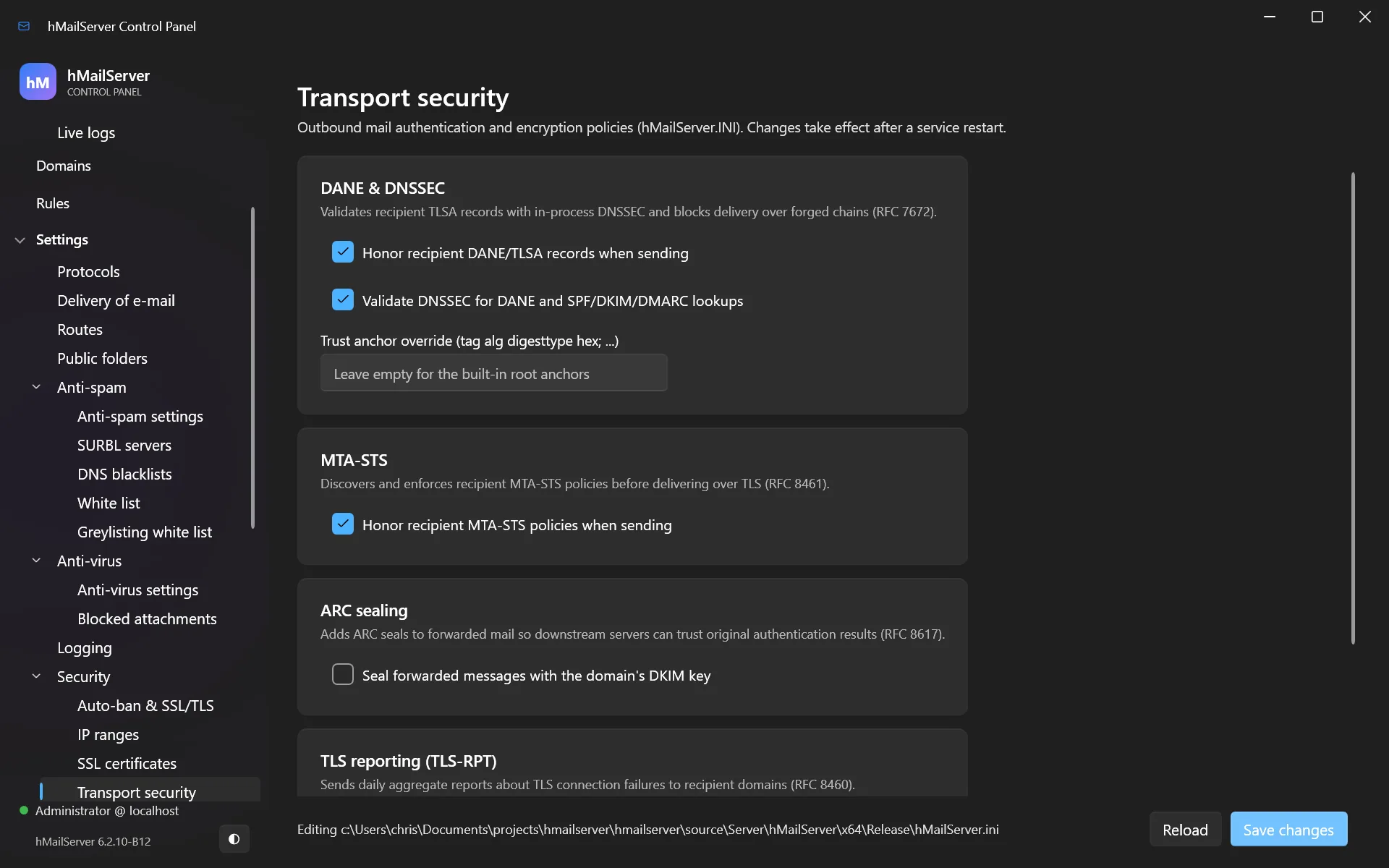
TLS 1.2/1.3 only, with MTA-STS, DANE and in-process DNSSEC validation enforced by default for outbound mail — plus TLS-RPT reporting and ARC sealing for mail from your hosted domains.
Encryption docs →Let’s Encrypt built in
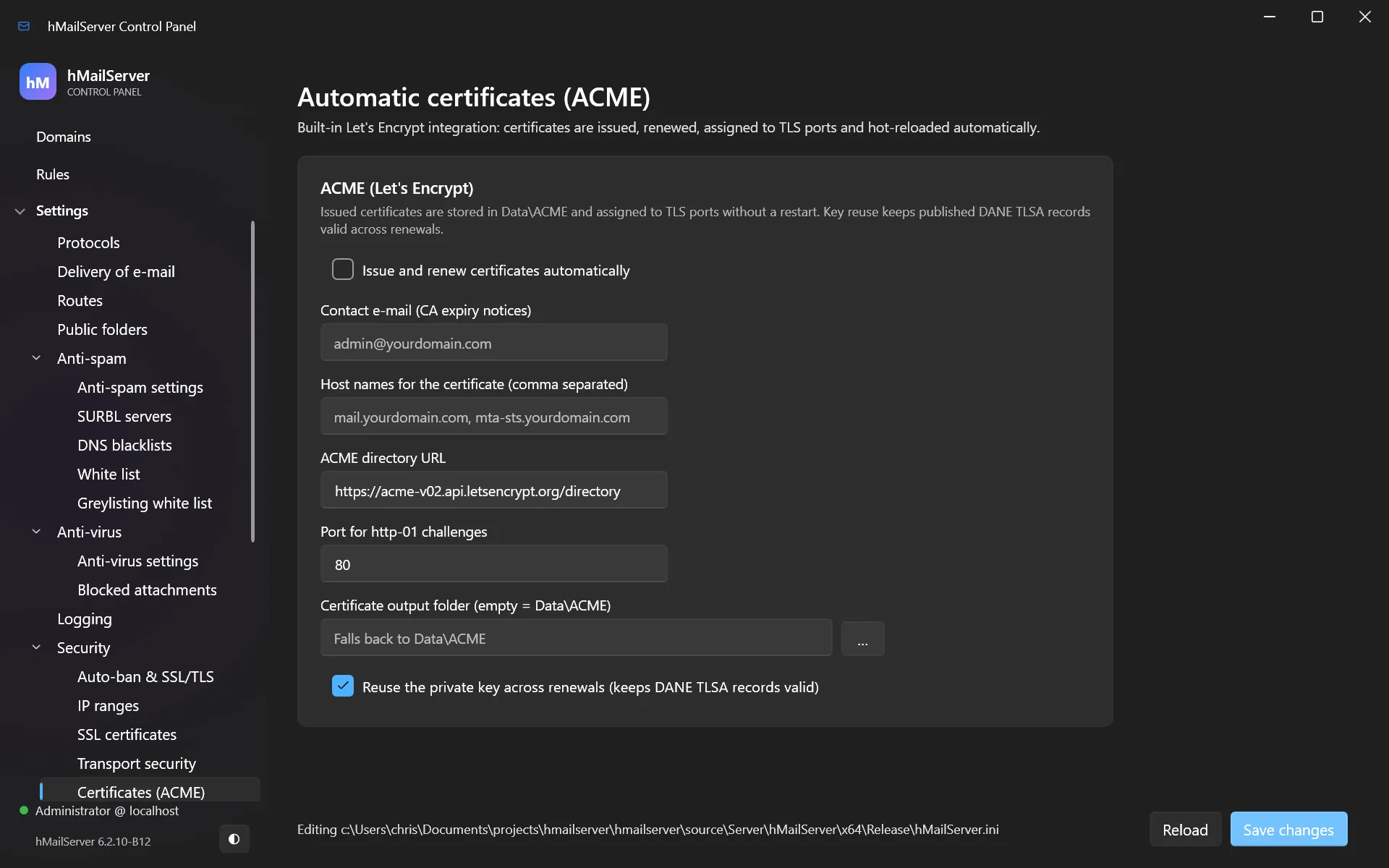
An ACME v2 client obtains, installs, renews and reloads your certificates automatically. No scheduled tasks, no manual renewals, no expired-certificate outages.
Certificate docs →Modern authentication
SCRAM-SHA-256 and SCRAM-SHA-256-PLUS, OAuth2 bearer tokens with JWKS and token introspection, SASL EXTERNAL for client certificates, app passwords, and Argon2id, scrypt or PBKDF2 password storage — with existing hashes upgraded transparently at next login.
Hardening docs →A control panel from this decade
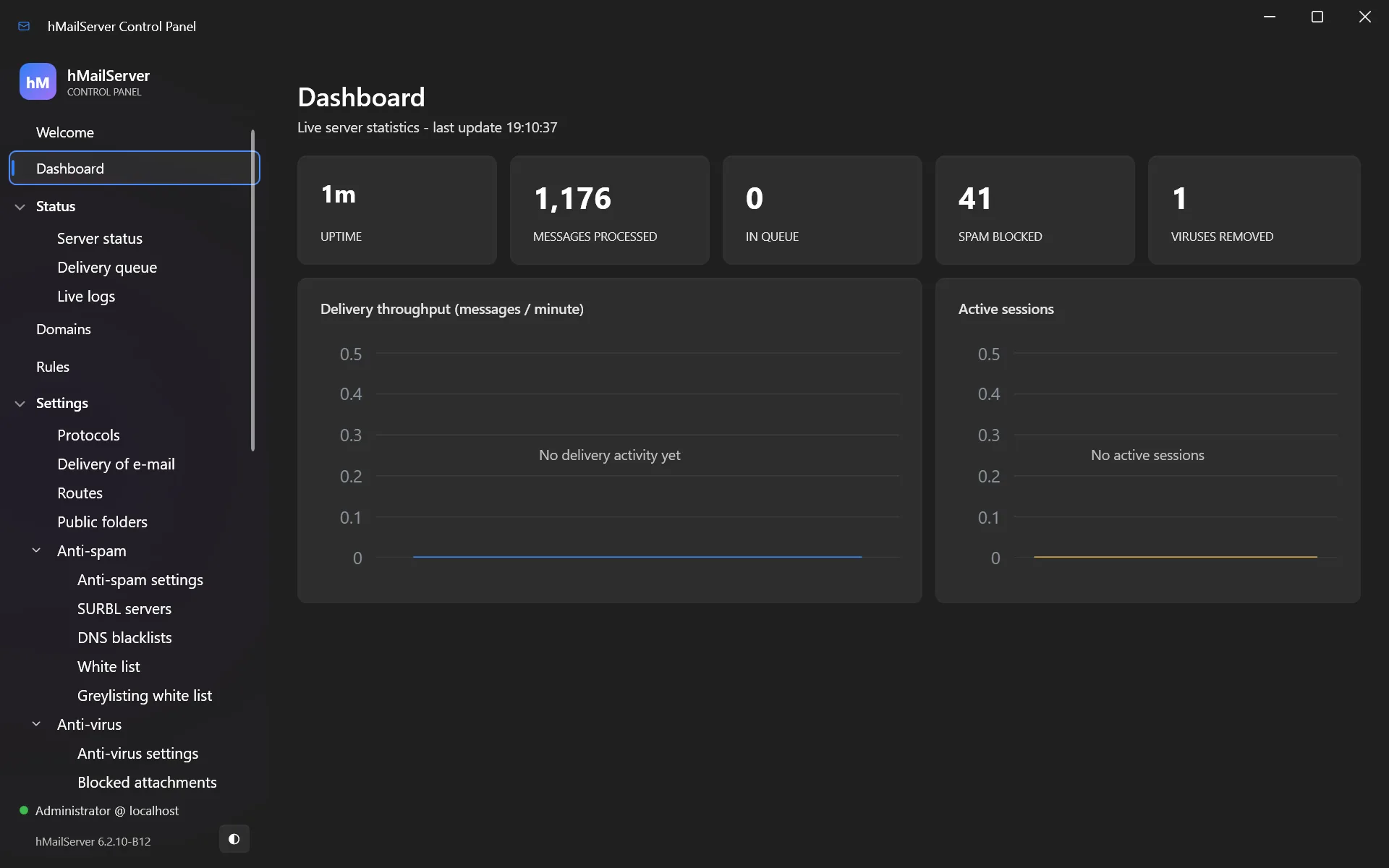
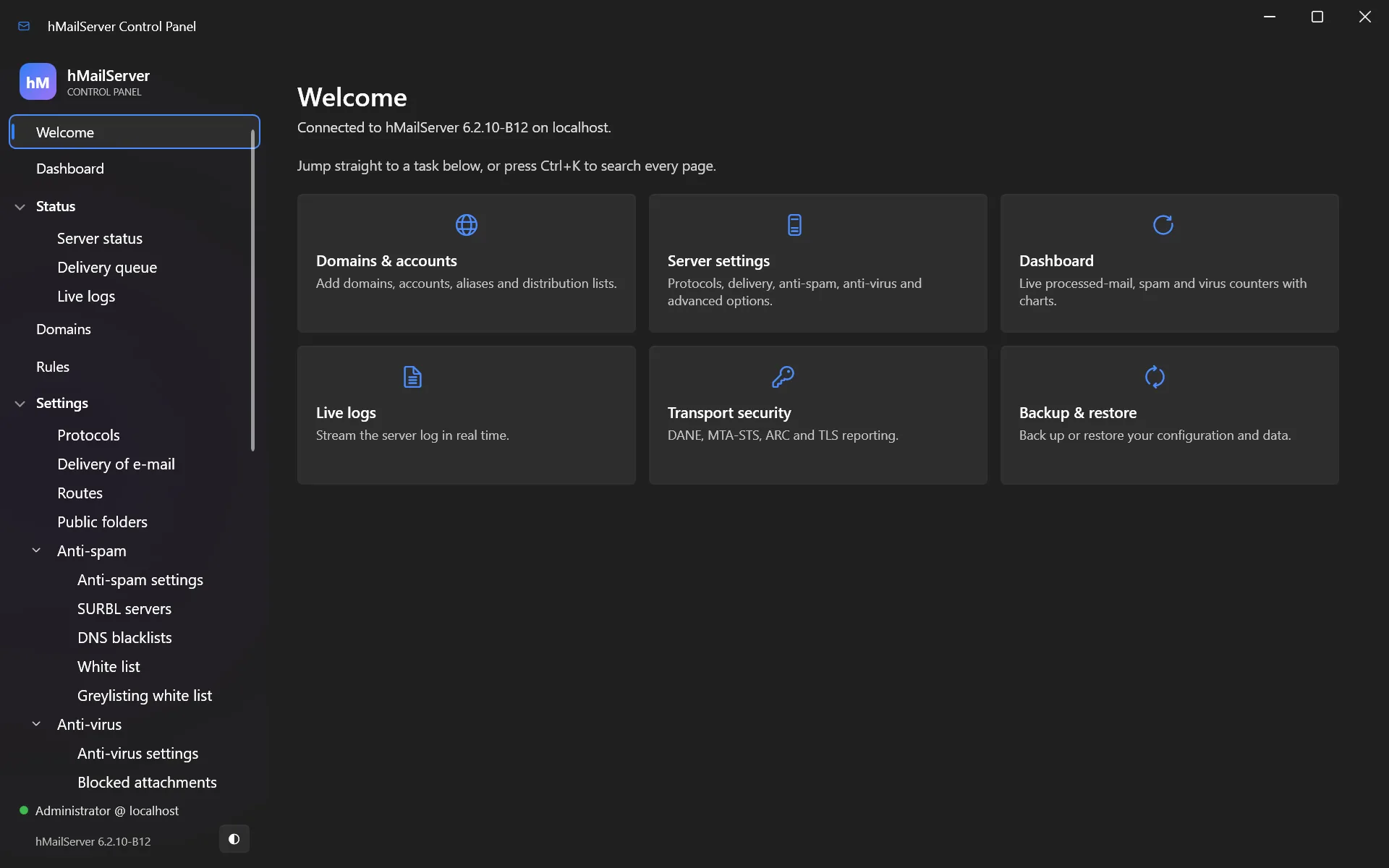
On Windows, a .NET 10 desktop application with a live dashboard, complete settings coverage, light and dark themes, a Ctrl+K command palette, TOTP two-factor authentication and seventeen languages beside English.
Control Panel docs →Deliverability done right
DKIM keys generated in the UI with the DNS record ready to copy — Ed25519 supported alongside RSA — plus DMARC evaluation, SRS for forwarded mail, BATV backscatter protection and outbound rate limiting.
DNS & deliverability docs →Monitoring you can plug in
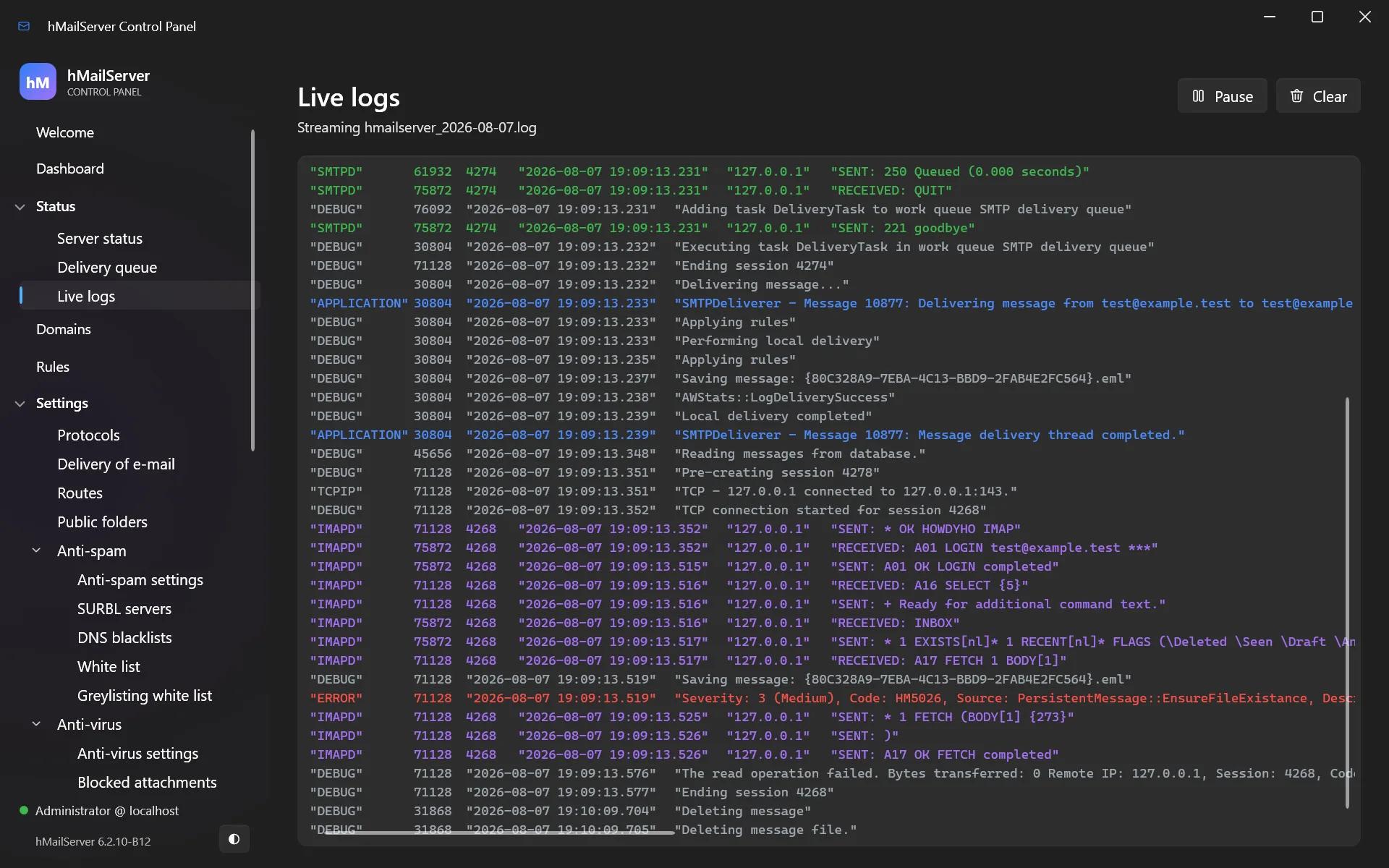
Prometheus metrics with a week of history kept on the server, OTLP metrics and logs,
Kubernetes-compatible health probes (/livez, /readyz) and JSON
logging for Elasticsearch, Loki or Splunk.
Standard mail filtering
Sieve (RFC 5228) and ManageSieve support alongside the classic rules engine — portable, client-manageable filtering the way modern mail servers do it.
Rules & Sieve docs →One source tree, two platforms
Visual Studio 2026 and MSVC on Windows, clang or GCC on Linux, from the same code and 64-bit on both. The Windows build pins its own OpenSSL 4.0.3 and Boost 1.92; the Linux packages take OpenSSL from the distribution they are installed on and link Boost statically from the one they are built on. Windows supports MySQL/MariaDB, SQL Server, PostgreSQL 18 or the built-in database; on Linux it is PostgreSQL or MySQL/MariaDB, and the two SQL Server backends are refused by name.
Version history →Engineering you can audit
At 6.3.8, 4,569 automated regression tests ran against the exact binary being released — 4,489
passed, none failed, 80 were skipped. The Linux suite ran 2,749 tests against the Linux server: 2,374 passed,
none failed, and 375 were skipped. Two clean builds produce a byte-identical hMailServer.exe, each release
publishes SPDX and CycloneDX SBOMs, the releases from 6.2.19 to 6.3.3 carry a Sigstore bundle
beside every asset, and the Windows installer has carried an Authenticode signature naming
Progressive Robot Ltd since 6.3.1. 6.3.4, built and signed by hand after GitHub suspended the
project’s account, carries no bundle: its SHA-256 sums are signed with the key that signs the
release tags, and its installer and packages each have an SBOM of their own. From 6.3.5 the
project’s GitLab pipeline signs every file of a release with Sigstore again.
Screenshots
Administration you’d actually enjoy
On Windows, the classic Administrator has been replaced by the hMailServer Control Panel — same layout your muscle memory knows, none of the 2008. On Linux the equivalent is the browser Control Deck, which the documentation covers page by page.
Already running hMailServer?
Upgrade in place, from 5.3 to 5.6 and every 6.x
On Windows, version 6.3.8 upgrades directly from every earlier release of this fork, and from the original hMailServer up to 5.6, and refuses an installation of the original’s 5.7 before it changes anything — the installer walks the database schema forward for you, on MySQL, SQL Server, PostgreSQL and the built-in database alike. On MySQL and MariaDB it needs MySQL 5.7.9 or MariaDB 10.2.2 or later and the ALTER privilege on the database; an older server stops at step 6041 with error 1071, having changed nothing. On Linux, an installation from 6.3.0 on upgrades with apt or dnf, on x86-64 and, with the packages of 6.3.6 and later, on AArch64 again; a new Linux server is a first installation: install the package, create the database, start the unit.
Not the original’s 5.7. The original hMailServer’s 5.7 builds of August and September 2026 (5.7.0, 5.7.1 and 5.7.2) went on from schema 5708 by steps of their own, which this fork’s upgrade chain does not have. 6.3.8’s installer refuses such an installation before it changes anything; the installers of 6.3.7 and earlier do not check, and must never be run over one. Set this server up on another machine and move the mail over IMAP (Migration).
Upgrade path: from any of 5.35.45.55.66.06.16.2 6.3 directly to 6.3.8
- In-place upgrade. On Windows the installer stops the service, upgrades the
schema and restarts. On Linux a later package upgrade runs
hmailserver --upgrade-databasefrom its own maintainer script and restarts the unit. Mail, accounts, domains and settings are preserved either way. - Mostly off by default. Almost everything new waits until you turn it on — the REST API, the Control Deck and the webmail all wait on one setting. 6.3.4 changes some things on the upgrade without a switch — the settings move into the database, SPF follows RFC 7208, the audit trail and alerts are on — and the upgrade chapter lists them.
- No intermediate steps. Come straight from 5.3, 5.6, 6.2 or 6.3 — the original project’s releases up to 5.6 included — no version-hopping required.
- 6.3.4 to 6.3.7 update themselves to 6.3.8. 6.3.8 is signed with Sigstore by the
project’s GitLab pipeline at its path in the group
hmailserver, which every server from 6.3.4 on trusts, so their live update installs it, a 6.3.7 or 6.3.6 server with its own file as its rollback image and a 6.3.5 server with 6.3.5’s, which is no way back once the upgrade’s schema steps have run: take the backup first. On 29 September 2026 a 6.3.4 Windows server running as LocalSystem installed 6.3.5 that way, with about 24 seconds without mail. One whose service runs asNT SERVICE\hMailSerververifies the download and leaves the install to an administrator: on 6.3.6 or 6.3.7 Install update on the Control Panel’s Server status page, on the server, installs it with one Windows prompt, and on 6.3.4 or 6.3.5 the installer is run by hand, once. On Linux, 6.3.4 and 6.3.5 are upgraded with apt, dnf or zypper rather than by the live update, and so is a 6.3.6 or 6.3.7 server installed from its distribution release’s own package, with that release’s own package of 6.3.8. A server on 6.2.28 to 6.3.3 trusts only the GitHub signer and is upgraded by hand, once. - 6.3.4 is installed by hand. Its installer carries an Authenticode signature and no Sigstore bundle, so no server’s live update installs it: run the installer, or on Linux the package manager. Its sixty-four schema steps include two that take time on a large database — on MySQL and MariaDB one rebuilds every table as utf8mb4. The upgrade defect in the step that adds seventeen foreign keys, which this page used to describe, was fixed in 6.3.2.
- After a schema step, rollback is exactly your backup. The schema upgrade is one-way and an older server refuses a newer database, so a return trip from an upgrade that runs schema steps, as every upgrade from 6.3.5 or older does, is only as good as the database and data-directory snapshot you took first — the upgrade chapter covers it.
- Windows to Linux is not a migration. The schema and the on-disk message format are the same on both platforms, but there is no tested path and the project does not claim one. Treat a platform move as a rebuild and a cutover.
Shipping
An actively maintained release train
-
6.0The modernisation releaseNew toolchain (Visual Studio 2026, OpenSSL 4.0, Boost 1.91, 64-bit), TLS 1.2/1.3 defaults, MTA-STS, DANE with DNSSEC validation, ARC, Ed25519 DKIM, built-in Let’s Encrypt, REST API and Prometheus metrics.
-
6.2.0 – 6.2.4The new Control PanelThe .NET 8 Control Panel replaces the classic Administrator. SCRAM and OAuth2 authentication, Argon2id, Sieve and ManageSieve, SMTPUTF8 and friends, JSON logging, Active Directory pickers.
-
6.2.5 – 6.2.9Fit and finishFresh-install fixes, opt-in IMAP4rev2, a Control Panel redesign with complete settings coverage, one-click DKIM DNS records, and the first automated Control Panel test suites.
-
6.2.10Security & housekeepingFixed fifteen COM API methods that reported success on calls they had refused, removed the 2008-era PHP WebAdmin, and took code-quality findings on shipped code to zero.
-
6.2.11Accessibility & test rigourControl Panel lists no longer announce class names to screen readers, and the full 1,026-test regression suite now executes end to end — with live SpamAssassin and ClamAV — on every release.
-
6.2.12.NET 8 everywhereEvery C# component now targets .NET 8, the VB6-era migration wizards return as a supported Import Tool — accounts from a text file, mailboxes from mbox — and the installer checks its prerequisites properly.
-
6.2.13 – 6.2.14Community feedback & a 21-defect auditForum-reported bugs fixed, SMTP/IMAP/SpamAssassin paths hardened against malformed input, an adversarial audit that caught mail-losing defects — and a Control Panel where Ctrl+K finds any of the 227 settings by name or INI key.
-
6.2.15 – 6.2.18Correctness & bounded waitsIMAP sequence sets brought to RFC 3501 behaviour, restores that verify before they delete, no more orphaned message files — and every wait that can hold a shared thread given a ceiling, so a stalled scanner or database turns into a clean retry instead of silence.
-
6.2.19 – 6.2.21Directory sync & the Postfix fixActive Directory as an account source with preview-then-apply provisioning, IMAP THREAD, the Sieve body test — and the long-standing Postfix relay hang reproduced against a real Postfix, root-caused and fixed. Underneath, and unremarked at the time: 6.2.19 is where the Control Panel and the other C# tools moved from .NET 8 to .NET 10, where they remain. The installer bundles that runtime and installs it when it is missing — and coming from 6.2.18 or earlier it is load-bearing, because the database tools are .NET applications too and the server will not start against an un-upgraded schema.
-
6.2.24Two pre-release lines, landing at onceShared and delegated IMAP mailboxes, full-text search, eleven IMAP extensions, an administrator-reviewable quarantine, app passwords and per-account TOTP, Microsoft 365 XOAUTH2 in both directions, a much larger Sieve, message trace and per-domain outbound relay — plus Control Flow Guard and a reproducible build. Nothing shipped as 6.2.22 or 6.2.23; both pre-release lines arrived here.
-
6.2.25The ACME fix, and sixty commits with itCertificate issuance and renewal had been ending the server process outright; both calls now use OpenSSL’s own file I/O. Beside that fix: IMAP external accounts, message retention, an archive index with legal hold, SASL EXTERNAL, scrypt, tarpitting, a server-enforced administrator second factor, seventeen foreign keys, OpenSSL 4.0.2 and Boost 1.92.
-
6.2.26 – 6.2.27Upgrade verdicts & DNSSEC proofsA SQL Server Compact upgrade that had in fact succeeded was reported as failed, and the verdict took the service down — fixed, with every schema probe now executed through the provider the server actually uses. Then a missing DS record is proved missing rather than assumed, and IMAP folder mirroring and Maildir import give the project the migration route it never had.
-
6.2.28A browser, a self-updater and a real HTTP serverAn account can read its mail at
/portal; an administrator gets the Control Deck at/, read-only at this release; and the server can check for, fetch and apply its own updates, each step opt-in and each installer verified against its Sigstore bundle before it runs. Underneath: HTTP/1.1 with keep-alive, IMAP COMPRESS, and the Control Panel in seventeen languages. -
6.3.0hMailServer runs on LinuxThe reason this release is 6.3 and not 6.2.29. The same source tree compiles with clang or GCC and packages as a
.deb, an.rpm, a PKGBUILD and an AppImage for x86-64 and AArch64 — proven against PostgreSQL 18 and MariaDB 11.8, with a systemd unit and configuration under/etc/hmailserver. The REST API gained a large write surface, the Control Deck edits most of it from a browser over a proper session cookie, and/portalbecame a full webmail. The Windows build is unchanged by all of it. -
6.3.1A signed installerNothing in the server changed: the binary differs from 6.3.0 by its version stamp and one comment line. What changed is the road a release travels. The Windows installer now carries an Authenticode signature naming Progressive Robot Ltd, timestamped so it keeps verifying after the certificate behind it expires, so the elevation prompt reads a publisher instead of Unknown publisher and a policy that bars unsigned binaries stops barring this one. SmartScreen still warns. The server’s own updater can now be told to insist on that signature —
UpdateRequireAuthenticode, a setting that has existed since 6.2.28 and that until this release would have refused every release of this project, because none carried one. It is a Windows check; on Linux, updating is the package manager’s job. The workflows that build, sign and verify a release were hardened alongside it. -
6.3.2A webmail people would choose, Kerberos single sign-on, auto-ban at the firewallThe webmail became a mail client — threads, labels, search operators, a formatting editor, S/MIME in the browser, an installable app that reads offline. Kerberos single sign-on arrived on SMTP, IMAP and POP3; an auto-ban can now reach the operating system’s firewall; the Linux packages link Boost statically, so they install on the next distribution release; the long-standing 6029 → 6030 upgrade defect was fixed, with a gate that upgrades a seeded database on every push; and thirty-seven binaries left the repository. Its guard for a refused database reached too far, though — an upgrade from anything older than 6.3.1 stopped with The server has not loaded its configuration — which 6.3.3 puts right.
-
6.3.3Large messages over BDAT, a webmail rebuilt, CardDAVA message larger than 60,000 bytes sent with CHUNKING to Gmail, iCloud, Outlook.com or Postfix had stalled after its first buffer ever since outbound BDAT arrived in 6.2.28; it goes now. The webmail was rebuilt to the shape of Gmail and Outlook.com — tabs, mute, pop-out windows, search history and more search operators — the account’s address book is served over CardDAV to phones and desktop clients, the browser Control Deck was measured against the desktop Control Panel and moved a long way toward it, and a live update started from an open Control Panel no longer fails on its own files. The upgrade that 6.3.2 refused goes through in one step. 2,302 tests, none failing.
-
6.3.4Settings in the database, calendars, roles and eDiscoverySixty-four schema steps. The database became the settings store; the webmail gained calendars over CalDAV with shares, invitations and rooms, and OpenPGP; the server gained administrator roles, an audit trail, passkeys and single sign-on, eDiscovery with legal holds, PST import and migration from Google Workspace and Microsoft 365, mailbox encryption at rest, storage compression and object storage, and event scripts on Linux. A new installation is secure before anyone configures it and on Windows runs as a service account of its own, and a fix closed a way for a password to run code on a Windows server scripting in JScript (CVE-2026-100741). The first release built after GitHub suspended the project’s account: it carries no Sigstore bundle and is installed by hand, and on Linux it is x86-64 only.
-
6.3.5The quarantine reviewed, and the first release its pipeline signedOne schema step. The quarantine records the HELO name of each held message and groups by the sender’s domain or the HELO name’s; a message, a group or the checked ones are released, deleted, whitelisted or blacklisted at once, with a dry run first, and a held message’s headers and a plain-text preview are read without releasing it. The Control Panel gained an editor for each of the 137 database settings that needed one and had none, and the Control Panel and the webmail were audited in both themes and by keyboard, the webmail with a screen reader too. The first release built and signed by the project’s GitLab pipeline: every file carries a Sigstore bundle again, and a 6.3.4 server’s live update installs it. On Linux it is x86-64 only.
-
6.3.6Security fixes for every earlier version, every platform again, and the last release planned by dateThree schema steps. The security flaws the project’s own reviews of the code found are fixed, among them two heap buffer overflows in the legacy Blowfish code of stored secrets inherited from the original hMailServer (CVE-2026-103011, in every version up to 6.3.5, fixed here; CVE-2026-103010, fixed in 6.3.4), and that code is now the project’s own; the Windows installers carry OpenSSL 4.0.3. Outbound DANE holds against a lookup that cannot tell, external accounts’ days to keep messages means one thing for POP3 and IMAP, port 25 can refuse passwords, and the data folders of a Windows installation are the administrators’ and the service’s alone. The release carries every file its pipeline makes: the Windows installer for ARM64 as a preview, the AArch64
.deband.rpmand the AppImages again, a package of each supported distribution release, the source tarball, the Helm chart and SLSA build provenance. The Control Panel’s text can be selected and copied. After it, releases pause: the 6.3 line receives security fixes until 30 September 2027. -
6.3.7Security fixes for every earlier version, and the first security release made while releases pauseReleased 17 October 2026. No schema step: 6.3.7 needs 6108, as 6.3.6 does. It fixes security flaws the project’s own reviews of the code found, among them a way for any account that could sign in to a Windows computer to replace the programs of a server installed in a folder at the root of a drive (CVE-2026-107571; four narrower cases of it are not fixed in this release), the DKIM signing of mail from outside in the name of a domain hosted here (CVE-2026-107567) and a way for any sender to lift the rule loop limit off a message (CVE-2026-107569); the Windows installers carry the .NET Desktop Runtime 10.0.13, and the x64 one MariaDB Connector/C 3.4.11. Like every release during the pause it is cut from
master, and so it also carries the work that was under way on 13 October 2026 — among it the Control Panel’s corrections and its regrouped sidebar — and the first step of the Control Deck’s and the webmail’s rebuild planned for 6.4, with no product code. -
6.3.8Security fixes for every earlier version, a Helm chart that starts a server, and a Windows installer that refuses the original’s 5.7Released 2 November 2026. No schema step: 6.3.8 needs 6108, as 6.3.6 and 6.3.7 do. It is a security release. It fixes vulnerabilities the project found in its own code, each a work item with a CVE request through GitLab’s CNA: in the database layer’s test for the marker that lets a statement’s error be ignored (CVE requested, work item 100); in the auto-ban’s naming of the IP range it adds (CVE requested, work item 102); in the match of a sign-in’s name to its account (CVE requested, work item 104); in the IP ranges at the web services listener (CVE requested, work item 105) and in the address a failed sign-in there is charged to (CVE requested, work item 106); in the address a failed sign-in at the REST listener is charged to (CVE requested, work item 107); in the cost of the REST API’s reading of a request’s JSON body (CVE requested, work item 110; CVE requested, work item 111); in the database client’s check of the database server’s certificate (CVE requested, work item 112) and of a database server on this machine (CVE requested, work item 113); and on Windows, in the database clients’ reading of the root certificate file named (CVE requested, work item 114), in the server’s reading of the files it hands to OpenSSL by name (CVE requested, work item 115) and in the folder the bundled database client loads its authentication plugins from (CVE requested, work item 116). It also fixes the four narrower cases of CVE-2026-107571 that 6.3.7 left open (CVEs requested, work item 78), and publishes the advisory for a flaw in the auto-ban on MySQL and MariaDB that 6.3.4 fixed (CVE requested, work item 103). It was first decided on 24 October 2026, under the owner’s delegation, for a reason of its own, which stands beside them: the published Helm charts of 6.3.6 and 6.3.7 never started a pod, which only a release puts right. 6.3.8’s chart starts a server; the container image reaches a MariaDB database; and the Windows installer refuses an installation of the original hMailServer’s 5.7 before it changes anything, where earlier installers replaced its programs. A certificate that lacks a host added to the ACME list is due at once, where it waited for the renewal, and a check can be asked for over REST, COM and the Control Deck. An event script can follow an IMAP move, and Rspamd can learn from the Junk folder beside SpamAssassin, each off until it is switched on. A stop of the servers is no longer reported as errors of their own, and the packages, the image and the chart say that they are Progressive Robot’s fork and credit the original’s author, Martin Knafve.
-
…and counting
Every release lists exactly what changed and why. Read the release notes on the downloads page or the version history in the documentation.
Managed hMailServer
Run it yourself — or have us run it
hMailServer is free and always will be. If you’d rather not operate it yourself, the team that maintains the software will design, deploy, secure and manage your environment on Windows or Linux — your mail runs on the code we know best.
Deployment & migration
Architecture, sizing and installation on Windows or Linux — or migration from the original hMailServer, any 5.x install, or a hosted provider, with mail and accounts intact. A move between the two platforms is a rebuild and a cutover, and we plan it as one.
Security & deliverability
SPF, DKIM and DMARC done properly, TLS and MTA-STS/DANE enforcement, anti-spam tuning, and blacklist recovery when history needs cleaning up. On Linux, per-domain DKIM signing is set over the REST API or the Control Deck rather than a Control Panel, which is the sort of detail that decides which platform you belong on.
Monitoring & backup
Prometheus dashboards on the built-in metrics and their history, OTLP shipped into the stack you already run, health-probe alerting, and backup schedules that are actually tested with restores.
Ongoing management
Updates applied promptly on either platform, queues watched, incidents handled, and a regular review of capacity, reputation and security posture.
Questions
hMailServer 6 — FAQ
Is hMailServer still free?
Yes — free and open source under the AGPL-3.0 licence, including for commercial use. There are no per-mailbox fees and no paid tiers. If you modify it and offer it to others over a network, you must publish your changes; simply using it requires nothing.
What do I need before I install it?
Five things, and the third and fourth are what stop most home installations. A machine
that is on all the time: Windows 10 (version 1607 or later), Windows 11 or Windows Server 2016 or
newer on x64, or 64-bit Linux on x86-64 or AArch64 with systemd, with at least 2 GB of RAM and
20 GB of free disk. A domain whose DNS records you can edit. A static public IP address with
port 25 open both ways: most consumer ISPs block it inbound, and many cloud providers, notably
Azure and AWS, block it outbound until you ask. A reverse DNS (PTR) record for that address, which
only your ISP or hosting provider can set and without which many large providers reject your mail.
And a name for the server, conventionally mail.yourcompany.com, used in the MX record,
the PTR record, the certificate and the SMTP greeting.
If port 25 is blocked you can still send through a smart host, but mail will not reach you directly. Chapter 3 of the documentation is the full checklist, or let us run it for you.
Can I upgrade my existing hMailServer installation?
Yes, unless it is the original’s 5.7. On Windows, version 6.3.8 upgrades in place from every earlier release of this fork and from the original project’s releases up to 5.6, on every supported database; on MySQL and MariaDB it needs MySQL 5.7.9 or MariaDB 10.2.2 or later and the ALTER privilege. The installer upgrades the schema automatically and your mail, accounts and settings are preserved. The original’s 5.7 builds of August and September 2026 are the exception: their schema (5709 to 5711) is not on this fork’s chain, so move such a server’s mail over IMAP; 6.3.8’s installer refuses such an installation, and those of 6.3.7 and earlier must never be run over one. On Linux there is no earlier hMailServer to come from — 6.3.0 was the first release for that platform — so a first install is the package plus three commands, and 6.3.0 to 6.3.8 is an ordinary package upgrade, on x86-64 and, from 6.3.3’s packages, on AArch64, which from 6.3.6 it is published for again. See the upgrade guide.
Two things about 6.3.4 we would rather you heard from us. It is installed by hand: its
installer carries an Authenticode signature and no Sigstore bundle, so a server’s live update
will not install it. And its sixty-four schema steps include two that take time on a large
database — on MySQL and MariaDB one rebuilds every table as utf8mb4. Take the backup the upgrade chapter asks for and you are covered either way. And a password with a character above U+00FF — Cyrillic, Greek or CJK letters, say — was hashed wrongly before 6.3.4, so any password of its length and shape opened that account: 6.3.4 refuses such a stored hash, so set those passwords again soon after the upgrade. A server on 6.2.28 to 6.3.3 also needs UpdateFeedUrl=https://updates.progressiverobot.com/releases.json under [Settings] before its update check works again. Once a server is on 6.3.4 or later, its
live update installs the releases the project’s GitLab pipeline signs, 6.3.6 to 6.3.8 among them.
What happened to the original hMailServer project?
It is active: Martin Knafve’s original project has resumed development, and its forum at hmailserver.com is online. In 2026 Progressive Robot Ltd forked hMailServer and maintains the 6 line: it modernised the toolchain and security stack, with the rule that what is new is off until you turn it on, and that anything an upgrade changes without a switch is listed first in the release notes.
Does hMailServer run on Linux?
Yes, since version 6.3.0. The same source tree that builds the Windows server compiles
with clang or GCC and ships as a .deb, an .rpm, a PKGBUILD and an
AppImage for x86-64 and AArch64 (from 6.3.6 with a package of each supported distribution release’s own), with a
systemd unit, configuration under
/etc/hmailserver, and PostgreSQL or MariaDB behind it. The Windows build is
unchanged by any of it.
Windows is still the more complete platform, and we would rather say that than sell you a surprise. There is no Control Panel and no COM on Linux, so a Linux server is administered through its configuration file, its own command line, the REST API and the Control Deck. Event scripts run there in JavaScript since 6.3.4; VBScript and JScript stay on Windows. Per-domain DKIM signing is set on Linux over the REST API or on the Control Deck (since 6.3.3), not in a Control Panel. And moving an existing Windows installation to Linux is not a supported migration: the schema and the on-disk message format are the same on both, but there is no tested path. One packaging note before you download: from 6.3.6 each supported Debian, Ubuntu, Fedora, Enterprise Linux and openSUSE release has a package of its own, built in that release’s container; install that one. The AArch64 packages are cross-compiled and tested under emulation, since the project has no ARM machine. On anything older, build from source. The Linux chapter goes through it properly.
Is there a webmail interface?
Yes. The server serves one itself at /portal on its REST listener —
a mailbox page since 6.2.28, a real webmail since 6.3.0. It does folders and paging, search
across every folder the account may read, compose with attachments, drafts, reply, reply-all,
forward and Bcc, flags, move, delete and bulk marking, shared and public folders, inline images,
and new-mail polling that stops while the tab is hidden. It also carries the account’s own
quarantine, signature, forwarding, vacation reply, Sieve filters and password change. It is
compiled into the binary rather than installed as files beside it, and it fetches no font, image
or stylesheet from anywhere.
What it is not: an administration interface. It signs in with the account’s own credentials and nothing else — the administrator password and API keys are refused on every one of its routes. It keeps the account’s address book, served over CardDAV since 6.3.3, and since 6.3.4 its calendars and tasks, served over CalDAV. It needs the REST listener turned on before it exists at all. None of this displaces IMAP: Outlook, Thunderbird, Apple Mail and phones work exactly as they did, and pointing a package such as Roundcube at the IMAP service is still perfectly reasonable. The old PHP WebAdmin administration interface was removed for security reasons and is not coming back; the Control Panel and the Control Deck replace it.
Do I have to turn the REST API, the Control Deck and the webmail on?
Yes, deliberately. One setting governs all three: RestApiPort, in
hMailServer.ini until 6.3.4 and in the database since. Leave it at 0 and the API, the Control Deck and the portal do not
exist. The listener also refuses to start if the administrator password is empty, and requires a
certificate and key unless it is bound to loopback. That is the rule for almost everything in
version 6 — what is new is off until you turn it on. 6.3.4 is where it bent: some things change on
the upgrade without a switch, among them the settings moving into the database and SPF following
RFC 7208, and
the upgrade
chapter lists them.
Is the Windows installer signed?
Yes, from 6.3.1. It is signed with Azure Artifact Signing against a certificate profile issued to Progressive Robot Ltd after Microsoft’s identity validation, and countersigned by a timestamping authority so the signature keeps verifying long after the short-lived certificate behind it has expired. The elevation prompt names the publisher instead of reading Unknown publisher, and an enterprise policy that refuses unsigned binaries no longer refuses this one.
Two things about that we would rather tell you than have you discover. SmartScreen still
warns. Microsoft puts a signed installer in the same row as an unsigned one, flagged
unrecognised until reputation accumulates, and reputation attaches to a file that does not change
— which a new 80 MB installer every few weeks never is. An EV certificate would not help;
Microsoft removed EV’s SmartScreen bypass in 2024. Expect the same Windows protected your
PC screen, now with our name on it. And only the Windows installer is
Authenticode-signed: there is no Authenticode for a .deb, an .rpm
or an AppImage, and releases published before 6.3.1 are unsigned and will stay that way, because a
published release is immutable.
From 6.2.19 to 6.3.3 Sigstore is the check that covers everything: every release asset carries a
.cosign.bundle, and cosign verify-blob against that bundle is the check
that means something on either platform. 6.3.4 has no bundle: it was built and signed by hand after
GitHub suspended the project’s account. Its hmailserver-6.3.4-SHA256SUMS.txt lists
the SHA-256 of every file of the release but itself and its signature, and is signed with the key
that signs the release tags, so check that signature with ssh-keygen -Y verify against the repository’s
.gitlab/allowed_signers, then each file against the list, and the installer’s
Authenticode signature; the
security
policy has the commands. From 6.3.4 each installer and package also has an SBOM of its own,
<file>.cdx.json. From 6.3.5 the project’s GitLab pipeline signs every file of a
release with Sigstore again, so cosign verify-blob against its bundle is once more the check
for every file. Each release also publishes SPDX and CycloneDX SBOMs and
the SHA-256 of the binaries it built — and from 6.3.1 the installer has two of those, as built
and as published, because signing rewrites the file after the build. The published hash is the one
to check a download against.
Do you offer commercial support?
Yes. Progressive Robot offers deployment, migration, hardening and fully managed hMailServer environments on Windows and Linux — see the services above, or talk to us about your setup.
Your email, on your hardware, kept current
Download hMailServer 6.3.8 for Windows or Linux, work through documentation written for first-time mail admins, or let the maintainers run it for you.